Overview
Summary
The useful answer before the supporting detail.
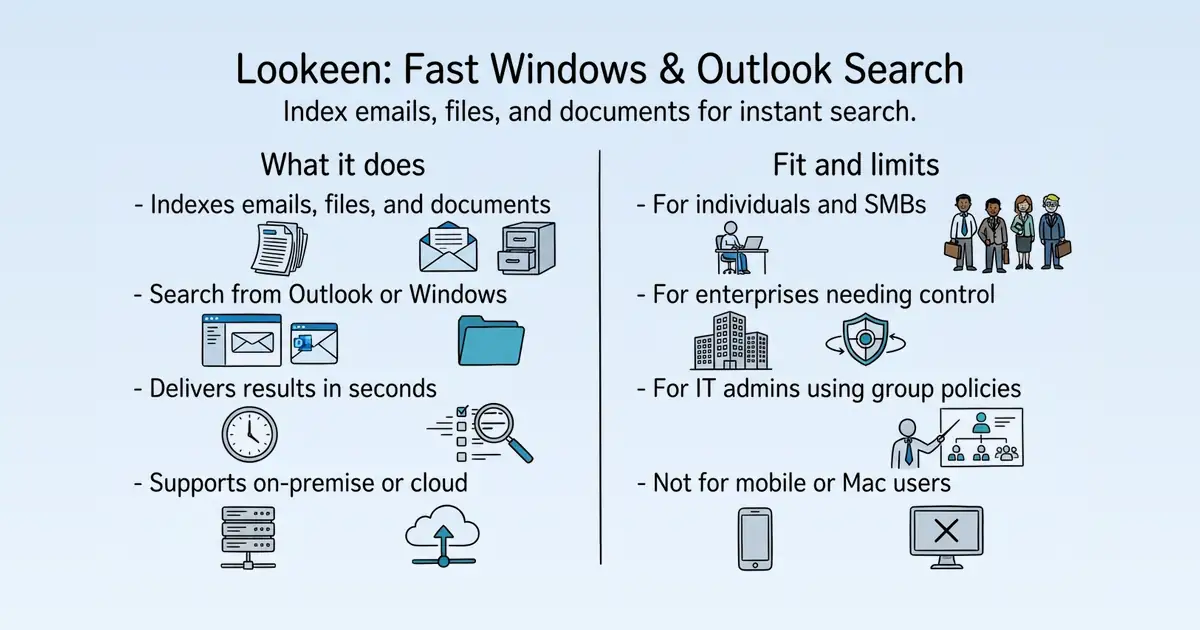
Lookeen is a desktop and enterprise search solution for Windows and Microsoft Outlook, indexing emails, attachments, documents, calendar data, and more to make all data searchable in one place S11. It is used by individuals, small to medium businesses, and larger enterprises to solve the problem of slow and inefficient search across Outlook and Windows S28 S11. Its main practical value is delivering search results in seconds through a locally stored index, with options for on-premise or private cloud hosting to maintain data control S10 S11.
Product identity and positioning
Name, category, positioning, audience, and first-party claims.
- Identity: Lookeen GmbH, an owner-managed and independent company based in Karlsruhe, Germany, offering desktop and enterprise search software S1.
- Core purpose: Solves slow and inefficient search across Outlook, Windows, and enterprise data by indexing emails, files, and documents S11 S51.
- Intended users: Individuals, small to medium businesses, and larger enterprises needing powerful search solutions S28 S11.
- Product scope: A search application available as a Windows app or via browser, with options for desktop, on-premise server, or private cloud deployment S11 S51.
- Positioning: Positions itself as the best alternative to Windows and Outlook search, emphasizing speed, accuracy, and completeness S10 S1.
- Claimed distinction: Claims to set new standards in full-text search with scalable, parallel indexing and a focus on data protection S1 S11.
Use cases and audiences
Who the product serves and the jobs it is designed to handle.
| Audience | Practical use case |
|---|---|
| Individuals | Search emails, documents, and files on their Windows PC quickly without navigating complex folder structures S28 S10. |
| Small to medium businesses | Provide employees with a powerful and user-friendly search solution to find information across emails and documents S28 S11. |
| Medium to large enterprises | Deploy a scalable search solution with central indexing and group policy management for efficient rollout and control S11. |
| IT administrators | Manage search clients and servers through Active Directory and Windows group policies, and integrate with VDI environments like Citrix or VMware S11 S10. |
| Remote teams | Access search via SSL-encrypted web browser or dedicated app, enabling secure search from anywhere S11 S28. |
Traffic and search
SEO analysis
Collected Oct 22, 2026lookeen.com: an estimated 18,031 total monthly visits and about 8,675 monthly organic visits across 2,793 ranking keywords. Scout crawled 15 pages and measured a technical health score of 93/100.
Search summary
The useful answer before the supporting detail.
Find everything. The ultimate search solution for your emails, files, attachments, and all important data. lookeen.com: an estimated 18,031 total monthly visits and about 8,675 monthly organic visits across 2,793 ranking keywords. Scout crawled 15 pages and measured a technical health score of 93/100.
- Total traffic (modeled): 18,031 monthly visits across all channels.
- Organic search traffic (estimated): 8,675 monthly visits from search.
- Strongest sampled ranking: how do i find a folder in outlook at position 2.
- Leading page in the collected evidence: https://lookeen.com/blog/how-to-find-a-folder-you-accidently-moved-in-outlook.
- Closest measured organic competitor: learn.microsoft.com, appearing 2 times in the sampled first-page SERPs.
- Technical crawl: 15 pages, health score 93/100.
Website intelligence — Collected evidence
Company identity and positioning
| Page type | Evidence | Source |
|---|---|---|
| other | Find everything. The ultimate search solution for your emails, files, attachments, and all important data. | https://lookeen.com/ |
| other | The ultimate Search & eDiscovery solution – for your emails, files, and important documents. | https://lookeen.com/ |
| other | Try Lookeen for free | https://lookeen.com/ |
| other | Built for Scalability and Security | https://lookeen.com/ |
| other | Lookeen adapts to your IT environment with options for desktop, on-premise server, or private cloud, ensuring a secure and scalable search experience. | https://lookeen.com/ |
| other | In today’s work environment, quick access to information is crucial. Yet, slow searches still waste valuable time and lead to mistakes. While there are many search options for public data, searching within your own company documents often falls short. Lookeen changes that: Our software enables lightning-fast and precise searches through your most important data, helping you increase efficiency and improve the quality of your work. | https://lookeen.com/ |
| other | Lookeen revolutionizes information search within companies. With unbeatable speed and precision, our software searches emails and documents in Outlook, O365, Exchange, on desktops, and across the network. Thanks to a single search interface for all company data, you can quickly find the relevant information you need to make informed decisions. Lookeen guarantees the highest security and privacy standards. Whether for servers or desktops – with Lookeen, you save time and boost your productivity. | https://lookeen.com/ |
| other | Our AI Assistant makes Lookeen even more powerful. With both predefined and custom actions, you can effortlessly work across multiple documents at once. Use features like creating summaries, formulating responses, finding key points, detecting errors and contradictions, visualizing timelines, and extracting email addresses. Lookeen helps you intelligently search through and analyze your data. | https://lookeen.com/ |
| other | To grasp the big picture, it’s often not enough just to find data – sometimes you need to discover it. With the Lookeen Discovery Panel, you can do just that: not only do you see the specific information you searched for, but also the “information next to the information,” such as other files in the same folder. This mode provides an intuitive overview, helping you navigate your data more quickly and easily. It enables you to maintain control and uncover connections within your information. | https://lookeen.com/ |
| other | Type a keyword into Lookeen, and the file is found-emails, documents, presentations, etc. “Wasn’t there an email about this topic around two years ago…?” Lookeen finds it in a fraction of a second. Sensational! I’ve installed it for all my relatives and friends as well. | https://lookeen.com/ |
| other | We have been successfully using Lookeen in our company for several years. Lookeen is the only solution that provides truly reliable search results in Outlook, and it also optionally indexes the computer or even the network. | https://lookeen.com/ |
| other | I haven’t found a better search program than Lookeen. It integrates seamlessly with Outlook, and the various search options make it easy to quickly find what you’re looking for. | https://lookeen.com/ |
Domain performance
Modeled total traffic, six-month trend, engagement, countries, and domain identity.
Total website traffic
| Month | Modeled visits |
|---|---|
| 2026-04 | 15,399 |
| 2026-05 | 13,775 |
| 2026-06 | 17,416 |
| 2026-07 | 20,658 |
| 2026-08 | 17,807 |
| 2026-09 | 18,031 |
Top visitor countries
| Country | Name | Traffic share |
|---|---|---|
| US | United States | 30.9% |
| DE | Germany | 11.7% |
| GB | United Kingdom | 10.0% |
| SA | Saudi Arabia | 7.1% |
| IN | India | 6.3% |
Domain identity
| Signal | Value |
|---|---|
| Registered | Jul 17, 2007 |
| Last changed | Mar 15, 2026 |
| Expires | Jul 17, 2027 |
| WHOIS server | whois.verisign-grs.com |
| DNSSEC | Not signed |
| Nameservers | NS1.DOMAINOFFENSIVE.DE, NS2.DOMAINOFFENSIVE.EU, NS3.DOMAINOFFENSIVE.NET |
Website capture
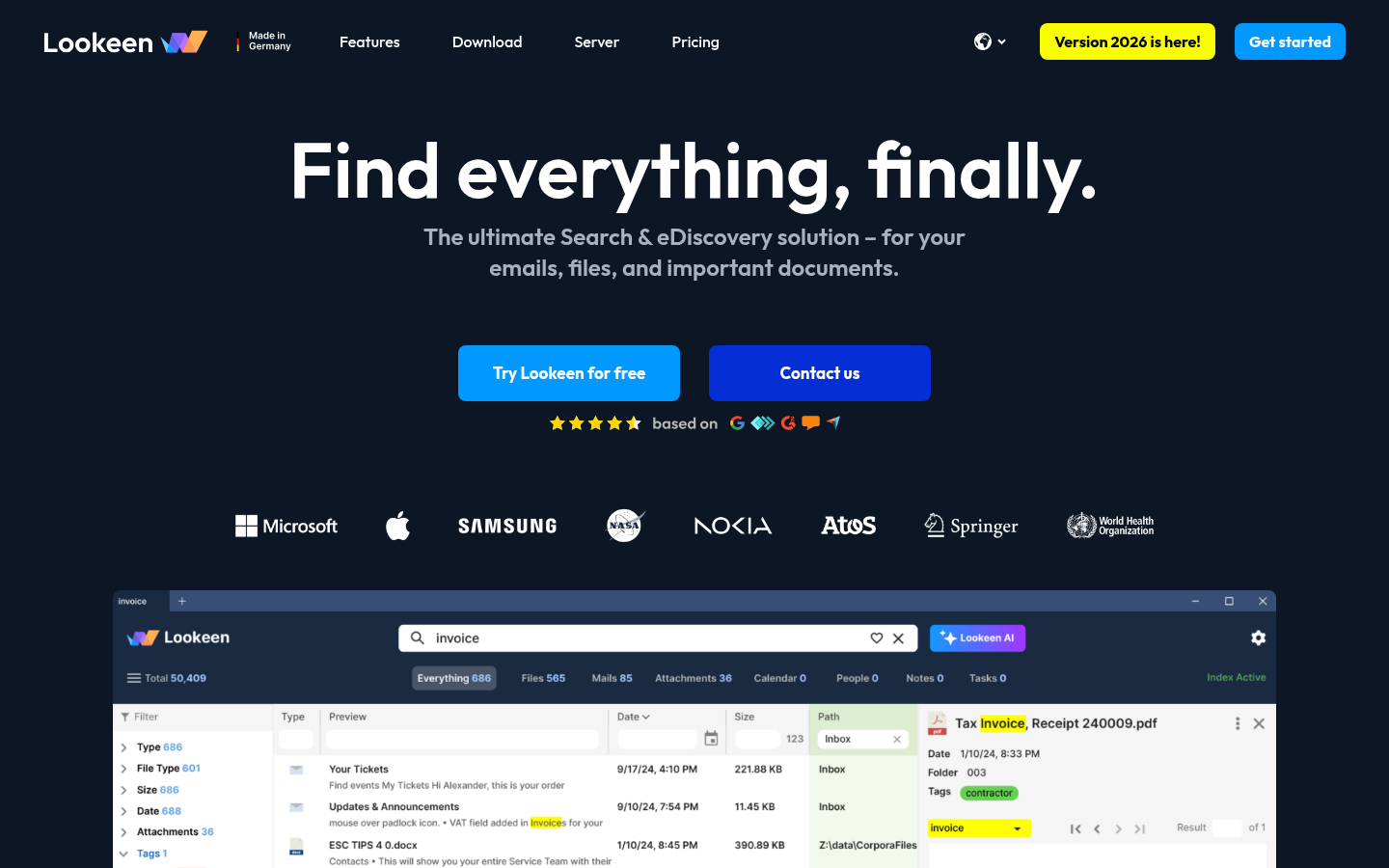
Organic keywords
Top keywords and an independent Google result page.
Top organic keywords
| Keyword | Volume | CPC | Estimated value |
|---|---|---|---|
| attachment in outlook is not showing. i click forward message and attachment is visible | 270 | $0.00 | $260 |
| lookeen | 1,180 | $0.00 | $220 |
| reverse image search | 1,131,370 | $0.91 | $210 |
| reverse image search google | 25,560 | $1.36 | $160 |
| google desktop search | 330 | $0.00 | $150 |
Independent Google result page
Query: how do i find a folder in outlook
| Position | Title | URL | Description |
|---|---|---|---|
| 1 | How can I find a folder in Microsoft Outlook? | https://learn.microsoft.com/en-us/answers/questions/5710076/how-can-i-find-a-folder-in-microsoft-outlook | I put emails into a folder, and I can no longer find the folder. When I search for one of the emails that I know is in the folder, it tells me that ... |
| 2 | A folder disappeared from my Outlook mail and I can't find it ... | https://learn.microsoft.com/en-us/answers/questions/4667582/a-folder-disappeared-from-my-outlook-mail-and-i-ca | A folder disappeared from my Outlook mail and I can't find it anywhere. Any suggestions? I've tried everything posted online. |
| 3 | How to find a folder you accidently moved in Outlook | https://lookeen.com/blog/how-to-find-a-folder-you-accidently-moved-in-outlook | Step 1: Right-click next to your inbox, then choose Properties Step 2: Click the Folder Size field in the new window. Outlook now lists all ... |
| 4 | Create a folder or subfolder in Outlook | https://support.microsoft.com/en-us/outlook/mail/create-a-folder-or-subfolder-in-outlook | In the folder pane on the left, right-click your email address, or hover over it and select More options. In the folder pane on the left, right-click on ... |
| 5 | How to Find a Missing Folder in Outlook | https://www.youtube.com/watch?v=_Dl67qHkBA4 | If you are looking for a video about How to Find a Missing Folder in Outlook , here it is! That's easy and simple to do! |
| 6 | Show all folders in Outlook | https://support.microsoft.com/en-us/outlook/show-all-folders-in-outlook | In new Outlook, on the ribbon, select the View tab. Select Folder pane. Select Folder list, then Show. Select View > Layout > Folder Pane > Normal. Expand the ... |
| 7 | How to search outlook for a specific email folder? | https://www.reddit.com/r/Office365/comments/1ccqat4/how_to_search_outlook_for_a_specific_email_folder/ | Does anyone know how to do this? Just search for an outlook folder name? Thanks! |
| 8 | Accidentally Moved an Outlook Folder and Can't Find It? | https://robert365.com/article/moved-outlook-folder-cant-find-it | By pressing on the Browse… button in the Advanced Find dialog, you'll see where in your mailbox that folder is located. Via Instant Search and ... |
| 9 | How To Find A Missing Folder In Outlook 2026 (Step By Step) | https://www.youtube.com/watch?v=LQ9ur6yn-Vc | In this video, I will show you How To Find A Missing Folder In Outlook, step-by-step guide. In This Video, We'll Show You Outlook Missing ... |
| 10 | Lost Outlook:365 Folder? Find Missing Folders Fast! | https://www.justanswer.com/microsoft-office/q151k-cannot-find-folder-outlook-365-went-move.html | Navigate to View > Folder Pane and select an option that organizes the folders alphabetically. If you still can't find the folder, restarting Outlook might ... |
Important pages
Pages earning the most estimated search traffic in the sample.
Website intelligence — Collected evidence
Prioritized website intelligence pages
Features
| Page type | Evidence | Source |
|---|---|---|
| features | 0 | https://lookeen.com/solutions/outlook-search/outlook-search |
| features | 0 | https://lookeen.com/solutions/outlook-search/outlook-search |
| features | DeutschEnglish | https://lookeen.com/solutions/outlook-search/outlook-search |
| features | Version 2026 is here! | https://lookeen.com/solutions/outlook-search/outlook-search |
| features | Get started | https://lookeen.com/solutions/outlook-search/outlook-search |
| features | Outlook SearchEmail SearchExchange Server SearchSearch Public FoldersSearch PST FilesOutlook IntegrationLookout AlternativeOutlook Search Features | https://lookeen.com/solutions/outlook-search/outlook-search |
| features | Terrence McGarty | https://lookeen.com/solutions/outlook-search/outlook-search |
| features | Founder @ The Telmarc Group | https://lookeen.com/solutions/outlook-search/outlook-search |
| features | The customer support is fantastic! Real people answering real questions to make the experience better. Lookeen works quite well, I do a lot of research on cancer genomics and use it in the process. So for any of you who want a great indexing system for a PC I would strongly suggest you try them out! | https://lookeen.com/solutions/outlook-search/outlook-search |
| features | Outlook Search: Search Outlook Quickly and Easily with Lookeen | https://lookeen.com/solutions/outlook-search/outlook-search |
| features | Is your Microsoft® Outlook® inbox filling up more and more every day, leaving you feeling overwhelmed? Are you constantly searching your emails but can’t find the information you need? Do you feel like you’re wasting valuable work time with the standard Outlook search? | https://lookeen.com/solutions/outlook-search/outlook-search |
| features | The Professional Search Solution for Outlook | https://lookeen.com/solutions/outlook-search/outlook-search |
| features | With Lookeen, searching for emails in Outlook becomes a breeze, and you regain control of your inbox. This professional search solution for Microsoft Outlook combs through hundreds of gigabytes of emails, attachments, appointments, calendar entries, and other important data. Unlike the time-consuming standard Outlook search, Lookeen finds what you’re looking for in an instant. | https://lookeen.com/solutions/outlook-search/outlook-search |
| features | The Professional Outlook Search | https://lookeen.com/solutions/outlook-search/outlook-search |
| features | With Lookeen, the daily flood of emails is no longer a cause for concern, as this search solution saves you valuable time compared to the standard Outlook search. It eliminates the need to create complicated search folders and finds all information related to a keyword in seconds. Thanks to Lookeen’s intuitive user interface, Outlook searches are now easier than ever: Integrated as a toolbar in your Outlook, the search function is simple to use from the start, thanks to the familiar layout. | https://lookeen.com/solutions/outlook-search/outlook-search |
| features | Simply enter your query into the search bar, and Lookeen will open to display your search results. Your search terms are highlighted both in the results and in the preview of your emails and documents. Refine your search by filtering by date, destination, file type, or size. You can also easily perform key email operations within Lookeen. Whether you want to reply to or forward emails, categorize them, or move emails to other Outlook folders, just right-click the email and select the desired action from the context menu. | https://lookeen.com/solutions/outlook-search/outlook-search |
| features | Lookeen Features | https://lookeen.com/solutions/outlook-search/outlook-search |
| features | Installation in just a few clicks, easy to use | https://lookeen.com/solutions/outlook-search/outlook-search |
| features | Fully integrated as an add-in to Microsoft Outlook | https://lookeen.com/solutions/outlook-search/outlook-search |
| features | Massive improvement in search speed compared to standard search systems like the default Outlook search | https://lookeen.com/solutions/outlook-search/outlook-search |
Pricing and plans
| Page type | Evidence | Source |
|---|---|---|
| pricing | DeutschEnglish | https://lookeen.com/pricing |
| pricing | Per month / user | https://lookeen.com/pricing |
| pricing | Annual billing | https://lookeen.com/pricing |
| pricing | Custom Pricing | https://lookeen.com/pricing |
| pricing | Annual billing. | https://lookeen.com/pricing |
| pricing | Download trial version | https://lookeen.com/pricing |
| pricing | Pricing and Licensing Model | https://lookeen.com/pricing |
| pricing | Lookeen is offered as part of our service model, providing flexible and transparent pricing tailored to the needs and size of your organization. | https://lookeen.com/pricing |
| pricing | Billing Model | https://lookeen.com/pricing |
| pricing | Billing is done per user per month, with only annual plans currently available. | https://lookeen.com/pricing |
| pricing | Trial Period | https://lookeen.com/pricing |
| pricing | You have the opportunity to test our software for free for 14 days to ensure that Lookeen meets your requirements. | https://lookeen.com/pricing |
| pricing | Lookeen is offered as part of our SaaS service model, providing flexible and transparent pricing tailored to the needs and size of your organization. | https://lookeen.com/pricing |
| pricing | 14-day free trial | https://lookeen.com/pricing |
Integrations and supported platforms
No supporting public-page evidence was collected for this category.
Product and company updates
No supporting public-page evidence was collected for this category.
Rank tracking
Persistent keyword baselines and position movement.
This analysis created the first position baseline at 2026-10-22T02:56:38.284Z. Movement appears after the next fresh analysis using the same location and language.
Features
Features and capabilities
Core functions and evidence-backed product capabilities.
| Capability | What it does |
|---|---|
| Full-text indexing | Indexes emails, attachments, documents, calendar data, tasks, contacts, PDFs, Exchange folders, and public folders, making all data searchable in one place S11. |
| Outlook integration | Integrates as a search bar in Outlook, allowing users to search emails, attachments, appointments, and more without opening a separate program S10 S51. |
| Instant search results | Delivers search results in seconds thanks to a created index, with automatic indexing to keep results up-to-date S10. |
| Discovery Panel | Allows users to browse data intuitively and see related information, such as other files in the same folder S11 S51. |
| AI Assistant | Generates summaries of email correspondence at the push of a button, with optional ChatGPT integration requiring an API key S11 S96. |
| Group policy management | Integrates with Active Directory and Windows group policies for efficient rollout and control across clients and servers S11. |
| Shared Index | In the Premium Edition, allows integration of external indexes to avoid duplicate indexing efforts across workstations S10. |
| OCR support | Available in the Business edition, enabling text recognition in scanned documents S96. |
Integrations and ecosystem
Connected products, exports, APIs, and workflow compatibility.
| Integration or interface | Type | What it enables |
|---|---|---|
| Microsoft Outlook | Integration | Adds a search bar directly into Outlook for searching emails, attachments, and calendar entries without leaving the app S10 S51. |
| Active Directory | Integration | Allows integration into existing corporate architecture for centralized management of clients and servers S11. |
| Windows Group Policy | Integration | Enables full control over clients and servers through group policy management, simplifying rollout S11. |
| ChatGPT | AI interface | Enables AI-powered search capabilities, with an API key required on the server for unlimited queries S96. |
| VDI environments (Citrix, VMware, MS Remote Desktop) | Integration | Supports deployment in virtual desktop infrastructure environments S10. |
| Web browser | Interface | Allows users to perform search queries via an SSL-encrypted web browser S11. |
Pricing
Pricing and plans
Published plans, free access, trials, credits, and pricing limitations.
| Plan or offer | Verified price and billing | Included | Limits |
|---|---|---|---|
| Basic | €9.00 per user per month, billed annually (VAT included) S96 | Windows app; unlimited index; 10 AI model mini and 2 AI model AI queries per day S96 | No OCR S96 |
| Business | €12.00 per user per month, billed annually (VAT included) S96 | Group policies, tags, OCR; 10 AI model mini and 10 AI model AI queries per day S96 | Not established |
| Premium | €25.00 per user per month, billed annually (VAT included) S96 | Shared Index; personal account manager; 100 AI model mini and 30 AI model AI queries per day S96 | Not established |
| Server | Custom pricing, billed annually (individual agreement) S96 | Central indexing on Windows Server; browser access; unlimited AI queries (with footnote) S96 | Not established |
| Free trial | 14-day free trial S96 | Full functionality S10 | Not established |
Competition
Competitive landscape
Domains competing for the same organic search demand.
Sampled competitors
| Competitor | First-page appearances | Sampled queries | Average position | Queries observed |
|---|---|---|---|---|
| learn.microsoft.com | 2 | 1 | 1.5 | how do i find a folder in outlook |
| support.microsoft.com | 2 | 1 | 4.5 | how do i find a folder in outlook |
| reddit.com | 2 | 2 | 5 | how do i find a folder in outlook, clearcontext |
| youtube.com | 2 | 2 | 6.5 | how do i find a folder in outlook, clearcontext |
| clearcontext.com | 1 | 1 | 1 | clearcontext |
| g2.com | 1 | 1 | 2 | clearcontext |
| mynviews.com | 1 | 1 | 3 | clearcontext |
| clearcontext-professional.apponic.com | 1 | 1 | 6 | clearcontext |
| robert365.com | 1 | 1 | 7 | how do i find a folder in outlook |
Website intelligence — Collected evidence
Customers, testimonials, and first-party review claims
No supporting public-page evidence was collected for this category.
Independent review sources discovered
No links to supported independent review platforms were discovered on the collected pages.
Backlink profile
Authority and referring-domain signals.
Backlink comparison profile
- Domain rating: 36/100
- Backlinks: 45,288
- Referring domains: 2,289
- Dofollow backlinks: 74.0%
- Dofollow referring domains: 56.0%
Collection decision
The Scout search index remains intentionally excluded from automatic Scout analysis. This Scout traffic model profile costs 5 credits (0.5 cents) and is included in the first comparison run so its usefulness can be judged before the recurring collection is finalized.
AI visibility
Measured ChatGPT and Google AI mentions with cited sources.
AI-assistant referral traffic
- Estimated current generative-AI referral share: 1.5%
Scout traffic model did not return a separate AI-referral trend series for this domain.
Website intelligence — Collected evidence
Site-stated AI capabilities
| Page type | Evidence | Source |
|---|---|---|
| other | Our AI Assistant makes Lookeen even more powerful. With both predefined and custom actions, you can effortlessly work across multiple documents at once. Use features like creating summaries, formulating responses, finding key points, detecting errors and contradictions, visualizing timelines, and extracting email addresses. Lookeen helps you intelligently search through and analyze your data. | https://lookeen.com/ |
These are first-party product claims, not independent measurements of AI-search visibility.
Marketing opportunities
Actions calculated directly from the collected evidence.
| Opportunity | Recommended action | Evidence |
|---|---|---|
| Competitor gap | Review the sampled queries where learn.microsoft.com appears. | 2 first-page appearances across how do i find a folder in outlook |
Website intelligence — Collected evidence
Website evidence gaps
- integrations: no usable public page was collected; verify whether the site publishes this evidence.
- customers: no usable public page was collected; verify whether the site publishes this evidence.
- reviews: no usable public page was collected; verify whether the site publishes this evidence.
- changes: no usable public page was collected; verify whether the site publishes this evidence.
- identity: no usable public page was collected; verify whether the site publishes this evidence.
- technical: no usable public page was collected; verify whether the site publishes this evidence.
Trust and proof
Customers, proof, and reviews
Published proof, customer signals, and review evidence.
Independent reviews
| Platform | Page | How it was found | Note |
|---|---|---|---|
| Capterra | Lookeen Pricing, Cost & Reviews - Capterra UK 2026 | Grounded web search | ## Capterra verified reviews for Lookeen #### Overall rating 4.7 Based on 7 reviews - 5.0 (5) Reviews - 4.0 (2) Reviews John Architect in US Verified LinkedIn User Architecture & Planning, 2–10 Employees Used the Software for: 2+ years ... ### "Outlook Integration" 1 December 2023 Pros: Intuitive Integration in Outlook. Schnelle Ergebnisliste Teilweise ist eine direkter Absprung in eine E-Mail aus der Ergebnisliste nicht möglich. D |
| G2 | Compare Copernic Desktop Search and Lookeen | Grounded web search | I've used this program for several years and as many new releases. It takes a long time to build the index (about 20 hrs. for 200k items) and works fine for a week or two after the index is built. Then the index gets corrupted and the program doesn't find... |
| capterra.ca | Lookeen Pricing, Reviews & Features - Capterra Canada 2026 | Grounded web search | #### Overall rating 4.7 Based on 7 reviews - 5.0 (5) Reviews - 4.0 (2) Reviews ... December 10, 2023 Pros: The comprehensive search capabilities including compound and wildcard. Cons: repeat searches of same text sometimes doesn't work. |
| G2 | Compare Apache Lucene and Lookeen Social Share Options | Grounded web search | Lookeen(32)4.0 out of 5Lookeen ... Lookeen Most Helpful Favorable Review RB Rob B. Verified ... Fast search, server based option to offload work from clients, ability to add file folders to ... client experience - good results, easy to filter. Did i |
| G2 | Compare Azure AI Search and Lookeen Social Share Options | Grounded web search | By Microsoft Lookeen(32)4.0 out of 5Lookeen ... Lookeen Most Helpful Favorable Review RB Rob B. Verified User in Venture Capital & ... Fast search, server based option to offload work from clients, ability to add file folders to the index. Really |
| G2 | Discussioni Lookeen / G2 | Grounded web search | Lookeen Desktop Search Trova Tutto Il tuo tempo è troppo prezioso per sprecarlo con ricerche inefficienti e inefficaci – usa Lookeen per migliorare la tua produttività con la sua ricerca fulminea di file e email. La barra degli strumenti di Lookeen si integra perfettamente nel vassoio di sistema di Windows e in Outlook. Una soluzione professionale per gli utenti di Outlook con un alto volume di email, o per qualsiasi persona d'affari con gigabyte di dati con cui lavorare. Se c'è, Lookeen lo trov |
| capterra.co.nz | Lookeen Pricing, Reviews & Features - Capterra New Zealand 2026 | Grounded web search | #### Overall rating 4.7 Based on 7 reviews - 5.0 (5) Reviews - 4.0 (2) Reviews ... " 10 December 2023 Pros: The comprehensive search capabilities including compound and wildcard. Cons: repeat searches of same text sometimes doesn't |
| capterra.in | Lookeen Price, Features, Reviews & Ratings - Capterra India | Grounded web search | #### Overall rating 4.7 Based on 7 reviews - 5.0 (5) Reviews - 4.0 (2) Reviews ... " 10 December 2023 Pros: The comprehensive search capabilities including compound and wildcard. Cons: repeat searches of same text sometimes doesn't |
| capterra.com.au | Lookeen Cost & Reviews - Capterra Australia 2026 | Grounded web search | #### Overall rating 4.7 Based on 7 reviews - 5.0 (5) Reviews - 4.0 (2) Reviews ... " 10 December 2023 Pros: The comprehensive search capabilities including compound and wildcard. Cons: repeat searches of same text sometimes doesn't work. |
Customer proof
No named customers, testimonials, or customer case studies were found.
Independent mentions
- Lookeen Desktop Search - Search Windows and Outlook — Lookeen adapts to your IT environment with options for desktop, on-premise server, or private cloud, ensuring a secure and scalable search experience. ... Lookeen revolutionizes information search within companies. With unbeatable speed and precision, our software searches emails and documents in Outlook, O365, Exchange, on desktops, and across the network. Thanks to a single search interface for all company data, you can quickly find the relevant information you need to make informed decisions.
External links were grounded in one live web search. Search snippets are leads, not independently scraped page content; rejected links remain available in Review evidence.
Company, security, and trust
Ownership, policies, security signals, and public trust evidence.
| Signal | Finding | Source |
|---|---|---|
| Company and ownership | Lookeen GmbH is an owner-managed and independent company based in Karlsruhe, Germany. For over 20 years, Lookeen has established itself as a leading solution in the field of full-text search. Our software is used by more | source |
| Contact and support | For detailed information and to arrange personalized terms, please contact us directly. | source |
| Legal and privacy | Lookeen is developed in Germany and meets the highest security standards as well as GDPR requirements. Your data remains protected, as no indexed information is sent to the internet. | source |
| Security and compliance | Users can perform their search queries either via an SSL-encrypted web browser or through the dedicated Lookeen app, providing maximum flexibility and security. | source |
| Uptime and status page | Not published on the collected pages. | — |
| Domain registered | 2007-07-17 | — |
| Domain expires | 2027-07-17 | — |
Not found on the collected pages: uptime and status page. This only means Scout did not find it on the pages it read; it says nothing about the company itself.
Documentation and product updates
Help resources, product guidance, and visible changes over time.
| Resource or update | Type | What is available | Date or freshness |
|---|---|---|---|
| How to Use Speak, the Text-to-Speech Feature for Outlook - Lookeen | Guide | The Benefits of Text-to-Speech TTS is an obvious benefit for people with impaired vision. However, they’re not the only ones who can find value in this feature. 15-20% of the US population has a language-based learning disability, and a feature like Speak can provide access to a deeper understanding of written content. This can even extend to people … (source) | Not dated |
| Microsoft has released pricing for Office 2013 and Office 365 - Lookeen | Product update | Product update is publicly available. (source) | Not dated |
Not found in the collected public sources: public roadmap, changelog or release notes, status page, separate help center or knowledge base.
Technical
Technical and delivery signals
Delivery model, platforms, API, data ownership, reliability claims and release activity.
| Signal | Finding | Source |
|---|---|---|
| Delivery model (cloud, self-hosted, desktop, browser extension) | Available as a Windows app or via browser, with options for desktop, on-premise server, or private cloud S11 S51. | S11 S51 |
| Platforms and apps | Runs on Windows 11, 10, 8, 7, and Vista, and is compatible with VDI environments like Citrix, VMware, or MS Remote Desktop S10. | S10 |
| API and extensibility (API, SDK, webhooks, MCP, plugins) | An API key is required on the server to enable unlimited search capabilities via ChatGPT S96. | S96 |
| Data ownership and export | The entire index and all data are stored locally on your server, ensuring data stays with you S11 S10. | S11 S10 |
| Performance and reliability claims | Delivers search results in seconds thanks to the created index, with scalable, parallel indexing for maximum speed and efficiency S10 S11. | S10 S11 |
| Release activity | Version 2026 is announced S1. | S1 |
Measured infrastructure
Domain, certificate, and hosting signals, measured directly.
| Signal | Finding |
|---|---|
| Domain registered | 2007-07-17 — Key-Systems GmbH |
| Domain expires | 2027-07-17 |
| First archived | 2008-11-21 — web archive |
| TLS certificate | Let's Encrypt, valid, expires 2026-12-24 |
| Security headers | X-Frame-Options |
| Headers not served | HSTS, CSP, X-Content-Type-Options, Referrer-Policy |
| Server header | nginx |
| Mail handled by | lookeen-com.mail.protection.outlook.com |
| Nameservers | ns3.domainoffensive.net, ns1.domainoffensive.de |
Not measurable: rdap: exceeded the overall budget; wayback: exceeded the overall budget; tls: exceeded the overall budget; dns: exceeded the overall budget; headers: exceeded the overall budget. A gap here means the lookup was unavailable, not that the finding is negative.
Technical site audit
A bounded multi-page crawl with page-level issues and URLs.
Scout — Bounded technical crawl
- Pages crawled: 15 of 15 maximum
- Technical health: 93/100
- Critical issues: 0
- Warnings: 22
- Notices: 0
Issues
Crawled pages
| Status | Title | H1s | Words | Response | URL |
|---|---|---|---|---|---|
| 200 | Lookeen Desktop Search - Search Windows and Outlook | 5 | 1191 | 1,035 ms | https://lookeen.com/ |
| 200 | Features - Save time and stress with Lookeen | 3 | 1100 | 600 ms | https://lookeen.com/product/features |
| 200 | Download - Lookeen | 3 | 618 | 1,138 ms | https://lookeen.com/download |
| 200 | Server - Lookeen | 1 | 738 | 1,086 ms | https://lookeen.com/server |
| 200 | Pricing - Lookeen | 4 | 952 | 1,217 ms | https://lookeen.com/pricing |
| 200 | Comparison - Lookeen | 2 | 395 | 1,028 ms | https://lookeen.com/comparison |
| 200 | Get started - Lookeen | 1 | 271 | 952 ms | https://lookeen.com/get-started |
| 200 | Contact - Write your questions or requests to Lookeen | 1 | 150 | 1,016 ms | https://lookeen.com/contact |
| 200 | Outlook Search - Lookeen | 1 | 555 | 928 ms | https://lookeen.com/solutions/outlook-search/outlook-search |
| 200 | Desktop Search - Lookeen | 2 | 482 | 845 ms | https://lookeen.com/solutions/desktop-search/desktop-search |
| 200 | Enterprise Search - Lookeen | 2 | 642 | 938 ms | https://lookeen.com/solutions/enterprise-search/enterprise-search |
| 200 | Outlook Search - Lookeen | 1 | 555 | 616 ms | https://lookeen.com/solutions/outlook-search/outlook-search |
| 200 | Windows and Outlook Search - Search your PC with Lookeen | 2 | 566 | 876 ms | https://lookeen.com/product/overview |
| 200 | Desktop Search in VDI - Lookeen | 2 | 530 | 619 ms | https://lookeen.com/solutions/search-in-vdi/desktop-search-in-vdi |
| 200 | Alternatives - Lookeen | 1 | 282 | 645 ms | https://lookeen.com/solutions/alternatives/alternatives |
This is a bounded Scout crawl. Core Web Vitals and Lighthouse scores are not claimed unless a dedicated performance audit is connected.
Search Console and Analytics
First-party search and behavioral data connection state.
Modeled acquisition channels
| Channel | Estimated share |
|---|---|
| direct | 40.3% |
| search | 33.7% |
| search organic | 32.1% |
| search paid | 1.5% |
| social | 6.4% |
| social organic | 5.7% |
| social paid | 0.7% |
| referrals | 10.6% |
| paid referrals | 2.9% |
| 2.9% | |
| gen ai | 1.5% |
| affiliate | 1.8% |
| other | 0.0% |
First-party connections
| Integration | Status | Data available after connection |
|---|---|---|
| Google Search Console | Not connected | Clicks, impressions, CTR, average position, queries, pages, countries, and devices |
| Google Analytics | Not connected | Organic sessions, engagement, landing pages, conversions, geography, and devices |
No first-party Search Console or Analytics numbers are shown until the site owner authorizes the corresponding Google account. Scout traffic model values above are modeled estimates, not private analytics totals.
Limits and method
Limitations and open questions
Known constraints and missing evidence from the collected pages.
The collected pages do not mention specific competitors by name, except for a blog post discussing Google Search Appliance alternatives S140. Evidence gaps include lack of detailed customer case studies, independent review ratings, and specific uptime or performance metrics. Open questions remain about the exact scope of the AI Assistant's capabilities and the terms of the Server edition's custom pricing.
Sources, method, and limitations
Evidence inventory, collection method, provider use, and constraints.
This report is based on 15 collected pages from lookeen.com, including product overview, features, pricing, company, and blog pages. The evidence catalog includes 180 entries, with sources ranging from identity and features pages to pricing and blog posts. External proof search was enabled but did not verify any additional claims. Limitations include potential marketing bias in product pages and lack of third-party verification for customer testimonials.
- Official Websitehttps://lookeen.com/Verified
- Official Websitehttps://lookeen.com/companyVerified
- Official Websitehttps://lookeen.com/product/overviewVerified
- Official Websitehttps://lookeen.com/product/downloadVerified
- Official Websitehttps://lookeen.com/product/featuresVerified
- Official Websitehttps://lookeen.com/get-startedVerified
- Pricing Pagehttps://lookeen.com/pricingVerified
- Pricing Pagehttps://lookeen.com/blog/microsoft-has-released-pricing-for-office-2013-and-office-365Verified
- Official Websitehttps://lookeen.com/solutions/outlook-search/outlook-searchVerified
- Official Websitehttps://lookeen.com/blog/10-outlook-facts-and-rarely-used-features-you-should-not-missVerified
- Official Websitehttps://lookeen.com/blog/enterprise-search-industry-analysis-shows-growing-need-for-search-solutionsVerified
- Official Websitehttps://lookeen.com/blog/gsa-enterprise-search-has-google-pulled-the-plug-on-another-product-your-company-relies-onVerified
- Official Websitehttps://lookeen.com/blog/how-to-use-speak-the-text-to-speech-feature-for-outlookVerified
- Official Websitehttps://lookeen.com/blog/lookeen-product-give-awayVerified
- Official Websitehttps://lookeen.com/blog/new-features-in-outlook-2016Verified
- Review Sitehttps://www.capterra.co.uk/software/170165/lookeen-serverVerified
- Review Sitehttps://www.g2.com/compare/copernic-desktop-search-vs-lookeenVerified
- Review Sitehttps://www.capterra.ca/software/170165/lookeen-serverVerified
- Review Sitehttps://www.g2.com/compare/the-apache-software-foundation-apache-lucene-vs-lookeenVerified
- Review Sitehttps://www.g2.com/compare/azure-ai-search-vs-lookeenVerified
- Review Sitehttps://www.g2.com/it/products/lookeen/discussVerified
- Review Sitehttps://www.capterra.co.nz/software/170165/lookeen-serverVerified
- Review Sitehttps://www.capterra.in/software/170165/lookeen-serverVerified
- Review Sitehttps://www.capterra.com.au/software/170165/lookeen-serverVerified