Overview
Summary
The useful answer before the supporting detail.
PicPick is a Windows desktop application that combines screen capture, screen recording, image editing, and design tools into one toolkit S1. It is used by developers, designers, educators, and business users to capture and annotate screenshots, record tutorials, and document bugs S1. The main practical value is a single, locally-run tool that handles capture, annotation, and sharing without requiring an internet connection S1.
Product identity and positioning
Name, category, positioning, audience, and first-party claims.
- Identity: PicPick is a Windows-only screen capture and image editing application S1.
- Core purpose: It solves the problem of needing multiple tools for capturing, annotating, and editing screen images S1.
- Intended users: It is designed for developers, designers, educators, and business users who need to document and share visual information S1.
- Product scope: It is a single desktop application, not a platform, combining capture, editor, and design tools S1.
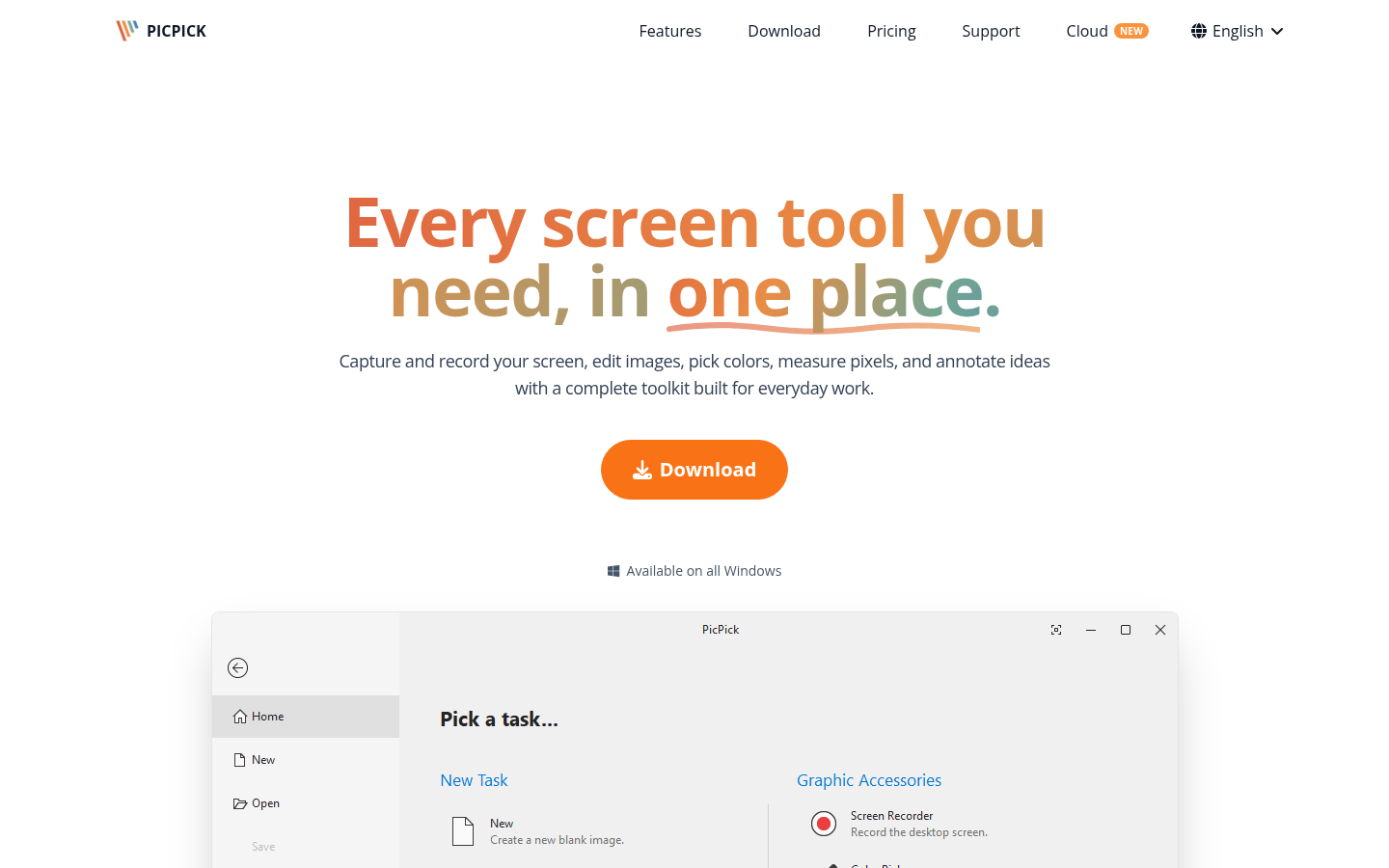
- Positioning: The vendor positions it as "every screen tool you need, in one place" S1.
- Claimed distinction: It claims to be a complete toolkit for everyday work, with all tools in one application S1.
Use cases and audiences
Who the product serves and the jobs it is designed to handle.
| Audience | Practical use case |
|---|---|
| Developers | Document bugs, share code walkthroughs, and create reproduction steps without leaving the workflow S1. |
| Designers | Capture and annotate UI designs, pick colors, and measure pixels for pixel-perfect work S1. |
| Educators | Create engaging lessons and tutorials with screen recordings and annotated screenshots S1. |
| Business users | Capture and share information for reports, presentations, and internal communication S1. |
Traffic and search
SEO analysis
Collected Oct 22, 2026picpick.app: an estimated 368,517 total monthly visits and about 3,117 monthly organic visits across 162 ranking keywords. Scout crawled 1 pages and measured a technical health score of 88/100.
Search summary
The useful answer before the supporting detail.
Capture, record, edit, and share your screen with PicPick. Includes an image editor, color picker, pixel ruler, and more screen tools in one place. picpick.app: an estimated 368,517 total monthly visits and about 3,117 monthly organic visits across 162 ranking keywords. Scout crawled 1 pages and measured a technical health score of 88/100.
- Total traffic (modeled): 368,517 monthly visits across all channels.
- Organic search traffic (estimated): 3,117 monthly visits from search.
- Strongest sampled ranking: pick pick at position 1.
- Leading page in the collected evidence: https://picpick.app/.
- Closest measured organic competitor: picpick.en.softonic.com, appearing 2 times in the sampled first-page SERPs.
- Technical crawl: 1 pages, health score 88/100.
Domain performance
Modeled total traffic, six-month trend, engagement, countries, and domain identity.
Total website traffic
| Month | Modeled visits |
|---|---|
| 2026-04 | 177,569 |
| 2026-05 | 347,032 |
| 2026-06 | 262,177 |
| 2026-07 | 323,359 |
| 2026-08 | 340,933 |
| 2026-09 | 368,517 |
Top visitor countries
| Country | Name | Traffic share |
|---|---|---|
| KR | Korea, Republic of | 61.3% |
| TW | Taiwan | 9.2% |
| US | United States | 5.5% |
| DE | Germany | 3.0% |
| CN | China | 2.1% |
Domain identity
| Signal | Value |
|---|---|
| Registered | May 8, 2018 |
| Last changed | Apr 25, 2025 |
| Expires | May 8, 2028 |
| WHOIS server | — |
| DNSSEC | Not signed |
| Nameservers | dns1.p01.nsone.net, dns2.p01.nsone.net, dns3.p01.nsone.net, dns4.p01.nsone.net |
Website capture
Organic keywords
Top keywords and an independent Google result page.
Top organic keywords
| Keyword | Volume | CPC | Estimated value |
|---|---|---|---|
| picpick | 23,980 | $0.72 | $25,780 |
| 픽픽 | 20,060 | $0.42 | $19,460 |
| pickpick | 3,250 | $0.95 | $3,180 |
| 픽픽 다운로드 | 3,350 | $0.22 | $3,080 |
| picpick download | 1,100 | $0.22 | $1,260 |
Independent Google result page
Query: pick pick
| Position | Title | URL | Description |
|---|---|---|---|
| 1 | PicPick - Every screen tool you need, in one place. | https://picpick.app/ | Measure, compare, and pick colors with precision. Everything you need to inspect and present your designs. Pixel ruler and crosshair for exact measurements ... |
| 2 | Download the Desktop App - PicPick Cloud | https://picpick.net/download | Capture and record your screen, edit images, pick colors, measure pixels, and annotate ideas with a complete toolkit built for everyday work. |
| 3 | Pic-Pick | https://www.picpick.org/en/ | No information is available for this page. |
| 4 | Pick Pic - Apps on Google Play | https://play.google.com/store/apps/details?id=net.picpick.app | Pick Pic is a multiplayer party game for 2 to 12 players, each on their own phone. No account needed: a nickname, an avatar, and a game starts ... |
| 5 | PicPick | https://en.wikipedia.org/wiki/PicPick | PicPick is a Windows program used for creating and editing screenshots. It can either be installed or can be run as a portable app. PicPick is free for private ... |
| 6 | PicPick - Download | https://picpick.en.softonic.com/ | PicPick is a versatile screen capture application designed for Windows users, offering a range of features to enhance productivity. As a free utility, it caters ... |
| 7 | Windows App: PicPick (All in one image tool) | https://www.youtube.com/watch?v=X4-dFWeieEM | PicPick Description: All in one image screen shot and editing tool. This Tiny 1.9MB Tool Is Destroying Microsoft's Windows 11 Plans |
Important pages
Pages earning the most estimated search traffic in the sample.
| URL | Ranking keywords | Estimated traffic | Best position |
|---|---|---|---|
| https://picpick.app/ | 16 | 1,931.6 | 1 |
| https://picpick.app/en/download/ | 3 | 129.9 | 1 |
| https://picpick.app/en/help/heic/ | 1 | 0.8 | 9 |
Rank tracking
Persistent keyword baselines and position movement.
This analysis created the first position baseline at 2026-10-22T12:03:04.137Z. Movement appears after the next fresh analysis using the same location and language.
| Keyword | Current | Previous | Movement | Volume | Ranking URL |
|---|---|---|---|---|---|
| pick pick | 1 | Baseline | Baseline | 2,400 | https://picpick.app/ |
| picpick | 1 | Baseline | Baseline | 2,400 | https://picpick.app/ |
| pik pik | 1 | Baseline | Baseline | 320 | https://picpick.app/ |
| pic pic | 1 | Baseline | Baseline | 260 | https://picpick.app/ |
| pic pic software | 1 | Baseline | Baseline | 260 | https://picpick.app/ |
| download picpick | 1 | Baseline | Baseline | 210 | https://picpick.app/en/download/ |
| pick pic | 1 | Baseline | Baseline | 210 | https://picpick.app/ |
| picpick download | 1 | Baseline | Baseline | 210 | https://picpick.app/en/download/ |
| picpick scrolling screenshot | 1 | Baseline | Baseline | 140 | https://picpick.app/ |
| pic screen capture | 1 | Baseline | Baseline | 70 | https://picpick.app/ |
| pick screen | 1 | Baseline | Baseline | 70 | https://picpick.app/ |
| pick app | 6 | Baseline | Baseline | 590 | https://picpick.app/ |
| picpick app | 1 | Baseline | Baseline | 50 | https://picpick.app/ |
| pik app | 2 | Baseline | Baseline | 70 | https://picpick.app/ |
| capture image software | 4 | Baseline | Baseline | 140 | https://picpick.app/ |
| pic capture | 1 | Baseline | Baseline | 20 | https://picpick.app/ |
| pic software | 3 | Baseline | Baseline | 40 | https://picpick.app/ |
| quik pik app | 6 | Baseline | Baseline | 70 | https://picpick.app/ |
| picapp download | 8 | Baseline | Baseline | 110 | https://picpick.app/en/download/ |
| heic windows extension | 9 | Baseline | Baseline | 50 | https://picpick.app/en/help/heic/ |
Features
Features and capabilities
Core functions and evidence-backed product capabilities.
| Capability | What it does |
|---|---|
| Screen Capture | Captures full screen, active window, scrolling pages, fixed regions, or freehand selections S1. |
| Screen Recording | Records the entire screen, a specific window, or a custom region, with system audio and microphone S110. |
| Image Editor | Annotates screenshots with text, arrows, shapes, highlights, and callouts using a Ribbon-style editor S1. |
| Effects & Filters | Applies one-click effects and precise color adjustments, including grayscale, invert, and sharpen S1 S110. |
| Design Tools | Includes color picker, pixel ruler, and drawing tools for pixel-perfect work S1. |
| Save, Share & Send | Sends images to cloud storage, FTP, email, or social platforms with a single click S1. |
Integrations and ecosystem
Connected products, exports, APIs, and workflow compatibility.
| Integration or interface | Type | What it enables |
|---|---|---|
| Google Drive | Integration | Upload captured images directly to Google Drive S132. |
| Dropbox, OneDrive, Box | Integration | Send images to cloud storage services S1. |
| FTP/SFTP servers | Integration | Upload images to FTP/SFTP servers S1. |
| Email clients | Integration | Send images via email clients S1. |
| Social platforms | Integration | Share images to social platforms S1. |
Pricing
Pricing and plans
Published plans, free access, trials, credits, and pricing limitations.
Competition
Alternative tools
Named from this report, then each website opened and checked before it is shown.
2 verified
Competitive landscape
Domains competing for the same organic search demand.
Sampled competitors
| Competitor | First-page appearances | Sampled queries | Average position | Queries observed |
|---|---|---|---|---|
| picpick.en.softonic.com | 2 | 1 | 3 | pick pick |
| youtube.com | 1 | 1 | 1 | picpick |
| neowin.net | 1 | 1 | 3 | picpick |
| makeuseof.com | 1 | 1 | 4 | picpick |
| picpick-portable.en.softonic.com | 1 | 1 | 5 | picpick |
| apps.apple.com | 1 | 1 | 6 | pick pick |
| play.google.com | 1 | 1 | 7 | pick pick |
| picpick.en.download.it | 1 | 1 | 8 | pick pick |
| picpick.informer.com | 1 | 1 | 8 | picpick |
| picpick.org | 1 | 1 | 9 | picpick |
Backlink profile
Authority and referring-domain signals.
Backlink comparison profile
- Domain rating: 70/100
- Backlinks: 16,372
- Referring domains: 2,900
- Dofollow backlinks: 57.0%
- Dofollow referring domains: 52.0%
Collection decision
The Scout search index remains intentionally excluded from automatic Scout analysis. This Scout traffic model profile costs 5 credits (0.5 cents) and is included in the first comparison run so its usefulness can be judged before the recurring collection is finalized.
AI visibility
Measured ChatGPT and Google AI mentions with cited sources.
AI-assistant referral traffic
- Estimated current generative-AI referral share: 0.9%
| Month | Traffic share | Source |
|---|---|---|
| — | — | All AI assistants |
| — | — | All AI assistants |
Marketing opportunities
Actions calculated directly from the collected evidence.
| Opportunity | Recommended action | Evidence |
|---|---|---|
| Striking-distance keyword | Move “pick app” from position 6 toward the top three. | Volume 590 · https://picpick.app/ |
| Important page | Strengthen the page already earning search visibility before creating an unrelated page. | https://picpick.app/en/help/heic/ · 1 sampled keywords · best position 9 |
| Competitor gap | Review the sampled queries where picpick.en.softonic.com appears. | 2 first-page appearances across pick pick |
Trust and proof
Customers, proof, and reviews
Published proof, customer signals, and review evidence.
Independent reviews
| Platform | Page | How it was found | Note |
|---|---|---|---|
| CNET | PicPick for Windows - Free download and software reviews - CNET Download | Grounded web search | PicPick is a software program designed for screen capturing, image editing, and graphic design. It allows users to take screenshots in multiple ways, annotate images, and save them in various formats. It also includes color pickers, rulers, and a pixel-level ... PicPick functions as a lightweight graphic editor for basic photo and image manipulation. Users can add text, shapes, arrows, and effects to screenshots or imported images. The program’s interface is simple, with tools accessible from th |
| screensnap.pro | 8 Best PicPick Alternatives for Windows (2026) | Grounded web search | are ScreenSnap Pro for screenshots, recording, and video editing in one app, ShareX for free power users, Greenshot for minimal workflows, Snagit for business docs, Snipaste for pin-to-screen, Lightshot for instant share links, Flameshot for open-source |
| savvyshot.app | Best PicPick Alternatives for Mac in 2026 | Grounded web search | "PicPick for Mac" and the results are consistent: it doesn't exist, and NGWIN — the developer — has never shipped one. PicPick has been a Windows-only utility since it launched, built around Windows-specific capture APIs, and there's no indication that's |
| gitnux.org | Best Screen Shot Software / 2026 Verified Rankings | Grounded web search | Top 10 screen shot software ranking for Windows and macOS with technical comparisons of PicPick, Monosnap, ... Lightshot is the go-to overall pick for teams that want quick region capture with markup and link sharing without admin overhead, whereas |
Customer proof
No named customers, testimonials, or customer case studies were found.
Independent mentions
- Best Computer Screenshot Software / 2026 Expert Picks — Fits when documentation staff need fast region and window captures with immediate markup. ... It supports region, window, and full-screen capture modes, along with delayed capture for menus and time-based UI states.
- Best Computer Screenshot Software / Ranked for 2026 — PicPick fits teams that need a consistent capture-and-markup loop for internal documentation, UI feedback, and training materials ... spent cropping, and the built-in editor covers callouts, arrows, shapes, and text annotations without switching tools.
- 10 Best Scrolling Screenshot Tools (2026) / Free & Paid — for most browser-based pages. It is a good option for users who want a free tool with basic editing and do ... need occasional scrolling screenshots with simple editing. - Scrolling window capture - Built-in image editor with annotations and effects
- Computer Screenshot Software: Top Picks (2026) — feature Built-in annotation workspace with pixel-level editing tools directly ... It supports window and region capture workflows with hotkey-driven controls and a built-in editor for arrows, shapes, callouts, and blur effects.
External links were grounded in one live web search. Search snippets are leads, not independently scraped page content; rejected links remain available in Review evidence.
Company, security, and trust
Ownership, policies, security signals, and public trust evidence.
| Signal | Finding | Source |
|---|---|---|
| Company and ownership | In no event shall either party be liable for any damages (including, without limitation, lost profits, business interruption, or lost information) rising out of 'Authorized Users' use of or inability to use the SOFTWARE | source |
| Contact and support | Yes. PicPick is licensed per user. Each purchased license can be installed on up to two computers for that user (for example, a PC and a laptop). Licenses may not be shared between different users. If you need to deploy | source |
| Legal and privacy | Is there a refund policy? | source |
| Security and compliance | We offer the use of a secure server. All supplied sensitive/credit information is transmitted via Secure Socket Layer (SSL) technology and then encrypted into our Payment gateway providers database only to be accessible | source |
| Uptime and status page | Not published on the collected pages. | — |
| Domain registered | 2018-05-08 | — |
| Domain expires | 2028-05-08 | — |
Not found on the collected pages: uptime and status page. This only means Scout did not find it on the pages it read; it says nothing about the company itself.
Documentation and product updates
Help resources, product guidance, and visible changes over time.
| Resource or update | Type | What is available | Date or freshness |
|---|---|---|---|
| PicPick - Every screen tool you need, in one place. | Changelog | Capture, record, edit, and share your screen with PicPick. Includes an image editor, color picker, pixel ruler, and more screen tools in one place. (source) | Not dated |
| Contact and support | Support | Public contact and support channel. (source) | Not dated |
Not found in the collected public sources: public roadmap, status page, separate help center or knowledge base.
Technical
Technical and delivery signals
Delivery model, platforms, API, data ownership, reliability claims and release activity.
| Signal | Finding | Source |
|---|---|---|
| Delivery model (cloud, self-hosted, desktop, browser extension) | Desktop application for Windows S1. | S1 |
| Platforms and apps | Windows only S1. | S1 |
| API and extensibility (API, SDK, webhooks, MCP, plugins) | Not published on the collected pages. | — |
| Data ownership and export | Runs entirely locally; does not collect usage data S1. | S1 |
| Performance and reliability claims | Changelog mentions optimized editor for faster loading time S29. | S29 |
| Release activity | Changelog documents ongoing updates and fixes S29. | S29 |
Measured infrastructure
Domain, certificate, and hosting signals, measured directly.
| Signal | Finding |
|---|---|
| Domain registered | 2018-05-08 — Namecheap Inc. |
| Domain expires | 2028-05-08 |
| First archived | 2018-06-24 — web archive |
| TLS certificate | Let's Encrypt, valid, expires 2026-12-21 |
| Security headers | HSTS, X-Content-Type-Options, X-Frame-Options, Referrer-Policy |
| Headers not served | CSP |
| Server header | Netlify |
| Mail handled by | aspmx.l.google.com, alt2.aspmx.l.google.com |
| Nameservers | dns2.p01.nsone.net, dns3.p01.nsone.net |
Technical site audit
A bounded multi-page crawl with page-level issues and URLs.
Scout — Bounded technical crawl
- Pages crawled: 1 of 15 maximum
- Technical health: 88/100
- Critical issues: 0
- Warnings: 2
- Notices: 1
Issues
| Severity | Issue | Value | Affected URL |
|---|---|---|---|
| warning | Page should have one primary H1 | 0 | https://picpick.app/ |
| warning | Missing canonical URL | — | https://picpick.app/ |
| notice | Low visible word count | 0 | https://picpick.app/ |
Crawled pages
| Status | Title | H1s | Words | Response | URL |
|---|---|---|---|---|---|
| 200 | PicPick - Every screen tool you need, in one place. | 0 | 0 | 768 ms | https://picpick.app/ |
This is a bounded Scout crawl. Core Web Vitals and Lighthouse scores are not claimed unless a dedicated performance audit is connected.
Search Console and Analytics
First-party search and behavioral data connection state.
Modeled acquisition channels
| Channel | Estimated share |
|---|---|
| direct | 69.8% |
| search | 25.1% |
| search organic | 25.1% |
| search paid | 0.0% |
| social | 0.7% |
| social organic | 0.7% |
| social paid | 0.0% |
| referrals | 2.9% |
| paid referrals | 0.4% |
| 0.1% | |
| gen ai | 0.9% |
| affiliate | 0.1% |
| other | 0.0% |
First-party connections
| Integration | Status | Data available after connection |
|---|---|---|
| Google Search Console | Not connected | Clicks, impressions, CTR, average position, queries, pages, countries, and devices |
| Google Analytics | Not connected | Organic sessions, engagement, landing pages, conversions, geography, and devices |
No first-party Search Console or Analytics numbers are shown until the site owner authorizes the corresponding Google account. Scout traffic model values above are modeled estimates, not private analytics totals.
Limits and method
Limitations and open questions
Known constraints and missing evidence from the collected pages.
The collected pages do not mention any competitor products. Evidence gaps include: no explicit information on lifetime license pricing, no details on support response times, and no independent review ratings or customer case studies. Open questions: whether the free version includes all features or has limitations beyond non-commercial use, and what the exact terms of the lifetime license are.
Sources, method, and limitations
Evidence inventory, collection method, provider use, and constraints.
This report is based on 11 collected pages from picpick.app, including the homepage, pricing, features, changelog, beta, buy, help, support, privacy, and EULA pages. The evidence catalog contains 145 entries, with sources labeled by page type and signal type. External proof search was enabled but returned no results. Limitations: some pages were not collected (12 of 12 expected, 11 collected), and pricing details were partially derived from an authoritative pricing table provided separately.
- Documentationhttps://picpick.app/en/Verified
- Pricing Pagehttps://picpick.app/en/pricing/Verified
- Official Websitehttps://picpick.app/en/features/Verified
- Documentationhttps://picpick.app/en/changelog/Verified
- Documentationhttps://picpick.app/en/privacy/Verified
- Documentationhttps://picpick.app/en/beta/Verified
- Documentationhttps://picpick.app/en/buy/Verified
- Documentationhttps://picpick.app/en/download/Verified
- Documentationhttps://picpick.app/en/eula/Verified
- Documentationhttps://picpick.app/en/help/Verified
- Documentationhttps://picpick.app/en/support/Verified
- Review Sitehttps://download.cnet.com/picpick/3000-2192_4-75072925.htmlVerified
- Review Sitehttps://www.screensnap.pro/blog/picpick-alternatives-windowsVerified
- Articlehttps://worldmetrics.org/best/computer-screenshot-software/Verified
- Articlehttps://gitnux.org/best/computer-screenshot-software/Verified
- Review Sitehttps://savvyshot.app/blog/best-picpick-alternatives-for-mac-2026Verified
- Documentationhttps://gitnux.org/best/capturing-software/Verified
- Articlehttps://www.screenshotapi.net/blog/best-tools-to-take-a-scrolling-screenshotVerified
- Articlehttps://wifitalents.com/best/computer-screenshot-software/Verified
- Review Sitehttps://gitnux.org/best/screen-shot-software/Verified