24 stars · MIT · v4.0.0 (2026-05-14) · Track this in Rising ↗
Tiny template-based desktop thumbnail composer — 1280x720 grids, signed Mac build, opens and closes in two minutes.
Radar check
What we found when we opened it. Every bar is one fact, with its date.
Last code pushed 12 Aug 2026, 2 months before this check.
Latest release v4.0.0 on 14 May 2026.
Public since June 2025, a little over 1 year.
26 stars and 3 forks.
3 commits and 0 new issues in the last 90 days.
1 contributor. No pull requests merged in 90 days; changes go in directly. A small team carries it.
No security policy file says how to report a problem. No published security advisories.
How the bars are scored
- Alive. Days since the last code push: a week or less 100, a month 90, three months 70, six months 50, a year 30, eighteen months 15, older 0.
- Releases. Age of the latest GitHub release, on a similar scale; no bar when the project publishes no releases.
- Maturity. Age of the project: eight years 100, five 90, three 70, two 55, one 40, six months 25, younger 10.
- Adoption. Stars on a log scale: 100,000 stars is 100, 10,000 is 80, 1,000 is 60, 100 is 40.
- Activity. Commits in the last 90 days: 300 or more 100, 100 85, 30 65, 10 45, any 25.
- Community. People who have contributed: 100 or more 100, 30 80, 10 60, 5 40, 2 25, one 10.
- Security. A published security policy 80, none 40; published advisories are listed, not scored.
Checked by Repo Radar on 27 Oct 2026 from the repository on GitHub. Covered in Edition 4.
▶Repo detailsthe review · specs · pros & cons · install
What it does
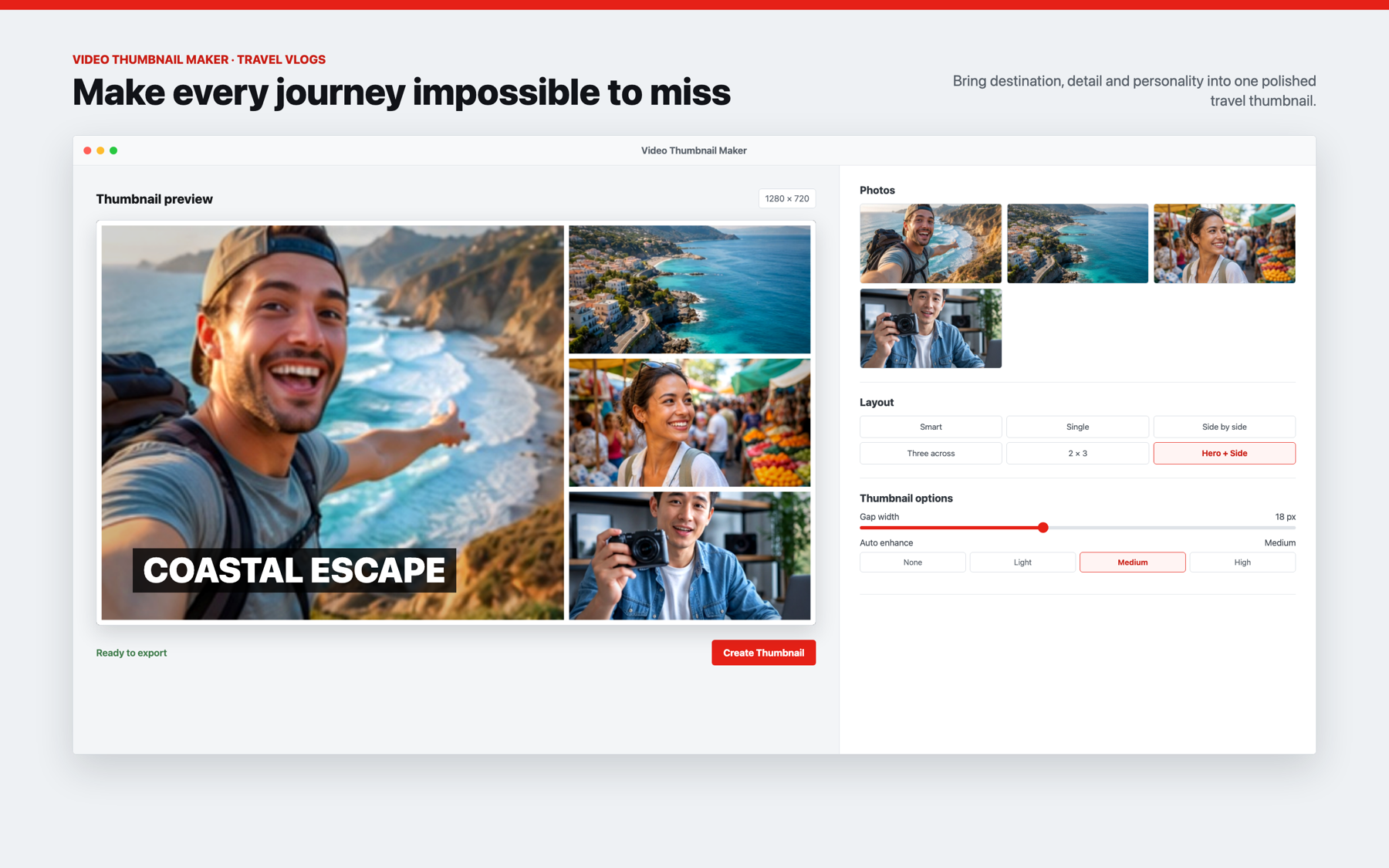
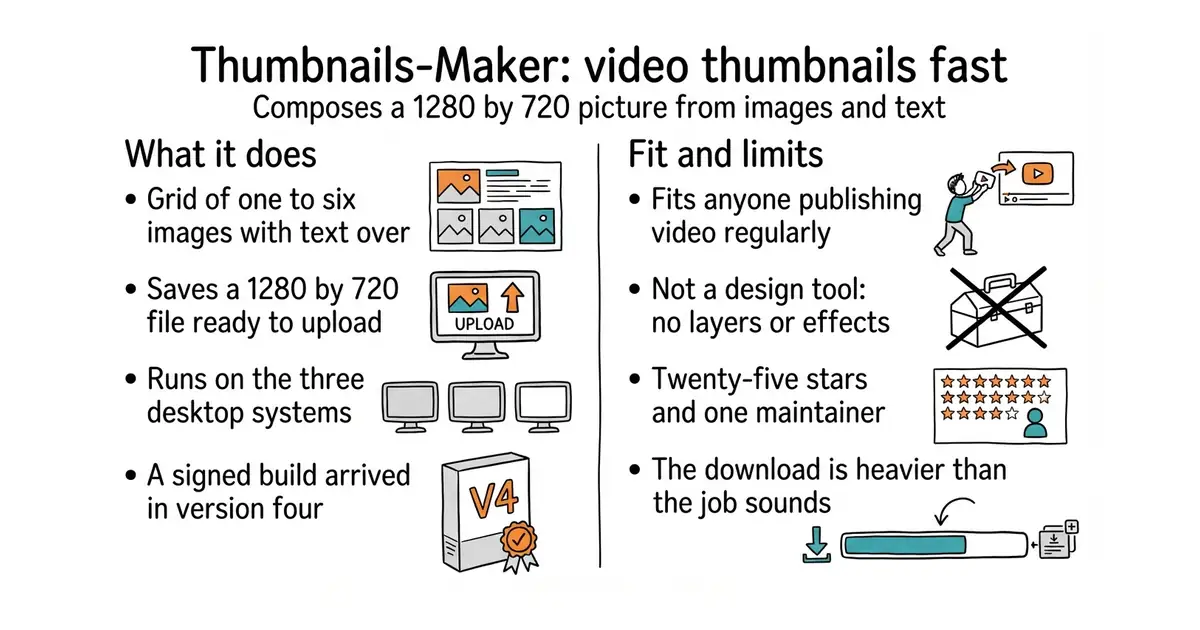
It composes a 1280 by 720 pixel image from a grid of one to six pictures. Text is laid over the grid, with the position and size under your control. The result is saved as a file ready to upload. It runs as a desktop application on macOS 12 and later, Windows 10 and later, and Ubuntu 18.04 and later, with an iPhone build also described in its documentation. Version 4, from May 2026, added a properly signed macOS build, so the operating system stops warning about it. It is a composer rather than a design tool. There are no layers, no masks and no effects, and anything elaborate still needs a real image editor.
Why it matters
Who it suits. Anyone publishing video regularly who currently makes these pictures by hand in a screenshot editor. The point is not a better picture. It is making three versions instead of one, because the picture is what decides whether a video is clicked at all by someone who has not seen it before. Skip it if a designer makes the pictures, or if there are only a handful of videos a year.
Verdict. The cheapest item on this page and the fastest to try. Twenty-five stars and one maintainer means treating it as a tool you use and not something to depend on. That is a much smaller risk here than it sounds, because a local image program that stops being updated still runs. Satori is the programmatic version, for generating a hundred pictures from code instead of clicking each one.
Summary (Key Points)from the README
Key features
- Flexible image count: Builds thumbnails from 1 to 6 images, and the layout adjusts when you supply fewer images than the grid needs.
- Eight grid layouts: Offers 1×1, 1×2, 2×1, 1×3, 3×1, 2×2, 2×3 and 3×2, each with a stated maximum image count.
- Smart Auto mode: Recommends a layout from aspect ratio, entropy, color variance, edge-based subject detection and visual weight, with a 0 to 1 confidence score.
- Fixed YouTube size: Every thumbnail is output at 1280×720 pixels.
- Customizable separators: Lets you adjust the width, color and tilt angle of the delimiters between images.
- Image enhancement levels: Offers None, Light, Medium or High enhancement.
- Optimized export: Strips metadata and applies lossless compression, which the README says reduces file size by 25 to 35% without visible quality loss.
- Keyboard and preview: The ENTER key creates a thumbnail from anywhere in the app, and a real-time preview shows the result before export.
Ways to install
| Platform or method | What it needs | Effort |
|---|---|---|
| Desktop app (macOS 12+, Windows 10+, Ubuntu 18.04+) | Node.js v18+, about 500MB free storage, 4GB RAM minimum (8GB recommended) | Low: install dependencies, then run `npm start` or build with `npm run dist` |
| iPhone (iOS) via Capacitor | macOS, Xcode and CocoaPods | High: native build with a separate on-device Canvas engine |
| Mac App Store publishing via Fastlane | App Store Connect API key, Apple team and app identifiers from `.env.example` | High: requires signing setup and a submission pipeline |
Important
- iOS build requires macOS: The iPhone version needs macOS, Xcode and CocoaPods, and the README gives no detailed build steps beyond these requirements.
- App Store publishing needs credentials: Submission depends on Apple signing values and an App Store Connect API key set through environment variables.
- Sharp may need rebuilding: Desktop setup relies on the native Sharp.js library, so `npm run setup` or `npm run rebuild-sharp` may be needed.
- Supported input formats are limited: The README lists only JPG, PNG and WebP.
- Output location is fixed: Thumbnails save to a dedicated folder in the Pictures directory.
- Size savings are a claim: The 25 to 35% reduction is stated by the README and was not independently verified here.
- Test coverage is modest: The README reports 13 passing tests covering layouts, image analysis, dimensions and cell math.
Written by an AI model from the project’s README; not part of the review, and it can be wrong.
- Opens, does one job, closes; no account, no subscription, no setup ceremony
- MIT, and v4.0.0 shipped in May 2026 with a signed Mac build, so it is maintained
- Template-driven, so a second and third version of a picture take a minute each
- Twenty-five stars and one maintainer; if he stops, it stops
- Grid layouts only, and it will not replace a design application for anything elaborate
- Built on Electron, so the download is far heavier than the job sounds
Right now every thumbnail you make is bespoke work in SnagIt, which is exactly why you make one per video instead of three.
git clone https://github.com/pH-7/Thumbnails-Maker.git
cd Thumbnails-Maker
npm install
npm start