Edition No. 4 · 29 Aug 2026
A second audience, and the pages that keep earning
Edition 3 put a demo in front of people and gave them somewhere to land.
Refreshed on 12 October 2026. The repositories are the ones first published; any that are no longer maintained are left out.
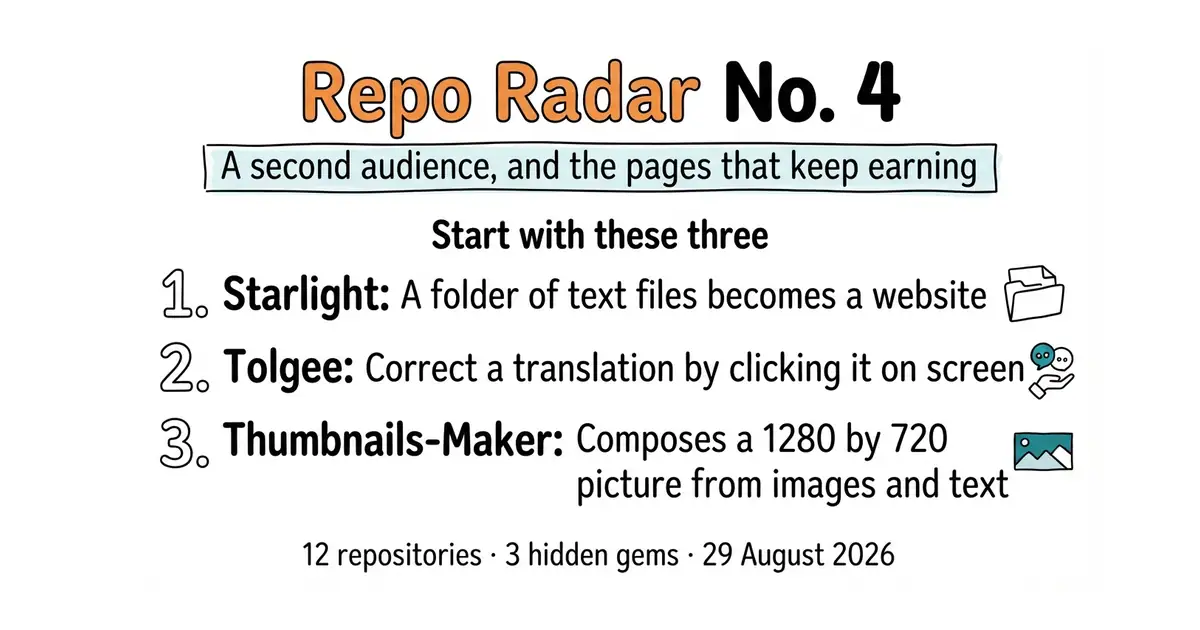
This edition is about reaching readers who do not speak English, and about pages and feeds that keep working long after the day they were made. Twelve repositories. Every one of them was opened again on 12 October 2026. Star counts, licences and version numbers below are what GitHub, PyPI and npm showed on that date. All twelve are still maintained, so nothing has been left out.
If you only do three things
- Put the documentation on a site built with Starlight (04). One command gives a documentation site with a menu, a search box and a mobile layout. Documentation is the content that keeps being found months later, because it answers one specific question that someone types into a search box.
- Put the interface text into Tolgee (01) before writing a second language. Two hand-edited files of translations drift apart within weeks. One store keeps both languages in step, and a translator can fix a clumsy phrase by clicking it on the screen.
- Open Thumbnails-Maker (06) once. Ten minutes, MIT, twenty-five stars, runs on a desktop computer. The picture in front of a video decides whether anyone clicks it, and a template makes the second and third version nearly free.
Every link in one place
| # | Repository | Official site | Stars | Licence |
|---|---|---|---|---|
| 01 | tolgee/tolgee-platform | tolgee.io | 4.1k | Apache-2.0, plus a separate licence on two folders |
| 02 | LibreTranslate/LibreTranslate | libretranslate.com | 16.9k | AGPL-3.0 |
| 03 | jianchang512/pyvideotrans | pyvideotrans.com | 19.3k | GPL-3.0 |
| 04 | withastro/starlight | starlight.astro.build | 9.1k | MIT |
| 05 | inovector/mixpost | mixpost.app | 3.6k | MIT (Lite edition) |
| 06 | pH-7/Thumbnails-Maker 💎 | pierrehenry.dev | 25 | MIT |
| 07 | DIYgod/RSSHub | docs.rsshub.app | 46.5k | AGPL-3.0 |
| 08 | x-tabdeveloping/turftopic 💎 | turftopic docs | 125 | MIT |
| 09 | kieler/elkjs 💎 | npm: elkjs | 2.8k | EPL-2.0 |
| 10 | apple/embedding-atlas | apple.github.io/embedding-atlas | 4.9k | MIT |
| 11 | ranaroussi/quantstats | pypi.org/project/QuantStats | 7.6k | Apache-2.0 |
| 12 | wshobson/agents | sethhobson.com | 40.3k | MIT |
The second audience — Russian reach, and the surfaces that keep earning
Twelve repositories, checked and reviewed. Every version verified against the GitHub API and dated.

4.1k stars · Apache-2.0 core + Tolgee Enterprise Licence over parts · v3.221.0 (2026-09-07) · Track this in Scout · Share this tool
Self-hosted localisation platform with in-context editing — the way the Russian version of Grasppy stops being a forked codebase.
▶Repo detailsthe review · specs · pros & cons · install
What it does
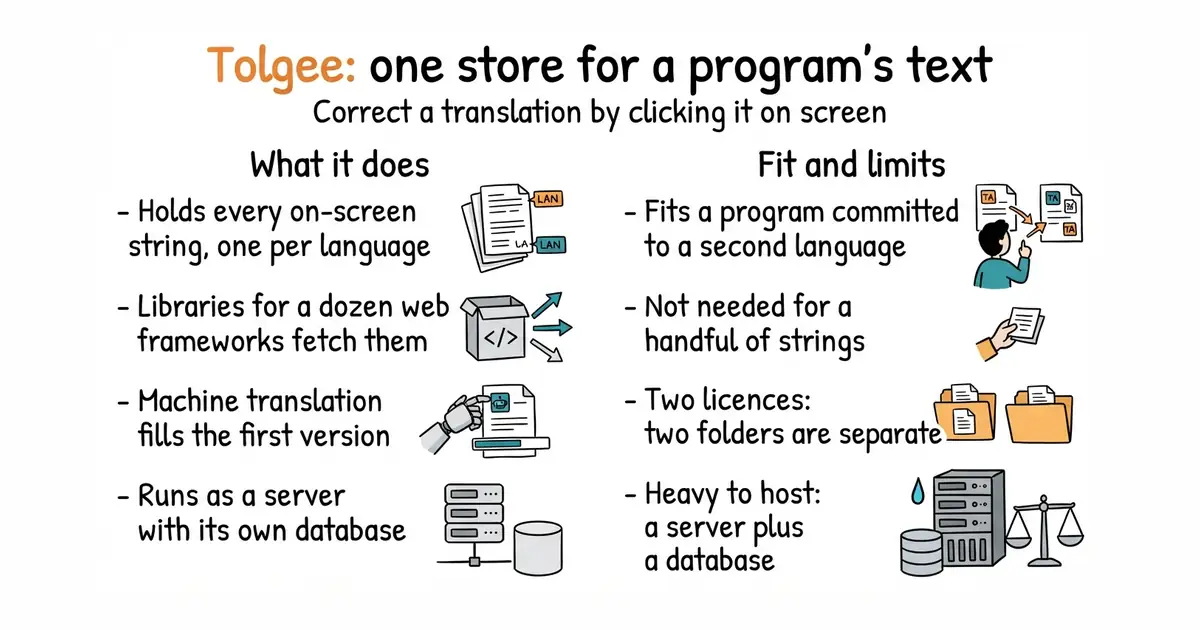
It holds every piece of text a program displays, with one entry per language. Small code libraries for React, Vue, Angular, Svelte and about a dozen other frameworks fetch those entries as the program runs or when it is built. A translator can hold down a key, click a piece of text inside the running program, and correct it in place. Machine-translation services can be connected, so a rough first version of each language arrives automatically. A command-line tool, meaning a program you type commands into, moves text in and out during a build. It runs as a server written in Kotlin with its own database, and the same company sells a hosted version. It does not translate anything itself. The machine translation comes from an outside service, and the final wording still comes from a person.
Why it matters
Who it suits. A team, or one developer, who has decided to ship a program in more than one language and now has to keep the versions in step. That is the job that quietly gets abandoned in week three, and a half-translated screen reads worse than one language done properly. Skip it if the program has only a handful of strings, or if English will always be the only language. A spreadsheet and a build script cover that without a server.
Verdict. Worth an afternoon when the second language is a commitment rather than an experiment. The in-place editing is the part that earns its keep, because the person fixing an awkward phrase is looking at the real screen while they do it. Two things to watch. The licence is split: most of the code is Apache-2.0, and two directories under ee/ carry a separate licence, so read which features depend on them. And it is a Java-based server plus a database, which is not a light thing to host. Weblate is the heavier, longer-established alternative. inlang is the lighter one, with no server at all.
- Click a piece of text in the running program and correct the translation there
- Libraries for the common frameworks, plus a command-line tool for builds
- Machine translation plugs in, so the first version of each language is automatic
- Two licences in one repository, and the split matters for some features
- A Kotlin server plus a database is a heavy thing to run and keep patched
- Abandoned halfway, it leaves a program that is translated in some places and not others
docker run -v tolgee_data:/data/ -p 8085:8080 tolgee/tolgee

16.3k stars · AGPL-3.0 · v1.9.6 (2026-05-26) · Track this in Scout · Share this tool
Self-hosted machine-translation API — removes the per-character meter from running a bilingual site.
▶Repo detailsthe review · specs · pros & cons · install
What it does
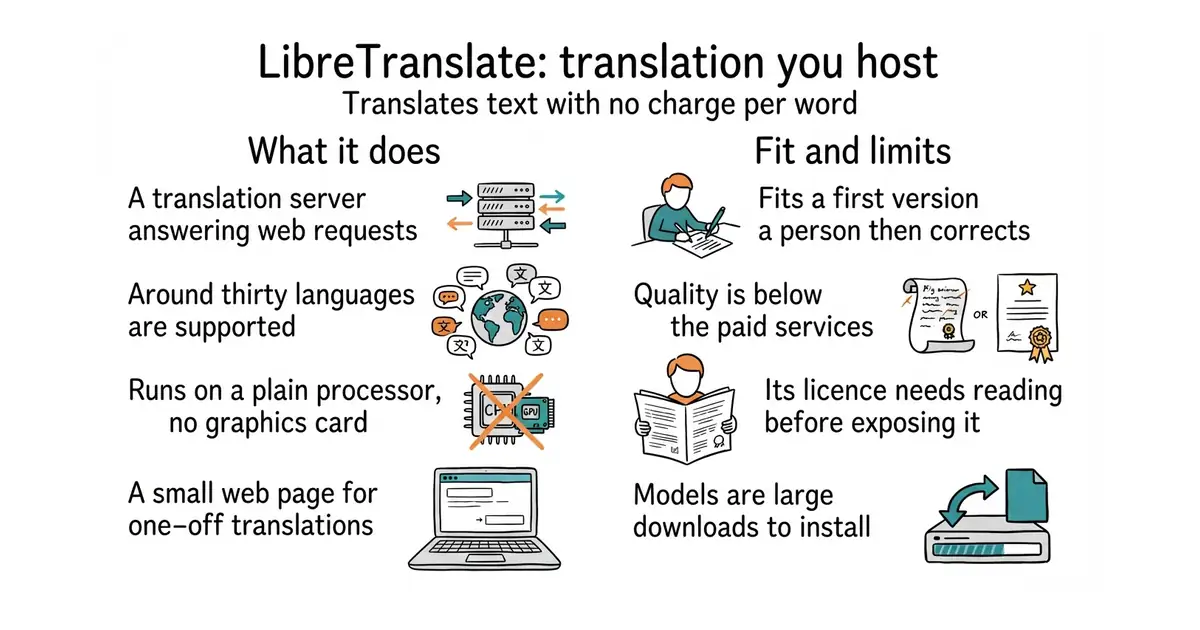
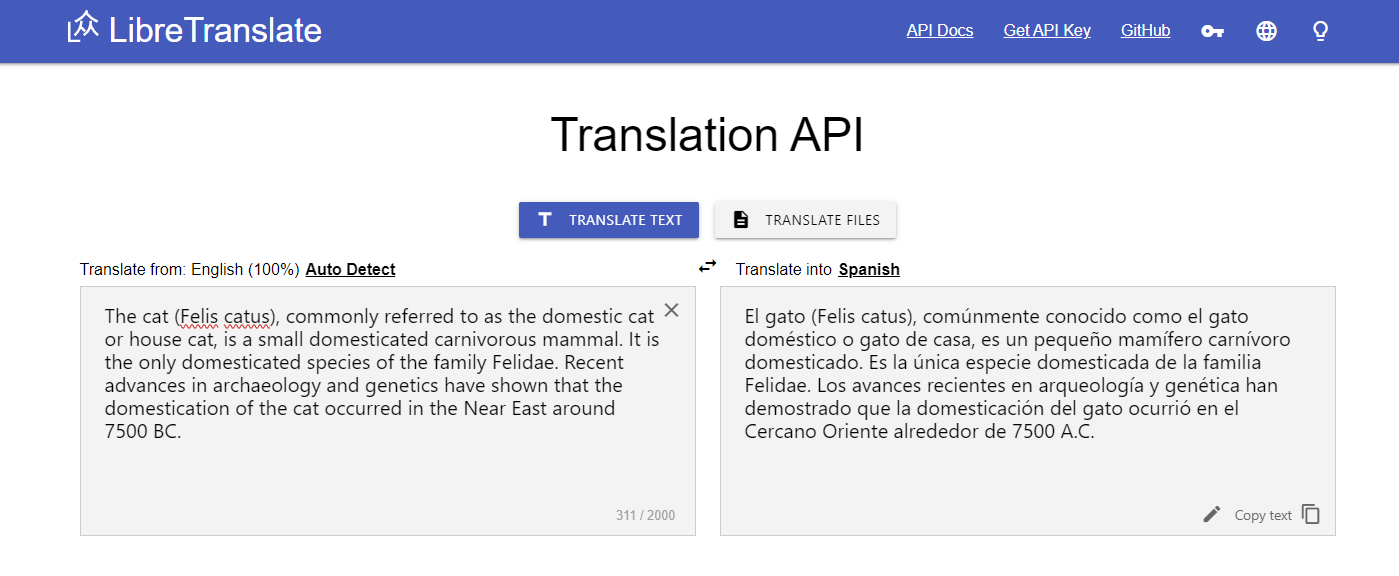
It runs a translation server that answers plain web requests, so other programs can send text and get a translation back. A small web page comes with it for one-off translations and for translating uploaded files. The translation models come from Argos Translate and run on an ordinary processor, with no graphics card needed. It covers roughly thirty languages, with English paired to most of them. It can issue access keys and apply limits, so a public copy is not abused. Everything stays on the machine it runs on. It does not match the best paid services on quality, and it handles text only. Pictures, audio and video are outside what it does.
Why it matters
Who it suits. Anyone translating a large number of short pieces of text that a person will read and correct afterwards: interface labels, product descriptions, documentation. Also anyone who cannot send text to an outside company, for privacy or contract reasons. Skip it if the translation will be published without anyone reading it, because the gap against the paid services is real and a reader will notice.
Verdict. Worth it as the automatic first pass and nothing more. Connect it to a translation store such as Tolgee (01) and the first version of every string costs nothing, which leaves a person free to edit only the lines that matter. Two warnings. The licence is AGPL-3.0, which is fine for a service used privately but needs reading before a modified copy is exposed to other people. And the language models are large downloads, so install only the languages actually needed. Argos Translate is the library underneath, for cases where a server is more than is wanted.
- No key to buy, no charge per word, and no text leaving the machine
- Runs on a plain processor, and English pairs are among the better-supported ones
- Connects to Tolgee (01) as its machine-translation provider
- Quality is clearly below the paid services, so published text needs editing
- AGPL-3.0, which needs reading before a modified copy is exposed to users
- The models are large, and the container wants a couple of gigabytes while translating
docker run -d --name libretranslate -p 5000:5000 \
  libretranslate/libretranslate --load-only en,ru

18.9k stars · GPL-3.0 · v4.12 (2026-09-06) · Track this in Scout · Share this tool
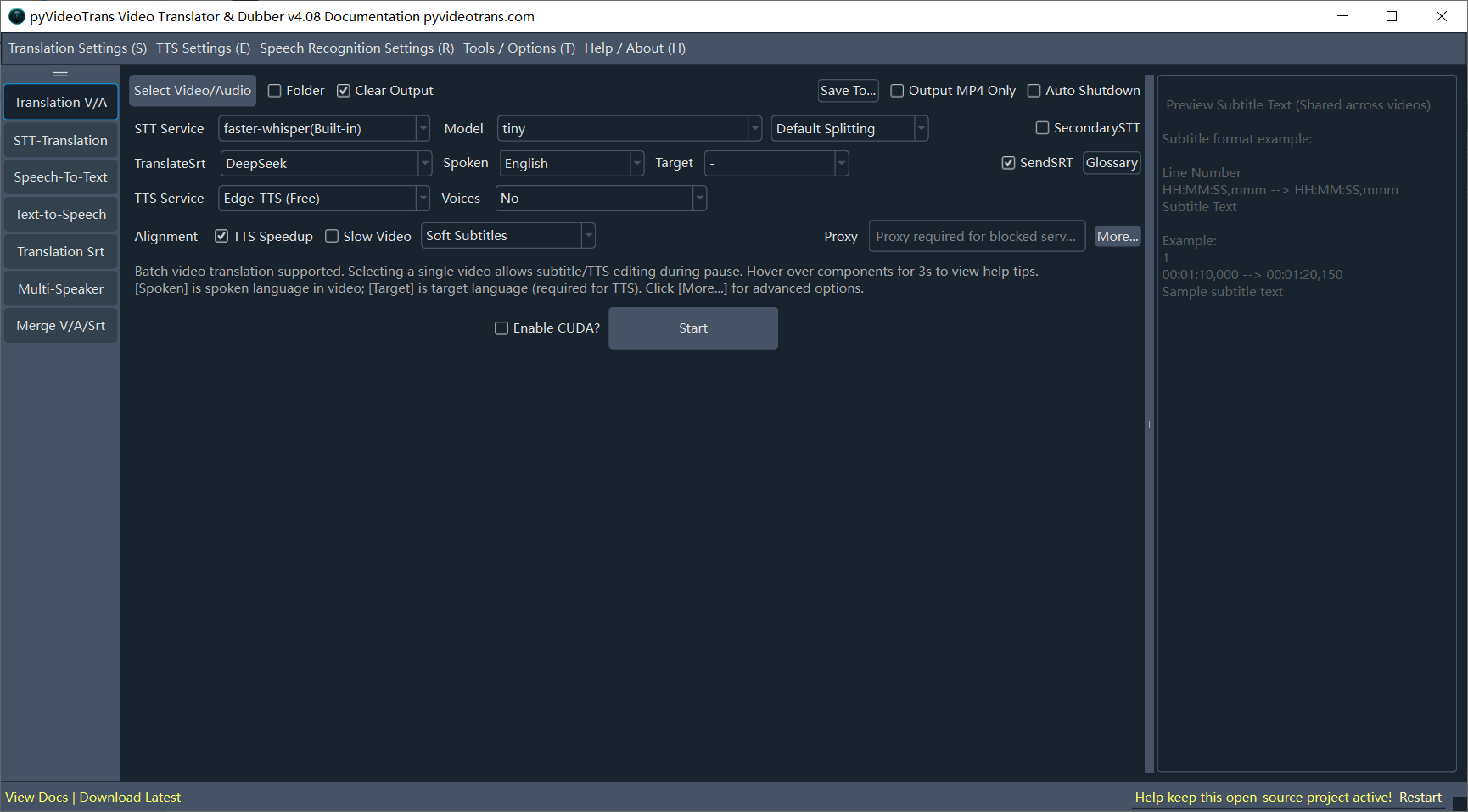
Desktop GUI for video translation and dubbing with a batch queue — the least programmer-hostile bilingual option.
▶Repo detailsthe review · specs · pros & cons · install
What it does
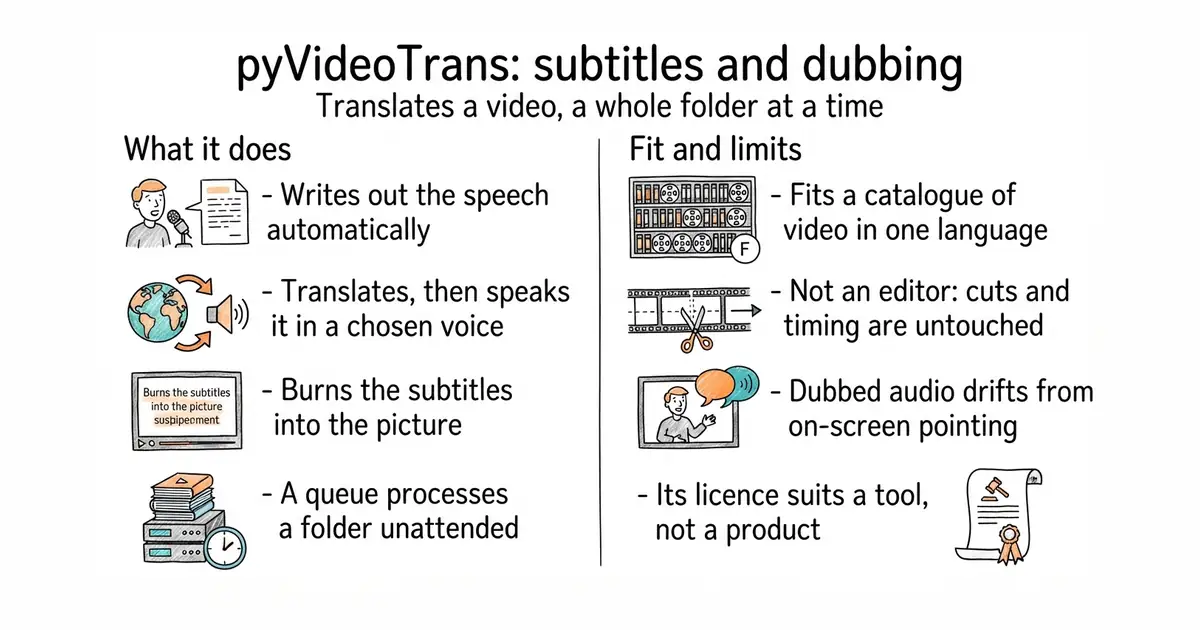
It takes a video file and produces a translated copy with subtitles, and a dubbed soundtrack if asked. The speech is written out by Whisper models that run on the same machine. The transcript then goes to one of several translation services, or to one running locally. The translation is spoken by one of several voice services, including the free Microsoft Edge voices and the paid ElevenLabs. A queue lets a folder of videos be processed in one unattended run. It ships as a desktop application with a window and settings to click, and it also has a command-line mode and a browser interface. It does not edit video. Cuts, titles and timing are left alone, and it will not correct a dub that drifts away from what is happening on screen.
Why it matters
Who it suits. Someone holding a back catalogue of recorded video in one language who wants a second-language version without hiring anyone. The queue is the real reason to pick it over the alternatives. A folder processed overnight is a different proposition from one file at a time. Skip it if the videos depend on tight on-screen timing, because synthetic speech does not land on the same beats as the original narration.
Verdict. The least programmer-hostile tool of its kind, and that is worth more here than elegance. Three things to watch. The documentation is written in Chinese first, and the Windows build is the best supported one. The licence is GPL-3.0, so it is a tool to run and not something to put inside a product. And a dubbed soundtrack always needs one human listen before it is published. VideoLingo produces better subtitles and is harder to install, at Apache-2.0 and 18.3k stars. WhisperX does only the transcript, with the timing of each individual word.
- A real window with settings to click, which is rare in this category
- A queue turns an existing catalogue into a second-language one in one unattended run
- Connects to both free and paid voice services, so drafts cost nothing
- Documentation is Chinese first, and the Mac path is second-class
- GPL-3.0, so it is a tool to run rather than code to embed in a product
- Dubbed audio drifts against on-screen pointing, so a manual pass is still needed
git clone https://github.com/jianchang512/pyvideotrans.git
cd pyvideotrans
uv sync
uv run sp.py

9.2k stars · MIT · @astrojs/starlight@0.39.3 (2026-06-02) · Track this in Scout · Share this tool
Astro's own documentation theme — the content that ranks for months and gets quoted by AI assistants.
▶Repo detailsthe review · specs · pros & cons · install
What it does
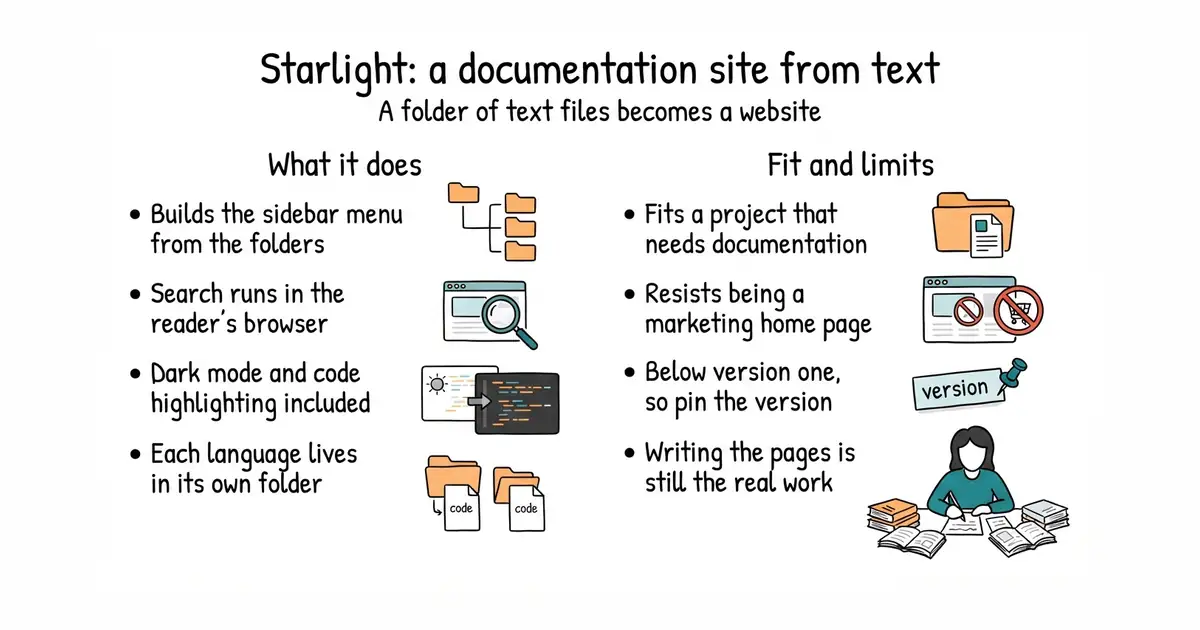
It turns a folder of Markdown files into a documentation website. The sidebar menu is built from the folder structure, or from a list written by hand. Full-text search is included and runs in the reader's browser, so no search server is needed. Code samples are highlighted and dark mode works out of the box. More than one language is supported, with each language living in its own folder and its own web address. The output is plain HTML, which any static host will serve for free. It is a documentation theme and only that. It will not run comments, a shop or a login, and bending it into a marketing home page is more work than starting from a blank Astro page.
Why it matters
Who it suits. Anyone whose project needs written documentation and who would rather spend the time writing than building a site. It is the Astro team's own theme, so a project already using Astro adds it with one command and takes on no integration risk. Skip it if the site is mostly marketing pages, because a documentation theme fights that shape at every turn.
Verdict. Worth an hour, and the single highest-return thing to put on a new documentation site. The reason is that documentation earns twice. It ranks in a search engine for one specific question, and it is the text an assistant quotes when somebody asks that question. A post about industry trends decays in three months; a page called How this feature works keeps answering for a year and needs editing once. Two cautions. The version number is still below 1.0 and releases are frequent, so pin the version and upgrade on purpose. And writing documentation people can follow is the real cost, which no theme removes. VitePress is the Vue equivalent, Docusaurus the much larger React one, and Material for MkDocs the Python one.
- MIT, and it is Astro's own theme, so there is no integration risk on an Astro site
- Second-language support built in, so another language is a folder and not a second project
- Search, sidebar, dark mode and code highlighting are included; you write text and nothing else
- It wants a documentation shape, and resists being a marketing home page
- Still numbered below 1.0 with frequent releases, so pin the version
- Writing genuinely useful documentation is the real work and no tool removes it
npm create astro@latest -- --template starlight
cd my-docs
npm run dev      # preview at localhost:4321
npm run build    # static HTML into ./dist

3.7k stars · MIT · 2.6.0 (2026-03-16) · Track this in Scout · Share this tool
Lightweight self-hosted social scheduler — the low-RAM alternative to Postiz on a box already running two products.
▶Repo detailsthe review · specs · pros & cons · install
What it does
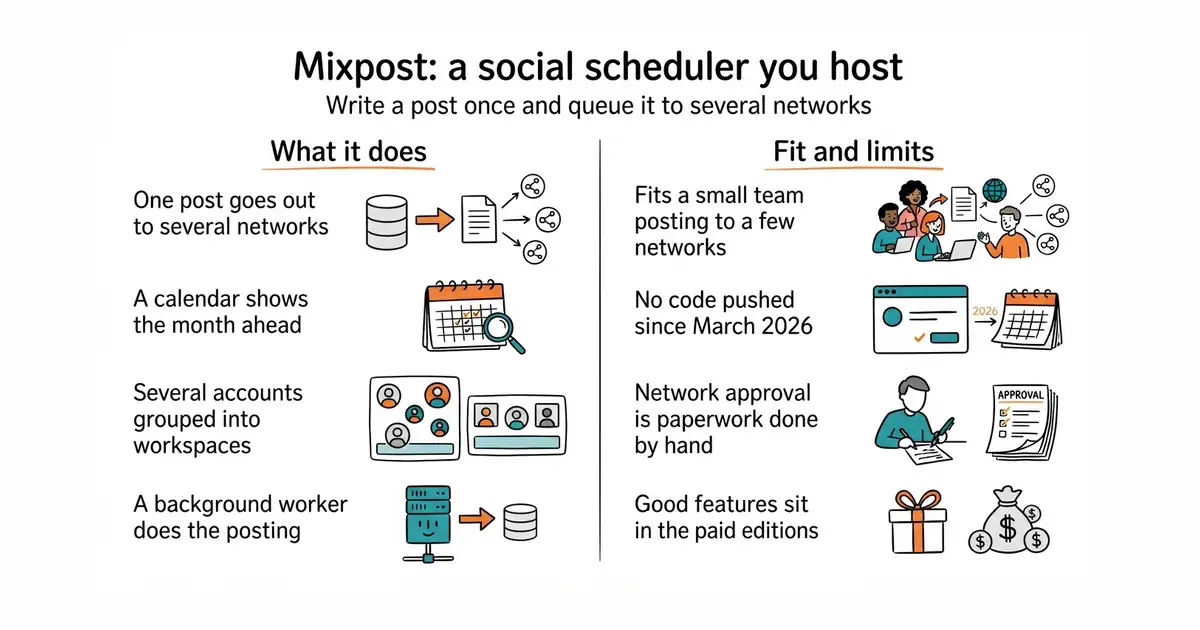
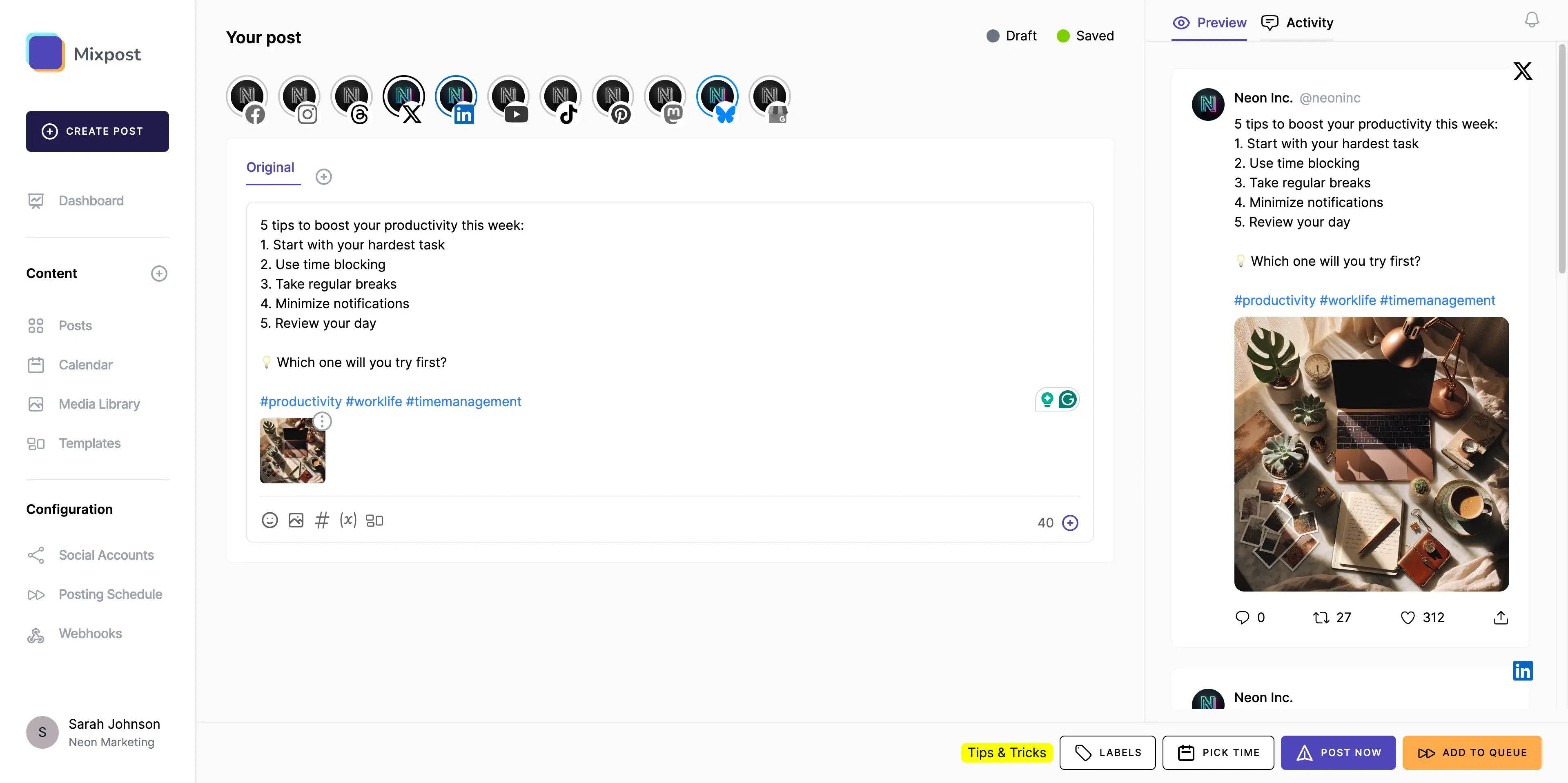
It composes a post once and queues it to several social networks. A calendar view shows what is scheduled and when, which is what makes a month of posts plannable in one sitting. Media files are stored alongside the posts, and several accounts can be grouped into separate workspaces. It runs as a package inside a Laravel application, which is a common PHP web framework, with a background worker doing the actual posting. The Lite edition is MIT-licensed and self-hosted with no per-account metering, and paid editions add more networks and features. It does not obtain posting permission from the networks. Each network's developer approval is paperwork done by hand, and no scheduler removes it. It also does not write the posts.
Why it matters
Who it suits. A small team or one person posting to a few networks who would rather host a tool than pay per account every month. Weight is the real argument for it. It is a PHP application and a worker, where the main alternative is two separate server runtimes plus a database and a cache. Skip it if a hosted service at a few pounds a month costs less than the hour a month of patching a server.
Verdict. Worth installing if the choice is otherwise between a heavy tool and nothing. Postiz covers more networks and has far more attention behind it, and it is also a much larger thing to run. Pick one of the two, install it this month, and queue thirty posts in a single sitting; an audience is built by consistency rather than cleverness. Two cautions, and the first is the honest one. No code has been pushed to this repository since 16 March 2026, which is seven months. That is well inside the eighteen-month line used here, but it is the quietest project on this page. And several of the more interesting features sit in the paid editions.
- Meaningfully lighter than the main alternative: one PHP application and a worker
- MIT Lite edition, self-hosted, with no metering per connected account
- A real calendar view, which is what makes a month of posts plannable at once
- Nothing has been pushed to the code since March 2026, the quietest project here
- Fewer networks than the main alternative, and good features sit in the paid editions
- PHP is another runtime to keep patched, on top of whatever else the machine runs
Feed it by hand, or let n8n from Edition 1 push a post whenever a new video goes live.
The documentation gives three paths: a Docker image, a manual PHP deployment, or installation as a package inside an existing Laravel application.



24 stars · MIT · v4.0.0 (2026-05-14) · Track this in Scout · Share this tool
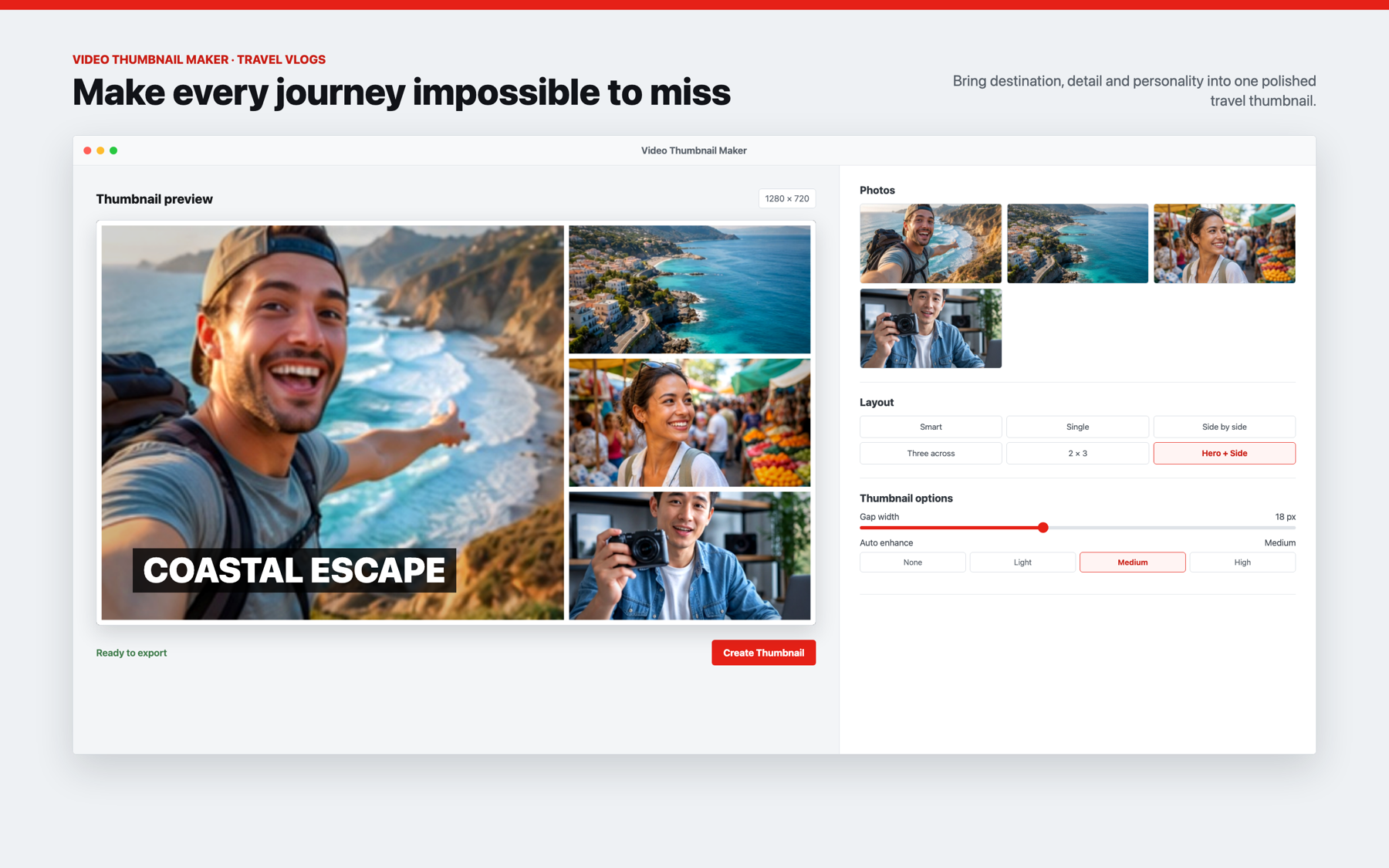
Tiny template-based desktop thumbnail composer — 1280x720 grids, signed Mac build, opens and closes in two minutes.
▶Repo detailsthe review · specs · pros & cons · install
What it does
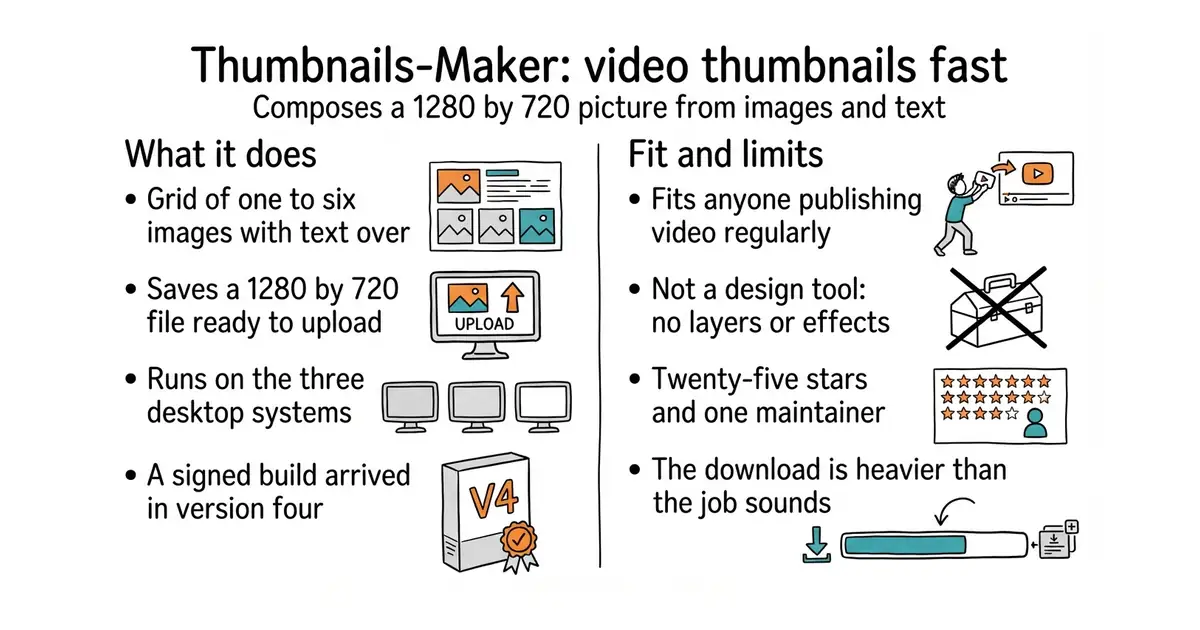
It composes a 1280 by 720 pixel image from a grid of one to six pictures. Text is laid over the grid, with the position and size under your control. The result is saved as a file ready to upload. It runs as a desktop application on macOS 12 and later, Windows 10 and later, and Ubuntu 18.04 and later, with an iPhone build also described in its documentation. Version 4, from May 2026, added a properly signed macOS build, so the operating system stops warning about it. It is a composer rather than a design tool. There are no layers, no masks and no effects, and anything elaborate still needs a real image editor.
Why it matters
Who it suits. Anyone publishing video regularly who currently makes these pictures by hand in a screenshot editor. The point is not a better picture. It is making three versions instead of one, because the picture is what decides whether a video is clicked at all by someone who has not seen it before. Skip it if a designer makes the pictures, or if there are only a handful of videos a year.
Verdict. The cheapest item on this page and the fastest to try. Twenty-five stars and one maintainer means treating it as a tool you use and not something to depend on. That is a much smaller risk here than it sounds, because a local image program that stops being updated still runs. Satori is the programmatic version, for generating a hundred pictures from code instead of clicking each one.
- Opens, does one job, closes; no account, no subscription, no setup ceremony
- MIT, and v4.0.0 shipped in May 2026 with a signed Mac build, so it is maintained
- Template-driven, so a second and third version of a picture take a minute each
- Twenty-five stars and one maintainer; if he stops, it stops
- Grid layouts only, and it will not replace a design application for anything elaborate
- Built on Electron, so the download is far heavier than the job sounds
Right now every thumbnail you make is bespoke work in SnagIt, which is exactly why you make one per video instead of three.
git clone https://github.com/pH-7/Thumbnails-Maker.git
cd Thumbnails-Maker
npm install
npm start

46.1k stars · AGPL-3.0 · no tagged releases; 17,418 commits on master · Track this in Scout · Share this tool
Turns almost any page into an RSS feed — Reddit searches, YouTube channels, Hacker News — so competitor and keyword monitoring becomes a notification.
▶Repo detailsthe review · specs · pros & cons · install
What it does
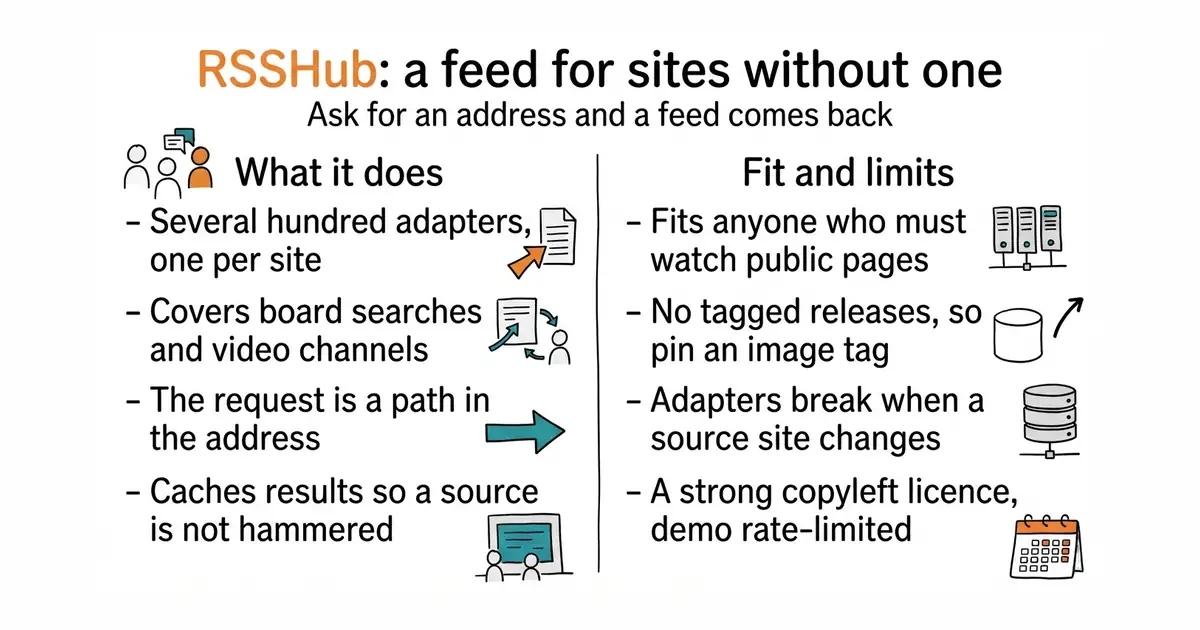
It generates a feed for websites that publish none of their own. Several hundred adapters are included, each one covering a particular site or a particular kind of page. Discussion-board searches, video channels, news aggregators, job boards and shop listings are all among them. The request is made as a path in the web address, so no configuration file is written per source. It runs as one server, with published Docker images and a public demonstration instance. Results are cached, so a source site is not hit repeatedly. It does not read or store feeds; that is a feed reader's job. It publishes no tagged releases, so there is no version number to pin, only a container image.
Why it matters
Who it suits. Anyone who needs to know when a specific question gets asked in public, or when a competitor publishes something, and cannot sit watching the sites all day. Feeds are also the easiest thing to hand to an automation tool, which turns watching into a notification that arrives. Skip it if the sites in question already publish feeds, which more of them do than people assume.
Verdict. Worth an hour, and among the most reliably maintained projects of its kind. Code was pushed on the same day this refresh was written. Three cautions. There are no tagged releases, so pin a specific container image or a rebuild will quietly change behaviour. Individual adapters break when a source site changes its pages, and an empty feed looks exactly like a quiet week, so the feeds need checking. And the licence is AGPL-3.0 with the public demonstration instance rate-limited, so run a private copy.
- Several hundred adapters already written, including board searches and video channels
- Feeds are the ideal input for an automation tool, which turns watching into a notification
- Among the most actively maintained projects in this area
- No tagged releases, so pin a container image or a rebuild will surprise you
- Adapters break when a source site changes, and a silently empty feed looks like a quiet week
- AGPL-3.0, and the public demonstration instance is rate-limited
Point RSSHub at a handful of searches and your competitors' YouTube channels, wire the feeds into n8n from Edition 1, and the questions arrive in your inbox instead of you hunting for them.
n8n subscribes to the feeds and emails you the matches.
docker run -d --name rsshub -p 1200:1200 diygod/rsshub

121 stars · MIT · v0.28.0 on PyPI (2026-08-28) · Track this in Scout · Share this tool
Five families of topic model behind one scikit-learn-style API — the head-to-head against BERTopic in one afternoon.
▶Repo detailsthe review · specs · pros & cons · install
What it does
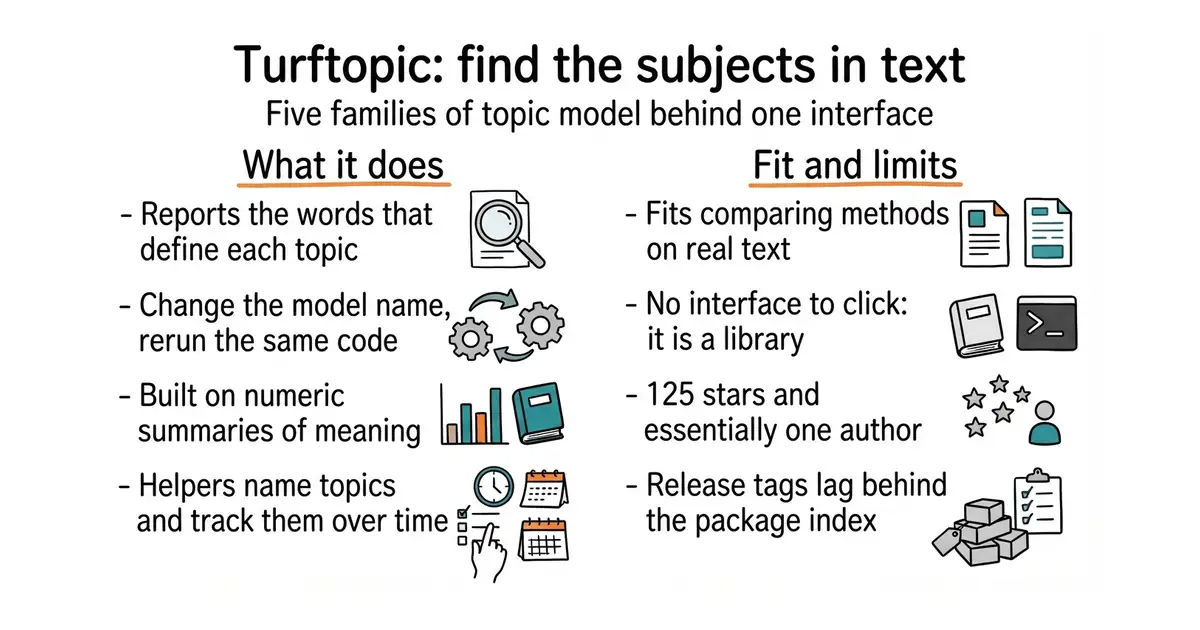
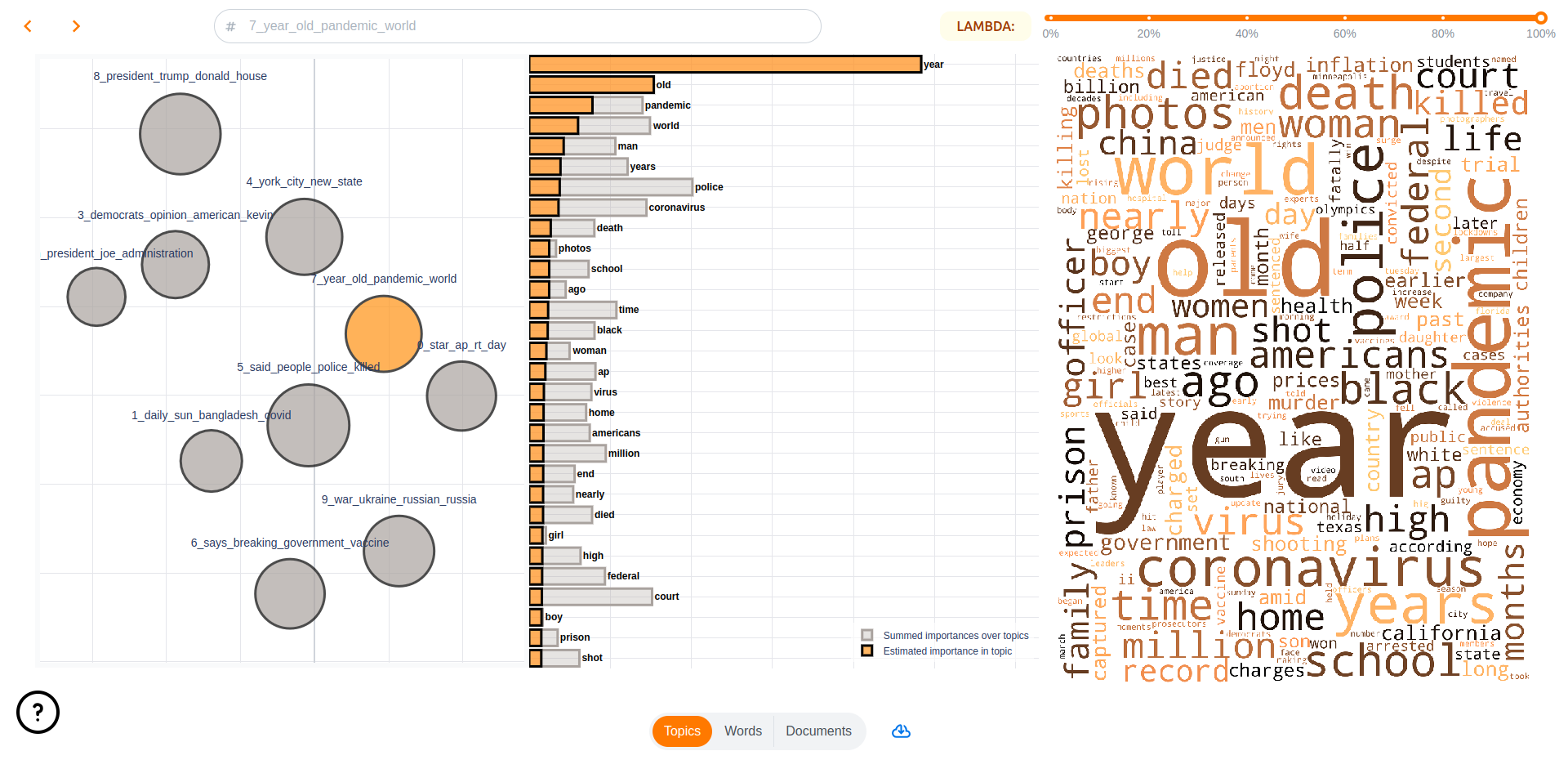
It finds the topics in a collection of documents and reports the words that define each one. Five families of method sit behind a single interface, including clustering models, Semantic Signal Separation, KeyNMF and autoencoding models. The interface follows the scikit-learn pattern, so changing method means changing the model name and running the same code again. It uses sentence-transformers embeddings, which are numeric summaries of meaning, so the same text can be fed to any of the methods. It reports how much of each topic each document contains, and prints readable topic tables. There are helpers for naming topics and for tracking how topics shift over time. It stores nothing and has no interface to click. It is a library that a program uses.
Why it matters
Who it suits. Anyone comparing topic-modelling methods on their own data rather than accepting whichever one works first. It matters most for short, fragmentary text such as chat transcripts, which are full of one-word replies and where methods that assume each document has one clean subject do badly. Skip it if one method already gives acceptable results, because more options without a fixed way of judging them just means keeping whichever was looked at last.
Verdict. Worth an afternoon when the grouping is the product rather than a side report. Semantic Signal Separation is the reason to look: it is built for text where topics overlap instead of separating cleanly, which is what a conversation is. Two cautions. 125 stars and essentially one author is a real risk for anything load-bearing. And the GitHub release tags lag behind PyPI, which makes the project look much quieter than it is, so check PyPI for the current version. BERTopic is the established default, MIT and 7.8k stars. Top2Vec is the older single-method alternative.
- One interface over five families of method, so the comparison is a parameter and not a rewrite
- Genuinely active: version 0.28.0 went to PyPI in August 2026
- Built on sentence-transformers, so any compatible embedding model can be used underneath
- 125 stars and essentially one author, which is real risk for a load-bearing dependency
- The GitHub release tags lag behind PyPI, so the project looks quieter than it is
- More methods means more settings, and nothing here tells you which output is better
Install into the FastAPI environment alongside BERTopic and run both over the same twenty saved conversations.
python3 -m venv venv
source venv/bin/activate
pip install turftopic

2.8k stars · EPL-2.0 · 0.12.0 (2026-07-17) · Track this in Scout · Share this tool
Eclipse Layout Kernel in JavaScript — the automatic graph layout React Flow does not ship, and the reason a 40-node map reads instead of tangling.
▶Repo detailsthe review · specs · pros & cons · install
What it does
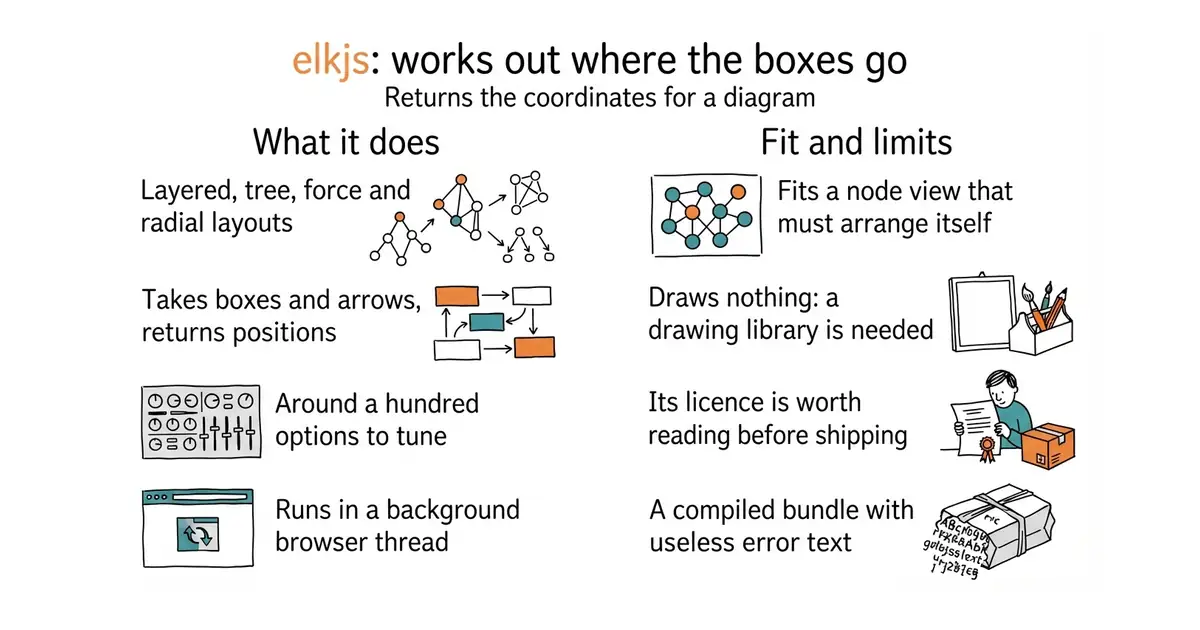
It computes positions for the boxes of a graph and routes for the arrows between them. Layered, tree, force, radial and box-packing arrangements are all included. The input is a plain description of boxes, arrows and sizes, and the output is coordinates. Around a hundred options are exposed, covering spacing, arrow routing and the order boxes appear in. It can run inside a Web Worker, which is a background thread in the browser, so laying out a large diagram does not freeze the page. It is a compiled build of the Eclipse Layout Kernel, a long-running research project written in Java. It draws nothing at all. There is no canvas, no SVG and no interaction, and a separate drawing library has to do that part.
Why it matters
Who it suits. Anyone building a diagram or a node view where the boxes have to arrange themselves. Diagram libraries faithfully draw whatever coordinates they are given, and forty boxes with no arrangement is a tangle of crossing lines, which is the fastest way to make clever software look unfinished. Skip it if the layout is a simple list or grid that a few lines of arithmetic will place.
Verdict. A small, unglamorous dependency that changes how software feels more than most features do. Start with the layered arrangement; it is the one that draws readable hierarchies with few crossing lines, and it is the engine behind the good-looking diagrams in several well-known tools. Three cautions. The licence is EPL-2.0, which is fine inside commercial software but worth five minutes of reading, and the npm package also offers a GPL option. The bundle is a Java-to-JavaScript build, so it is large and its error messages are close to useless. And there are dozens of terse option names, so expect one session of trial and error. dagre is the much smaller MIT alternative.
- Decades of algorithm work behind it, rather than a weekend force simulation
- Runs in a background browser thread, so a large diagram never freezes the page
- Widely used with diagram libraries, so there is plenty of example code to copy
- EPL-2.0 is a weak-copyleft licence and worth reading before shipping
- A compiled Java-to-JavaScript bundle: large, and its error messages are useless
- Dozens of terse options, so expect a session of trial and error before it looks right
Compute it in a Web Worker, feed the coordinates to React Flow, and the map arranges itself the moment it loads.
npm install elkjs

4.9k stars · MIT · v0.24.0 (2026-08-20) · Track this in Scout · Share this tool
Apple's interactive embedding map with automatic cluster labelling — recommended as a design study for Grasppy's overview screen, not as a dependency.
▶Repo detailsthe review · specs · pros & cons · install
What it does
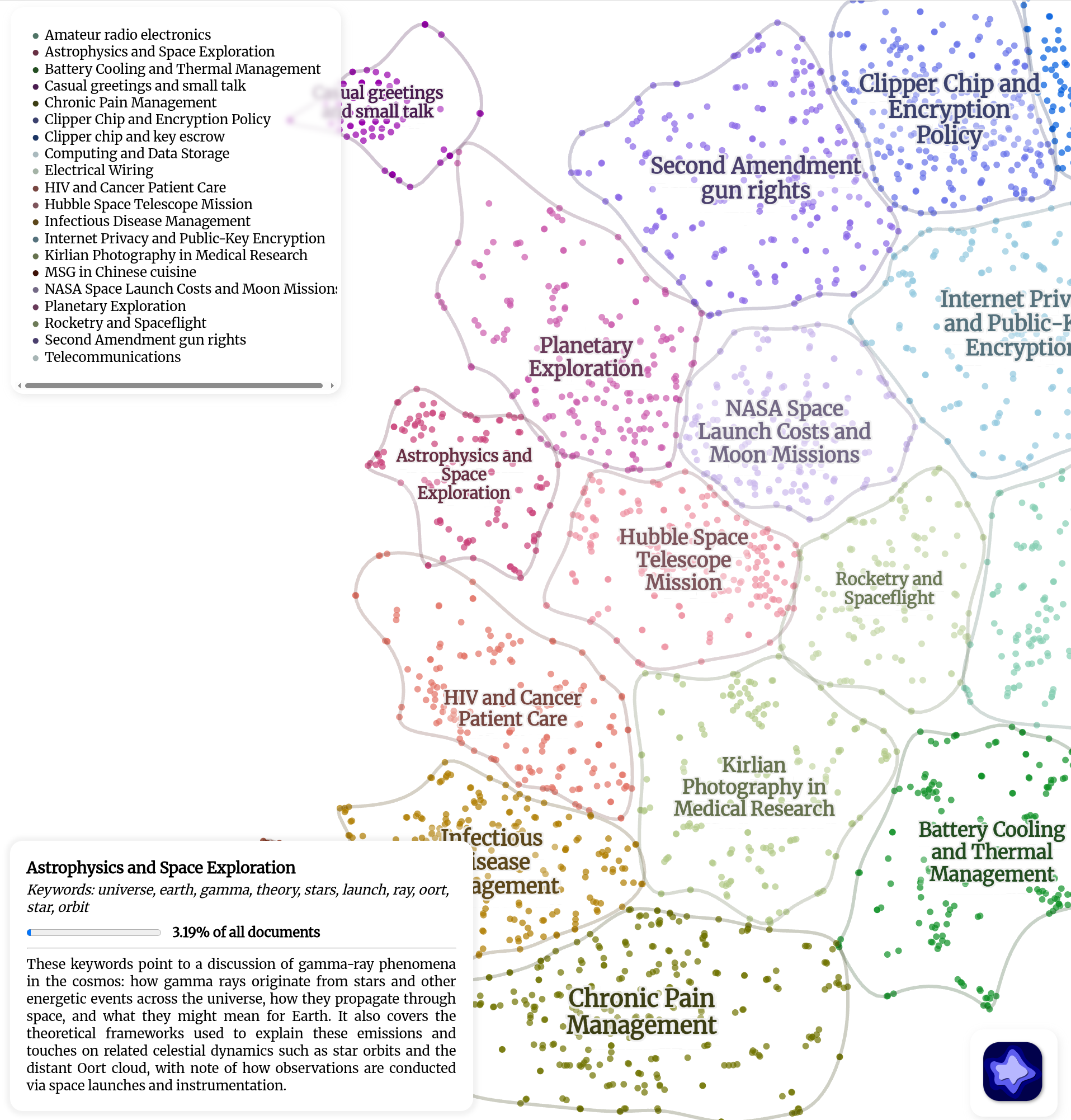
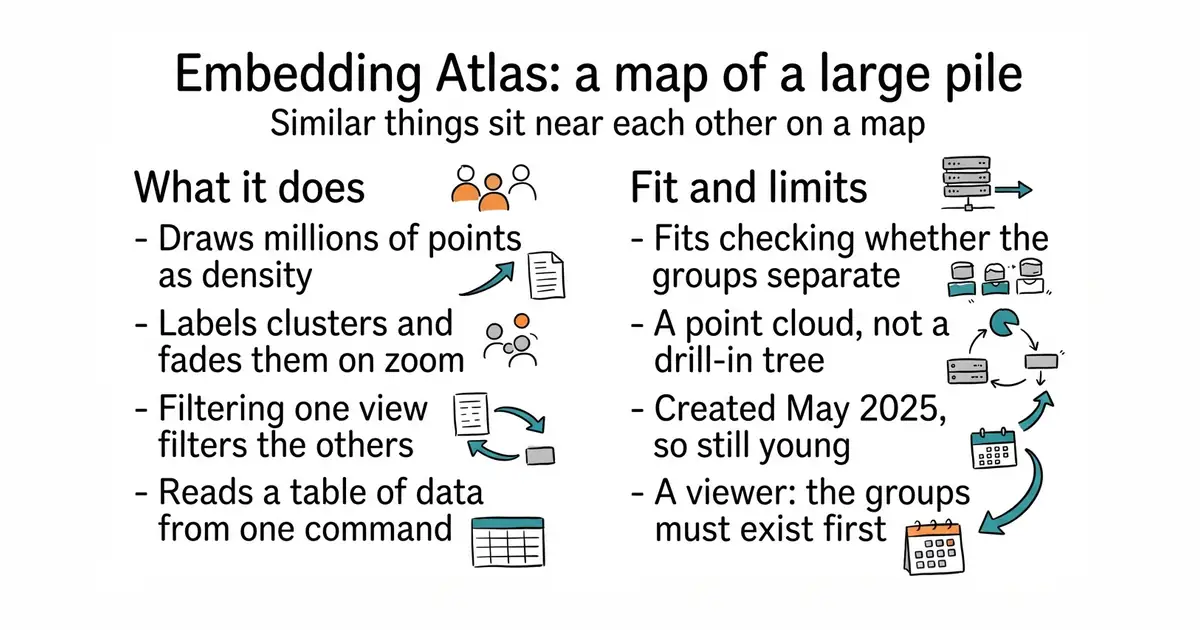
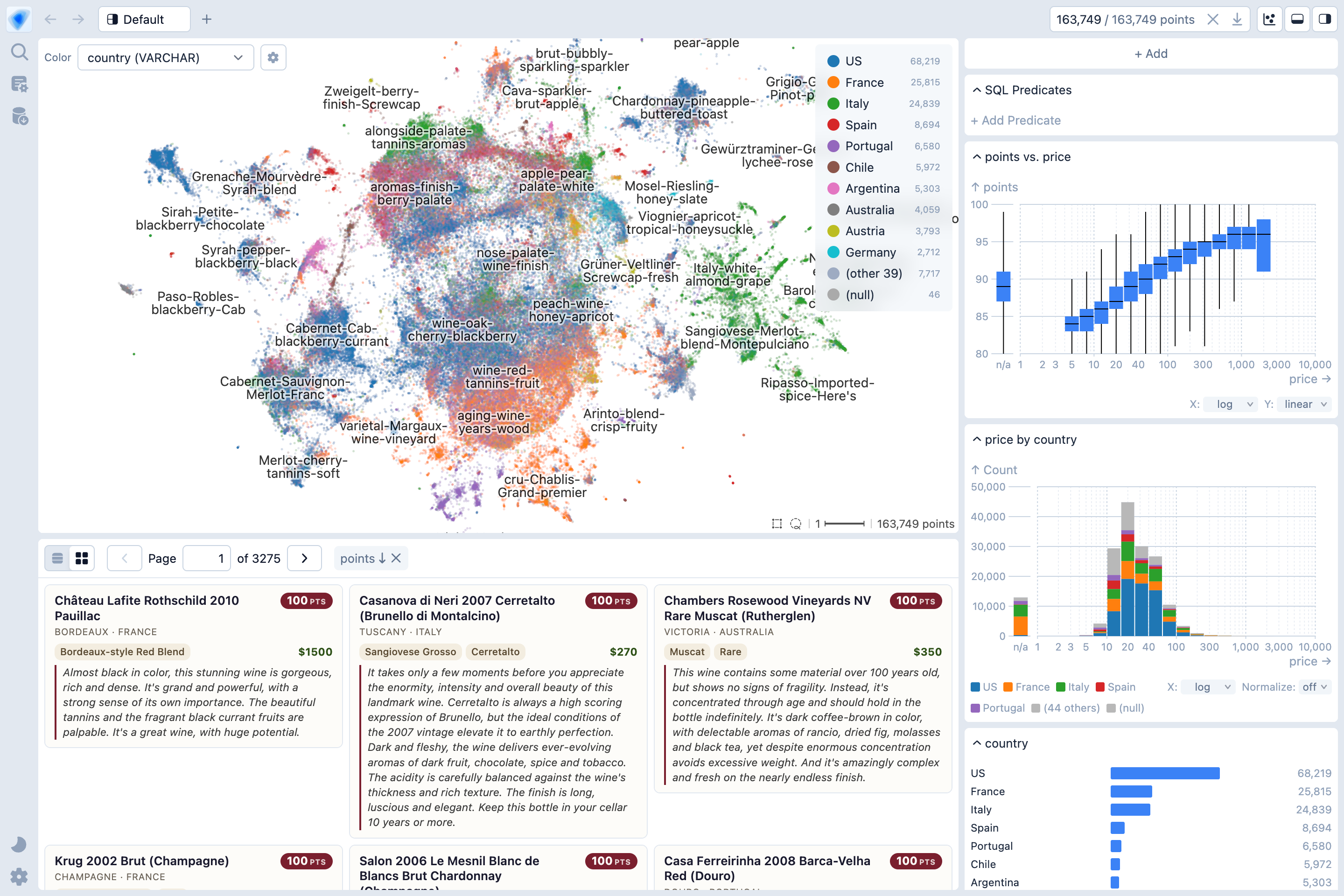
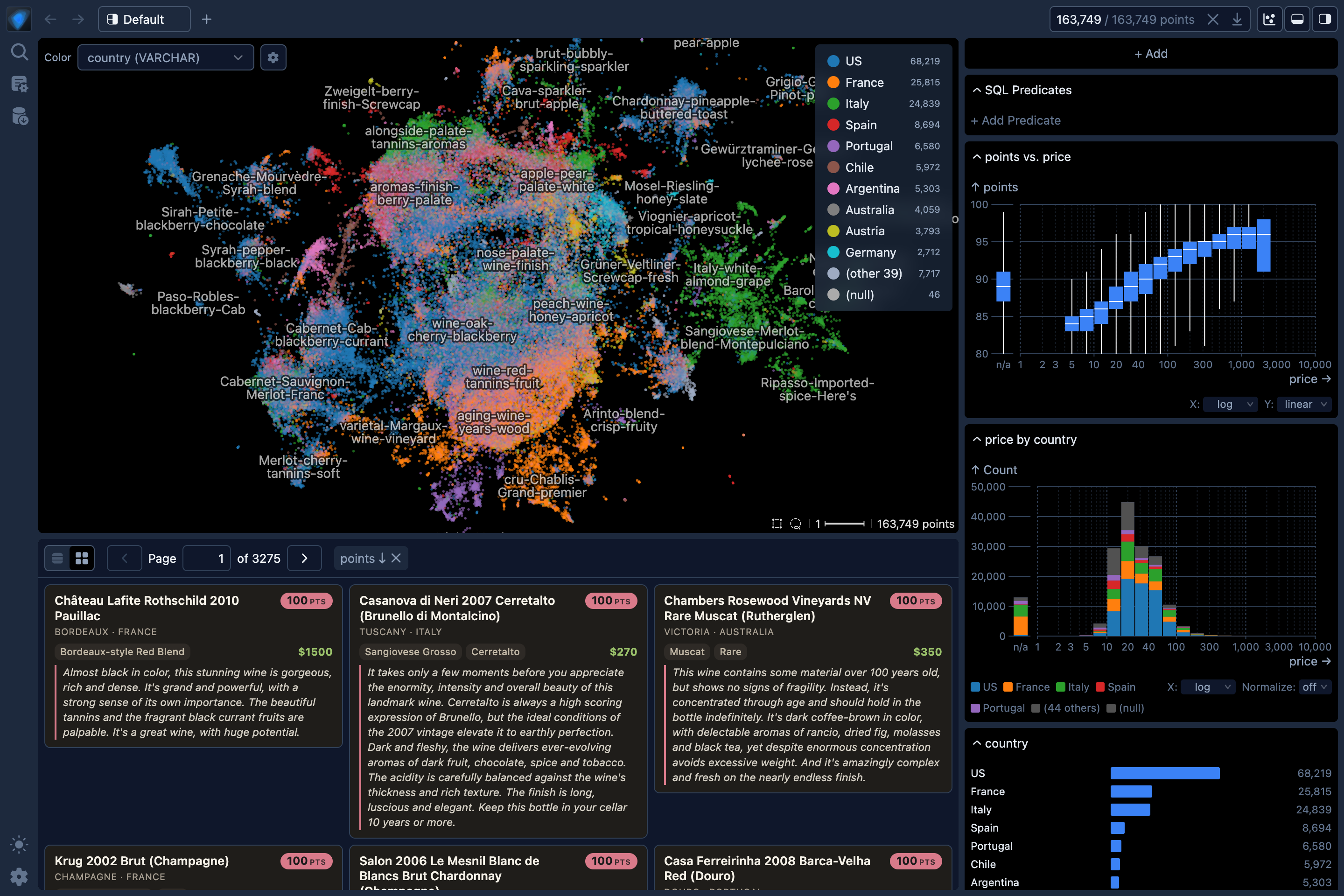
It shows a large set of embeddings, which are numeric summaries of meaning, as an interactive map. Millions of points are handled by drawing density rather than individual dots. Clusters are labelled automatically, and the labels fade in and out as the view is zoomed. The map is linked to the data's other columns, so filtering one view filters the others at the same time. It ships as a Python package that reads a dataframe, as a command-line tool, and as web components to embed in a page. Searching for the nearest neighbours of a selected point is built in. It draws a point cloud and not a hierarchy, so there is no tree to drill down through. It is a viewer and not a model, so the embeddings have to exist before it is useful.
Why it matters
Who it suits. Anyone who has produced a large set of embeddings and needs to see whether they separate sensibly before building anything on top of them. It is also the clearest available reference for the hardest question in any map-style interface: what the first zoomed-out view should look like. Skip it if the collection is small, where a plain scatter plot is quicker to make and easier to read.
Verdict. Run it once over real data. An afternoon here teaches more about designing an overview screen than a week of sketching, because the interaction decisions are visible and considered: labels that appear and disappear with the zoom, density instead of scattered dots, filtering that keeps the viewer oriented. Treat it as a reference first and a dependency second, since adopting it means embedding a fairly opinionated tool rather than building the view you want. Two cautions. The repository was created in May 2025, so it is young and the component interface can still move. And it does not give a drill-in tree, which is what many map-style products actually need. deepscatter handles even larger point counts, but its licence is non-commercial.
- MIT, with unusually considered interaction design for an open-source visualisation
- Point it at a dataframe and it renders, so the evaluation really does cost one afternoon
- Handles very large point counts smoothly, which is where naive canvases fail
- It draws a point cloud, not a hierarchy, so there is no drill-in tree
- Adopting it means embedding an opinionated tool rather than building the view you want
- Young: created in May 2025, and the component interface can still change
Apple's machine-learning group spent real design effort on precisely that: labels that fade in and out as you zoom, density instead of scattered dots, filtering that keeps you oriented rather than lost.
python3 -m venv venv
source venv/bin/activate
pip install embedding-atlas

7.6k stars · Apache-2.0 · v0.0.81 (2026-01-13) · Track this in Scout · Share this tool
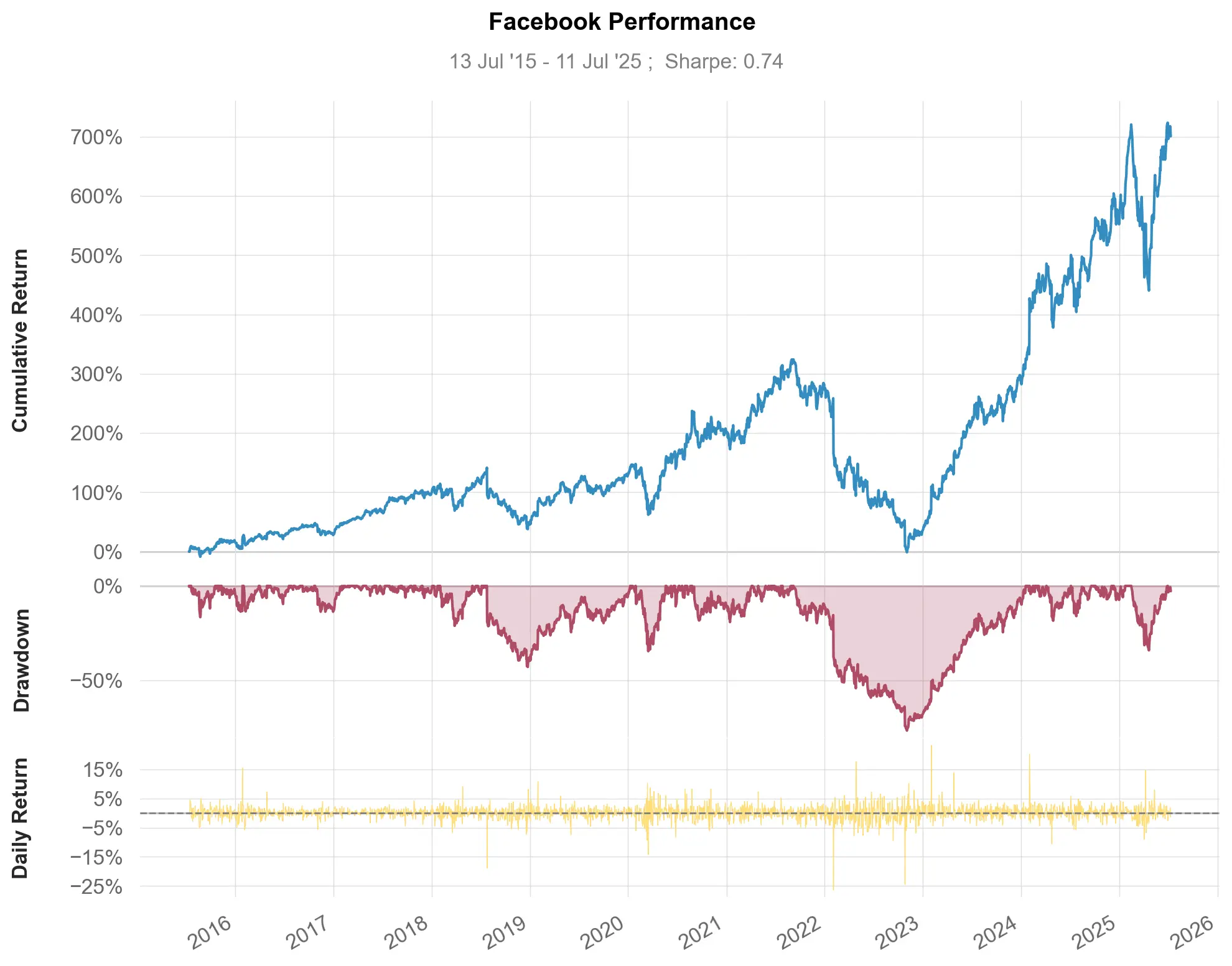
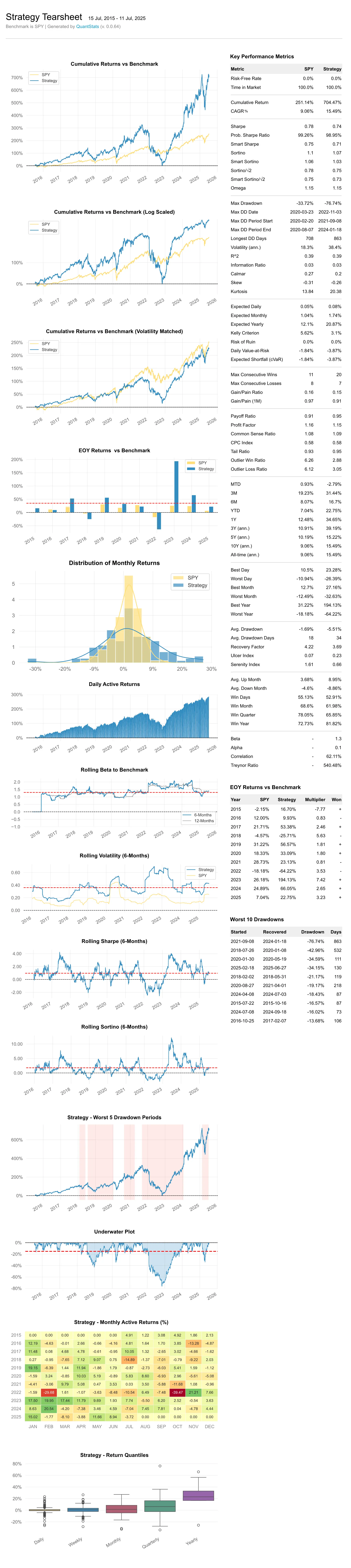
Portfolio tearsheets from a returns series — the monthly-returns heatmap that tests the 2%-a-month claim, under a licence he can ship.
▶Repo detailsthe review · specs · pros & cons · install
What it does
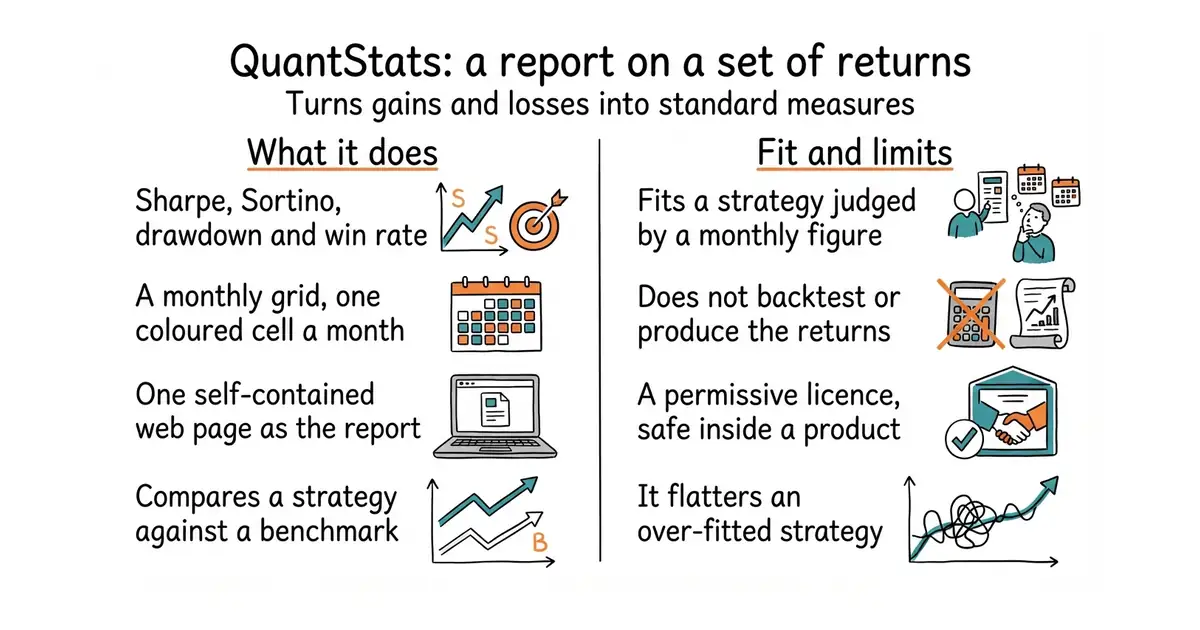
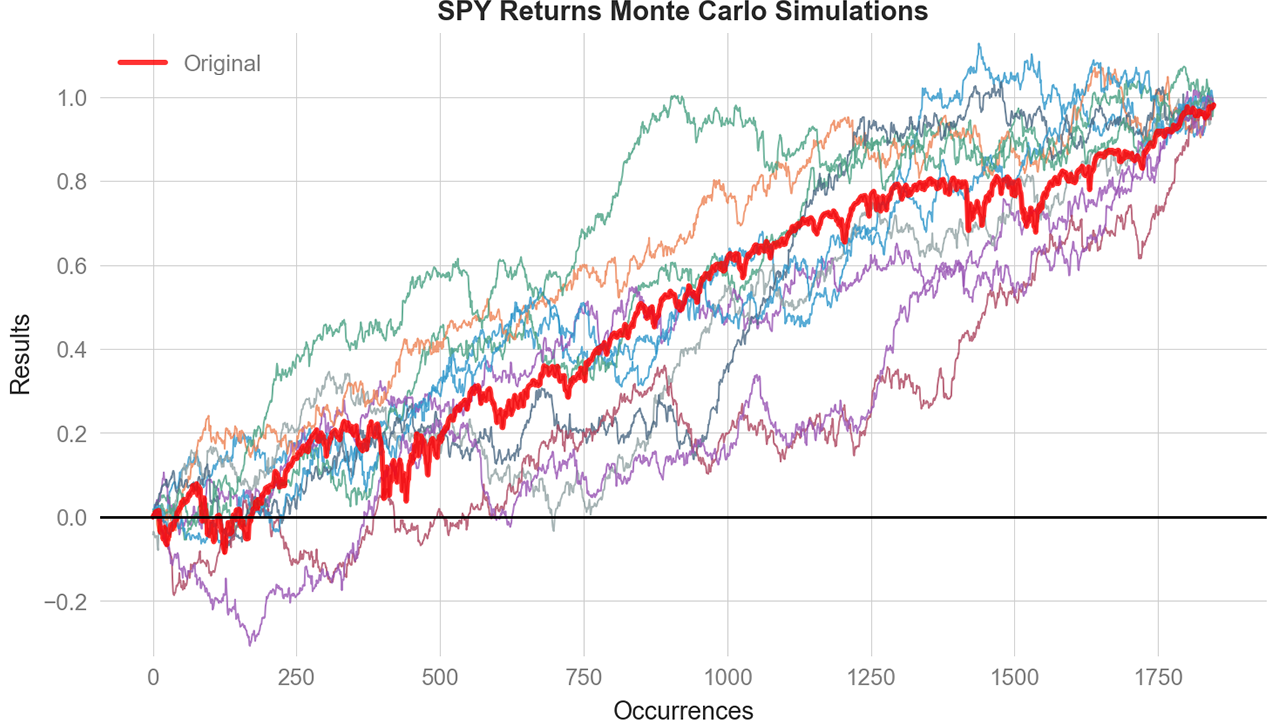
It takes a series of returns and produces a complete set of portfolio statistics. Sharpe and Sortino ratios, maximum drawdown, win rate, rolling volatility and value at risk are all included. It draws a monthly-returns grid, which shows each month of each year as a coloured cell. Everything is written into a single self-contained HTML file that needs nothing else to open. A strategy can be compared against a benchmark series in the same report. It works with pandas series, which is the standard Python way of holding a column of dated numbers. It does not run a backtest and does not produce the returns. Something else has to generate them first.
Why it matters
Who it suits. Anyone judging a trading or investing strategy whose target is stated as a monthly figure. The monthly grid answers that question directly: it shows whether a steady monthly number is a real pattern, or one good quarter carrying eleven mediocre months behind it. Skip it if there is no returns series yet, because this is the reporting step and not the research step.
Verdict. Worth ten minutes, and the licence is the sharper reason to use it. Apache-2.0 means the report can sit inside commercial software, which is not true of the popular backtesters: backtesting.py is AGPL-3.0 and vectorbt carries a Commons Clause. So build the report a customer will see on this, and keep a restrictively licensed backtester for private research. Two cautions. The version number is still 0.0.86 after years of releases, which signals a low-ceremony project, and some of its plotting dependencies are fussy about versions. And beautiful statistics on an over-fitted strategy are still an over-fitted strategy; this will flatter a bad result convincingly.
- Apache-2.0, so unlike the popular backtesters it is safe inside commercial software
- The monthly-returns grid turns a monthly target into a picture you can read at a glance
- One call produces a complete HTML report that can be served or sent as a file
- It reports; it does not backtest, so something else must produce the returns
- Version 0.0.86 after years of releases, and some plotting dependencies are fussy
- It will present an over-fitted strategy beautifully and convincingly
python3 -m venv venv
source venv/bin/activate
pip install quantstats

39.5k stars · MIT · no tagged releases; 546 commits on main · Track this in Scout · Share this tool
A marketplace of ready-made Claude Code plugins, subagents and skills — a free capability upgrade to how he builds everything else.
▶Repo detailsthe review · specs · pros & cons · install
What it does
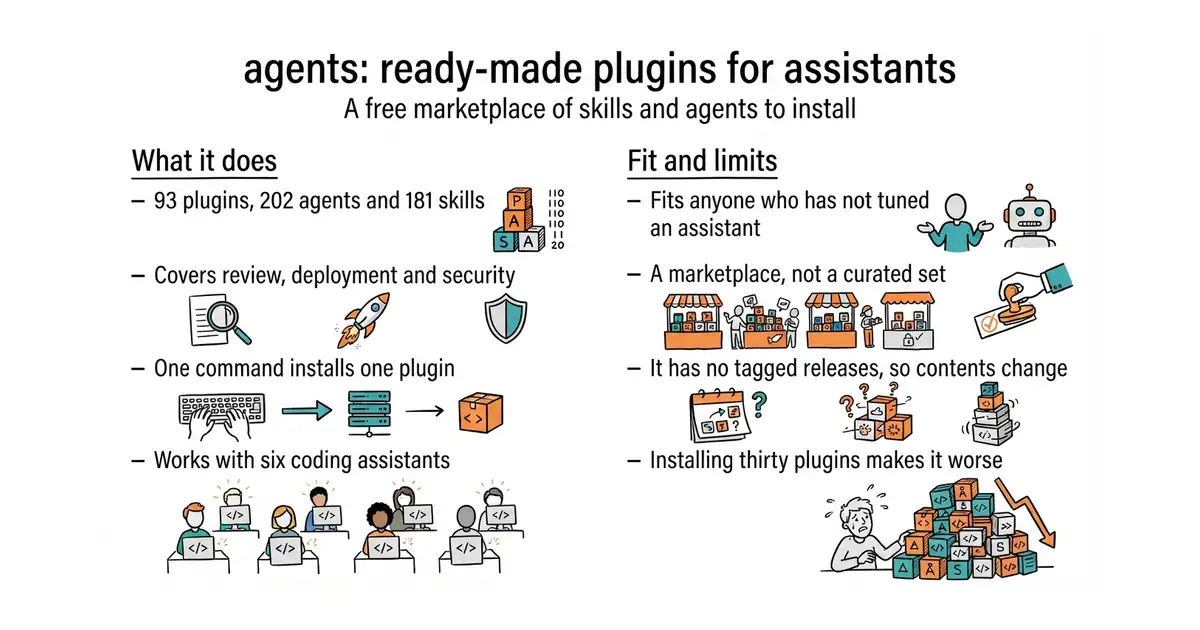
It collects ready-made plugins, agents, skills and commands for coding assistants. At the time of this check its own documentation lists 93 plugins, 202 agents, 181 skills and 105 commands. Code review, deployment, security checking, documentation, testing and database work are all covered. Each plugin installs with a single command, with nothing to host and nothing to back up. It is no longer tied to one assistant: Claude Code, OpenAI Codex CLI, Cursor, OpenCode, Antigravity CLI and GitHub Copilot are all supported. It publishes no tagged releases, so an install takes whatever the main branch holds that day. It is a marketplace and not a curated set. Nothing filters overlap or quality, and it does not change the assistant itself.
Why it matters
Who it suits. Anyone who builds through a coding assistant and has never spent any time improving how it behaves. That is usually the highest-value hour available, because it improves every other task rather than one of them. Skip it if the current setup already works well; replacing a working configuration with thirty untested plugins makes things worse.
Verdict. Read three, install two, and delete anything unused after a fortnight. The realistic value is narrow and real: a couple of these, particularly around code review and deployment, save an evening each. Two cautions. Quantity has been chosen over curation, so many entries overlap and some are thin. And there are no tagged releases, so there is no version to pin and the contents will move under you. awesome-claude-code is the curated directory to read alongside it, at 53.1k stars. The support for six different assistants is new since this edition first ran, when the collection covered one.
- MIT, and installing a plugin is one command, with nothing to host or back up
- Improves the tool used to build everything else on this page, so one hour goes a long way
- Now works with six different coding assistants rather than one
- Quantity over curation: many entries overlap and some are thin
- No tagged releases, so an install takes whatever the main branch holds that day
- More installed plugins makes a setup more confusing, so discipline beats coverage
Instead of re-describing what a careful code reviewer or a deployment checklist should do every time you need one, you install a version someone has already written and iterated on.
/plugin marketplace add wshobson/agents
/plugin install python-development
Checked, and left out
These were opened for this edition and did not make it, with the reason.
hootnot/oanda-api-v20
hootnot/oanda-api-v20 — last PyPI upload August 2021, dormant. Recorded as backlog with a permanent caution.
markmap/markmap
markmap/markmap — last GitHub release Dec 2024, past the 18-month line; npm returned 403 so recency could not be confirmed.
nkaz001/hftbacktest
nkaz001/hftbacktest — verified and interesting for scalping, but Rust and crypto-oriented. Backlogged.
opral/inlang
opral/inlang — lighter alternative to Tolgee, but no licence or releases shown on the GitHub page.
Know a repository we should check?