18.9k stars · GPL-3.0 · v4.12 (2026-09-06) · Track this in Rising ↗
Desktop GUI for video translation and dubbing with a batch queue — the least programmer-hostile bilingual option.
Radar check
What we found when we opened it. Every bar is one fact, with its date.
Last code pushed 23 Oct 2026, 5 days before this check.
Latest release v4.17 on 23 Oct 2026.
Public since October 2023, about 3 years.
19,549 stars and 2,419 forks.
242 commits and 37 new issues in the last 90 days.
50 contributors. 21 pull requests merged in 90 days.
No security policy file says how to report a problem. No published security advisories.
How the bars are scored
- Alive. Days since the last code push: a week or less 100, a month 90, three months 70, six months 50, a year 30, eighteen months 15, older 0.
- Releases. Age of the latest GitHub release, on a similar scale; no bar when the project publishes no releases.
- Maturity. Age of the project: eight years 100, five 90, three 70, two 55, one 40, six months 25, younger 10.
- Adoption. Stars on a log scale: 100,000 stars is 100, 10,000 is 80, 1,000 is 60, 100 is 40.
- Activity. Commits in the last 90 days: 300 or more 100, 100 85, 30 65, 10 45, any 25.
- Community. People who have contributed: 100 or more 100, 30 80, 10 60, 5 40, 2 25, one 10.
- Security. A published security policy 80, none 40; published advisories are listed, not scored.
Checked by Repo Radar on 26 Oct 2026 from the repository on GitHub. Covered in Edition 4.
▶Repo detailsthe review · specs · pros & cons · install
What it does
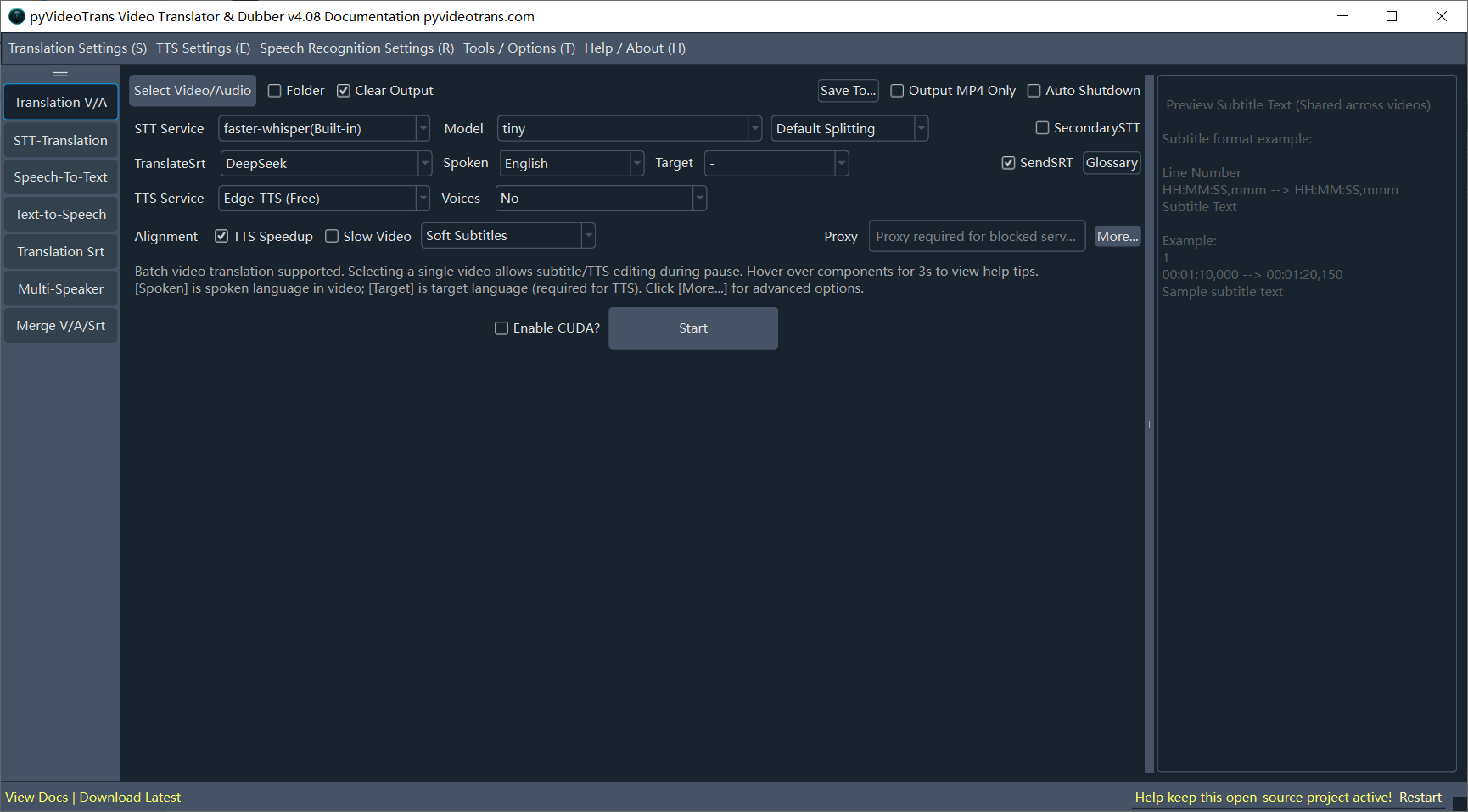
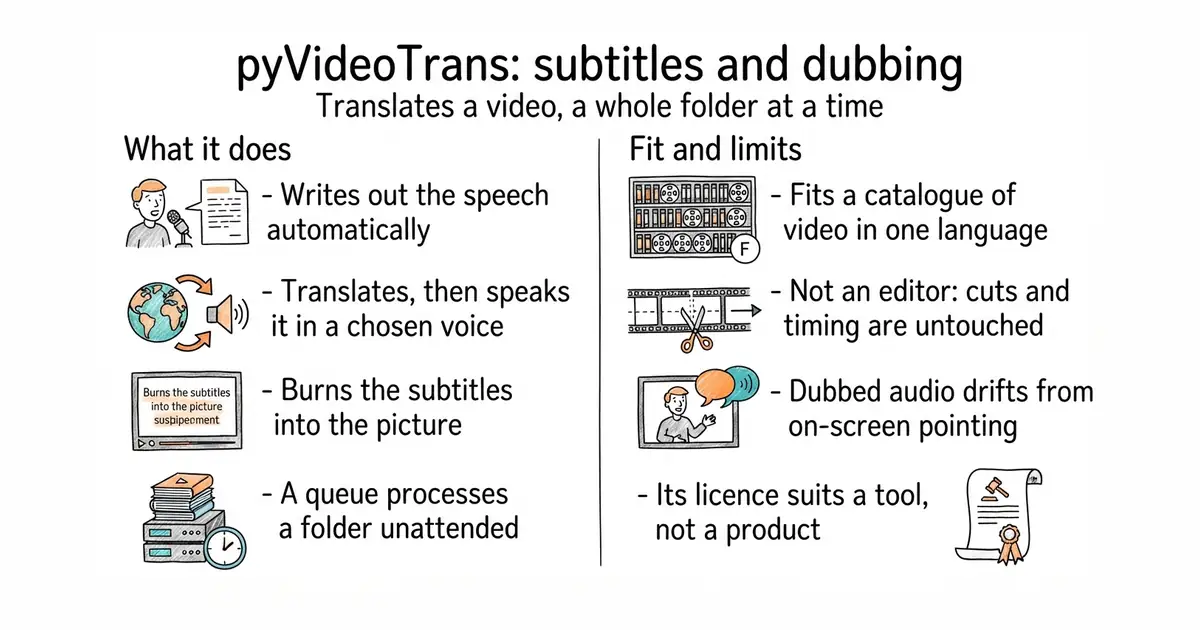
It takes a video file and produces a translated copy with subtitles, and a dubbed soundtrack if asked. The speech is written out by Whisper models that run on the same machine. The transcript then goes to one of several translation services, or to one running locally. The translation is spoken by one of several voice services, including the free Microsoft Edge voices and the paid ElevenLabs. A queue lets a folder of videos be processed in one unattended run. It ships as a desktop application with a window and settings to click, and it also has a command-line mode and a browser interface. It does not edit video. Cuts, titles and timing are left alone, and it will not correct a dub that drifts away from what is happening on screen.
Why it matters
Who it suits. Someone holding a back catalogue of recorded video in one language who wants a second-language version without hiring anyone. The queue is the real reason to pick it over the alternatives. A folder processed overnight is a different proposition from one file at a time. Skip it if the videos depend on tight on-screen timing, because synthetic speech does not land on the same beats as the original narration.
Verdict. The least programmer-hostile tool of its kind, and that is worth more here than elegance. Three things to watch. The documentation is written in Chinese first, and the Windows build is the best supported one. The licence is GPL-3.0, so it is a tool to run and not something to put inside a product. And a dubbed soundtrack always needs one human listen before it is published. VideoLingo produces better subtitles and is harder to install, at Apache-2.0 and 18.3k stars. WhisperX does only the transcript, with the timing of each individual word.
Summary (Key Points)from the README
Key features
- Full pipeline: One-click workflow from speech recognition (ASR) through subtitle translation and speech synthesis (TTS) to video synthesis.
- Batch subtitles: Converts audio and video to SRT subtitles in batches, with speaker diarization to separate roles.
- Multi-role dubbing: Assigns different AI voices to different speakers.
- Voice cloning: Supports zero-shot cloning through F5-TTS, CosyVoice and GPT-SoVITS.
- Broad model choice: ASR options include Faster-Whisper (local), OpenAI Whisper and Alibaba Qwen. Translation options include DeepSeek, ChatGPT, Claude, Gemini and Ollama (local). TTS options include Edge-TTS (free) and OpenAI.
- Interactive editing: Pauses at recognition, translation and dubbing so you can proofread.
- Utility toolkit: Vocal separation, video and subtitle merging, audio-video alignment and transcript matching.
- CLI and WebUI: Headless command-line operation for servers and batch jobs, plus a browser interface for remote or internal-network access.
- Gateway access: The infistar gateway offers 160+ models behind one key, and Opper offers 700+ models from 50+ providers.
Ways to install
| Platform or method | What it needs | Effort |
|---|---|---|
| Windows pre-packaged .exe | Windows 10/11, unzipped to a path without Chinese characters or spaces | Low |
| Source deployment (macOS, Linux, Windows) | Python (3.10 recommended), uv, and FFmpeg on the PATH or in the project folder | Medium |
| Docker | Docker, for containerized deployment | Medium |
Important
- Archive use: Do not run the .exe directly from inside the compressed archive. Extract it first.
- GPU limits: GPU acceleration works only with NVIDIA GPUs and needs CUDA 12.8 and cuDNN 9.11. AMD support is mentioned only through Whisper.NET, with no details given.
- Optional components: whisper.net and WebUI are not installed by default. They need `uv sync --extra dotnet` or `--extra webui`, or `--all-extras` for everything.
- Local-only models: GPT-SoVITS, Index-TTS and ChatTTS require local deployment.
- Legal responsibility: The project is free and non-commercial. Users are solely responsible for legal consequences, including calling third-party APIs and processing copyrighted video.
Written by an AI model from the project’s README; not part of the review, and it can be wrong.
- A real window with settings to click, which is rare in this category
- A queue turns an existing catalogue into a second-language one in one unattended run
- Connects to both free and paid voice services, so drafts cost nothing
- Documentation is Chinese first, and the Mac path is second-class
- GPL-3.0, so it is a tool to run rather than code to embed in a product
- Dubbed audio drifts against on-screen pointing, so a manual pass is still needed
git clone https://github.com/jianchang512/pyvideotrans.git
cd pyvideotrans
uv sync
uv run sp.py