2.6k stars · Apache-2.0 · 1.11 (2026-07-12) · Track this in Rising ↗
One YAML file regenerates every screenshot on the site — and since v1.10 it records WebM demo clips too.
Radar check
What we found when we opened it. Every bar is one fact, with its date.
Last code pushed 14 Oct 2026, 14 days before this check.
Latest release 1.12 on 13 Sep 2026.
Public since March 2022, a little over 4 years.
2,597 stars and 134 forks.
4 commits and 4 new issues in the last 90 days.
23 contributors. 3 pull requests merged in 90 days.
No security policy file says how to report a problem. No published security advisories.
How the bars are scored
- Alive. Days since the last code push: a week or less 100, a month 90, three months 70, six months 50, a year 30, eighteen months 15, older 0.
- Releases. Age of the latest GitHub release, on a similar scale; no bar when the project publishes no releases.
- Maturity. Age of the project: eight years 100, five 90, three 70, two 55, one 40, six months 25, younger 10.
- Adoption. Stars on a log scale: 100,000 stars is 100, 10,000 is 80, 1,000 is 60, 100 is 40.
- Activity. Commits in the last 90 days: 300 or more 100, 100 85, 30 65, 10 45, any 25.
- Community. People who have contributed: 100 or more 100, 30 80, 10 60, 5 40, 2 25, one 10.
- Security. A published security policy 80, none 40; published advisories are listed, not scored.
Checked by Repo Radar on 27 Oct 2026 from the repository on GitHub. Covered in Edition 3.
▶Repo detailsthe review · specs · pros & cons · install
What it does
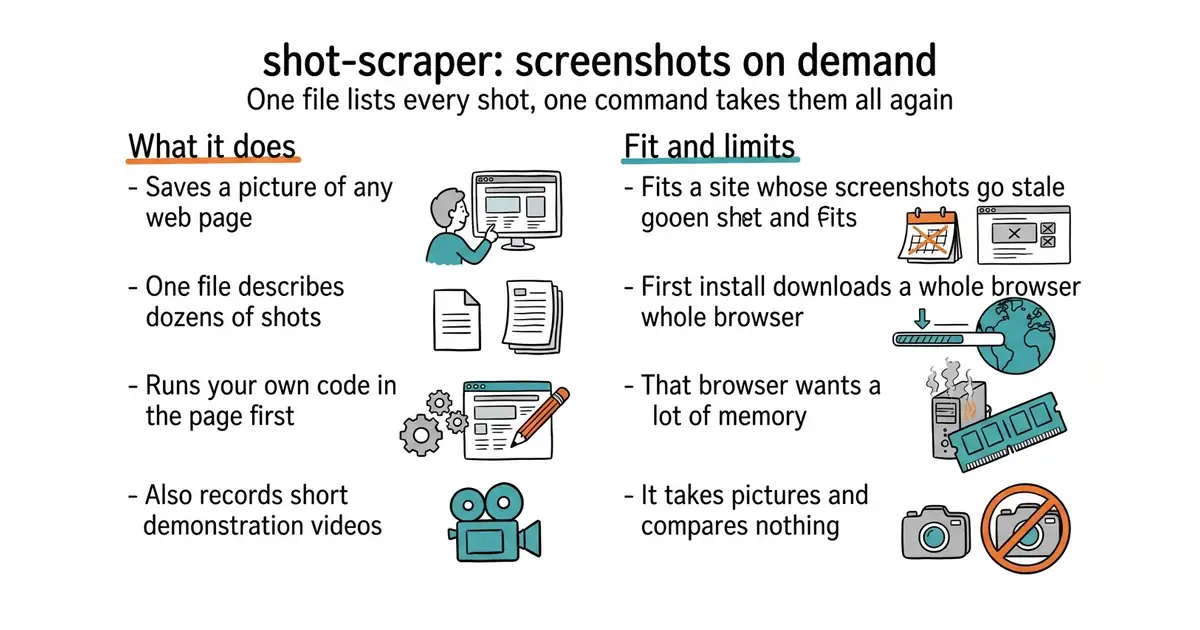
You give it a web address and it saves a picture of that page, named after the site. You can instead give it a file listing many shots, each with its own address, size, waiting rules and output name, and it takes all of them in one run. It can run your own instructions inside the page before the picture is taken, which is how you dismiss a cookie banner or log in first. The shot-scraper javascript command runs code against a page and prints what it returns, so the same tool reads data as well as photographs it. It can record short videos of a scripted interaction. It is built on a browser automation library, which is why it needs its own browser installed once, and the project ships a template repository so the whole thing can run on a schedule without anything installed on your own machine. What it does not do is state any limits at all in its README, and it is not a visual testing tool: it takes the pictures and compares nothing.
Why it matters
Who it suits. Anyone who keeps pictures of a working program on a website, in documentation, or in a README, and who has watched them quietly become pictures of software that no longer exists. A stale screenshot reads as an abandoned project to a first-time visitor, and this is the cheapest way to make that impossible. It also suits anyone who needs the same page photographed in several languages or screen sizes, since that is a few more lines in the same file. Skip it if you need two pictures a year, because taking those by hand is quicker than learning this.
Verdict. Worth an hour, and the easiest hidden gem in the set at 2,566 stars. The reason to take it seriously is that the description is a file rather than a habit: once the shots are written down, nothing depends on anyone remembering to take them again. Three honest notes. The first run downloads a headless browser of a few hundred megabytes, so plan the disk. That browser is memory-hungry, which makes this a job for a workstation or a scheduled runner rather than a small machine that is also serving visitors. And getting a signed-in page photographed correctly takes a fiddly first hour of scripting. Release 1.12 landed on 13 September 2026 and code on 12 July 2026, from a maintainer who has kept it going since March 2022.
Summary (Key Points)from the README
Key features
- Screenshots: Takes screenshots of web pages from the command line, saving them to a named file such as datasette-io.png.
- Video demos: Records video of web pages for demos.
- JavaScript scraping: Runs JavaScript against a page to scrape its content with `shot-scraper javascript`.
- Playwright foundation: Built on Playwright, as described in the linked background article.
- GitHub Actions template: The shot-scraper-template repository creates your own repo that takes screenshots without installing anything locally.
- Documentation and tutorial: Full documentation covers the many screenshot options, and a tutorial shows how the Datasette docs automate screenshots.
- Real-world use: Examples include a Twitter bot that publishes news homepage screenshots and dashboards for email newsletters at Reuters.
Ways to install
| Platform or method | What it needs | Effort |
|---|---|---|
| pip (command-line tool) | Python with pip, installed on your machine | Low: one install command |
| shot-scraper-template (GitHub Actions) | A GitHub account and a new repository created from the template | Low: no local software needed |
Important
- No system requirements listed: The README does not name supported operating systems, Python versions or browser requirements, so check the full documentation before installing.
- Options live in the full docs: The README says many more options exist but gives details only in the linked "Taking a screenshot" documentation.
- Playwright dependency: Because the tool is built on Playwright, its behaviour depends on that underlying library.
- Example uses are not guarantees: The listed projects show what others have built with the tool; the README makes no promises about performance or reliability.
Written by an AI model from the project’s README; not part of the review, and it can be wrong.
- Apache-2.0 and pure Python, so it drops into an existing environment without a new runtime.
- One file describes every shot, so the whole set is remade by one command and can run on a schedule.
- It can act on the page first, which means signed-in screens and dismissed banners are reachable.
- The first install pulls down a headless browser of a few hundred megabytes.
- That browser wants a lot of memory, so it is a poor fit for a small machine with visitors on it.
- The README states no limitations and no supported Python versions, so the first hour is partly trial and error.
python3 -m venv venv
source venv/bin/activate
pip install shot-scraper
shot-scraper install                  # downloads the browser, once
shot-scraper https://example.com/     # one picture
shot-scraper multi shots.yml          # every picture described in the file