2.1k stars · MIT · v4.7.0 (2026-04-16) · Track this in Rising ↗
Renders a DOM node to PNG, JPEG or SVG in the browser — the maintained successor to html-to-image.
Radar check
What we found when we opened it. Every bar is one fact, with its date.
Last code pushed 16 Apr 2026, 6 months before this check.
Latest release v4.7.0 on 16 Apr 2026.
Public since June 2022, a little over 4 years.
2,090 stars and 95 forks.
0 commits and 2 new issues in the last 90 days.
17 contributors. No pull requests merged in 90 days; changes go in directly.
No security policy file says how to report a problem. No published security advisories.
How the bars are scored
- Alive. Days since the last code push: a week or less 100, a month 90, three months 70, six months 50, a year 30, eighteen months 15, older 0.
- Releases. Age of the latest GitHub release, on a similar scale; no bar when the project publishes no releases.
- Maturity. Age of the project: eight years 100, five 90, three 70, two 55, one 40, six months 25, younger 10.
- Adoption. Stars on a log scale: 100,000 stars is 100, 10,000 is 80, 1,000 is 60, 100 is 40.
- Activity. Commits in the last 90 days: 300 or more 100, 100 85, 30 65, 10 45, any 25.
- Community. People who have contributed: 100 or more 100, 30 80, 10 60, 5 40, 2 25, one 10.
- Security. A published security policy 80, none 40; published advisories are listed, not scored.
Checked by Repo Radar on 27 Oct 2026 from the repository on GitHub. Covered in Edition 8.
▶Repo detailsthe review · specs · pros & cons · install
What it does
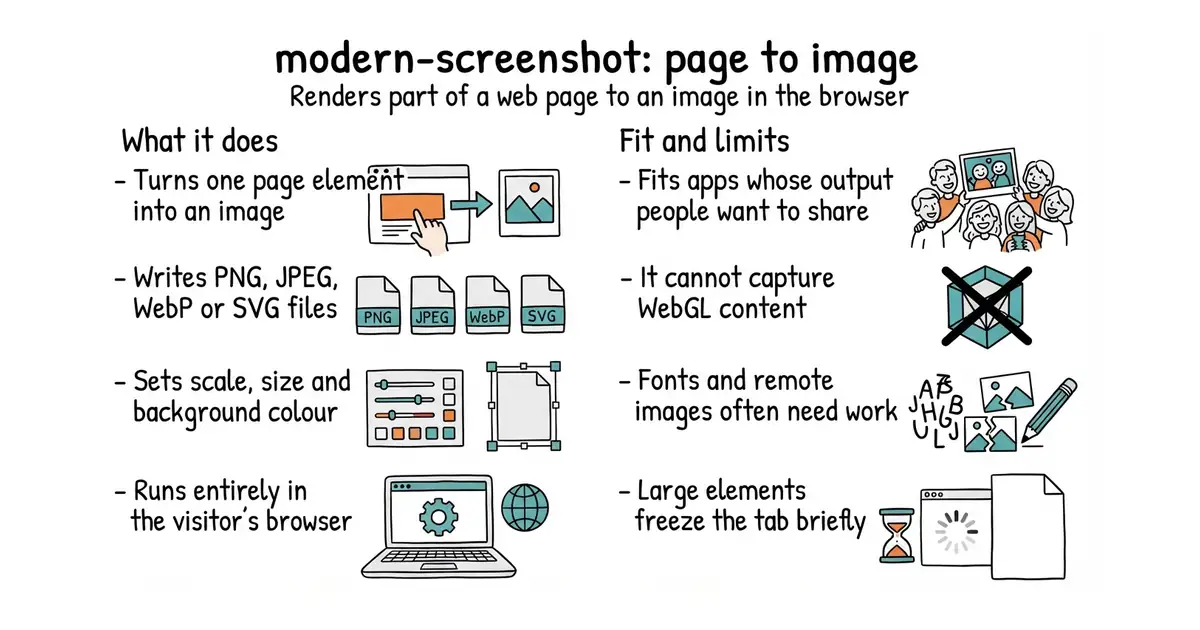
You give it an element on the page and it returns an image. It works by copying the element into an SVG, inlining the styles and fonts it needs, and drawing the result onto a canvas. It can return a data URL, a Blob or raw canvas pixels, and it supports PNG, JPEG, WebP and SVG output. Scale, background colour and output size are options, so a small element can be exported at a size suitable for sharing. It is the maintained successor to the widely linked html-to-image, with version 4.7.0 on npm and code last pushed in April 2026. It cannot capture WebGL canvases, and cross-origin images will not appear unless they are served with the right headers.
Why it matters
Who it suits. Anyone whose application produces something visual that people would want to share: a chart, a diagram, a generated layout. It also suits teams who need image exports but do not want to run a headless browser on a server. Skip it if the thing being captured is drawn with WebGL, because it will come out blank.
Verdict. Worth an afternoon, and expect to spend most of that afternoon on edge cases rather than on the main path. Web fonts, cross-origin images and CSS filters each have known failure modes, so test on real content early. Large elements produce large files and briefly freeze the tab, so cap the size or export a visible region. html-to-image is the ancestor and still works, and html2canvas is the older approach that redraws the page itself.
Summary (Key Points)from the README
Key features
- Dual rendering: Builds images from a DOM node using HTML5 canvas and SVG.
- Multiple image outputs: Exports PNG, SVG, JPEG and WebP through domToPng, domToSvg, domToJpeg and domToWebp.
- Data outputs: Returns a data URL (domToDataUrl), a Blob (domToBlob) or pixel data (domToPixel).
- Element outputs: Produces a foreignObject SVG (domToForeignObjectSvg), an image (domToImage) or a canvas (domToCanvas) for further use.
- Configurable options: Every method accepts an optional options argument, with the full list in options.ts.
- Reused context for speed: A singleton context and web worker let repeated captures run faster. The README describes this as enabling quick screenshots per second but gives no figure.
- Lineage: The project is a fork of html-to-image.
- Bilingual docs: The README is available in English and Simplified Chinese.
Ways to install
| Platform or method | What it needs | Effort |
|---|---|---|
| CDN | Not stated in the README | Not stated in the README |
| Browser Console | Not stated in the README | Not stated in the README |
Important
- Cross-origin content: Partial embedding will fail due to CORS, so external resources may be missing from captures.
- CSS counters: The project has an open TODO: it cannot yet clone CSS counters, such as content: counter(step).
Written by an AI model from the project’s README; not part of the review, and it can be wrong.
- Everything runs in the browser. No server rendering, no queue, no cost per image.
- Actively maintained, with version 4.7.0 and code pushed in April 2026.
- Anything added to the element before capture appears in the image, including a title or a caption.
- Fonts, cross-origin images and CSS filters all have known failure modes. Budget time for them.
- WebGL content does not capture through this route and comes out empty.
- Large elements make large files and freeze the tab while rendering.
It is also your thumbnail pipeline: a real map exported at 1280×720 is a far better YouTube thumbnail than a stock illustration, and it feeds the same Thumbnails-Maker (Ed.
npm install modern-screenshot