In simple English
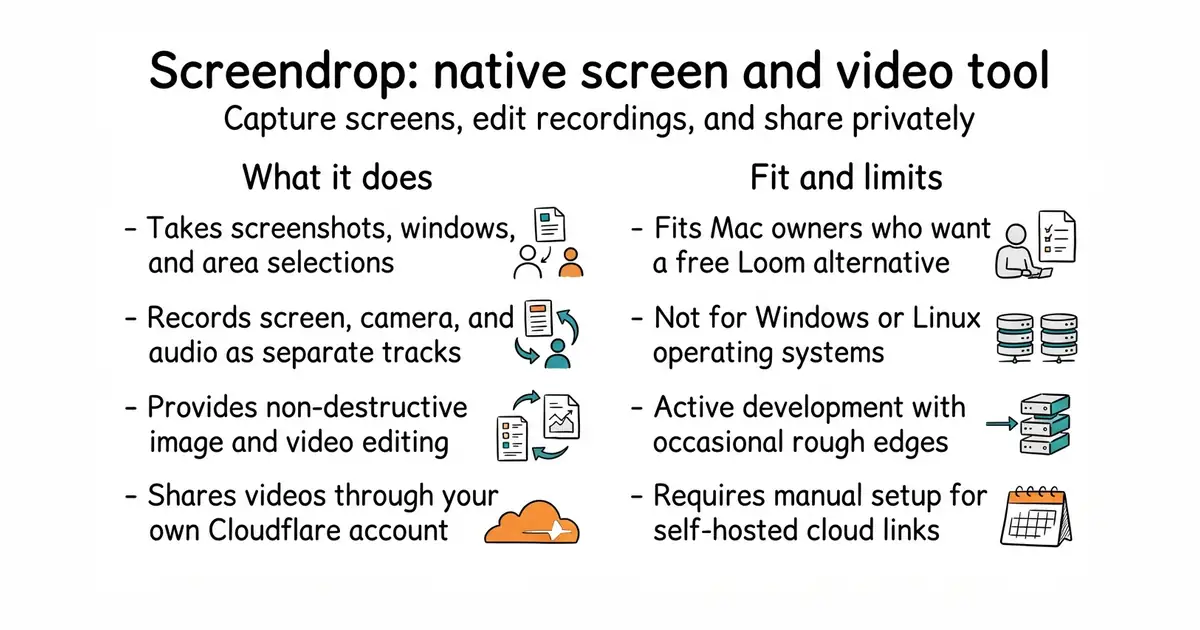
This tool lets you capture screenshots, record your screen, and edit videos on your Mac. It replaces paid subscription tools with a completely free and open alternative. You can store your files locally or host them on your own server space. It runs quietly in your menu bar until you need it.
What it is
Screendrop is a native macOS application written in Swift that handles screen capture, image annotation, video editing, and cloud sharing. It saves all your projects locally so you keep complete control of your files.
What it is good for
Solo builders and creators who want a fast, local alternative to hosted screen recording tools without paying monthly fees or sending private videos to third-party servers.
- Runs natively on macOS with fast performance and low overhead.
- Stores all recordings, screenshots, and edits locally on your computer.
- Includes a self-hosted sharing option that works with Cloudflare.
- Requires macOS 26.4 or newer to run.
- Only works on Apple Mac computers.
- Cloud sharing requires setting up your own Cloudflare worker.
Loom, CleanShot X, and other paid screenshot and screen recording tools.
FFmpeg for extra video compression options.
- Wox-launcher/Wox28k stars
Wox is a launcher, but Screendrop focuses purely on screen capture and video tools.
- localsend/localsend95k stars
LocalSend shares files across devices, while Screendrop creates and shares screen recordings.


- snapcast/snapcast8.0k stars
A server and clients that play one audio stream in several rooms, kept in time with each other.
- MusicPlayerDaemon/MPD2.8k stars
A background music player with no interface of its own, controlled over a network by separate client programs.
- AcademySoftwareFoundation/OpenTimelineIO2.0k stars
An interchange format and library for editing timelines: the order and length of cuts, and references to the media, but not the media.
brew install --cask fayazara/tap/screendrop