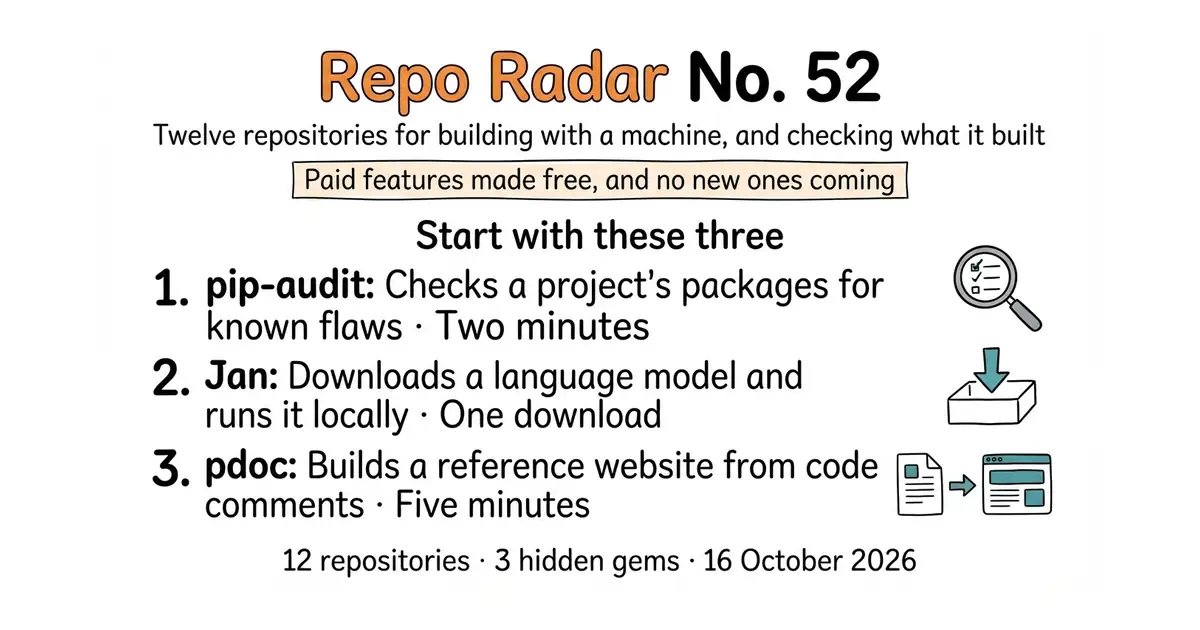
Edition No. 52 · 16 Oct 2026
Paid features made free, and no new ones coming
Three tools that write an app from a description, two that run the model on your own computer, and seven for checking, keeping and publishing what comes out.
Thursday 16 October 2026. Twelve open-source repositories, opened and checked this morning.
Today's edition starts with three tools that write an application from a written description, then follows the obvious next question: once a machine has written something, how do you find out what is actually in it? Two tools run the model on a computer you own. Three tell you what your code and your network are really doing. Four keep what you read and publish what you write.
The most interesting thing we found is in the last entry. Material for MkDocs spent years with a paid edition called Insiders. In November 2025 the author released every one of those paid features to everyone, cancelled the sponsorships, and said the project would add no new features after that. It still ships bug fixes. It just will not grow.
We aim for twelve every day. Some candidates fall out while we check them — those are listed at the end, with the reason.
If you only do three things
- pypa/pip-audit — two minutes, on a Python project that already exists. It reads the list of packages a project depends on and tells you which ones have a publicly reported security hole. One command, no account, no sign-up.
- janhq/jan — one download, twenty minutes. A desktop program that downloads a language model and runs it on your own computer, with no per-question bill and no network connection needed.
- mitmproxy/pdoc — five minutes. Point it at a Python project and it builds a documentation website from the comments already in the code. No configuration file.
Every link in one place
| # | Repository | What it is | Website | Stars | Licence |
|---|---|---|---|---|---|
| 1 | stackblitz-labs/bolt.diy | Writes and runs a web app from a description | stackblitz-labs.github.io/bolt.diy | 19,952 | MIT |
| 2 | dyad-sh/dyad | The same idea as a desktop program | dyad.sh | 21,896 | Apache-2.0, part under FSL-1.1 |
| 3 | cloudflare/vibesdk | The platform for running an app builder of your own | build.cloudflare.dev | 5,409 | MIT |
| 4 | janhq/jan | Desktop app that runs language models offline | jan.ai | 45,000 | Apache-2.0 |
| 5 | mudler/LocalAI | One local service that serves many kinds of model | localai.io | 47,800 | MIT |
| 6 | pypa/pip-audit 💎 | Finds known security holes in Python packages | pypi.org/project/pip-audit | 1,381 | Apache-2.0 |
| 7 | microsoft/sbom-tool 💎 | Writes a full parts list of a piece of software | — | 2,084 | MIT |
| 8 | 0xERR0R/blocky | Network-wide ad and tracker blocking, by DNS | 0xERR0R.github.io/blocky | 7,032 | Apache-2.0 |
| 9 | nkanaev/yarr | A news reader in a single file | nkanaev.github.io/yarr | 4,068 | MIT |
| 10 | Kovah/LinkAce | A bookmark archive that checks its own links | linkace.org | 3,343 | GPL-3.0 |
| 11 | mitmproxy/pdoc 💎 | Documentation websites from Python comments | pdoc.dev | 2,518 | MIT-0 |
| 12 | squidfunk/mkdocs-material | A documentation website from Markdown files | squidfunk.github.io/mkdocs-material | 27,564 | MIT |
A documentation tool made its paid features free, then stopped adding new ones
Twelve repositories, checked and reviewed. Every version verified against the GitHub API and dated.
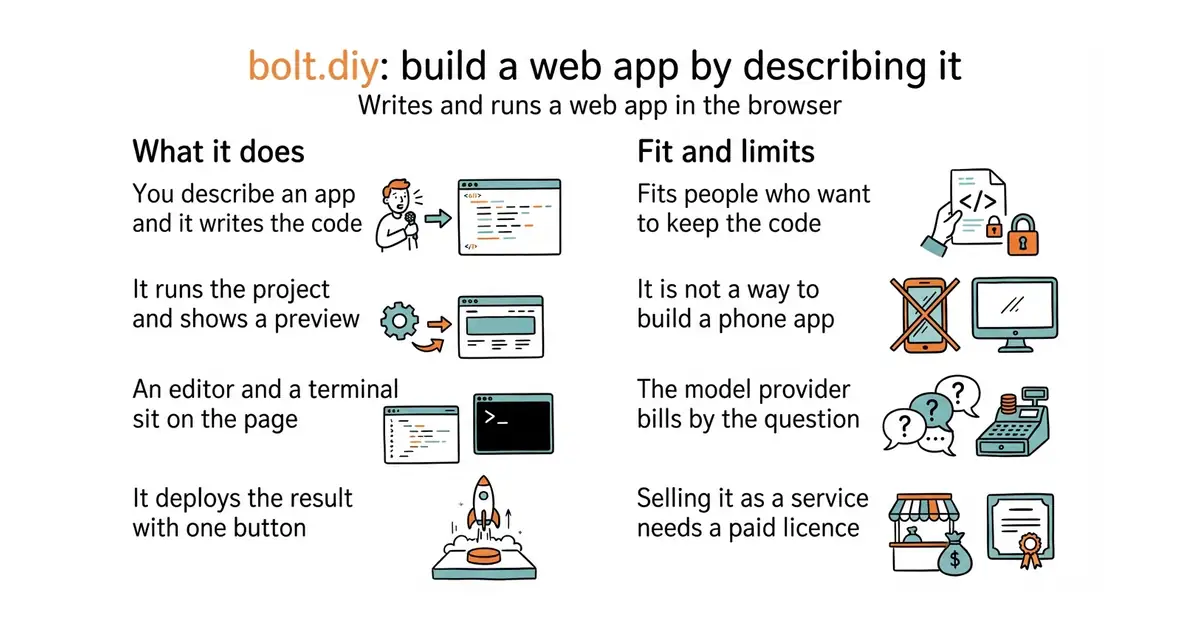
19,952 stars · MIT (the project's own code). The WebContainers API it runs on requires a separate commercial licence for for-profit production use. · v1.0.1 (2026-10-12), read from /releases/latest; the page omits the year and the code date of 2026-10-14 settles it · Track this in Scout · Share this tool
Turns a written description into a running web application in the browser, with any of more than 22 model providers.
▶Repo detailsthe review · specs · pros & cons · install
What it does
bolt.diy is a community fork of bolt.new, the hosted product from StackBlitz. You open it in a browser and describe what you want. It writes the files, installs the packages, runs the project and shows a live preview beside the chat. The same page holds a code editor and a terminal, so you can take over by hand at any point. It is deliberately model-neutral: the project lists more than 22 providers, including Anthropic, OpenAI, Google and OpenRouter, plus local runners such as Ollama and LM Studio. It connects to Git, and it deploys to Netlify, Vercel or GitHub Pages with one button. There is also a desktop version built with Electron, with ready-made downloads on the releases page. It does not supply a model of its own, so nothing works until you add an API key (a password that lets one program use another company's service) or point it at a model running locally. And everything happens inside a browser sandbox called WebContainers, which runs web projects only. This is not a way to build a phone app or a desktop program.
Why it matters
Who it suits. Anyone who wants the experience of a hosted app builder without handing a third party the code, the model choice or the bill. It suits a person who already knows roughly what they want built and would rather describe it than type it. It also suits anyone comparing model providers, because switching provider here is a dropdown rather than a different product. Skip it if you want something that just works after a download: this is a project you clone and run, and the desktop build is newer than the browser one.
Verdict. Worth an evening if the browser route appeals. Setup is around twenty minutes, most of it spent installing Node.js and pnpm, and after that the quality of the result depends entirely on the model you connect. The licence needs real attention and is the thing most people miss. The project's own code is MIT, which is as permissive as licences get. The WebContainers technology it runs on is not: StackBlitz requires a commercial licence for for-profit production use, and says prototypes and proofs of concept do not need one. So running it privately is free, and selling a service built on it is not. If that matters, entry 2 is a desktop program with no browser sandbox underneath it, and entry 3 is built on a different company's infrastructure with a different bill attached.
- More than 22 model providers, including ones that run on your own computer, so no single company holds the project hostage.
- A real editor and a real terminal in the same page, so the generated code is yours to fix rather than a black box.
- Deployment to three hosts with one button, and a desktop build for people who would rather not run a development server.
- The MIT licence covers only the project's own code. WebContainers, the thing that actually runs your project, needs a paid licence for commercial production use.
- There is no download-and-go path for the browser version: you need Node.js and pnpm installed first, which is a real barrier for a non-programmer.
- The model bill is yours and it is not small. A long session of back-and-forth with a large model costs more than most people expect.
 dyad-sh/dyad
The same build-by-describing idea, delivered as a desktop program instead of a browser workspace, so there is nothing to clone and no sandbox licence to think about.
Track this in Scout cloudflare/vibesdk
The same idea aimed at people who want to run an app builder as a service, rather than use one.
Track this in Scout onlook-dev/onlook
At 26,900 stars and Apache-2.0, a visual editor for Next.js and Tailwind pages where you drag and click instead of describing, with the code kept in step underneath.
Track this in Scout
npm install -g pnpm
git clone -b stable https://github.com/stackblitz-labs/bolt.diy.git
cd bolt.diy
pnpm install
pnpm run dev
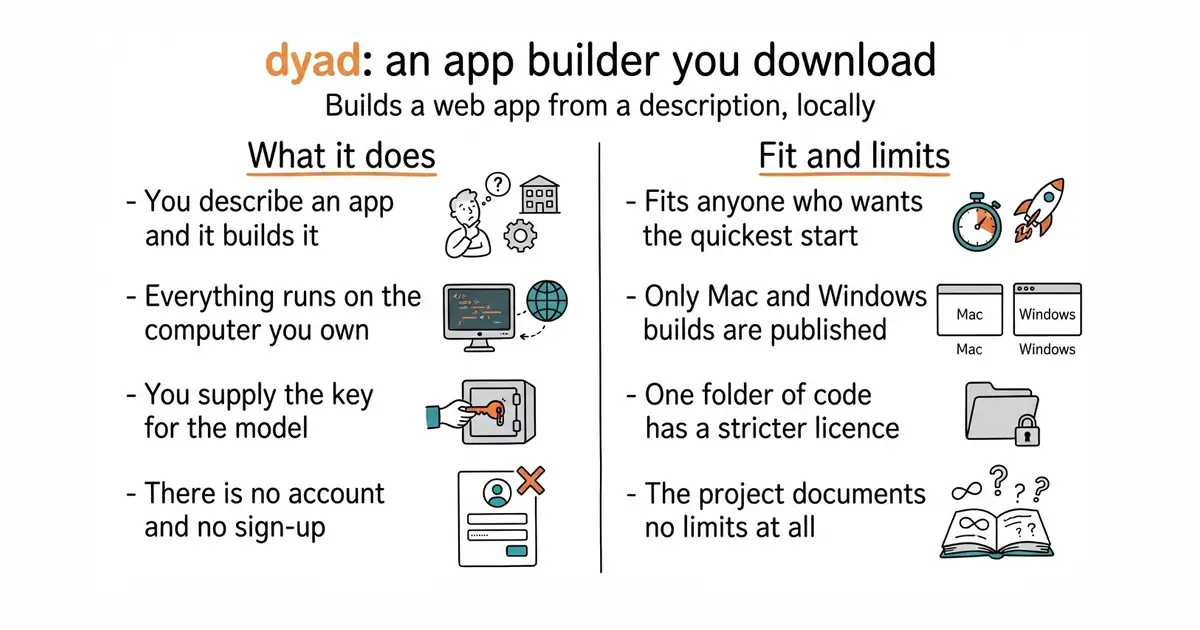
21,896 stars · Apache-2.0 outside src/pro, Functional Source License 1.1 (Apache-2.0 future licence) inside src/pro. Stated in the README only: the sidebar links to a licence file without naming it. · v1.19.0 (2026-10-12), read from /releases/latest; the page omits the year and the code date of 2026-10-13 settles it · Track this in Scout · Share this tool
A desktop program that builds a web application from a written description, running locally with keys the user supplies.
▶Repo detailsthe review · specs · pros & cons · install
What it does
Dyad is a downloadable application for Mac and Windows. You describe the application you want, and it writes and runs the project on the machine in front of you. The project describes itself as an alternative to the hosted services Lovable, v0, Replit and Bolt, and the difference it names is where the work happens: locally, not on somebody's servers. There is no sign-up step, and the project says so first. You bring your own API keys, so the model choice and the bill are both yours. Releases come quickly: version 1.19.0 landed on 12 October 2026, and code was committed the day after. The project's own description stops there, and so does this entry. The page lists no limitations, gives no build-from-source steps, and names Mac and Windows only, so Linux users are not catered for by the published downloads.
Why it matters
Who it suits. Anyone who wants to try building an application by describing it, and who does not want to spend an evening installing a development environment first. It suits someone cautious about a hosted builder, because nothing leaves the machine except the conversation with the model provider. It suits a Mac or Windows user; Linux users should look at entry 1. Skip it if you need the finished thing to run on a server with no screen, because this is a desktop program rather than a service.
Verdict. The quickest way into this category, and the one to try first if you are only going to try one. Ten minutes from download to first attempt. Watch the licence, which is split and is not stated in the usual place: the sidebar links to a licence file without naming it, and the README explains that everything outside the src/pro folder is Apache 2.0, while the code inside src/pro is under the Functional Source License 1.1. That is a source-available licence, not an open-source one. It converts to Apache 2.0 later, but until then the paid part of the product is carved out of the free one. Compare with stackblitz-labs/bolt.diy above, where the whole project is MIT and the restriction sits in a dependency instead.
- A plain download with no account, no sign-up and no server to arrange.
- Everything runs locally except the conversation with the model, so the generated code never passes through a third party's product.
- Frequent releases, with a new version and fresh code in the same week this was checked.
- The licence is split, and the split is explained only inside the README. A folder of the code is under a source-available licence rather than an open-source one.
- Published downloads cover Mac and Windows. Linux is not listed.
- The README documents nothing about requirements, limits or building from source, so the only way to find the edges is to hit them.
 stackblitz-labs/bolt.diy
The same job in a browser workspace you run yourself, with more than 22 model providers listed and a sandbox that needs a commercial licence for business use.
Track this in Scout- cloudflare/vibesdk
The same job again, but built to be hosted for other people rather than used by one person.
Track this in Scout
Download the build for Mac or Windows from dyad.sh and open it.
5,409 stars · MIT · v1.5.0 (2026-02-06), read from /releases/latest; its own changelog header dates the version 2026-02-03 · Track this in Scout · Share this tool
An open platform for running an application-building service, built end to end on one company's infrastructure.
▶Repo detailsthe review · specs · pros & cons · install
What it does
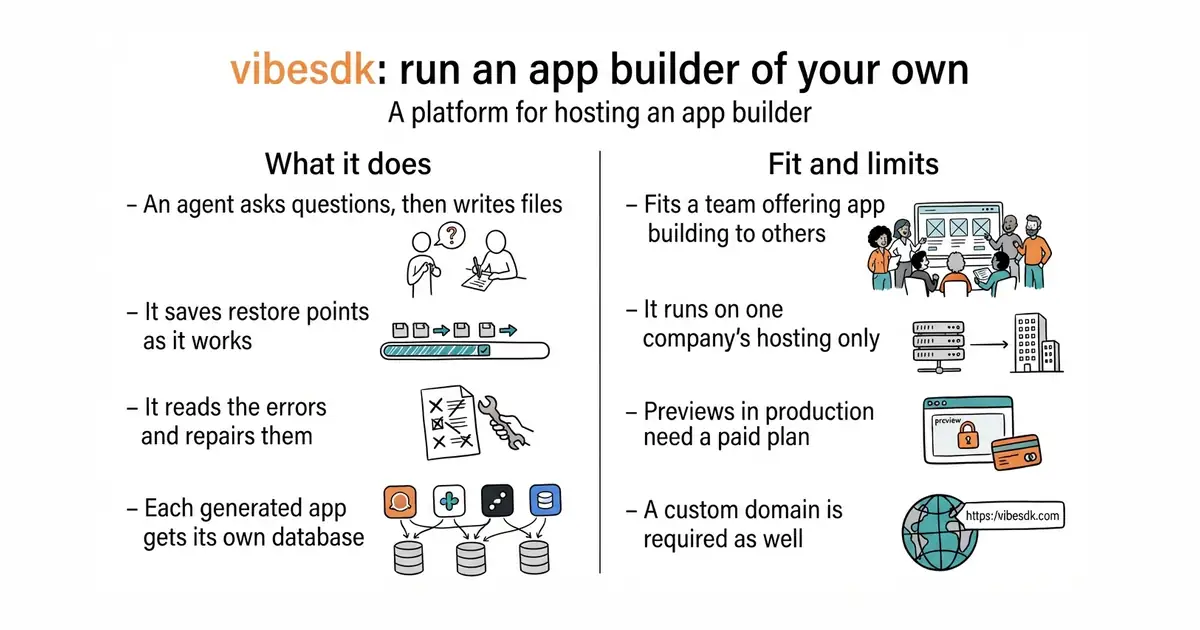
vibesdk is a complete platform, not a single tool. A person describes the application they want, and an agent asks clarifying questions, edits files in a workspace, saves restore points as it goes, deploys a preview, reads the browser's error console and fixes what it finds. Every generated application gets its own small SQLite database, and the whole thing can be exported. The repository carries a one-click deploy button for Cloudflare Workers, and a local development path using Bun. It has been public since 25 August 2025 and had code committed on 22 September 2026, although its newest tagged release, v1.5.0, is from February 2026. It is tied to one company's infrastructure by design, and it says so: it runs on Cloudflare Workers, it uses Cloudflare's AI Gateway for model credentials, and the production checklist names a paid Workers plan, Workers for Platforms access, a custom domain with wildcard DNS and possibly Advanced Certificate Manager. It is not a product you sign into, and shell access inside the generated workspace is switched off deliberately.
Why it matters
Who it suits. A small team that wants to offer app-building as a feature of something they already sell, and that is already comfortable on Cloudflare. It also suits anyone who simply wants to read how a serious agent loop is put together, because the whole thing is MIT-licensed and the code is the documentation. Skip it if you want to build one application for yourself: entries 1 and 2 do that in minutes, and this takes an afternoon of account setup before anything appears.
Verdict. The most interesting of the three to read and the least practical to run. Treat the free licence and the real cost as separate questions, because they are. MIT means the code can be copied, changed and sold. It does not mean the thing runs for nothing: the README's own production list starts with a paid Workers plan and a custom domain, and model usage is billed on top. At 5,409 stars it is also the smallest of the three, and the eight-month gap between its newest release and its newest code means the tagged versions are not a good guide to what the project is doing. If the hosting lock-in is the problem rather than the idea, stackblitz-labs/bolt.diy runs anywhere Node.js does.
- A complete, readable example of an agent that plans, edits, previews, reads its own errors and repairs them, published MIT by a large company.
- Each generated application is isolated, with its own SQLite storage, and the whole workspace can be exported.
- A genuine one-click deploy path, which is rare for something this large.
- Production needs a paid Workers plan and Workers for Platforms access before previews work at all, plus a domain with wildcard DNS.
- It only runs on one company's infrastructure. There is no path to a plain Linux server.
- The newest tagged release is from February 2026 while the code moved in September, so version numbers tell you very little here.
- stackblitz-labs/bolt.diy
The same agent idea without the hosting tie, runnable on any machine with Node.js, though its browser sandbox carries its own commercial licence.
Track this in Scout - dyad-sh/dyad
The same idea as a single desktop download, for one person rather than a service with many users.
Track this in Scout
git clone https://github.com/cloudflare/vibesdk.git
cd vibesdk
bun install
bun run setup
bun run dev
45,000 stars · Apache-2.0, read from the sidebar on 2026-10-16 · v0.8.6 (2026-10-09), read from /releases/latest; the page omits the year and the date is in the past · Track this in Scout · Share this tool
Downloads and runs language models entirely offline as a desktop application, and opens a local server other programs can use.
▶Repo detailsthe review · specs · pros & cons · install
What it does
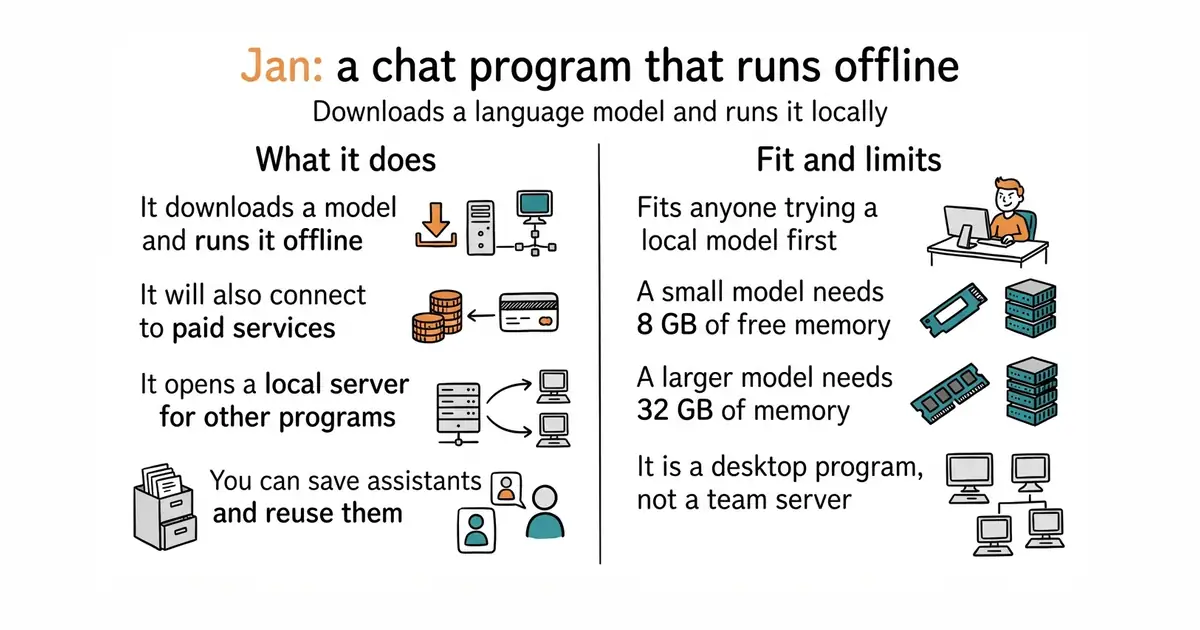
Jan is an ordinary application for Windows, macOS and Linux. On first run you choose a model — the project names Llama, Gemma and Qwen among others — and it downloads it from Hugging Face, the main public library of model files. After that you chat with it on the machine in front of you, with no network needed. It will also connect to paid services including OpenAI, Anthropic, Mistral, Groq and MiniMax, so the same window handles both. You can save custom assistants, which are stored instructions you reuse. It opens an OpenAI-compatible server on localhost:1337, so other programs on the same computer can send requests to the local model exactly as they would to a paid service. It supports the Model Context Protocol, a standard way of giving a model access to tools. It does not train or adjust models, and it does not serve a team: the server it opens is on the machine you installed it on.
Why it matters
Who it suits. Anyone who wants to try a local model without learning a command line first. It is the friendliest door into this category, and the one to recommend to someone who has never run a model outside a website. It suits people with sensitive text that should not leave the building, and people whose question volume makes per-question pricing painful. Skip it if the computer has less than 8 GB of free memory, because the smallest useful models will not fit and the experience will be miserable.
Verdict. Worth twenty minutes, and the download does most of the work. The numbers are the thing to read carefully before committing: on macOS 13.6 or later the project asks for 8 GB of memory for a 3-billion-parameter model, 16 GB for a 7-billion one and 32 GB for a 13-billion one. A 3-billion model is useful for summarising and rewriting, and noticeably weaker than a paid service at anything that needs reasoning. On Windows it uses NVIDIA, AMD or Intel Arc graphics cards when they are present. The local server on port 1337 is the quietly valuable part, because it lets entries 1 and 2 above run with no model bill at all. If what you want is a service rather than a window to type into, entry 5 is the better shape.
- A plain installer for all three desktop systems, plus the Microsoft Store and Flathub. No command line needed.
- Clear, honest memory requirements published up front, which is rarer in this category than it should be.
- The local OpenAI-compatible server means other tools can use the model without any of them knowing it is local.
- Memory is the real price. 32 GB for a 13-billion-parameter model is more than most laptops have.
- The description says it runs 100% offline, while the feature list includes paid cloud providers. The offline claim is true of local use only.
- It is a desktop program. There is no supported way to run it as a shared service for several people.
 mudler/LocalAI
The same local-model idea built as a service rather than a desktop window, covering voice, images and video as well as text.
Track this in Scout ollama/ollama
At 183,200 stars and MIT, the most widely used way to run local models from the command line; far more popular, and much less friendly to someone who does not want a terminal.
Track this in Scout open-webui/open-webui
At 154,100 stars, a self-hosted web page for chatting with local or paid models; its licence requires that the branding is kept, which is worth reading before building a product on it.
Track this in Scout
git clone https://github.com/janhq/jan.git
cd jan
make dev

47,800 stars · MIT, read from the sidebar on 2026-10-16 · v4.11.0 (2026-10-02), read from /releases/latest; the release page's own development window of 2026-09-18 to 2026-10-02 settles the year · Track this in Scout · Share this tool
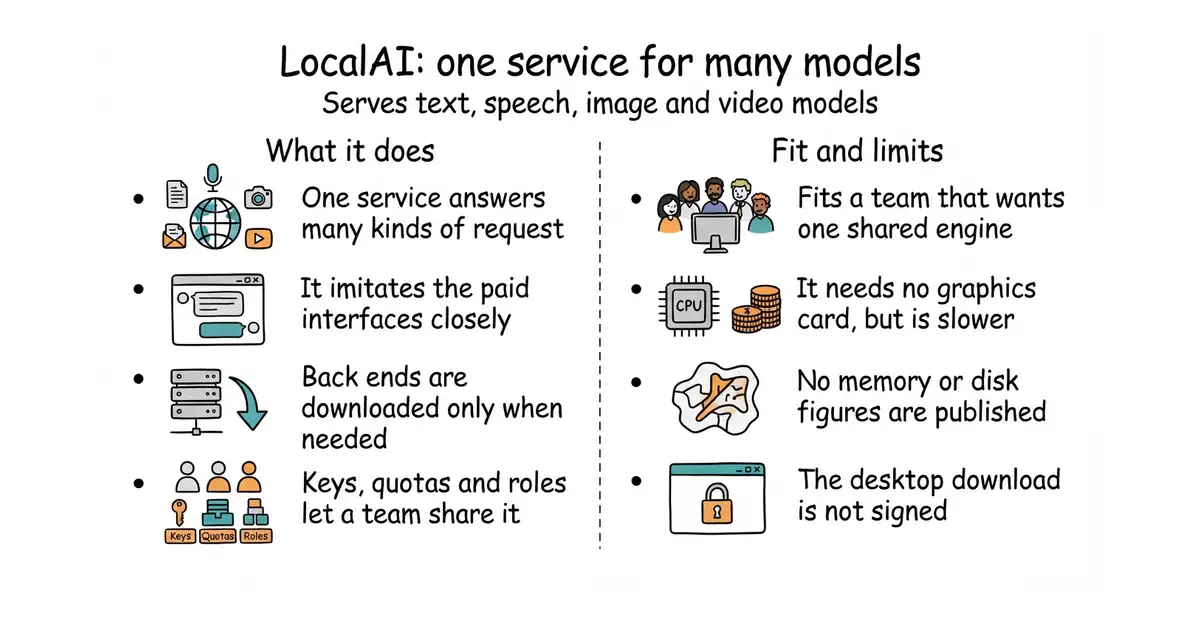
Serves text, vision, speech, image and video models from one self-hosted service that imitates the paid interfaces.
▶Repo detailsthe review · specs · pros & cons · install
What it does
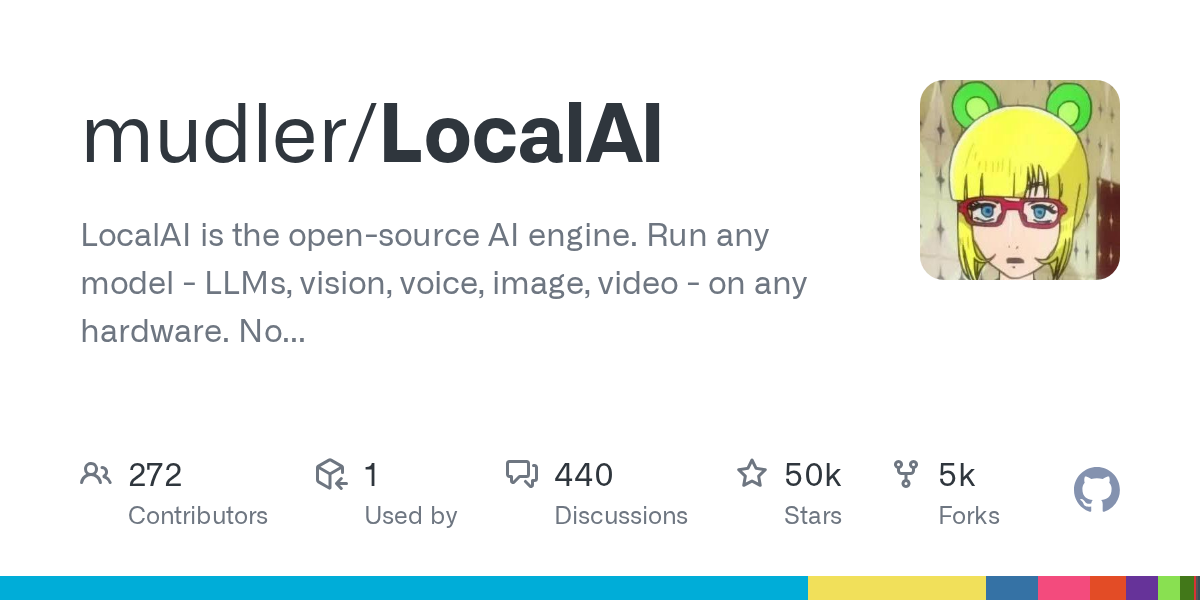
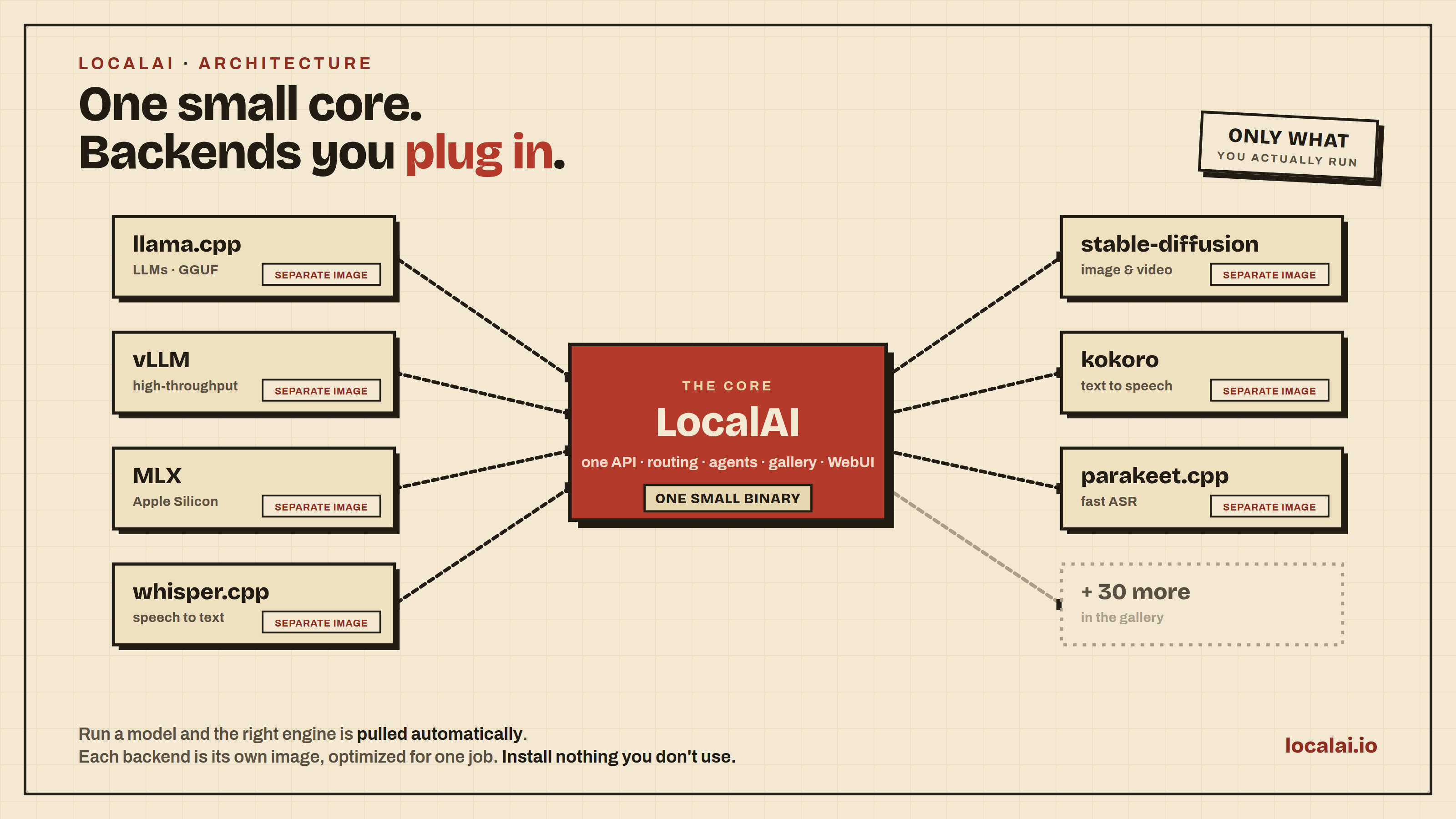
LocalAI is an engine rather than an application. It keeps a small core and pulls in a specialist back end only when a model needs one, so llama.cpp, vLLM, whisper.cpp and stable-diffusion are downloaded on demand rather than bundled. The same service answers requests shaped for OpenAI, Anthropic and ElevenLabs, which means existing software can be pointed at it without being rewritten. It supports several users with API keys, quotas and role-based access, so a small team can share one installation. It includes agents with tool use, retrieval over your own documents, and Model Context Protocol support. Models are loaded by name from a gallery, from Hugging Face, from Ollama, from a container registry or from a configuration file. The project states plainly that no graphics card is required and that data never leaves the infrastructure it runs on. It publishes no minimum memory or disk figures at all, which is the honest gap in its documentation. And it is the engine only: you still need something to talk to it, and the project's answer is its compatible API.
Why it matters
Who it suits. A small team that wants one shared place for models, rather than every person downloading their own. It suits anyone with existing code written against a paid API who wants to redirect it without a rewrite, which is the single strongest reason to choose this over entry 4. It suits mixed work, because text, speech and images come from the same service. Skip it if you want to type into a window and see an answer: that is entry 4, and this is the layer underneath.
Verdict. Worth an hour if Docker is already installed, and considerably more if it is not. Version 4.11.0 landed on 2 October 2026, and the project ships steadily. Two warnings are worth stating. The macOS download is not signed by Apple, and the README gives an xattr command to run afterwards to make it open at all; that is normal for small projects and it is still a step most people have never taken. The second is the missing hardware guidance. "No GPU required" is true and it is not the same as "fast": a large model on a processor alone answers at reading speed or slower, and the project gives no figures to plan with. Entry 4 does publish memory numbers, so read those and apply them here. Pairing the two is reasonable — Jan for a window to type into, LocalAI for everything else on the network.
- One service covers text, vision, speech, images and video, with back ends downloaded only when a model needs them.
- It answers requests shaped for OpenAI, Anthropic and ElevenLabs, so existing software usually works after changing one address.
- API keys, quotas and role-based access are built in, which makes it usable by more than one person.
- No minimum memory, disk or processor figures are published anywhere, so capacity planning is guesswork until you try it.
- The macOS build is unsigned and needs a terminal command before it will open.
- "No GPU required" is a statement about whether it runs, not about whether it is quick enough to be pleasant.
 janhq/jan
The desktop version of the same idea, with published memory requirements and a chat window.
Track this in Scout- ollama/ollama
At 183,200 stars and MIT, far simpler and far more popular, but focused on text models rather than speech, images and video.
Track this in Scout
docker run -ti --name local-ai -p 8080:8080 localai/localai:latest



1,381 stars · Apache-2.0 (the README notes reused examples from resolvelib, which is ISC) · 2.10.1 (2026-06-10), confirmed on PyPI, which is the authority for a Python tool · Track this in Scout · Share this tool
Checks a Python project's packages against the public advisory database and names the ones with known security holes.
▶Repo detailsthe review · specs · pros & cons · install
What it does
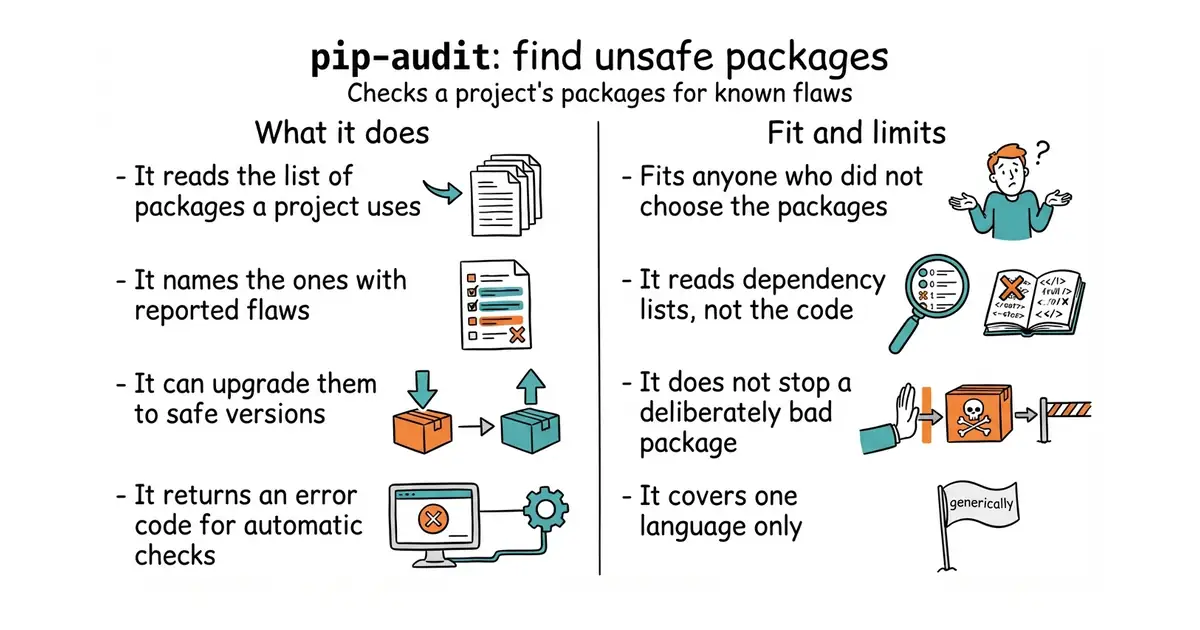
pip-audit reads the packages installed in an environment, or the list in a requirements.txt file, or the dependency tree of a project folder, and compares each one against the Python Packaging Advisory Database through the PyPI interface. You can point it at the OSV database instead. It prints a table by default, and can produce JSON or Markdown, or a parts list in CycloneDX format. With --fix it upgrades the unsafe packages rather than only reporting them. It exits with code 0 when nothing is found and 1 when something is, which is what makes it usable in an automated check; there is an official GitHub Action and a pre-commit hook. It is kept by the Python Packaging Authority, the group behind pip itself, and code was committed on 15 October 2026. The project is unusually clear about its edges, and they matter. It does not read your code, only the list of dependencies. It is no defence against a deliberately malicious package, and the README says plainly that auditing a requirements file is no safer than installing it. It will not notice a hole in a non-Python library that a Python package wraps. And it does not read Pipfile or Pipfile.lock without conversion.
Why it matters
Who it suits. Anyone with a Python project whose dependency list was assembled by somebody or something else. That describes almost every project built with help from a model, because the packages were chosen in seconds and nobody read the list afterwards. It also suits anyone who has inherited a project nobody has touched in a year. Skip it if your work is not in Python; the same job for other languages is done by aquasecurity/trivy, below.
Verdict. Run it today. This is the shortest distance between effort and useful information anywhere in this edition: one install, one command, and a list of real problems with real fixes. Two minutes. The honesty of its documentation is the other reason to trust it. A tool that lists four things it cannot do, including the uncomfortable one about malicious packages, is a tool whose positive claims are worth something. The obvious comparison is pyupio/safety, which does the same job and asks you to log in, with commercial use starting at $25 per seat per month. pip-audit asks for nothing. Pair it with entry 7 if you also need a record of what was in a build, rather than only what is wrong with it.
- One command, no account, no sign-up and no paid tier. It is maintained by the same group that maintains pip.
--fixupgrades the unsafe packages instead of leaving you to work out the safe version yourself.- Documentation that states, in detail, what the tool cannot do.
- Python only. A project with JavaScript or Go in it needs a second tool.
- It reads dependency lists, not code, so a hole written directly into a project goes unseen.
- It cannot ignore a known-but-unfixed problem on its own. You have to process the JSON output elsewhere to do that.
- pyupio/safety
At about 2,000 stars, the same check for Python packages, but scans prompt for an account and commercial use starts at $25 per seat per month.
Track this in Scout  aquasecurity/trivy
At 38,100 stars and Apache-2.0, a much larger scanner that covers containers, Kubernetes, code repositories and clouds, and finds misconfiguration and leaked secrets as well as vulnerable packages.
Track this in Scout
python3 -m venv venv
source venv/bin/activate
python3 -m pip install pip-audit

2,084 stars · MIT · v4.1.5 (2025-12-15), read from /releases/latest; '15 Dec' has not happened in 2026, so the release is from 2025 · Track this in Scout · Share this tool
Produces a standard parts list of every component inside a software build, with each component's licence.
▶Repo detailsthe review · specs · pros & cons · install
What it does
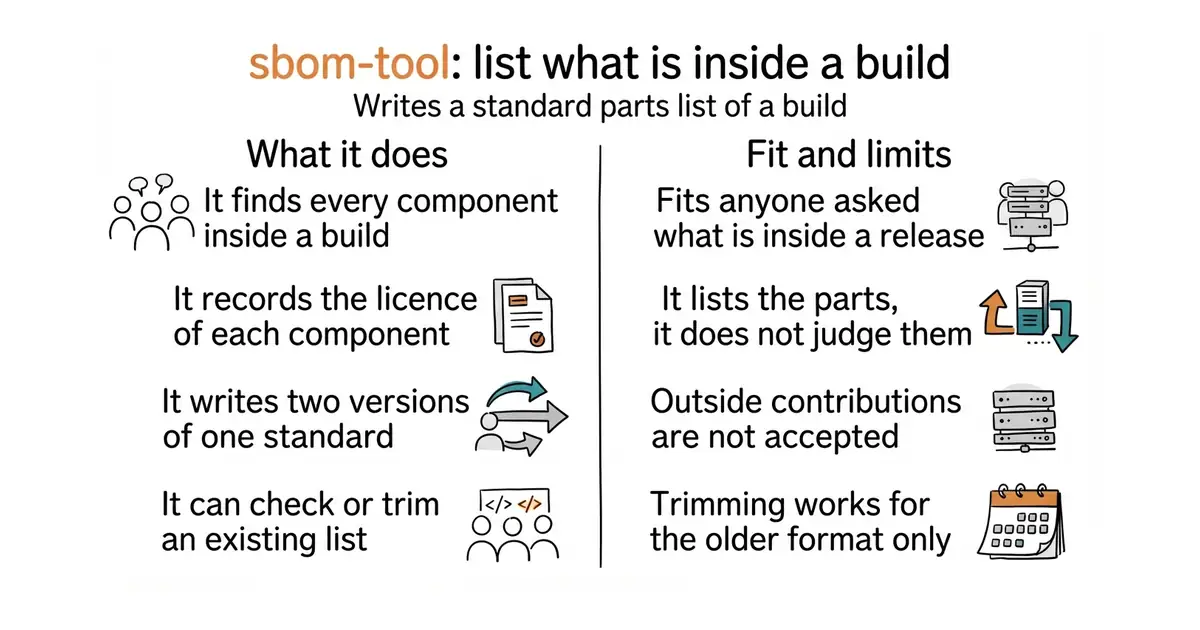
The tool creates a software bill of materials, which is a standard, machine-readable list of everything inside a build. It writes the SPDX format, in both version 2.2 and version 3.0, with 2.2 as the default. It finds the components by using Microsoft's Component Detection libraries, which read project files such as *.csproj and package.json, and it fills in each component's licence from ClearlyDefined, a public database of open-source licence information. Three commands cover the work: generate writes the list, validate checks an existing one against the files it claims to describe, and redact removes details you do not want to publish. It installs from WinGet, Homebrew, a plain binary, a Docker image or as a .NET tool, and there is a NuGet package for calling it from C#. Three limits are stated outright. It does not accept outside contributions, and tells you to fork instead. Redaction works for SPDX 2.2 only, not 3.0. And it sends nothing to Microsoft: the telemetry it writes is a JSON file in the output folder.
Why it matters
Who it suits. Anyone who sells software to a customer who asks what is inside it, which now includes most public-sector buyers and a growing number of large companies. It also suits anyone who simply wants an accurate inventory once, because a parts list is the thing that turns "is this project affected?" from a day of reading into a search. Skip it if nobody is asking: this records what is there, and does not tell you whether any of it is dangerous. That is entry 6's job.
Verdict. Worth thirty minutes, and almost all of that is reading the command-line arguments. The tool itself is mature and the output is standard. Two things are worth knowing before you adopt it. The first is the release pattern: the newest tagged version, v4.1.5, is from 15 December 2025, while code was committed on 21 September 2026. That is nine months of work with no new tag, which is normal for a tool used mainly inside one company and is worth stating because an old release date looks like neglect and is not. The second is the closed door on contributions. You can read the code and fork it, and you cannot send a fix back. If that is unwelcome, anchore/syft does the same job with an ordinary open development process.
- Writes both SPDX 2.2 and SPDX 3.0, and fills in licence information automatically from a public database.
- Six installation routes, including Homebrew and WinGet, so it fits most working habits without a build step.
- It states clearly that no telemetry is sent anywhere. The telemetry file stays on disk.
- It does not accept outside contributions. A fix you write has to live in a fork.
- The
redactcommand supports SPDX 2.2 only, so a 3.0 list cannot be trimmed before publication. - The full list of supported ecosystems is not in the README. It is deferred to a separate project, which makes "will it see my components?" harder to answer than it should be.
 anchore/syft
At 9,700 stars and Apache-2.0, the same parts list for container images and file systems, with an open contribution process and a close pairing with its sibling vulnerability scanner.
Track this in Scout cdxgen/cdxgen
At 1,100 stars and Apache-2.0, writes the CycloneDX format rather than SPDX and can send the result straight to Dependency-Track.
Track this in Scout
brew install sbom-tool

7,032 stars · Apache-2.0 · v0.35.0 (2026-09-05), read from /releases/latest; the page omits the year and the code date of 2026-10-16 settles it · Track this in Scout · Share this tool
A small DNS service for a home or office network that refuses to look up advertising and tracking addresses.
▶Repo detailsthe review · specs · pros & cons · install
What it does
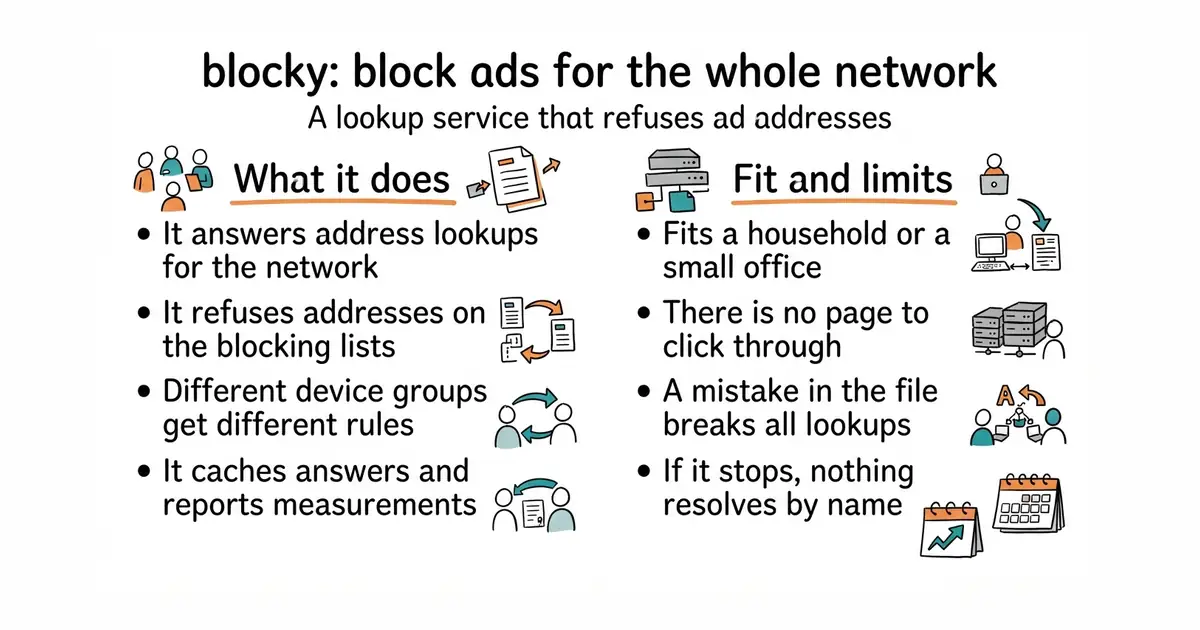
Blocky sits between the devices on a network and the wider internet and answers address lookups. It loads public blocking lists for advertising, malware and other categories, and it supports your own allow and deny lists, per group of devices, with patterns. It can block on the address asked for, on the alias behind it, or on the address returned. It caches answers and fetches popular ones in advance, and it can query several upstream services at once. It speaks the encrypted forms of the protocol, including DNS over HTTPS, DNS over TLS and DNS over QUIC, and it can check signatures with DNSSEC. It exports measurements for Prometheus with ready-made Grafana dashboards, and it can write a query log to a CSV file or to MySQL, MariaDB, PostgreSQL or Timescale. It runs on x86-64, ARM and MIPS, which covers a Raspberry Pi and an OpenWrt router. It collects nothing and sends nothing home, and it is stateless by default, needing no database and no temporary files. There is no web page to click through: the project documents a YAML configuration file, a command-line tool and a REST interface, and names no graphical interface.
Why it matters
Who it suits. Anyone who wants every device on a network cleaned up at once rather than installing a blocker on each one, and who is comfortable editing a configuration file. It suits a small office where televisions, printers and phones cannot run extensions. It suits people who want measurements, because the Prometheus and Grafana support is unusually complete for a project this size. Skip it if you want to click through a setup page: Pi-hole and AdGuard Home both have one and this does not.
Verdict. Worth an hour, and the hour is mostly spent on the configuration file and on pointing the router at it. Version 0.35.0 landed on 5 September 2026 and code was committed on the morning this was written, so the project is in good health. The honest comparison is unavoidable: AdguardTeam/AdGuardHome at 36,300 stars and pi-hole/pi-hole at 60,800 do the same job for far more people and both offer a web interface. Blocky's case is specific. It is a single Go binary with no database, it is stateless unless you turn logging on, it speaks every encrypted form of the protocol, and its per-group rules are better than either. That is a real argument for a technical household or a small office, and no argument at all for anyone who would rather click. One practical warning: anything that answers on port 53 becomes a single point of failure for the whole network, so configure a second upstream before you rely on it.
- One small binary, no database, no stored state unless you switch logging on, and nothing reported to anyone.
- Different blocking rules for different groups of devices, which neither of the better-known alternatives does as cleanly.
- Full support for the encrypted lookup protocols, plus Prometheus measurements and prepared Grafana dashboards.
- No graphical interface at all. Everything is a YAML file, and a mistake in it stops the network resolving addresses.
- The README gives no installation commands and sends you to a separate documentation site.
- A lookup service is a single point of failure. If it stops, every device on the network stops reaching anything by name.
 AdguardTeam/AdGuardHome
At 36,300 stars and GPL-3.0, the same network-wide blocking with a full web interface and a guided setup, which makes it the better first choice for most people.
Track this in Scout pi-hole/pi-hole
At 60,800 stars, the best-known project of this kind, with the largest community and the most written about it; its licence is not named in the repository sidebar.
Track this in Scout
docker run --name blocky -v /path/to/config.yml:/app/config.yml -p 4000:4000 -p 53:53/udp spx01/blocky





4,068 stars · MIT · v2.9 (2026-09-07), read from /releases/latest; the page omits the year and the code date of 2026-10-16 settles it · Track this in Scout · Share this tool
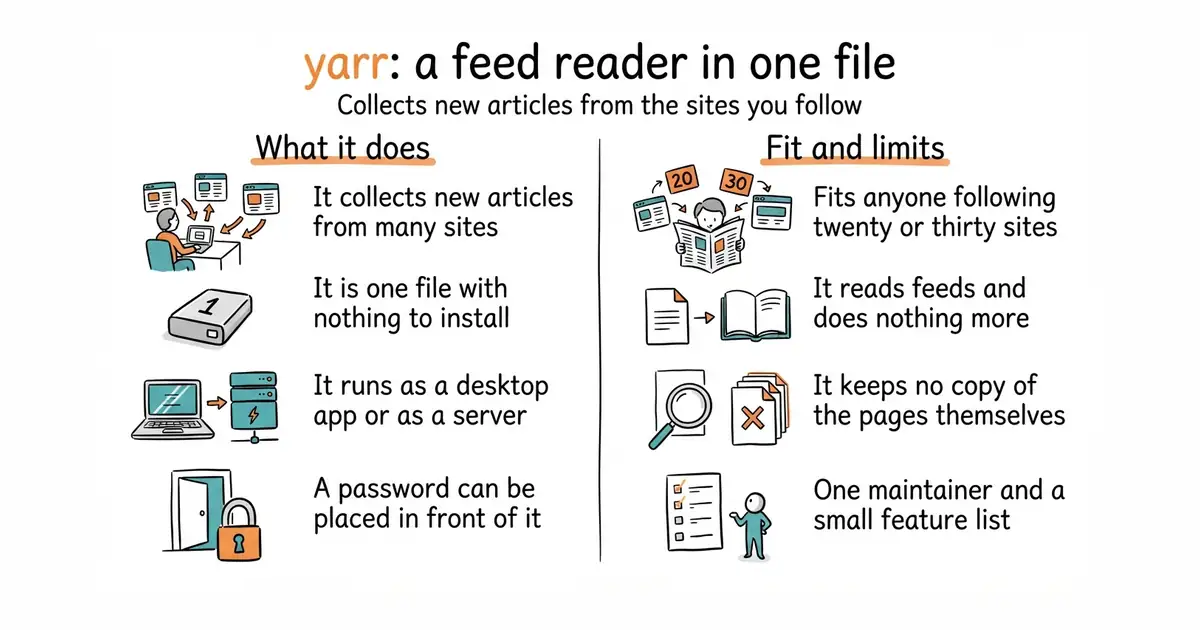
A feed reader that is one small file, runnable as a desktop application or as a small private server.
▶Repo detailsthe review · specs · pros & cons · install
What it does
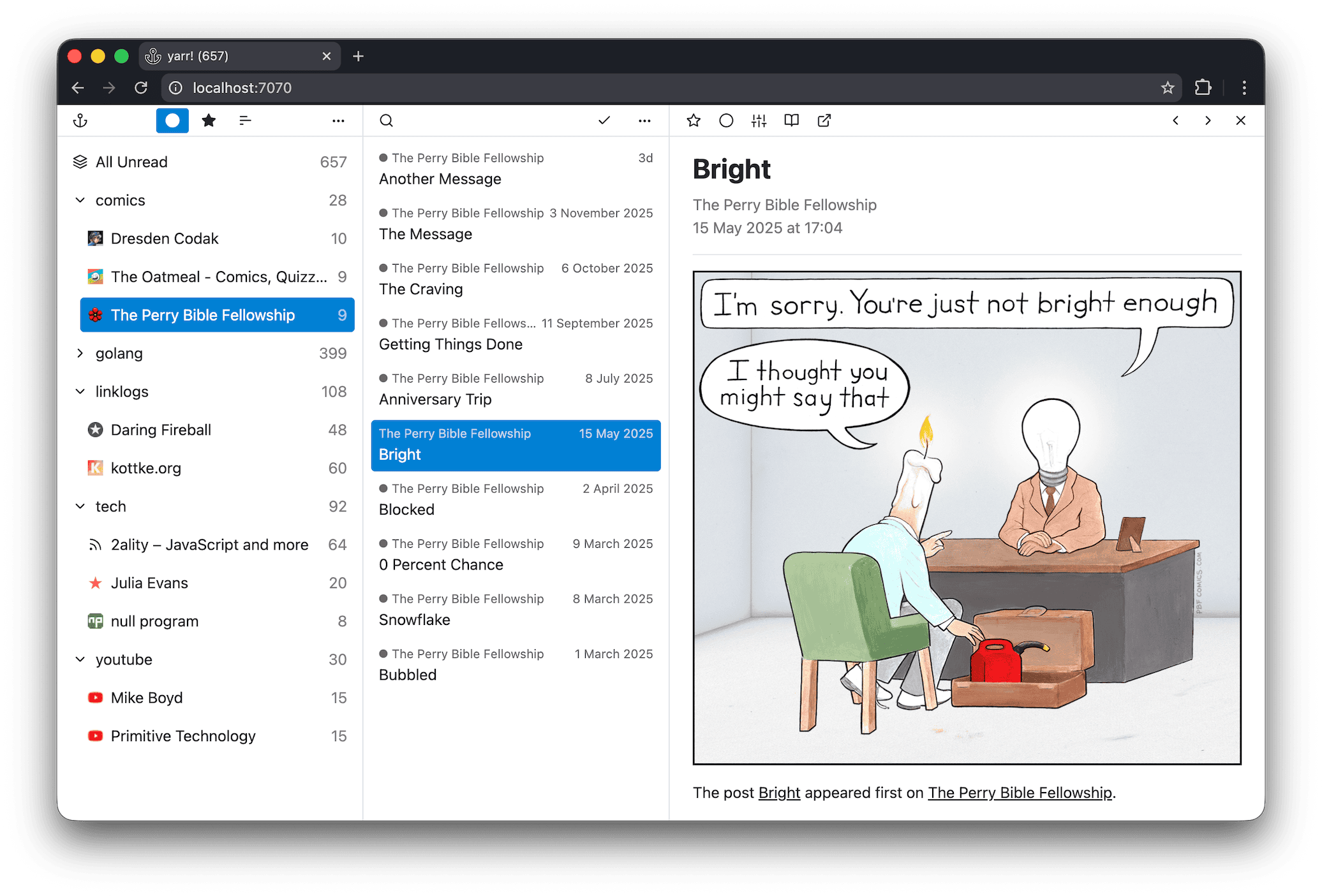
yarr is a feed aggregator with no installer and no dependencies. You download one file for your operating system, run it, and it serves a reading page at 127.0.0.1:7070. It comes in two builds. One opens its own desktop window; the other is a plain command-line version meant to run on a machine you can reach from elsewhere, with -addr to change the listening address and -auth to put a user name and password in front of it. It stores articles in SQLite by default, and can use PostgreSQL instead if you would rather keep the data in a proper database server. It runs on Windows, macOS and Linux, and the project's own description of itself is four words long: "yet another rss reader". That modesty is accurate, and it is the boundary too. Its feature list stops at reading. It names no page archiving, no highlighting, no sharing with other people and no email digest. For keeping a copy of a page rather than a link to it, entry 10 is the tool.
Why it matters
Who it suits. Anyone who wants to follow twenty or thirty sources without an account anywhere, and who finds the larger self-hosted readers more trouble than the reading is worth. It suits someone who wants a reader on a small machine at home that a phone can also reach, because the command-line build plus -auth covers that in one line. Skip it if you want highlights, notes, offline copies or sharing: those are different products, and this one does not pretend otherwise.
Verdict. Worth ten minutes, and almost none of it is setup. Version 2.9 was released on 7 September 2026 and code landed on the morning of writing, so a project this small is not drifting. The reason to choose it over the better-known alternatives is the absence of everything else. FreshRSS/FreshRSS at 15,800 stars wants PHP and a web server. miniflux/v2 at 9,800 stars wants PostgreSQL. yarr wants a file. Against that, it is one person's project and the feature list will not grow much, so if you expect to want full-text search over years of archives later, start somewhere larger. One practical note: the desktop and command-line builds are separate downloads on the releases page, and the file names differ by a _gui marker, which is easy to get wrong the first time.
- One file, no dependencies, no installer and no database to set up first.
- The same program works as a desktop application and as a small private server, with a password option built in.
- SQLite by default with PostgreSQL available, so it scales from a laptop to a shared machine without changing tools.
- Reading only. No archiving of the pages themselves, no notes, no highlights, no sharing.
- One maintainer and a deliberately small feature list, so a missing feature is likely to stay missing.
- The two builds look alike on the releases page, and downloading the wrong one is the most common first mistake.
 FreshRSS/FreshRSS
At 15,800 stars and AGPL-3.0, a much larger self-hosted reader with extensions and multiple accounts, needing PHP and a web server rather than one file.
Track this in Scout miniflux/v2
At 9,800 stars and Apache-2.0, a similarly minimal reader written in Go, but it stores everything in PostgreSQL, so there is a database to run as well.
Track this in Scout
unzip yarr-*.zip
chmod +x yarr
./yarr

3,343 stars · GPL-3.0 · v2.6.2, titled 'Security Update' (2026-10-07), read from /releases/latest; the page omits the year and the code date of 2026-10-12 settles it · Track this in Scout · Share this tool
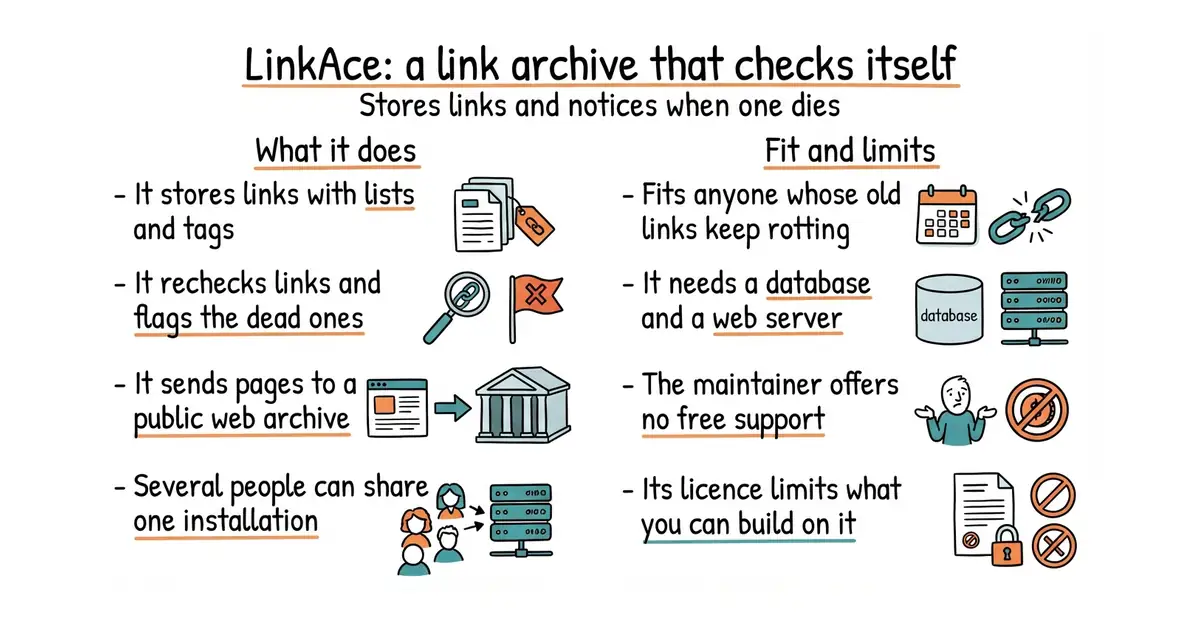
A self-hosted archive of links that tags them, searches them, and notices when one stops working.
▶Repo detailsthe review · specs · pros & cons · install
What it does
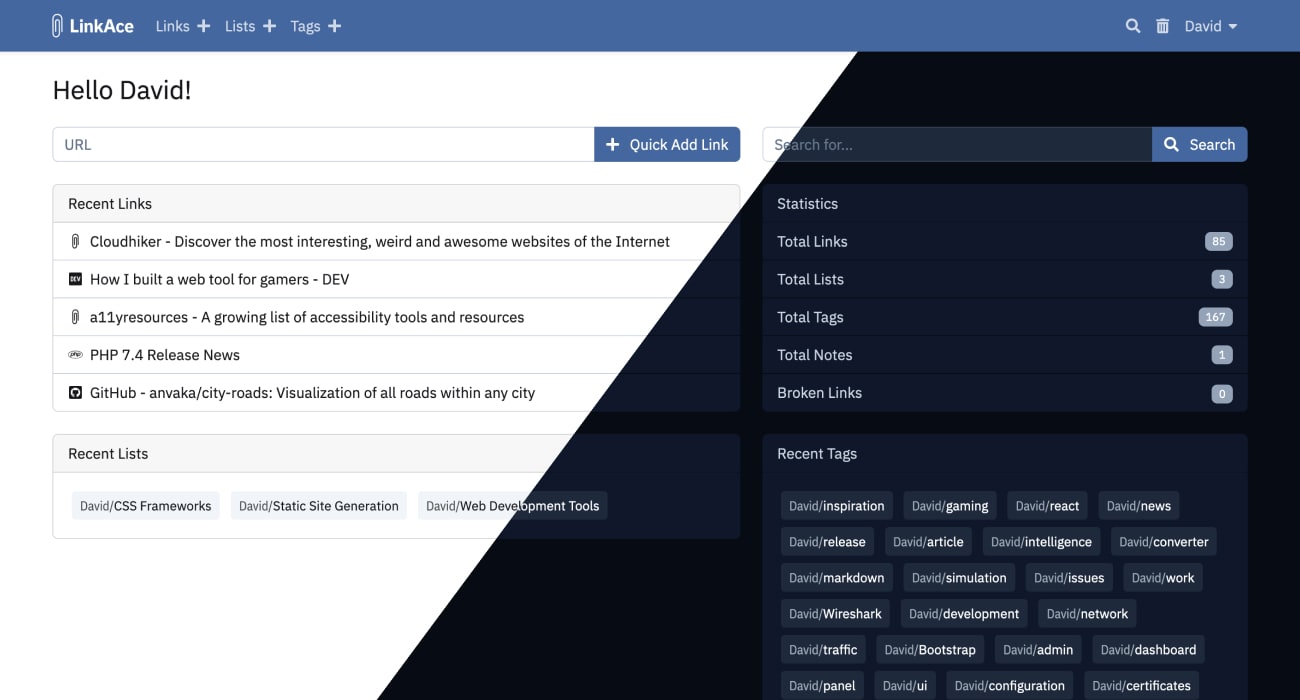
LinkAce stores links with lists and tags, and fetches each page's title and description automatically. Its distinguishing feature is link monitoring: it rechecks saved links and flags the ones that have become unavailable or have moved, which is the problem every other bookmark tool ignores. It also sends pages to the Internet Archive automatically, so there is a copy when the original goes. It supports several users with internal sharing and single sign-on through OAuth and OIDC, which is unusual at this size. Links can be private or public, and any list can be published as a feed. There is a REST interface, a Zapier connection, a browser bookmarklet, HTML import and export, and backups to S3-compatible storage. It installs with Docker, without Docker on plain PHP, through a one-click cloud deployment, or on Kubernetes, which is marked as a beta. Two things it says about itself are worth repeating. It is not meant to replace the bookmarks in your browser. And the maintainer offers no free personal support, customisation or installation help: questions go to community discussions, and direct help is a paid arrangement.
Why it matters
Who it suits. Anyone who has collected links for years and watched a quarter of them rot. The monitoring and the automatic Internet Archive copies are the whole argument, and nothing else in this category does both as plainly. It suits a small team, because multiple users and single sign-on are built in rather than bolted on. Skip it if a handful of browser bookmarks is genuinely enough: this is a web application with PHP and a database behind it, and that is a lot of machinery for fifty links.
Verdict. Worth an hour if link rot is a real problem, and not otherwise. Version 2.6.2 is from 7 October 2026 and is titled "Security Update", with code committed on 12 October, so it is being looked after. The licence is GPL-3.0, which is fine for running it and restrictive if you plan to build a product on top. The support position is the thing to weigh honestly: a one-maintainer project that says up front it will not help you install it is being fair, and it also means a failed upgrade is your problem. If you want something lighter, sissbruecker/linkding is the smallest sensible option in this category. If you want the saved copy to live on your own disk rather than at the Internet Archive, linkwarden/linkwarden takes its own screenshots and PDFs.
- It checks saved links and tells you which have died or moved, which almost no other bookmark tool does.
- Automatic archiving to the Internet Archive, so a dead link still leads somewhere.
- Several users, internal sharing and single sign-on through OAuth and OIDC, built in.
- PHP, a database and Docker. This is a web application to look after, not a file to run.
- The maintainer states that there is no free personal support, customisation or installation help.
- GPL-3.0, which constrains what you can build on top of it and distribute.
 linkwarden/linkwarden
At 19,700 stars and AGPL-3.0, saves its own screenshots and PDFs of each page rather than relying on the Internet Archive, and adds annotation.
Track this in Scout- sissbruecker/linkding
At 11,100 stars and MIT, a much smaller bookmark manager designed to be quick to deploy with Docker, without monitoring or archiving.
Track this in Scout
unzip linkace-docker.zip
cd linkace-docker
docker compose up -d

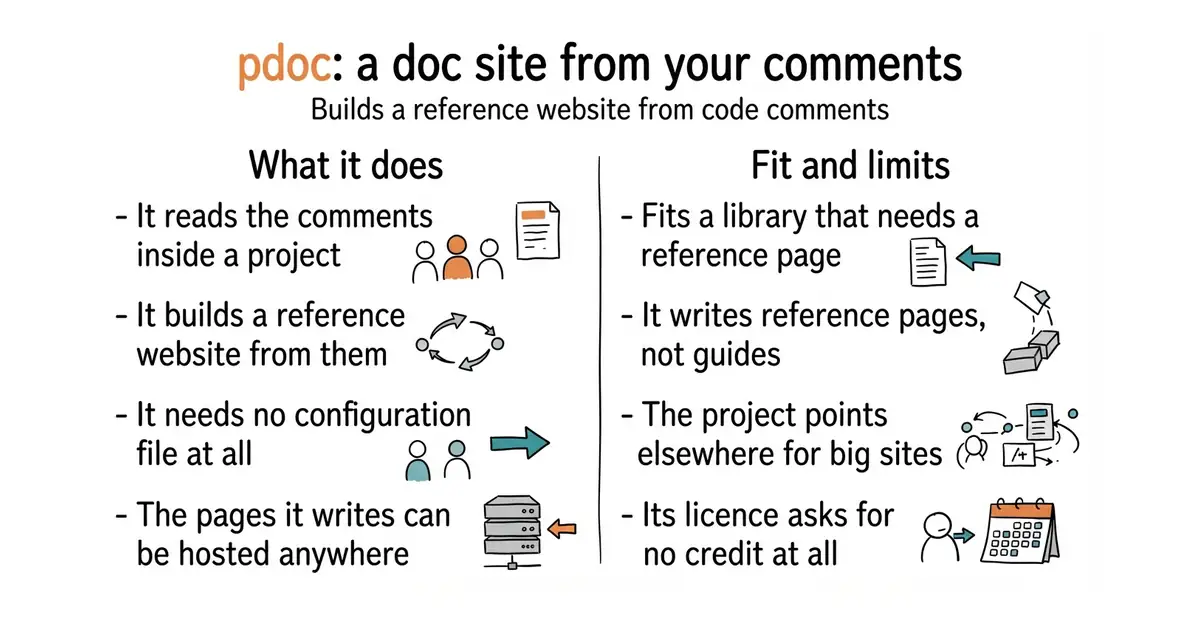
2,518 stars · MIT-0, which is the MIT licence with the attribution requirement removed · 16.0.0 (2025-10-27), confirmed on PyPI; the repository publishes no GitHub releases at all · Track this in Scout · Share this tool
Turns the comments already written inside a Python project into a reference website, with no configuration file.
▶Repo detailsthe review · specs · pros & cons · install
What it does
pdoc reads a Python module and generates a documentation website from what is already there. It understands plain Markdown in the comments, and it reads type annotations, so the types appear in the output without being written twice. It recognises the two common comment styles, numpydoc and Google. It links a name mentioned in one explanation to that name's own page. It respects __all__, the list a module uses to say what is public, and it inherits explanations and types from parent classes so they are not repeated. A built-in web server reloads the page as you edit. The output is standalone HTML with no further dependencies, so it can be copied anywhere. The project describes its goal as doing one thing well, and names its own limit: for substantially more complex documentation needs it recommends Sphinx instead. Version 16.0.0 reached PyPI on 27 October 2025 and code was committed on 1 July 2026, which is the ordinary pattern of a finished tool being maintained rather than a stalled one.
Why it matters
Who it suits. Anyone with a Python project whose comments are better than its documentation, which is most of them. It suits a small library that needs a reference page and does not need a handbook. It suits a project where nobody wants to maintain a second copy of the same explanations. Skip it if you need a guided manual with tutorials and a navigation tree: that is entry 12's job, and pdoc says so itself.
Verdict. Run it once today on an existing project, because the whole trial costs five minutes and there is no configuration file to write. The output is plain and clear, and because it generates standalone HTML you can put it anywhere, including a GitHub Pages site, without a build system. The licence deserves a note: MIT-0 is the MIT licence with the attribution clause removed, which puts it as close to public domain as a licence gets, so even the templates can be reused with no conditions. Set expectations correctly on scope. Three and a half months between the newest release and the newest code is not neglect, it is a small tool that is finished; but a project that explicitly points elsewhere for complex needs will not grow into sphinx-doc/sphinx. Use it for the reference pages and entry 12 for the prose, which is a common and sensible pairing.
- No configuration file. One command produces a complete site from comments that already exist.
- Reads type annotations and inherits explanations from parent classes, so nothing is written twice.
- MIT-0, which removes even the requirement to credit the author, and standalone HTML output you can host anywhere.
- Reference documentation only. There is no structure for guides, tutorials or a handbook.
- The project itself points at Sphinx for anything complex, so it is a deliberate dead end past a certain size.
- Python only, and Python 3.10 or newer.
- sphinx-doc/sphinx
At 8,000 stars and a BSD 2-Clause licence, the long-established documentation generator that produces HTML, PDF and EPUB; far more capable, and it needs configuration and a markup language of its own.
Track this in Scout  mkdocstrings/mkdocstrings
At 2,100 stars and ISC, generates the same kind of reference pages but inside an MkDocs site, so the reference and the handbook live together.
Track this in Scout
python3 -m venv venv
source venv/bin/activate
pip install pdoc

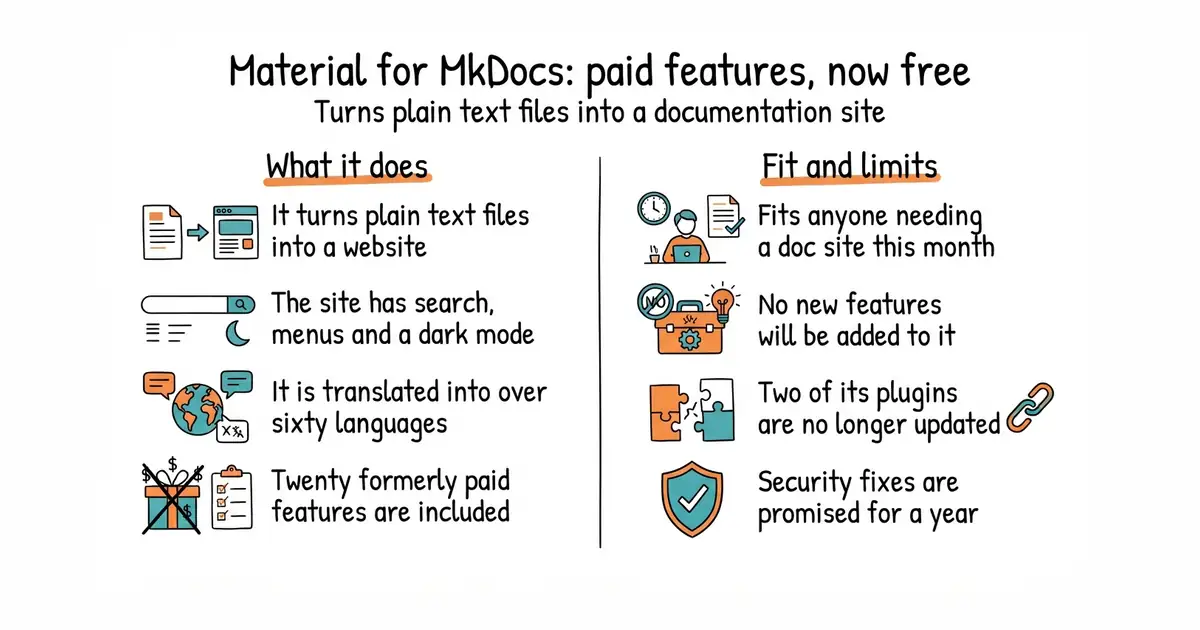
27,564 stars · MIT · 9.7.7 (2026-07-17), read from /releases/latest; the page omits the year and the code date of 2026-10-02 settles it · Track this in Scout · Share this tool
Turns a folder of Markdown files into a searchable documentation website, with every formerly sponsor-only feature now included.
▶Repo detailsthe review · specs · pros & cons · install
What it does
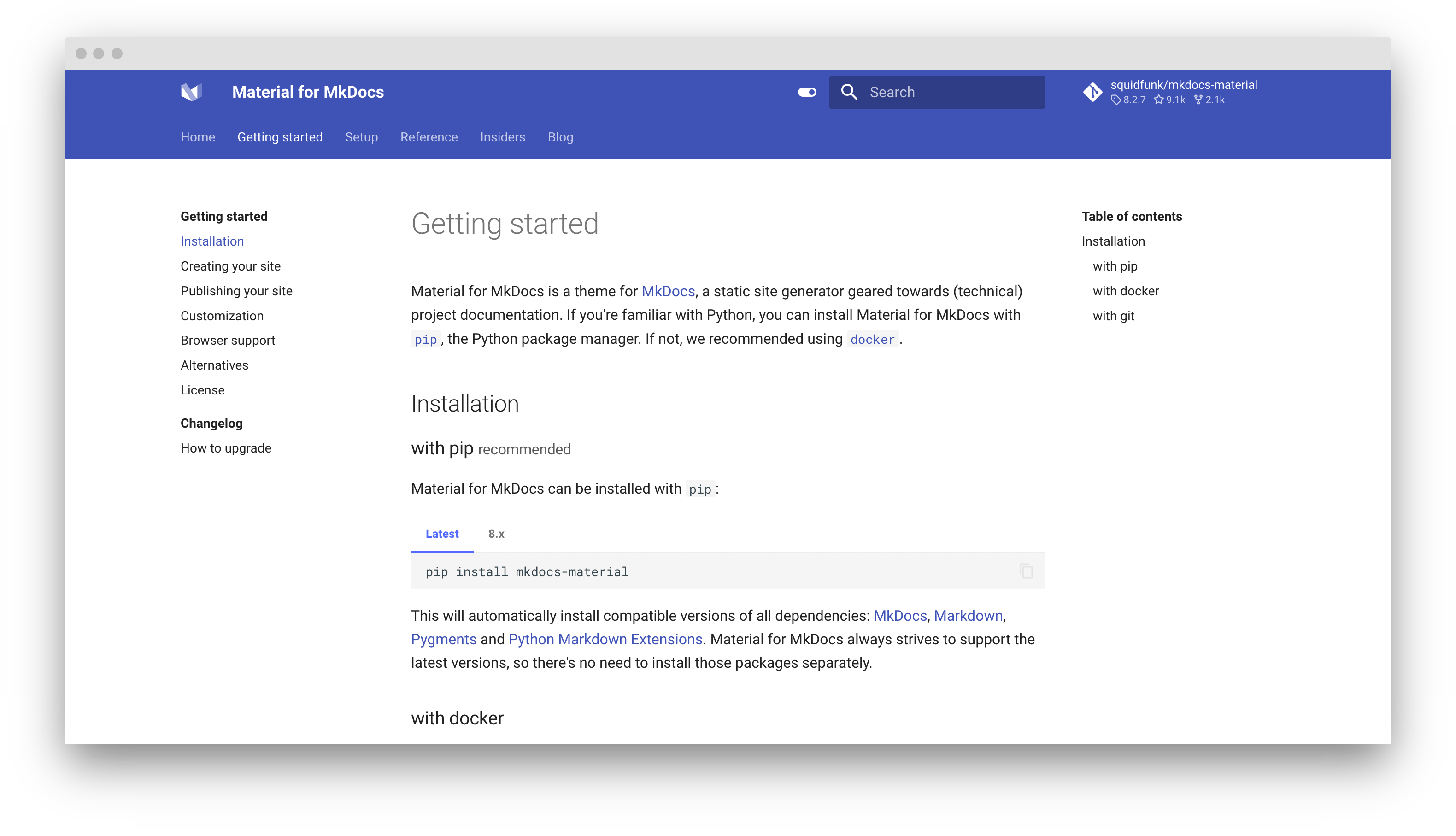
Material for MkDocs is a theme and framework built on MkDocs, the Markdown-to-website tool. You write Markdown, set one line in a configuration file, and get a site with full-text search, navigation, a light and dark mode, and translations into more than sixty languages. The project states that no HTML, CSS or JavaScript knowledge is needed, and that you keep ownership of both the sources and the output. The important fact is what happened on 11 November 2025. The author announced that version 9.7.0 was the final feature release and that it contained every feature previously reserved for sponsors, naming twenty of them, including instant previews, footnote tooltips, blog author profiles, navigation breadcrumbs and custom social card images. Sponsorship through the sponsorware model was dropped and existing sponsorships were cancelled. The Insiders repository was scheduled for deletion on 1 May 2026. The project then entered maintenance: critical bugs and security issues will be addressed for at least twelve months, and no new features will be added. Two plugins, Projects and Typeset, are deprecated and will get nothing further, not even bug fixes. Patch releases continue, with 9.7.7 on 17 July 2026 and code committed on 2 October 2026.
Why it matters
Who it suits. Anyone who needs a documentation site this month and wants the best-looking, best-equipped one available without paying. That is a genuinely good deal right now, because the paid feature set is included and the code is maintained. It suits a project whose documentation is mostly written prose, with mitmproxy/pdoc or mkdocstrings/mkdocstrings handling the reference pages. Skip it if you are starting something that must still be growing in three years, because this one is not.
Verdict. Use it now, with your eyes open, and plan for a move later. The quality is not in question: 27,564 stars, a decade of work, and a feature set that was behind a paywall until last November. Maintenance mode is not the same as abandonment, and the dates prove it — a patch release in July 2026 and code in October. But the author was unusually direct about the risks, and those warnings came from the project itself rather than from outside: staying on Material for MkDocs or on a MkDocs fork carries risk, MkDocs 1.x is itself not actively maintained, and MkDocs 2.0 is expected to bring breaking changes. Ownership of the repository and the package stays with the author, so anyone wanting to maintain it must fork. The author's own successor project is called Zensical. For a documentation site you expect to keep for a decade, read that announcement before you commit. For a site you need this quarter, nothing else is better.
- Every feature that used to require a sponsorship is now in the free version, with twenty of them named in the announcement.
- No web design knowledge needed. One line in a configuration file produces a searchable site with light and dark modes.
- Still maintained: a patch release in July 2026 and committed code in October 2026, with security fixes promised for at least twelve months from the announcement.
- No new features, by the author's own statement. The project is in maintenance and will stay there.
- The Projects and Typeset plugins are deprecated and will not even get bug fixes.
- The author warns that MkDocs itself is not actively maintained at version 1.x and that MkDocs 2.0 is expected to break things.
- mkdocs/mkdocs
At 22,400 stars and BSD-2-Clause, the tool underneath this one; it does the Markdown-to-website work and ships a much plainer default appearance.
Track this in Scout  rust-lang/mdBook
At 22,100 stars and MPL-2.0, turns Markdown into an online book, written in Rust and installed as a single binary with no Python involved.
Track this in Scout- mkdocstrings/mkdocstrings
At 2,100 stars and ISC, not an alternative but the usual companion: it adds generated reference pages to the same site.
Track this in Scout
python3 -m venv venv
source venv/bin/activate
pip install mkdocs-material
mkdocs new .
Checked, and left out
Nothing to show for this edition. Recording the repositories that were checked and rejected began with Edition No. 4, and every edition from there on has the list.
Know a repository we should check?
Coming tomorrow