19,952 stars · MIT (the project's own code). The WebContainers API it runs on requires a separate commercial licence for for-profit production use. · v1.0.1 (2026-10-12), read from /releases/latest; the page omits the year and the code date of 2026-10-14 settles it · Track this in Scout
Turns a written description into a running web application in the browser, with any of more than 22 model providers.
▶Repo detailsthe review · specs · pros & cons · install
What it does
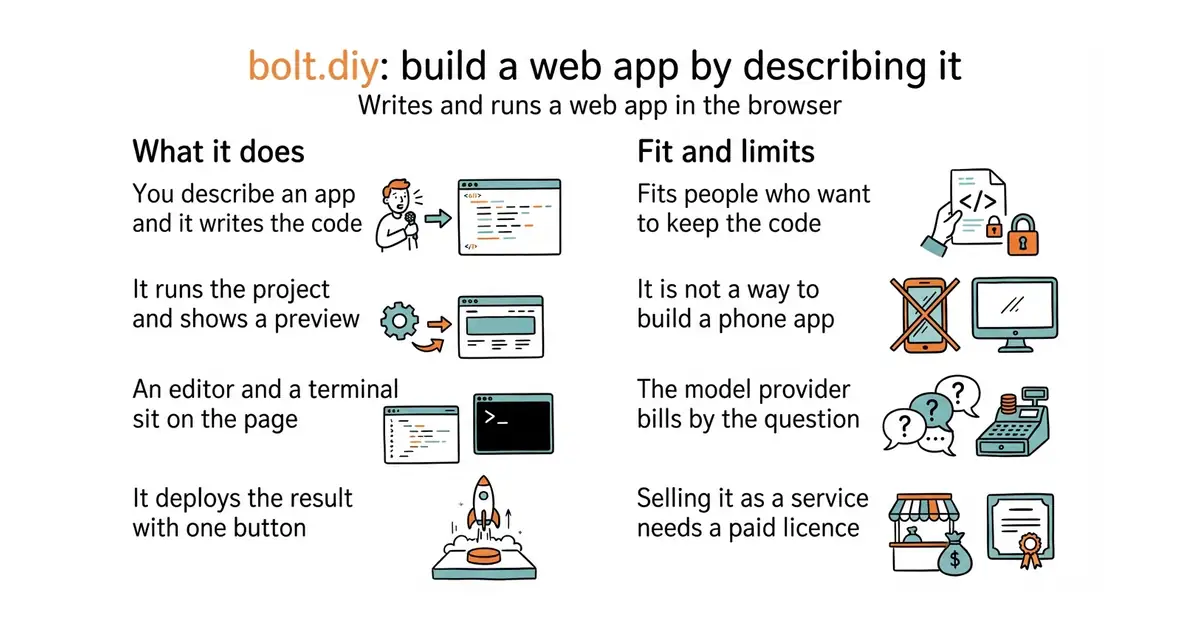
bolt.diy is a community fork of bolt.new, the hosted product from StackBlitz. You open it in a browser and describe what you want. It writes the files, installs the packages, runs the project and shows a live preview beside the chat. The same page holds a code editor and a terminal, so you can take over by hand at any point. It is deliberately model-neutral: the project lists more than 22 providers, including Anthropic, OpenAI, Google and OpenRouter, plus local runners such as Ollama and LM Studio. It connects to Git, and it deploys to Netlify, Vercel or GitHub Pages with one button. There is also a desktop version built with Electron, with ready-made downloads on the releases page. It does not supply a model of its own, so nothing works until you add an API key (a password that lets one program use another company's service) or point it at a model running locally. And everything happens inside a browser sandbox called WebContainers, which runs web projects only. This is not a way to build a phone app or a desktop program.
Why it matters
Who it suits. Anyone who wants the experience of a hosted app builder without handing a third party the code, the model choice or the bill. It suits a person who already knows roughly what they want built and would rather describe it than type it. It also suits anyone comparing model providers, because switching provider here is a dropdown rather than a different product. Skip it if you want something that just works after a download: this is a project you clone and run, and the desktop build is newer than the browser one.
Verdict. Worth an evening if the browser route appeals. Setup is around twenty minutes, most of it spent installing Node.js and pnpm, and after that the quality of the result depends entirely on the model you connect. The licence needs real attention and is the thing most people miss. The project's own code is MIT, which is as permissive as licences get. The WebContainers technology it runs on is not: StackBlitz requires a commercial licence for for-profit production use, and says prototypes and proofs of concept do not need one. So running it privately is free, and selling a service built on it is not. If that matters, entry 2 is a desktop program with no browser sandbox underneath it, and entry 3 is built on a different company's infrastructure with a different bill attached.
- More than 22 model providers, including ones that run on your own computer, so no single company holds the project hostage.
- A real editor and a real terminal in the same page, so the generated code is yours to fix rather than a black box.
- Deployment to three hosts with one button, and a desktop build for people who would rather not run a development server.
- The MIT licence covers only the project's own code. WebContainers, the thing that actually runs your project, needs a paid licence for commercial production use.
- There is no download-and-go path for the browser version: you need Node.js and pnpm installed first, which is a real barrier for a non-programmer.
- The model bill is yours and it is not small. A long session of back-and-forth with a large model costs more than most people expect.
 dyad-sh/dyad
The same build-by-describing idea, delivered as a desktop program instead of a browser workspace, so there is nothing to clone and no sandbox licence to think about.
Track this in Scout cloudflare/vibesdk
The same idea aimed at people who want to run an app builder as a service, rather than use one.
Track this in Scout onlook-dev/onlook
At 26,900 stars and Apache-2.0, a visual editor for Next.js and Tailwind pages where you drag and click instead of describing, with the code kept in step underneath.
Track this in Scout
npm install -g pnpm
git clone -b stable https://github.com/stackblitz-labs/bolt.diy.git
cd bolt.diy
pnpm install
pnpm run dev