
45,000 stars · Apache-2.0, read from the sidebar on 2026-10-16 · v0.8.6 (2026-10-09), read from /releases/latest; the page omits the year and the date is in the past · Track this in Scout
Downloads and runs language models entirely offline as a desktop application, and opens a local server other programs can use.
▶Repo detailsthe review · specs · pros & cons · install
What it does
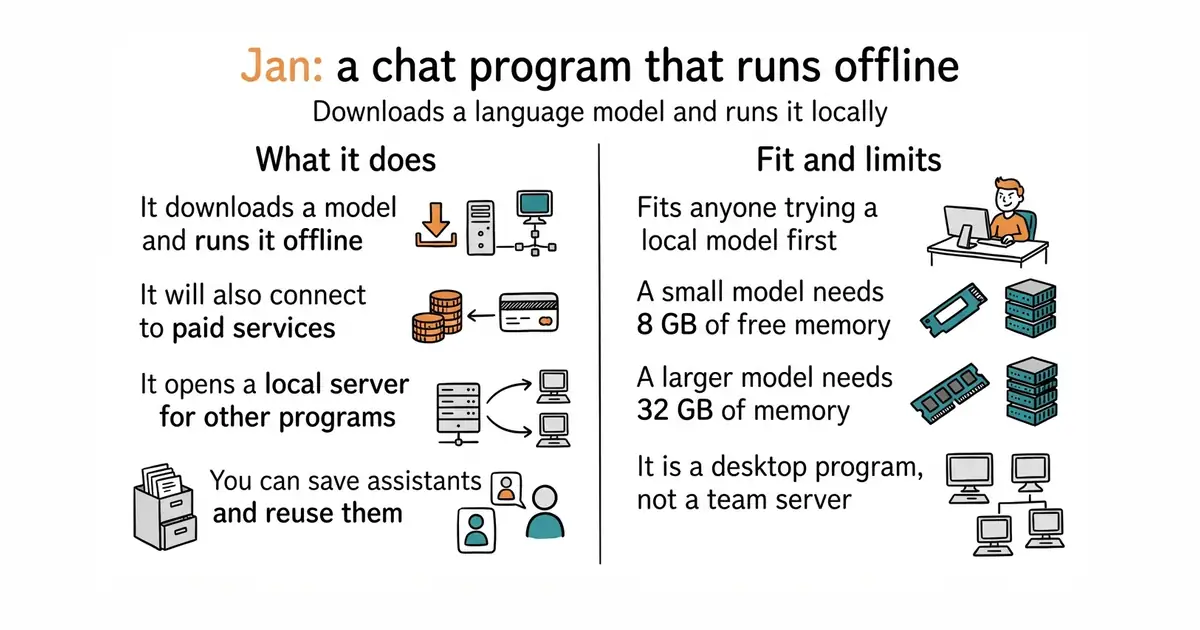
Jan is an ordinary application for Windows, macOS and Linux. On first run you choose a model — the project names Llama, Gemma and Qwen among others — and it downloads it from Hugging Face, the main public library of model files. After that you chat with it on the machine in front of you, with no network needed. It will also connect to paid services including OpenAI, Anthropic, Mistral, Groq and MiniMax, so the same window handles both. You can save custom assistants, which are stored instructions you reuse. It opens an OpenAI-compatible server on localhost:1337, so other programs on the same computer can send requests to the local model exactly as they would to a paid service. It supports the Model Context Protocol, a standard way of giving a model access to tools. It does not train or adjust models, and it does not serve a team: the server it opens is on the machine you installed it on.
Why it matters
Who it suits. Anyone who wants to try a local model without learning a command line first. It is the friendliest door into this category, and the one to recommend to someone who has never run a model outside a website. It suits people with sensitive text that should not leave the building, and people whose question volume makes per-question pricing painful. Skip it if the computer has less than 8 GB of free memory, because the smallest useful models will not fit and the experience will be miserable.
Verdict. Worth twenty minutes, and the download does most of the work. The numbers are the thing to read carefully before committing: on macOS 13.6 or later the project asks for 8 GB of memory for a 3-billion-parameter model, 16 GB for a 7-billion one and 32 GB for a 13-billion one. A 3-billion model is useful for summarising and rewriting, and noticeably weaker than a paid service at anything that needs reasoning. On Windows it uses NVIDIA, AMD or Intel Arc graphics cards when they are present. The local server on port 1337 is the quietly valuable part, because it lets entries 1 and 2 above run with no model bill at all. If what you want is a service rather than a window to type into, entry 5 is the better shape.
- A plain installer for all three desktop systems, plus the Microsoft Store and Flathub. No command line needed.
- Clear, honest memory requirements published up front, which is rarer in this category than it should be.
- The local OpenAI-compatible server means other tools can use the model without any of them knowing it is local.
- Memory is the real price. 32 GB for a 13-billion-parameter model is more than most laptops have.
- The description says it runs 100% offline, while the feature list includes paid cloud providers. The offline claim is true of local use only.
- It is a desktop program. There is no supported way to run it as a shared service for several people.
 mudler/LocalAI
The same local-model idea built as a service rather than a desktop window, covering voice, images and video as well as text.
Track this in Scout ollama/ollama
At 183,200 stars and MIT, the most widely used way to run local models from the command line; far more popular, and much less friendly to someone who does not want a terminal.
Track this in Scout open-webui/open-webui
At 154,100 stars, a self-hosted web page for chatting with local or paid models; its licence requires that the branding is kept, which is worth reading before building a product on it.
Track this in Scout
git clone https://github.com/janhq/jan.git
cd jan
make dev
