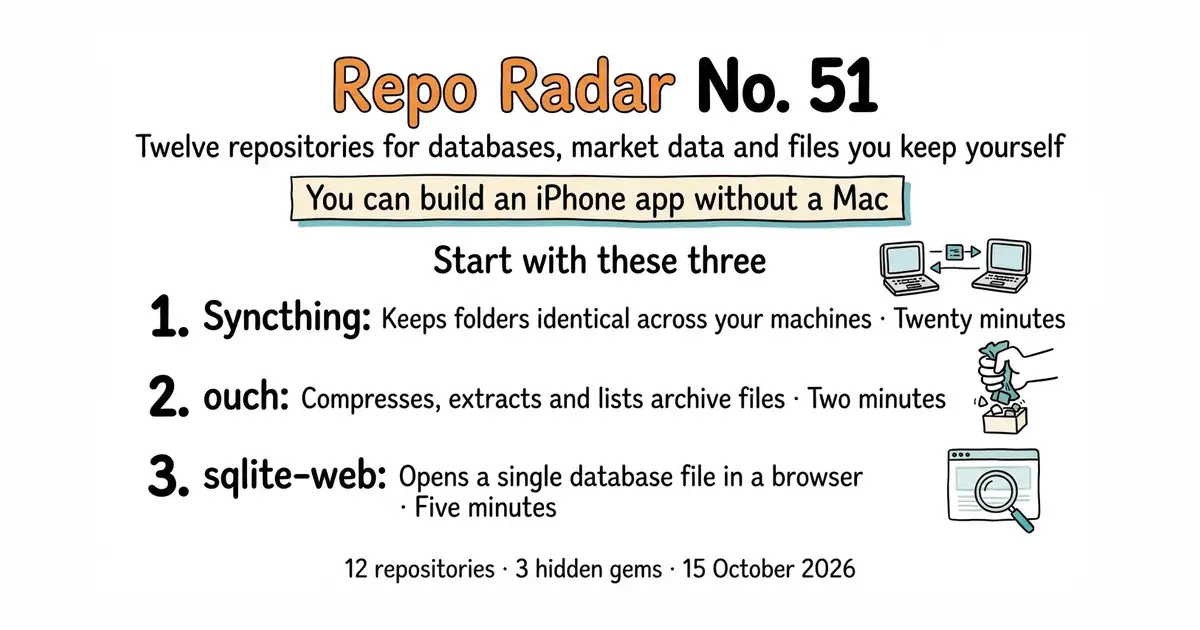
Edition No. 51 · 15 Oct 2026
You can build an iPhone app without a Mac
A replicated database, a graph on matrix mathematics, three tools for market data, and an iPhone app built on Linux.
15 October 2026. Twelve open-source repositories, opened and checked this morning. No theme. Today's mix leans towards databases, market data and files kept on machines you own.
We aim for twelve every day. Some candidates fall out while we check them — those are listed at the end, with the reason.
Three things worth knowing, separate from the recommendations
- A familiar-looking repository is not necessarily open source, and the only way to know is to read. FalkorDB/FalkorDB, entry 2, looks from the outside like any other graph database on GitHub. Its README states that it is licensed under the Server Side Public License version 1, which is not an OSI-approved open-source licence and attaches conditions to offering the software as a service. Its closest competitor, Memgraph, has the same shape. Neither project is hiding it, and neither is a bad choice. The point is that the repository page showed only the word "License" with no name, and the answer was in the README. In the money and data areas that reading is worth doing before the install rather than after. - Six of today's twelve release pages printed a date with no year. rqlite, FalkorDB, ouch, syncthing, shutter-encoder and darktable all showed something like "12 Oct" and nothing else. Each one was settled against a second source: the public package index for the Python projects, and ungh.cc for the rest. That is not a quirk of this morning. It is how GitHub shows a date inside the current year, which means a release page read quickly in January can be a year out, and the same page read in December cannot. One of today's twelve also disagreed with itself: darktable's sidebar names 5.6.1 as the stable release while its own latest-release page gives 5.6.2 of 4 October 2026, which is the figure used here. - A tool that removes a requirement often just moves it. xtool-org/xtool, entry 11, means an iPhone app can be built without owning an Apple computer, which is a genuine change for anyone with Linux build machines. It does not mean building without Apple. Its setup step asks for the path to Apple's own toolkit archive, which has to be downloaded through a browser after signing in with an Apple account and accepting the licence. Both halves of that are true at once, and the useful question about any tool of this kind is which half of the requirement it actually removed.
If you only do three things
- syncthing/syncthing (#9) — twenty minutes. It keeps a folder identical on two or more machines, continuously, with no company's server in the middle. It is the best value on this page and the one most people here will still be running in a year.
- ouch-org/ouch (#8) — two minutes. One command compresses or extracts fourteen archive formats, so there is nothing left to remember about tar flags.
- coleifer/sqlite-web (#3) — five minutes. It opens any SQLite database file as a web page you can browse, edit and query, which turns an opaque file into something you can actually read. ---
Every link in one place
| # | Repository | What it is | Stars | Licence | Project site |
|---|---|---|---|---|---|
| 1 | rqlite/rqlite | SQLite made fault-tolerant across several machines | 17,794 | MIT | rqlite.io |
| 2 | FalkorDB/FalkorDB | A graph database built on matrix mathematics | 10,064 | SSPL v1, not open source | falkordb.com |
| 3 | coleifer/sqlite-web | Opens a SQLite file as a web page | 4,173 | MIT | none listed |
| 4 | PyPortfolio/PyPortfolioOpt | Works out how to split money across holdings | 6,098 | MIT | pyportfolioopt.readthedocs.io |
| 5 | bmoscon/cryptofeed 💎 | Live market data from 28 exchanges, one shape | 2,923 | AGPL-3.0 | none listed |
| 6 | sec-edgar/sec-edgar 💎 | Downloads company filings from the US regulator | 1,417 | Apache-2.0 | sec-edgar.github.io |
| 7 | camelot-dev/camelot | Pulls tables out of PDFs as spreadsheet data | 3,842 | MIT | camelot-py.readthedocs.io |
| 8 | ouch-org/ouch | One command for fourteen archive formats | 3,788 | MIT | crates.io/crates/ouch |
| 9 | syncthing/syncthing | Keeps folders identical across your own machines | 89,403 | MPL-2.0 | syncthing.net |
| 10 | paulpacifico/shutter-encoder 💎 | A window with buttons in front of FFmpeg | 2,822 | GPL-3.0 | shutterencoder.com |
| 11 | xtool-org/xtool | Builds and installs iPhone apps from Linux | 11,465 | MIT | xtool.sh |
| 12 | darktable-org/darktable | Develops raw photographs without changing them | 13,278 | GPL-3.0 | darktable.org |
You can build an iPhone app without a Mac
Twelve repositories, checked and reviewed. Every version verified against the GitHub API and dated.

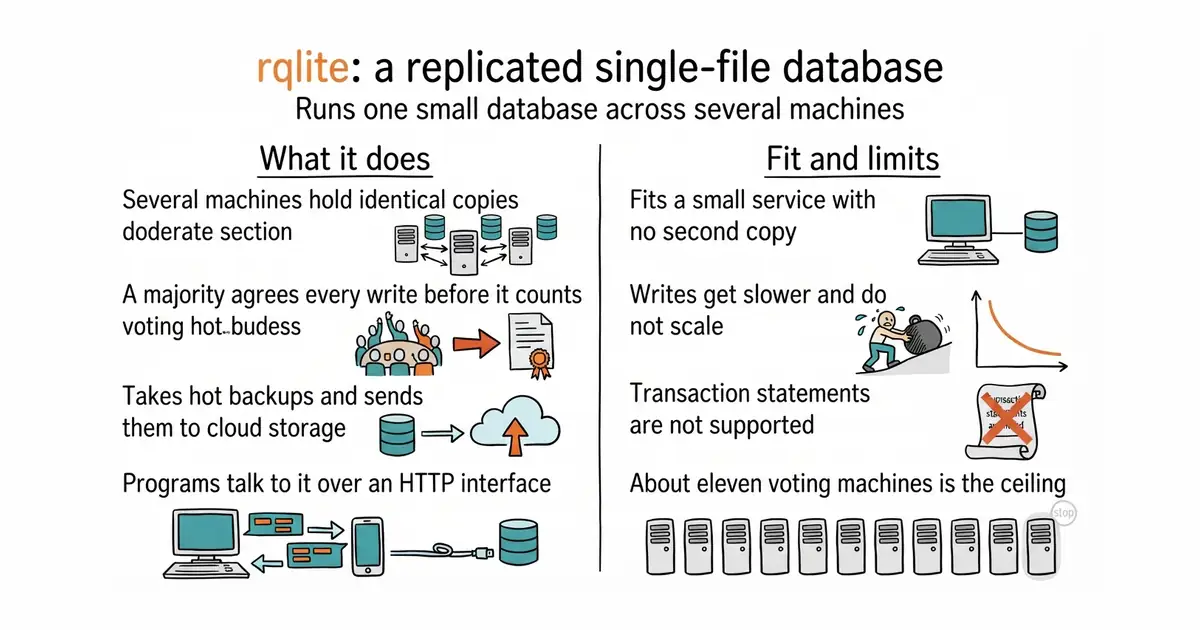
17,794 stars · MIT, from the repository sidebar · v10.6.0 (2026-10-12), read from /releases/latest as a yearless '12 Oct 13:02' and settled as this year because the date is in the past and ungh's pushedAt is 2026-10-15T11:35:48Z · Track this in Scout · Share this tool
Runs one small single-file database across several machines so a single failure does not take it down.
▶Repo detailsthe review · specs · pros & cons · install
What it does
You start it on three or five machines and they agree on one leader. Your program talks to it over HTTP instead of opening a file. Every write is agreed by a majority of the machines before it counts, so all of them hold the same data. Reads can be set to be fast or to be strictly current, and writes can trade durability for speed. Because SQLite is underneath, you get real SQL, text search and JSON, and you can load SQLite extensions such as vector search. It can form a cluster by itself through Kubernetes, Docker Compose, Consul, etcd or DNS. It takes hot backups and can send them to S3, MinIO or Google Cloud, and restore from a plain SQLite file. The newest release is v10.6.0, from 12 October 2026, and code landed this morning. What it does not do is make writes faster. The project says so in its own words: every write goes through the leader, so there is no scaling for writes at all, and transactions written with BEGIN and COMMIT are officially unsupported.
Why it matters
Who it suits. Anyone running a small service on a single machine who has realised that the database file is the thing with no second copy. It also suits anyone who wants shared settings or state across a handful of servers and does not want to install PostgreSQL to get it. Skip it if the application writes constantly, because consensus on every write is the wrong shape for that, and skip it if you need real transactions.
Verdict. A sensible and narrow answer to a real fear, and the honest framing is availability rather than speed. The project is unusually clear about what it is not, which saves the afternoon that reading the code would otherwise cost. Three things to weigh. Write speed is lower than plain SQLite because each write makes two round trips to a majority of nodes. The practical cluster size is about eleven voting machines, with read-only copies beyond that. And on Linux it needs glibc 2.34 or newer, which rules out older distributions. tursodatabase/libsql at 17,200 stars is a different answer to a neighbouring question: it forks the SQLite engine itself and is open to outside contributions, which this project does not attempt. canonical/dqlite at 4,400 stars does the same job as a C library you embed in your own program, so there is no separate service and no HTTP call, at the price of writing C.
- One small program with no dependencies, and a cluster that can form itself without a configuration file.
- Backups to S3, MinIO or Google Cloud are built in, and a restore can start from an ordinary SQLite file.
- Read consistency and write durability are both adjustable, so a slow read can be made fast where it does not matter.
- Writes are slower than plain SQLite and do not scale at all, because every one goes through the leader.
BEGINandCOMMITtransactions are officially unsupported, which rules out some applications outright.- About eleven voting machines is the practical ceiling, and Linux needs glibc 2.34 or newer.
- tursodatabase/libsql
A fork of the SQLite engine itself, open to outside contributions, at 17,200 stars, under an MIT licence; it changes the engine rather than replicating it.
Track this in Scout - canonical/dqlite
Adds replication and automatic failover to SQLite as a C library inside your own program, at 4,400 stars, under a modified LGPLv3.
Track this in Scout
docker run -p 4001:4001 rqlite/rqlite

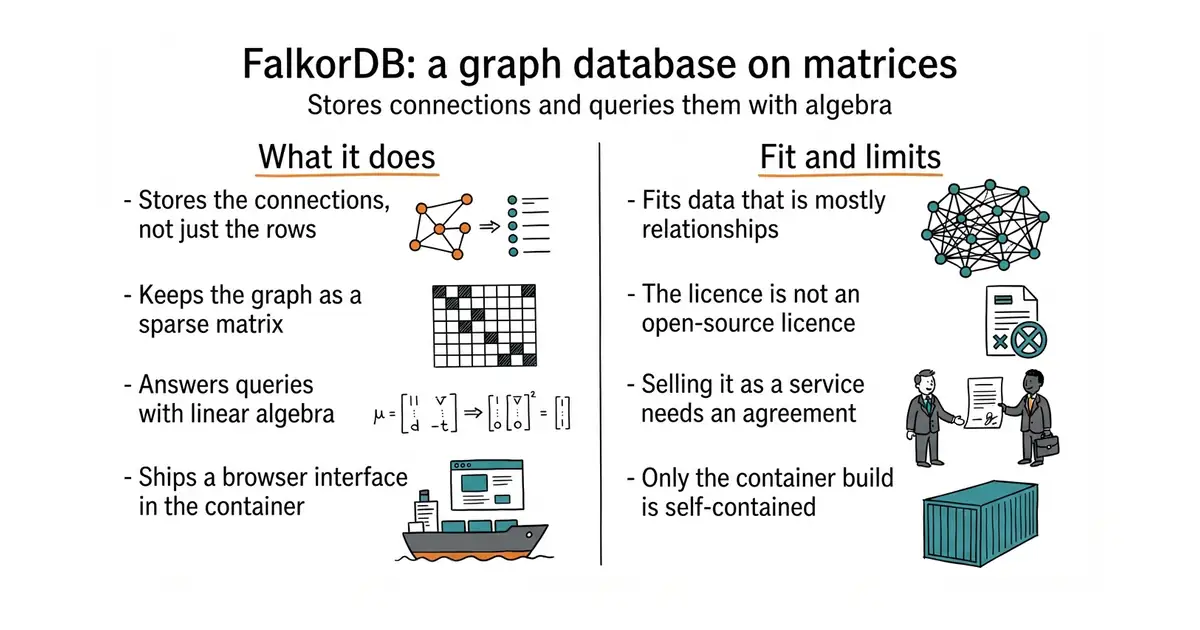
10,064 stars · ⚠ Server Side Public License v1 per the README. The repository sidebar shows only the word 'License' with no name, which is exactly the case the licence-reading rule exists for. SSPL is NOT an OSI-approved open-source licence and attaches conditions to offering the software as a service · v6.0.2 (2026-10-08), read from /releases/latest as a yearless '08 Oct 14:49' and settled as this year because the date is in the past and ungh's pushedAt is 2026-10-15T14:10:45Z · Track this in Scout · Share this tool
A graph database that keeps the connections as sparse matrices and answers queries with linear algebra.
▶Repo detailsthe review · specs · pros & cons · install
What it does
You load nodes and the relationships between them, then query with OpenCypher, the query language most graph databases share, plus some extensions of its own. Underneath it keeps the graph as a sparse matrix and runs each query as matrix mathematics, on a library called GraphBLAS. The project says it is the first queryable property graph database built this way. It ships as a module for Redis, written in Rust, and the container image also serves a browser interface on a second port, so you can look at the graph without writing any code first. Official client libraries cover Java, Python, Node.js, Rust, Go and C#, and older clients written for RedisGraph still work. The project aims it at knowledge graphs for language models, at memory for agents, and at fraud detection. The newest release is v6.0.2, from 8 October 2026, and code landed this morning. What the repository does not state is any functional limit, so the boundary you can see is the licence rather than the features.
Why it matters
Who it suits. Anyone whose data is mostly relationships and whose queries keep turning into five joins. It suits people feeding a language model from their own documents, because the stated purpose is exactly that, and the browser interface makes the first hour cheap. Skip it if a single table answers your questions, because a graph database is a second system to run and learn. Skip it as well if you intend to offer it to other people as a paid service, because the licence does not allow that without a separate arrangement.
Verdict. Genuinely interesting engineering and a licence worth reading before anything else. The matrix approach is not marketing: GraphBLAS is a real standard for sparse linear algebra, and building graph traversal on top of it is a different idea from the usual pointer chasing. Against that, the Server Side Public License is not an OSI open-source licence, whatever the repository looks like from the outside, and the project states it plainly in its own README. Running it privately is fine. Building a product on it is a conversation with a lawyer. Two practical notes: a local build links the system OpenMP library while only the container image bundles it, so the container is the supported path; and the Cypher test suite is run only in part. neo4j/neo4j at 17,200 stars is the long-established alternative under GPL-3.0, with far more documentation and a much larger pool of people who have solved your problem already. memgraph/memgraph at 4,400 stars is the closest competitor in both speed and licence shape, keeping the whole graph in memory, also under a source-available licence rather than an open-source one.
- A browser interface in the same container, so the first graph can be loaded and looked at without writing code.
- Official clients for six languages, and compatibility with the older RedisGraph clients people already wrote.
- Sparse-matrix storage with linear algebra underneath, which is a real design difference rather than a tuning claim.
- The Server Side Public License is not an open-source licence, so offering it as a service needs a separate agreement.
- Building it locally needs Rust, git submodules and an OpenMP compiler, and only the container image is self-contained.
- The repository states no functional limits at all, so the edges have to be found by testing rather than by reading.
- neo4j/neo4j
The long-established graph database, at 17,200 stars, under GPL-3.0, with much more documentation and a far larger community.
Track this in Scout - memgraph/memgraph
An in-memory graph database with the same Cypher language, at 4,400 stars, with a source-available community licence rather than an open-source one.
Track this in Scout
docker run -p 6379:6379 -p 3000:3000 -it --rm \
  -v ./data:/var/lib/falkordb/data falkordb/falkordb


4,173 stars · MIT, from the repository sidebar · 0.8.2 (2026-09-27), settled on pypi.org/project/sqlite-web/ because the repository publishes no GitHub releases at all; ungh pushedAt is 2026-09-27T19:23:17Z, the same day · Track this in Scout · Share this tool
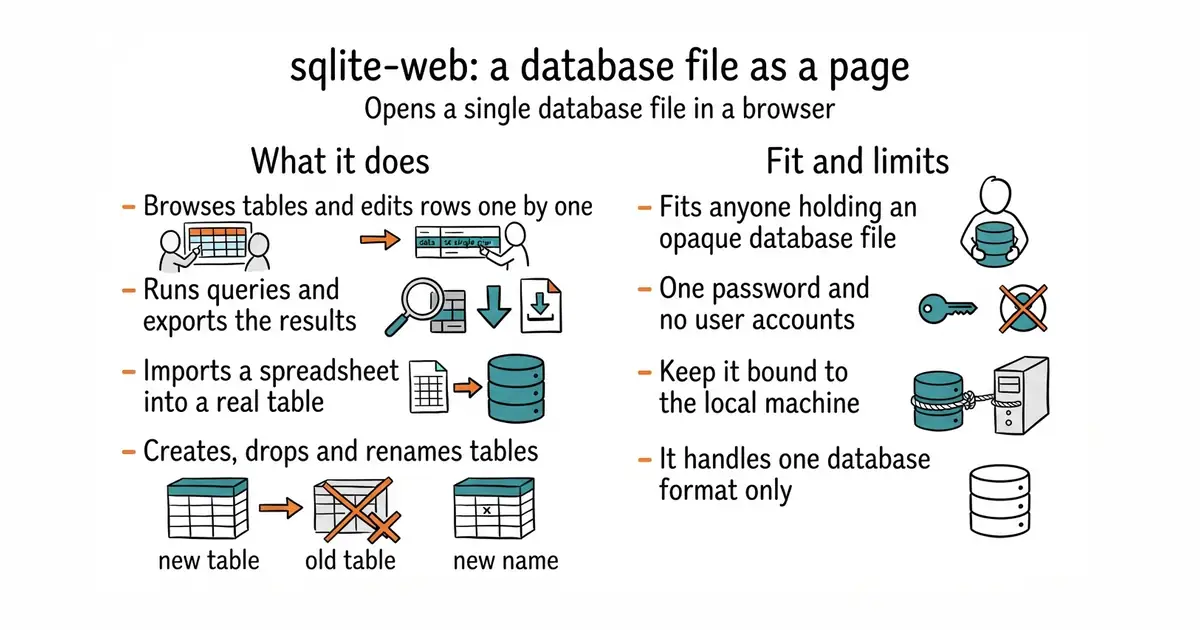
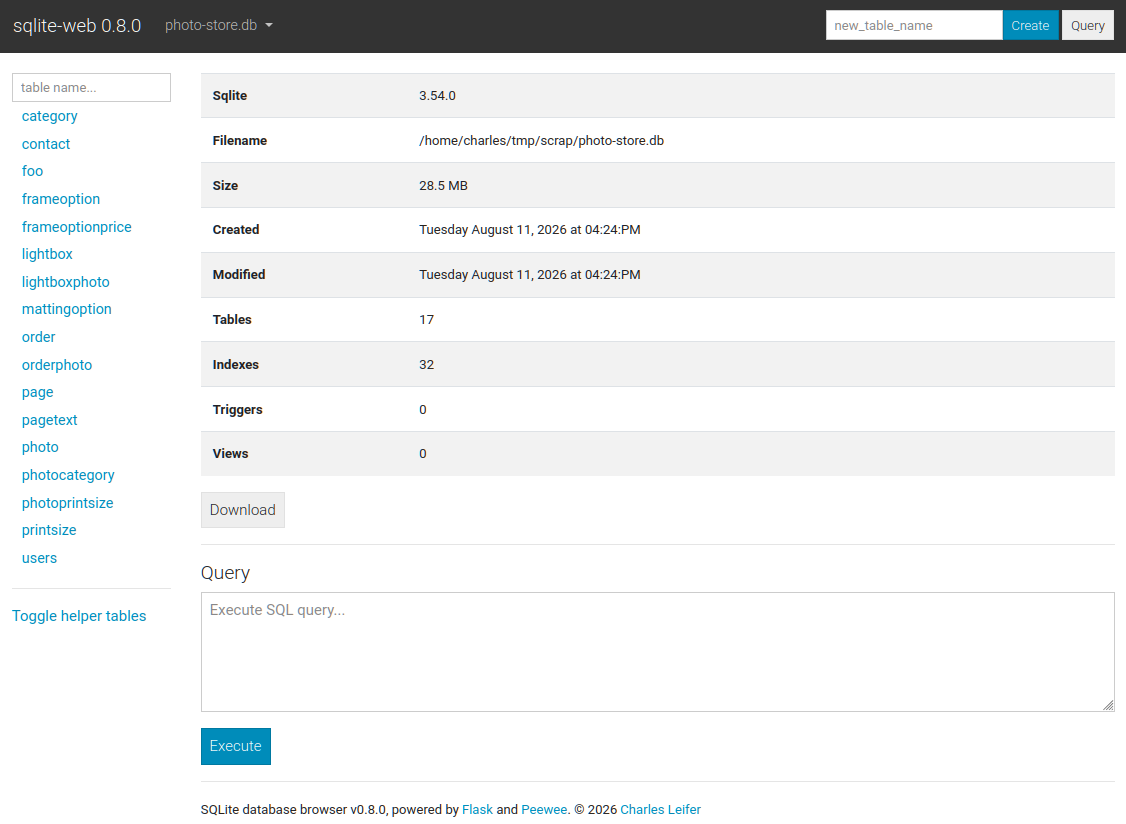
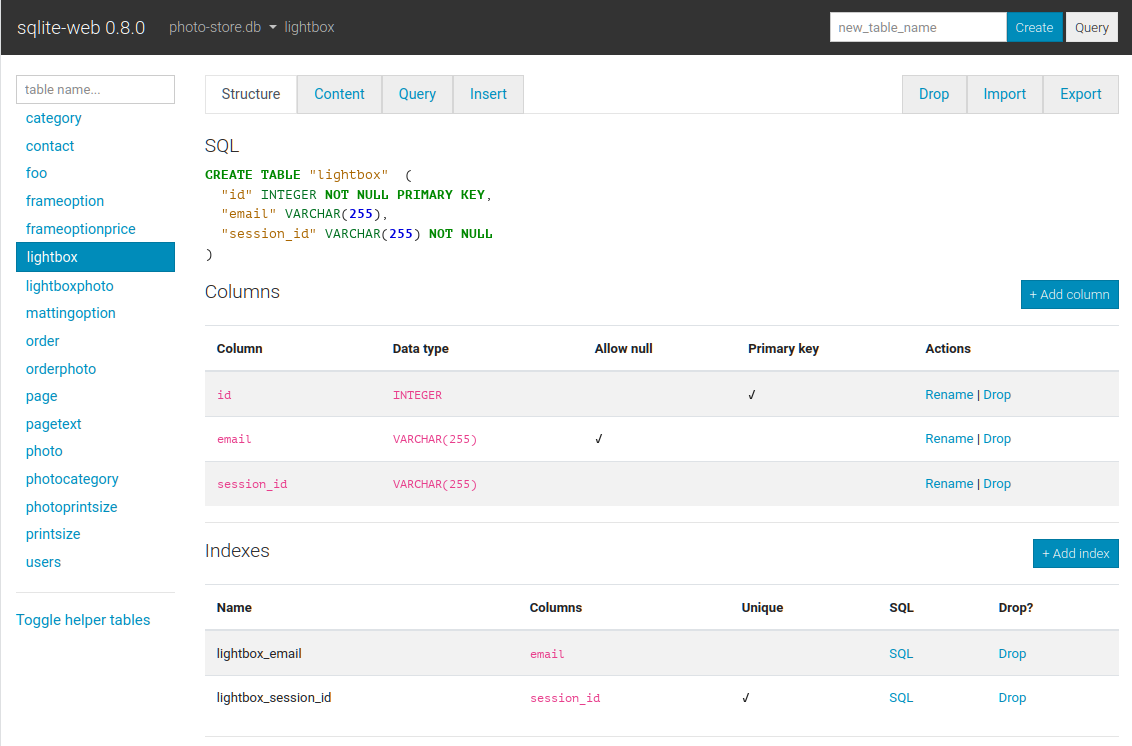
Opens a single SQLite database file as a web page for browsing, editing, querying, importing and exporting.
▶Repo detailsthe review · specs · pros & cons · install
What it does
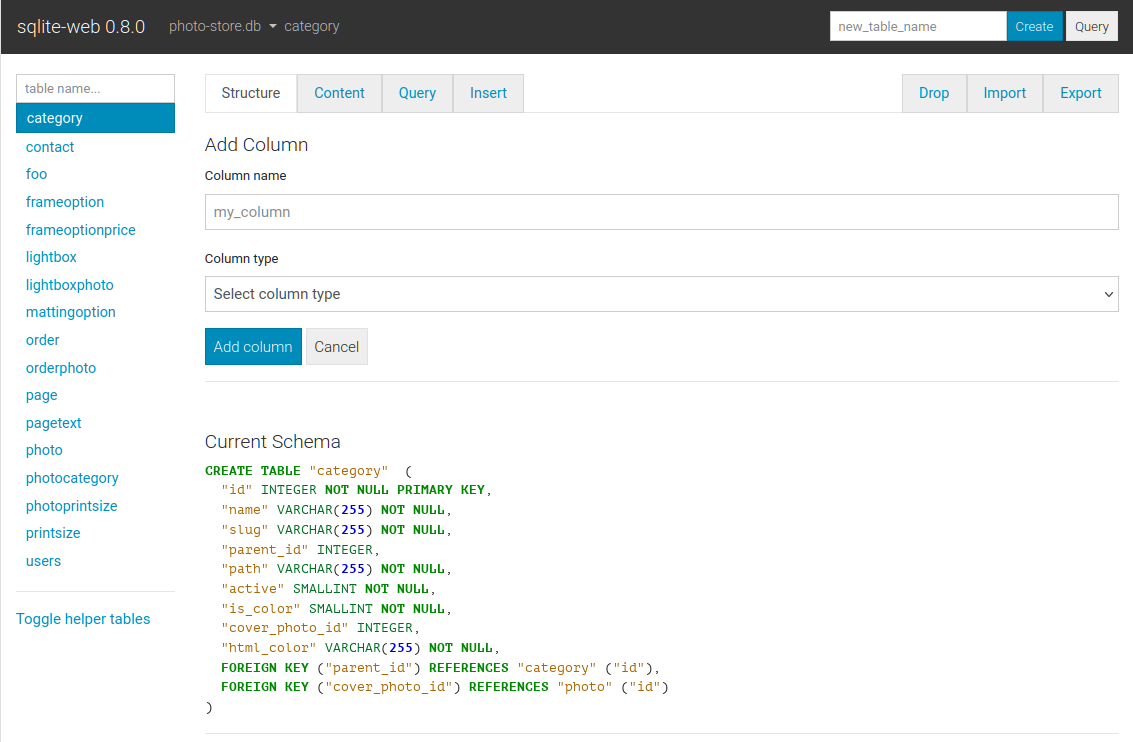
You run it with the path to a database file and open a page in a browser. From there you can create, drop and rename tables, columns and indexes, browse the rows of any table, and insert, update or delete them one at a time. There is a query box, and results can be exported as JSON or CSV. It imports JSON and CSV too, which is the quickest way to get a spreadsheet into a real table. A password can be required with -P or an environment variable, and -r opens the database read-only, which is the sensible way to look at something you care about. It binds to 127.0.0.1 by default, so nothing is exposed until you change that. A container image is published, and a faster server is included for heavier use. The newest release is 0.8.2, from 27 September 2026, confirmed on the public package index, and code landed the same day. What it does not have is any notion of users: there is one password and one level of access, so it is a tool for one person rather than a shared console.
Why it matters
Who it suits. Anyone who has a SQLite file and a question about what is inside it. That covers more people than it sounds like, because SQLite is where many small programs, phone apps and local tools keep their data. It suits the moment when a script wrote something wrong and you need to see the damage before deciding what to do. Skip it if you already keep a desktop database tool open, because this adds nothing you do not have.
Verdict. The cheapest five minutes on this page, and worth keeping installed even if it is used twice a year. Two cautions, both from the project itself. The --enable-filesystem option lets whoever has the page load any database file on the machine, and the README says to be careful with it, which is good advice to follow rather than read. And the single password means this should stay bound to the local machine, reached over an SSH tunnel rather than opened to a network. beekeeper-studio/beekeeper-studio at 23,600 stars is the desktop answer, covering PostgreSQL, MySQL and SQL Server as well, with a free edition under GPL-3.0 and a paid one beside it. dbeaver/dbeaver at 51,700 stars is the heavyweight under Apache-2.0: it connects to almost anything, and the price is a large Java application and a driver download.
- One command from install to a readable page, with a container image for machines where Python is unwelcome.
- Read-only mode and a password option, so a quick look at important data cannot break it.
- Imports and exports CSV and JSON, which makes it a usable bridge between a spreadsheet and a real table.
- One password and no user accounts, so it is not a console several people can share.
- The option that lets it open any file on the machine is a genuine risk, and the project says so.
- It handles SQLite only, so a project with a second database still needs a second tool.
- beekeeper-studio/beekeeper-studio
A desktop editor for SQLite, PostgreSQL, MySQL and SQL Server, at 23,600 stars, with a GPL-3.0 community edition and a paid edition alongside it.
Track this in Scout - dbeaver/dbeaver
A desktop database tool that connects to a very large number of database kinds, at 51,700 stars, under Apache-2.0.
Track this in Scout
pip install sqlite-web
sqlite_web /path/to/database.db

6,098 stars · MIT, from the repository sidebar · 1.6.0 (2026-02-26), settled on pypi.org/project/pyportfolioopt/ because the repository shows no GitHub releases; ungh pushedAt 2026-07-07T21:18:14Z · Track this in Scout · Share this tool
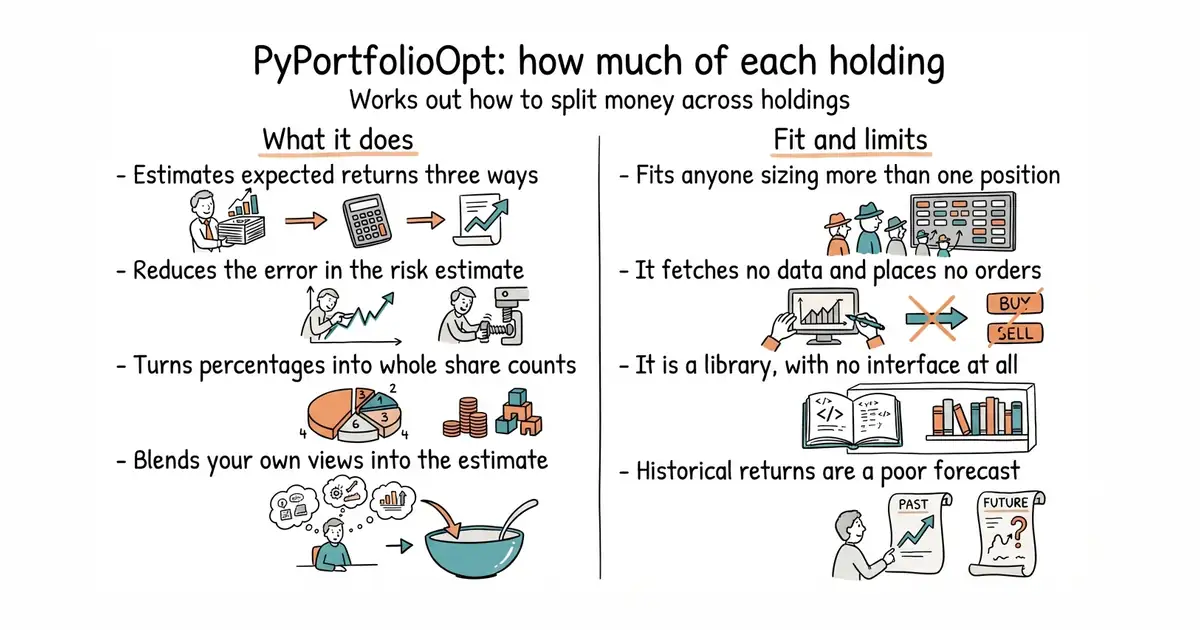
Works out how to split a sum of money across a set of holdings, then converts the percentages into whole share counts.
▶Repo detailsthe review · specs · pros & cons · install
What it does
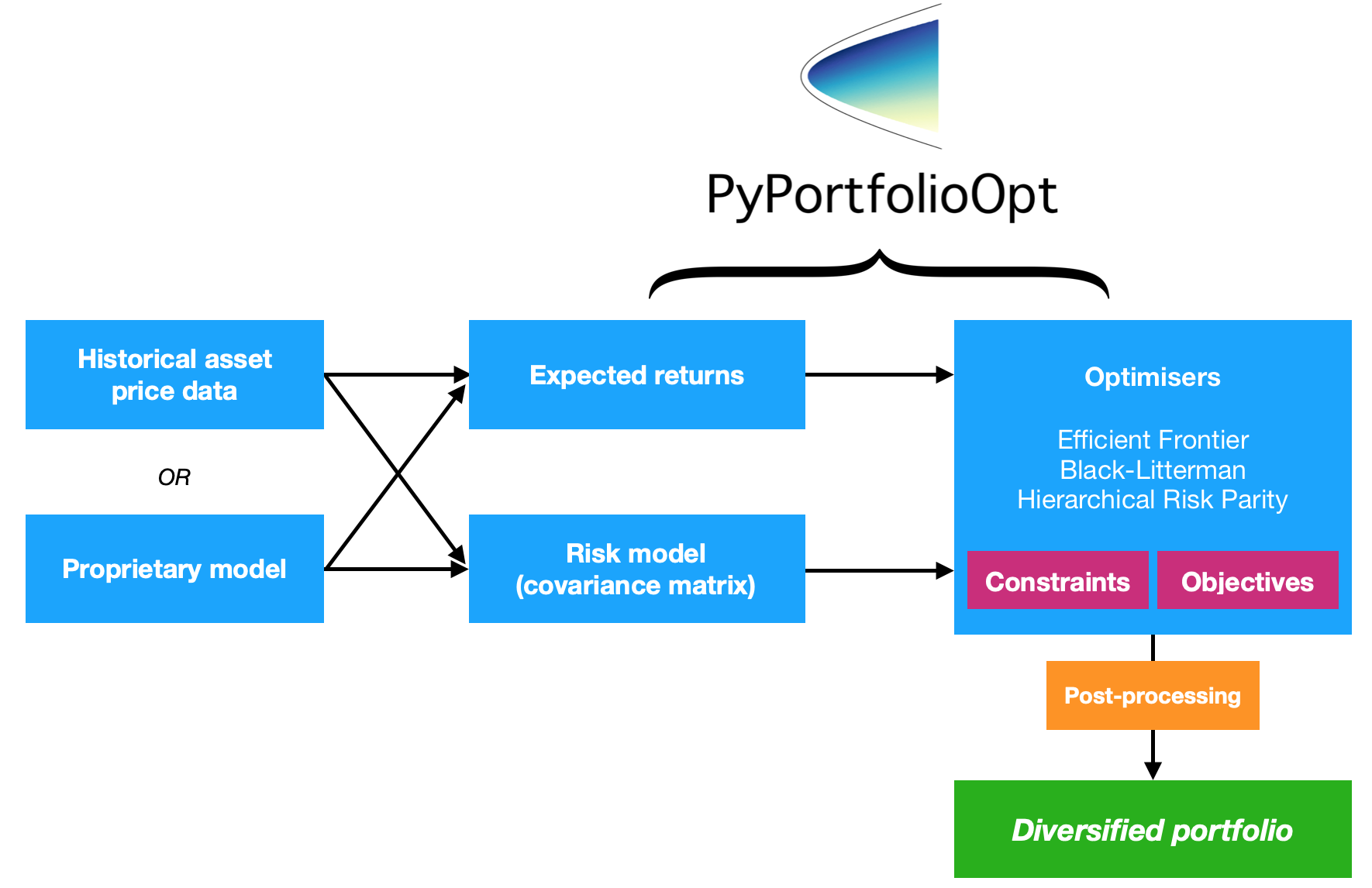
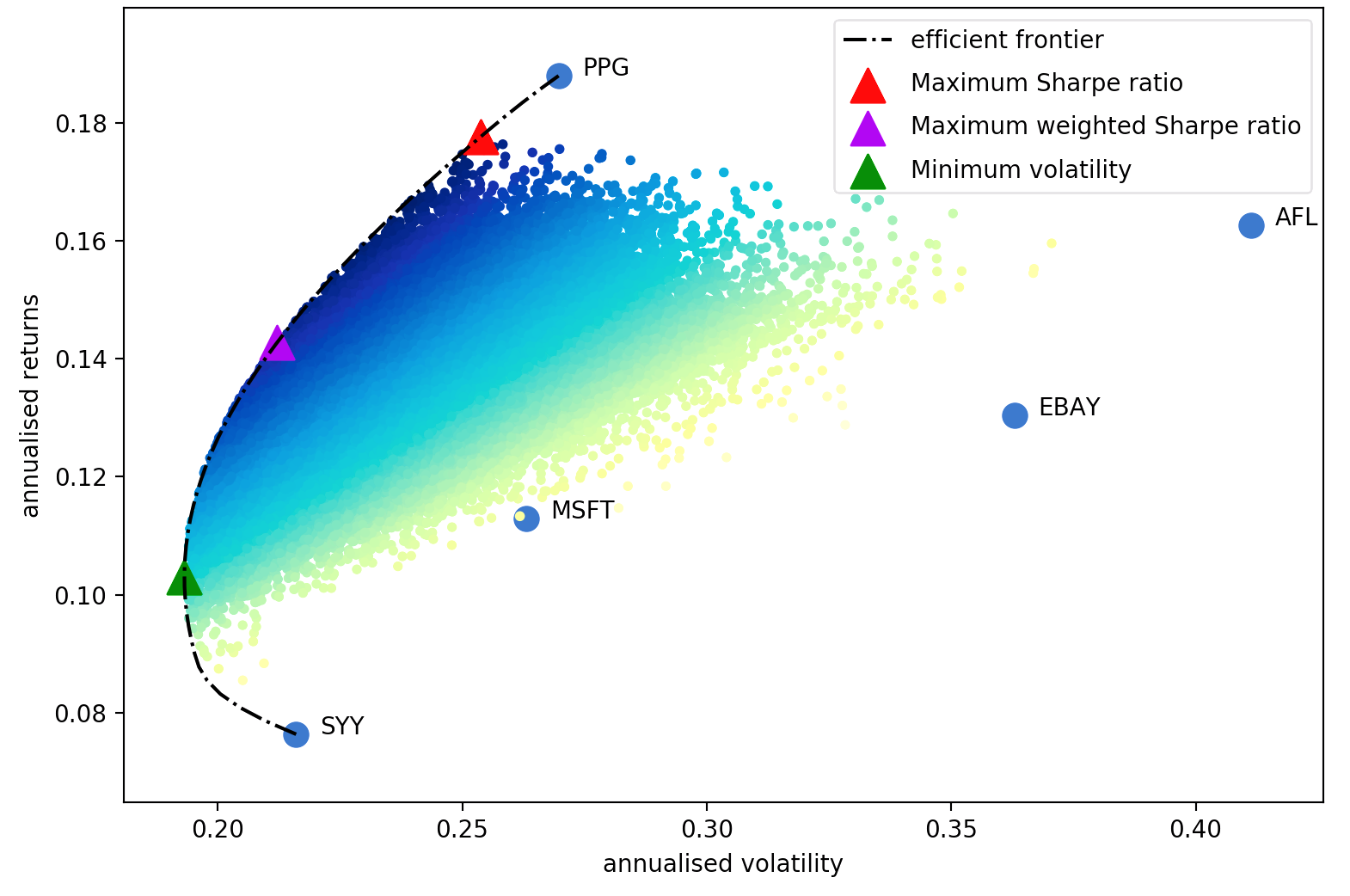
It is built in four parts you combine. First an estimate of expected returns, from plain historical averages, an exponentially weighted average that favours recent data, or the capital asset pricing model. Second a risk model, which is a covariance matrix, with several shrinkage methods that reduce the error in that estimate. Third an objective, such as the highest Sharpe ratio, the lowest volatility, or a target return at the lowest risk. Fourth the optimiser, which is handled by cvxpy. After that a discrete allocation step converts the percentages into whole numbers of shares for a given amount of money, which is the step most examples leave out. It also implements Black-Litterman, which lets you blend your own opinions into the estimate, plus mean-semivariance, mean-CVaR and hierarchical risk parity. Constraints cover long-only, long and short, market neutrality, position limits and a penalty that stops the answer piling everything into two names. The newest release is 1.6.0, from 26 February 2026, and code landed on 7 July 2026. What it does not do is fetch any data or place any orders. Prices go in as a pandas table that you supply, and weights come out.
Why it matters
Who it suits. Anyone sizing more than one position who is currently doing it by feel. It suits a person who already has price history in a spreadsheet or a database and wants the next step done correctly rather than approximately. Skip it if you hold one thing, because there is nothing to divide. Skip it as well if you cannot write a few lines of Python, because there is no interface of any kind.
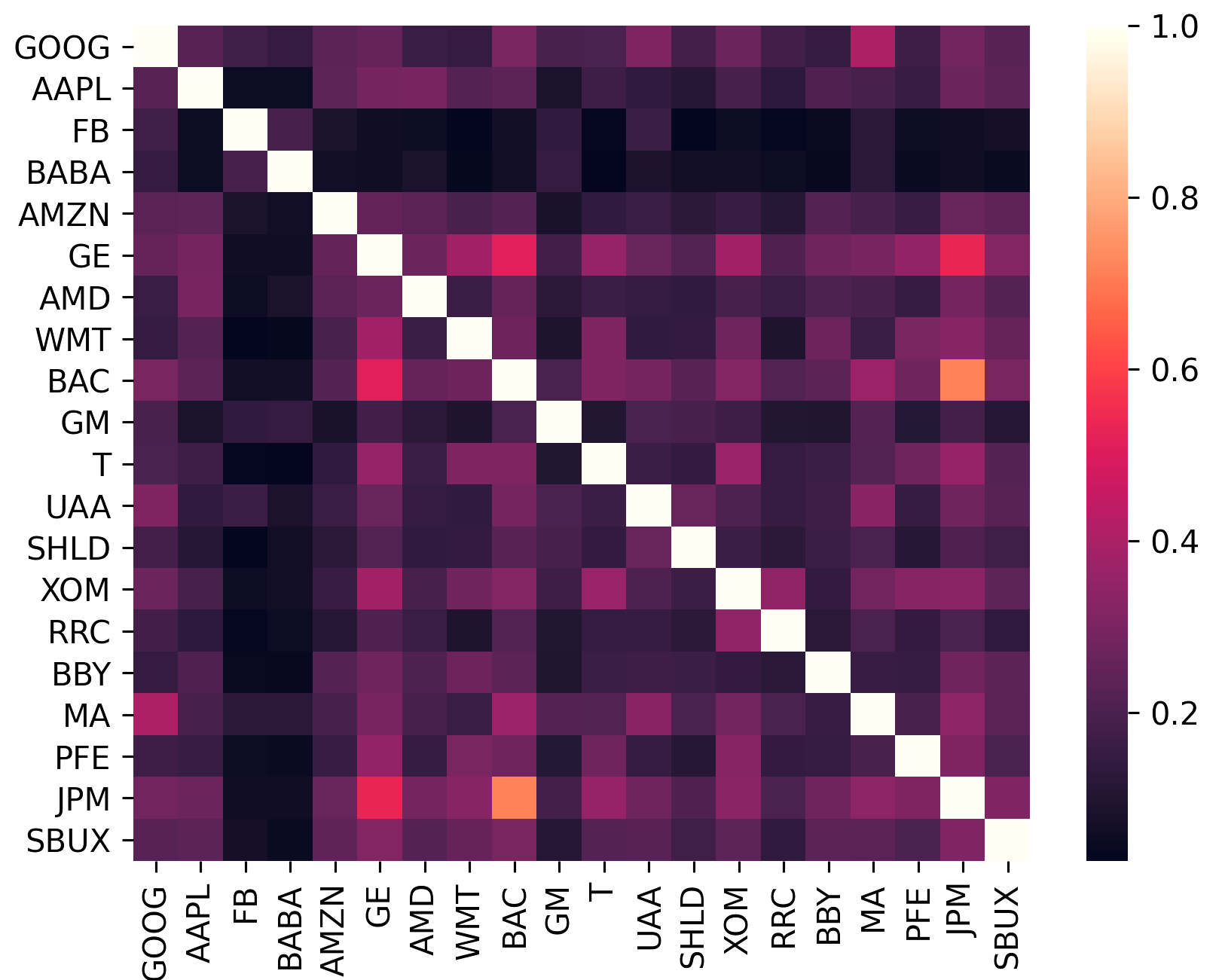
Verdict. Worth an afternoon, and the README is more honest than most financial software. It states that returns are notoriously hard to forecast, that sample covariance carries high estimation error, and that portfolios with many zero weights tend to do badly afterwards. Treat those sentences as the documentation rather than as modesty: they tell you to use the shrinkage methods and the regularisation penalty rather than the plain defaults. Two practical notes. Market neutrality is only available for two of the objectives, because the others are not leverage-invariant. And the project says its tests do not cover every combination of objective and parameter, so check an unusual combination against a hand calculation before trusting it. dcajasn/Riskfolio-Lib at 4,400 stars carries a far larger library of risk measures and is the one to reach for when variance is not the risk you care about; Edition 18 covered it. skfolio/skfolio at 2,100 stars writes the same ideas as scikit-learn estimators with proper cross-validation built in, which is the better shape if you want to test whether a method works before using it; Edition 33 covered it.
- The discrete allocation step turns percentages into whole shares for a real amount of money.
- Several covariance shrinkage methods, which is the part that stops the answer being nonsense.
- Black-Litterman lets your own view enter the calculation instead of being applied afterwards by hand.
- No data fetching and no order placing, so it sits in the middle of a pipeline somebody has to build.
- Market neutrality works with only two of the objectives, which is easy to miss in the documentation.
- The project states its tests do not cover every combination of objective and parameter.
 dcajasn/Riskfolio-Lib
Portfolio optimisation with a much larger library of risk measures, at 4,400 stars, under BSD-3-Clause; Edition 18 covered it.
Track this in Scout skfolio/skfolio
The same ideas written as scikit-learn estimators with cross-validation built in, at 2,100 stars, under BSD-3-Clause; Edition 33 covered it.
Track this in Scout
pip install pyportfolioopt

2,923 stars · AGPL-3.0; the sidebar links a licence without naming it, the README badge says AGPL, and PyPI's metadata gives AGPL-3.0-or-later · v3.0.1 (2026-09-27) · Track this in Scout · Share this tool
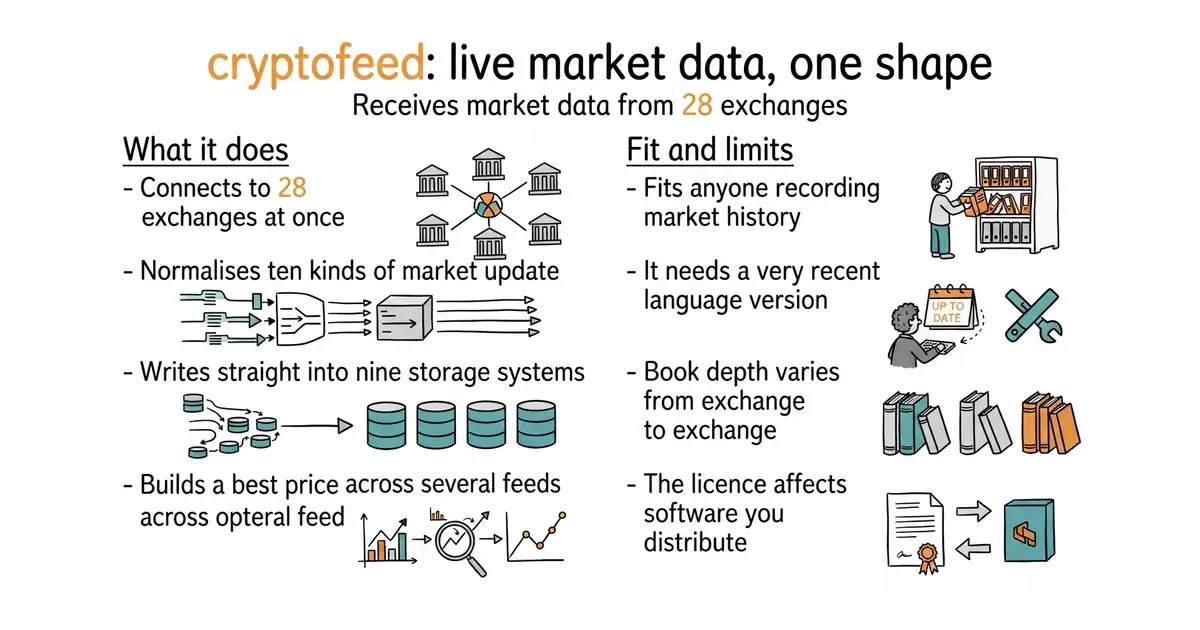
Receives live market data from 28 exchanges, normalises it to one shape, and can write it straight into nine kinds of store.
▶Repo detailsthe review · specs · pros & cons · install
What it does
You list the exchanges you want, the kinds of data you want, and the functions that should receive them. It opens a websocket to each exchange, or polls where no websocket exists, and calls your functions as updates arrive. Ten kinds of data are covered: the top of the order book, the aggregated book at two depths, trades, the ticker, funding, open interest, liquidations, an index, and candles. It can also build a synthetic best bid and offer across several exchanges at once, which no single exchange can give you. Instead of your own functions, it can write to Redis, ZeroMQ, plain network sockets, InfluxDB, MongoDB, Kafka, PostgreSQL or QuestDB, so a recording setup is configuration rather than code. It can record to capture files for replay later, compressed, with a small metadata file beside each one. The newest release is 3.0.1, from 27 September 2026, confirmed on the public package index, and code landed on 14 October 2026. What it does not promise is delivery. The depth of the order book varies by exchange, trades always report the taker's side even where the exchange reports the maker's, and one exchange in the table is spot markets only.
Why it matters
Who it suits. Anyone collecting market data who has written their own exchange connector once and does not want to write a second. It suits a research setup especially well, because pointing it at PostgreSQL or QuestDB gives you a recorded history without writing any storage code. Skip it if one exchange is enough and its own library works, because this adds a dependency to solve a problem you do not have yet.
Verdict. The right tool for collecting market data, and the thing to check first is the Python version. It asks for Python 3.13 or newer, which is the newest floor in today's twelve and will stop an older environment dead. Beyond that, two cautions worth stating. Callbacks have to be asynchronous, and a plain function needs wrapping before it can be used, which is the first thing that surprises people. And the AGPL-3.0 licence has consequences if you ship software built on this to other people, though it changes nothing for research or for a service you run privately. ccxt/ccxt at 43,900 stars is the better choice when you need to place orders as well as read prices, covering more than a hundred exchanges under an MIT licence; Edition 45 covered it. freqtrade/freqtrade at 55,000 stars is the finished application rather than a library, with backtesting and paper trading in the same program; Edition 29 covered it.
- 28 exchanges and ten kinds of data arrive in one shape, so adding an exchange is a line of configuration.
- Nine storage backends are built in, which turns recording a market history into configuration rather than code.
- A synthetic best bid and offer across several exchanges, which no single exchange publishes.
- It needs Python 3.13 or newer, which is a very recent floor for a library.
- Every callback must be asynchronous, and ordinary functions need wrapping first.
- AGPL-3.0, which matters if you distribute software built on top of it.
 ccxt/ccxt
One interface in front of more than a hundred exchanges, for reading prices and placing orders, at 43,900 stars, under an MIT licence; Edition 45 covered it.
Track this in Scout freqtrade/freqtrade
A finished trading application with backtesting and paper trading rather than a library, at 55,000 stars, under GPL-3.0; Edition 29 covered it.
Track this in Scout
pip install cryptofeed
pip install cryptofeed[all]

1,417 stars · Apache-2.0, from the repository sidebar · 0.6.0 (2025-05-09) on pypi.org/project/secedgar/; the repository publishes no GitHub releases. ungh pushedAt 2025-12-09T12:31:38Z — so seventeen months since the release and ten months since the code, both INSIDE the eighteen-month bar · Track this in Scout · Share this tool
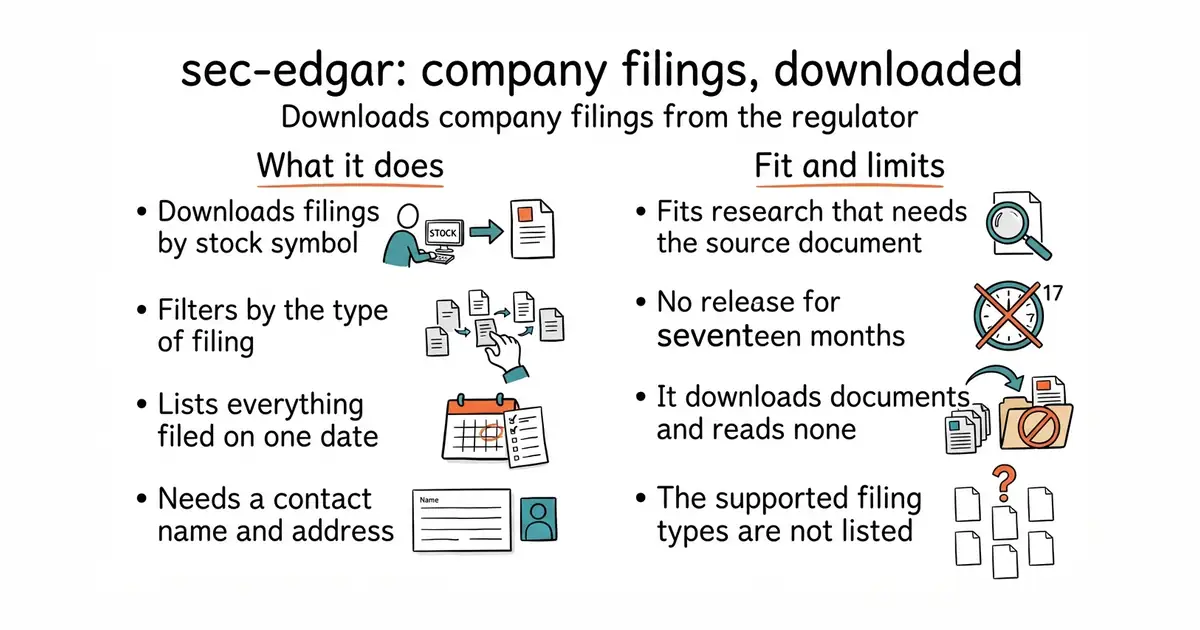
Downloads a company's filings from the United States regulator's public archive, by stock symbol or company number.
▶Repo detailsthe review · specs · pros & cons · install
What it does
You name one company or a list of them, by stock symbol or by the regulator's own company number, choose a filing type such as a quarterly report, and call save with a folder path. The files land there. A second mode takes a date instead and returns the addresses of everything filed on that day, which is how you follow a whole market rather than one company. Every call requires a contact string of a name and an email address, because the regulator asks callers to identify themselves and refuses anonymous traffic. There is a note for people working in notebooks, where an extra package is needed so the asynchronous code can run. Code last landed on 9 December 2025, and the newest release is 0.6.0, from 9 May 2025. What the README does not do is list the filing types it supports. It says many are covered, points at the documentation site, and invites requests for missing ones, so coverage has to be checked there rather than here.
Why it matters
Who it suits. Anyone who wants the primary document rather than somebody's summary of it: the actual quarterly report, the actual risk section, the actual ownership filing. It suits research that has to be defensible, because a filing is the source and not a derivative of one. It also suits anyone building a dataset, since the daily mode gives a complete list rather than a search result. Skip it if you want numbers rather than documents, because what you get here is files on disk and the parsing is still yours to do.
Verdict. Useful, and the quietest project in today's twelve, which the dates make plain rather than hide. Seventeen months since the last release and ten months since the last code change, both inside the eighteen-month line this report uses, so it qualifies and it is not abandoned. But it is slow, and a project this slow is a project whose open issues may stay open. The honest recommendation is to start somewhere else: dgunning/edgartools at 2,600 stars does the same job and goes further, turning filings into typed objects and tables rather than files, under an MIT licence, and Edition 45 covered it. Come here instead when you want something thin and predictable that only downloads, or when Apache-2.0 is the licence your situation requires. jadchaar/sec-edgar-downloader at 717 stars is the smallest of the three and does nothing but download, which is sometimes exactly right. lefterisloukas/edgar-crawler at 551 stars goes the other way and splits each filing into its numbered sections as JSON, under GPL-3.0.
- One line downloads a company's filing history, by stock symbol, with no account and no key.
- A daily mode returns every filing made on a given date, which is how a complete dataset gets built.
- Apache-2.0, which is the most permissive licence among the tools that do this job.
- Seventeen months since the newest release and ten months since the last code change.
- The README does not list which filing types are supported, so coverage must be checked on the documentation site.
- It downloads documents and does not read them, so turning filings into numbers is still your work.
 dgunning/edgartools
Turns the same filings into typed objects and tables rather than files on disk, at 2,600 stars, under an MIT licence; Edition 45 covered it.
Track this in Scout- jadchaar/sec-edgar-downloader
A smaller library that only downloads filings, by symbol or company number, at 717 stars, under an MIT licence.
Track this in Scout - lefterisloukas/edgar-crawler
Downloads filings and splits each one into its numbered sections as JSON, at 551 stars, under GPL-3.0.
Track this in Scout
pip install secedgar

3,842 stars · MIT, from the repository sidebar; the docs theme carries a separate BSD-like licence · 2.0.0 (2026-06-04), settled on pypi.org/project/camelot-py/ because the repository shows no GitHub releases; ungh pushedAt 2026-10-14T11:10:02Z · Track this in Scout · Share this tool
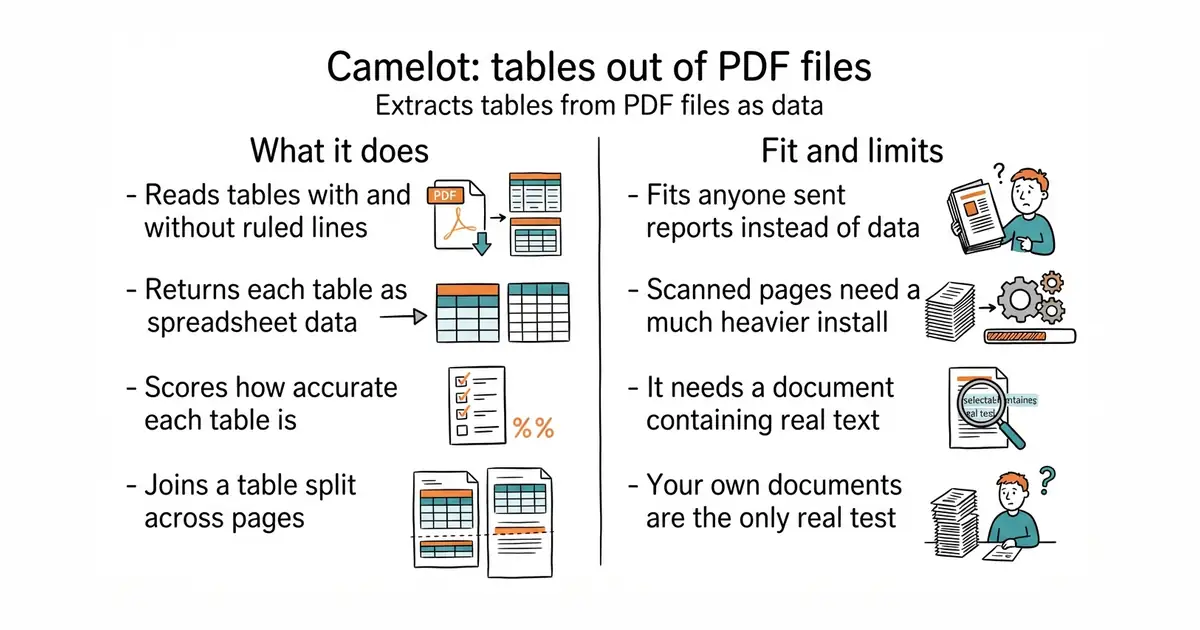
Extracts tables from PDFs as pandas data, scores how accurate each one is, and exports to CSV, Excel or SQLite.
▶Repo detailsthe review · specs · pros & cons · install
What it does
You point it at a PDF, as a file path, a web address, or raw bytes. Each table comes back as a pandas table, and can be written out as CSV, JSON, Excel, HTML, Markdown or a SQLite database. Five different parsers are available, and it can choose one per page by itself. The default reads the ruled lines a PDF draws. A second reads tables that have no lines, using the spacing between words. Two more handle borderless tables by looking at how text lines up. The fifth uses a trained model for the hard cases, including scanned pages when optical character recognition is added. For every table it reports an accuracy figure, a whitespace figure and a confidence score, and there is a filter that drops the weak ones so a bad table does not quietly enter your data. A helper joins a table that runs across several pages. There is a command-line interface as well as the library. The newest release is 2.0.0, from 4 June 2026, and code landed on 14 October 2026. What the ordinary parsers cannot do is read a scan: they need a PDF that already contains text, and a page of pixels needs the model parser plus optical character recognition, which pull in PyTorch.
Why it matters
Who it suits. Anyone whose data arrives as PDFs from somebody who will not send a spreadsheet: bank statements, regulatory filings, price lists, published reports. The confidence score is the feature that matters most, because the real risk with this kind of tool is not failing, it is succeeding wrongly and saying nothing. Skip it if the PDFs you handle are scans, unless you are willing to install the machine-learning extras, which are a much heavier dependency.
Verdict. Twenty minutes to find out whether your particular PDFs work, and that test is the whole decision. Table extraction is an area where general claims mean little and your own documents mean everything, so run it on five real files before planning anything around it. Two notes. The plain install needs no system packages at all now, which was not true of older versions and is a real improvement. And the model parser only finds the shape of the table — the words still come from the text layer or from optical character recognition, so a bad scan stays bad. jsvine/pdfplumber at 10,700 stars is the one to prefer when you need more than tables: it reports the exact position of every character and line, and it can draw what it thinks it found so a wrong answer can be debugged; Edition 47 covered it. chezou/tabula-py at 2,300 stars wraps the long-established Java tool of the same name, which sometimes succeeds where both of the others fail, at the cost of needing Java installed.
- Five parsers and automatic selection, so ruled tables and borderless tables are both handled.
- An accuracy and confidence figure for every table, with a filter that discards the weak ones.
- The plain install needs no system packages, and exports go straight to CSV, Excel or SQLite.
- The ordinary parsers need a PDF containing real text, so scans need the heavy model and OCR extras.
- The model parser finds only the table's shape, so the words are still only as good as the text layer.
- Nothing here repairs a badly built PDF, and results vary enough that your own files are the only real test.
 jsvine/pdfplumber
Reports the position of every character and line as well as tables, and can draw what it detected, at 10,700 stars, under an MIT licence; Edition 47 covered it.
Track this in Scout- chezou/tabula-py
A Python wrapper around the long-established Java table extractor, at 2,300 stars, under an MIT licence; it needs Java installed.
Track this in Scout
pip install "camelot-py"

3,788 stars · MIT — ⚠ NOT NAMED IN THE SIDEBAR, which links only 'License'. Read from /blob/main/LICENSE: plain unmodified MIT text, 'Copyright (c) 2021-2023 Vinícius R. Miguel, João Marcos P. Bezerra, and contributors' · 0.8.3 (2026-09-13), read from /releases/latest as a yearless '13 Sep 15:53' and settled as this year because the date is in the past and ungh's pushedAt is 2026-10-14T09:45:28Z · Track this in Scout · Share this tool
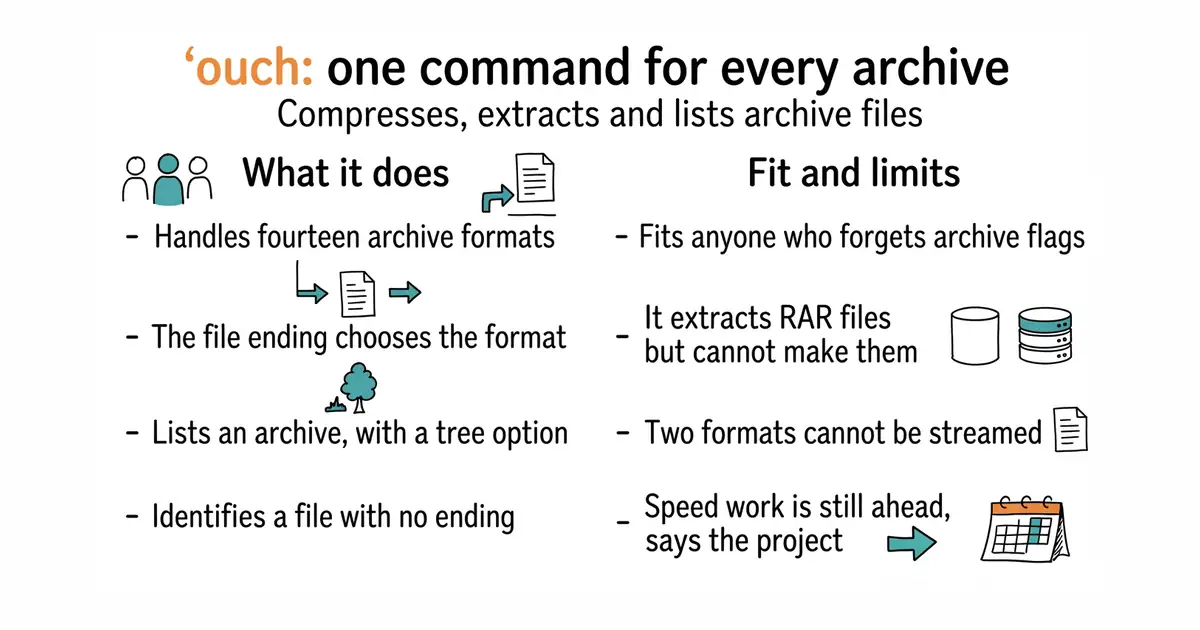
One command compresses, extracts and lists fourteen archive formats, choosing the format from the file ending.
▶Repo detailsthe review · specs · pros & cons · install
What it does
Three subcommands cover everything: decompress, compress and list. Decompressing works out the format from the file ending, and a flag sets where the contents should go. Compressing works the other way: the endings on the name you choose decide what happens, and they chain, so a name ending in .tar.gz makes a tar archive and then compresses it. Fourteen formats are supported, including tar, zip, 7z, gzip, zstandard, xz, bzip2 and lz4, with aliases so that an epub or a comic book archive is recognised as the zip file it really is. A file with no ending at all is identified from the bytes inside it, and you are asked to confirm before anything happens. Listing can print a tree. Compression for gzip, snappy and zstandard runs in parallel. There are shell completions, manual pages and a mode for screen readers. Release downloads are signed, and the project publishes instructions for rebuilding them yourself to check. The newest release is 0.8.3, from 13 September 2026, and code landed on 14 October 2026. What it does not do is create RAR archives: that format can only be extracted and listed, because of its licence, and even that support can be left out at build time.
Why it matters
Who it suits. Anyone who handles archives often enough to be irritated and not often enough to remember the flags. That is most people. It suits a shared machine particularly well, because one command with obvious words replaces six commands with cryptic letters, and the error messages are written to be read. Skip it if you only ever meet one format and the standard tool is already muscle memory.
Verdict. The smallest useful change on this page and the one most likely to still be installed in a year. Nothing here is clever, which is the point: the value is in never looking up a flag again. Three honest notes. RAR can be read but not written, so a workflow that produces RAR archives needs something else. Zip and 7z cannot be streamed, which is a limit of the formats rather than of this program, and it matters when the file is larger than the memory available. And the project says plainly that it has focused on ease of use and good error messages, with speed work still to come, so it is not the tool to choose for compressing a very large dataset. mholt/archives at 434 stars solves the same problem inside a Go program rather than at a prompt, including walking an archive as if it were a folder. wummel/patool at 457 stars is the older idea done in Python: it drives whichever archive programs are already installed, so it covers more formats but needs those programs present.
- One command and three obvious words cover extracting, creating and listing fourteen formats.
- The file ending chooses the format, and endings chain, so
.tar.zstjust works. - Shell completions, manual pages and signed, reproducible release downloads.
- RAR archives can be extracted and listed but never created, because of that format's licence.
- Zip and 7z cannot be streamed, so a very large archive of those kinds needs memory.
- The project says speed work is still ahead, so it is not the choice for compressing a huge dataset.
- mholt/archives
The same job as a Go library inside your own program, including walking an archive as a folder, at 434 stars, under an MIT licence.
Track this in Scout - wummel/patool
A Python command-line tool that drives whichever archive programs are already installed, at 457 stars, under GPL-3.0.
Track this in Scout
brew install ouch
sudo pacman -S ouch
scoop install ouch
cargo install ouch

89,403 stars · MPL-2.0, from the repository sidebar and the README footer · v2.1.6 (2026-10-06), read from /releases/latest as a yearless '06 Oct 06:08' and settled as this year because the date is in the past and ungh's pushedAt is 2026-10-13T12:28:45Z · Track this in Scout · Share this tool
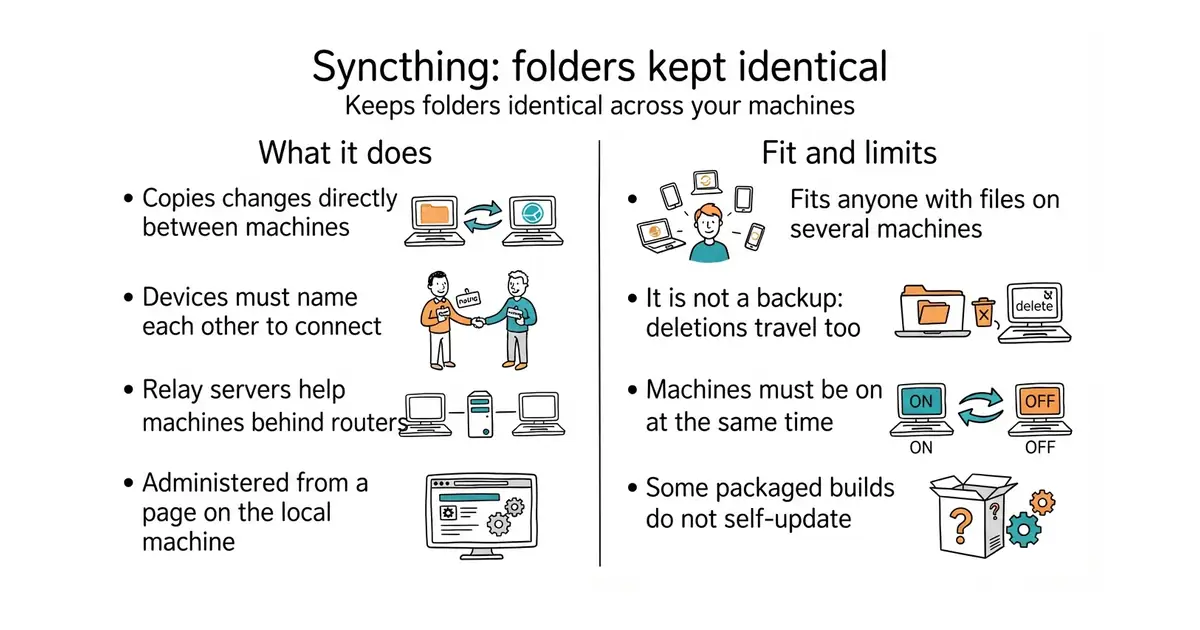
Keeps chosen folders identical across two or more machines, continuously, with no company's server holding the files.
▶Repo detailsthe review · specs · pros & cons · install
What it does
Each installation makes itself an identity the first time it starts, which is part of a public key and is shown in the interface. Two machines connect only when each one has been given the other's identity, so adding a device is a deliberate act on both sides. After that you choose which folders to share with which devices, and changes flow in both directions as they happen. The project runs discovery servers and relay servers so that two machines behind ordinary home routers can still find each other, and a separate server helps work out the shape of the network. Administration is a web page on the local machine only, on port 8384, and the syncing itself uses port 22000 over both TCP and the newer QUIC protocol. Version 2.1 added grouping of devices and folders in the interface, support for ordinary web proxies, and an option to turn off part of the indexing per folder, which makes the database smaller at the cost of sending more data. Release downloads are signed, and the Windows and macOS builds are signed with the platform's own mechanism. The newest release is v2.1.6, from 6 October 2026, and code landed on 13 October 2026. What it is not is storage you can park files in. Every copy sits on a machine you own, so two machines that are never switched on at the same time never exchange anything.
Why it matters
Who it suits. Anyone with files on more than one machine and a reason not to hand them to a company: size, privacy, cost, or simply not wanting a subscription. It suits a desk-plus-laptop pair, a shared project folder between two people, and a home server that should hold a current copy of everything. Skip it if you need files reachable from a phone browser with nothing installed, because there is no web storage here. Skip it as well if what you actually want is a backup, because a change travels in both directions and that includes a deletion.
Verdict. The best thing on this page, and the reason is the goal list rather than the feature list. The project states its priorities in order, with "safe from data loss" first and "secure against attackers" second, and the design follows that order: identities are mutual, nothing connects without being named on both ends, and the interface stays on the local machine. Twelve years of that discipline is why this is the one entry here that most readers will still be using in a year. Two practical notes. It is not a backup, and treating it as one is the one way to get hurt: pair it with a real backup tool, which is where rclone/rclone at 59,300 stars belongs, since it copies and verifies to more than seventy kinds of remote storage; Edition 36 covered it. And the automatic upgrade mechanism is switched off in some packaged builds, so check how your copy is updated rather than assuming. nextcloud/server at 36,700 stars is the other shape of answer entirely: one machine holds the files and everything else reaches it through a browser, with calendars and documents alongside, under AGPL-3.0 and at a much higher cost to run.
- No company holds the files, no subscription, and no limit except the disk space on machines you own.
- Devices must name each other before anything connects, so a wrong identity cannot quietly join.
- Twelve years of maintenance on a stated priority list that puts not losing data first.
- It is not a backup: a deletion travels to the other machines like any other change.
- Two machines that are never on at the same time never exchange anything, because nothing holds the files in between.
- The automatic upgrade mechanism is disabled in some packaged builds, so updates need checking.
 rclone/rclone
Copies, syncs and verifies files to more than seventy kinds of cloud storage from the command line, at 59,300 stars, under an MIT licence; Edition 36 covered it, and it is the backup half of the pair.
Track this in Scout- nextcloud/server
One machine holds the files and everything else reaches them through a browser, with calendars and documents alongside, at 36,700 stars, under AGPL-3.0.
Track this in Scout
./syncthing

2,822 stars · GPL-3.0, from the repository sidebar · 20.4 (2026-09-28), read from /releases/latest as a yearless '28 Sep 07:19' and settled by ungh's pushedAt of 2026-09-28T07:19:20Z, which matches to the minute · Track this in Scout · Share this tool
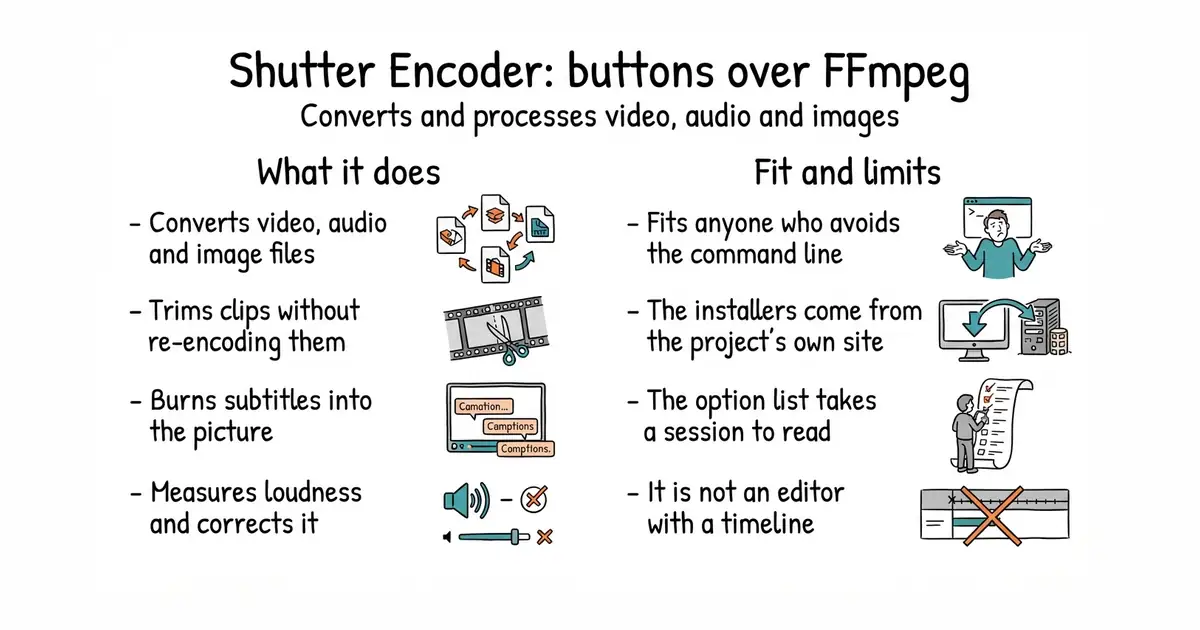
A desktop window over FFmpeg for converting, trimming and processing video, audio and images.
▶Repo detailsthe review · specs · pros & cons · install
What it does
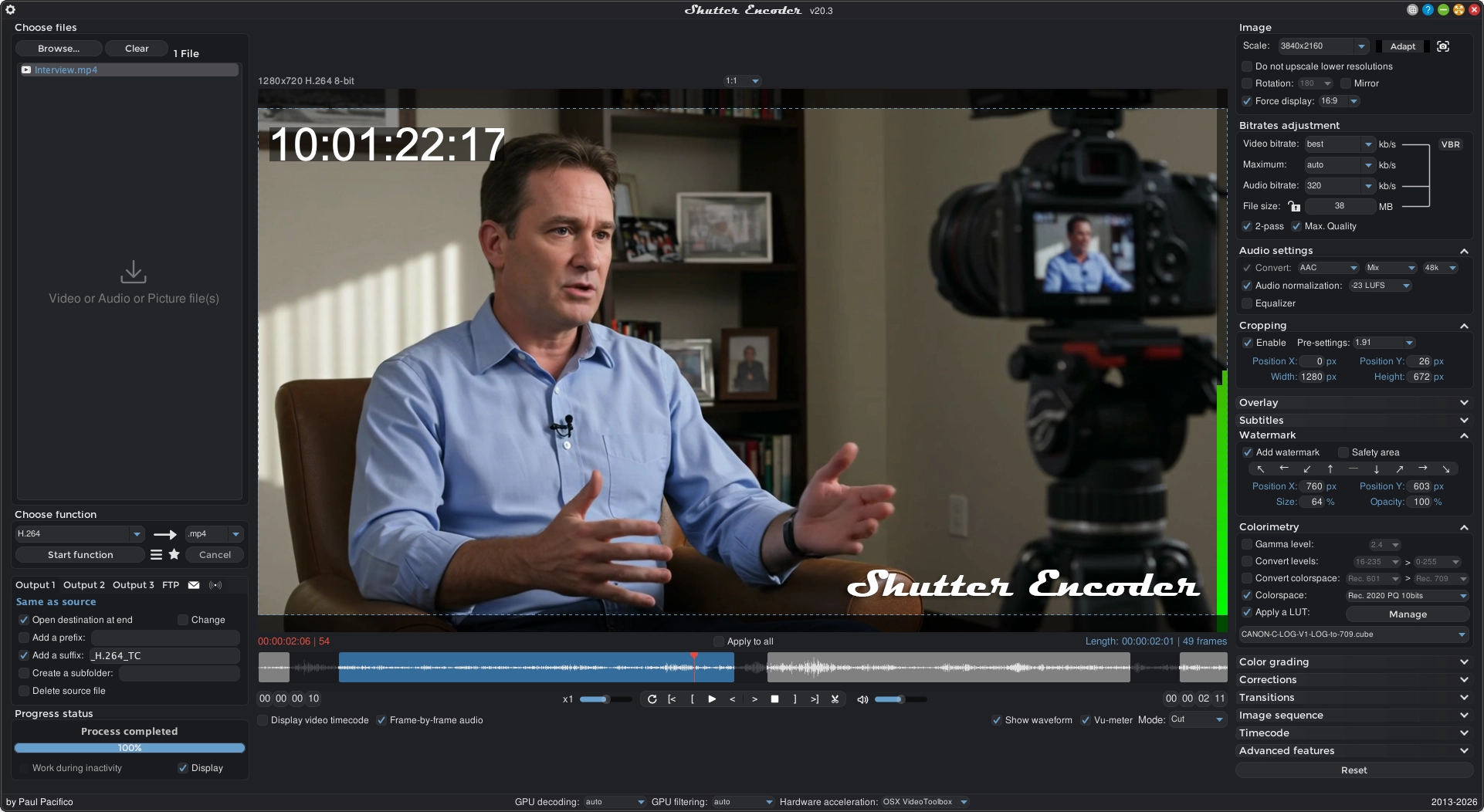
You add files to a list, choose a job, and it runs. Conversion covers the common video codecs, the two broadcast editing codecs, and the newer web ones, plus audio and images. It can change the container without re-encoding, which is fast and lossless. It can cut and trim losslessly, replace or remove an audio track, pull a stream out of a file, and extract or add subtitles. Subtitles can be embedded or burned into the picture, in three subtitle formats. It measures loudness and normalises it. It detects black frames and missing media, crops, scales, pads, applies colour adjustments and lookup tables, and adds a watermark. Around all that sits a queue, saved presets, renaming rules, a media information panel, and an optional upload when a job finishes. It also bundles separate tools for web video downloading, raw image reading and metadata. The newest release is 20.4, from 28 September 2026, and code landed the same day. What the README does not state is any limitation, so the honest boundary is what the feature list leaves out: this converts and processes files, and it is not an editor with a timeline.
Why it matters
Who it suits. Anyone who needs FFmpeg's results without FFmpeg's command line. That is a large group: people trimming interview footage, normalising the loudness of a podcast, making a web-sized copy of a large video, burning subtitles into a clip before posting it. The lossless cut is the feature worth knowing about on its own, because trimming without re-encoding keeps the original quality and takes seconds rather than an hour. Skip it if you are comfortable writing FFmpeg commands, because then this is a slower way to do what you already do.
Verdict. The most useful tool here for someone who does not write code, and the long feature list is both the attraction and the warning. Everything is in one window, which means the first session involves reading rather than clicking. Three honest notes. The project publishes its installers on its own website rather than attaching them to the repository, so the download comes from shutterencoder.com and not from GitHub. The README documents no build instructions beyond gathering dependencies into a folder, so building it yourself is not a supported path. And it bundles several machine-learning extras, listed separately from the main features, which are large downloads and are not what most people come here for. HandBrake/HandBrake at 24,400 stars is the better-known alternative and the simpler one: fewer jobs, strong presets for phones and televisions, under GPL-2.0, and Edition 43 covered it. cdgriffith/FastFlix at 1,500 stars is the smallest of the three and the one to choose when the job is only modern video encoding with brightness data preserved; Edition 43 covered it as well.
- Lossless cutting and container changes, so a trim keeps the original quality and finishes in seconds.
- One window covers video, audio, images, subtitles and loudness, with a queue and saved presets.
- Installers for Windows, macOS and Linux, so nothing has to be compiled.
- The installers are published on the project's own website rather than attached to the repository.
- The feature list is long enough that the first session is spent reading rather than working.
- The bundled machine-learning extras are large downloads and are listed apart from the main features.
 HandBrake/HandBrake
A simpler desktop video converter with strong presets for phones and televisions, at 24,400 stars, under GPL-2.0; Edition 43 covered it.
Track this in Scout cdgriffith/FastFlix
A small window for modern video encoding that preserves brightness data, at 1,500 stars, under an MIT licence; Edition 43 covered it.
Track this in Scout
Prerequisite: none for the prebuilt versions, which carry their own runtime.
11,465 stars · MIT, from the repository sidebar · 1.22.2 (2026-10-14), read from /releases/latest as a yearless '14 Oct 00:30' and settled as this year because the date is in the past and ungh's pushedAt is 2026-10-14T04:44:37Z · Track this in Scout · Share this tool
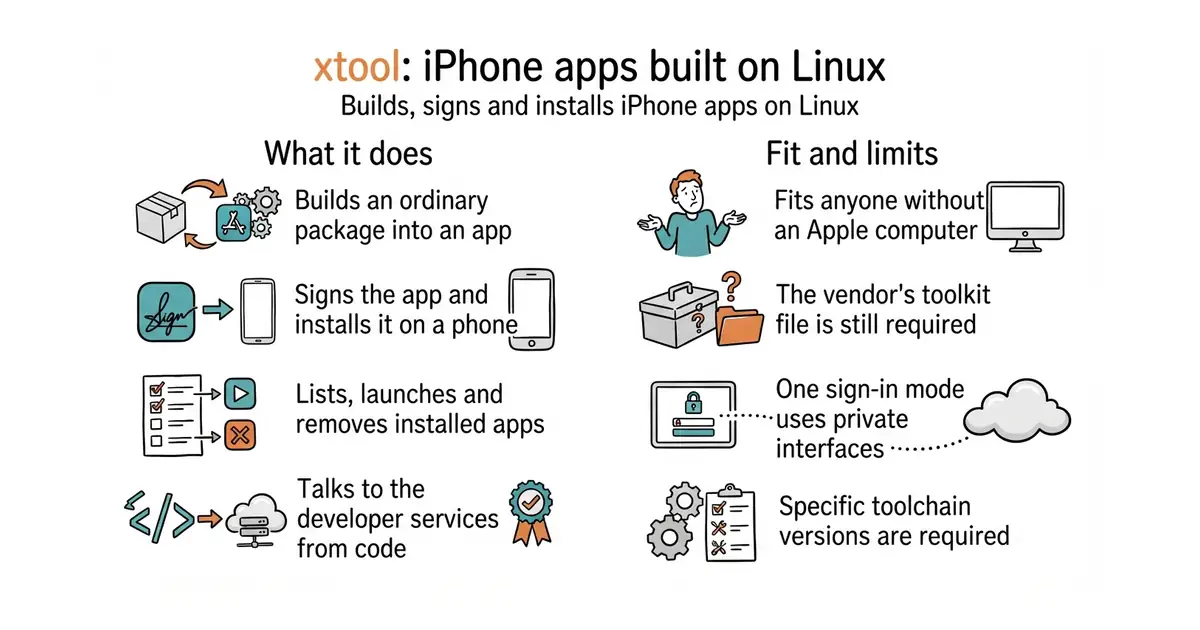
Builds, signs and installs iPhone apps from Linux or Windows, using Swift's own package manager instead of the vendor's tool.
▶Repo detailsthe review · specs · pros & cons · install
What it does
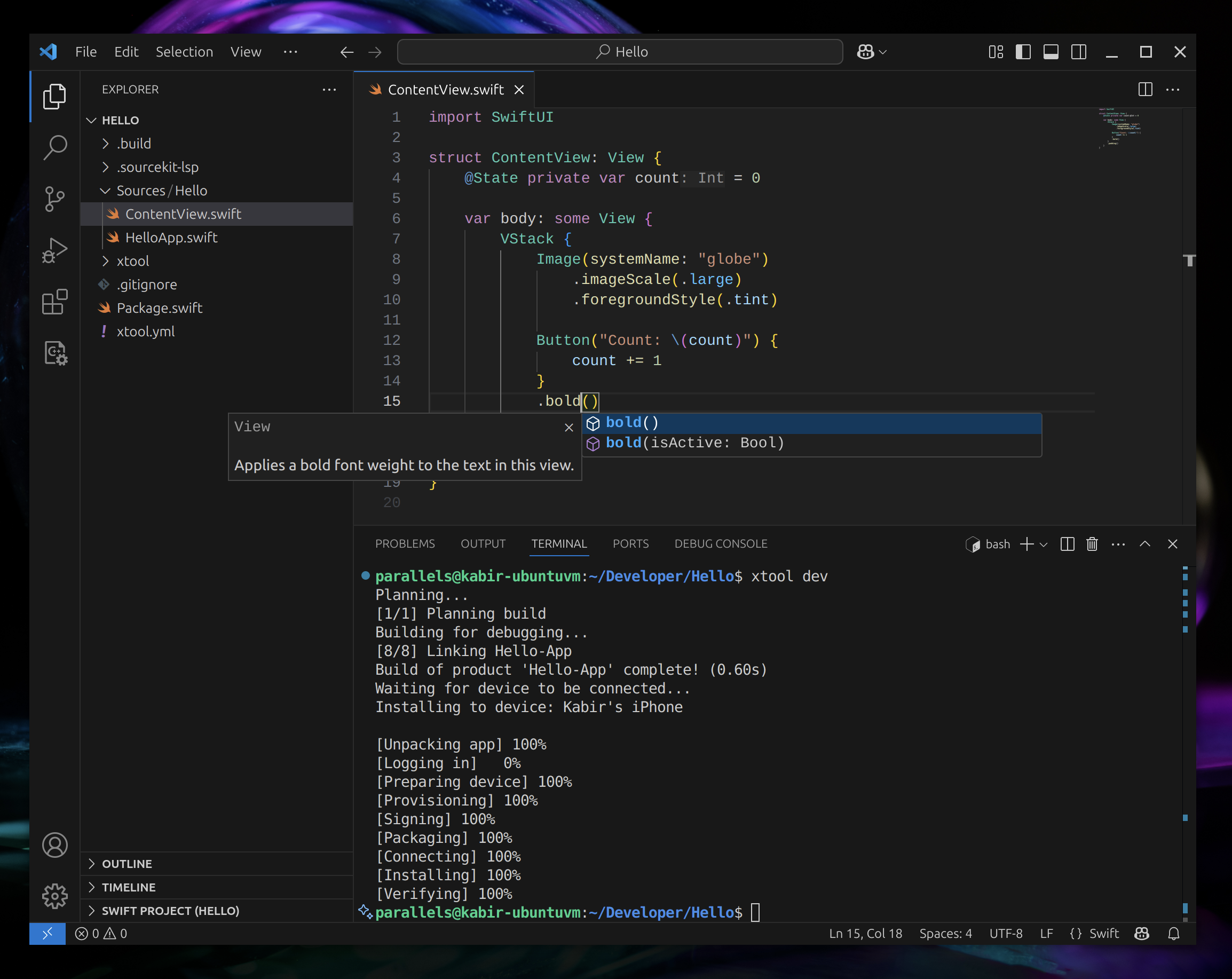
You install it as a single downloaded program, then run its setup step, which asks how you want to sign in and where Apple's toolkit archive is on disk. It extracts that archive to build a software development kit for the phone platform, which then appears in Swift's own list. From there a project is an ordinary Swift package, and the commands cover creating one, building and running it, listing connected devices, and installing, launching or removing an app. A library is published alongside it so a program of your own can talk to Apple's developer services directly. On Linux the requirements are a Swift 6.4 toolchain and the usbmuxd service that lets the computer talk to a connected phone. On Windows the same thing runs inside the Linux subsystem, with USB forwarding configured so the phone appears there. Two ways to sign in exist, and the difference matters. An API key needs a paid Apple Developer membership, and the project recommends a team key with the App Manager role. A password mode works with any Apple account but relies on private Apple interfaces, and the project suggests using a throwaway account for it. The newest release is 1.22.2, from 14 October 2026, and code landed the same day. What it does not remove is Apple itself. The toolkit archive has to be fetched through a browser after signing in and accepting the licence, because the download address refuses anything else.
Why it matters
Who it suits. Anyone who writes Swift and does not want to buy an Apple computer, and anyone whose build machines run Linux and who has been paying for a Mac in a cupboard to do nothing but compile. It also suits people experimenting with iPhone software for the first time, because the barrier drops from the price of a computer to an afternoon of setup. Skip it if you need the official interface builder or the profiling tools, because those are not here and are not the goal.
Verdict. A real piece of engineering, and the honest reading is that it moves the requirement rather than removing it. The computer is no longer necessary; the toolkit download, the Apple account and the licence agreement still are. That is still a large change, and for a build server it is the whole ball game. Two cautions before committing. The password sign-in mode uses interfaces Apple does not publish, which is why the project itself recommends a throwaway account, and it is the kind of thing that breaks when Apple changes something: the newest release had to change the device fingerprint it presents and forced everyone on that mode to log in again. And the requirements are specific — Swift 6.4, usbmuxd, a particular Xcode archive version — so expect the setup to take the time the guide says rather than five minutes. fastlane/fastlane at 42,200 stars is the complement rather than the competitor: it automates screenshots, signing certificates and store submission, and it still assumes the official tool underneath. theos/theos at 4,900 stars is the older cross-platform build system for Apple platforms, widely used for building software outside the official route.
- Builds, signs and installs an iPhone app from Linux or Windows, with no Apple computer involved.
- An ordinary Swift package is the project format, so there is no separate project file to maintain.
- A published library for talking to Apple's developer services from code of your own.
- Apple's toolkit archive still has to be downloaded from Apple through a browser, with an account and a licence agreement.
- The password sign-in mode relies on private Apple interfaces, and the project suggests a throwaway account for it.
- Specific versions are required, including a Swift 6.4 toolchain, so an older environment needs updating first.
- fastlane/fastlane
Automates screenshots, signing certificates and store submission for iOS and Android, at 42,200 stars, under an MIT licence; it assumes the official tool rather than replacing it.
Track this in Scout - theos/theos
A cross-platform build system for Apple platforms, at 4,900 stars, with a licence file that the repository page does not name.
Track this in Scout
sudo apt-get install usbmuxd
swift --version

13,278 stars · GPL-3.0, from the repository sidebar · release-5.6.2 (2026-10-04), read from /releases/latest as a yearless '04 Oct 16:36'. ⚠ THE SIDEBAR DISAGREES and names 5.6.1 as the stable release; the release page wins, as the rule requires. ungh pushedAt 2026-10-15T00:48:39Z · Track this in Scout · Share this tool
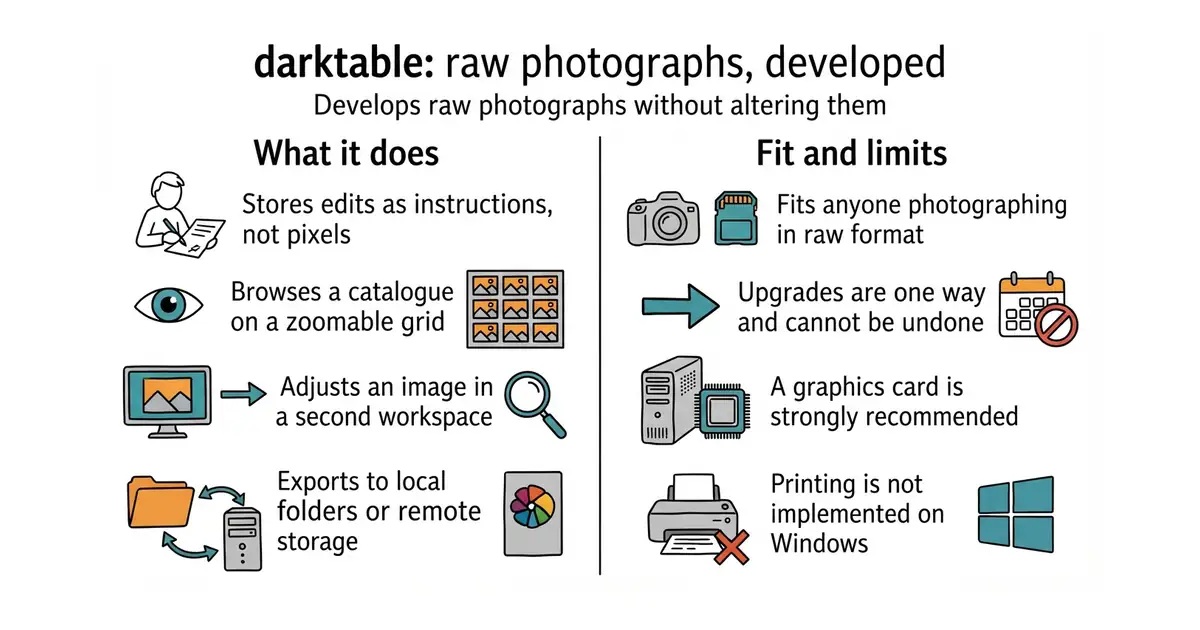
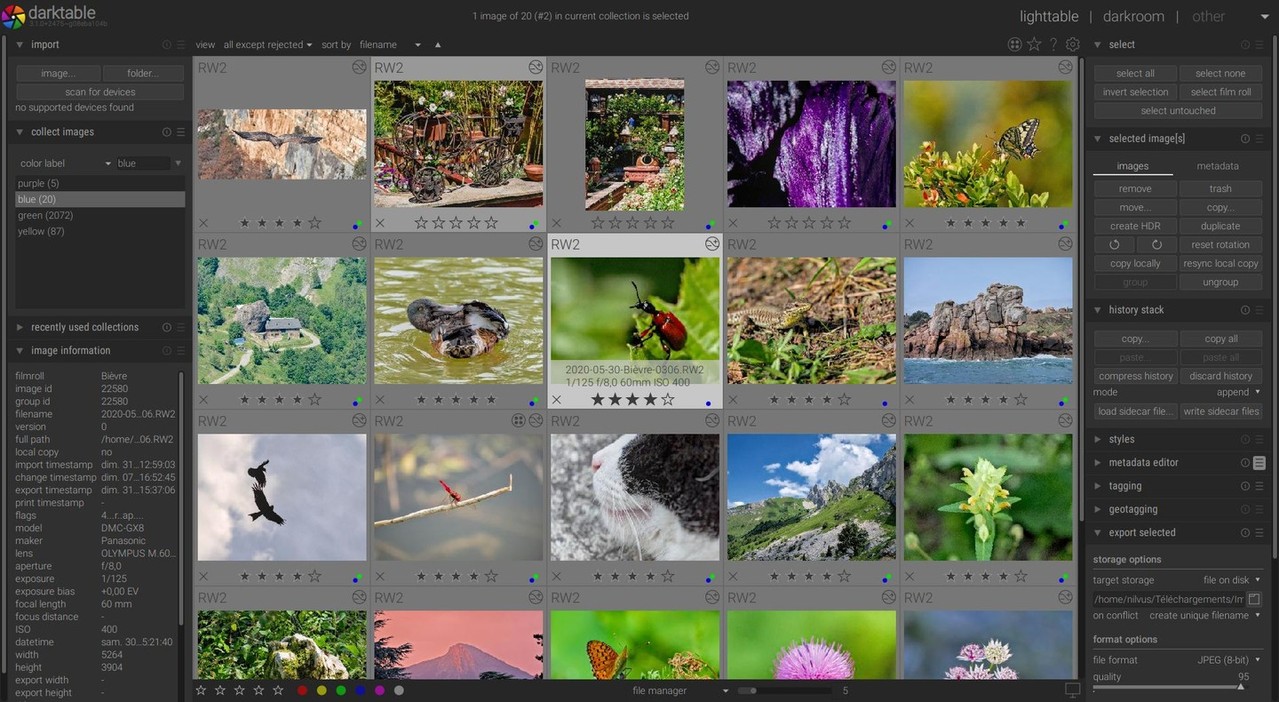
Develops raw photographs non-destructively, storing every adjustment as an instruction so the original file is never changed.
▶Repo detailsthe review · specs · pros & cons · install
What it does
Photographs go into a catalogue, and the first screen is a zoomable grid for finding and sorting them. The second screen is where the work happens, with the usual adjustments plus a long list of more specialised modules. Nothing is written back into the raw file: the edits are recorded, so any version can be reproduced and the original stays untouched. Exports go to local folders or remote storage. There are optional features built on machine learning, for selecting objects, removing noise and enlarging images, and they are switched off unless you turn them on in the settings, and only exist at all if the program was built with that option. The published hardware figures are specific: 4 GB of memory to run at all and 8 GB recommended, 250 MB of disk at minimum and 1 GB recommended, and a graphics card that is not required but is strongly recommended. The project recommends Nvidia specifically, because it says some AMD drivers behave unreliably with certain modules. The newest release is 5.6.2, from 4 October 2026, and code landed this morning. What it says it is not, in its own README and in bold, is a free replacement for the best-known commercial alternative. Printing is also not implemented on Windows.
Why it matters
Who it suits. Anyone photographing in raw who does not want a monthly subscription, and anyone who wants the editing history kept rather than baked in. It suits a Linux desktop best, because that is where the project is developed and tested most. Skip it if you want something simple, because the module list is long and the first hour is spent learning what the words mean. Skip it as well if you are expecting the commercial program's workflow, because the project says plainly that this is not that.
Verdict. The most capable free photograph developer there is, and the honest warning is the learning curve rather than the quality. Fourteen years of work means almost everything is in there somewhere, which is exactly why the first session is confusing. Three things to plan for. Upgrades are one way: edits made in a newer version generally cannot be opened in an older one, so a downgrade means losing that work. Thumbnails for unedited raw files come from the camera's own small preview, so the grid can look different from the editing view until you touch the image. And prebuilt packages vary in what they include, so the project advises checking that yours has the graphics acceleration and colour management pieces compiled in. Beep6581/RawTherapee at 4,200 stars is the long-standing alternative under the same licence, with a reputation for its detail recovery and a simpler, more old-fashioned interface. LibRaw/LibRaw at 1,600 stars is the layer underneath rather than a competitor: it is the library that reads camera raw formats, and it is what to reach for when the job is a script rather than a session at a screen.
- Edits are stored as instructions, so the original file is never changed and any version can be reproduced.
- Published hardware requirements, with real memory and disk figures, which very few projects state.
- Packages for Windows, Apple Silicon, Linux, Flatpak and openSUSE, plus nightly builds for all three systems.
- Upgrades are one way: work done in a newer version generally cannot be opened in an older one.
- A graphics card is strongly recommended, Nvidia specifically, because the project reports unreliable behaviour with some AMD drivers.
- Printing is not implemented on Windows, and development happens mainly on Linux, so other systems can carry extra bugs.
- Beep6581/RawTherapee
The long-standing alternative raw developer with a simpler interface, at 4,200 stars, under GPL-3.0.
Track this in Scout - LibRaw/LibRaw
The library that reads camera raw formats, for scripts rather than sessions at a screen, at 1,600 stars, under LGPL-2.1.
Track this in Scout
flatpak install flathub org.darktable.Darktable
flatpak run org.darktable.Darktable
Checked, and left out
Nothing to show for this edition. Recording the repositories that were checked and rejected began with Edition No. 4, and every edition from there on has the list.
Know a repository we should check?
Coming tomorrow