11,465 stars · MIT, from the repository sidebar · 1.22.2 (2026-10-14), read from /releases/latest as a yearless '14 Oct 00:30' and settled as this year because the date is in the past and ungh's pushedAt is 2026-10-14T04:44:37Z · Track this in Scout
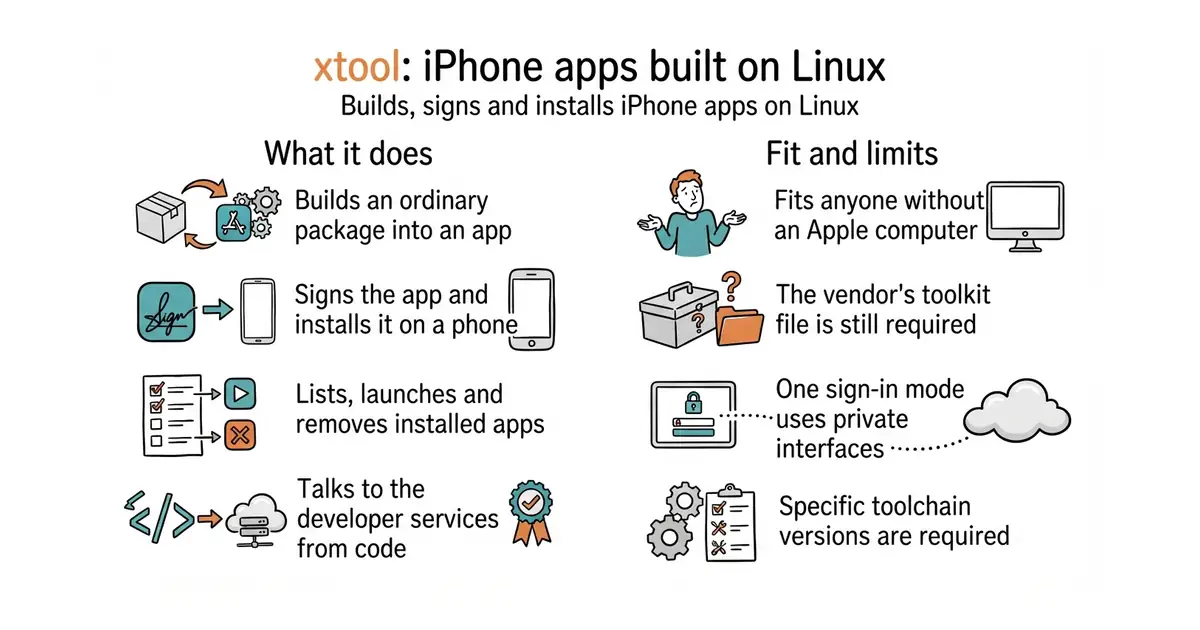
Builds, signs and installs iPhone apps from Linux or Windows, using Swift's own package manager instead of the vendor's tool.
▶Repo detailsthe review · specs · pros & cons · install
What it does
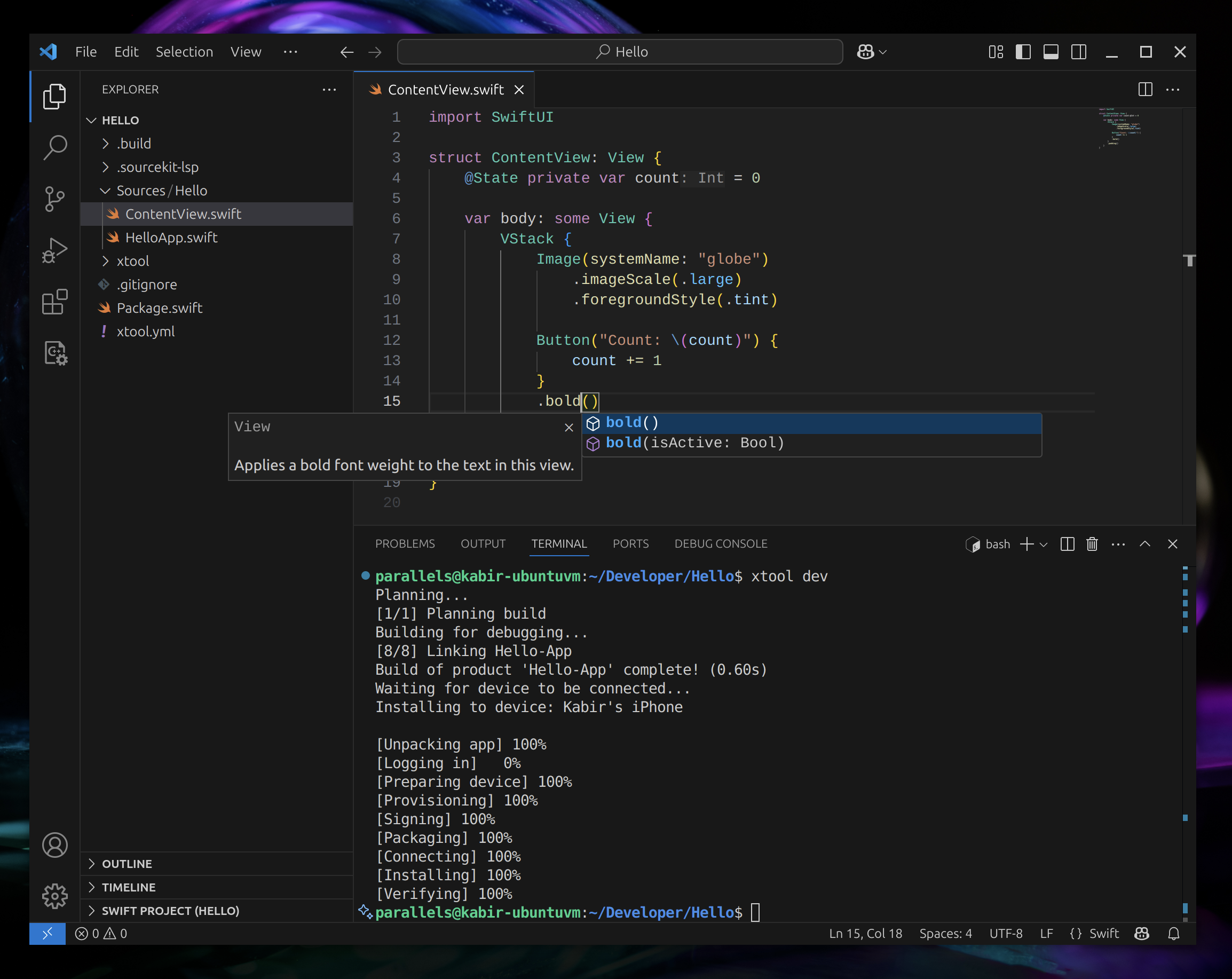
You install it as a single downloaded program, then run its setup step, which asks how you want to sign in and where Apple's toolkit archive is on disk. It extracts that archive to build a software development kit for the phone platform, which then appears in Swift's own list. From there a project is an ordinary Swift package, and the commands cover creating one, building and running it, listing connected devices, and installing, launching or removing an app. A library is published alongside it so a program of your own can talk to Apple's developer services directly. On Linux the requirements are a Swift 6.4 toolchain and the usbmuxd service that lets the computer talk to a connected phone. On Windows the same thing runs inside the Linux subsystem, with USB forwarding configured so the phone appears there. Two ways to sign in exist, and the difference matters. An API key needs a paid Apple Developer membership, and the project recommends a team key with the App Manager role. A password mode works with any Apple account but relies on private Apple interfaces, and the project suggests using a throwaway account for it. The newest release is 1.22.2, from 14 October 2026, and code landed the same day. What it does not remove is Apple itself. The toolkit archive has to be fetched through a browser after signing in and accepting the licence, because the download address refuses anything else.
Why it matters
Who it suits. Anyone who writes Swift and does not want to buy an Apple computer, and anyone whose build machines run Linux and who has been paying for a Mac in a cupboard to do nothing but compile. It also suits people experimenting with iPhone software for the first time, because the barrier drops from the price of a computer to an afternoon of setup. Skip it if you need the official interface builder or the profiling tools, because those are not here and are not the goal.
Verdict. A real piece of engineering, and the honest reading is that it moves the requirement rather than removing it. The computer is no longer necessary; the toolkit download, the Apple account and the licence agreement still are. That is still a large change, and for a build server it is the whole ball game. Two cautions before committing. The password sign-in mode uses interfaces Apple does not publish, which is why the project itself recommends a throwaway account, and it is the kind of thing that breaks when Apple changes something: the newest release had to change the device fingerprint it presents and forced everyone on that mode to log in again. And the requirements are specific — Swift 6.4, usbmuxd, a particular Xcode archive version — so expect the setup to take the time the guide says rather than five minutes. fastlane/fastlane at 42,200 stars is the complement rather than the competitor: it automates screenshots, signing certificates and store submission, and it still assumes the official tool underneath. theos/theos at 4,900 stars is the older cross-platform build system for Apple platforms, widely used for building software outside the official route.
- Builds, signs and installs an iPhone app from Linux or Windows, with no Apple computer involved.
- An ordinary Swift package is the project format, so there is no separate project file to maintain.
- A published library for talking to Apple's developer services from code of your own.
- Apple's toolkit archive still has to be downloaded from Apple through a browser, with an account and a licence agreement.
- The password sign-in mode relies on private Apple interfaces, and the project suggests a throwaway account for it.
- Specific versions are required, including a Swift 6.4 toolchain, so an older environment needs updating first.
- fastlane/fastlane
Automates screenshots, signing certificates and store submission for iOS and Android, at 42,200 stars, under an MIT licence; it assumes the official tool rather than replacing it.
Track this in Scout - theos/theos
A cross-platform build system for Apple platforms, at 4,900 stars, with a licence file that the repository page does not name.
Track this in Scout
sudo apt-get install usbmuxd
swift --version