13,278 stars · GPL-3.0, from the repository sidebar · release-5.6.2 (2026-10-04), read from /releases/latest as a yearless '04 Oct 16:36'. ⚠ THE SIDEBAR DISAGREES and names 5.6.1 as the stable release; the release page wins, as the rule requires. ungh pushedAt 2026-10-15T00:48:39Z · Track this in Scout
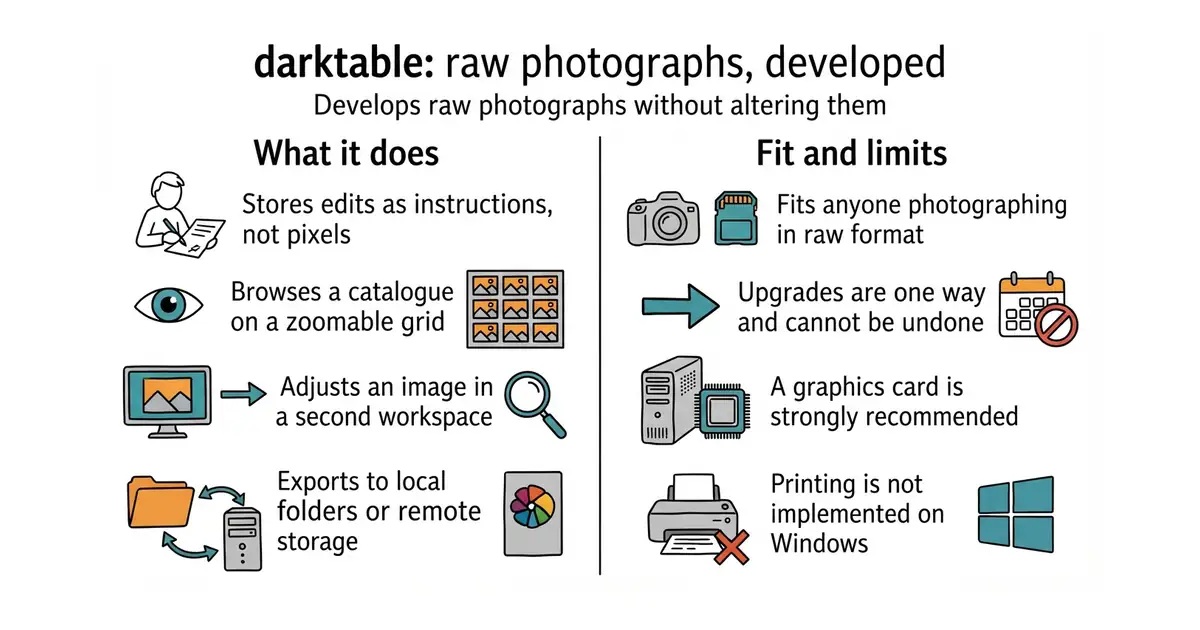
Develops raw photographs non-destructively, storing every adjustment as an instruction so the original file is never changed.
▶Repo detailsthe review · specs · pros & cons · install
What it does
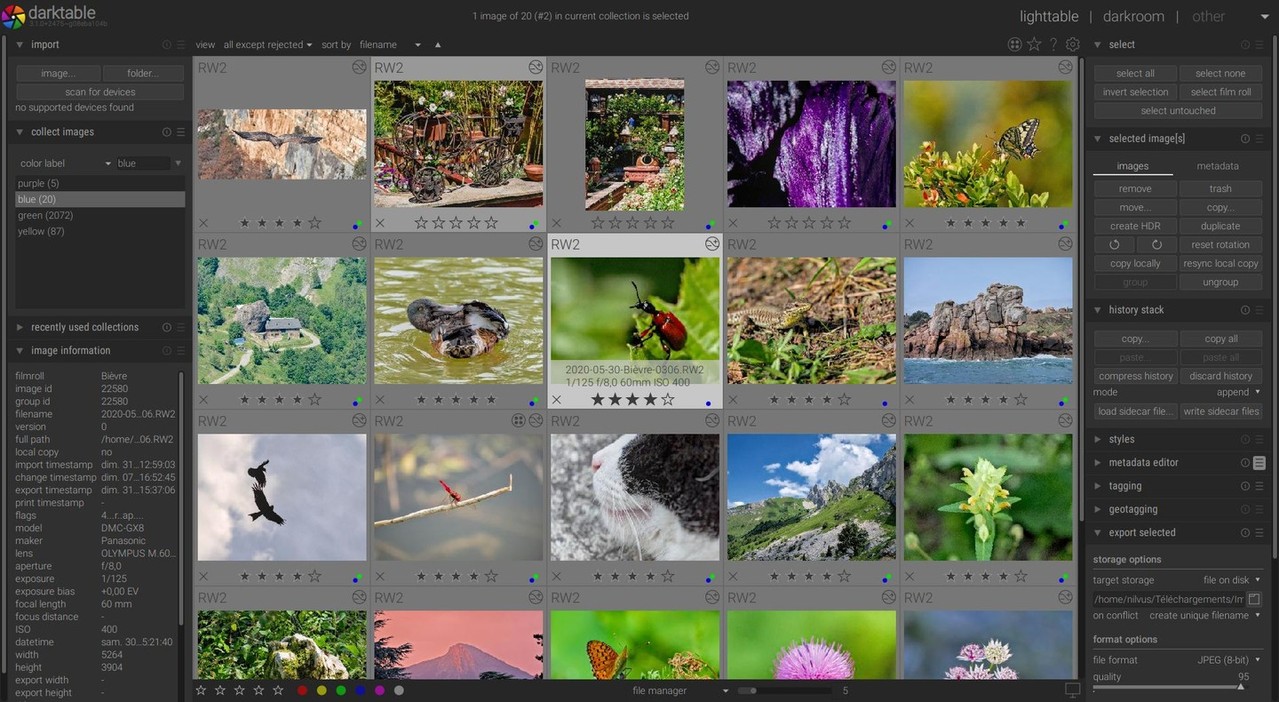
Photographs go into a catalogue, and the first screen is a zoomable grid for finding and sorting them. The second screen is where the work happens, with the usual adjustments plus a long list of more specialised modules. Nothing is written back into the raw file: the edits are recorded, so any version can be reproduced and the original stays untouched. Exports go to local folders or remote storage. There are optional features built on machine learning, for selecting objects, removing noise and enlarging images, and they are switched off unless you turn them on in the settings, and only exist at all if the program was built with that option. The published hardware figures are specific: 4 GB of memory to run at all and 8 GB recommended, 250 MB of disk at minimum and 1 GB recommended, and a graphics card that is not required but is strongly recommended. The project recommends Nvidia specifically, because it says some AMD drivers behave unreliably with certain modules. The newest release is 5.6.2, from 4 October 2026, and code landed this morning. What it says it is not, in its own README and in bold, is a free replacement for the best-known commercial alternative. Printing is also not implemented on Windows.
Why it matters
Who it suits. Anyone photographing in raw who does not want a monthly subscription, and anyone who wants the editing history kept rather than baked in. It suits a Linux desktop best, because that is where the project is developed and tested most. Skip it if you want something simple, because the module list is long and the first hour is spent learning what the words mean. Skip it as well if you are expecting the commercial program's workflow, because the project says plainly that this is not that.
Verdict. The most capable free photograph developer there is, and the honest warning is the learning curve rather than the quality. Fourteen years of work means almost everything is in there somewhere, which is exactly why the first session is confusing. Three things to plan for. Upgrades are one way: edits made in a newer version generally cannot be opened in an older one, so a downgrade means losing that work. Thumbnails for unedited raw files come from the camera's own small preview, so the grid can look different from the editing view until you touch the image. And prebuilt packages vary in what they include, so the project advises checking that yours has the graphics acceleration and colour management pieces compiled in. Beep6581/RawTherapee at 4,200 stars is the long-standing alternative under the same licence, with a reputation for its detail recovery and a simpler, more old-fashioned interface. LibRaw/LibRaw at 1,600 stars is the layer underneath rather than a competitor: it is the library that reads camera raw formats, and it is what to reach for when the job is a script rather than a session at a screen.
- Edits are stored as instructions, so the original file is never changed and any version can be reproduced.
- Published hardware requirements, with real memory and disk figures, which very few projects state.
- Packages for Windows, Apple Silicon, Linux, Flatpak and openSUSE, plus nightly builds for all three systems.
- Upgrades are one way: work done in a newer version generally cannot be opened in an older one.
- A graphics card is strongly recommended, Nvidia specifically, because the project reports unreliable behaviour with some AMD drivers.
- Printing is not implemented on Windows, and development happens mainly on Linux, so other systems can carry extra bugs.
- Beep6581/RawTherapee
The long-standing alternative raw developer with a simpler interface, at 4,200 stars, under GPL-3.0.
Track this in Scout - LibRaw/LibRaw
The library that reads camera raw formats, for scripts rather than sessions at a screen, at 1,600 stars, under LGPL-2.1.
Track this in Scout
flatpak install flathub org.darktable.Darktable
flatpak run org.darktable.Darktable