Overview
Summary
The useful answer before the supporting detail.
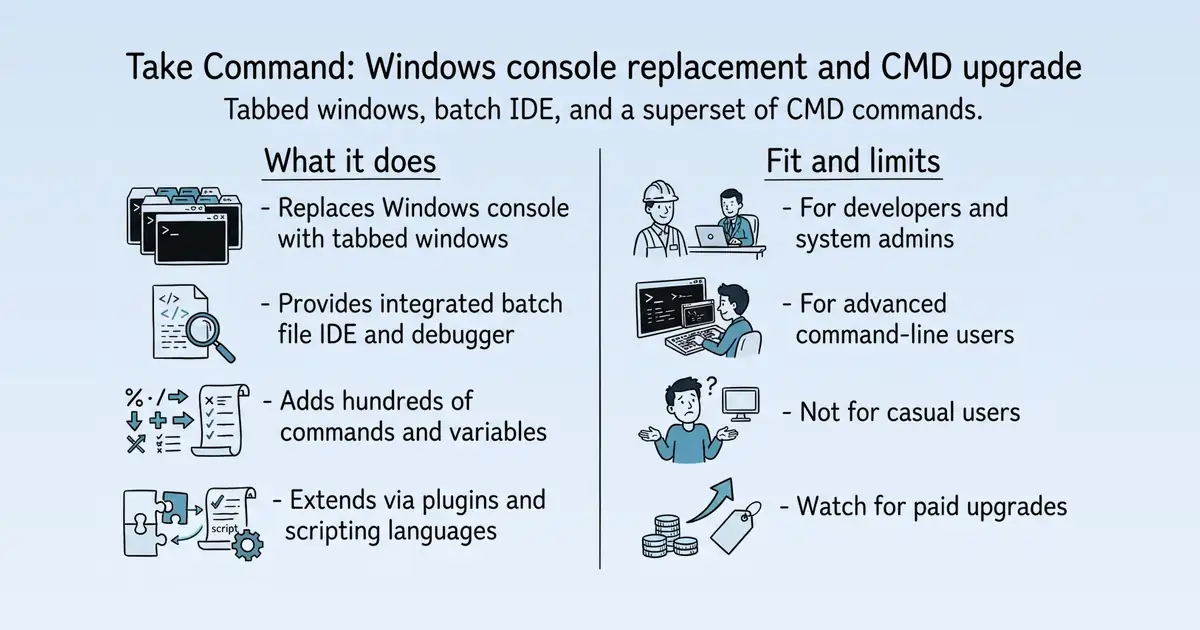
Take Command is a Windows console replacement and CMD command prompt upgrade that provides tabbed console windows and an integrated batch file IDE S1. It is used by developers, systems administrators, and advanced users who need a more powerful and efficient command-line environment than the default Windows console S1. Its main practical value is enhancing productivity through a superset of CMD commands, advanced editing, and debugging tools S1 S9.
Product identity and positioning
Name, category, positioning, audience, and first-party claims.
- Identity: JP Software's Take Command, a Windows console replacement and CMD upgrade S1.
- Core purpose: Replaces the slow Windows console and limited CMD shell with a faster, more capable environment S1 S9.
- Intended users: Developers, systems administrators, and advanced users S1.
- Product scope: A desktop application that includes TCC, CMDebug, and TCC-RT S17 S26.
- Positioning: Positions as a comprehensive interactive GUI and command line toolkit S1.
- Claimed distinction: Claims to provide thousands of features beyond CMD, with a superset of commands and variables S9.
Use cases and audiences
Who the product serves and the jobs it is designed to handle.
| Audience | Practical use case |
|---|---|
| Developers | Create and debug batch scripts with integrated IDE S9. |
| Systems administrators | Automate repetitive tasks with enhanced batch files S26 S1. |
| Advanced users | Replace CMD with a more powerful command processor S9. |
| Batch file developers | Distribute batch files with free TCC-RT runtime S26 S17. |
Traffic and search
SEO analysis
Collected Oct 26, 2026jpsoft.com: an estimated 28,116 total monthly visits and about 4,902 monthly organic visits across 1,860 ranking keywords. Scout crawled 15 pages and measured a technical health score of 90/100.
Search summary
The useful answer before the supporting detail.
Take Command is a Windows CMD prompt and console replacement, with tabbed console windows and thousands of enhancements for Windows batch files and CMD commands. jpsoft.com: an estimated 28,116 total monthly visits and about 4,902 monthly organic visits across 1,860 ranking keywords. Scout crawled 15 pages and measured a technical health score of 90/100.
- Total traffic (modeled): 28,116 monthly visits across all channels.
- Organic search traffic (estimated): 4,902 monthly visits from search.
- Strongest sampled ranking: sendmail format at position 3.
- Leading page in the collected evidence: https://jpsoft.com/help/sendmail.htm.
- Closest measured organic competitor: learn.microsoft.com, appearing 2 times in the sampled first-page SERPs.
- Technical crawl: 15 pages, health score 90/100.
Website intelligence — Collected evidence
Company identity and positioning
| Page type | Evidence | Source |
|---|---|---|
| other | Take Command is a Windows CMD prompt and console replacement, with tabbed console windows and thousands of enhancements for Windows batch files and CMD commands. | https://jpsoft.com/ |
| identity | JP Software is a privately held company in Chestertown, MD. Our primary products are Windows command processors and batch file programming IDEs. | https://jpsoft.com/company/about.html |
| identity | JP Software is a privately held company in Chestertown, MD. Our primary products are Windows command processors and batch file programming IDEs. | https://jpsoft.com/company/about |
| identity | Contact JP Software with questions about our products, pricing, registration, policies, or anything else (except technical issues covered in our Support Forum). | https://jpsoft.com/company/contact-us.html |
| identity | JP Software license agreement, limited warranty and satisfaction guarantee for our software products, including Take Command, TCC, CMDebug, and TCC-RT. | https://jpsoft.com/company/license.html |
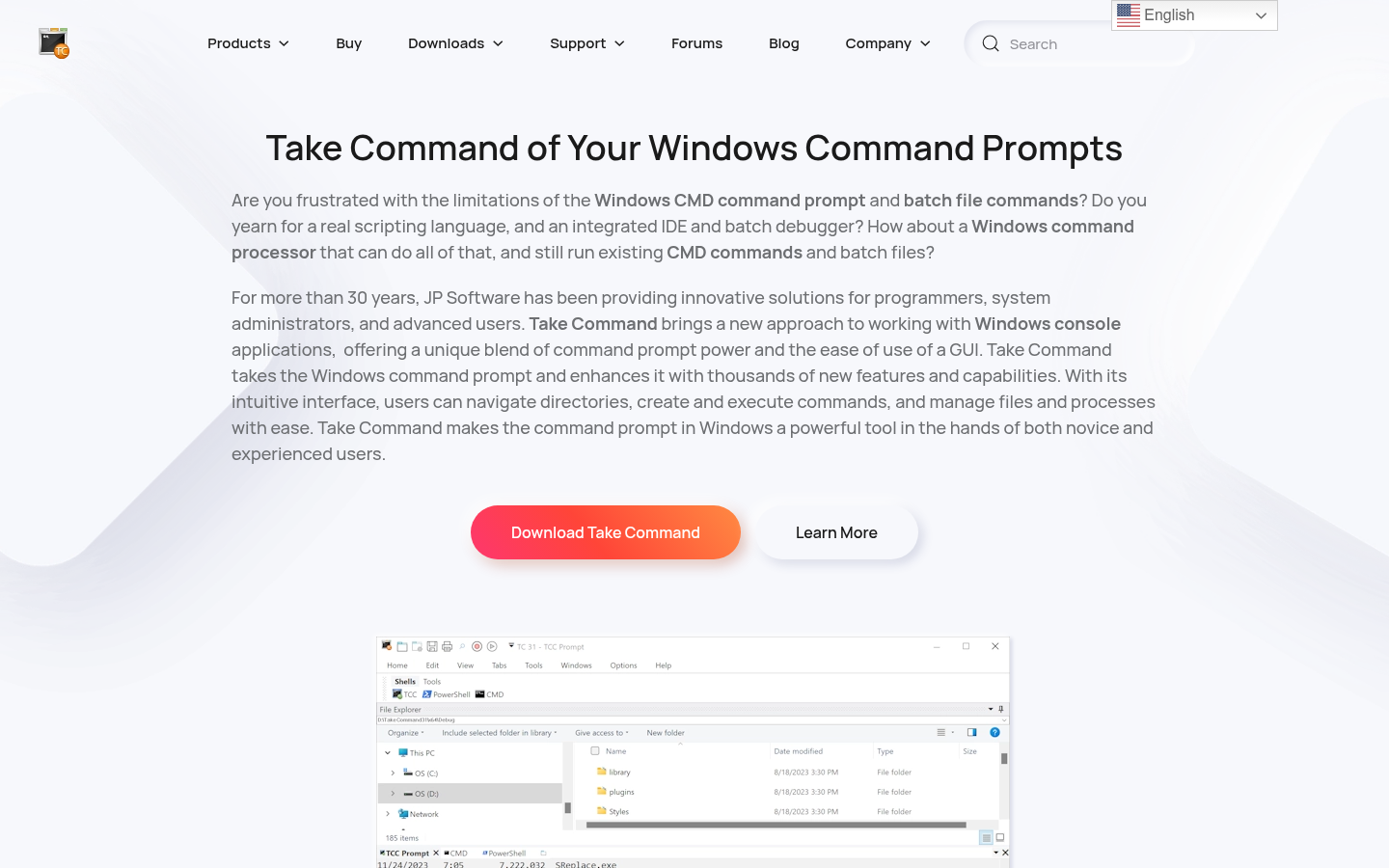
| other | Are you frustrated with the limitations of the Windows CMD command prompt and batch file commands? Do you yearn for a real scripting language, and an integrated IDE and batch debugger? How about a Windows command processor that can do all of that, and still run existing CMD commands and batch files? | https://jpsoft.com/ |
| other | For more than 30 years, JP Software has been providing innovative solutions for programmers, system administrators, and advanced users. Take Command brings a new approach to working with Windows console applications, offering a unique blend of command prompt power and the ease of use of a GUI. Take Command takes the Windows command prompt and enhances it with thousands of new features and capabilities. With its intuitive interface, users can navigate directories, create and execute commands, and manage files and processes with ease. Take Command makes the command prompt in Windows a powerful tool in the hands of both novice and experienced users. | https://jpsoft.com/ |
| other | [3rd party plugins for the TCC CMD replacement | https://jpsoft.com/ |
| other | [TCC commands for accessing the internet and email from the command prompt | https://jpsoft.com/ |
| other | [TCC command dialogs for the interactive command prompt | https://jpsoft.com/ |
| other | [The V text and hex file viewer for command line windows | https://jpsoft.com/ |
| other | [TCC enhancements for redirection and pipes at the Windows command prompt | https://jpsoft.com/ |
Website intelligence — Scout synthesis
First-party claims:
- JP Software has provided Windows command-line tools for over 30 years, with customers since 1989 (4DOS) W4, W164, W166.
- Take Command is a Windows command prompt replacement that enhances CMD with thousands of new features, including an IDE, batch debugger, and scripting language W3, W4.
- Version 36 introduces native Windows pseudoconsole (ConPTY) support, a major architectural modernization W111.
- Version 36.50+ includes DirectWrite/Direct2D rendering, GPU acceleration (20-30% speedup), and a Plugin Manager W132, W134, W135.
- The company offers Standard Support (free) and Extended Support (paid annual) plans W27, W28.
- The site includes a privacy policy stating no personal data is collected during browsing W152.
Scout inference:
- The site positions Take Command as a premium, powerful alternative to the default Windows CMD, targeting developers, sysadmins, and power users W3, W4.
- The recent v36 release emphasizes modern terminal features (ConPTY, ANSI/VT, high-DPI) to stay relevant against Windows Terminal and other modern shells W111, W113.
- The presence of a dedicated reviews page with third-party endorsements (PC World, Lifehacker, Softpedia) suggests social proof is a key marketing asset W81, W91, W99, W103.
- The support plans page indicates a tiered support model, with paid Extended Support for multisystem licenses W28.
- The privacy policy's claim of no tracking may be a trust signal but also limits analytics capabilities W152.
Domain performance
Modeled total traffic, six-month trend, engagement, countries, and domain identity.
Total website traffic
| Month | Modeled visits |
|---|---|
| 2026-04 | 32,108 |
| 2026-05 | 40,208 |
| 2026-06 | 34,419 |
| 2026-07 | 33,276 |
| 2026-08 | 29,879 |
| 2026-09 | 28,116 |
Top visitor countries
| Country | Name | Traffic share |
|---|---|---|
| US | United States | 20.5% |
| IN | India | 14.4% |
| DE | Germany | 7.0% |
| BR | Brazil | 6.6% |
| FR | France | 6.3% |
Domain identity
| Signal | Value |
|---|---|
| Registered | Jun 12, 1995 |
| Last changed | May 12, 2026 |
| Expires | Jun 11, 2027 |
| WHOIS server | whois.verisign-grs.com |
| DNSSEC | Signed |
| Nameservers | NINA.NS.CLOUDFLARE.COM, SETH.NS.CLOUDFLARE.COM |
Website capture
Organic keywords
Top keywords and an independent Google result page.
Top organic keywords
| Keyword | Volume | CPC | Estimated value |
|---|---|---|---|
| command prompt | 27,750 | $0.70 | $470 |
| increase font size in explorer | 250 | $0.00 | $160 |
| jpsoftware tcc | 170 | $0.00 | $160 |
| command for launching localhost | 140 | $0.00 | $130 |
| tree command windows | 610 | $0.00 | $110 |
Independent Google result page
Query: sendmail format
| Position | Title | URL | Description |
|---|---|---|---|
| 1 | How to send an email using sendmail command in linux | https://stackoverflow.com/questions/57410259/how-to-send-an-email-using-sendmail-command-in-linux | Now send email using the following command: $ sendmail user@example.com < /tem/email.txt. Use -a for mailx and -A for mailutils. A "sendmail ... |
| 2 | sendmail Command | https://www.ibm.com/docs/ssw_aix_72/s_commands/sendmail.html | Used on a network, the sendmail command translates the message header information format to match the requirements of the destination system. The sendmail ... |
| 3 | sendmail | https://refspecs.linuxfoundation.org/LSB_1.3.0/gLSB/gLSB/baselib-sendmail-1.html | The format of messages must be as defined in RFC 2822. Options -bm reads mail from standard input and delivers to the recipient addresses. This is the default ... |
| 4 | SENDMAIL command - Send an email message | https://jpsoft.com/help/sendmail.htm | A SENDMAIL message has three required parts: an address, a subject, and message. Optionally it may also have attachments. 1. The address field contains one or ... |
| 5 | A Sample sendmail Configuration File | https://docs.oracle.com/cd/E19504-01/802-5827/6i9idjvng/index.html | A-1 shows the default main.cf file. You should install this file as /etc/mail/sendmail.cf. Then edit the file to # customize it for your network configuration. |
| 6 | 16 Command Examples to Send Email From The Linux ... | https://blog.edmdesigner.com/send-email-from-linux-command-line/ | In this post you'll learn how to send emails from the Linux command line. I'll show the most often used commands, SMTP configuration and ... |
| 7 | What Is Sendmail? Definition, How it Works & More | https://www.proofpoint.com/us/threat-reference/sendmail | Sendmail is a server application providing a way to send email using the Simple Mail Transfer Protocol (SMTP). Learn how Sendmail works and how to use it. |
| 8 | man sendmail | https://www.nevis.columbia.edu/cgi-bin/man.sh?man=sendmail | Postfix sendmail command converts email message line endings from <CR><LF> into UNIX format (<LF>). |
| 9 | Formatting a file for sendmail - linux | https://superuser.com/questions/717431/formatting-a-file-for-sendmail | By default, sendmail expects the recipients to be specified on command line. Use -t to make it read the To: , Cc: , Bcc: headers. |
Important pages
Pages earning the most estimated search traffic in the sample.
Website intelligence — Collected evidence
Prioritized website intelligence pages
| Type | Page | Words | Change | URL |
|---|---|---|---|---|
| other | Take Command: CMD Command Prompt and Windows Console Replacement | 2,508 | new | https://jpsoft.com/ |
| pricing | JP Software Support Plans | 1,621 | new | https://jpsoft.com/support/support-plans.html |
| features | The XDIR command in Take Command / TCC v35 | 395 | new | https://jpsoft.com/blogs/features/the-xdir-command-in-take-command-tcc-v35.html |
| integrations | Take Command and Windows File Explorer Integration | 284 | new | https://jpsoft.com/take-command-explorer-integration.html |
| reviews | Take Command Reviews | 2,048 | new | https://jpsoft.com/take-command-reviews.html |
| changes | Take Command / TCC / CMDebug / TCC-RT Version 36 Released | 520 | new | https://jpsoft.com/blogs/releases/take-command-tcc-cmdebug-tcc-rt-version-36-released.html |
| changes | Take Command v36.52 | 549 | new | https://jpsoft.com/blogs/releases/take-command-v36-52.html |
| trust | JP Software Website (https://jpsoft.com) Privacy Policy | 357 | new | https://jpsoft.com/company/privacy.html |
| identity | About JP Software - Our Story | 397 | new | https://jpsoft.com/company/about.html |
| identity | About JP Software | 397 | new | https://jpsoft.com/company/about |
| identity | Contact JP Software | 109 | new | https://jpsoft.com/company/contact-us.html |
| identity | JP Software License, Limited Warranty and Satisfaction Guarantee | 1,497 | new | https://jpsoft.com/company/license.html |
Features
| Page type | Evidence | Source |
|---|---|---|
| features | [Skip to main content](#tm-main) | https://jpsoft.com/blogs/features/the-xdir-command-in-take-command-tcc-v35.html |
| features | [Contact Us](#) | https://jpsoft.com/blogs/features/the-xdir-command-in-take-command-tcc-v35.html |
| features | The XDIR command in Take Command / TCC v35 | https://jpsoft.com/blogs/features/the-xdir-command-in-take-command-tcc-v35.html |
| features | Written by Rex Conn on 29 May 2025. Posted in Features. | https://jpsoft.com/blogs/features/the-xdir-command-in-take-command-tcc-v35.html |
| features | Take Command / TCC Version 35 includes a new internal command XDIR. XDIR is a fast minimalist file manager that combines features of DIR, CDD, MKDIR, REN, and DEL. | https://jpsoft.com/blogs/features/the-xdir-command-in-take-command-tcc-v35.html |
| features | Why add another file manager when you can already use Explorer or a third-party file manager? | https://jpsoft.com/blogs/features/the-xdir-command-in-take-command-tcc-v35.html |
| features | · XDIR is fast and doesn't require moving your hand off the keyboard to use a mouse (though it does support the mouse). | https://jpsoft.com/blogs/features/the-xdir-command-in-take-command-tcc-v35.html |
| features | · XDIR will (optionally) change the TCC directory to the selected XDIR directory. | https://jpsoft.com/blogs/features/the-xdir-command-in-take-command-tcc-v35.html |
| features | · You can choose the directory formatting with your desired fields. XDIR supports most of the DIR options (except for those for multiple columns or rows). | https://jpsoft.com/blogs/features/the-xdir-command-in-take-command-tcc-v35.html |
| features | · XDIR supports DIR directory colorization. | https://jpsoft.com/blogs/features/the-xdir-command-in-take-command-tcc-v35.html |
| features | · You can search for directories or files using extended TCC wildcards or regular expressions. | https://jpsoft.com/blogs/features/the-xdir-command-in-take-command-tcc-v35.html |
| features | · The XDIR keys can be changed or added with the OPTION command (OPTION / Keyboard / Category / XDIR). | https://jpsoft.com/blogs/features/the-xdir-command-in-take-command-tcc-v35.html |
| features | Although we call XDIR a "minimalist file manager", it can do the things you commonly need: | https://jpsoft.com/blogs/features/the-xdir-command-in-take-command-tcc-v35.html |
| features | · Go to the selected subdirectory and display its contents. | https://jpsoft.com/blogs/features/the-xdir-command-in-take-command-tcc-v35.html |
| features | · Go to the parent directory. | https://jpsoft.com/blogs/features/the-xdir-command-in-take-command-tcc-v35.html |
| features | · Run an executable file or execute the default Windows "Open" action for that file type. | https://jpsoft.com/blogs/features/the-xdir-command-in-take-command-tcc-v35.html |
| features | · Search for files / directories. | https://jpsoft.com/blogs/features/the-xdir-command-in-take-command-tcc-v35.html |
| features | · Create a new directory. | https://jpsoft.com/blogs/features/the-xdir-command-in-take-command-tcc-v35.html |
| features | · Create a new file. | https://jpsoft.com/blogs/features/the-xdir-command-in-take-command-tcc-v35.html |
| features | · Display information about the selected directory or file (pathname, description, size, create / access / last write date & time). | https://jpsoft.com/blogs/features/the-xdir-command-in-take-command-tcc-v35.html |
Pricing and plans
| Page type | Evidence | Source |
|---|---|---|
| pricing | Extended Support is a paid plan available on an annual basis, and includes Standard Support benefits plus private support via email or telephone (for multisystem licenses only), and electronic delivery of all major upgrades for one year. | https://jpsoft.com/support/support-plans.html |
| pricing | 5 per year (multisystem licenses only) | https://jpsoft.com/support/support-plans.html |
| pricing | $39.95 for Take Command | https://jpsoft.com/support/support-plans.html |
| pricing | $29.95 for TCC | https://jpsoft.com/support/support-plans.html |
| pricing | $49.95 for Take Command | https://jpsoft.com/support/support-plans.html |
| pricing | $34.95 for TCC | https://jpsoft.com/support/support-plans.html |
| pricing | $39.95 minimum | https://jpsoft.com/support/support-plans.html |
| pricing | The following terms and conditions apply to the Extended Support plan only: | https://jpsoft.com/support/support-plans.html |
| pricing | Plan Term and Renewals: Extended Support is purchased on an annual basis. Service begins the day we charge your credit card or invoice you for the support plan, and terminates the previous day of the year, one year later. This period of time is called a "plan year". For example, if your order is processed on July 1, 2024 then your plan year ends on June 30, 2025, unless the plan is renewed prior to that date. Renewal rates may be changed from time to time by JP Software at our discretion. | https://jpsoft.com/support/support-plans.html |
| pricing | Incidents: Each initial contact with our support department by private email or telephone on a new issue counts as one incident, except when the issue is determined to be non-technical and is forwarded to another department (e.g. Customer Service) for assistance. Follow-up contact on the same issue while it is in progress or within one month thereafter does not count as a new incident, and questions posted through our support forum do not count as Extended Support incidents. If you request Extended Support for multiple issues at the same time, and in our view the issues are unrelated and are complex enough to require significant effort, we may require that these be counted as multiple incidents. | https://jpsoft.com/support/support-plans.html |
| pricing | Upgrade Shipments: Any registration codes or physical product shipments sent to you under this plan will be sent as part of our normal shipping process, via methods we select. While we will deliver the electronic and physical upgrade shipments, if any, which come with your plan in what we believe is a timely fashion, no specific delivery schedule is guaranteed. | https://jpsoft.com/support/support-plans.html |
| pricing | Refunds and Termination: Extended Support is purchased on an annual basis and cannot be terminated or refunded after purchase. However, if we feel we are unable to service your needs we may choose to terminate your Extended Support plan at any time. If we do so we will notify you in writing, and will refund to you within 30 days an amount equal to your most recent support plan fee, less a pro-rated charge for any incidents already used. | https://jpsoft.com/support/support-plans.html |
| pricing | DISCLAIMER: We disclaim any and all warranties for all support provided under any of our support plans, express or implied, including any implied warranties of merchantability or fitness for a particular purpose. You assume full responsibility for the implementation of any suggestions you receive from us, for the results thereof, for keeping backup copies of all programs and data, and for the safe conduct of any tests we request on your system. LIMITATION OF LIABILITY: In no event shall we be liable, in connection with any support, software, or other materials or services offered or provided to you under any support plan, for: (a) any incidental, consequential, or punitive damages whatsoever; or (b) for any amount in excess of the most recent annual fee you have paid us for your support plan, if any, over and above the purchase or upgrade price of your software. Support Plans Subject to Change: All terms of, rates for, and services provided under any support plan may be changed at any time by JP Software at our sole discretion, and are not guaranteed, and any plan may be eliminated or discontinued at any time at our discretion. However, we will not discontinue or change the terms or services for support plans for which you have paid an annual fee except at renewal time, or when, in our best judgment, the new terms and services are equal to or better than the old terms and services. | https://jpsoft.com/support/support-plans.html |
Integrations and supported platforms
| Page type | Evidence | Source |
|---|---|---|
| integrations | [Skip to main content](#tm-main) | https://jpsoft.com/take-command-explorer-integration.html |
| integrations | [Contact Us](#) | https://jpsoft.com/take-command-explorer-integration.html |
| integrations | Take Command and File Explorer Integration | https://jpsoft.com/take-command-explorer-integration.html |
| integrations | The File Explorer window is an embedded Windows File Explorer window that displays a tree view of the folders on your system and the contents of the selected folder (List View) on the right. You can optionally select the folder by entering the name in the combo box at the top of the File Explorer window, or on the View menu. You can choose the format (Large Icons, List, or Details) for the files window (on the right) with the Views button on the View menu. | https://jpsoft.com/take-command-explorer-integration.html |
| integrations | You can optionally filter the contents of the list view window by entering a wildcard filename in the Filter combo box on the View menu. You can also set the filter from TCC with the TCFILTER command. | https://jpsoft.com/take-command-explorer-integration.html |
| integrations | You can detach, move and dock the File Explorer window by moving the mouse cursor to the title bar and holding the left mouse button down while dragging the window to its new location. | https://jpsoft.com/take-command-explorer-integration.html |
| integrations | You can AutoHide the File Explorer window by clicking on the "push-pin" in the upper right corner, or selecting it from the drop-down menu. When in AutoHide, the window will be minimized to a single tab, and will automatically expand again when you move the mouse cursor over the tab. | https://jpsoft.com/take-command-explorer-integration.html |
| integrations | The File Explorer window can be hidden by toggling the File Explorer menu entry in the Take Command View menu. | https://jpsoft.com/take-command-explorer-integration.html |
| integrations | You can copy selected folders or files from the File Explorer to the clipboard with the Ctrl-C or Ctrl-Ins keys, or drag and drop them on the active tab window. They will be pasted onto the current command line. | https://jpsoft.com/take-command-explorer-integration.html |
Product and company updates
| Page type | Evidence | Source |
|---|---|---|
| changes | [Skip to main content](#tm-main) | https://jpsoft.com/blogs/releases/take-command-tcc-cmdebug-tcc-rt-version-36-released.html |
| changes | [Contact Us](#) | https://jpsoft.com/blogs/releases/take-command-tcc-cmdebug-tcc-rt-version-36-released.html |
| changes | Take Command / TCC / CMDebug / TCC-RT Version 36 Released | https://jpsoft.com/blogs/releases/take-command-tcc-cmdebug-tcc-rt-version-36-released.html |
| changes | Written by Rex Conn on 02 May 2026. Posted in Releases. | https://jpsoft.com/blogs/releases/take-command-tcc-cmdebug-tcc-rt-version-36-released.html |
| changes | A Modern and More Capable Take Command | https://jpsoft.com/blogs/releases/take-command-tcc-cmdebug-tcc-rt-version-36-released.html |
| changes | We've been quiet here at JP Software for the last few months. But we weren't resting; we have been rewriting Take Command from the ground up, and now we're ready to show you the results of our work. | https://jpsoft.com/blogs/releases/take-command-tcc-cmdebug-tcc-rt-version-36-released.html |
| changes | Take Command v36 Introduces Windows Pseudoconsole Support | https://jpsoft.com/blogs/releases/take-command-tcc-cmdebug-tcc-rt-version-36-released.html |
| changes | Take Command Version 36 arrives with a long‑awaited modernization: native support for Windows 10/11 pseudoconsoles (ConPTY). This upgrade is the most significant architectural enhancement in Take Command's history, bringing Take Command fully into alignment with the modern Windows terminal ecosystem. | https://jpsoft.com/blogs/releases/take-command-tcc-cmdebug-tcc-rt-version-36-released.html |
| changes | Why Pseudoconsoles Matter | https://jpsoft.com/blogs/releases/take-command-tcc-cmdebug-tcc-rt-version-36-released.html |
| changes | Pseudoconsoles (also known as ConPTY) are a Windows feature that allows terminal applications such as Take Command to act as the host for character‑mode programs. Instead of relying on the traditional conhost.exe window, a pseudoconsole lets the terminal itself manage rendering, input, and output. This is the same technology powering Windows Terminal -- though we think Take Command does it better! | https://jpsoft.com/blogs/releases/take-command-tcc-cmdebug-tcc-rt-version-36-released.html |
| changes | For Take Command users, this means: | https://jpsoft.com/blogs/releases/take-command-tcc-cmdebug-tcc-rt-version-36-released.html |
| changes | · Better compatibility with modern command‑line tools | https://jpsoft.com/blogs/releases/take-command-tcc-cmdebug-tcc-rt-version-36-released.html |
| changes | · Improved display rendering performance | https://jpsoft.com/blogs/releases/take-command-tcc-cmdebug-tcc-rt-version-36-released.html |
| changes | · Full support for ANSI and VT sequences | https://jpsoft.com/blogs/releases/take-command-tcc-cmdebug-tcc-rt-version-36-released.html |
| changes | · A more flexible and future‑proof terminal architecture | https://jpsoft.com/blogs/releases/take-command-tcc-cmdebug-tcc-rt-version-36-released.html |
| changes | Expanded Color and Text Capabilities | https://jpsoft.com/blogs/releases/take-command-tcc-cmdebug-tcc-rt-version-36-released.html |
Website intelligence — Scout synthesis
First-party claims:
- Homepage: https://jpsoft.com/ – main product page W1.
- Support Plans: https://jpsoft.com/support/support-plans.html – details on Standard and Extended Support W25.
- Features blog: https://jpsoft.com/blogs/features/the-xdir-command-in-take-command-tcc-v35.html – describes XDIR command W49.
- Explorer Integration: https://jpsoft.com/take-command-explorer-integration.html – describes File Explorer integration W73.
- Reviews: https://jpsoft.com/take-command-reviews.html – third-party reviews W81.
- Release notes: https://jpsoft.com/blogs/releases/take-command-tcc-cmdebug-tcc-rt-version-36-released.html – v36 release details W105.
- Privacy Policy: https://jpsoft.com/company/privacy.html W146.
- About: https://jpsoft.com/company/about.html W159.
- Contact: https://jpsoft.com/company/contact-us.html W185.
- License: https://jpsoft.com/company/license.html W190.
Scout inference:
- The site has a clear hierarchy: product pages, support, blog, company info, and legal pages W1, W25, W49, W159.
- The blog is used for both features and release announcements, which can attract organic traffic for specific commands and version updates W49, W105.
- The reviews page aggregates third-party endorsements, likely to build trust and convert visitors W81.
Rank tracking
Persistent keyword baselines and position movement.
This analysis created the first position baseline at 2026-10-26T08:18:11.892Z. Movement appears after the next fresh analysis using the same location and language.
Website intelligence — Scout synthesis
First-party claims:
- The homepage title and content target the keyword "Take Command" and related phrases W1, W2.
- The blog post about XDIR targets the keyword "XDIR command" W50.
- The release notes for v36 target keywords like "Take Command v36" and "ConPTY" W106, W110.
Scout inference:
- The site likely ranks for branded terms like "Take Command" and product-specific terms like "TCC" and "CMDebug" W1, W105.
- The blog posts may rank for long-tail keywords such as "XDIR command" and "Take Command v36" W50, W106.
- No rank tracking data (positions, SERP features) is available in the catalog.
Features
Features and capabilities
Core functions and evidence-backed product capabilities.
| Capability | What it does |
|---|---|
| Tabbed console windows | Run multiple character-mode applications in reorderable, detachable tabs S1. |
| Batch file IDE | Create and debug batch files with an integrated editor and debugger S1 S9. |
| Advanced command line editing | Provides improved line editing, tab completion, and cut/paste options S9 S1. |
| File management | Select or exclude files by date, size, owner, and wildcards or regex S1 S9. |
| System monitoring | Monitor hardware/software events and trigger commands S1 S17. |
| Plugin SDK | Extend with custom commands or variables via plugins S9. |
| Scripting language superset | Includes 285+ internal commands and 820+ variables/functions S9 S1. |
Integrations and ecosystem
Connected products, exports, APIs, and workflow compatibility.
| Integration or interface | Type | What it enables |
|---|---|---|
| Windows Explorer | Integration | Provides file explorer tree view and drag-and-drop to command windows S1. |
| Everything Search | Integration | Optional integration for extended directory searches S1. |
| Plugin SDK | SDK | Allows creating custom commands and variables S9. |
| Third-party plugins | Extension framework | Extend functionality with community libraries S1 S9. |
| PowerShell, Lua, REXX, Python, Tcl/tk | Integration | Internal support for scripting languages S17. |
| Shell integration | Integration | Native support for PowerShell, CMD, bash, fish S155. |
Pricing
Pricing and plans
Published plans, free access, trials, credits, and pricing limitations.
| Plan or offer | Verified price and billing | Included | Limits |
|---|---|---|---|
| Take Command | $99.95 one-time per system S144 | Includes TCC and CMDebug; forum support S144 | Upgrade $49.95 S144 |
| TCC | $69.95 one-time per system S144 | Command processor only S144 | Upgrade $34.95 S144 |
| CMDebug | $29.95 one-time per system S144 | Batch file editor and debugger S144 | Not established |
| TCC-RT | Free S144 | Runtime for batch files S144 | No interactive command line S144 |
| Extended Support | Annual paid plan S144 | Standard support plus private email/phone S144 | 5 incidents per year (multisystem only) S144 |
Competition
Competitive landscape
Domains competing for the same organic search demand.
Sampled competitors
| Competitor | First-page appearances | Sampled queries | Average position | Queries observed |
|---|---|---|---|---|
| learn.microsoft.com | 2 | 1 | 4 | tree command windows |
| gist.github.com | 1 | 1 | 1 | sendmail format |
| github.com | 1 | 1 | 1 | tree command windows |
| refspecs.linuxfoundation.org | 1 | 1 | 2 | sendmail format |
| oreilly.com | 1 | 1 | 3 | sendmail format |
| reddit.com | 1 | 1 | 3 | tree command windows |
| scaler.com | 1 | 1 | 4 | sendmail format |
| facebook.com | 1 | 1 | 4 | tree command windows |
| unix.stackexchange.com | 1 | 1 | 5 | sendmail format |
| youtube.com | 1 | 1 | 5 | tree command windows |
Website intelligence — Collected evidence
Customers, testimonials, and first-party review claims
| Page type | Evidence | Source |
|---|---|---|
| reviews | [Skip to main content](#tm-main) | https://jpsoft.com/take-command-reviews.html |
| reviews | [Contact Us](#) | https://jpsoft.com/take-command-reviews.html |
| reviews | Take Command Reviews | https://jpsoft.com/take-command-reviews.html |
| reviews | I want to write my experience with Take Command from the viewpoint of a Unix/Linux user who uses Unix systems for nearly 20 years and runs linux command line applications for Windows like Babun.. Babun gives me all powerful tools Windows is missing, like grep, python 3 and perl. But there are a few Windows specific tasks which Babun cannot perform because it lacks necessary command line utilities ... | https://jpsoft.com/take-command-reviews.html |
| reviews | Trustpilot | https://jpsoft.com/take-command-reviews.html |
| reviews | Ditch cmd.exe. It’s ugly, limited, has hardly been updated in 20 yrs, and is just a pain. If you ever use the command prompt, you owe it to yourself to get a much better shell. Take Command is awesome powerful. Far beyond other cmd.exe replacements. I’ve used it practically daily for 15+ yrs and love it ... | https://jpsoft.com/take-command-reviews.html |
| reviews | Noah Coad's Blog | https://jpsoft.com/take-command-reviews.html |
| reviews | We all know that the only officially-sanctioned way to interact with modern computers is by pointing and clicking on hieroglyphic icons. But many tasks are more easily done with an “old fashioned” command line. JP Software’s _T__ake Command_ for Windows ($80 for new users, $40 for upgrades) is a powerful replacement for Microsoft’s Command Prompt (CMD.EXE). If you’re a software developer, system administrator, or a “power user” who spends any significant time using the Command Prompt, you’ll surely find Take Command a tremendous improvement. It adds hundreds of powerful commands and enhancements, and incorporates a number of commonly used console-mode utilities. | https://jpsoft.com/take-command-reviews.html |
| reviews | tedsimages.com | https://jpsoft.com/take-command-reviews.html |
| reviews | I remember when I was a kid, waking up every Saturday morning excited to see the new cartoons that had just come out for the new season. AND That is exactly how I feel about JP Software and their “Take Command” product line. Every year I ask myself “How can they possibly take a totally perfect product and make it an even better product.” But yet, every single year JP Software delivers and brings back that same warm fuzzy feeling of watching a brand new Saturday matinee I had as a child ... | https://jpsoft.com/take-command-reviews.html |
| reviews | The-Computer-Repair-Man.com | https://jpsoft.com/take-command-reviews.html |
| reviews | Take Command takes a powerful yet simple command processor and marries it with a beautifully modern interface, for a result that leaves the default Windows interface years behind. The command processor, TCC, is a superset of the one built into Windows. So, dir is still dir, and del is still del, and everything you already know about working in the command line is still valid. But there are lots of extra commands, and even the existing commands get switches in TCC their cmd.exe counterparts can only dream of. This means that, like VBScript and AutoHotkey, TCC is a language you can gradually grow into; you can start with simple things, and you probably already know some of it... | https://jpsoft.com/take-command-reviews.html |
| reviews | PC World | https://jpsoft.com/take-command-reviews.html |
| reviews | Is Take Command worth its $99.95 price? If you need to do complex Windows scripting in a familiar language, it is probably worth every penny. Take Command adds hundreds of features to the Windows command line -- including many that I haven't covered in this review (e.g. scripting with REXX, perl, python, etc. and user-written plugins with additional features). Combine these additions with Take Command's super fast command window, IDE and batch file debugger and you have a tool that should be on every system administrator or power user's desktop. If you've used the free Take Command Console LE, you are familiar with many of the extra commands Take Command offers, but you have no idea how much easier it is to write batch files with the IDE and batch file debugger included with the full version of Take Command ... | https://jpsoft.com/take-command-reviews.html |
| reviews | Software Gadgets Blog | https://jpsoft.com/take-command-reviews.html |
| reviews | Take Command launches a nicely designed interface similar to the typical e-mail client. The similarity will relieve some of the intimidation many users will experience by seeing such a packed window: four panes with unfamiliar titles like "Command Input" and "TCC Prompt," and a command-line interface within the last-named pane. The Help feature, however, is adequate for dispelling such concerns and providing info for mastering this app. Take Command performed well in our tests. It responded quickly to our input, and we liked the flexibility of its interface--floating or docking its panes as separate consoles. The Folders pane and List View pane offered an Explorer-like directory-tree listing of apps and commands that made powering around our system and transitioning to Take Command's worldview relatively easy. We liked the library of commands provided in the Help system for those unfamiliar with command-line work, and that they were organized both by name and category, making the library easy to employ for any level of user. Using the commands was a snap, although many users may have a steep learning curve to follow to get accustomed to using a command line ... | https://jpsoft.com/take-command-reviews.html |
| reviews | cnet Download.com | https://jpsoft.com/take-command-reviews.html |
| reviews | There are few programs that I don’t go without but one of them is jpsoftware’s Take Command. It corrects just about every complaint I have with the built in CMD program in Windows. The most useful feature is that it allows me to have multiple “command prompt type” tabs… one with their own Take Command Console (TCC); another with the standard CMD (Although enhanced with the goodness that is Take Command), PowerShell, Cygwin, bash and loads more. Take Command easily saves me an hour or more per day. The ability to create my own scripts, and buttons for my common commands is the biggest timesaver. | https://jpsoft.com/take-command-reviews.html |
| reviews | joltcoder MSDN Blogs | https://jpsoft.com/take-command-reviews.html |
| reviews | Take Command is an excellent tool for anyone who regularly has to interact with the Windows command line (You know, that little window with the "C:\\" prompt). | https://jpsoft.com/take-command-reviews.html |
Independent review sources discovered
No links to supported independent review platforms were discovered on the collected pages.
Website intelligence — Scout synthesis
First-party claims:
- The homepage positions Take Command as a replacement for Windows CMD, with a real scripting language, IDE, and batch debugger W3.
- A review from PC World states Take Command is "easier to use than PowerShell" W91.
- A review from Lifehacker mentions Take Command as a powerful terminal emulator for Windows W99.
- A review from Softpedia describes TCC/LE as a free and powerful replacement for the traditional Command Prompt W104.
- The v36 release notes mention that Take Command uses the same ConPTY technology as Windows Terminal, but "we think Take Command does it better!" W113.
Scout inference:
- The primary competitors are Windows Terminal, PowerShell, and other command-line tools like Babun (Cygwin) W82, W91, W99.
- The site differentiates by emphasizing CMD compatibility, extensive features, and a long history (30+ years) W3, W4.
- The v36 modernization (ConPTY, DirectWrite) is a direct response to modern terminal expectations W111, W132.
Backlink profile
Authority and referring-domain signals.
Website intelligence — Scout synthesis
First-party claims:
- The reviews page includes links to external sources: Trustpilot, Noah Coad's Blog, tedsimages.com, PC World, cnet Download.com, Lifehacker, Softpedia W83, W85, W87, W91, W94, W99, W103.
- The XDIR blog post includes a link to an external URL (jpsoftware.cmail19.com) W52.
Scout inference:
- The site likely earns backlinks from these review sources and possibly from forums and blogs that mention Take Command W81.
- The presence of a reviews page with outbound links to reputable tech sites may help with credibility and link building W81.
- No backlink metrics (domain authority, number of backlinks) are available in the catalog.
AI visibility
Measured ChatGPT and Google AI mentions with cited sources.
AI-assistant referral traffic
- Estimated current generative-AI referral share: 1.5%
Scout traffic model did not return a separate AI-referral trend series for this domain.
Website intelligence — Collected evidence
Site-stated AI capabilities
| Page type | Evidence | Source |
|---|---|---|
| changes | · Updated the AI support for GPT, and added Claude and Gemini | https://jpsoft.com/blogs/releases/take-command-tcc-cmdebug-tcc-rt-version-36-released.html |
These are first-party product claims, not independent measurements of AI-search visibility.
Website intelligence — Scout synthesis
First-party claims:
- The homepage content is descriptive and includes structured information about the product's features W3, W4.
- The site has a blog with detailed feature descriptions, e.g., XDIR command W52.
- The release notes provide detailed technical information about v36 W111, W132.
Scout inference:
- The site's content is rich in technical details, which may be well-suited for AI-generated answers and featured snippets W3, W52.
- The use of clear headings and bullet points in blog posts may improve AI visibility W52, W111.
- No specific AI visibility metrics (e.g., presence in ChatGPT answers) are available in the catalog.
Marketing opportunities
Actions calculated directly from the collected evidence.
| Opportunity | Recommended action | Evidence |
|---|---|---|
| Competitor gap | Review the sampled queries where learn.microsoft.com appears. | 2 first-page appearances across tree command windows |
Website intelligence — Collected evidence
Website evidence gaps
- customers: no usable public page was collected; verify whether the site publishes this evidence.
- technical: no usable public page was collected; verify whether the site publishes this evidence.
Website intelligence — Scout synthesis
First-party claims:
- The homepage offers a free download of Take Command v36 W5.
- The support plans page describes a free Standard Support and a paid Extended Support plan W27, W28.
- The license page includes a 90-day satisfaction guarantee W211.
- The about page mentions that the company encourages feature suggestions from users W165.
- The reviews page includes positive third-party reviews from PC World, Lifehacker, and Softpedia W91, W99, W103.
Scout inference:
- The site can leverage the free trial and satisfaction guarantee to convert visitors W5, W211.
- The positive reviews can be used in marketing materials and on landing pages W81.
- The blog can be used to create content around new features and commands, attracting organic traffic W49, W105.
- The support plans page can be optimized to upsell Extended Support W28.
Trust and proof
Customers, proof, and reviews
Published proof, customer signals, and review evidence.
Independent reviews
No citation-grounded independent review links were found.
Customer proof
No named customers, testimonials, or customer case studies were found.
Independent mentions
- Replace Your Windows Console and CMD Command Prompt Windows — # Replace Your Windows Console and CMD Command Prompt Windows ... The ... Take Command is a comprehensive interactive GUI and Windows command line toolkit that makes your command prompt windows easier to use and far more powerful. Take Command includes optional Windows Explorer integration, tabbed console windows, and major enhancements to standard Windows CMD commands such as COPY, DEL, DIR, FOR, MOVE, REN, SET, and START And it and adds more than 235 new commands, command dialogs, command line
External links were grounded in one live web search. Search snippets are leads, not independently scraped page content; rejected links remain available in Review evidence.
Company, security, and trust
Ownership, policies, security signals, and public trust evidence.
| Signal | Finding | Source |
|---|---|---|
| Company and ownership | "I have been using JP Software's command processors 4DOS, 4NT, TCMD, TC32, and TCC for over 18 years. Not only is the software well designed, full of features, and extremely useful, even as a replacement for high level p | source |
| Contact and support | If you believe that our website has collected incorrect information or if you would like to dispute any information, please contact us at This email address is being protected from spambots. You need JavaScript enabled t | source |
| Legal and privacy | We stand behind our products 100% -- if you are not completely satisfied with your individual copy of any JP Software product, return it within 90 days for a full refund. For complete details and terms see the Satisfacti | source |
| Security and compliance | TCC-RT can be distributed freely with your (optionally encrypted) batch scripts. | source |
| Uptime and status page | Not published on the collected pages. | — |
| Domain registered | 1995-06-12 | — |
| Domain expires | 2027-06-11 | — |
Not found on the collected pages: uptime and status page. This only means Scout did not find it on the pages it read; it says nothing about the company itself.
Documentation and product updates
Help resources, product guidance, and visible changes over time.
| Resource or update | Type | What is available | Date or freshness |
|---|---|---|---|
| Contact and support | Support | Public contact and support channel. (source) | Not dated |
| Take Command Status Bar | Status page | The Take Command window has a Status Bar that displays tooltips when you move the cursor over menu entries. (source) | Not dated |
| TCEDIT Status Bar | Status page | The TCEDIT window has a Status Bar that displays tooltips when you move the cursor over menu entries. (source) | Not dated |
| Contact and support | Support | Public contact and support channel. (source) | Not dated |
| TCC: Upgrading the CMD Command Line & Windows Command Processor | Product update | Product update is publicly available. (source) | Not dated |
Not found in the collected public sources: public roadmap, changelog or release notes, separate help center or knowledge base.
Technical
Technical and delivery signals
Delivery model, platforms, API, data ownership, reliability claims and release activity.
| Signal | Finding | Source |
|---|---|---|
| Delivery model (cloud, self-hosted, desktop, browser extension) | Desktop application for Windows S1. | S1 |
| Platforms and apps | Compatible with 64-bit Windows 10, 11, Server 2016/2019/2022 S17. | S17 |
| API and extensibility (API, SDK, webhooks, MCP, plugins) | Plugin SDK for custom commands and variables S9. | S9 |
| Data ownership and export | Not published on the collected pages. | — |
| Performance and reliability claims | Claims Windows console is slow, Take Command is faster S1. | S1 |
| Release activity | TCC-RT version 33.0 mentioned S17. | S17 |
Measured infrastructure
Domain, certificate, and hosting signals, measured directly.
| Signal | Finding |
|---|---|
| Domain registered | 1995-06-12 — Cloudflare, Inc. |
| Domain expires | 2027-06-11 |
| TLS certificate | Google Trust Services, valid, expires 2026-12-06 |
| Security headers | HSTS, X-Content-Type-Options, X-Frame-Options, Referrer-Policy |
| Headers not served | CSP |
| Server header | cloudflare |
| Mail handled by | _dc-mx.783f4bbc9925.jpsoft.com |
| Nameservers | seth.ns.cloudflare.com, nina.ns.cloudflare.com |
Not measurable: wayback: rate limited by archive.org, ladder stopped after 1 probe(s). A gap here means the lookup was unavailable, not that the finding is negative.
Technical site audit
A bounded multi-page crawl with page-level issues and URLs.
Scout — Bounded technical crawl
- Pages crawled: 15 of 15 maximum
- Technical health: 90/100
- Critical issues: 0
- Warnings: 26
- Notices: 13
Issues
Crawled pages
| Status | Title | H1s | Words | Response | URL |
|---|---|---|---|---|---|
| 200 | Take Command: CMD Command Prompt and Windows Console Replacement | 3 | 2668 | 179 ms | https://jpsoft.com/ |
| 200 | Windows Console Replacement and CMD Command Prompt Upgrade | 3 | 2524 | 164 ms | https://jpsoft.com/products/take-command.html |
| 200 | Comparing CMD, TCC, and Take Command | 2 | 2544 | 169 ms | https://jpsoft.com/products/comparing-take-command.html |
| 200 | TCC: Upgrading the CMD Command Line & Windows Command Processor | 4 | 2364 | 234 ms | https://jpsoft.com/products/tcc.html |
| 200 | CMDebug : TCC-RT & Windows CMD Batch Files Debugger / Editor | 3 | 1944 | 237 ms | https://jpsoft.com/products/cmdebug.html |
| 200 | TCC-RT is a Free Runtime Version of TCC for Executing Batch Files | 2 | 1180 | 142 ms | https://jpsoft.com/products/tcc-rt.html |
| 200 | Buy Take Command, TCC, or CMDebug in our Online Store | 2 | 1165 | 145 ms | https://jpsoft.com/buy-now.html |
| 200 | JP Software Downloads - Take Command, TCC, CMDebug, and TCC-RT | 2 | 1018 | 288 ms | https://jpsoft.com/all-downloads/all-downloads.html |
| 200 | SDK and 3rd-Party Plugins for TCC and TCC-RT Command Shells | 2 | 1005 | 233 ms | https://jpsoft.com/all-downloads/tcc-plugins.html |
| 200 | Take Command / TCC | 2 | 732 | 973 ms | https://jpsoft.com/forums/ |
| 200 | Frequently Asked Questions about Take Command, TCC, and CMDebug | 2 | 1383 | 81 ms | https://jpsoft.com/support/faq.html |
| 200 | JP Software Support Plans | 2 | 2058 | 106 ms | https://jpsoft.com/support/support-plans.html |
| 200 | Take Command Overview | 1 | 503 | 79 ms | https://jpsoft.com/help/ |
| 200 | Introduction to Take Command Tabbed Console Windows | 2 | 2302 | 155 ms | https://jpsoft.com/support/getting-started-take-command.html |
| 200 | An Introduction to the TCC Command Language and Batch Files | 2 | 2856 | 159 ms | https://jpsoft.com/support/tcc-cmd-commands.html |
This is a bounded Scout crawl. Core Web Vitals and Lighthouse scores are not claimed unless a dedicated performance audit is connected.
Search Console and Analytics
First-party search and behavioral data connection state.
Modeled acquisition channels
| Channel | Estimated share |
|---|---|
| direct | 40.2% |
| search | 34.3% |
| search organic | 32.8% |
| search paid | 1.6% |
| social | 6.2% |
| social organic | 5.5% |
| social paid | 0.7% |
| referrals | 10.6% |
| paid referrals | 2.8% |
| 2.8% | |
| gen ai | 1.5% |
| affiliate | 1.6% |
| other | 0.0% |
First-party connections
| Integration | Status | Data available after connection |
|---|---|---|
| Google Search Console | Not connected | Clicks, impressions, CTR, average position, queries, pages, countries, and devices |
| Google Analytics | Not connected | Organic sessions, engagement, landing pages, conversions, geography, and devices |
No first-party Search Console or Analytics numbers are shown until the site owner authorizes the corresponding Google account. Scout traffic model values above are modeled estimates, not private analytics totals.
Website intelligence — Scout synthesis
First-party claims:
- The privacy policy states that the site does not collect any information about visitors, including IP address, browser type, or operating system W152.
Scout inference:
- The site likely does not use traditional web analytics (e.g., Google Analytics) due to the privacy policy, which would limit search console and analytics data W152.
- No search console or analytics data (queries, clicks, impressions) is available in the catalog.
Limits and method
Limitations and open questions
Known constraints and missing evidence from the collected pages.
The collected pages do not mention specific competitors by name. Evidence gaps include lack of detailed pricing for TCC and CMDebug beyond the authoritative table, no independent review ratings, and no security certifications. Open questions: whether the 90-day refund applies to all products and what the exact feature set of TCC-RT excludes beyond listed commands.
Sources, method, and limitations
Evidence inventory, collection method, provider use, and constraints.
This report is based on 15 collected pages from jpsoft.com, including product pages, support plans, license, privacy, and help documentation. The external proof search discovered a reviews page but did not collect its content. Limitations: no third-party verification of claims, and pricing details are from an authoritative table dated 2026-10-24.
- Official Websitehttps://jpsoft.com/products/take-command.htmlVerified
- Official Websitehttps://jpsoft.com/products/tcc.htmlVerified
- Official Websitehttps://jpsoft.com/products/tcc-rt.htmlVerified
- Official Websitehttps://jpsoft.com/products/cmdebug.htmlVerified
- Pricing Pagehttps://jpsoft.com/support/support-plans.htmlVerified
- Documentationhttps://jpsoft.com/take-command-explorer-integration.htmlVerified
- Documentationhttps://jpsoft.com/help/shell-integration.htmVerified
- Documentationhttps://jpsoft.com/help/windows_explorer_integration.htmVerified
- Official Websitehttps://jpsoft.com/take-command-reviews.htmlVerified
- Official Websitehttps://jpsoft.com/company/privacy.htmlVerified
- Official Websitehttps://jpsoft.com/help/status_bar.htmVerified
- Official Websitehttps://jpsoft.com/help/tcedit_status_bar.htmVerified
- Official Websitehttps://jpsoft.com/company/about.htmlVerified
- Official Websitehttps://jpsoft.com/company/contact-us.htmlVerified
- Official Websitehttps://jpsoft.com/company/license.htmlVerified