Radar check
What we found when we opened it. Every bar is one fact, with its date.
Last code pushed 18 Oct 2026, 7 days before this check.
Latest release 0.0.4 on 11 Sep 2026.
Public since October 2023, about 3 years.
10,749 stars and 258 forks.
28 commits and 13 new issues in the last 90 days.
25 contributors. 26 pull requests merged in 90 days.
A security policy says how to report a problem. No published security advisories.
How the bars are scored
- Alive. Days since the last code push: a week or less 100, a month 90, three months 70, six months 50, a year 30, eighteen months 15, older 0.
- Releases. Age of the latest GitHub release, on a similar scale; no bar when the project publishes no releases.
- Maturity. Age of the project: eight years 100, five 90, three 70, two 55, one 40, six months 25, younger 10.
- Adoption. Stars on a log scale: 100,000 stars is 100, 10,000 is 80, 1,000 is 60, 100 is 40.
- Activity. Commits in the last 90 days: 300 or more 100, 100 85, 30 65, 10 45, any 25.
- Community. People who have contributed: 100 or more 100, 30 80, 10 60, 5 40, 2 25, one 10.
- Security. A published security policy 80, none 40; published advisories are listed, not scored.
Checked by Repo Radar on 26 Oct 2026 from the repository on GitHub.
In simple English
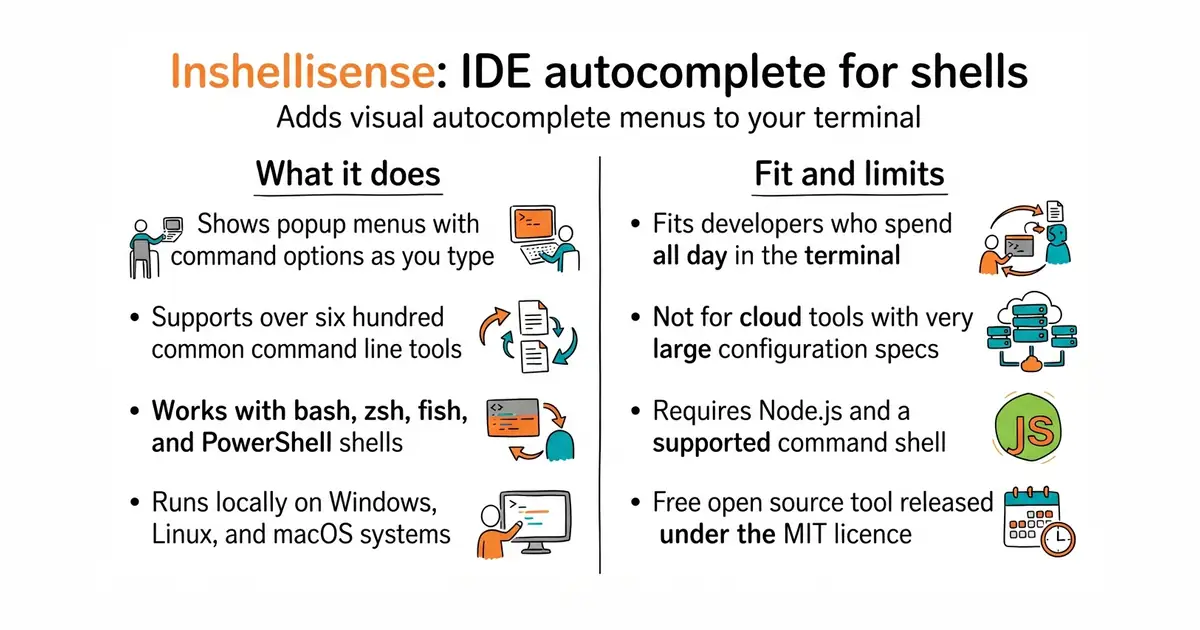
Typing commands in a terminal window can be hard to remember. This tool adds a visual menu that suggests what to type next. It works for hundreds of common programs like git, npm, and docker. You install it with a simple command and it starts every time you open your terminal. It is free to use and runs locally on your computer.
What it is
A terminal-native runtime that brings rich autocomplete suggestions to common shells like bash, zsh, and fish. It parses command specifications and displays an interactive menu right inside your command-line interface.
What it is good for
Solo builders who spend time in the terminal and want to stop looking up command flags and options in web documentation.
- Supports over 600 common command-line tools out of the box.
- Works across multiple operating systems including Windows, Linux, and macOS.
- Integrates directly into your existing shell configuration without slowing you down.
- Requires Node.js installed on your system to run the npm installation package.
- Large specifications for cloud tools like Amazon Web Services are not supported.
- Updates to your shell configuration file can break your setup if placed in the wrong order.
memorizing command flags and searching documentation pages
tmux
- withfig/autocomplete25k stars
The original autocomplete engine that inspired this project before it was discontinued.


- Kong/insomnia40k stars
A desktop application for sending requests to an interface and reading what comes back.
- microsoft/playwright-mcp39k stars
A server that lets an AI assistant drive a real browser, using the page's own structure rather than screenshots.
- Kilo-Org/kilocode28k stars
An open-source coding assistant for VS Code, JetBrains editors and the terminal, which can edit several files at once.
npm install -g @microsoft/inshellisense
is init