31.3k stars · MIT · v18.22.0 (2026-09-09), read from /releases/latest; the date showed no year and falls in the past, so 2026 · Track this in Scout
Replaces your shell history with a searchable database, with optional end-to-end encrypted sync between machines.
▶Repo detailsthe review · specs · pros & cons · install
What it is
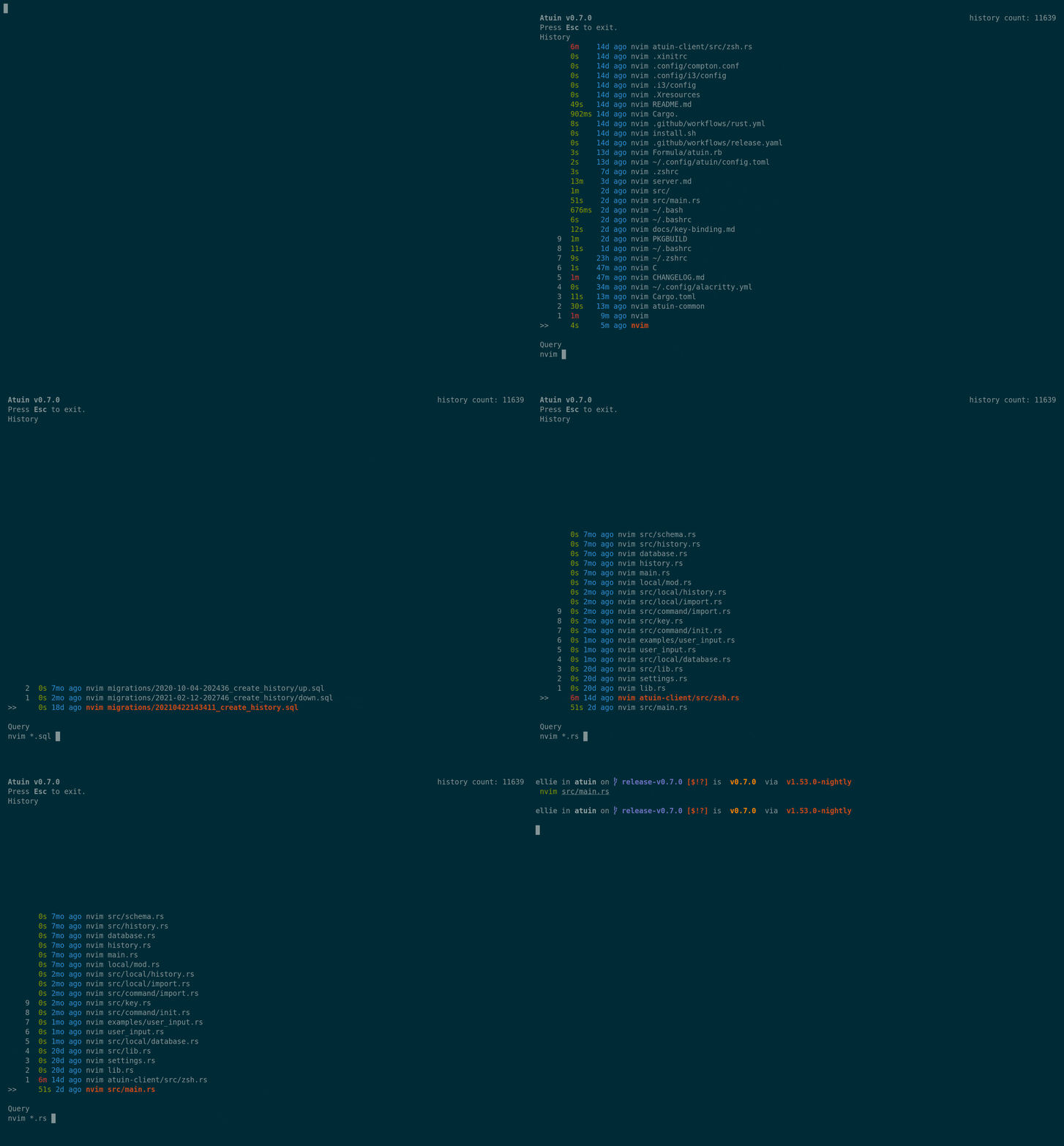
A replacement for the history your shell keeps, written in Rust. It stores each command in a SQLite file, which is a database held in a single file on your own machine, together with the directory you were in, the exit code, the duration and the time. Pressing the up arrow or Ctrl-R opens a full search screen instead of stepping backwards one line at a time. Sync is optional, end-to-end encrypted, and you can run your own sync server.What it is good for. Anyone who works at a command line and retypes the same long command every few weeks. The problem it removes is the lost command: the one you got right in July and cannot find in September. Filters let you ask for commands run in this directory, or only the ones that succeeded. For anyone who builds with a coding assistant it has a second use. The assistant suggests a command, you run it, and six weeks later you can find exactly what you ran and what it returned, instead of guessing.
- Search is instant and covers everything, including commands from other machines if you turn on sync.
- It records the exit code and the duration, so you can search only for the commands that worked.
- MIT licence, and sync is optional; it works perfectly with no account at all.
- It changes what the up arrow does, and that takes a few days to stop feeling wrong.
- Sync means your command history leaves the machine. It is encrypted before it goes, but the safest answer is to run your own server or leave sync off.
- Commands can contain passwords. It tries to filter those out, and you should still check the settings before turning sync on.
- cantino/mcfly
Also replaces Ctrl-R with a smarter search and orders results by what you are likely to want, and it has no sync between machines.
Track this in Scout - dvorka/hstr
A small window over your existing history file for bash and zsh, which means nothing to migrate and nothing new stored.
Track this in Scout
# One command, on macOS or Linux:
curl --proto '=https' --tlsv1.2 -LsSf https://setup.atuin.sh | sh
# Bring in the history you already have, then restart your shell:
atuin import auto
# Optional, only if you want history shared between machines:
atuin register -u <USERNAME> -e <EMAIL>
atuin sync