Radar check
What we found when we opened it. Every bar is one fact, with its date.
Last code pushed 26 Oct 2026, the same day before this check.
Latest release v7.49.00 on 25 Oct 2026.
Public since May 2014, a little over 12 years.
4,355 stars and 547 forks.
240 commits and 29 new issues in the last 90 days.
46 contributors. 29 pull requests merged in 90 days.
No security policy file says how to report a problem. No published security advisories.
How the bars are scored
- Alive. Days since the last code push: a week or less 100, a month 90, three months 70, six months 50, a year 30, eighteen months 15, older 0.
- Releases. Age of the latest GitHub release, on a similar scale; no bar when the project publishes no releases.
- Maturity. Age of the project: eight years 100, five 90, three 70, two 55, one 40, six months 25, younger 10.
- Adoption. Stars on a log scale: 100,000 stars is 100, 10,000 is 80, 1,000 is 60, 100 is 40.
- Activity. Commits in the last 90 days: 300 or more 100, 100 85, 30 65, 10 45, any 25.
- Community. People who have contributed: 100 or more 100, 30 80, 10 60, 5 40, 2 25, one 10.
- Security. A published security policy 80, none 40; published advisories are listed, not scored.
Checked by Repo Radar on 26 Oct 2026 from the repository on GitHub.
In simple English
Google Workspace is the set of office apps your team uses for email and documents. Managing many users on it takes too much clicking in web pages. This tool lets you type short text commands to do those jobs instead. You can create users, change settings and move files in bulk. It is free to use, and you run it on your own computer.
What it is
GAM (Google Apps Manager) is a command-line interface (a text-only screen where you type instructions) for the Google Workspace admin tools. It translates your text commands into requests for the official Google Admin API (a set of rules that lets different software programs talk to each other).
What it is good for
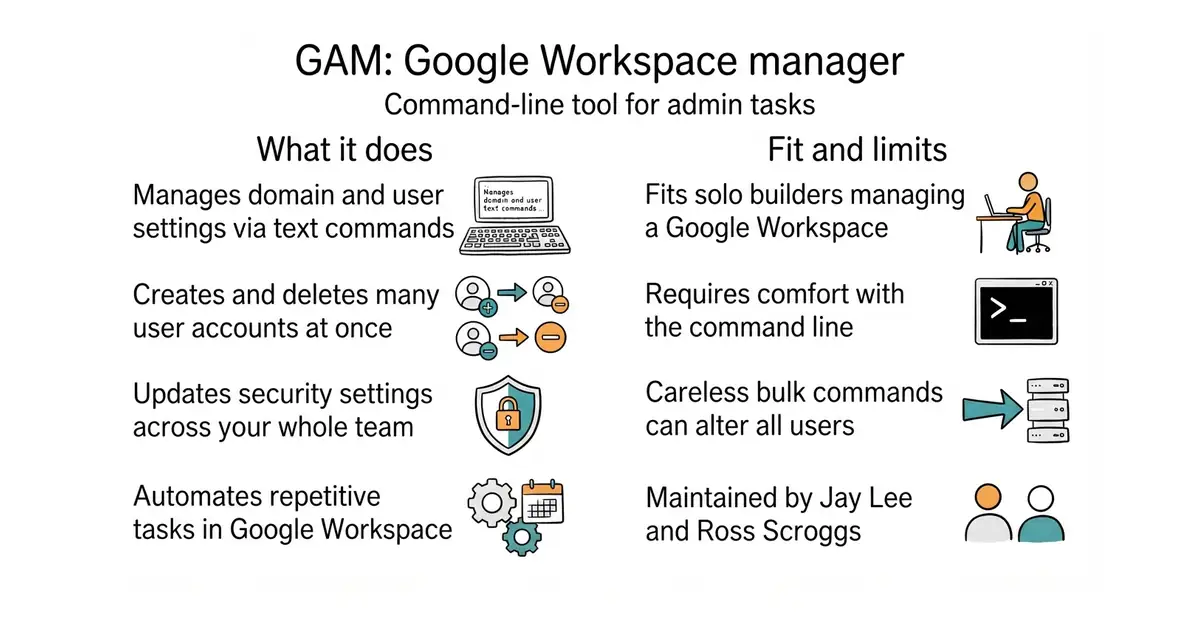
Solo builders and small business owners who manage Google Workspace for their team and need to automate repetitive tasks.
- Creates dozens of new user accounts in seconds with one command.
- Automates tedious tasks that take many clicks in the web dashboard.
- Saves time when offboarding staff and moving their files.
- Requires comfort with the command line (a text-based control window on your computer).
- Google Admin API permissions can be confusing to set up for the first time.
- Typos in bulk commands can change settings for every user at once.
The Google Workspace web admin console for bulk user changes
Google Workspace
- traefik/traefik65k stars
Decides which program answers each incoming request, and builds the rules by watching where the programs are.
- rajnandan1/kener5.2k stars
A status page you run yourself, which checks your services and shows their recent history.
- caprover/caprover15k stars
A web page that installs apps and databases onto one rented computer, and sorts out the addresses and certificates.
bash <(curl -s -S -L https://gam-shortn.appspot.com/gam-install)