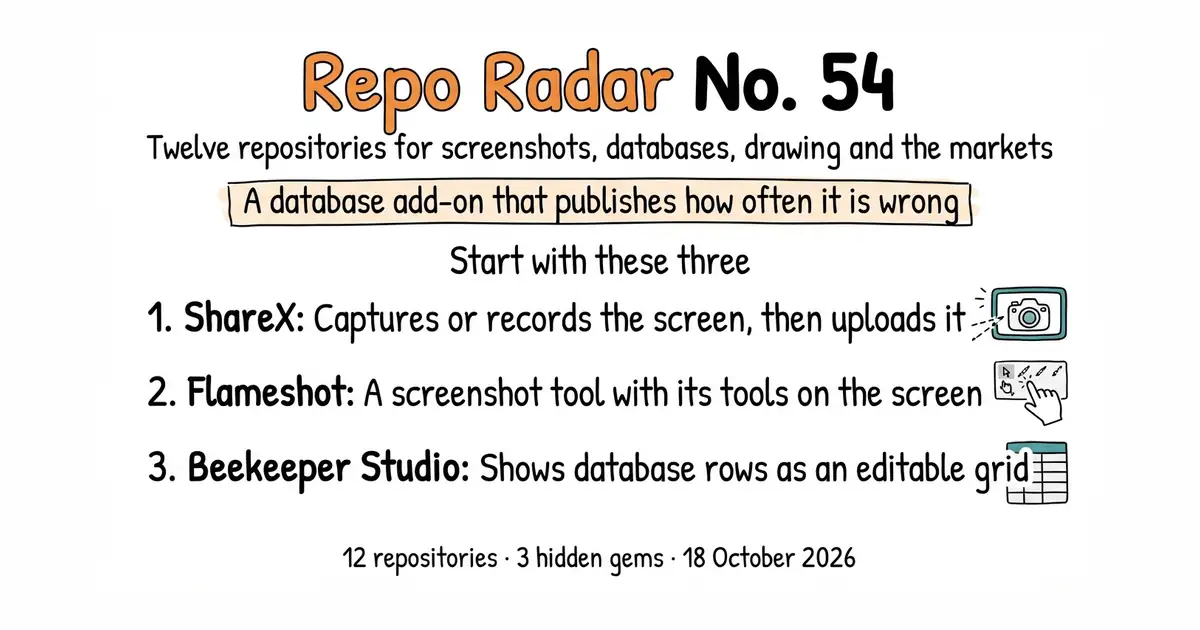
Edition No. 54 · 18 Oct 2026
A database add-on that publishes how often it is wrong
Three screenshot tools under the same licence, a database add-on that prints its own failure rate, and a font editor kept going by one person.
We aim for twelve every day. Some candidates fall out while we check them — those are listed at the end, with the reason.
If you only do three things
- ShareX/ShareX — ten minutes, Windows only. Install it, press Print Screen, and the picture is already on the clipboard and already saved to a folder. Everything after that is optional.
- flameshot-org/flameshot — five minutes, Linux, Windows or macOS. The same idea with far fewer settings. On Debian or Ubuntu it is one
apt installaway. - beekeeper-studio/beekeeper-studio — ten minutes. A window onto a database, so you can read and change rows without writing SQL by hand. The free edition covers eleven database systems, including PostgreSQL, MySQL and SQLite.
Every link in one place
| # | Repository | Project site | Stars | Licence |
|---|---|---|---|---|
| 1 | ShareX/ShareX | getsharex.com | 40,100 | GPL-3.0 |
| 2 | greenshot/greenshot | getgreenshot.org | 5,100 | GPL-3.0 |
| 3 | flameshot-org/flameshot | flameshot.org | 30,600 | GPL-3.0 |
| 4 | meilisearch/meilisearch | meilisearch.com | 59,200 | MIT, plus a separate commercial licence file |
| 5 | beekeeper-studio/beekeeper-studio | beekeeperstudio.io | 23,600 | GPL-3.0, plus commercial source-available files |
| 6 | sqliteai/sqlite-vector 💎 | sqlite.ai | 1,100 | Elastic License 2.0 |
| 7 | SVG-Edit/svgedit | svgedit demo | 7,800 | MIT |
| 8 | johanmattssonm/birdfont 💎 | birdfont.org | 561 | GPL-3.0 |
| 9 | viliusle/miniPaint | miniPaint demo | 3,500 | MIT |
| 10 | hummingbot/hummingbot | hummingbot.org | 19,500 | Apache-2.0 |
| 11 | lballabio/QuantLib | quantlib.org | 7,700 | BSD 3-Clause |
| 12 | jadchaar/sec-edgar-downloader 💎 | documentation | 717 | MIT |
A database add-on that publishes how often it is wrong
Twelve repositories, checked and reviewed. Every version verified against the GitHub API and dated.
40.1k stars · GPL-3.0, named in the About sidebar · v21.0.0, 3 July 2026 · Track this in Scout · Share this tool
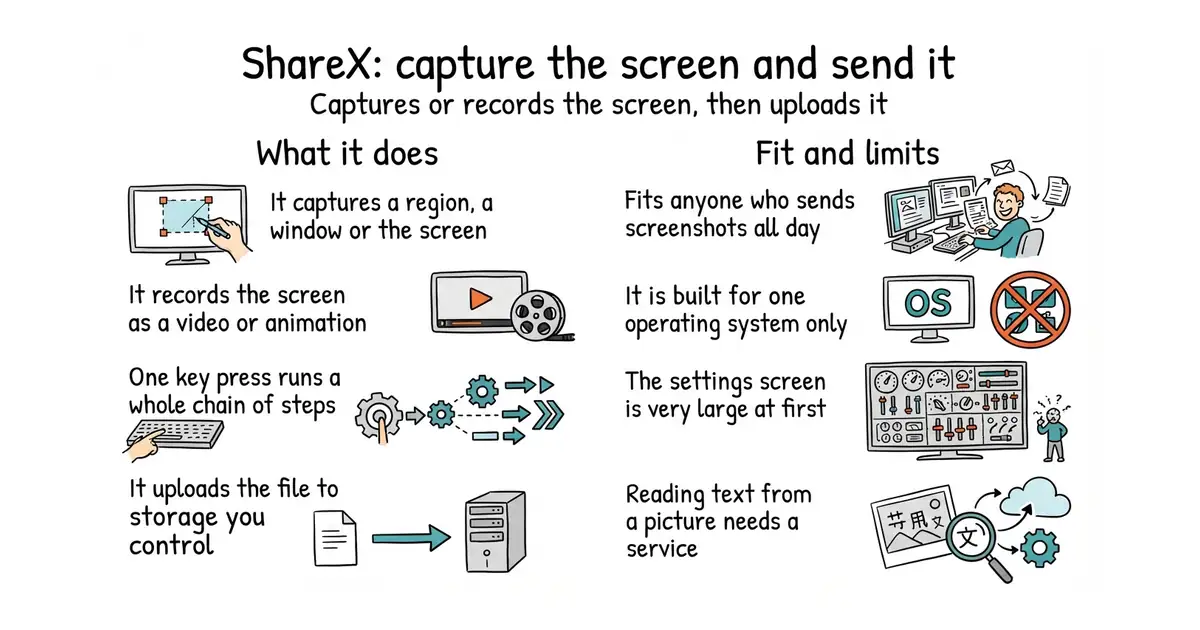
A Windows program that captures the screen and then sends the file wherever you tell it to go.
▶Repo detailsthe review · specs · pros & cons · install
What it does
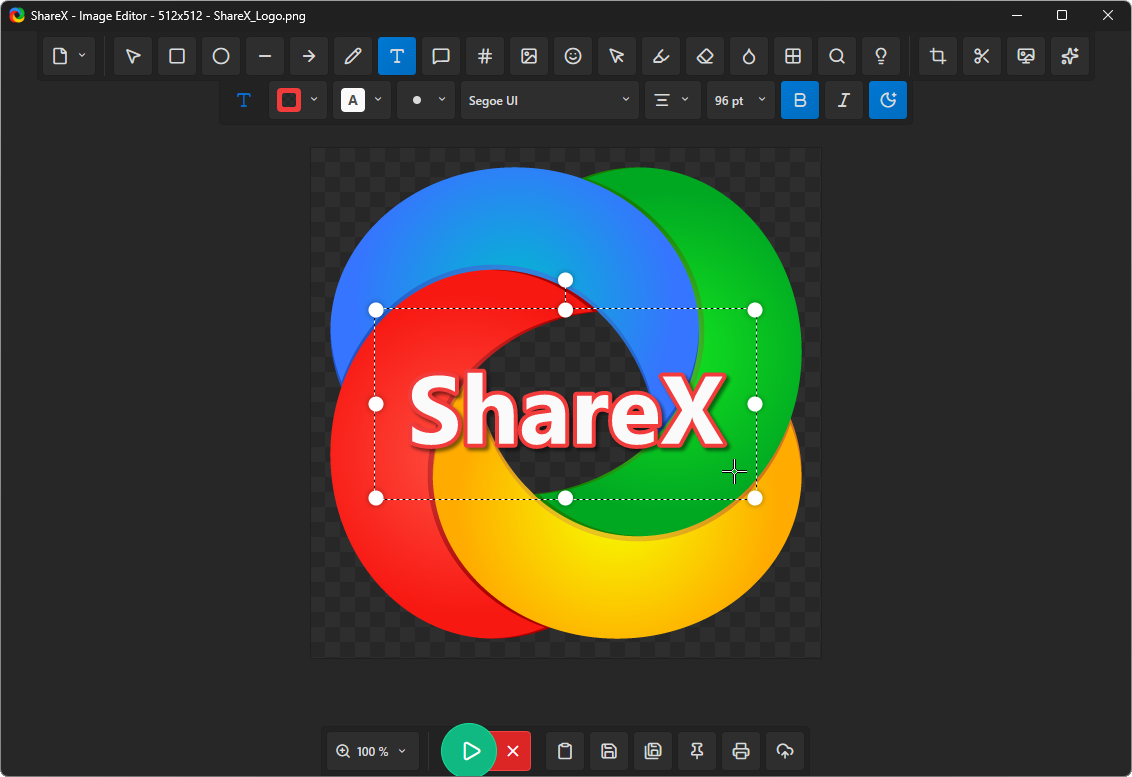
ShareX captures a chosen region, a single window, or the whole screen. It also records the screen as a video or as an animated image. Every capture then runs through a list of steps you set in advance, so one key press can crop, add a watermark, save a file and upload it. The project documents a scrolling capture, image effects, reading text out of a picture, translation, key bindings, and a full set of command-line arguments. Its upload destinations include Amazon S3, Google Cloud Storage and Cloudflare R2, and it lets you describe any other service yourself as a custom uploader. The program is published for Windows and nothing else, so there is no build for macOS or Linux.
Why it matters
Who it suits. Anyone on Windows who sends several screenshots a day to other people, and is tired of the three-step dance of capture, paste into an editor, save, then attach. It also suits anyone who wants the picture to land in their own storage rather than someone else's, because the custom uploader means the file never has to touch a third-party host. Skip it if you are on Linux or macOS, and skip it if the key already built into Windows is enough for what you do.
Verdict. Ten minutes to install and bind one key, and the payoff starts the same day. The honest warning is that the settings window is enormous, and that is the one thing people dislike about it. If that puts you off, Greenshot below does the still-picture part with a fraction of the choices. On Linux or macOS use Flameshot instead. If what you actually want is a screen recording that becomes a shareable link, CapSoftware/Cap is built only for that and does it more neatly.
- One key press can run a whole chain of steps, so the repetitive part disappears.
- Uploads can go to storage you control, including Amazon S3, Google Cloud Storage and Cloudflare R2.
- Reads text out of an image, which turns a screenshot of a table into something you can paste.
- Windows only. There is no macOS or Linux build at all.
- The settings are overwhelming on first opening, and the defaults are not the ones most people end up using.
- Reading text from an image and translating it both depend on services outside the program, so results vary.
 flameshot-org/flameshot
The same capture-and-annotate job, on Linux, Windows and macOS, with a much shorter list of settings and no upload chain.
Track this in Scout greenshot/greenshot
Also Windows, also free, and much simpler, but it records no video and has a far shorter destination list.
Track this in Scout CapSoftware/Cap
Built for screen recordings that become a link, rather than for still pictures.
Track this in Scout
https://github.com/ShareX/ShareX/releases/latest
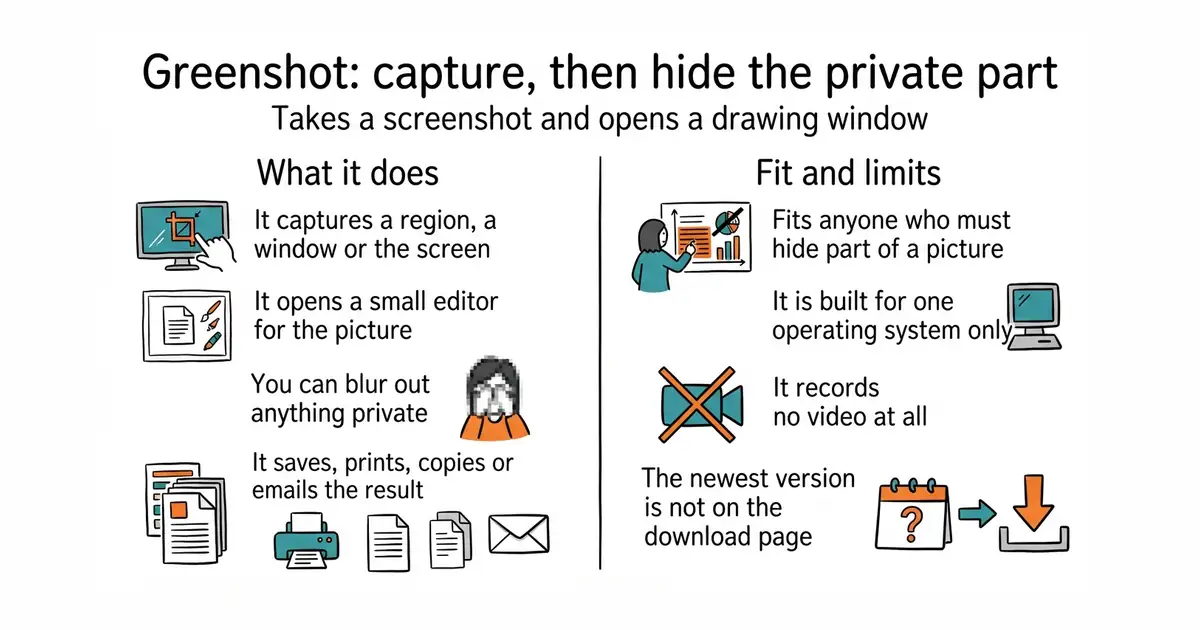
5.1k stars · GPL-3.0, named in the About sidebar · v1.3.323, 8 October 2026 on GitHub; the project's own download page still presents 1.3.315 of 20 March 2026 as stable · Track this in Scout · Share this tool
A small, free Windows capture tool with a drawing window attached.
▶Repo detailsthe review · specs · pros & cons · install
What it does
Greenshot captures a selected region, a single window, or the whole screen. It then opens its own editor, where the project lists three things you can do: annotate the picture, highlight part of it, and obfuscate part of it so that a name or a number cannot be read. From there it exports to a file, to a printer, to the clipboard, to an email message, to Office programs, and to a list of photo sites. It also captures a scrolling web page, but the project's own feature page says that only works from Internet Explorer. The newest tagged release on GitHub is 1.3.323 of 8 October 2026, while the project's own download page still presents 1.3.315 of 20 March 2026 as the stable choice. It is a Windows program only, and it does not record video.
Why it matters
Who it suits. Anyone on Windows who needs the blur more than the upload. Writing documentation, reporting a bug, or sending a bank statement to an accountant all involve hiding part of a picture, and Greenshot's obfuscate tool is one click away rather than buried. It also suits people who find large option screens tiring, because there are not many here. Skip it if you need screen recording, and skip it if you are not on Windows.
Verdict. Worth five minutes, and it is the right first recommendation for someone who does not want a hobby. Two honest notes. First, the scrolling capture is tied to a browser almost nobody still runs, so treat that feature as absent. Second, the version you get depends on where you download from, and the newer one is on GitHub rather than the download page. If you want chained steps and uploads to your own storage, ShareX above is the bigger tool.
- The blur-and-hide tool is prominent, which matters every time a screenshot contains something private.
- Small, fast, and understandable in one sitting.
- Still shipping: the newest release landed on 8 October 2026.
- Windows only, and no video or animated-image recording.
- The scrolling-page capture only works from Internet Explorer, so in practice it is gone.
- The listed upload destinations are dated, and the stable download on the project site is seven months older than the newest release on GitHub.
 ShareX/ShareX
The same capture job on the same operating system, with video recording, chained steps and uploads, at the cost of a far larger settings screen.
Track this in Scout- flameshot-org/flameshot
The same idea again, but it runs on Linux and macOS as well, and annotation happens on the screen rather than in a separate window.
Track this in Scout - ksnip/ksnip
A capture-and-annotate tool that runs on Linux, Windows and macOS from one codebase.
Track this in Scout
https://getgreenshot.org/downloads/
30.6k stars · GPL-3.0, named in the About sidebar · v14.0.0, 19 June 2026 · Track this in Scout · Share this tool
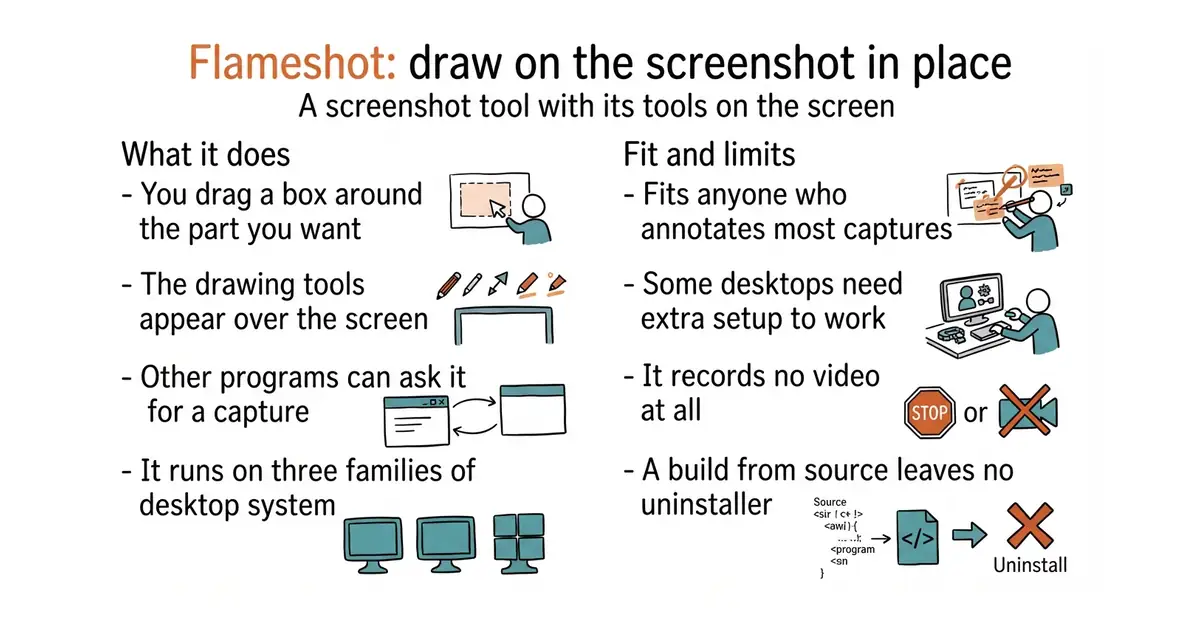
A free screenshot tool that lets you draw on the picture where it sits, on three operating systems.
▶Repo detailsthe review · specs · pros & cons · install
What it does
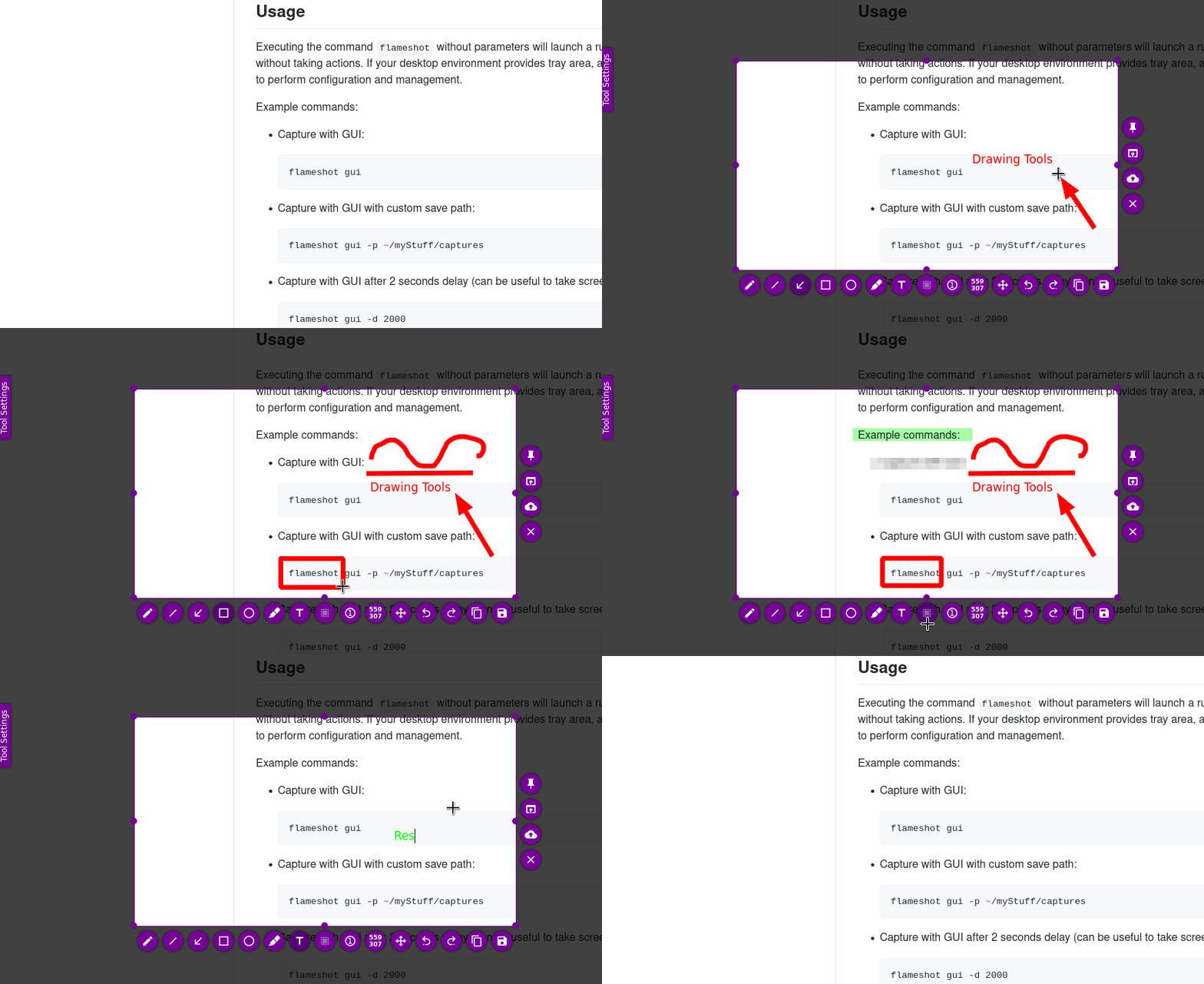
Flameshot captures a region you drag out and shows its drawing tools on top of the screen, so annotation happens before the file exists. The project lists in-app editing, an adjustable appearance, a DBus interface so other programs can ask it for a capture, and upload to Imgur. It runs on Linux, Microsoft Windows and macOS from one codebase. The project is specific about where the edges are. Wayland support on Linux is described as experimental, with separate instructions for Hyprland, Sway and wlroots. On minimal window managers a capture can fail with a missing desktop-portal service, which needs a legacy X11 capture setting turned on. On Windows the Print Screen binding is fixed and cannot be changed, and on macOS the Homebrew build may be stopped by Gatekeeper until you clear it by hand. It records no video.
Why it matters
Who it suits. Anyone on Linux who wants one screenshot tool that works the same on every machine they touch, and anyone who annotates most of their captures. The on-screen tool row is genuinely faster than a separate editor window, because the picture never leaves the screen. It also suits people who script things, since the DBus interface and the command line both work. Skip it if you are on GNOME Wayland and cannot tolerate experimental behaviour, and skip it if you need video.
Verdict. Five minutes on Debian, Ubuntu or Arch, and it is the one to install first on Linux. Build it from source only if your distribution's package is old, and note that the source install leaves no uninstaller unless you set your own prefix. The Wayland caveat is real rather than a formality, so if your desktop is Wayland, read the project's setup page before deciding. On Windows, ShareX is the more capable choice.
- One program, three operating systems, and on Linux it is a single package install.
- The drawing tools appear over the screen, so there is no second window and no save-then-edit step.
- Honest documentation: the project writes down its own Wayland, window-manager and Gatekeeper problems rather than hiding them.
- Wayland support is experimental, and several Linux desktops need extra setup before a capture works at all.
- No video or animated-image recording.
- Building from source needs Qt 6.2.4, GCC 11 and CMake 3.22 or newer, and provides no uninstaller.
- ShareX/ShareX
Much more capable, including video and chained upload steps, but Windows only.
Track this in Scout - greenshot/greenshot
A simpler Windows-only alternative whose strength is the hide-and-blur tool.
Track this in Scout - ksnip/ksnip
The same cross-platform promise with a more conventional window-based editor.
Track this in Scout
sudo apt install flameshot

59.2k stars · MIT for the Community Edition, with a separate LICENSE-EE: the Enterprise Edition is under a commercial licence or the Business Source Licence 1.1 · v1.55.0, 12 October 2026 · Track this in Scout · Share this tool
A search engine you run yourself, built for fast answers and forgiving spelling.
▶Repo detailsthe review · specs · pros & cons · install
What it does
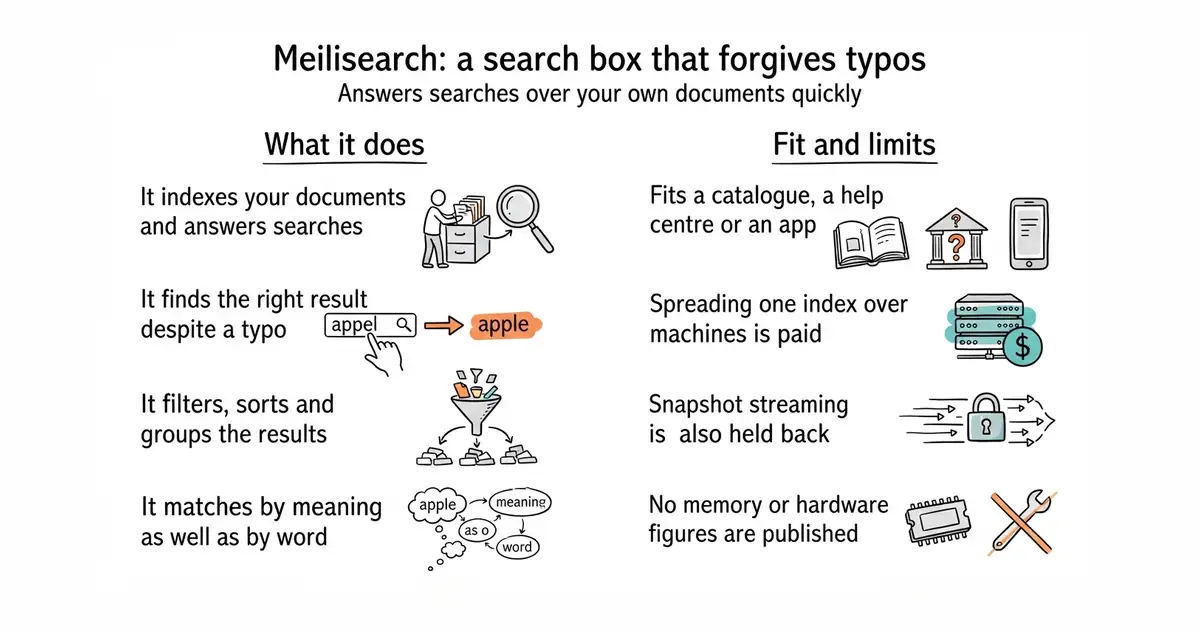
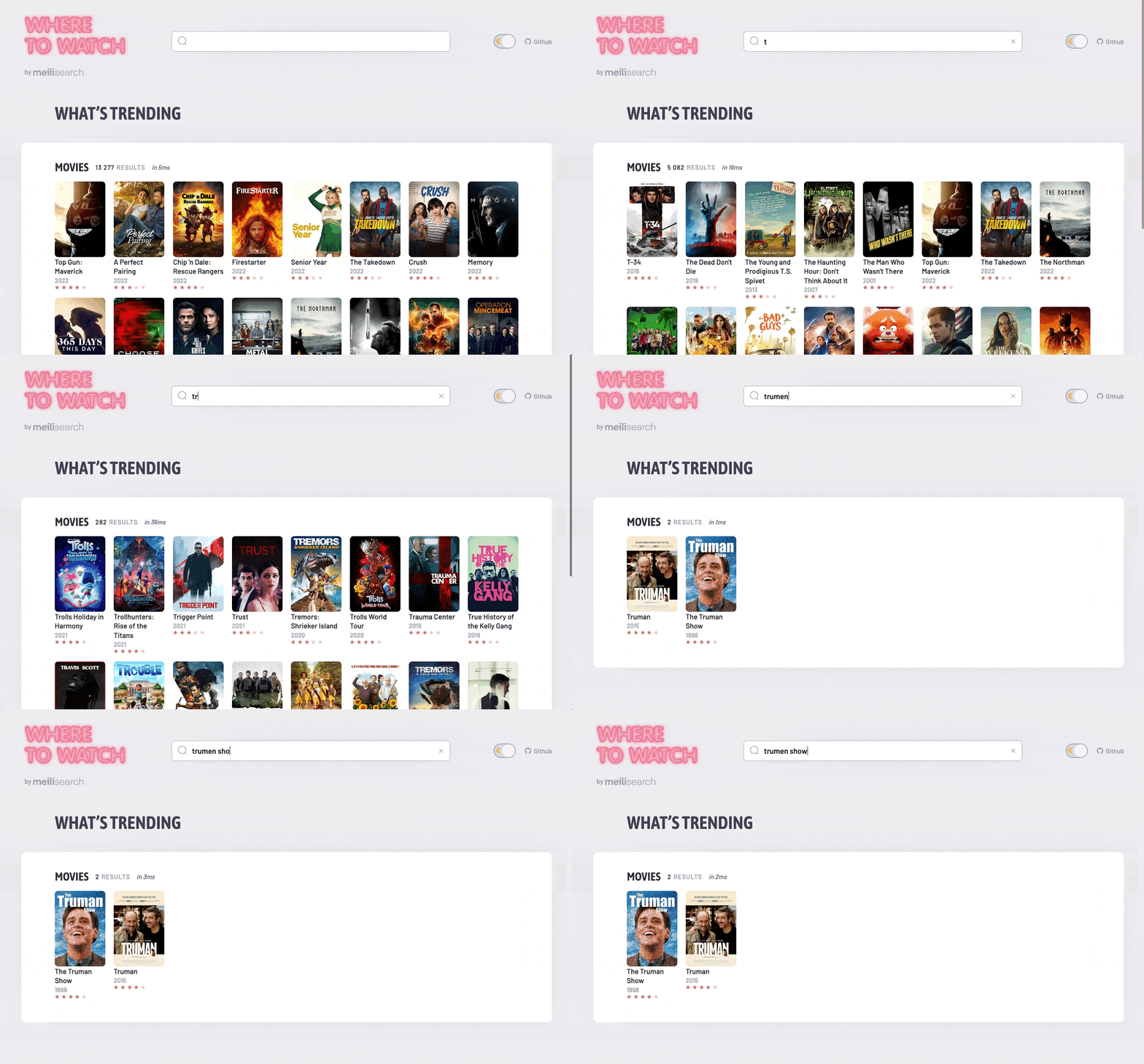
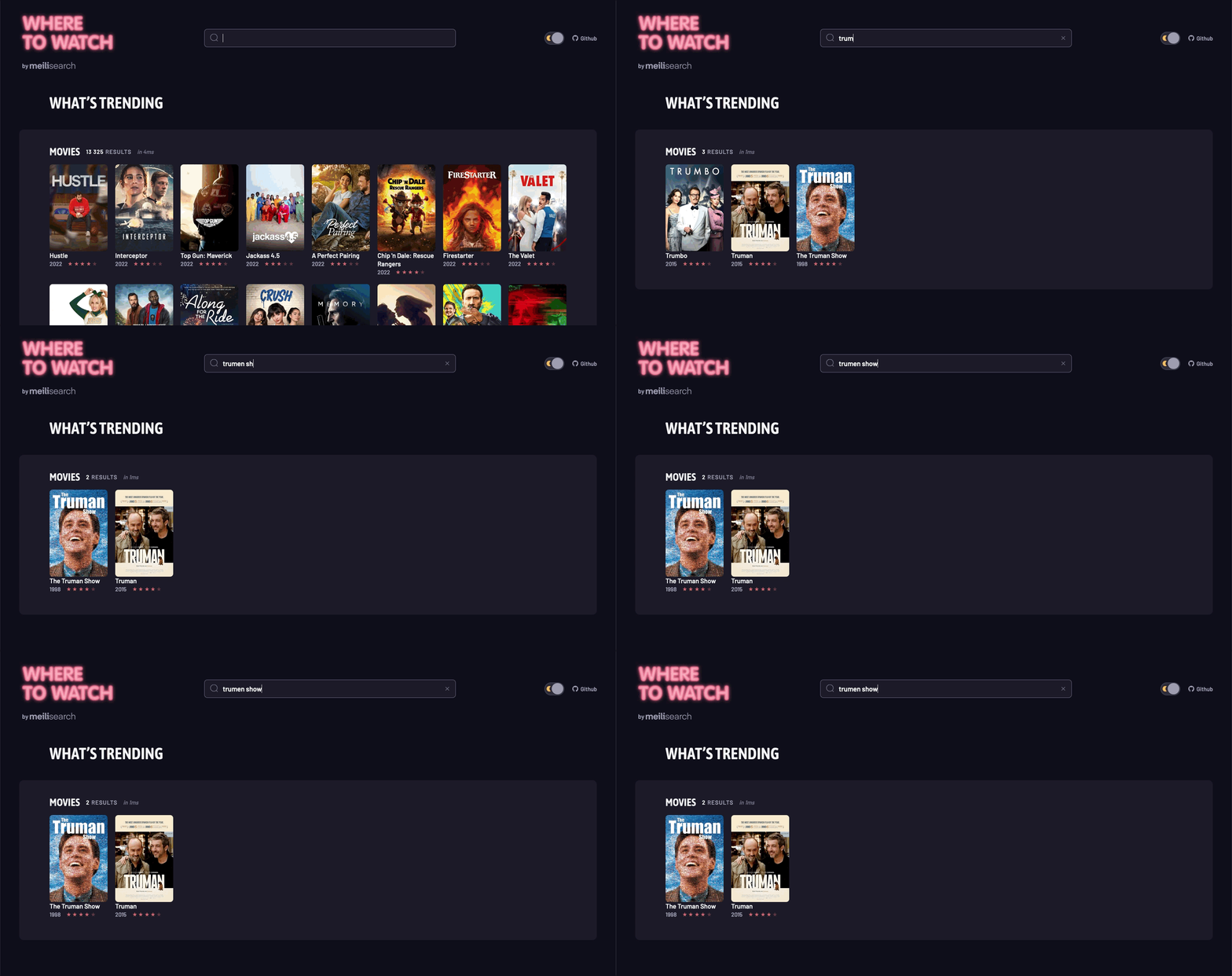
Meilisearch takes documents through a web interface and answers search queries against them. It does search-as-you-type, and the project claims results in under 50 milliseconds. It tolerates typing mistakes, filters and sorts results, groups them into categories, handles synonyms, and searches by location. It also does hybrid search, which means combining ordinary word matching with meaning-based matching in one query. Language handling is tuned separately for Chinese, Japanese, Hebrew and the Latin alphabet. Permissions are handled by API keys, which lets one installation serve several customers without them seeing each other's data. What it does not give you free is scale across machines: the README states that sharding, which means spreading one index over several servers, and streaming snapshots to object storage both belong to an Enterprise Edition.
Why it matters
Who it suits. Anyone whose site search is currently a database query with LIKE in it, and who has noticed that it finds nothing when a visitor mistypes. It fits a catalogue, a documentation site, a help centre, or an application with a few hundred thousand records. Skip it if your site is static and small, because Pagefind builds a search index at build time and needs no running service at all. Skip it too if a PostgreSQL server is already running and adding search to that is preferable to adding a second system.
Verdict. Thirty minutes, and it is the best default answer when someone needs search this week. Read the licence section of the README before you plan anything large, though. The repository now holds two licences: a Community Edition under MIT, which is free including for commercial use, and an Enterprise Edition under a commercial licence or the Business Source License 1.1, which the README says may not be used in production without an agreement. The split matters only if you need sharding or snapshot streaming, and for most installations it will never come up. Compare with typesense/typesense if you want the whole thing under one licence, and with paradedb/paradedb if keeping everything inside PostgreSQL is worth more to you than raw speed.
- Typo tolerance, filtering, grouping and synonyms all work without tuning, which is the part that normally takes a week.
- The core is MIT licensed and free for commercial use, so a small site owes nothing.
- Still moving quickly: version 1.55.0 landed on 12 October 2026.
- Sharding across machines and streaming snapshots to object storage are held back for a paid edition, under a commercial licence or the Business Source License 1.1.
- The project publishes no memory or hardware figures, so you have to find out what your index costs by running it.
- It is another service to run, monitor and back up, which a static-site search tool avoids entirely.
- typesense/typesense
The closest equivalent: typo-tolerant search you run yourself, with the whole project under one licence rather than two.
Track this in Scout  Pagefind/pagefind
Builds the search index when the site is built, so there is no service to run.
Track this in Scout paradedb/paradedb
Adds search and vector retrieval to PostgreSQL itself, so one database holds both the records and the index.
Track this in Scout
docker run -it --rm -p 7700:7700 \
  -e MEILI_MASTER_KEY=change-this-to-a-long-random-string \
  -v $(pwd)/meili_data:/meili_data \
  getmeili/meilisearch:v1.55.0

23.6k stars · GPL-3.0 for the Community Edition, with paid features in the same repository under a commercial source-available licence and an Ultimate Edition under a commercial end-user agreement · v6.1.6, 7 October 2026 · Track this in Scout · Share this tool
A desktop window onto a database, so you can read and edit rows without writing commands.
▶Repo detailsthe review · specs · pros & cons · install
What it does
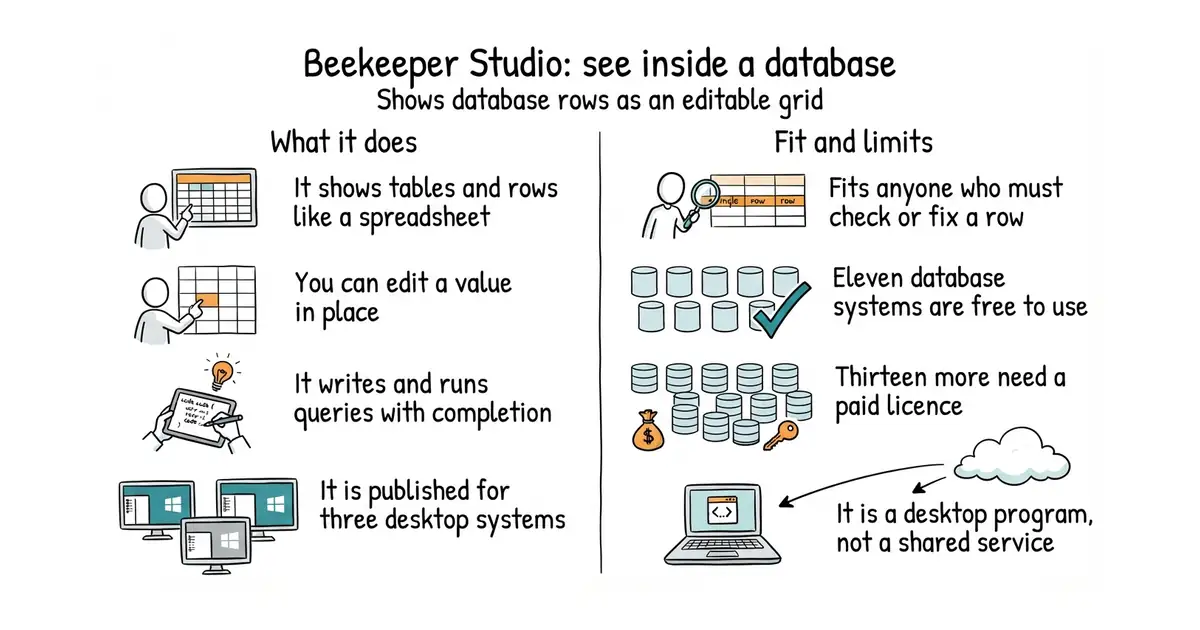
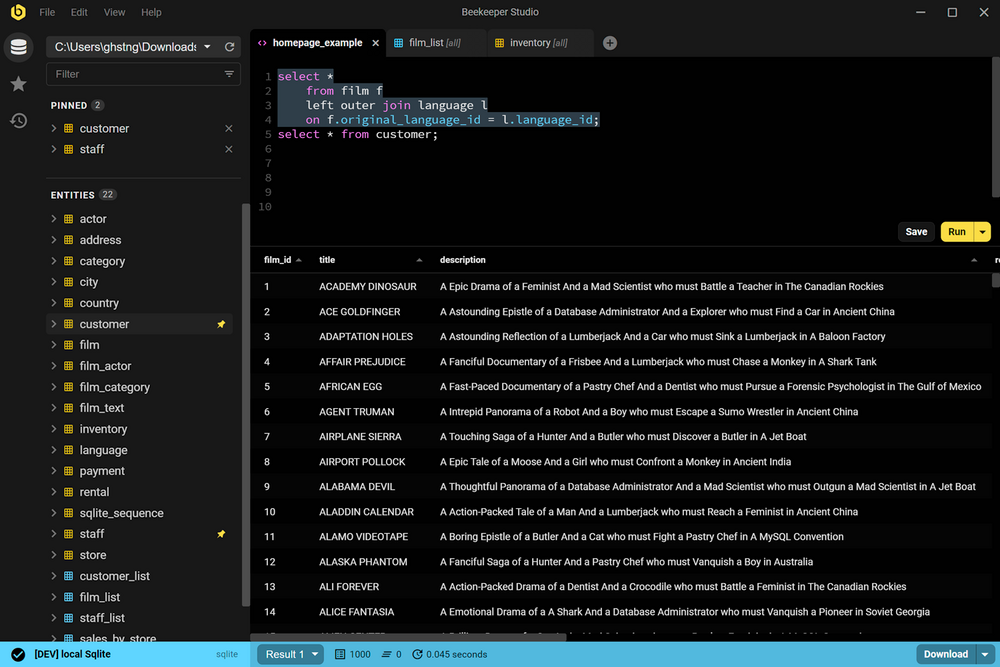
Beekeeper Studio connects to a database and shows its tables, rows and structure in a desktop window. You can browse data, edit cells in place, and write and run SQL with completion and saved queries. The project publishes builds for macOS, Windows and Linux. Its README lists the databases it supports and marks which ones the free Community Edition covers: eleven of them, including PostgreSQL, MySQL, SQLite, SQL Server, Amazon Redshift, CockroachDB, MariaDB, TiDB, Google BigQuery, Redis and GreengageDB. Thirteen more are listed as paid-edition only, among them Oracle, MongoDB, ClickHouse, DuckDB, Cassandra, Firebird and Trino. The README is explicit about the arrangement: most of the repository is GPL-3.0, and "paid features are also in this repository under a commercial source-available license". It is a desktop program, so it is not a shared web console for a team.
Why it matters
Who it suits. Anyone who keeps a database running and occasionally needs to look at a row, fix a value, or check that a migration did what it claimed. It suits people who are not fluent in SQL especially well, because the grid is enough for most of those jobs. It also suits anyone who has grown tired of a terminal client's keyboard shortcuts. Skip it if every database you touch is on the paid list, because then the free edition gives you nothing. Skip it too if you need the tool on a server with no desktop.
Verdict. Ten minutes, free, and immediately useful, which is why it is one of today's three. Check the database list first — that is the whole decision. If your database is PostgreSQL, MySQL or SQLite you will never meet the paid line. If it is MongoDB, ClickHouse or DuckDB, you will meet it on the first connection, and dbeaver/dbeaver covers a far wider set under Apache-2.0 at the cost of a heavier and older-feeling program. For a quick look at one file rather than a daily tool, frectonz/sql-studio is a single command.
- Rows look like a spreadsheet and can be edited in place, which removes the need to write an
UPDATEfor a one-character fix. - The free edition covers the eleven database systems most small projects actually use.
- Active: version 6.1.6 landed on 7 October 2026.
- Thirteen database systems, including MongoDB, Oracle, ClickHouse and DuckDB, need a paid licence.
- Paid code lives in the same public repository under a commercial source-available licence, so the repository is not wholly open source even though most of it is.
- It is a desktop application, so there is nothing to put on a server for a team to share.
- dbeaver/dbeaver
Supports a far larger number of databases with no paid tier in the community build, in a heavier Java application.
Track this in Scout  frectonz/sql-studio
One binary and one command that opens a browser view of SQLite, PostgreSQL, MySQL, DuckDB or SQL Server.
Track this in Scout tconbeer/harlequin
The same job inside a terminal, which is what you want over SSH where no desktop exists.
Track this in Scout
https://beekeeperstudio.io/get-community

1.1k stars · Elastic Licence 2.0: free inside a project under an OSI-approved open-source licence, commercial licence required for production or managed-service use · 1.1.2, 11 September 2026 · Track this in Scout · Share this tool
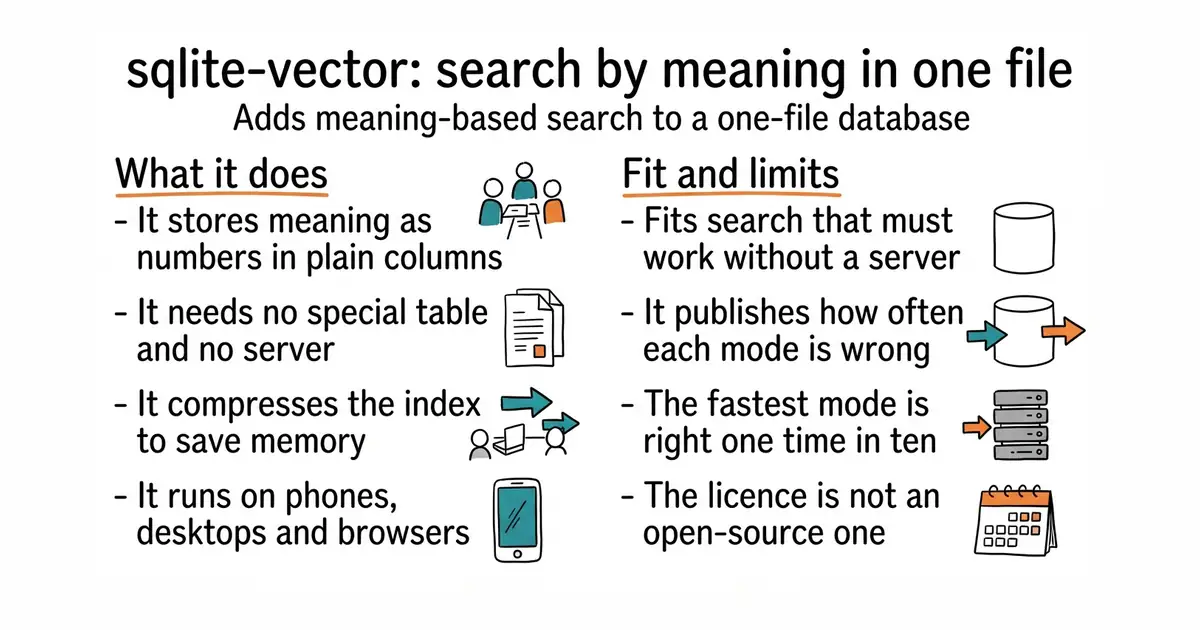
An add-on that gives the single-file SQLite database meaning-based search, with its own accuracy figures printed in the README.
▶Repo detailsthe review · specs · pros & cons · install
What it does
SQLite is a complete database that lives in one ordinary file, with no server, and it is already inside most phones and browsers. This extension, which is a piece of code SQLite loads at run time, stores lists of numbers that represent meaning — called vectors — in normal columns, with no special tables and no index to build first. You call vector_init to declare a column's size and distance measure, vector_quantize to build a compressed index, and vector_quantize_scan to find nearest matches. It offers several compression levels, from full precision down to a single bit per number, and runs on iOS, Android, Windows, Linux, macOS and in the browser. Memory use defaults to about 30 MB, and the project shows the trade: a one-million-row index at full precision needs 2,930 MB on disk against 740 MB compressed, and streaming within a 30 MB limit costs roughly three times the waiting time. What it does not do is pretend. Its own benchmark table on one million random 768-number vectors reports recall at 100 per cent for full precision, 99.5 per cent for 8-bit signed, 81.8 per cent and 45.2 per cent for two of its fast modes, 33.8 per cent for 8-bit unsigned, and 10.0 per cent for the single-bit mode. The README says plainly: "1BIT is a filter, not an answer."
Why it matters
Who it suits. Anyone building search-by-meaning into something that has to work on a phone, offline, or inside one process with no database server to run. The appeal is the absence of moving parts: no service, no network call, no second system to deploy. It also suits anyone who has been burned by a vector database that quietly returned poor results, because this project tells you the accuracy of each setting before you choose. Skip it if your data already lives in PostgreSQL, and skip it if you cannot accept a licence that is not open source.
Verdict. Worth an afternoon if a single-file database is where your data already is, and worth reading for an hour even if it is not, because the benchmark table is an education in what compression costs. Two warnings. The licence is the Elastic License 2.0: free inside a project that is itself under an approved open-source licence, but production or hosted use needs a commercial agreement with the company behind it. And the figures above come from uniform random data, which the project itself calls the hardest case, so measure your own embeddings rather than trusting either the good numbers or the bad ones. asg017/sqlite-vec is the alternative to weigh first, because it does a similar job under Apache-2.0 and MIT.
- Publishes recall figures for every compression mode, including the embarrassing ones, which almost no comparable project does.
- No separate tables and no server: vectors sit in ordinary columns of a file that is already there.
- Runs on iOS, Android, desktop and in the browser, with ready-made packages for Python, Android, Swift and Dart.
- The Elastic License 2.0 is not an open-source licence. Production and hosted use need a commercial agreement.
- The fast compression modes lose a great deal of accuracy, and one is accurate 10 per cent of the time, so a second full-precision pass is usually needed.
- Small project, 1,100 stars, and one company behind it, so the future depends on that company's plans.
 asg017/sqlite-vec
The same idea of vector search inside SQLite with no server, under a genuinely open licence.
Track this in Scout pgvector/pgvector
The same job for PostgreSQL, which is the right answer when a server already exists.
Track this in Scout supervc-stack/VectorChord
A PostgreSQL extension aimed at large indexes that do not fit in memory.
Track this in Scout
python3 -m venv venv
source venv/bin/activate
pip install sqliteai-vector

7.8k stars · MIT, named in the About sidebar · v.7.3.3, 10 December 2025 on GitHub; the npm registry carries a newer 7.4.2 · Track this in Scout · Share this tool
A vector drawing editor that runs in a browser and can be embedded in a web page.
▶Repo detailsthe review · specs · pros & cons · install
What it does
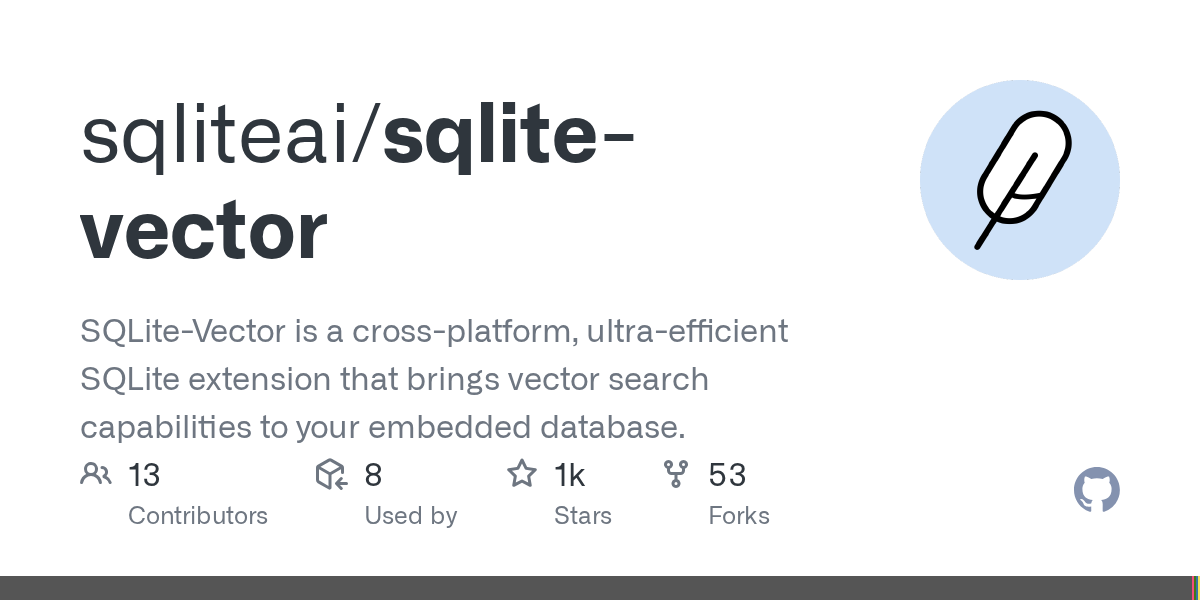
svgedit draws SVG, a picture format made of shapes and coordinates rather than pixels, so it stays sharp at any size. It gives you the usual shape, path, line and text tools, layers, grouping, and direct editing of the underlying code. It runs entirely in the browser, so there is no server component and nothing to upload. Because it is published as a package, it can be dropped into another web application as an editor, which is the reason most projects reach for it. The newest tagged release on GitHub is 7.3.3 of 10 December 2025, while the npm package carries a newer 7.4.2, so the package registry is ahead of the release tags here. It is not a photo editor and it does not open raster images for pixel work.
Why it matters
Who it suits. Anyone who needs to make or fix a simple vector picture and does not want to install a design program for it. It suits developers more than designers, because the real strength is embedding: if an application needs a drawing surface for its users, this is the shortest route to one. Skip it if you are doing serious illustration, where a desktop tool will be faster and less frustrating. Skip it too if you need to edit photographs.
Verdict. Worth bookmarking rather than installing. Open the demo, fix the icon, download the file, close the tab. As an embeddable editor it is worth half a day of evaluation, and the MIT licence means it can go into a commercial product without conditions. Note the version gap: take the npm package rather than the GitHub release if you want the newest code. For hand-drawn diagrams rather than precise shapes, excalidraw/excalidraw is the better-known tool, and for a full modern editor, GraphiteEditor/Graphite is where the energy is.
- Runs in a browser with nothing installed and nothing sent anywhere.
- MIT licensed, so it can be embedded in a commercial application without conditions.
- Long-lived and widely embedded already, which means most problems have been met before.
- The interface shows its age, and it is slower to use than a modern desktop editor.
- The newest GitHub release is 7.3.3 of 10 December 2025, and the newer 7.4.2 exists only on npm, so the two sources disagree.
- Vector only. It will not touch a photograph.
 excalidraw/excalidraw
A browser whiteboard for hand-drawn-style diagrams rather than precise vector shapes.
Track this in Scout GraphiteEditor/Graphite
A modern browser editor handling both vector and pixel work through a node-based engine.
Track this in Scout Yqnn/svg-path-editor
Does one job instead: editing the coordinates of a single SVG path by hand.
Track this in Scout
https://svgedit.netlify.app


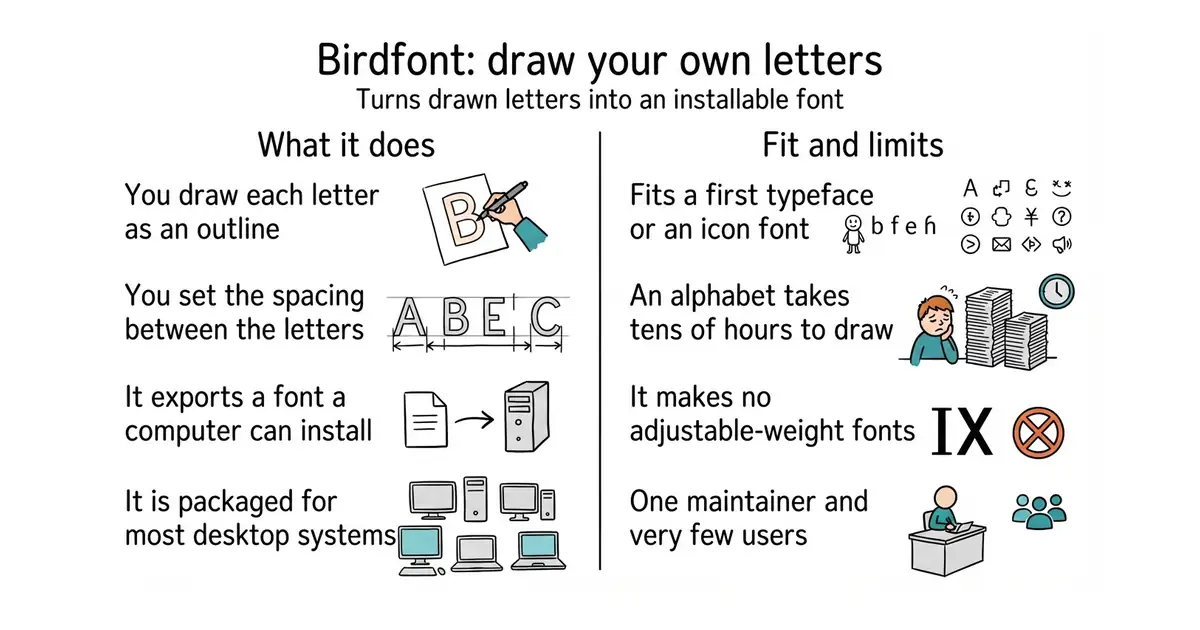
561 stars · GPL-3.0, named in the README; the About sidebar names none · v2.30.0, 10 February 2026 · Track this in Scout · Share this tool
A free desktop editor for drawing a typeface and exporting it as an installable font file.
▶Repo detailsthe review · specs · pros & cons · install
What it does
Birdfont is a font editor. You draw each character as an outline with its vector tools, set the spacing, and export the result. The README names three export formats: SVG, EOT and TTF, with TTF being the one ordinary computers and websites install. Prebuilt programs for Windows and Mac are on the project's own site, most Linux distributions package it, and there are OpenBSD and FreeBSD packages too. The newest release is 2.30.0 of 10 February 2026. It is a small program by the standards of this craft: it handles single-master fonts, so it does not produce the variable fonts that carry weight and width as adjustable settings in one file, and the README documents no OpenType feature editing, hinting or font-family management.
Why it matters
Who it suits. Anyone who wants to make a typeface and has been put off by the price or the weight of the usual tools. That includes people drawing an icon font for a project, a logo wordmark that needs matching letters, or a handwriting font from a scan. It suits learning especially well, because the program is small enough to understand. Skip it if you need variable fonts, complex scripts, or professional hinting, where fontforge/fontforge and the Google Fonts tool chain are the real answers.
Verdict. A genuine gem, at 561 stars, and worth an evening if the idea of drawing letters appeals at all. Be honest with yourself about the time: a usable alphabet with punctuation and numbers is tens of hours of drawing, and no program changes that. Building it from source is the awkward part, because it needs the Vala compiler and eight development libraries, so take the packaged version from your distribution or the project site unless you have a reason not to. For a browser-based alternative with no install at all, glyphr-studio/Glyphr-Studio-2 is the one to try first.
- Free, and it exports TTF, which is the format a computer or a website actually installs.
- Packaged for Windows, Mac, most Linux distributions, OpenBSD and FreeBSD.
- Still maintained by one person, with release 2.30.0 arriving on 10 February 2026.
- Single-master only, so no variable fonts.
- Building from source needs the Vala compiler plus eight development libraries, which is more work than most people will want.
- One maintainer and 561 stars, so expect few answers if something breaks.
- fontforge/fontforge
The long-standing free font editor, far more capable and far harder to learn.
Track this in Scout  glyphr-studio/Glyphr-Studio-2
A browser font editor aimed at beginners, with nothing to install.
Track this in Scout googlefonts/fontmake
Not an editor at all: it compiles font sources into finished binaries, which is the step after drawing.
Track this in Scout
sudo apt install birdfont

3.5k stars · MIT, named in the README · v4.14.3, 20 April 2026 · Track this in Scout · Share this tool
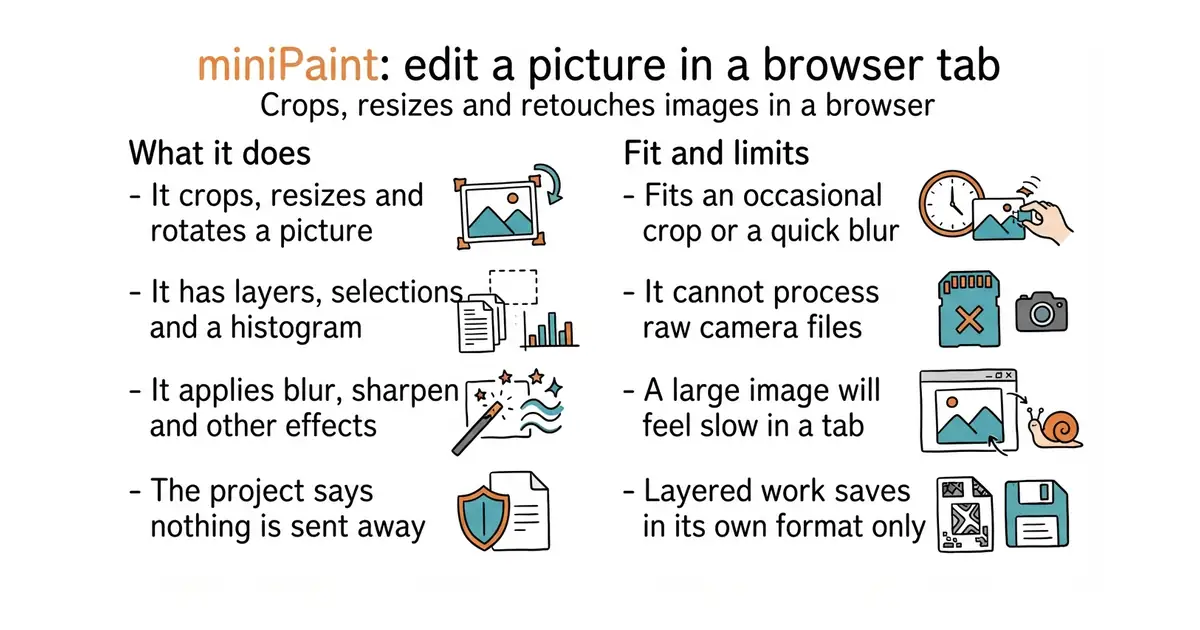
A layered image editor that runs in a browser, with no upload and nothing installed.
▶Repo detailsthe review · specs · pros & cons · install
What it does
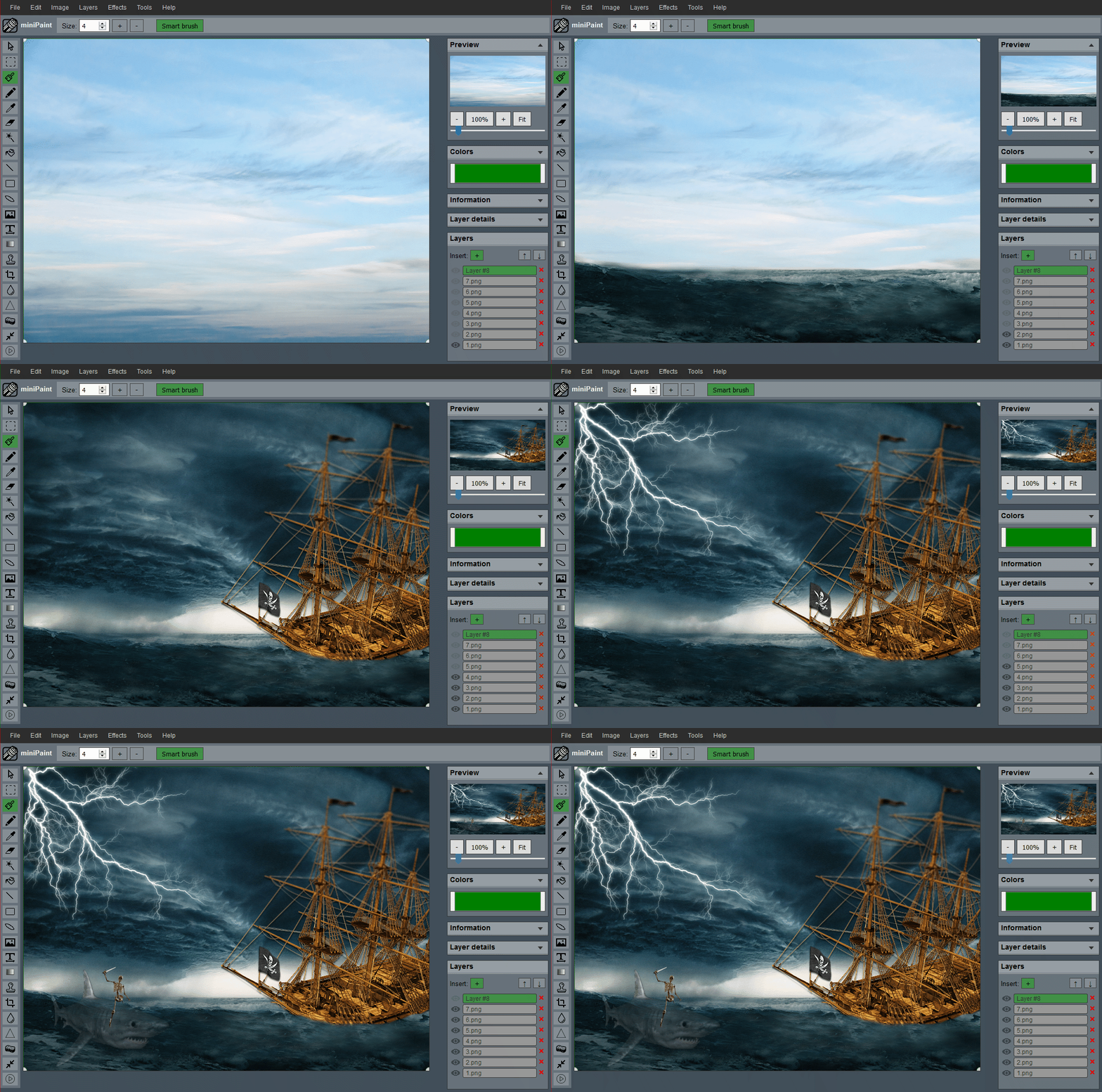
miniPaint opens, edits and saves images inside the browser using HTML5. It supports several file formats including a layered JSON format of its own, so work in progress can be saved and reopened. It offers undo and redo, selection, cut, copy and paste, resizing, rotation, flipping, colour correction and a histogram. Layers can be merged, flattened and given transparency. There is a large set of effects, including blur, sharpen and sepia, and a set of tools covering pencil, brush, magic wand, eraser, crop and clone. The README states that "nothing will be sent to any server". The newest release is 4.14.3 of 20 April 2026. It is a raster editor, so it does not produce the scalable vector files that svgedit above makes, and it is not a photograph workflow tool with raw-file processing.
Why it matters
Who it suits. Anyone who occasionally needs to crop a picture, blur a face, or save a smaller version, and does not want to install an image editor to do it. It suits people on a borrowed or locked-down machine especially well, since it is a web page. It also suits anyone uneasy about uploading a picture to a free online editor, because the project states the file never leaves the browser. Skip it if you edit photographs seriously, where raw processing and colour management matter.
Verdict. Worth bookmarking, and that is the whole recommendation. Open it, do the job, close the tab. The MIT licence and the plain structure also make it easy to host yourself, which is worth ten minutes if several people need it on a network with no internet access. For photograph work, darktable-org/darktable is the free tool that handles raw files properly, and GraphiteEditor/Graphite is the more ambitious browser editor to watch.
- Nothing installed, and the project states that nothing is sent to a server.
- Real layers, selections and a histogram, which covers most everyday edits.
- MIT licensed and simple to host on an internal network.
- A browser tab is slower than a desktop editor, and very large images will make that obvious.
- No raw-file processing or colour management, so it is not for photography.
- It saves layered work only in its own JSON format, which no other program reads.
- GraphiteEditor/Graphite
A browser editor covering both vector and pixel work, more capable and still changing fast.
Track this in Scout  darktable-org/darktable
A desktop program for photographs, including raw files, which edits without altering the original.
Track this in Scout
https://viliusle.github.io/miniPaint/

19.5k stars · Apache-2.0, named in the About sidebar and the README · v2.17.0, 22 September 2026 · Track this in Scout · Share this tool
A free framework for writing and running automated trading programs on cryptocurrency exchanges.
▶Repo detailsthe review · specs · pros & cons · install
What it does
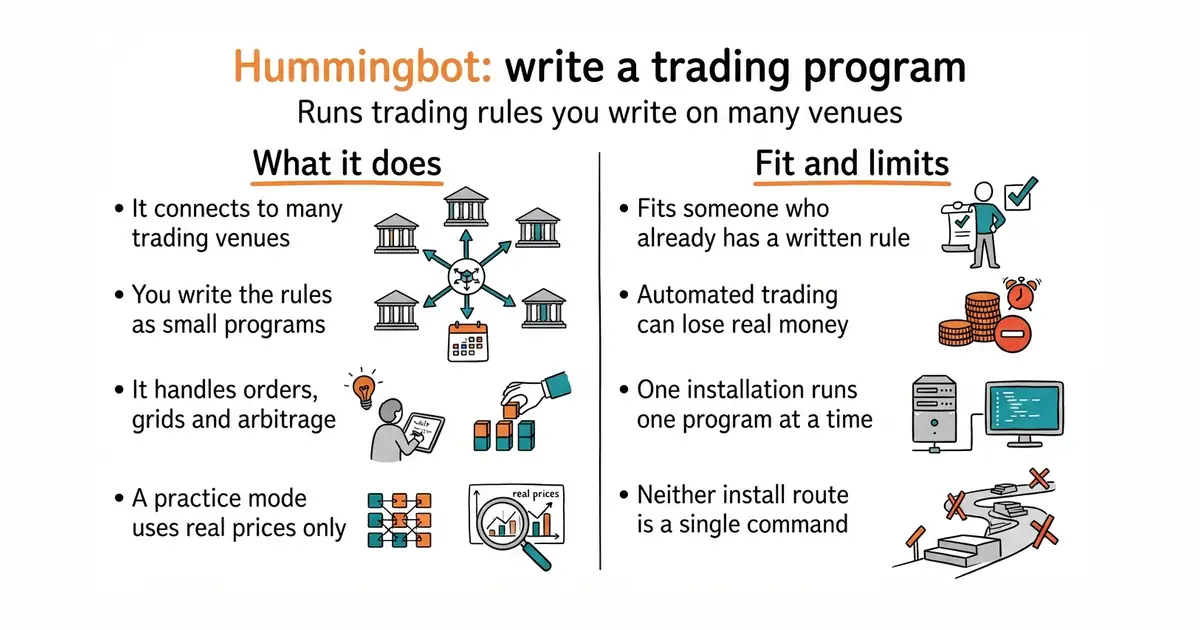
Hummingbot connects to many centralised and decentralised exchanges through standard connectors and runs trading rules you write. Strategies come in several shapes: single-file scripts, reusable controllers that can be tested against past data and then run live, and executors that handle the lifecycle of a position, a grid, an arbitrage or a time-weighted order. Older strategies such as pure market making and cross-exchange market making are still included. Decentralised exchange connectors run through a separate component the project calls Gateway. Exchange keys are kept encrypted behind a keystore password, which the program asks for every time it starts. The practice mode runs against live Binance market data and needs no keys. One limit worth knowing before you plan anything: one installation runs one bot.
Why it matters
Who it suits. Someone who already understands the trading idea they want to automate and needs the plumbing of exchange connections, order lifecycles and reconnection handled for them — someone, in other words, whose problem is engineering rather than strategy. The practice mode also makes it a reasonable teaching tool, because a strategy can be watched against real prices with nothing at risk. Skip it if you do not yet have a rule you can write down precisely. Skip it entirely if losing the money would matter.
Verdict. A serious piece of engineering, Apache-2.0, with release 2.17.0 on 22 September 2026, and it is the standard answer for market making across many venues. It is also the hardest entry in today's edition to recommend responsibly. Automated trading loses money by default, the practice mode cannot reproduce how a real exchange behaves when it is busy, and the one-bot-per-installation limit shapes any plan to run several strategies. Spend a week in paper mode before anything else. For a Python framework aimed at single-strategy retail trading, freqtrade/freqtrade is gentler, and for professional-grade event handling, nautechsystems/nautilus_trader is the heavier choice.
- Practice mode runs against live Binance prices with no keys and no money, so the first week costs nothing.
- Apache-2.0 throughout, with no paid edition and no feature held back.
- Executors for grids, arbitrage, dollar-cost averaging and time-weighted orders cover most of what people actually build.
- One installation runs one bot, which constrains any multi-strategy plan from the start.
- Installing from source needs Anaconda or Miniconda, and the Docker route needs Docker Compose, so neither path is a single command.
- The Gateway component runs in development mode over unencrypted HTTP unless you turn that off and generate certificates yourself.
 freqtrade/freqtrade
A Python crypto trading bot with backtesting, plotting and Telegram control, aimed at one trader running one strategy.
Track this in Scout nautechsystems/nautilus_trader
A Rust core with Python strategies that runs the same code in testing and live trading.
Track this in Scout ccxt/ccxt
Not a bot at all: one common interface to many exchanges, which is what you want if you are writing the framework yourself.
Track this in Scout
git clone https://github.com/hummingbot/hummingbot.git
cd hummingbot
make setup
make deploy
make link-cli

7.7k stars · BSD 3-Clause, per the README badge and LICENSE.TXT; the About sidebar names none · v1.44, 13 October 2026, confirmed on GitHub and PyPI the same day · Track this in Scout · Share this tool
The long-established free library for pricing and risk-managing financial instruments.
▶Repo detailsthe review · specs · pros & cons · install
What it does
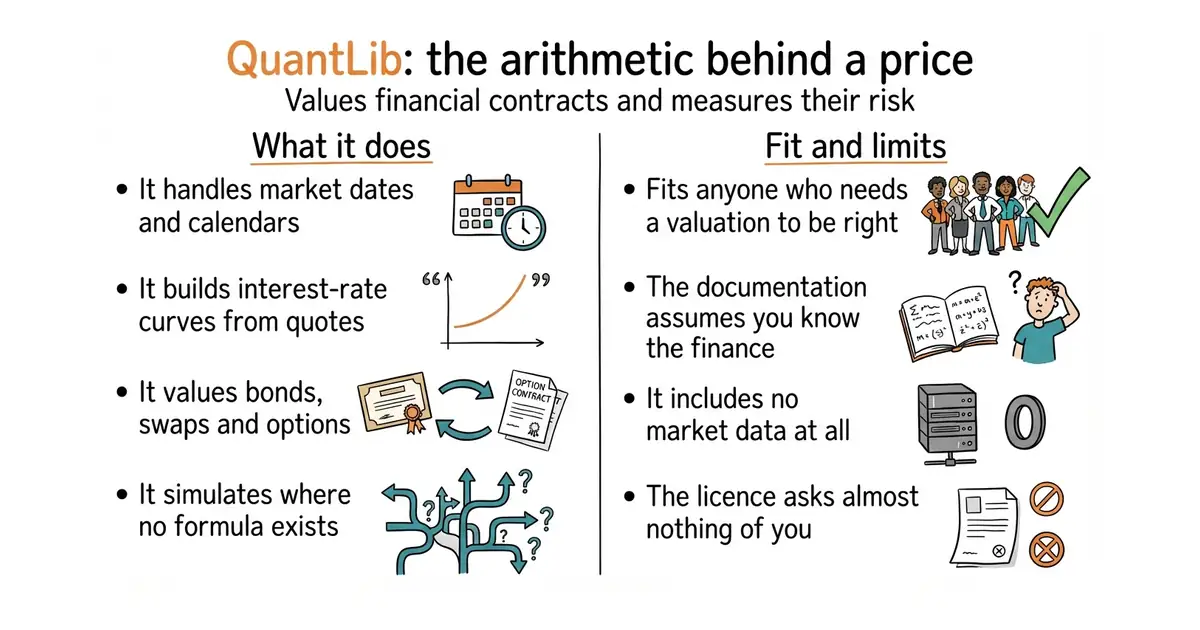
QuantLib is a framework for quantitative finance, aimed at modelling, trading and risk management. It provides the building blocks that pricing depends on: date and calendar handling for dozens of markets, day-count conventions, interest-rate curves built from quoted instruments, volatility surfaces, and the numerical machinery — trees, finite differences and Monte Carlo simulation — that values instruments with no closed formula. On top of those sit the instruments themselves, covering bonds, swaps, options, credit products and currency contracts. The core is C++, and pip install QuantLib gives the official Python bindings. Version 1.44 was released on 13 October 2026 on both GitHub and PyPI, and it drops the Boost versions of any and optional in favour of the standard library's, and removes features deprecated in 1.39. It is a library, not an application: there is no interface, no data feed and no market data included, and you supply every price it works from.
Why it matters
Who it suits. Anyone who needs a valuation to be right rather than roughly right. That means a small fund, a treasury function, a risk analyst, or a developer asked to value a book of instruments without writing the date arithmetic and curve bootstrapping from scratch. The date and calendar handling alone justifies it, because market conventions are tedious, varied and easy to get subtly wrong. Skip it if you are backtesting a signal on daily closing prices, where a dataframe library is the right tool and this is enormous overkill.
Verdict. Worth the effort, with eyes open about the effort. The library is thorough and the BSD 3-Clause licence asks almost nothing, which makes it unusual among serious financial software. The cost is the learning curve: the documentation assumes you know the finance, the C++ is from an older school, and the Python bindings follow the C++ structure rather than feeling like Python. Start with pip install QuantLib and one worked example from the project site rather than building the C++ library. For a smaller and more approachable Python library covering similar ground, domokane/FinancePy is the better first stop.
- BSD 3-Clause, which is about as permissive as a licence gets, on software of this seriousness.
- Market conventions, calendars and curve building are handled properly, which is the part that is tedious to write and easy to get wrong.
- Still released on a regular rhythm: version 1.44 arrived on 13 October 2026, on GitHub and PyPI the same day.
- Steep. The documentation assumes financial knowledge, and the examples are the real teaching material.
- The Python bindings mirror the C++ design rather than reading like Python, which makes short scripts verbose.
- No data of any kind is included, so you need your own prices before anything can be valued.
 domokane/FinancePy
A pure Python library for pricing and risk-managing derivatives, far easier to start with and far smaller in scope.
Track this in Scout cuemacro/finmarketpy
Aimed at backtesting and market analysis rather than instrument pricing.
Track this in Scout pmorissette/ffn
A library of financial functions for performance measurement and return analysis, which is the other half of the job.
Track this in Scout
python3 -m venv venv
source venv/bin/activate
pip install QuantLib

717 stars · MIT, named in the About sidebar · 5.1.0, 2 February 2026, confirmed on GitHub and PyPI · Track this in Scout · Share this tool
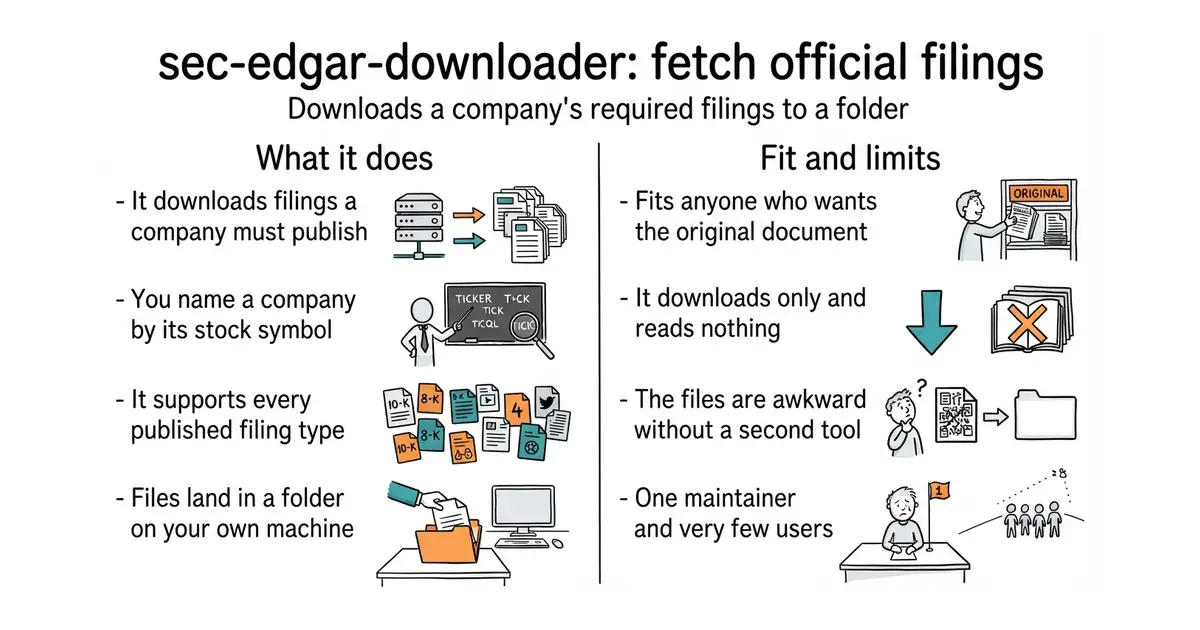
A small Python package that downloads a United States company's official filings to a local folder.
▶Repo detailsthe review · specs · pros & cons · install
What it does
The package downloads company filings from the EDGAR database, which is the archive the United States Securities and Exchange Commission publishes. You identify a company either by its stock ticker or by its Central Index Key, the number the regulator assigns it. The README says it supports all filing types, and lists many of them, including the yearly 10-K, the quarterly 10-Q, the event notice 8-K, the fund holdings report 13F-HR and the ownership notice SC 13G. Filings arrive as files in a folder you choose, in the form the regulator published them. The package requires you to supply a company name and an email address, which it uses to build the identifying header the regulator's fair-access policy asks for. Version 5.1.0 was released on 2 February 2026, confirmed on both GitHub and PyPI. What it does not do is read the documents: there is no parsing, no extraction of sections, and no conversion into tables.
Why it matters
Who it suits. Anyone who wants the primary documents rather than a summary of them. That covers a researcher building a text corpus, an analyst who wants to read what a company actually filed, and anyone automating a check across a list of companies. The narrow scope is the feature: because it only downloads, there is very little to go wrong and very little to learn. Skip it if what you want is the numbers already extracted into a table, because then you want a parsing library instead.
Verdict. Install it, and keep it. A minute to set up, MIT licensed, 717 stars, and it does exactly what it says. The right way to use it is as the first step of two: this fetches, and something else reads. For the reading step, dgunning/edgartools turns filings into typed objects and tables, and it is the natural partner. Edition 51 covered sec-edgar/sec-edgar, which does the same download job with a different interface; between the two, pick on which API reads better to you, because both are maintained and both are small.
- One job, done plainly, with an interface you can learn in five minutes.
- MIT licensed, with real documentation on Read the Docs rather than a README alone.
- Makes the identifying header mandatory, which satisfies the regulator's fair-access policy without extra work.
- It downloads only. Nothing is parsed, extracted or turned into a table.
- Filings arrive in the regulator's own formats, which are awkward to read without a second tool.
- 717 stars and a single maintainer, so support is whatever the issue tracker provides.

 dgunning/edgartools
The complementary tool: it parses filings into typed objects and tables rather than fetching raw files.
Track this in Scout- lefterisloukas/edgar-crawler
Downloads filings and also extracts named sections into structured JSON, but its currency could not be proven on 18 October 2026.
Track this in Scout
python3 -m venv venv
source venv/bin/activate
pip install sec-edgar-downloader
Checked, and left out
Nothing to show for this edition. Recording the repositories that were checked and rejected began with Edition No. 4, and every edition from there on has the list.
Know a repository we should check?
Coming tomorrow