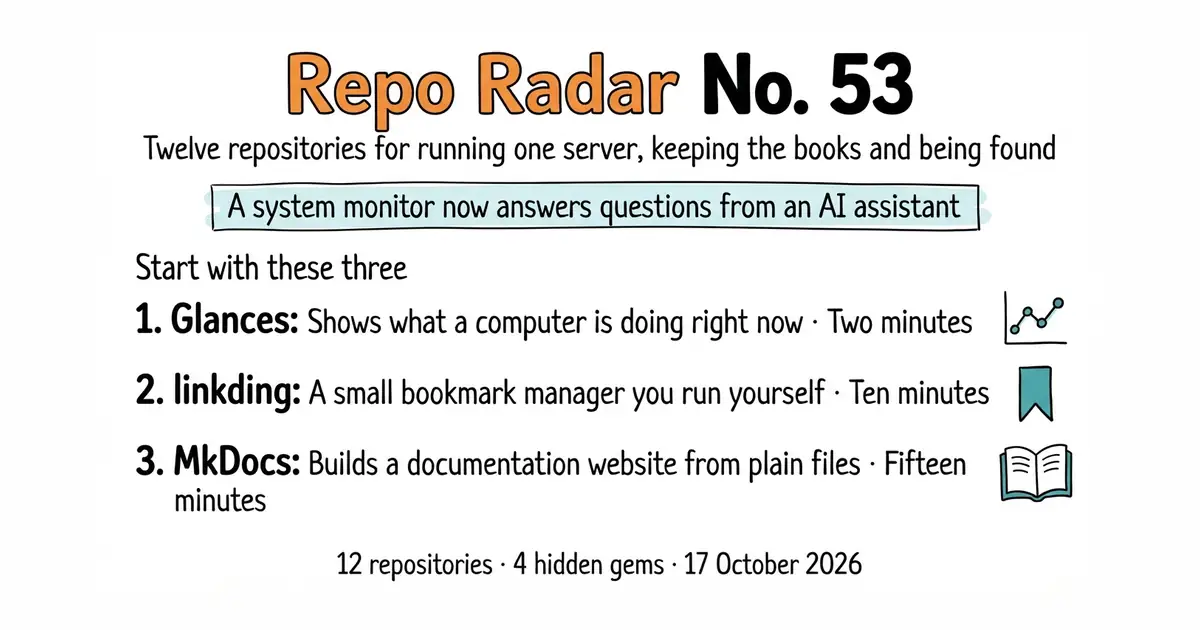
Edition No. 53 · 17 Oct 2026
A system monitor now answers questions from an AI assistant
A system monitor an AI assistant can query, three ways to do double-entry accounting, and a free accounting app that charges extra for it.
Saturday 17 October 2026. Twelve open-source repositories, every one opened and checked this morning.
We aim for twelve every day. Some candidates fall out while we check them — those are listed at the end, with the reason.
Today runs through four jobs that most small teams end up doing by hand: keeping one server alive, keeping the books, finding out who visits the site, and getting words and pictures out of the door. The one fact worth the headline is in entry 2. Glances, a system monitor that has been around for years, now ships a built-in MCP server. MCP stands for Model Context Protocol, an agreed way for an AI assistant to call a program and read its answers. Turn it on with one extra word on the command line, and an assistant can be asked "why is this machine slow?" and go and look.
The second fact worth knowing is in entry 4, and it is less cheerful. Akaunting is given away as free accounting software, and double-entry bookkeeping — the thing that makes accounting accounting — is a paid add-on from its app store. Entries 5 and 6 do double-entry for nothing.
If you only do three things
- nicolargo/glances — two minutes. One install command gives a live picture of a machine in the terminal, a web page, and now an interface an AI assistant can read.
- sissbruecker/linkding — ten minutes. One Docker command and every saved link lives somewhere that will not be shut down or sold.
- mkdocs/mkdocs — fifteen minutes. Turns a folder of plain-text files into a real documentation site. Read entry 9 before you commit: the stable version is two years old, and version 2 is still in testing.
Every link in one place
| # | Repository | Project site | Stars | Licence |
|---|---|---|---|---|
| 1 | dokku/dokku | dokku.com | 32.1k | MIT |
| 2 | nicolargo/glances | nicolargo.github.io/glances | 33.4k | LGPL-3.0 |
| 3 | netbox-community/netbox | netboxlabs.com | 21.6k | Apache-2.0 |
| 4 | akaunting/akaunting | akaunting.com | 10.1k | Business Source Licence |
| 5 | spiral-project/ihatemoney | ihatemoney.org | 1.4k | Custom BSD-style |
| 6 | ledger/ledger | ledger-cli.org | 6.0k | BSD-3-Clause |
| 7 | Swetrix/swetrix | swetrix.com | 1.2k | AGPL-3.0 |
| 8 | harlan-zw/nuxt-seo | nuxtseo.com | 1.4k | MIT |
| 9 | mkdocs/mkdocs | mkdocs.org | 22.4k | BSD-2-Clause |
| 10 | sissbruecker/linkding | linkding.link | 11.1k | MIT |
| 11 | Notifuse/notifuse | notifuse.com | 2.2k | Business Source Licence 1.1 |
| 12 | motion-canvas/motion-canvas | motion-canvas.io | 19.0k | MIT |
A system monitor now answers questions from an AI assistant
Twelve repositories, checked and reviewed. Every version verified against the GitHub API and dated.

32.1k stars · MIT · v0.38.31 (2026-09-27), read from /releases/latest; the page shows '27 Sep' with no year and that date has already passed this year · Track this in Scout · Share this tool
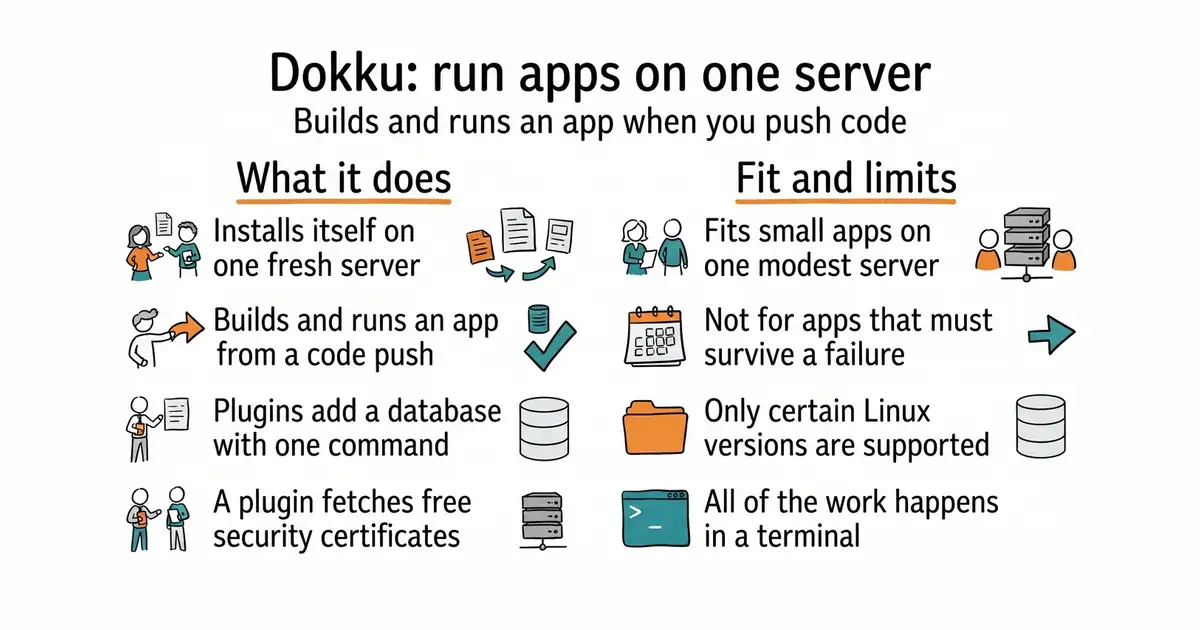
A small platform you install on one server, which builds and runs an app every time you push code to it.
▶Repo detailsthe review · specs · pros & cons · install
What it does
You run one script on a fresh machine and it installs itself. After that it accepts code over git, the version-control system most projects already use. It reads the project, works out how to build it, and puts the result in a container, which is a sealed box holding the program and everything it needs to run. Plugins add a database — PostgreSQL, MySQL or Redis — with one command each, and another plugin fetches a free Let's Encrypt certificate so the site is served over https. The current release is v0.38.31, from 27 September 2026, and code landed on 16 October 2026, so it is being worked on daily. The README asks for Ubuntu 22.04 or 24.04, or Debian 11 or newer, on Intel or ARM hardware, and it asks for a fresh machine rather than one already carrying other software. It is not a hosted service: nobody else runs the server, watches it, or restores it when a disk fills up.
Why it matters
Who it suits. Anyone running a handful of small apps who has outgrown a free hosted tier and does not want the monthly bill that comes next. It fits best where the apps are small, the traffic is modest, and one machine is genuinely enough. Skip it if an app must survive one computer failing, or if patching Linux every month is not something you want on the list.
Verdict. Worth one afternoon, and the payoff lasts for years. Dokku is the oldest and plainest of these tools, which is the point: it is a set of shell scripts around Docker rather than a second platform to learn. If you want a web interface instead of a terminal, coollabsio/coolify at 60.9k stars and Apache-2.0 was Edition 3, and Dokploy/dokploy at 36.6k stars was Edition 31. Both are friendlier and both are heavier. Watch the fresh-machine requirement: people install Dokku beside an existing web server and then spend an evening untangling which one owns port 80.
- One script installs the whole thing, and a
git pushis the entire deployment process after that. - Databases and certificates are plugins, each one command, so the fiddly parts are already solved.
- MIT licensed, with a release in September 2026 and code landing this week.
- Only certain versions of Ubuntu and Debian are supported, and it wants a server with nothing else on it.
- Everything happens in a terminal over SSH, so there is a real amount of command-line work for a non-programmer.
- One machine means one point of failure: if it dies, every app on it is down until you rebuild.
 coollabsio/coolify
The same self-hosted deployment job with a full web interface and over 280 one-click services, at the cost of a much larger program to run.
Track this in Scout Dokploy/dokploy
Also a web interface over Docker, with multi-server support, but its repository carries both an open licence file and a proprietary one and does not say which applies where.
Track this in Scout- caprover/caprover
An older one-click platform built on Docker Swarm and nginx, easier to click through and slower to move than the other two.
Track this in Scout
wget -NP . https://dokku.com/bootstrap.sh
sudo DOKKU_TAG=v0.38.31 bash bootstrap.sh
dokku apps:create my-app

33.4k stars · LGPL-3.0 (not named in the sidebar; read from the README, which points at COPYING) · 4.5.8 (2026-10-11), read from PyPI, which carries a year where the GitHub release byline does not · Track this in Scout · Share this tool
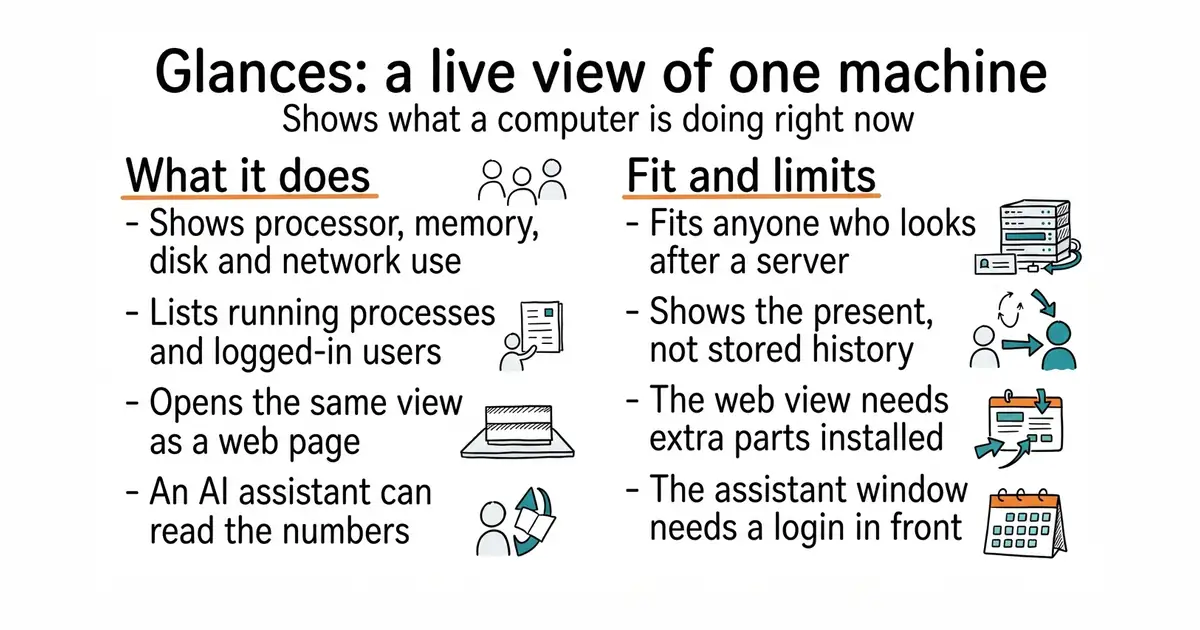
A live view of one computer's health, in a terminal, in a browser, or through an AI assistant.
▶Repo detailsthe review · specs · pros & cons · install
What it does
Run glances and it fills the terminal with processor load, memory use, disk activity, network traffic, running processes, logged-in users, and, where the hardware reports them, temperatures, voltages and fan speeds. It also reads container statistics from Docker and LXC, so programs running in sealed boxes are not invisible. Run glances -w and the same view becomes a web page on port 61208, with a REST interface — a way for other programs to ask for the same numbers over the network — beside it. From version 4.5.1 it also carries a built-in MCP server, started with glances -w --enable-mcp, so an AI assistant can query the machine itself. The current release is 4.5.8, published on 11 October 2026. It watches; it does not manage. There is no button to restart a service, no long history kept inside the tool, and the web interface's extra parts are not installed by default.
Why it matters
Who it suits. Anyone who looks after a server and currently finds out it is in trouble when something stops answering. It is also the quickest way to see inside a machine you have just been handed and know nothing about. Skip it where a full monitoring system with history, alerts and dashboards is already in place; Glances is the live view, not the record.
Verdict. Two minutes, and it is the single easiest win in this edition. The MCP server is the genuinely new part, and it is worth understanding before switching it on: it gives an assistant a read-only window into a machine, which is useful for "what is eating the memory" and less comfortable on a box holding anything sensitive. Keep it on a local network or behind a login. For history and alerts, pair it with netdata/netdata at 80.4k stars and GPL-3.0, which was Edition 42, or the much lighter henrygd/beszel at 24.3k stars and MIT, which was Edition 5.
- One
pip installand it works, on Linux, BSD, macOS and Windows. - Four ways to read the same data: terminal, web page, REST interface, and now an AI assistant.
- LGPL-3.0, with a release on 11 October 2026 and a long, steady history behind it.
- It shows the present, not the past; history means exporting to a database and running something else to draw it.
- The web interface needs extra parts that the plain install leaves out, and distribution packages are often behind.
- The MCP server opens a read-only window onto a machine, so it needs a network boundary or a login in front of it.
 netdata/netdata
Per-second metrics with stored history, anomaly detection and alerts, which is a much larger system to run for a much fuller answer.
Track this in Scout henrygd/beszel
A small server-health tracker with stored history, container statistics and alerts, aimed at watching several machines from one page rather than one machine in depth.
Track this in Scout
python3 -m venv ~/glances-env
source ~/glances-env/bin/activate
pip install 'glances[all]'
glances

21.6k stars · Apache-2.0 · v4.7.3 (2026-10-13), read from /releases/latest, which prints the full date in the heading · Track this in Scout · Share this tool
A database of what a network and its hardware are supposed to look like, which other programs can read.
▶Repo detailsthe review · specs · pros & cons · install
What it does
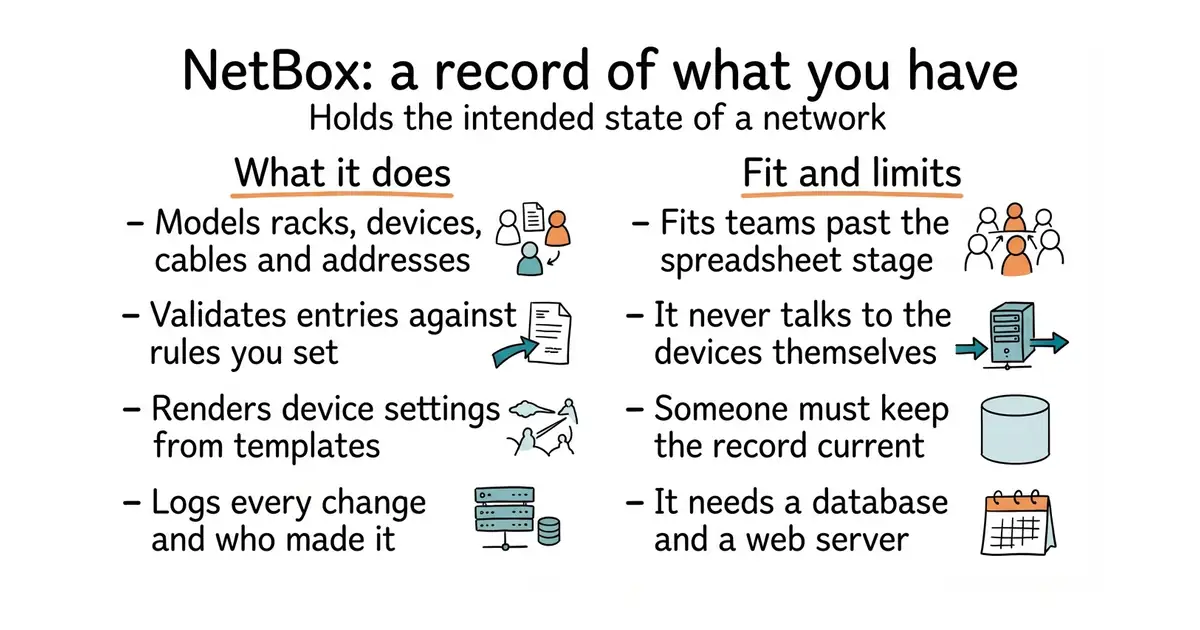
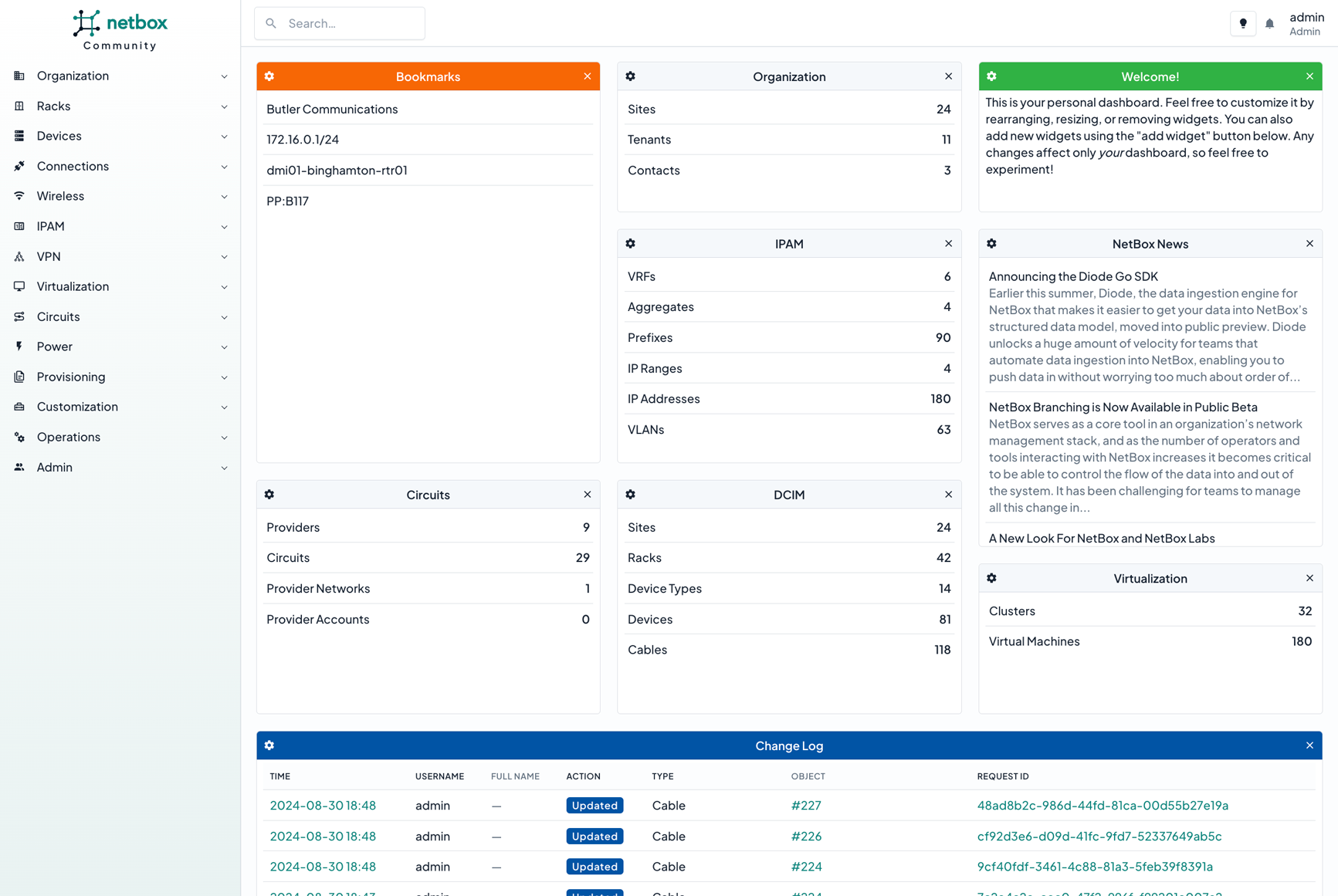
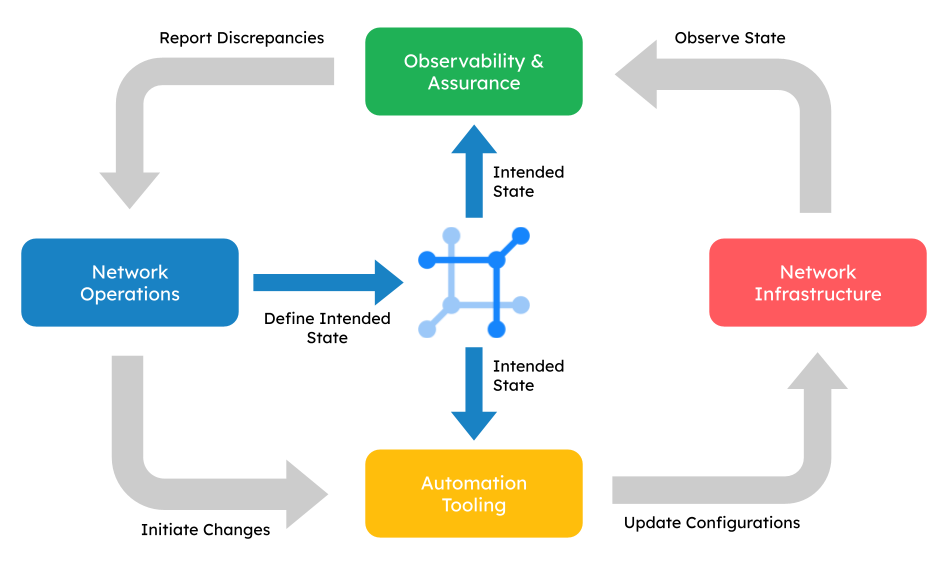
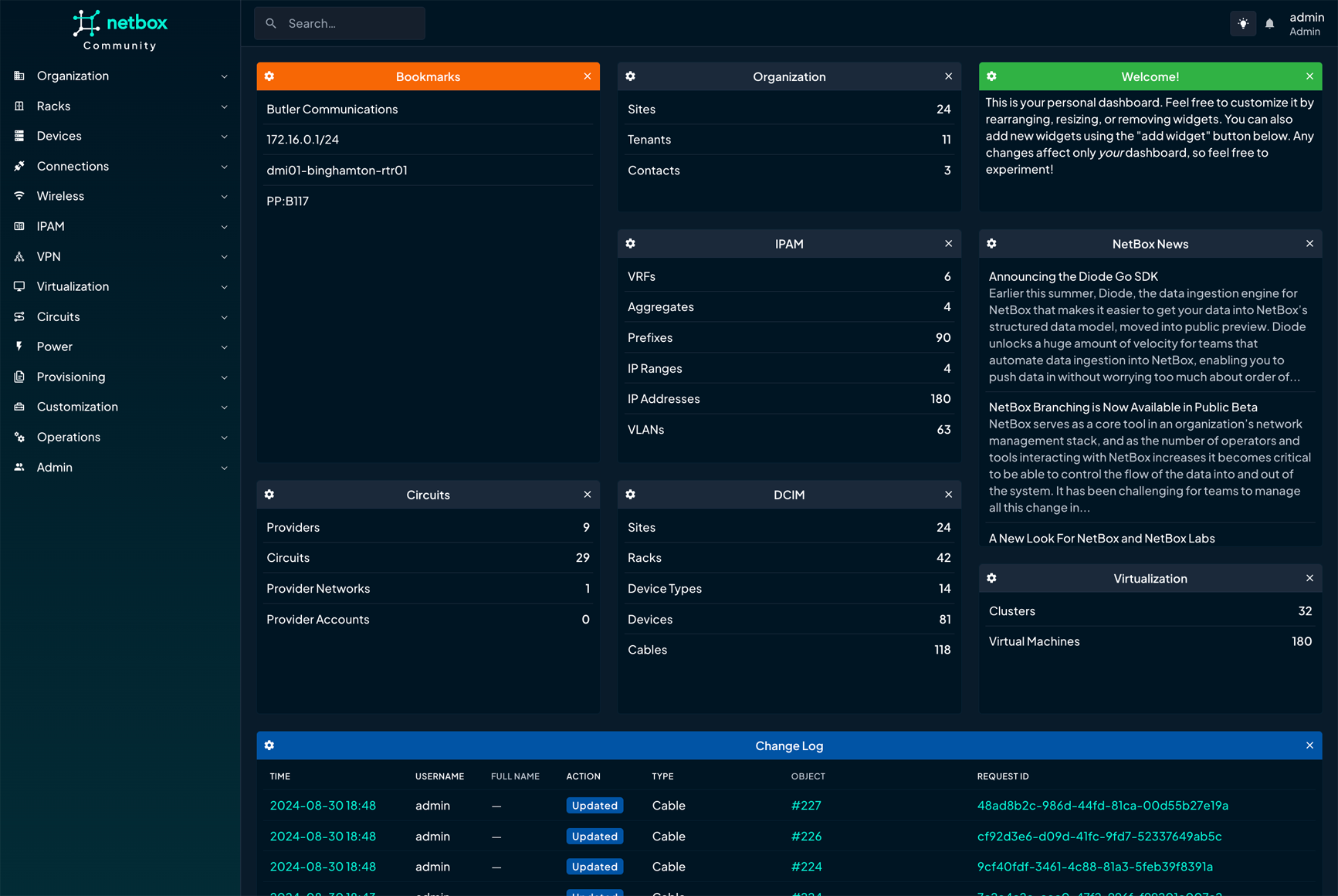
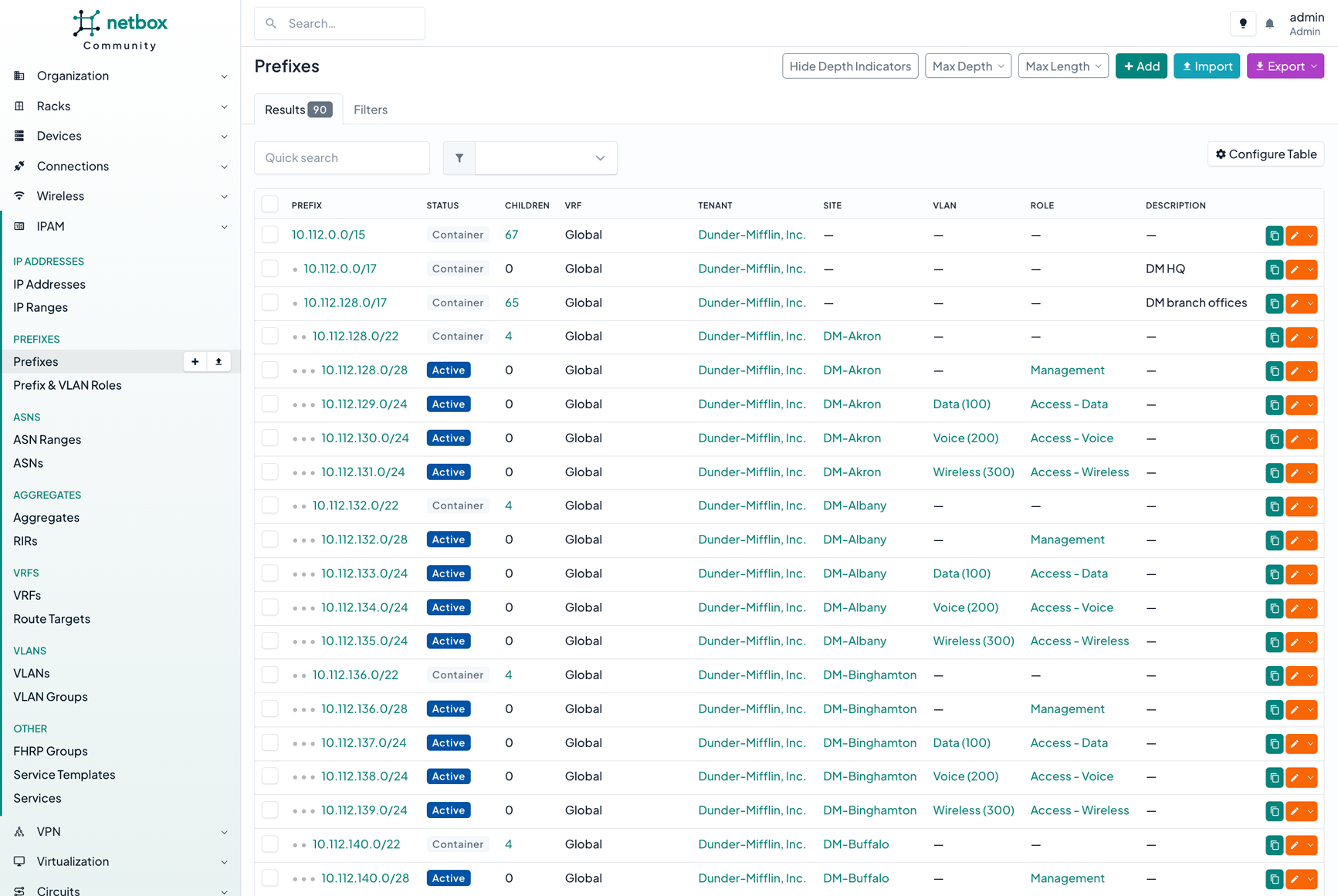
NetBox models racks, devices, cables, IP addresses, VLANs, circuits, power feeds and VPNs, in one interlinked data model that works as soon as it is installed. You edit it through a web interface or load it through an API, which is a way for other programs to read and write the same data. It validates what you enter against rules you set, renders device configuration files from Jinja2 templates, runs custom scripts, fires webhooks when something changes, and keeps a log of every change and who made it. The current release is v4.7.3, from 13 October 2026, under the Apache-2.0 licence. The project is clear about one limit: NetBox never talks to the devices themselves. It holds the intended state and hands it to the automation and monitoring tools that do the talking.
Why it matters
Who it suits. Teams past the point where a spreadsheet of IP addresses still works — typically a few dozen machines, more than one site, or a network somebody inherited. It also suits anyone writing automation scripts who keeps hard-coding addresses into them. Skip it if you run three servers and know all three by name; the record would cost more than it saves.
Verdict. A real commitment rather than an afternoon, and worth it only where somebody owns keeping it current. A source of truth that nobody updates is worse than no source of truth, because scripts believe it. Start by importing one thing you already maintain by hand, usually the IP addresses, and let it earn the rest. It overlaps nothing else in the radar's archive, which is part of why it is here: the nearest neighbours are IT asset trackers such as snipe/snipe-it and glpi-project/glpi, and both answer a different question.
- A rich model that already knows what a rack, a cable and a VLAN are, so there is nothing to design first.
- A proper API and GraphQL interface, so scripts can read the record instead of guessing.
- Apache-2.0, with releases arriving steadily and the newest four days old.
- It needs PostgreSQL, Redis and a Python application behind a web server; the supported route is a container stack, not a single file.
- It is only as good as the person keeping it current, and that person has to be named.
- It does nothing on its own: without tools that read from it, it is a very tidy spreadsheet.
- snipe/snipe-it
Asset tracking for who has which laptop and which software licence, AGPL-3.0, with no model of networks or addresses.
Track this in Scout - glpi-project/glpi
IT asset management with a help desk attached, GPL-3.0, aimed at support tickets and licence audits rather than network design.
Track this in Scout
git clone -b release https://github.com/netbox-community/netbox-docker.git
cd netbox-docker
cp docker-compose.override.yml.example docker-compose.override.yml
docker compose pull
docker compose up

10.1k stars · Business Source Licence (stated in the README as 'the BSL license'; not an OSI open-source licence) · 3.2.4 (2026-09-17), read from /releases/latest; '17 Sep' with no year, and that date has already passed this year · Track this in Scout · Share this tool
Self-hosted invoicing and expense tracking, with the double-entry accounting sold separately as an add-on.
▶Repo detailsthe review · specs · pros & cons · install
What it does
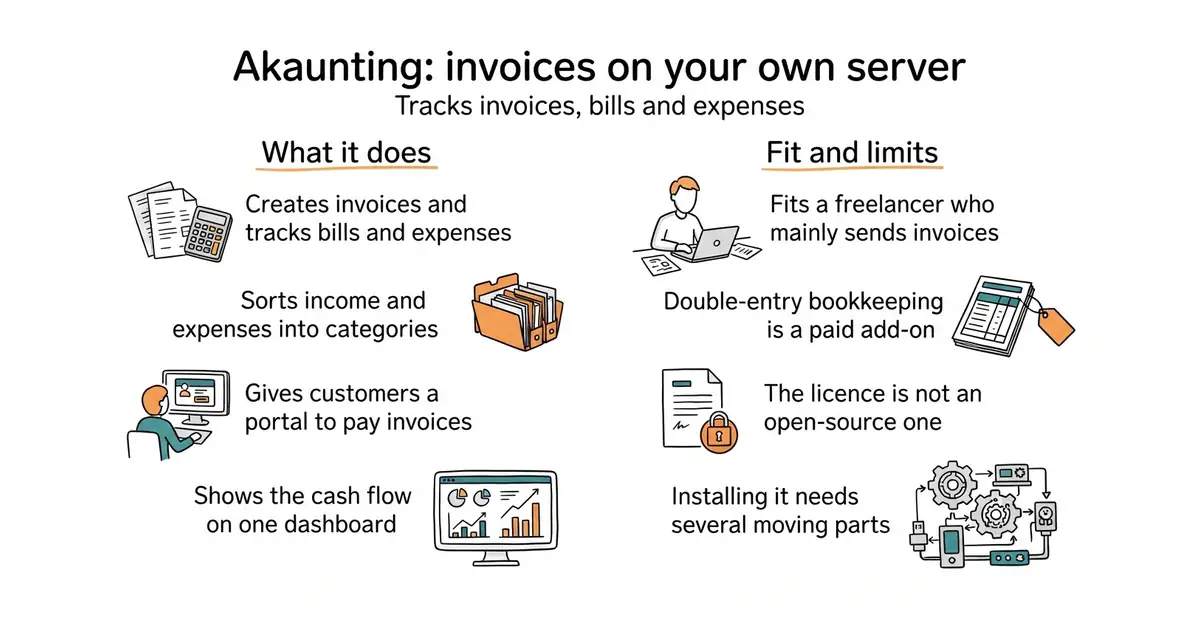
You install a PHP web application on a server with a database behind it — MySQL, MariaDB, PostgreSQL or SQLite — and get a dashboard for cash flow, invoices, bills, expenses and income categories, plus a client portal where customers can see and pay their invoices. The current release is 3.2.4, from 17 September 2026. The project describes itself as modular, and the modules matter: its own site lists Double-Entry (chart of accounts, balance sheet, general ledger, trial balance), Inventory, Projects, Payroll, CRM and Expense Claims as app-store additions rather than parts of the free install. Neither the README nor the home page states what those apps cost. The README says the project is "released under the BSL license", the Business Source Licence, which grants use on conditions and is not an OSI-approved open-source licence.
Why it matters
Who it suits. A freelancer or very small business that mainly needs to send invoices, chase them, and record what was spent, and who would rather keep that data on a machine they control than in a subscription. It suits people comfortable with PHP hosting, because that is what installing it looks like. Skip it if you need a general ledger and a trial balance, because those are the paid part, and entries 5 and 6 give them away.
Verdict. Useful, and honest about being a product with a free tier rather than a community project — but you have to look at the app store to learn that, which is why it is stated plainly here. Install it if invoicing is the job. If accounting is the job, price the add-ons first, then compare with InvoiceNinja/invoiceninja at 10k stars under the Elastic Licence, which was Edition 43, bigcapitalhq/bigcapital at 3.9k stars and AGPL-3.0, which was Edition 26, and frappe/books at 5.0k stars and AGPL-3.0, Edition 29. Of those, the two AGPL projects give you double-entry without an invoice from anybody.
- A polished, well-translated interface that a non-accountant can use on the first day.
- A client portal where customers view and pay invoices, which few self-hosted tools include.
- Active: release 3.2.4 landed on 17 September 2026 and the repository has nearly 9,000 commits.
- Double-entry bookkeeping, inventory, payroll and projects are paid app-store add-ons, not part of the free install.
- The Business Source Licence is not open source, so what you may do with the code has conditions attached.
- Installing it means PHP 8.1 or newer, Composer, npm and a database — more moving parts than a single binary.
 InvoiceNinja/invoiceninja
Invoices, quotes, projects and time tracking in one Laravel application, source-available under the Elastic Licence rather than open source.
Track this in Scout bigcapitalhq/bigcapital
Double-entry bookkeeping and inventory in the free install, under AGPL-3.0, with a smaller community behind it.
Track this in Scout frappe/books
A desktop accounting program with double-entry and offline working, AGPL-3.0, for one business rather than a hosted service.
Track this in Scout
git clone https://github.com/akaunting/akaunting.git
cd akaunting
composer install ; npm install ; npm run dev
php artisan install --db-name="akaunting" --db-username="root" --db-password="pass" --admin-email="admin@company.com" --admin-password="123456"

1.4k stars · Custom BSD-style 'beerware' text, per the PyPI project description; not a standard SPDX licence · 7.2.1 (2026-08-07), read from PyPI · Track this in Scout · Share this tool
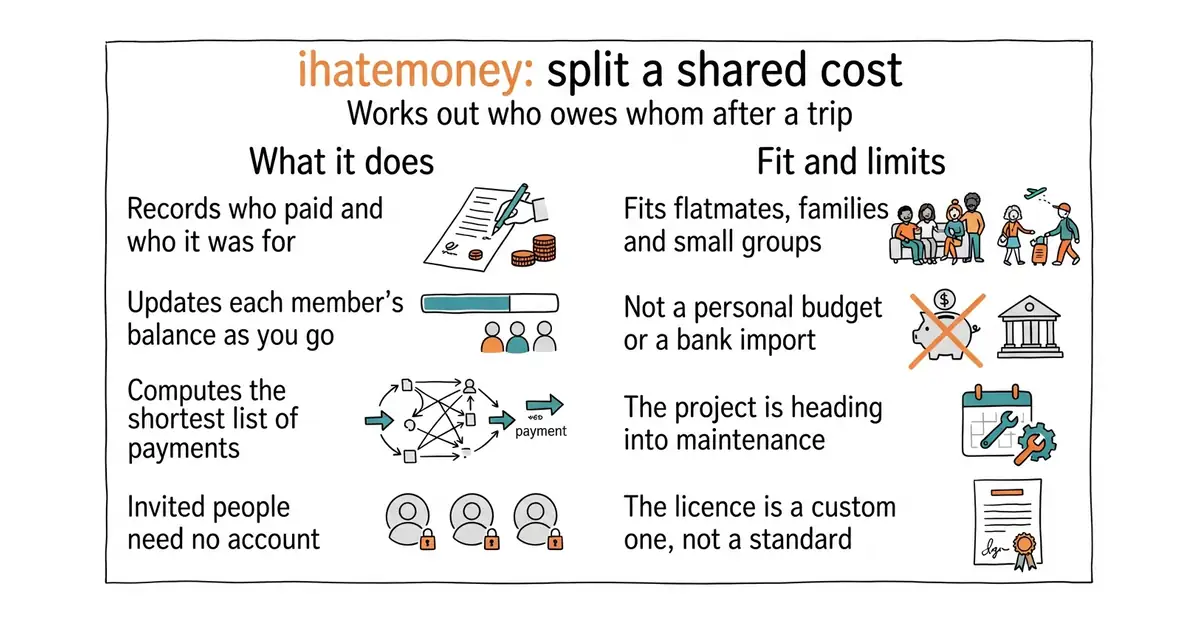
A shared-expense list that works out the shortest set of payments to make everyone even.
▶Repo detailsthe review · specs · pros & cons · install
What it does
You create a project with a name and a password and share the link. Each person adds what they bought, when, and which members it was for, and the balance updates as you go. It then produces the settlement: the shortest list of payments that clears every debt. People you invite need no account, which is the detail that makes it get used — nobody signs up to settle a dinner. The current release is 7.2.1, published on 7 August 2026. It runs on Python 3.11 to 3.13 with SQLite, PostgreSQL or MariaDB 10.3.2 and newer behind it, and there is a Docker image. The maintainers say plainly that the project is moving towards maintenance mode, with stability chosen over new features, and that any proposal has to fit a goal of simplicity. It is not personal accounting: there is no budget, no bank import, and no report beyond the balances.
Why it matters
Who it suits. Flatmates, families, walking clubs, anyone who shares costs with people who will not install anything. It also suits a small office that splits lunch and does not want that data in a commercial app. Skip it if you want budgets, categories and charts of your own spending; that is a different tool, and entry 6 or Firefly III is closer.
Verdict. Twenty minutes to put up, and then it quietly works for years. Maintenance mode is a fair description rather than a warning: the problem it solves has not changed since 2011, and a release landed in August 2026. The no-account rule is the whole product, and it is why this beats a spreadsheet in practice. The obvious comparison is spliit-app/spliit at 2.9k stars and MIT, which was Edition 26 — a newer, better-looking take on the same idea. Choose ihatemoney for the long record and the lighter install, Spliit for the interface.
- Invited people need no account, so the thing actually gets used.
- It computes the settlement, not just the balances, which is the part people get wrong by hand.
- Tiny: SQLite is enough, and one Docker command runs it.
- The maintainers describe the project as heading into maintenance mode, so do not expect new features.
- No budgets, no bank import, no personal-finance reports — it does one job.
- The licence is a custom BSD-style "beerware" text rather than a standard one, which some companies will not accept.
 spliit-app/spliit
The same shared-expense job with a more modern interface, MIT licensed, built as a replacement for Splitwise.
Track this in Scout firefly-iii/firefly-iii
A full personal finance manager with budgets, categories and imports, AGPL-3.0, which answers the question ihatemoney deliberately does not.
Track this in Scout
docker run -d -p 8000:8000 ihatemoney/ihatemoney:latest

6.0k stars · BSD-3-Clause (not named in the sidebar; read from the README badge) · v3.4.1 (2025-10-26), read from /releases/latest; the byline reads '26 Oct', which has NOT happened in 2026, so it is last year · Track this in Scout · Share this tool
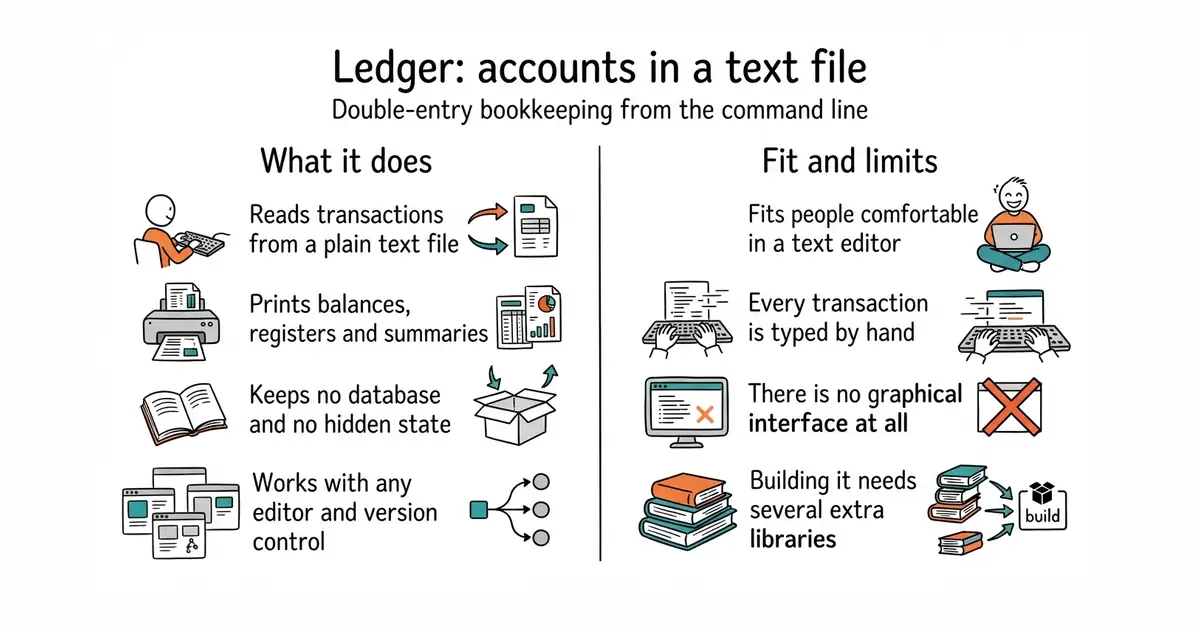
Double-entry accounting from a plain text file, run from the command line, with no database of any kind.
▶Repo detailsthe review · specs · pros & cons · install
What it does
You write transactions into a text file in a simple, fixed format: a date, a description, and the accounts the money moved between. Ledger reads that file and prints balances, registers, budgets and summaries, as text, as a graph, or as HTML. It keeps no database and no state of its own — the text file is the whole record, so it works with any version control and any editor. The current release is v3.4.1, published on 26 October 2025, and code landed on 22 September 2026, so the gap is in releases rather than in activity. Building it from source needs CMake, Boost, GMP and MPFR, and there is a Docker image for anyone who would rather not. Optional Python bindings exist and are off by default. It has no graphical interface and the project says so first: there is no window, no bank connection and no import wizard.
Why it matters
Who it suits. People who are comfortable in a text editor and want accounts that outlive any application — freelancers tracking a business, anyone who wants their books in version control, anyone who has watched a finance app shut down and take the data with it. Skip it if typing transactions by hand sounds like work you will stop doing in week three, because that is the common failure.
Verdict. A long game with a real reward. Give it a weekend, start with one bank account, and judge after a month. Of the three plain-text tools, Ledger is the original and the fastest; simonmichael/hledger at 4.8k stars and GPL-3.0, which was Edition 20, is the friendliest, with a terminal interface and a web one; beancount/beancount at 6.0k stars and GPL-2.0, Edition 39, is the strictest, and beancount/fava at 2.5k stars and MIT, Edition 22, gives it a good web interface. If you are starting today and want charts without writing them, start with hledger or Beancount and Fava, and keep Ledger in mind for speed on a large file.
- The file is the record: plain text, readable in fifty years, and it belongs in version control.
- No database, no server, no account — one program and one file.
- BSD-3-Clause, with an active repository and code landing in September 2026.
- Everything is typed by hand, and there is no import from a bank.
- Building from source needs CMake, Boost, GMP and MPFR, which is a real obstacle on a plain machine; use the Docker image.
- No graphical interface at all, by design, so reports arrive as text until you wire something else up.
 simonmichael/hledger
The same plain-text method with command-line, terminal and web interfaces, GPL-3.0, and much gentler documentation for a beginner.
Track this in Scout beancount/beancount
Plain-text double-entry with stricter rules and a Python core, GPL-2.0, favoured where correctness matters more than speed of entry.
Track this in Scout beancount/fava
A web interface for Beancount files with charts and queries, MIT, which is how most people actually read those books.
Track this in Scout
sudo apt install ledger

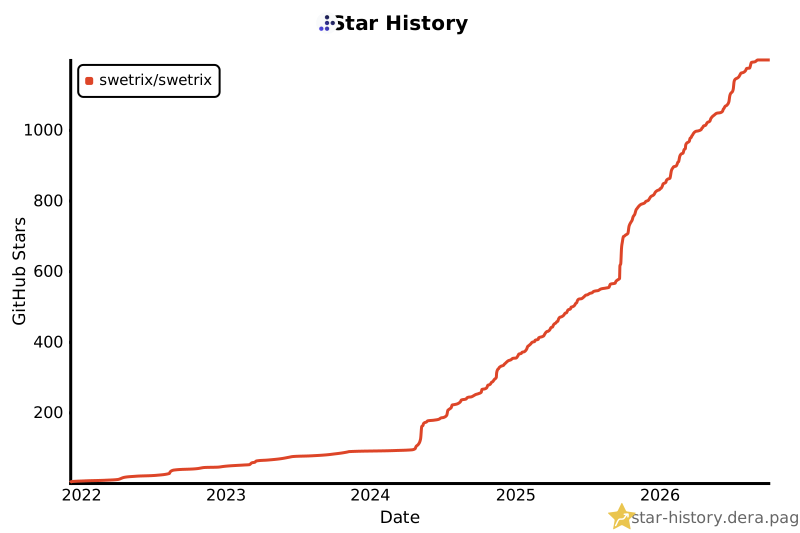
1.2k stars · AGPL-3.0 · tracker-node@3.5.0 (2026-09-26), read from /releases/latest; '26 Sep' with no year, and that date has already passed this year · Track this in Scout · Share this tool
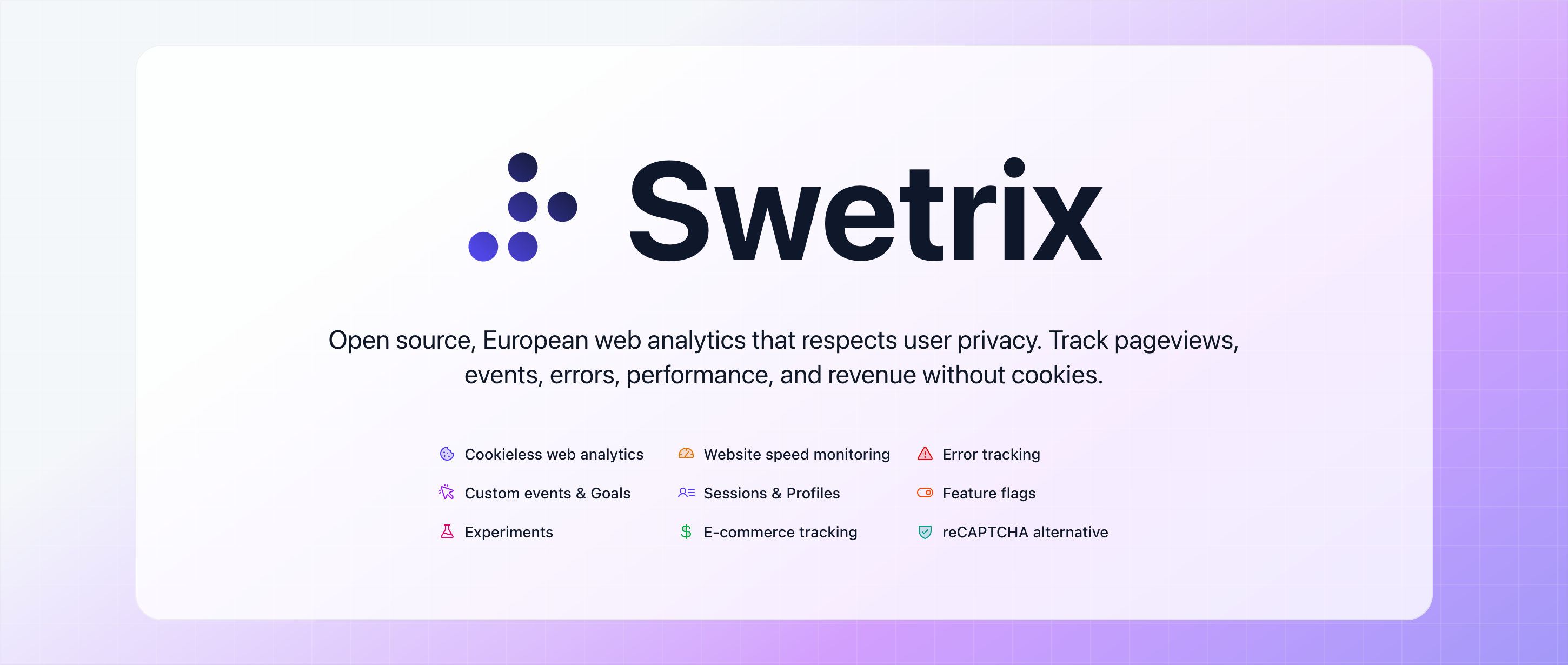
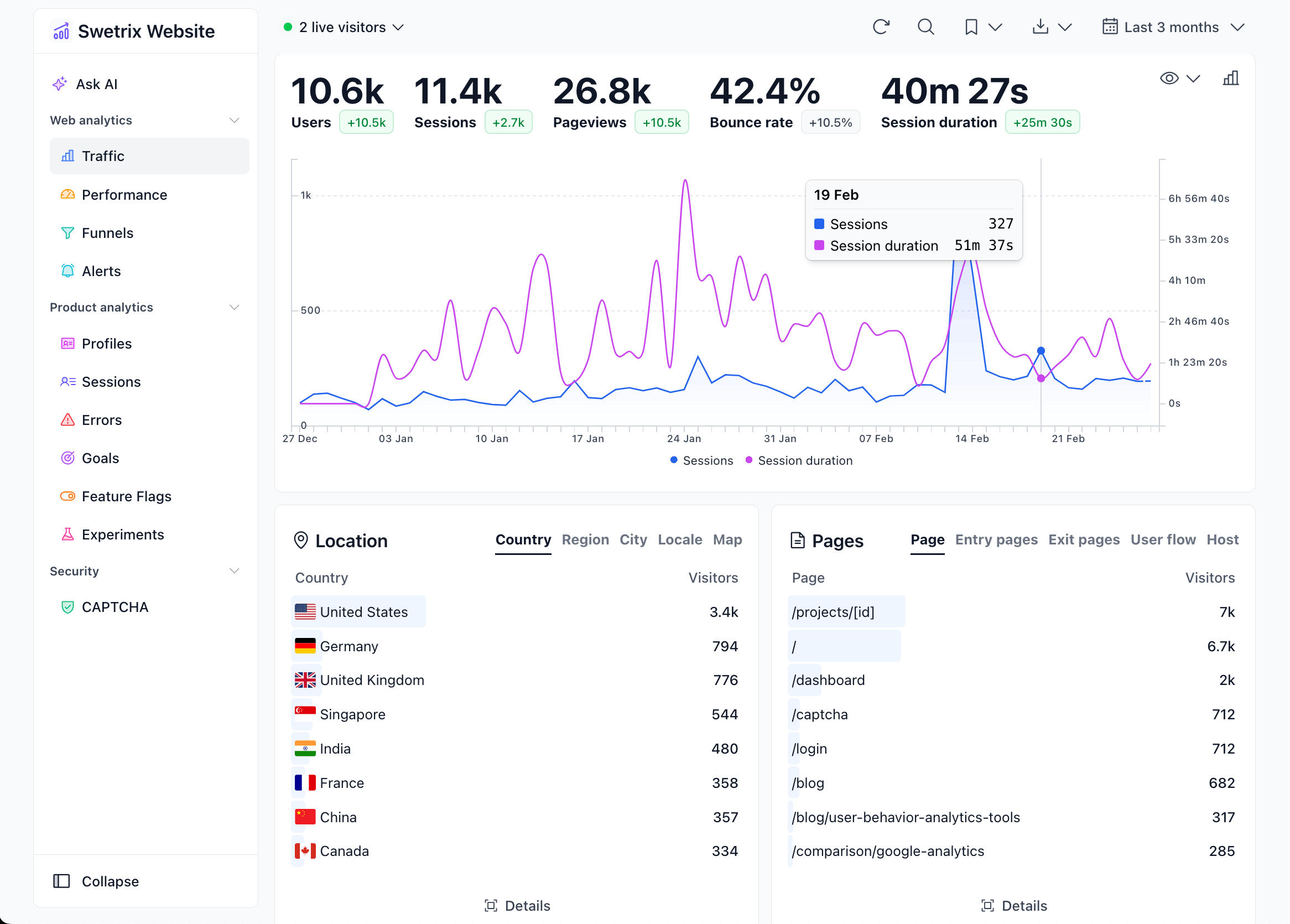
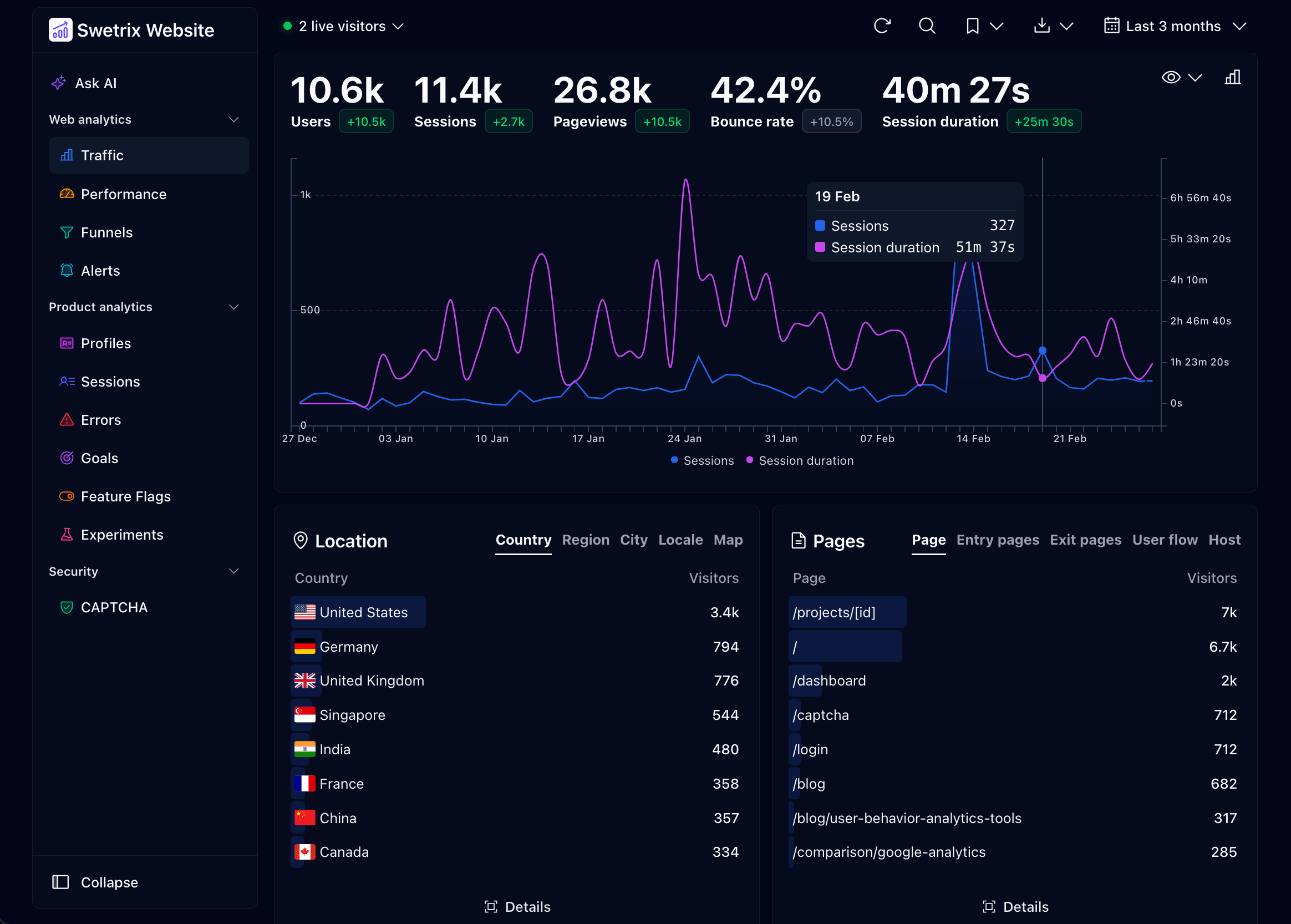
Website analytics with no cookies, plus performance monitoring and error tracking, which you can host yourself.
▶Repo detailsthe review · specs · pros & cons · install
What it does
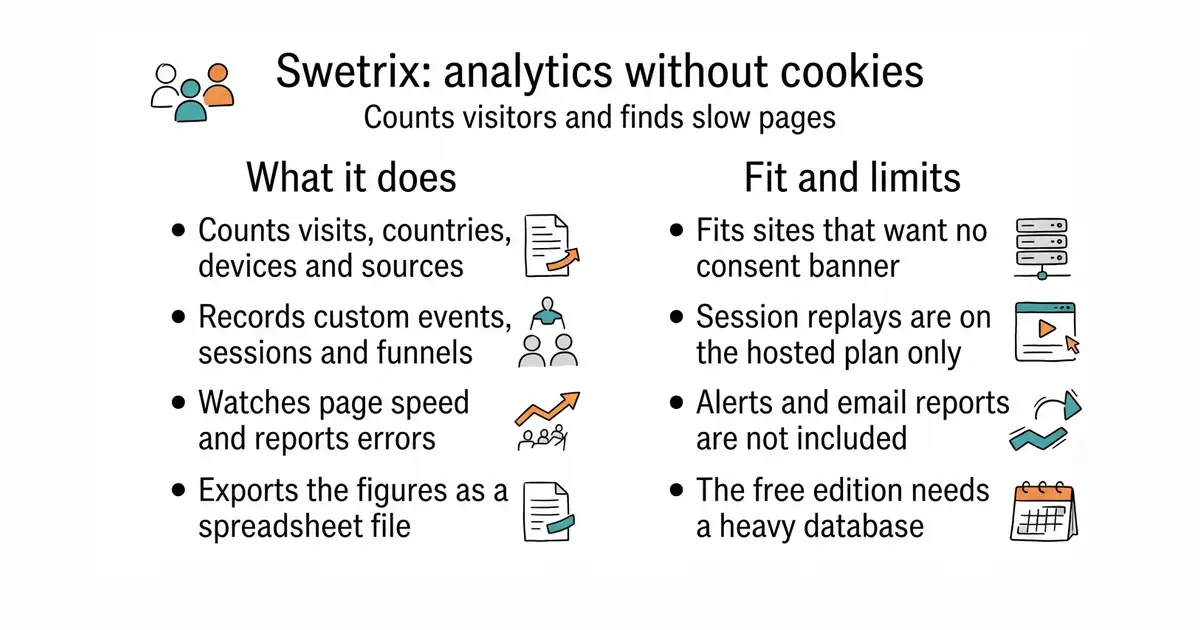
You add a small script to a site and Swetrix records visits, countries, devices, where the traffic came from and the UTM campaign tags on the links. On top of the basic counting it supports custom events, sessions, funnels, performance monitoring and error tracking, and it exports to CSV with a developer API beside it. It uses no cookies and does no cross-device tracking, which is the reason there is no consent banner. The self-hosted Community Edition runs from a Docker Compose file with ClickHouse, a database built for this kind of counting, and Redis behind it. The current release is tracker-node@3.5.0, from 26 September 2026, under AGPL-3.0. The project states its boundary clearly: session replays, revenue, experiments and AI features are cloud-only, alerts and email reports are not in the Community Edition, the network breakdown needs a paid geolocation database, and new features reach the hosted service first.
Why it matters
Who it suits. Anyone running a site in Europe who would rather not argue about cookie banners, and anyone who wants the visitor numbers to stay on a machine they control. The error tracking and performance monitoring make it a reasonable single tool for a small site that would otherwise run two. Skip it if you need session replays or email reports, because those are not in the free edition.
Verdict. Worth an evening, and the honest feature list is the reason it is in this edition rather than one of the dozen alternatives. Every open-core project holds something back; few write the list down. Set against the field: umami-software/umami at 39.4k stars and MIT, which was Edition 1, is simpler and keeps nothing back; rybbit-io/rybbit at 12.6k stars and AGPL-3.0, Edition 33, is the closest match in ambition; plausible/community-edition at 2.9k stars and MIT, Edition 18, is the lightest to run. Choose Swetrix when you want the error tracking in the same place as the visit counts.
- No cookies and no cross-device tracking, so there is no consent banner to build.
- Visits, funnels, performance and error tracking in one program instead of three.
- The README states precisely what the free edition does not include, which makes the decision easy.
- ClickHouse and Redis are a heavier stack than a small analytics tool usually needs; budget real memory for it.
- Session replays, revenue, experiments, alerts and email reports are cloud-only or absent from the Community Edition.
- The detailed network breakdown needs a paid geolocation database; the bundled free one gives country, region and city only.
 umami-software/umami
Cookie-free visitor analytics, MIT, simpler and lighter, with no features held back for a hosted plan.
Track this in Scout rybbit-io/rybbit
Self-hostable web and product analytics under AGPL-3.0, aiming at the same breadth with a larger community.
Track this in Scout plausible/community-edition
A Docker Compose setup for the self-hosted Plausible build, MIT, the lightest of these to put up and keep running.
Track this in Scout
git clone https://github.com/swetrix/selfhosting
cd selfhosting
./configure.sh
docker compose up -d

1.4k stars · MIT · @nuxtjs/seo 6.0.1, read from registry.npmjs.org; the repository publishes no GitHub releases · Track this in Scout · Share this tool
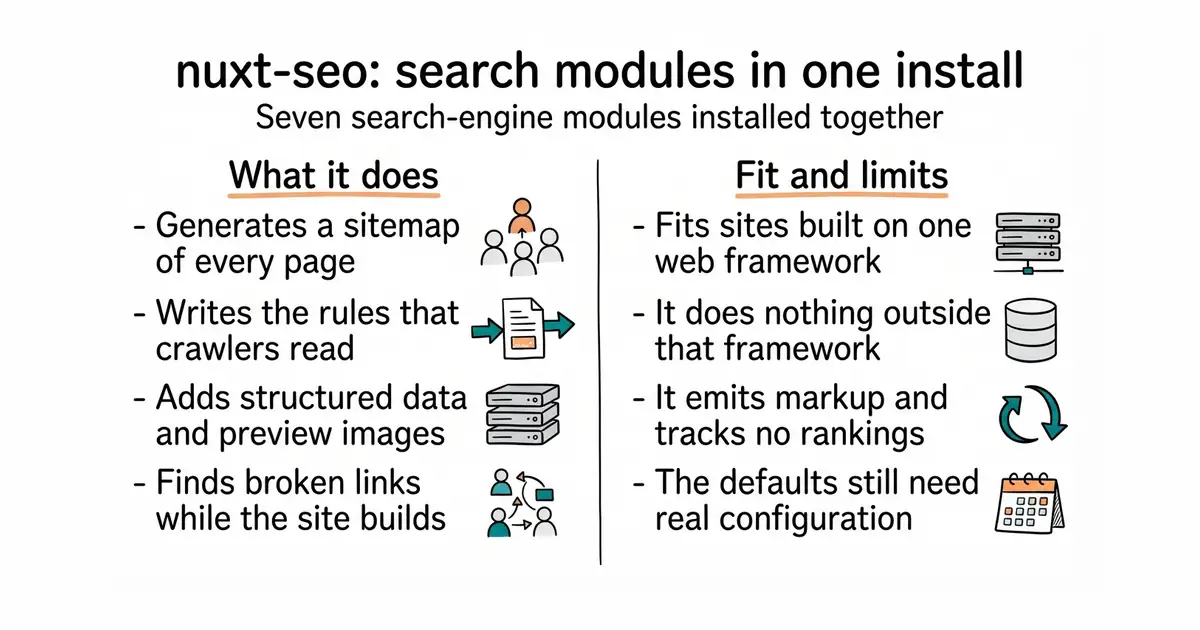
Seven search-engine and answer-engine modules for Nuxt sites, installed as one package.
▶Repo detailsthe review · specs · pros & cons · install
What it does
Nuxt is a framework for building websites in JavaScript; this installs into one. The single package @nuxtjs/seo pulls in seven modules: robots directives for crawlers, an automatically generated sitemap, Schema.org structured data, preview images for social links, default meta tags and canonical addresses, a build-time broken-link checker, and a shared site configuration that the other six read. Each one also works alone. The project covers answer-engine optimisation as well as the search-engine kind, meaning the markup AI assistants read when they cite a page. The current package version is 6.0.1 and code landed on 14 October 2026, under the MIT licence. Two companion modules are named but not bundled: one for llms.txt and markdown endpoints, one for keeping assets alive across deployments. It is not a crawler and not a rank tracker: it changes what a site emits, and tells you nothing about where that site ranks.
Why it matters
Who it suits. Anyone whose site is built with Nuxt and who has been meaning to sort out sitemaps and preview images for six months. It is also the quickest route to structured data for a small team with no search specialist. Skip it entirely if the site is not a Nuxt site — none of this applies, and there is no general version.
Verdict. Ten minutes for something that would otherwise be a week of small chores, provided you are on the right framework. The honest limit is that narrowness: it is excellent and it is useless outside Nuxt. For measuring rather than emitting, harlan-zw/unlighthouse at 4.9k stars and MIT, by the same author, was Edition 2, and every-app/open-seo at 23.9k stars and MIT, also Edition 2, covers keyword research and rank tracking. The llms.txt idea the companion module implements was Edition 2 as well, through AnswerDotAI/llms-txt.
- One install replaces seven separate decisions, and the modules share one configuration.
- The broken-link check runs at build time, so a dead link fails the build instead of the reader.
- MIT, with code landing three days ago and an unusually good documentation site.
- Nuxt only. Outside that framework it does nothing at all.
- Seven modules switched on at once will change what a site emits in ways you should check before deploying.
- Generated preview images and structured data need real configuration to be useful; the defaults are a starting point.
 harlan-zw/unlighthouse
Runs Google Lighthouse across every page of a site and reports the results in one interface, MIT, for measuring rather than emitting.
Track this in Scout every-app/open-seo
Keyword research, rank tracking, competitor data, backlinks and site audits, MIT, with an interface for AI agents to read the same data.
Track this in Scout
npx nuxi module add seo

22.4k stars · BSD-2-Clause · 1.6.1 (2024-08-30), confirmed on both /releases/latest and PyPI; 2.0 pre-releases continue on PyPI, the newest 2026-09-15 · Track this in Scout · Share this tool
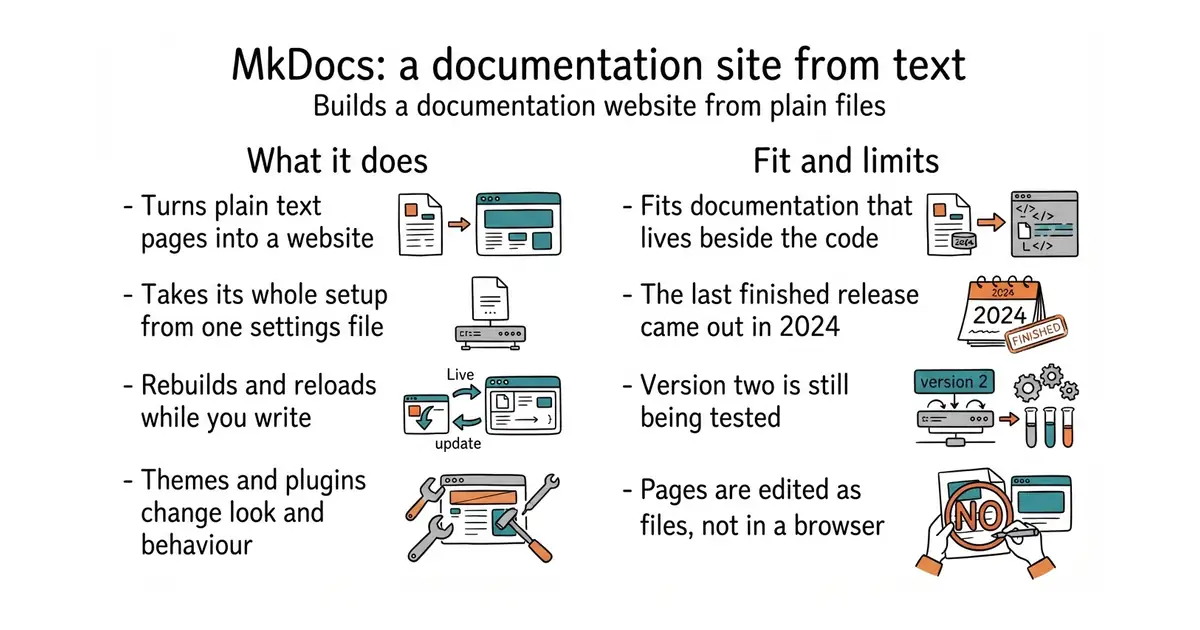
Turns a folder of Markdown files into a documentation website, controlled by one settings file.
▶Repo detailsthe review · specs · pros & cons · install
What it does
You write pages in Markdown, list them in one YAML file — YAML being a plain-text format for settings — and MkDocs builds a complete static website: plain HTML files you can put on any host, with no database and nothing running on the server. A built-in development server rebuilds and reloads as you type. Themes change how it looks, plugins add behaviour, and Markdown extensions add things like footnotes and tables of contents. The newest finished release is 1.6.1, published on 30 August 2024 on both GitHub and PyPI. Version 2.0 is being built in the open: pre-release versions are on PyPI, the most recent on 15 September 2026, so the project is working, not stopped. It is BSD-2-Clause licensed. MkDocs builds files and nothing more: it does not host the site, store content, handle comments, or give anybody a place to edit.
Why it matters
Who it suits. Anyone with documentation living in a repository who wants it readable without adopting a content system. It is the easiest of the static documentation builders to start, because one command creates a working site. Skip it if you want a visual editor, or if your documentation already lives somewhere people edit in a browser.
Verdict. Still the fastest way from a folder of text to a published site, and the release gap needs explaining rather than fearing. Two years without a stable release while 2.0 pre-releases ship is a slow project, not a dead one, and the code pushed within the last year. What should shape the decision is that the theme most people actually use, squidfunk/mkdocs-material at 27.4k stars and MIT, was Edition 52 and has itself entered maintenance by its author's own statement. Both are usable and both are moving slowly. If that combination worries you, withastro/starlight at 9.2k stars and MIT, Edition 4, and rust-lang/mdBook at 22.1k stars and MPL-2.0, Edition 44, are the two liveliest alternatives.
mkdocs new .andmkdocs servegive a working, reloading site in under a minute.- The output is plain files, so hosting costs nothing and nothing can break at runtime.
- A deep plugin and theme ecosystem built over a decade, and a permissive BSD licence.
- The newest stable release is 1.6.1 from August 2024, and 2.0 is still in pre-release.
- Everything is edited as files in a repository, so non-technical colleagues will not be contributing.
- The plain theme is austere; most people add Material, which is itself in maintenance.
 squidfunk/mkdocs-material
The theme most MkDocs sites use, MIT, which turns the plain output into a polished, searchable site and is now in maintenance.
Track this in Scout withastro/starlight
A documentation framework on top of Astro, MIT, more modern and more opinionated, with built-in search and internationalisation.
Track this in Scout rust-lang/mdBook
Builds an online book from Markdown, MPL-2.0, a single binary with no Python involved.
Track this in Scout
python3 -m venv ~/docs-env
source ~/docs-env/bin/activate
pip install mkdocs
mkdocs new my-docs
cd my-docs
mkdocs serve

11.1k stars · MIT · v1.47.0 (2026-09-13), read from /releases/latest; '13 Sep' with no year, and that date has already passed this year · Track this in Scout · Share this tool
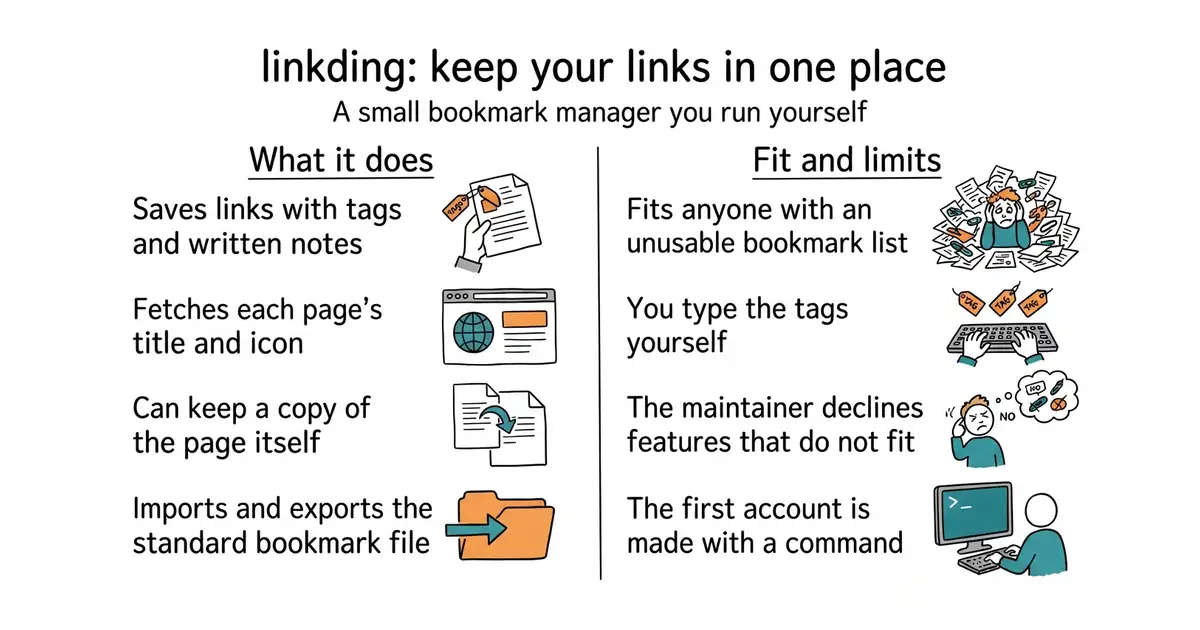
A self-hosted bookmark manager that installs with one Docker command and exports in the standard browser format.
▶Repo detailsthe review · specs · pros & cons · install
What it does
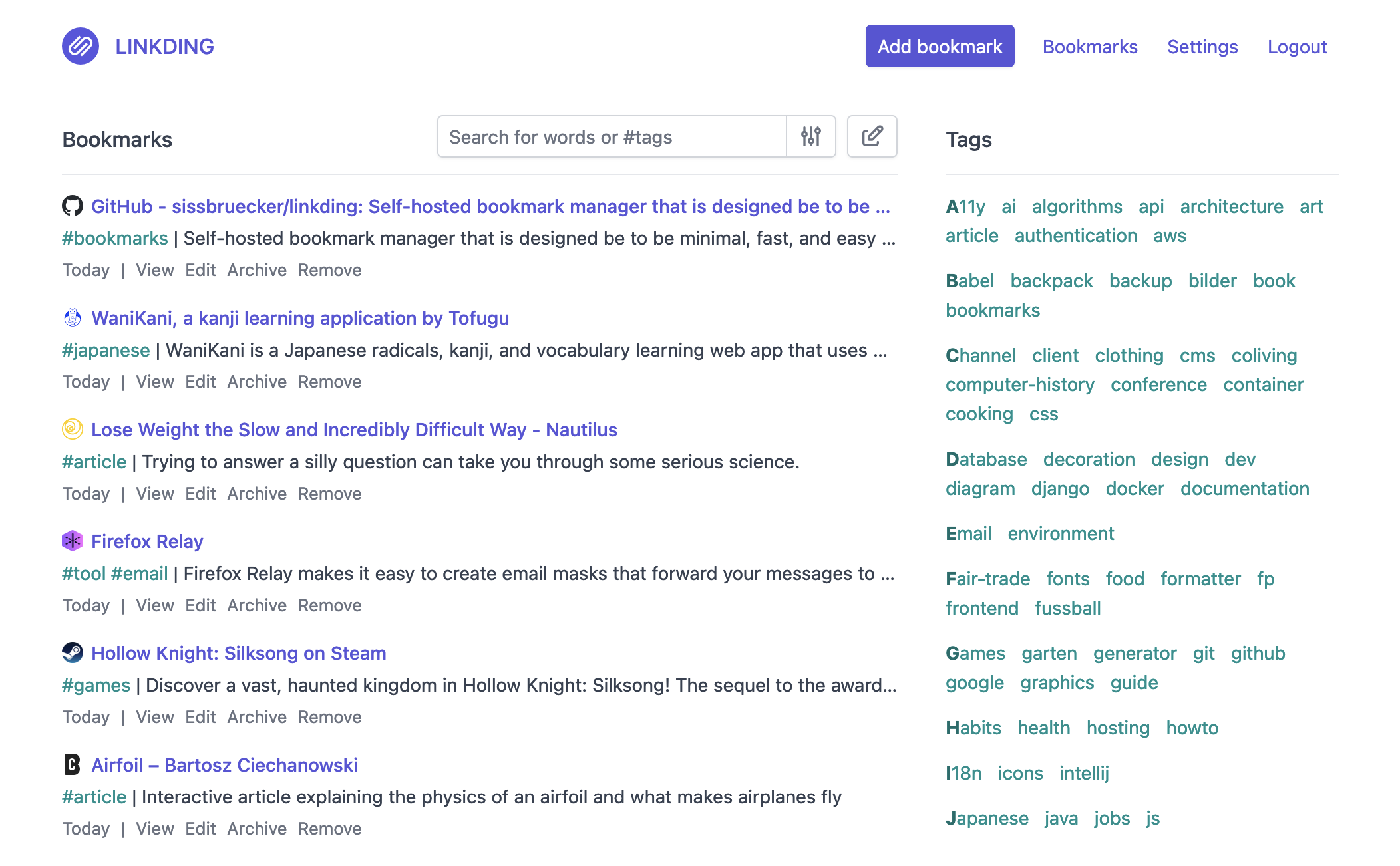
You run one container — a sealed box holding the program and everything it needs — and get a bookmark manager at a web address of your own. It fetches each page's title and icon automatically, takes tags and Markdown notes, does bulk editing, and has a read-it-later list. It can archive the page itself, so a link that dies still has readable content behind it. You can share bookmarks with other users or with guests. It imports and exports the Netscape HTML bookmark format every browser understands, installs as a phone app through the browser, has browser extensions, offers a REST interface for scripts, and supports single sign-on through OIDC or an authenticating proxy. The newest release is v1.47.0, from 13 September 2026, under the MIT licence. Its own feature list includes no automatic tagging by a language model, which is the main thing some newer tools add; and the maintainer says plainly that pull requests for features outside the project's goals will be declined.
Why it matters
Who it suits. Anyone with a browser bookmark list that has become unusable, and anyone whose read-it-later service has changed its terms once too often. The export format means you can leave again, which is the test worth applying to anything that holds your own data. Skip it if you want a research tool that summarises and tags pages on its own.
Verdict. Ten minutes, and one of the few tools in this edition that a non-technical person can run and enjoy. It is deliberately small and that is its strength: it starts instantly, it does not need a database server, and nothing about it will surprise you in a year. karakeep-app/karakeep at 29.7k stars and AGPL-3.0, which was Edition 19, is the one to compare it against if automatic tagging matters; linkwarden/linkwarden at 19.7k stars and AGPL-3.0, Edition 49, is stronger on preserving whole pages as screenshots and PDFs. Linkding wins on how little it asks of the machine.
- One Docker command, a tiny footprint, and it starts in seconds.
- Imports and exports the standard browser bookmark format, so leaving is as easy as arriving.
- MIT, with a release last month and browser extensions and a phone-installable interface already built.
- No automatic tagging or summarising; the labels are yours to type.
- The maintainer declines features that do not fit the project, so it will stay small whether or not you want more.
- You create the first user with a command in the container, which is one awkward step for a beginner.
 karakeep-app/karakeep
Saves links, notes and images with automatic tagging by a model and full-text search, AGPL-3.0, much larger to run.
Track this in Scout linkwarden/linkwarden
Saving and annotating pages with preserved screenshots and PDFs, AGPL-3.0, aimed at keeping the content rather than the address.
Track this in Scout go-shiori/shiori
A single-binary bookmark manager in Go with both a command line and a web interface, MIT, the lightest of the four.
Track this in Scout
docker run --name linkding -p 9090:9090 -v /absolute/path/to/data:/etc/linkding/data -d sissbruecker/linkding:latest
docker exec -it linkding python manage.py createsuperuser --username=me --email=me@example.com

2.2k stars · Business Source Licence 1.1 from v40.0, converting to AGPL-3.0-or-later four years after each version; v39.x and earlier are AGPL-3.0, and web_analytics_sdk/ is AGPL in every version · v41.0 (2026-09-17), read from /releases/latest; '17 Sep' with no year, and that date has already passed this year · Track this in Scout · Share this tool
Self-hosted newsletters, automations and transactional email, built on a delivery service you supply.
▶Repo detailsthe review · specs · pros & cons · install
What it does
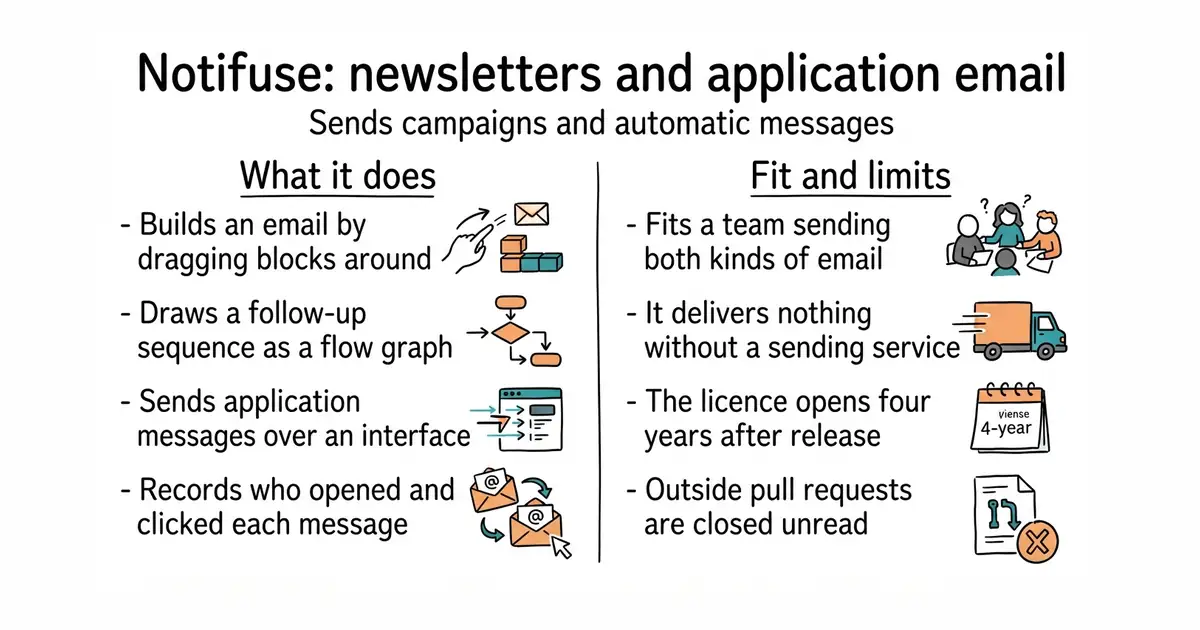
It is one Go program with a React interface, and it covers both halves of email at once. For campaigns there is a visual MJML builder — MJML being a markup language that produces email which survives Outlook — plus A/B testing and reporting. For automation there is a flow graph with delays, branches, webhooks and per-contact enrolment tracking. For application email there is a REST interface with Liquid templating, a common template language, and webhooks back. It records opens and clicks, includes cookieless web analytics needing PostgreSQL 17 or newer, an S3 file manager, a notification-centre widget and multiple workspaces. The current release is v41.0, from 17 September 2026. Delivery is somebody else's job: it connects to Amazon SES, Mailgun, Postmark, Mailjet, SparkPost, SendGrid or plain SMTP, and sends nothing without one of them. Two other boundaries are stated in the README: unsolicited pull requests are closed without review, and five capabilities need a licence key, though the sending path itself has no licence check.
Why it matters
Who it suits. A small team that sends both a newsletter and application email and is tired of paying two services for it, with somebody on hand who can run a Go program and a PostgreSQL database. It suits anyone who has hit a per-contact price step on a hosted platform. Skip it if you want to contribute code, and skip it if you were hoping to avoid signing up with a delivery service, because you cannot.
Verdict. Worth an evening for the right team, and the licence is the thing to read first. From v40.0 it is under the Business Source Licence 1.1, which converts to AGPL-3.0-or-later four years after each version is published; v39.x and earlier stay AGPL-3.0, and the web analytics directory is AGPL throughout. That is a fairer arrangement than most source-available licences, and it is still not open source today. The closest alternatives are knadh/listmonk at 23.8k stars and AGPL-3.0, which was Edition 2 and is the single-binary choice for newsletters alone; pentacent/keila at 2.2k stars and AGPL-3.0, Edition 17; and dittofeed/dittofeed at 3.0k stars and MIT, Edition 14, which is the one to compare on automation across several channels.
- Newsletters and application email in one program, which normally means two subscriptions.
- Automations are drawn as a flow graph with delays and branches, not written as rules.
- Seven delivery services supported plus plain SMTP, so you are not tied to one supplier.
- Business Source Licence 1.1 from v40.0: source-available now, open source four years later, version by version.
- It sends nothing by itself; you still need an account with a delivery service and a warmed-up sending domain.
- The project does not accept unsolicited pull requests, so a fix you need is a request, not a contribution.
 knadh/listmonk
A single-binary newsletter and mailing list manager on PostgreSQL, AGPL-3.0, with no automation flows but far less to run.
Track this in Scout pentacent/keila
Self-hosted newsletter campaigns and sign-up forms, AGPL-3.0, smaller and aimed squarely at the Mailchimp job.
Track this in Scout dittofeed/dittofeed
Customer messaging across email, push, SMS and chat with automated journeys, MIT, the closest match on automation and the most permissive licence of the three.
Track this in Scout
git clone https://github.com/Notifuse/notifuse.git
cd notifuse
cp env.example .env

19.1k stars · MIT · v3.17.2 (2024-12-14) · Track this in Scout · Share this tool
Programmatic animation for explainer video — a natural partner to Remotion.
▶Repo detailsthe review · specs · pros & cons · install
What it does
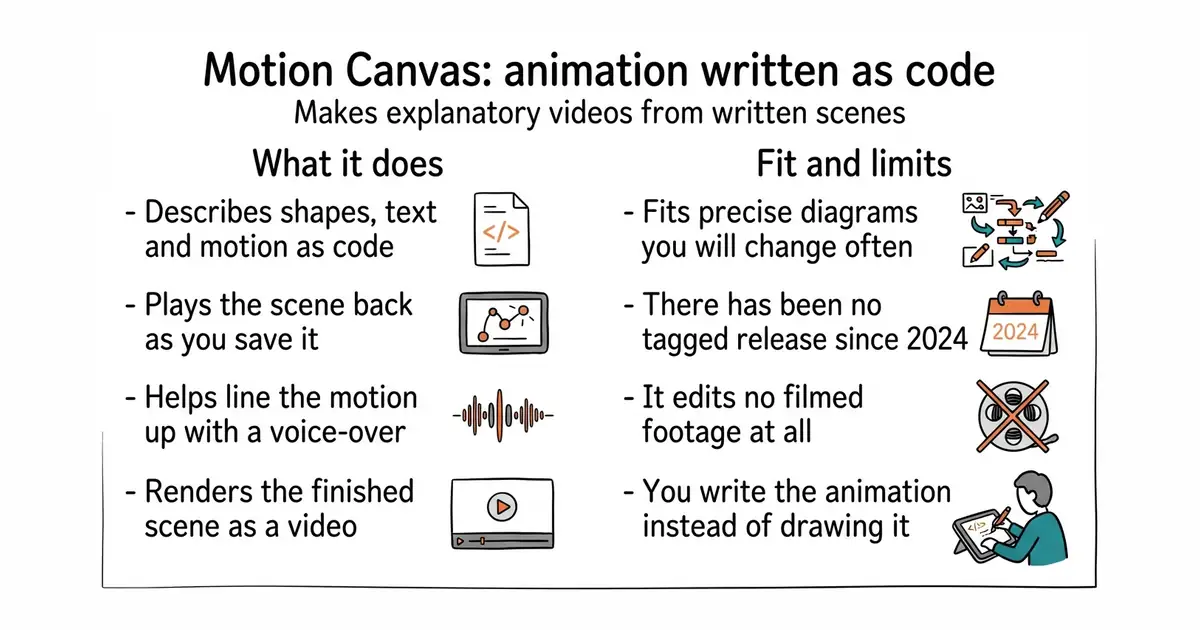
You write scenes in TypeScript — JavaScript with type checking — describing shapes, text, images and how each changes over time. Animations are written as generator functions, so the code reads as a sequence of steps rather than a list of timings. The editor plays the scene back as you save, and lets you adjust the parts that are tedious to type, including syncing the animation to a voice-over. The repository is a monorepo: one project holding the core library, the renderer, the editor interface, a Vite plugin and the documentation. The current package version is 3.17.2 on npm, released on 14 December 2024, and code was pushed on 2 July 2026 — so the project is quiet in releases and not dormant in code. It is MIT licensed with 19.0k stars. It is not a video editor: there is no timeline of clips, no footage to cut, and no colour grading. It draws what you describe.
Why it matters
Who it suits. Anyone explaining something technical where the diagram has to be precise — a maths concept, a system architecture, how a protocol works — and who would rather change one number than redo an animation. It suits people who already write TypeScript. Skip it if you are editing filmed footage, or if writing code to move a rectangle sounds worse than dragging one.
Verdict. Worth a weekend if you make explanatory videos regularly, and not worth it for one video. The release gap is the thing to weigh honestly: the newest tagged version is from December 2024, nearly two years old, while code landed in July 2026. That pattern usually means a project that works and is not being packaged often, and here the stable version does work. midrender/revideo at 4.1k stars and MIT, which was Edition 34, is a fork aimed at rendering video from a server rather than animating in an editor, and it releases more often. remotion-dev/remotion at 64.7k stars, Edition 5, is the larger React-based alternative, but its licence is its own and business use needs a company licence — check that before starting.
- Animations are code, so they are repeatable, reviewable and easy to adjust by one number.
- The editor previews as you save and helps with the fiddly parts such as voice-over timing.
- MIT licensed and 19,000 stars, with real documentation and examples behind it.
- No tagged release since December 2024, although code landed in July 2026.
- You have to write TypeScript; there is no drawing mode and no timeline of clips.
- It animates vectors and text, not filmed footage, so it replaces no part of a normal video editor.
 midrender/revideo
The same scene-description idea built for rendering video on a server, MIT, with a headless render interface and a React preview player.
Track this in Scout remotion-dev/remotion
Making videos programmatically with React, far larger and far more active, under its own licence that requires a company licence for some business use.
Track this in Scout
npm init @motion-canvas@latest
cd my-animation
npm install
npm start
Checked, and left out
Nothing to show for this edition. Recording the repositories that were checked and rejected began with Edition No. 4, and every edition from there on has the list.
Know a repository we should check?
Coming tomorrow