561 stars · GPL-3.0, named in the README; the About sidebar names none · v2.30.0, 10 February 2026 · Track this in Scout
A free desktop editor for drawing a typeface and exporting it as an installable font file.
▶Repo detailsthe review · specs · pros & cons · install
What it does
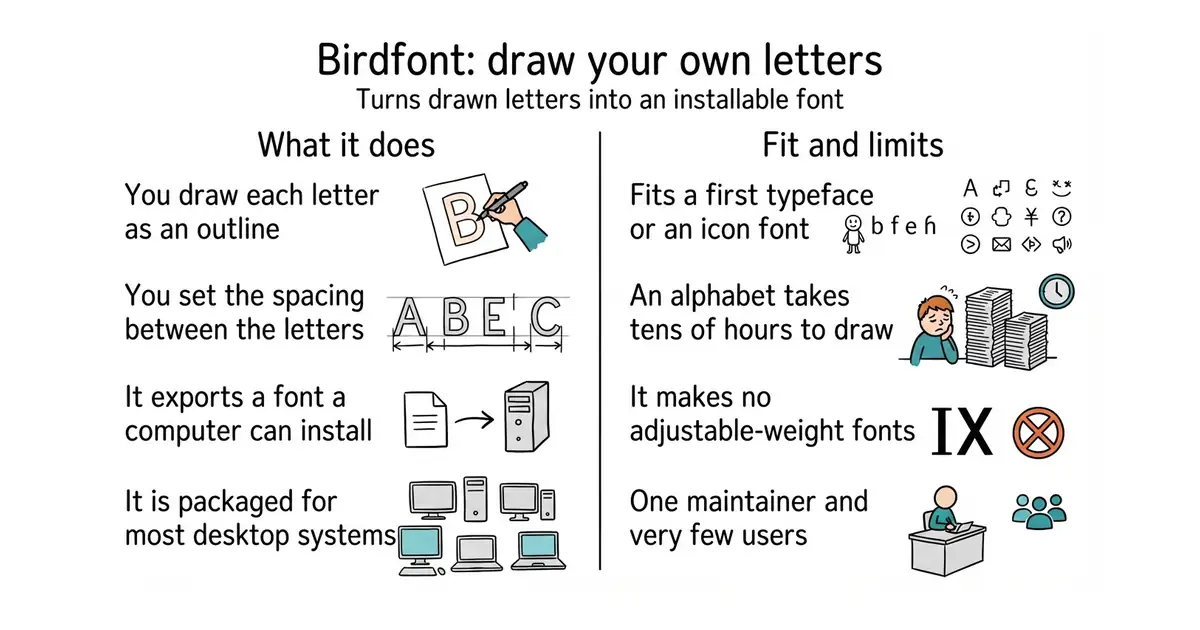
Birdfont is a font editor. You draw each character as an outline with its vector tools, set the spacing, and export the result. The README names three export formats: SVG, EOT and TTF, with TTF being the one ordinary computers and websites install. Prebuilt programs for Windows and Mac are on the project's own site, most Linux distributions package it, and there are OpenBSD and FreeBSD packages too. The newest release is 2.30.0 of 10 February 2026. It is a small program by the standards of this craft: it handles single-master fonts, so it does not produce the variable fonts that carry weight and width as adjustable settings in one file, and the README documents no OpenType feature editing, hinting or font-family management.
Why it matters
Who it suits. Anyone who wants to make a typeface and has been put off by the price or the weight of the usual tools. That includes people drawing an icon font for a project, a logo wordmark that needs matching letters, or a handwriting font from a scan. It suits learning especially well, because the program is small enough to understand. Skip it if you need variable fonts, complex scripts, or professional hinting, where fontforge/fontforge and the Google Fonts tool chain are the real answers.
Verdict. A genuine gem, at 561 stars, and worth an evening if the idea of drawing letters appeals at all. Be honest with yourself about the time: a usable alphabet with punctuation and numbers is tens of hours of drawing, and no program changes that. Building it from source is the awkward part, because it needs the Vala compiler and eight development libraries, so take the packaged version from your distribution or the project site unless you have a reason not to. For a browser-based alternative with no install at all, glyphr-studio/Glyphr-Studio-2 is the one to try first.
- Free, and it exports TTF, which is the format a computer or a website actually installs.
- Packaged for Windows, Mac, most Linux distributions, OpenBSD and FreeBSD.
- Still maintained by one person, with release 2.30.0 arriving on 10 February 2026.
- Single-master only, so no variable fonts.
- Building from source needs the Vala compiler plus eight development libraries, which is more work than most people will want.
- One maintainer and 561 stars, so expect few answers if something breaks.
- fontforge/fontforge
The long-standing free font editor, far more capable and far harder to learn.
Track this in Scout  glyphr-studio/Glyphr-Studio-2
A browser font editor aimed at beginners, with nothing to install.
Track this in Scout googlefonts/fontmake
Not an editor at all: it compiles font sources into finished binaries, which is the step after drawing.
Track this in Scout
sudo apt install birdfont