Edition No. 13 · 7 Sep 2026
Making a video, from the spoken voice to the finished file
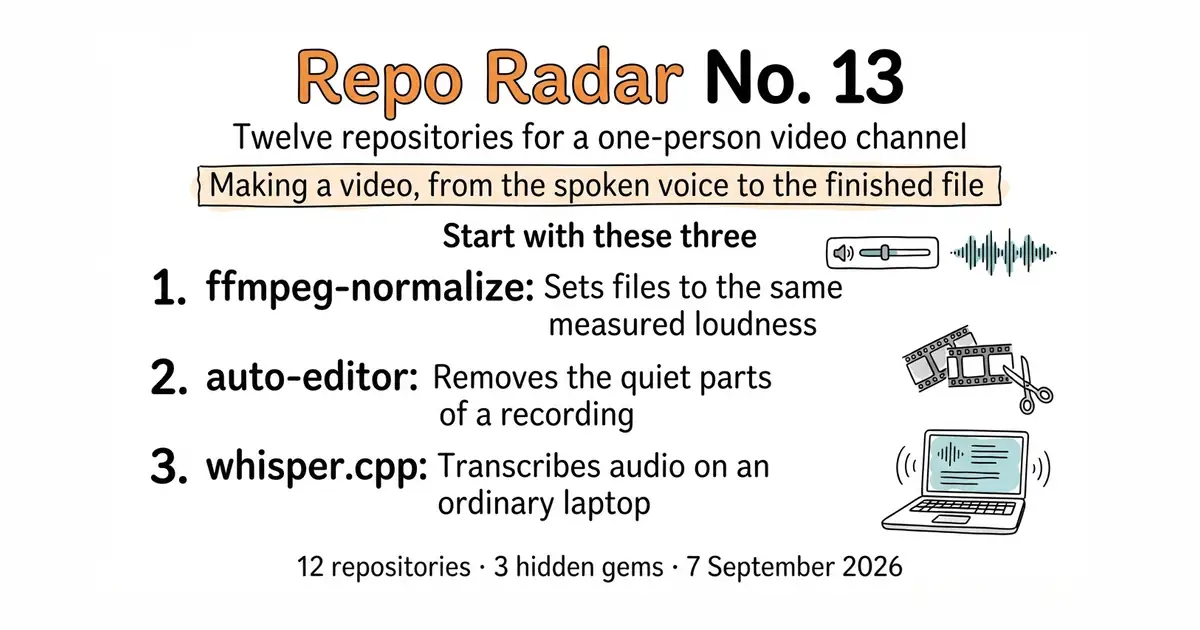
The voice, the cut, the loudness, the captions, and where the finished file goes.
The first twelve editions of this radar were about the website — traffic, payments, sign-in, and how the thing looks. All of it is about what a visitor sees after they arrive.
The channel that brings them is a different problem, and I have only ever handed over pieces of it. A transcriber here, a silence cutter there, a dubbing tool three weeks later. Seventeen tools across twelve editions, and never once the whole line.
I also skipped the part that decides whether anyone stays: the sound. People forgive a plain thumbnail. They do not forgive bad audio. A video that is quiet, or uneven, or hissing loses most of its viewers inside ten seconds, and not one of them will tell you why. It is not in the comments and it is not in any survey.
Today is the whole pipeline. The voice that reads the script, the cut that removes the dead air, the loudness that makes twelve videos sound like one channel, the captions that make it work in a second language, and where the finished file goes.
If you only do three things
- ffmpeg-normalize, tonight. Ten minutes. One command sets every video to the loudness YouTube expects, including the ones you already published.
- auto-editor, ten minutes after that. Removes the dead air from a screen recording. Videos come out 15–25% shorter, and every tool below then costs less to run.
- whisper.cpp, one afternoon. Then it pays you back three times: captions, subtitles, and an article.
Every link in one place
| # | Repository | Home / docs | Stars | Licence |
|---|---|---|---|---|
| 1 | resemble-ai/chatterbox | demo page | 27.0k | MIT |
| 2 | OHF-Voice/piper1-gpl | piper-tts on PyPI | 5.9k | GPL-3.0-or-later |
| 3 | WyattBlue/auto-editor ↻ | auto-editor.com | 5.5k | Unlicense |
| 4 | slhck/ffmpeg-normalize 💎 | slhck.info/ffmpeg-normalize | 1.5k | MIT |
| 5 | ggml-org/whisper.cpp | repository README | 54.4k | MIT |
| 6 | SubtitleEdit/subtitleedit | nikse.dk · help | 14.6k | MIT |
| 7 | jmbannon/ytdl-sub 💎 | ytdl-sub.readthedocs.io | 2.9k | GPL-3.0 |
| 8 | Chocobozzz/PeerTube | joinpeertube.org | 15.3k | AGPL-3.0 |
| 9 | yjs/yjs | docs.yjs.dev | 22.4k | MIT |
| 10 | unionai-oss/pandera | union.ai/pandera | 4.5k | MIT |
| 11 | pmorissette/ffn 💎 | pmorissette.github.io/ffn | 2.6k | MIT |
| 12 | casey/just | just.systems | 36.3k | CC0-1.0 |
Part 1 — The voice
Two ways to make a machine read a script out loud without paying by the character.

26.3k stars · MIT · chatterbox-tts 0.1.7 on PyPI (2026-03-26); the only GitHub tag is v0.1.2 (2026-06-13) — the two numbering schemes do not correspond · Track this in Scout · Share this tool
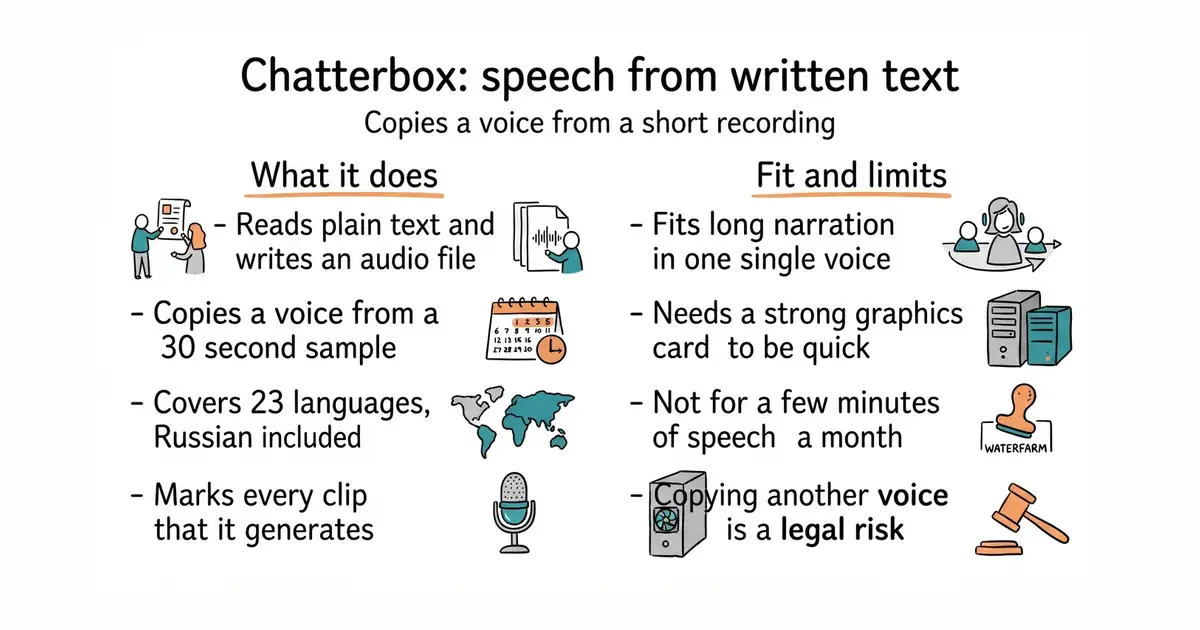
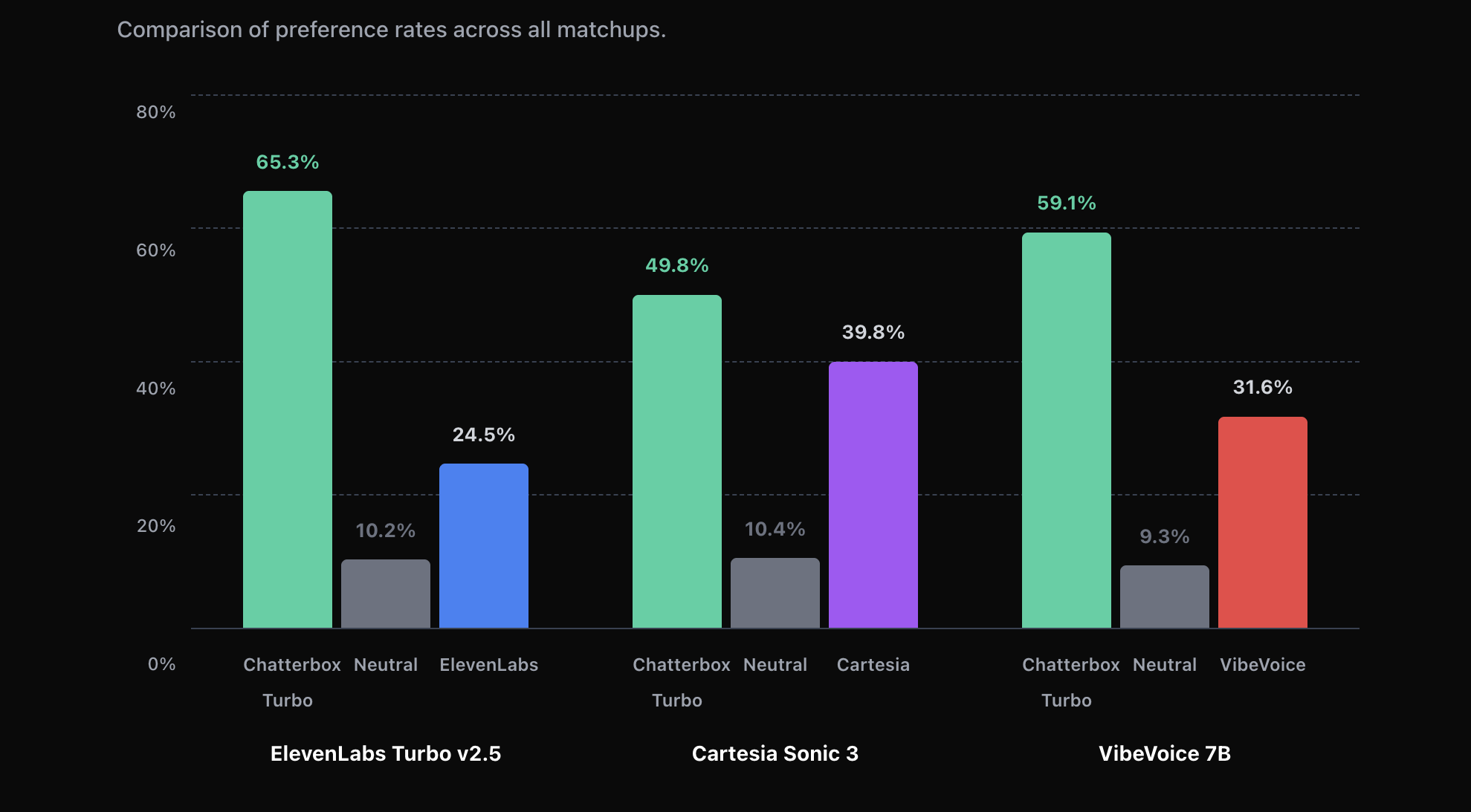
Open-source text-to-speech that clones a voice from a short clip and reads it back in 23 languages, Russian included.
▶Repo detailsthe review · specs · pros & cons · install
What it does
It is a text-to-speech model, which means software that turns written words into spoken audio. It reads a block of plain text and writes an audio file. It can use its own default voice or copy one from a short recording. The project lists 23 languages. There is a control for how much feeling the voice puts into a line, which most free tools of this kind do not have. Every clip it produces carries a hidden marker, so audio made by this model can be recognised later. It runs locally and calls no outside service. It does not edit video, it does not translate text, and it has no way of knowing whether the voice in a sample belongs to the person using it.
Why it matters
Who it suits. It suits anyone who needs a large amount of narration in one consistent voice, especially in two or more languages, and who does not want a bill that grows with every sentence. It also suits work where a single wrong line must be re-recorded often, because a correction becomes one command instead of a studio session. Skip it if the machine has no capable graphics card, or if the job is only a few minutes of speech a month, where a paid service is less effort.
Verdict. Worth an afternoon if the hardware is there, and little use without it. The sound quality is good enough for narration, though a careful listener can still tell it is generated. Treat the voice-copying as the legal question it is: copying your own voice is fine, copying someone else's without permission is not, and the software cannot tell the two apart. If the hardware is weak, #2 runs on anything and is the sensible fallback for drafts.
- One voice across all 23 languages, which no per-character service makes easy.
- MIT licence, so the output can be used in commercial work.
- No charge per word, so length and re-recording stop being cost decisions.
- It wants a GPU, a graphics card that can do heavy mathematics. On an ordinary processor it is slow.
- The version numbers disagree. PyPI has 0.1.7 from 26 March 2026; the newest tag on GitHub is the older v0.1.2. Install from PyPI and pin the version.
- Voice copying carries real legal risk, and nothing in the tool checks consent.
Correcting one wrong sentence in a long series stops being a cost and becomes one command.
python3 -m venv venv
source venv/bin/activate
pip install chatterbox-tts

5.5k stars · GPL-3.0 · v1.8.0 (2026-09-04) · Track this in Scout · Share this tool
Fast local neural speech on plain CPU — the licensed replacement for edge-tts's grey area.
▶Repo detailsthe review · specs · pros & cons · install
What it does
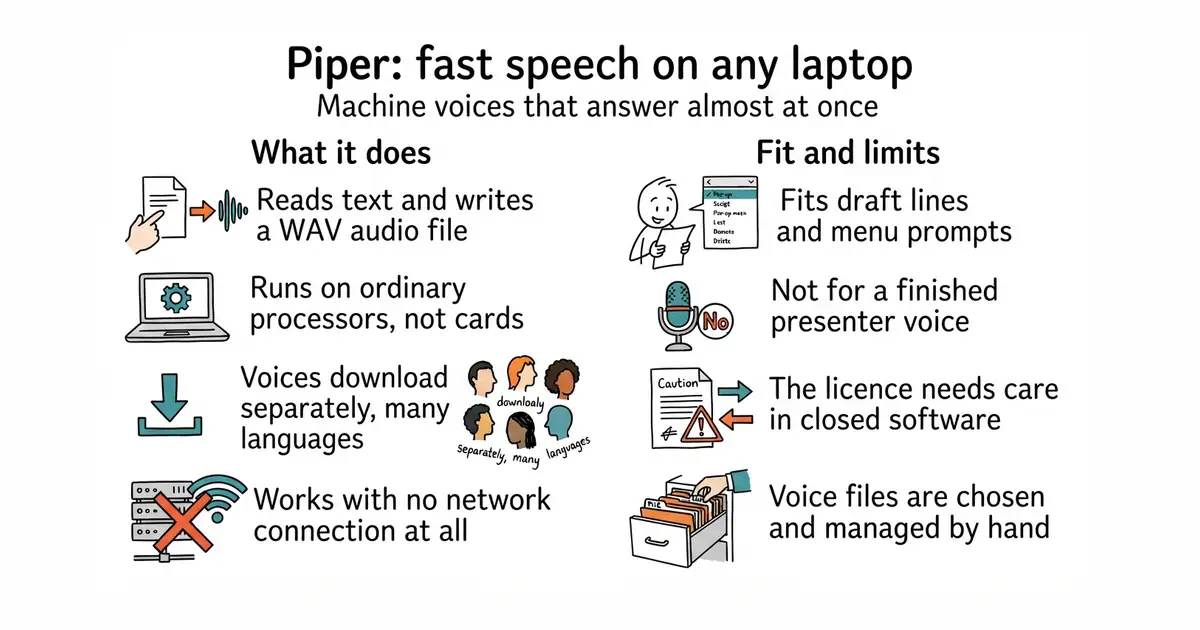
It is a small speech program built for ordinary processors rather than graphics cards. It reads text and writes a WAV audio file, and it is fast enough to use while writing. Voices are separate downloads, and there are many of them across dozens of languages. It is the speech engine behind several home-automation projects, and it is maintained by the Open Home Foundation. Version 1.8.0 was released on 4 September 2026, and code was still being pushed in October 2026. It can be used as a command or as a Python library. It does not copy a voice from a sample, and it will not pass for a person.
Why it matters
Who it suits. It suits anyone who needs speech as a working tool rather than a finished product: hearing how a line sounds before recording it, generating menu prompts, reading chapter titles, or adding speech to a program that must work offline. It also suits anyone uneasy about sending scripts to an outside service. Skip it if the voice is the product, because listeners will hear a machine.
Verdict. Install it, because it costs ten minutes and removes a whole class of waiting. The useful habit is to draft with this and record the final take with a person or with #1. The licence deserves attention: GPL-3.0-or-later means run it as a separate program, and take advice before building it into something sold as closed software. It covers the same ground as edge-tts (Ed. 3 #3), with the difference that this one has a licence anyone can read and does not depend on a private service staying open.
- Fast on a normal processor and fully offline, so drafts cost nothing and reveal nothing.
- Many languages, with several voices each, including good Russian ones.
- Released steadily, with a clear maintainer behind it.
- It sounds like a machine. No setting changes that.
- GPL-3.0-or-later, which needs thought before it goes near a closed commercial product.
- Voice files are downloaded and managed by hand, and picking a good one takes some listening.
python3 -m venv venv
source venv/bin/activate
pip install piper-tts
python3 -m piper.download_voices en_US-lessac-medium
echo "This is a draft of the opening line." | piper -m en_US-lessac-medium -f draft.wav

Part 2 — Cleaning up the recording
Three steps between a raw screen recording and a video people finish, in the order to run them.

5.2k stars · Unlicense · 31.6.0 (2026-09-06) · Track this in Scout · Share this tool
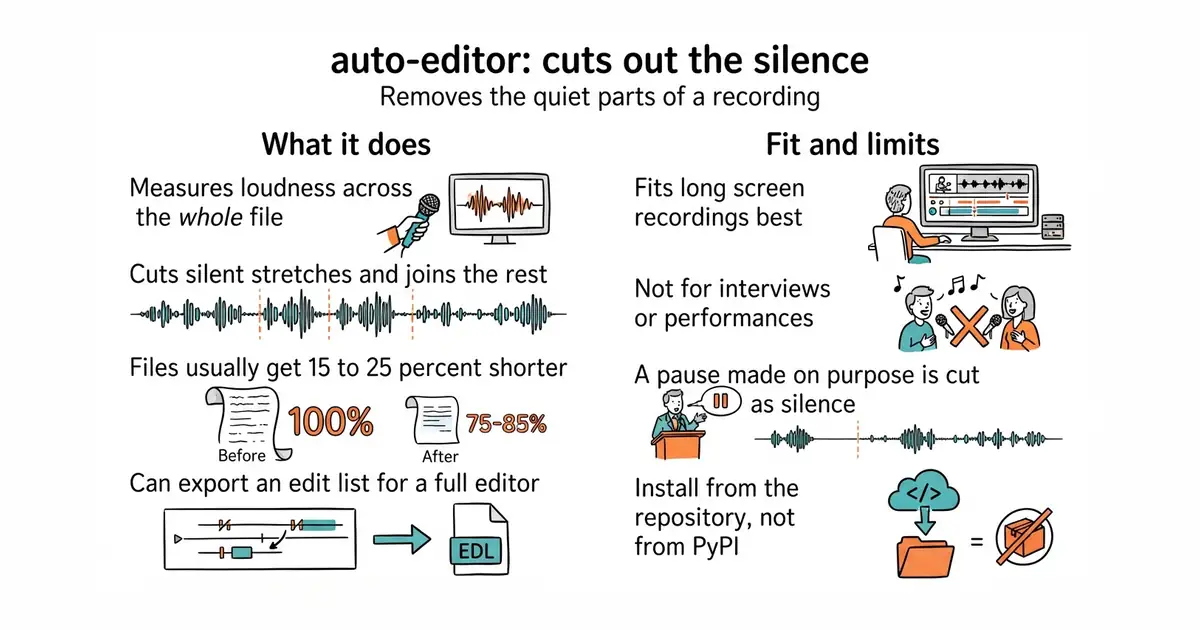
One command strips silence and dead air from a screencast — typically 15-25% shorter, better retention.
▶Repo detailsthe review · specs · pros & cons · install
What it does
It measures the loudness across a file, decides which stretches count as silence, and joins what is left into a new file. There is no timeline, no settings window and no project file. The rules can be changed, so cuts can be made on loudness, on motion, or on a mix of both. It reads and writes the common video and audio formats, and it can also export an edit list for a full editor instead of a finished file. It can copy the video stream through untouched when the cuts allow it, which avoids losing quality. Version 31.7.2 was released on 3 October 2026 and code was pushed on 12 October 2026. It does not judge content: a deliberate pause is silence to it, and it will cut that too.
Why it matters
Who it suits. It suits anyone who records themselves working, teaching or demonstrating, where most of the waste is waiting rather than mistakes. It suits long recordings best, because the saving grows with length. Skip it for scripted, already tight footage, and skip it for anything where pauses carry meaning, such as an interview or a performance.
Verdict. The best value in this edition, and the one to run first. Budget ten minutes to install and one viewing pass to check the result, every time, because a cut in the wrong place is worse than a long file. Pair it with #4 immediately afterwards. If a graphical editor is wanted instead, mifi/lossless-cut does cuts by hand without re-encoding.
- One command, and public-domain terms, so nothing about it restricts commercial use.
- Reads the formats an ordinary recording comes in, so it fits before or after any editor.
- Can hand its decisions to a full editor rather than producing a final file.
- It cuts by sound alone. A pause made on purpose is just silence to it, so the result has to be watched.
- Some settings re-encode the video, which costs a little quality and some time.
- PyPI is nearly a year behind the repository, so the install line is unusual. See the note above.
# ffmpeg is needed for some formats: brew install ffmpeg  (or: sudo apt install ffmpeg)
python3 -m venv venv
source venv/bin/activate
pip install --upgrade "auto-editor @ git+https://github.com/WyattBlue/auto-editor"
auto-editor lesson.mp4 --output lesson-tight.mp4


1.5k stars · MIT · v1.42.0 (2026-09-02) · Track this in Scout · Share this tool
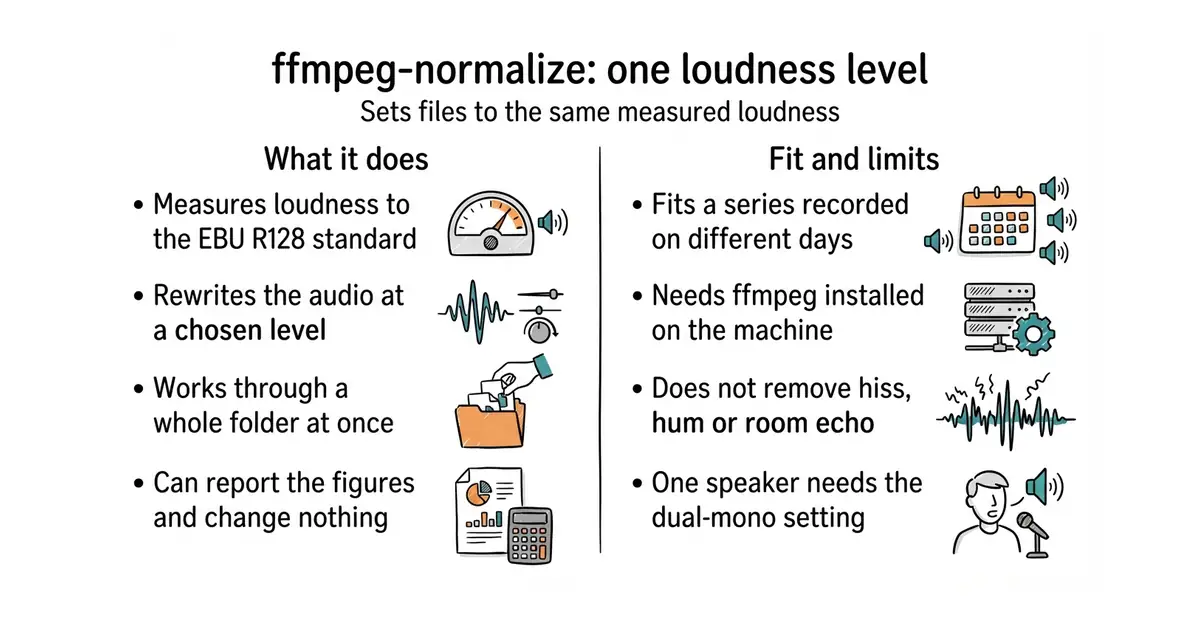
Normalises every video to the EBU R128 loudness YouTube expects — ten minutes, and viewers stop reaching for the volume.
▶Repo detailsthe review · specs · pros & cons · install
What it does
It measures how loud a file is using EBU R128, the broadcast loudness standard, then rewrites the audio at a level you choose. That is the same measurement the large video platforms use when they quietly raise or lower an upload. It can also do simple peak or RMS adjustment when the standard method is not wanted. It works on a whole folder in one run, and it can write a report of the measurements instead of changing anything. It chooses sensible output settings and lets every part of them be overridden. Version 1.43.0 was released on 14 October 2026. It fixes level only: it does not remove hiss, hum or room echo, and raising a quiet passage raises the noise under it too.
Why it matters
Who it suits. It suits anyone publishing a series, where a viewer moves from one file to the next and hears the difference. It suits a back catalogue recorded at various times, because a whole folder can be fixed in one pass. It also suits any pipeline that mixes sources, such as a recorded voice next to generated speech from #1 or #2, which will arrive at different levels. Skip it for a single file that already sounds right, and skip it if the real problem is noise rather than level.
Verdict. The clearest ten minutes in this edition. The one detail everyone gets wrong first time is the --dual-mono flag, which is needed for a recording where one person speaks on both channels; without it the measurement comes out 3 dB off. Listen to one result before running a batch, since loudness work makes existing noise more audible. Keep it next to #3 and run it second.
- Works across a whole folder, so an entire back catalogue is one command.
- Short to learn and nothing to remember afterwards.
- MIT licence, and it can be run without a permanent install through
uvx.
- It needs ffmpeg installed, and it needs the
--dual-monoflag for single-speaker recordings. - It changes level only. Noise, hum and echo are untouched.
- Raising a quiet passage raises the hiss with it, so the number alone is not proof of a good result.
This is the step that makes them one video instead of three different sources.
brew install ffmpeg        # or: sudo apt install ffmpeg
pip install ffmpeg-normalize
ffmpeg-normalize lesson-tight.mp4 -c:a aac -b:a 192k -t -14 --dual-mono -o lesson-ready.mp4





53.5k stars · MIT · v1.9.3 (2026-08-20) · Track this in Scout · Share this tool
Whisper in C++ — fast on plain hardware and excellent on Apple Silicon, with no Python and no CUDA.
▶Repo detailsthe review · specs · pros & cons · install
What it does
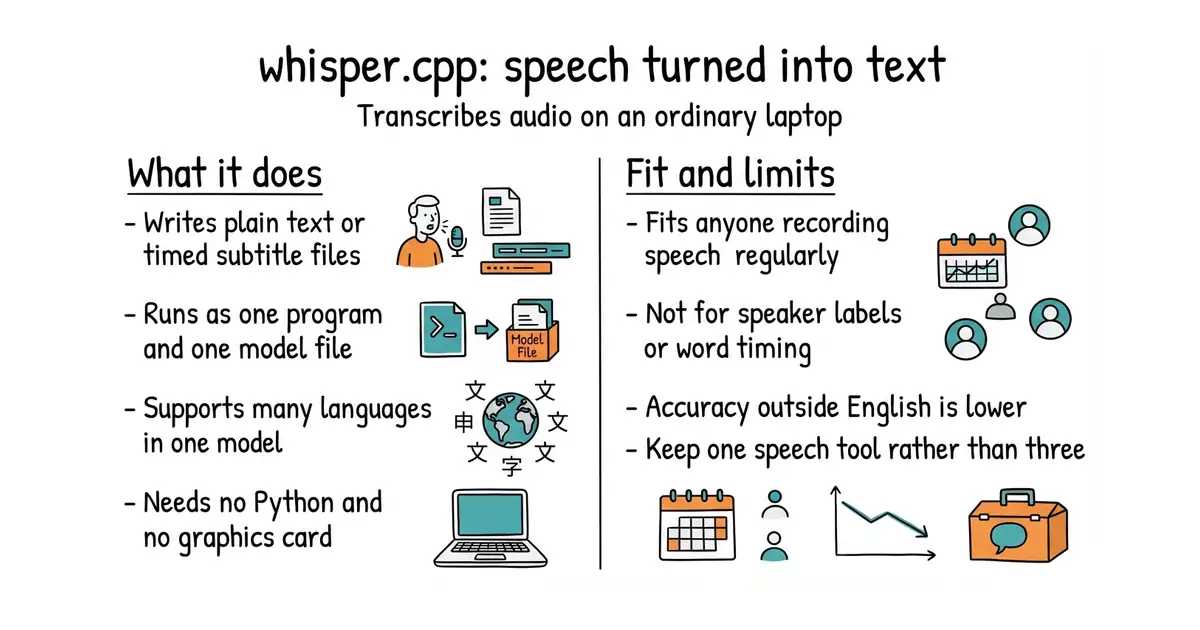
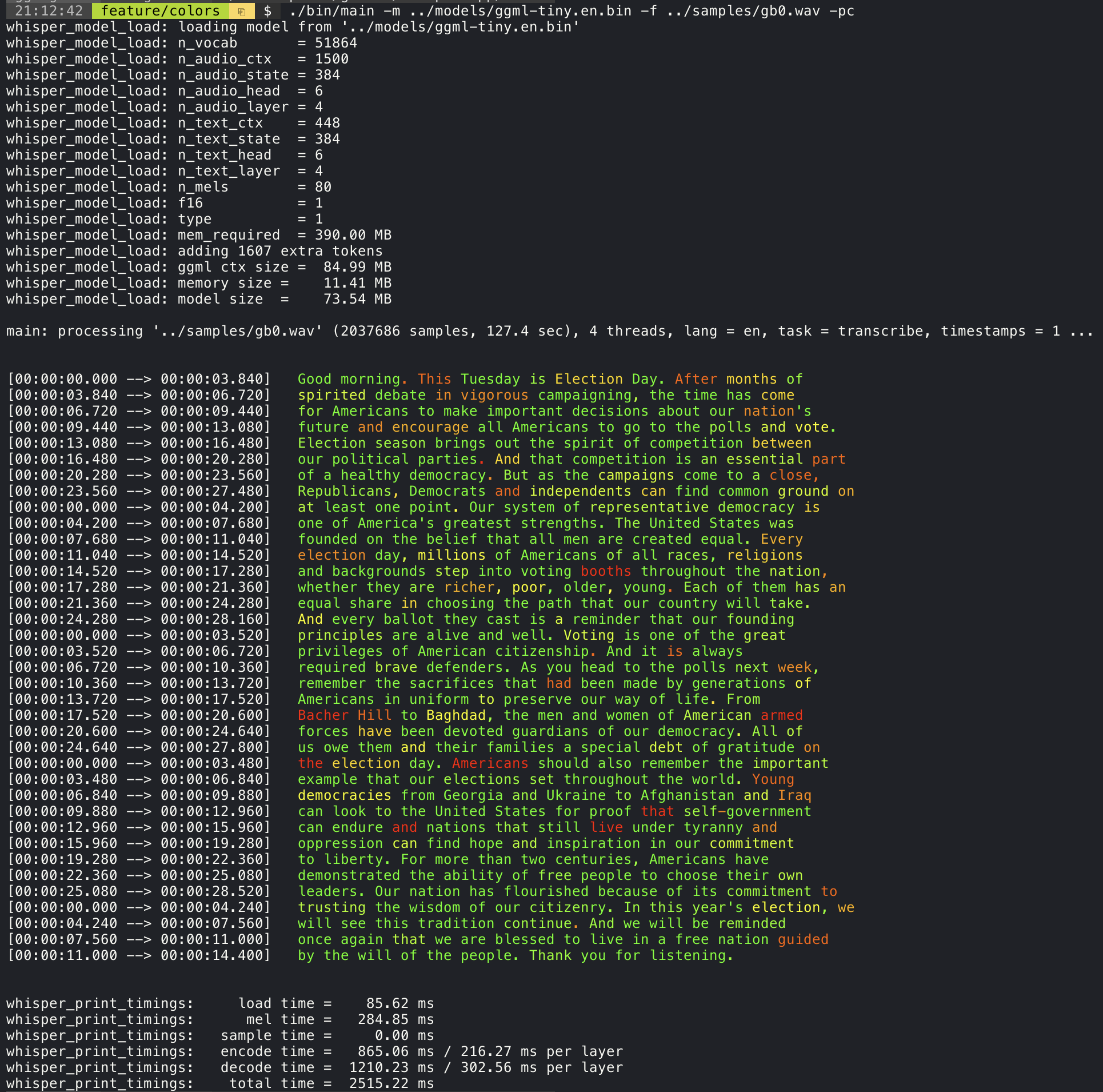
It is the Whisper speech-recognition model rewritten in C++ so it runs on ordinary hardware. It reads an audio or video file and writes plain text, or a subtitle file with timings. It supports many languages and can translate into English as it goes. It is one program plus one model file, with no Python environment and no CUDA, the extra software a graphics card needs. It is unusually fast on Apple machines, and it also uses a graphics card where one exists. Version 1.9.5 was released on 6 October 2026 and code was pushed on 12 October 2026. It does not punctuate perfectly, it does not reliably tell speakers apart, and it does nothing to check or correct the words it produces.
Why it matters
Who it suits. It suits anyone who produces spoken material regularly and wants the text of it without a subscription or a cloud upload. It suits a laptop rather than a server, which is where most of this work happens. Skip it if the job needs precise word-level timing or speaker labels, and skip it if a managed service is already paid for and good enough.
Verdict. Worth an afternoon, and the best return in this edition over a year. Expect to check the result: accuracy in English is high, and clearly lower in other languages, so anything published in a second language needs a human pass. Choose one speech-to-text tool and keep it. m-bain/whisperX (Ed. 2 #4) is better at word timing and speaker labels but wants a graphics card; SYSTRAN/faster-whisper sits in between.
- No Python environment, no CUDA, no long dependency list. Build once and forget it.
- Fast enough on a laptop that transcribing becomes routine rather than an event.
- MIT licence and frequent releases, with a large community behind it.
- It overlaps with whisperX and faster-whisper. Keeping more than one is wasted effort.
- Accuracy outside English is noticeably lower, so a check by a person is required.
- The repository moved from
ggerganov/whisper.cpptoggml-org/whisper.cpp, so older guides point at the wrong address.
The same text also feeds textstat (Ed.
git clone https://github.com/ggml-org/whisper.cpp
cd whisper.cpp
cmake -B build && cmake --build build -j --config Release
sh ./models/download-ggml-model.sh large-v3-turbo
./build/bin/whisper-cli -m models/ggml-large-v3-turbo.bin -f lesson.wav -osrt
Part 3 — Subtitles, and where the finished file goes
Captions in a second language, and somewhere to put the video that is not only someone else's platform.

14.1k stars · MIT · v5.1.0 (2026-07-29) · Track this in Scout · Share this tool
The mature desktop subtitle editor — waveform retiming, line-by-line translation, and every format converted.
▶Repo detailsthe review · specs · pros & cons · install
What it does
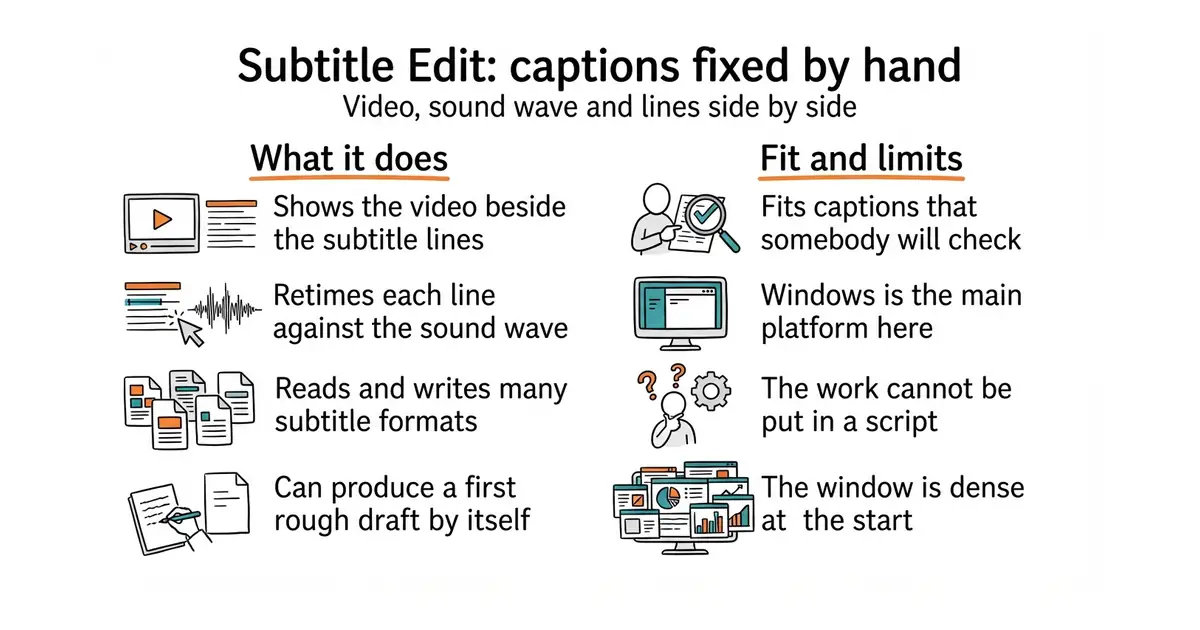
It is a desktop subtitle editor that has been maintained for over ten years. It shows the video, the sound wave and the subtitle lines together, so timings can be dragged into place. It reads and writes more than two hundred subtitle formats and converts between them. It can split and merge lines, fix common errors in bulk, check reading speed, and translate line by line. It can also call a speech-recognition engine itself to produce a first draft. Version 5.3.0 was released on 14 October 2026 and code was pushed on 17 October 2026, so the release-candidate stage noted in earlier editions is over. It is a program a person operates: nothing about it can be put in a script.
Why it matters
Who it suits. It suits anyone publishing captions they are prepared to stand behind, and anyone publishing in a second language, where machine output is a draft rather than an answer. It also suits awkward format work, which it handles better than anything else available. Skip it if captions are automatic and nobody checks them, and skip it if everything has to run unattended.
Verdict. Worth installing and worth learning two keyboard shortcuts. It is the only step in this part that cannot be automated, and the time it takes is the time the quality costs. Windows is the first-class platform, so check the build for other systems before planning around it. Aegisub/Aegisub is the alternative for styled captions; smacke/ffsubsync solves the narrower problem of subtitles that are simply offset.
- Reads and writes almost every subtitle format, which removes a whole class of dead end.
- The sound-wave view makes retiming fast enough to be done rather than skipped.
- MIT licence, works offline, and has a long and steady history.
- Windows is the main platform; builds for other systems are less polished.
- The window is dense, and finding the right feature takes some patience at first.
- It is operated by hand, so unlike everything else in this part it cannot be scripted.
Download a build from the releases page: https://github.com/SubtitleEdit/subtitleedit/releases It takes the subtitle file written by #5 and gives each site the format it asks for.

2.9k stars · GPL-3.0 · 2026.08.26.post1 (2026-08-26) · Track this in Scout · Share this tool
A YAML subscription layer over yt-dlp — competitors' new uploads arrive nightly with metadata attached.
▶Repo detailsthe review · specs · pros & cons · install
What it does
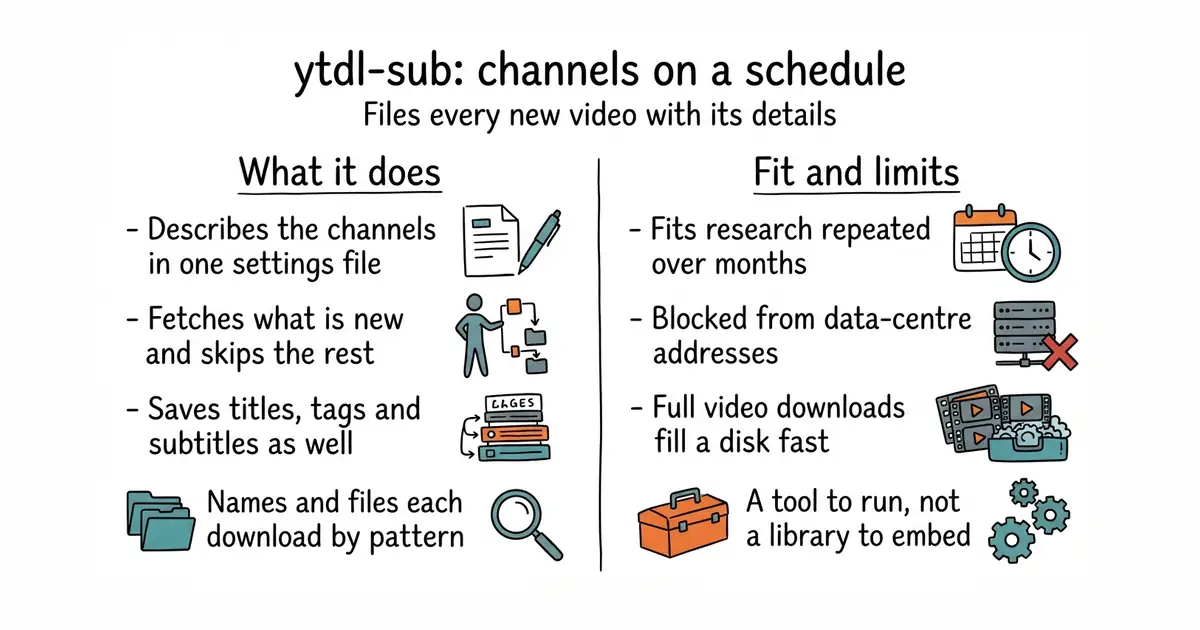
It is a configuration layer on top of yt-dlp, the downloader that does the actual work. The channels and playlists to follow are described in one YAML file, a plain text format for settings. Each run fetches what is new, skips what it already has, and writes files into a folder pattern you define. It saves the title, description, upload date, tags, thumbnail and subtitles alongside each file, and can write metadata files for media servers. Presets cover the common cases, so a working setup is a few lines rather than a script. Version 2026.8.26 is on PyPI, dated 26 August 2026. It downloads and files only: it does not analyse anything, and it will not work from most rented servers, because the large video sites block data-centre addresses.
Why it matters
Who it suits. It suits anyone doing regular research on a set of channels, or keeping an archive of material they are entitled to keep. The value is in the saved text rather than the video: titles, tags and subtitles collected over months answer questions no single visit can. Skip it if a weekly manual look is enough, and skip it if there is no machine at home that can run on a schedule.
Verdict. Worth an hour if the research is recurring, and worth nothing if it is a one-off, where plain yt-dlp/yt-dlp (Ed. 6) is simpler. Set it to fetch metadata and subtitles only unless the video itself is needed, because full downloads fill a disk quickly. The licence is GPL-3.0, which is fine for something run as a tool. meeb/tubesync is the alternative if a web page to click is preferred over a text file.
- Scheduling, duplicate-skipping and file naming are handled, so none of that has to be written.
- Built on yt-dlp, which is widely used and well maintained, so there is no new download logic to trust.
- Its output drops neatly into a small database for querying later.
- GPL-3.0 licence: a tool to run, not a library to build into a closed product.
- Data-centre addresses are blocked by the large video sites, so it has to run from a home or office connection.
- Full video downloads fill a disk fast, and the default settings are generous.
brew install ffmpeg        # or: sudo apt install ffmpeg
python3 -m venv venv
source venv/bin/activate
pip install ytdl-sub
ytdl-sub sub subscriptions.yaml


15.3k stars · AGPL-3.0 · v8.2.4 (2026-08-04) · Track this in Scout · Share this tool
Self-hosted video with an ActivityPub feed — the copy of your tutorials whose delivery you control.
▶Repo detailsthe review · specs · pros & cons · install
What it does
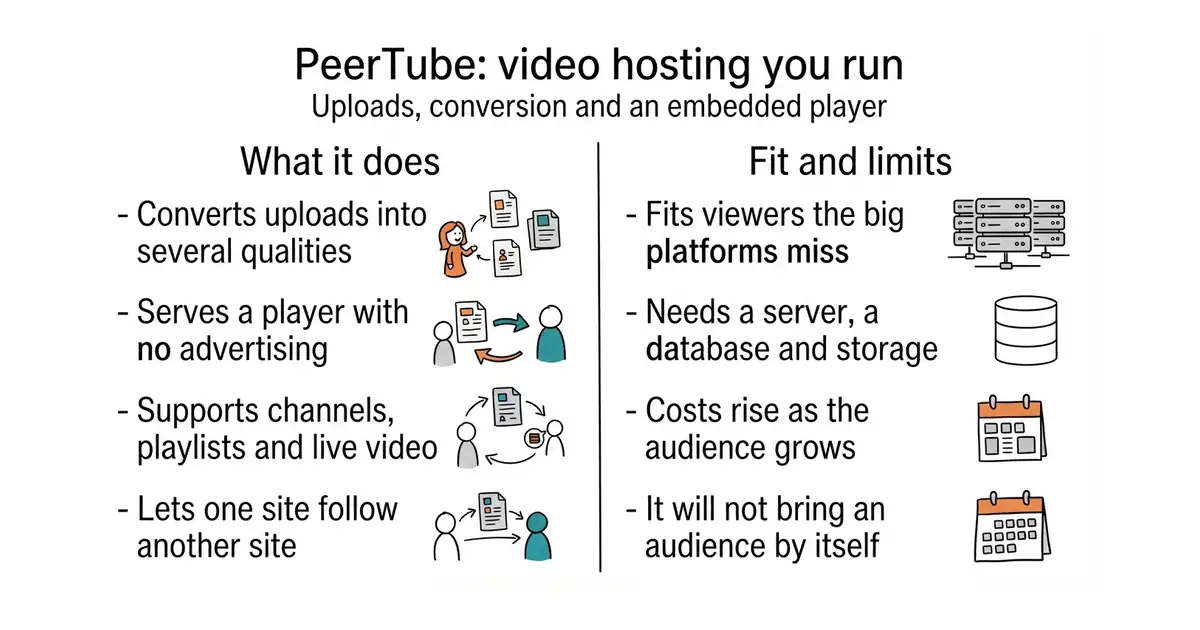
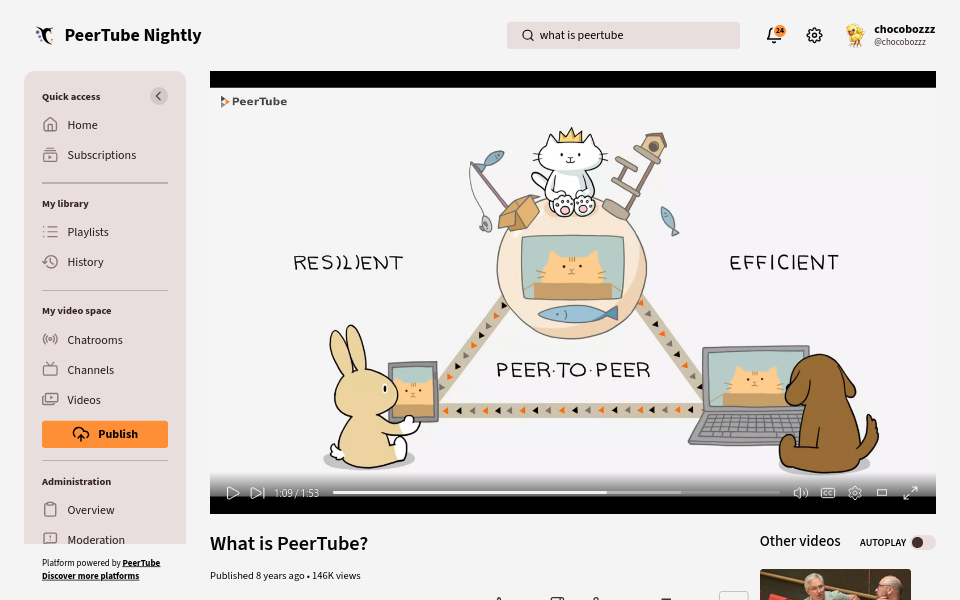
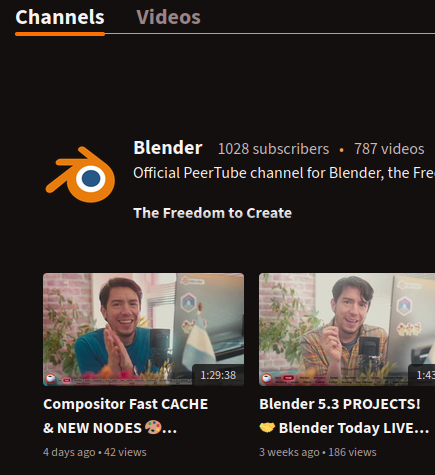
It is a complete video platform: upload, convert, store, and an embeddable player. It converts uploads into several qualities, or accepts files already converted elsewhere. It supports live streaming, playlists, channels, subscriptions and comments. Servers can follow each other, so videos from one site appear in another's listings, and it publishes feeds that other software can read. It is released steadily, with version 8.3.1 dated 28 September 2026. It is a service, not a program: it needs Node.js, PostgreSQL, Redis and real storage, and it does not bring an audience with it.
Why it matters
Who it suits. It suits anyone whose viewers are partly unreachable on the large platforms, and anyone who embeds video on a commercial page where suggested videos at the end are unwelcome. It suits organisations with a reason to hold their own copies. Skip it if the goal is reach, because that still lives on the large platforms, and skip it if there is no appetite for running a service.
Verdict. A real commitment rather than an afternoon, and worth it only for one of the narrow reasons above. Convert video on a desktop machine and upload the finished files, because conversion will overwhelm a small server. Storage and bandwidth are the first cost in this edition that grows with success, so plan for it. owncast/owncast is much lighter if the need is live streaming, and mediacms-io/mediacms is lighter if it is a private library.
- Full control of the player and the embed: no advertising, no suggested videos, no outside tracking.
- Publishes feeds, so other tools can react when something is posted.
- Actively released, with a long history and a clear licence.
- A real service to run: Node.js, PostgreSQL, Redis, storage, and video conversion that needs headroom.
- Storage and bandwidth costs rise as the audience grows.
- AGPL-3.0 licence, and the network of servers will not deliver an audience to a new site.
The embed then replaces lite-youtube-embed (Ed.
Follow the official guide at https://docs.joinpeertube.org, which uses Docker Compose, a way to run several linked services from one file.
Part 4 — For people building products, not videos
Four tools that have nothing to do with the channel and everything to do with the week after it.

22.8k stars · MIT · v14.0.0-rc.20 (2026-06-22) — a RELEASE CANDIDATE; the stable series is v13 · Track this in Scout · Share this tool
The CRDT everyone uses — several people editing one document at once, offline edits merging cleanly later.
▶Repo detailsthe review · specs · pros & cons · install
What it does
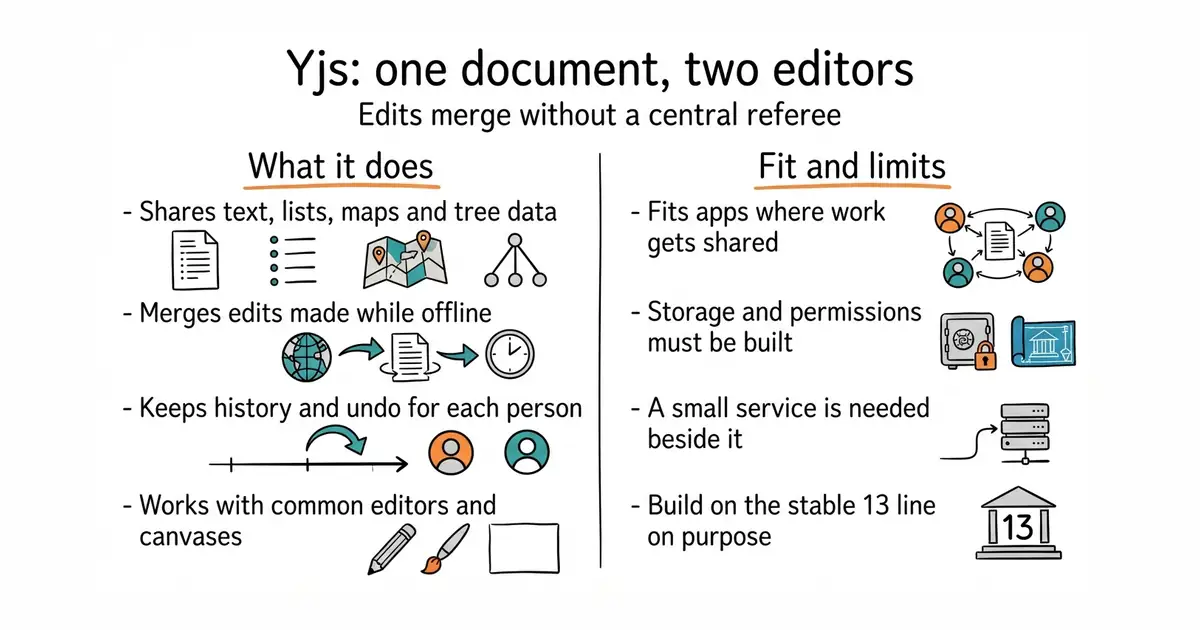
It is a CRDT library, which means a data structure several people can change at the same time without locking, where the versions merge back together without a central referee. It provides shared text, lists, maps and tree structures, and tells the application what changed. It keeps the full edit history and can undo per user. Connections are separate from the data, so changes can travel over a WebSocket connection, between browser tabs, or through any channel the application already has. There are ready-made bindings for the common text editors and canvas libraries. Version 13.6.33, dated 23 September 2026, is the current stable line. It stores nothing by itself and handles no permissions: saving documents and deciding who may open them remain the application's work.
Why it matters
Who it suits. It suits any application where one person's work becomes worth showing to another: documents, boards, diagrams, planning tools. It suits anything used on a phone, because offline editing and later merging are built in rather than bolted on. Skip it if the content is read-only for everyone but its author, and skip it if nobody can own a small server component.
Verdict. The standard answer in this area, and a sound one, but understand the size of the decision. The library is the easy part; the server, the saving and the access rules are the project. Build on the stable 13 line on purpose rather than by accident. automerge/automerge is the main alternative with a similar design; share/sharedb takes the older, server-authoritative approach and is a better fit when a central server is wanted anyway.
- MIT licence, mature, and already supported by the common editor and canvas libraries.
- Offline editing with a clean merge afterwards, which is hard to build and easy to get wrong.
- One shared document can drive several views of the same data at once.
- Live collaboration is a product decision with a service behind it, not a library you simply add.
- Storage and access control are left entirely to the application.
- Several overlapping add-on packages exist for connections and storage, and choosing between them takes reading.
npm install yjs Then a small Node websocket service next to FastAPI, with the document saved into the PostgreSQL you already run.
npm install yjs@13

4.5k stars · MIT · v0.33.1 (2026-09-01) · Track this in Scout · Share this tool
Schema validation for DataFrames — the error that fires before a backtest quietly reports a fictional edge.
▶Repo detailsthe review · specs · pros & cons · install
What it does
It checks data tables against a written description, called a schema. The description names the columns, their types, the values they may hold, what must be unique and what may not be empty. Checks can be single columns, whole rows, or statistical conditions across a column. It works with pandas and Polars, two common table libraries, and with several others. Failures can raise an error or be collected into a report of every bad row. The same description can be used as a decorator on a function, so inputs and outputs are checked where the data enters. Version 0.34.1 was released on 6 October 2026. It checks shape, type and range only: a plausible but wrong number passes every check it can make.
Why it matters
Who it suits. It suits anyone whose conclusions rest on data arriving in a known shape, especially when the data is fetched automatically and nobody looks at it. Research and reporting work benefit most, because that is where a wrong number survives longest. Skip it for a one-off analysis of a file you have read with your own eyes, and skip it inside a fast loop, where checking costs more than it saves.
Verdict. Worth an afternoon, and the gain is entirely in the failures it causes early. Put the checks where data is loaded, not where it is used, and send a notification on failure so a silent problem cannot stay silent. Expect the schemas to be real work with nothing visible to show on the day. great-expectations/great_expectations is the heavier alternative for teams; pydantic/pydantic covers single records rather than tables.
- MIT licence and plain Python, so it fits inside an existing application or a background job.
- Works with more than one table library, so it survives a change of engine.
- The schema is documentation that cannot go stale, because it fails when it is wrong.
- It checks shape and range, not truth. A believable wrong value passes.
- Writing the schemas is upfront work with no visible result.
- Checking large tables takes real time, so it belongs at the loading step. Needs Python 3.10 or newer.
python3 -m venv venv
source venv/bin/activate
pip install "pandera[pandas]"


2.6k stars · MIT · v1.2.1 (2026-09-07) · Track this in Scout · Share this tool
GroupStats: hand it a DataFrame of many equity curves and get one table of performance statistics for all of them.
▶Repo detailsthe review · specs · pros & cons · install
What it does
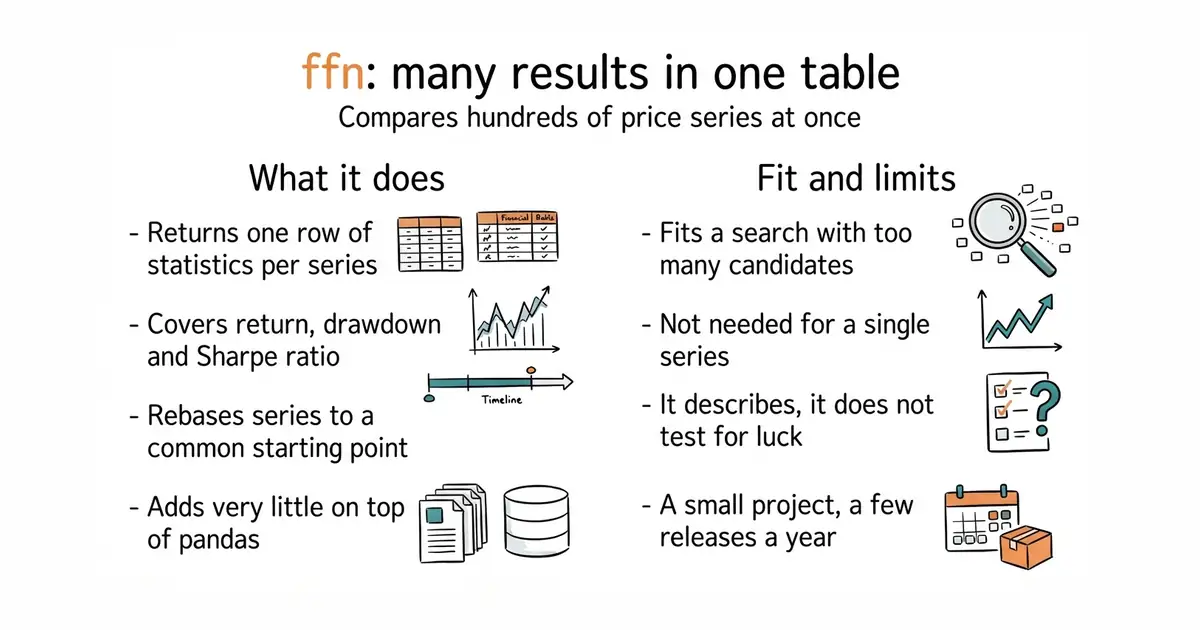
It is a small library of performance and risk statistics for price series. Its useful part is called GroupStats: hand it a table where each column is one result series and it returns the same statistics for all of them side by side. It calculates total and yearly return, volatility, drawdown, Sharpe and Sortino ratios, win rates and monthly tables. It can also fetch prices, rebase series to a common start and draw simple charts. It builds on pandas and adds very little else. Version 1.4.1 was released on 10 October 2026. It only describes what happened: it does not run a backtest, and it has no opinion about whether a good-looking result is real.
Why it matters
Who it suits. It suits anyone doing a search rather than an analysis, where a parameter sweep has produced far too many candidates to look at one by one. It also suits reporting on several portfolios at once. Skip it if there is only ever one series to look at, where a single-strategy report tool is more useful.
Verdict. Worth an hour, and it changes what is worth testing, because comparing a hundred results stops being a chore. Treat its output as a shortlist and nothing more: it will happily rank a hundred overfitted results, and a statistical test is what says whether the winner was luck. The project is small, with a few releases a year, which is normal for this kind of library and worth knowing. ranaroussi/quantstats is the choice for a deep report on one series; pmorissette/bt, by the same author, runs the test that produces the series.
- MIT licence, so it can sit behind a commercial feature.
- One call compares any number of series, which lowers the cost of testing more of them.
- Almost no dependencies beyond pandas, so nothing new to maintain.
- It overlaps with single-strategy report tools; the difference is many against one.
- The statistics only describe. They do not test whether a result is more than chance.
- A small project with a few releases a year and a small maintainer team.
python3 -m venv venv
source venv/bin/activate
pip install ffn

35.7k stars · CC0-1.0 · 1.58.0 (2026-08-03) · Track this in Scout · Share this tool
Named recipes in a justfile — 'just backup', 'just normalize' — so the command is never the thing that gets lost.
▶Repo detailsthe review · specs · pros & cons · install
What it does
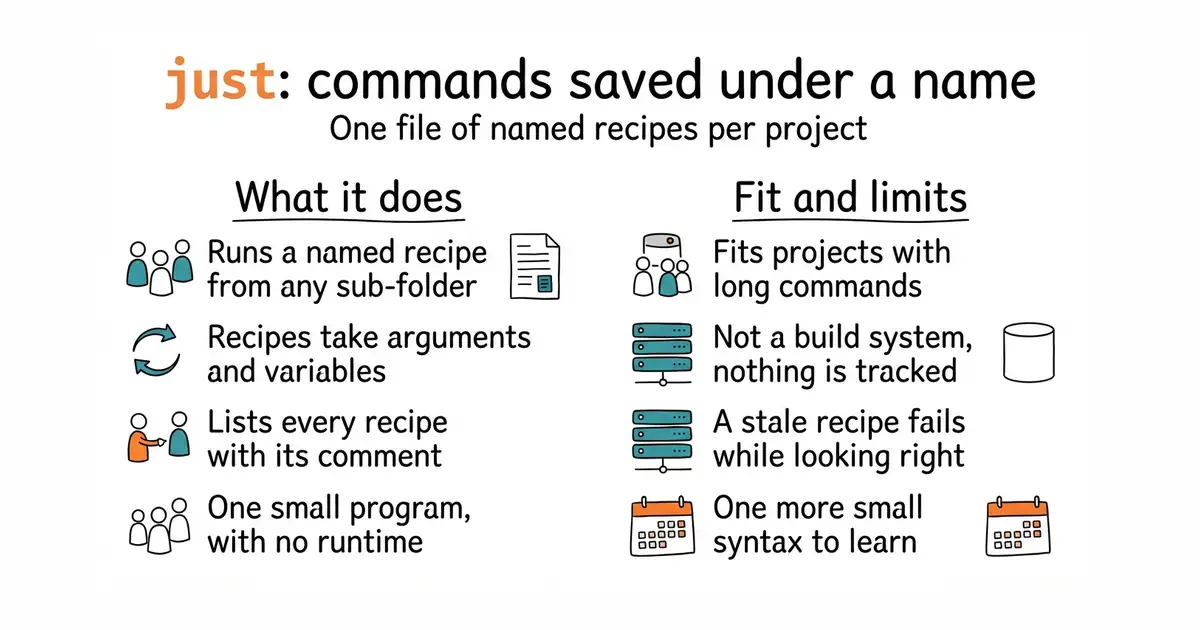
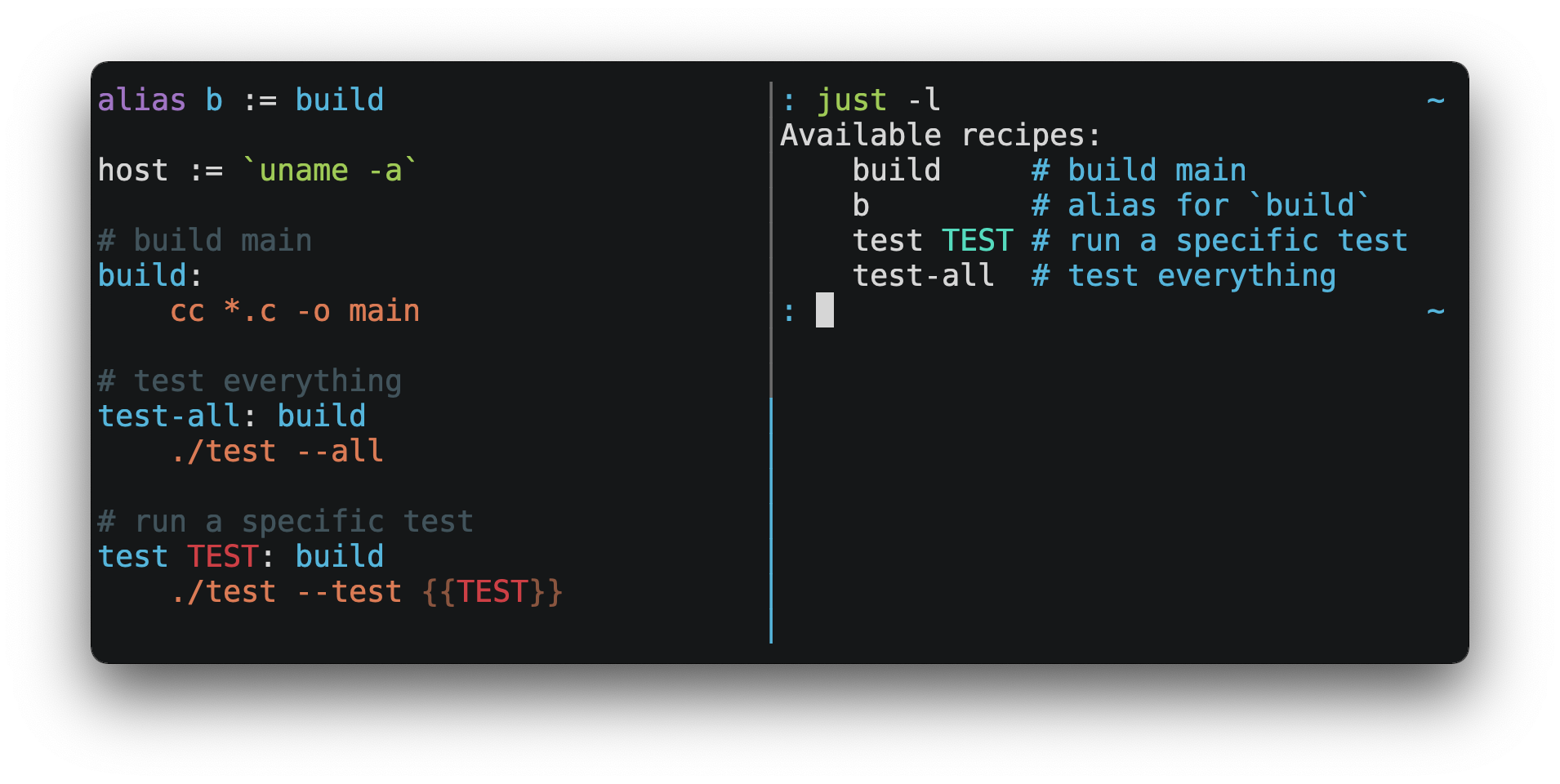
It is a command runner. A file called justfile holds named recipes, and each recipe is one or more shell lines. Running just <name> executes that recipe from anywhere inside the project. Recipes take arguments, read variables and environment files, depend on each other, and can be written in another language such as Python by naming its interpreter. just --list prints every recipe with its comment, which makes the file its own documentation. It is one small binary with no runtime to install. Version 1.59.0 was released on 15 October 2026. It is not a build system: it does not track which files changed, so it re-runs whatever it is asked to run.
Why it matters
Who it suits. It suits anyone with a growing pile of long commands, and anyone who returns to a project every few weeks and has to remember how it starts. It suits small teams, because a named recipe is a shared answer instead of a message asking how something is run. Skip it if the work already uses a build system that tracks changes, and skip it if there are only two commands to remember.
Verdict. The cheapest thing in this edition and the only one that gets more useful with every past edition, since each one leaves commands behind. Keep the file honest: a recipe that has gone stale is worse than no recipe, because it fails while looking correct. The syntax is close to Make and deliberately simpler. go-task/task is the alternative for anyone who prefers YAML files, and it does track changes.
- One small program, no runtime, nothing to host.
just --listprints every recipe with its comment, so the documentation writes itself.- CC0-1.0 terms, so there is never a licence question.
- Not a build system: it does not track what changed and re-runs everything it is asked for.
- A stale recipe fails while looking correct, which is worse than having none.
- One more small syntax to learn, and it handles shell lines slightly differently from a plain script.
brew install just        # or: cargo install just
just --list
Checked, and left out
Nine repositories were opened for this edition and did not make it. Here they are, and why.
midrender/revideo
midrender/revideo (4.0k, MIT) — REDIRECT from redotvideo/revideo. Programmatic video in TypeScript and the living successor to the dormant Motion Canvas, so it would have filled a real gap. No releases at all, so recency unprovable. Backlogged; worth re-checking from the Mac via npm.
Castopod
Castopod (self-hosted podcast host) — github.com/Castopod/castopod returns 404; the project develops on its own GitLab, so it cannot be verified to this radar's standard. Recorded so no future run rediscovers the dead end. The idea was good: his existing narration becomes a podcast feed for almost nothing.
MaartenGr/KeyBERT
MaartenGr/KeyBERT (4.2k, MIT) — keyword extraction from BERTopic's author, intended as the tool that turns competitor transcripts into a ranked list of video topics. v0.9 on BOTH GitHub and PyPI, 2025-02-07, nineteen months. Past the dormancy line. Backlogged; the need is real and still unfilled.
amicalhq/refref
amicalhq/refref (215, AGPL-3.0) — open-source referral and affiliate programmes, a category with NOTHING in it after twelve editions. 113 commits, no releases; too young. Backlogged and worth watching, because the gap is real.
Rikorose/DeepFilterNet
Rikorose/DeepFilterNet — SETTLED, not merely dropped. Backlogged in Edition 11 on unprovable recency; releasealert.dev shows v0.5.6, 31 August 2023, three years. Moved to permanent do-not-recommend.
dcajasn/Riskfolio-Lib
dcajasn/Riskfolio-Lib (4.4k, BSD-3-Clause, PyPI 7.3.0 2026-05-31) — verified healthy; dropped because ffn (#11) answers the question he actually has now ('which of these candidates') rather than the one he does not yet have ('how to allocate between them'). Backlogged.
owncast/owncast
owncast/owncast (11.4k, MIT, v0.2.5 2026-04-11) — self-hosted live streaming, verified alive. Dropped for fit: live streaming is a commitment to being available at a time, which nothing he has said suggests he wants. Backlogged.
mifi/lossless-cut
mifi/lossless-cut (43.4k, GPL-2.0) — trims video without re-encoding; no release date readable from the page, and it overlaps both Camtasia and auto-editor. Backlogged.
xiph/rnnoise
xiph/rnnoise (5.8k, BSD-3-Clause) — the noise-suppression model already embedded in ffmpeg's arnndn filter. No readable release info, and it is used through ffmpeg rather than directly, so recorded as the stopgap for the DeepFilterNet hole rather than recommended as a repository.
Know a repository we should check?