Edition No. 12 · 6 Sep 2026
The look of the thing
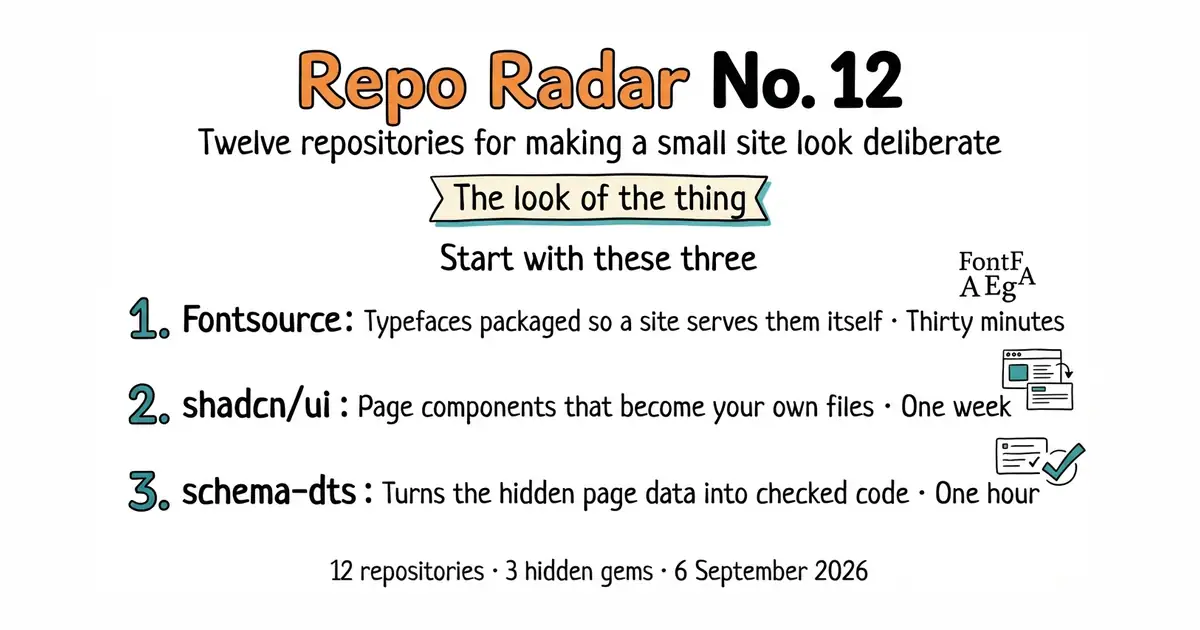
Component kits, icons, self-hosted fonts, and the tools that stop a page looking like four separate afternoons.
Refreshed on 18 October 2026. The repositories are the ones first published; any that are no longer maintained are left out.
This edition is about how software looks, and about keeping that under a developer's control. Eleven of the twelve entries share one property: the design lives in files that can be edited like any other source code. Components as files in a repository. Icons as a package. Fonts as a package. Structured data the compiler checks. Diagrams as plain text. Tables written in Python. Two entries break that pattern, because they are visual tools you open and click, and both are marked as the larger commitments they are.
Every one of the twelve was opened again on 18 October 2026. None is archived, none has been renamed since September, and every one has published a release in the last three months. All twelve carry an open-source licence.
- Great Tables has reached version 1.0. When this edition was first written the library was at 0.24.0, which is the kind of version number that makes people wait. The package on PyPI is now 1.0.0, published on 25 September 2026, and the newest tag in the repository is v1.1.0 from 15 October 2026. The project also passed 2,900 stars, so it is close to leaving the hidden-gem list. - Mermaid is now on version 12, and its project website has moved. The npm package mermaid is 12.2.0, and the About sidebar on GitHub now points at mermaid.ai/open-source/ rather than mermaid.js.org. A major version number means the upgrade is not automatic, so read the project's own notes before moving a working setup across.
Two things worth knowing
- Great Tables has reached version 1.0. When this edition was first written the library was at 0.24.0, which is the kind of version number that makes people wait. The package on PyPI is now 1.0.0, published on 25 September 2026, and the newest tag in the repository is v1.1.0 from 15 October 2026. The project also passed 2,900 stars, so it is close to leaving the hidden-gem list. - Mermaid is now on version 12, and its project website has moved. The npm package mermaid is 12.2.0, and the About sidebar on GitHub now points at mermaid.ai/open-source/ rather than mermaid.js.org. A major version number means the upgrade is not automatic, so read the project's own notes before moving a working setup across.
One correction to the original edition is worth stating plainly. unpic-img was published here with a warning that it had been quiet since December 2025 and should be checked before anyone relied on it. Code landed in that repository on 15 October 2026. The warning no longer holds, and the entry below says so.
If you only do three things
- fontsource/fontsource — thirty minutes. Serving fonts from your own domain removes a request to someone else's server on every page view, and it gives non-Latin alphabets a proper subset instead of whatever the reader's computer falls back to.
- shadcn-ui/ui — one week. It is the single largest change available to how a React application looks, and the component code lands in the repository as ordinary files rather than arriving as a package.
- google/schema-dts — one hour, then never again. It turns the structured data that search engines and AI assistants read into typed objects, so a misspelled property fails the build instead of failing silently for a year.
Every link in one place
| # | Repository | Project site | Stars | Licence |
|---|---|---|---|---|
| 1 | shadcn-ui/ui | ui.shadcn.com | 125.4k | MIT |
| 2 | lucide-icons/lucide | lucide.dev | 24.4k | ISC |
| 3 | fontsource/fontsource | fontsource.org | 6.1k | MIT |
| 4 | penpot/penpot | penpot.app | 58.5k | MPL-2.0 |
| 5 | onlook-dev/onlook | onlook.com | 26.9k | Apache-2.0 |
| 6 | storybookjs/storybook | storybook.js.org | 90.8k | MIT |
| 7 | svg/svgo | svgo.dev | 22.6k | MIT |
| 8 | ascorbic/unpic-img 💎 | unpic.pics | 2.1k | MIT |
| 9 | google/schema-dts 💎 | none in the sidebar | 1.2k | Apache-2.0 |
| 10 | mermaid-js/mermaid | mermaid.ai/open-source | 90.5k | MIT |
| 11 | perspective-dev/perspective | perspective-dev.github.io | 11.3k | Apache-2.0 |
| 12 | posit-dev/great-tables 💎 | posit-dev.github.io/great-tables | 2.9k | MIT |
The look of the thing
Twelve repositories, checked and reviewed. Every version verified against the GitHub API and dated.

123.3k stars · MIT · shadcn@4.21.0 (2026-09-04) · Track this in Scout · Share this tool
Not a library you install — a folder of accessible React components you own, copied into your repo.
▶Repo detailsthe review · specs · pros & cons · install
What it does
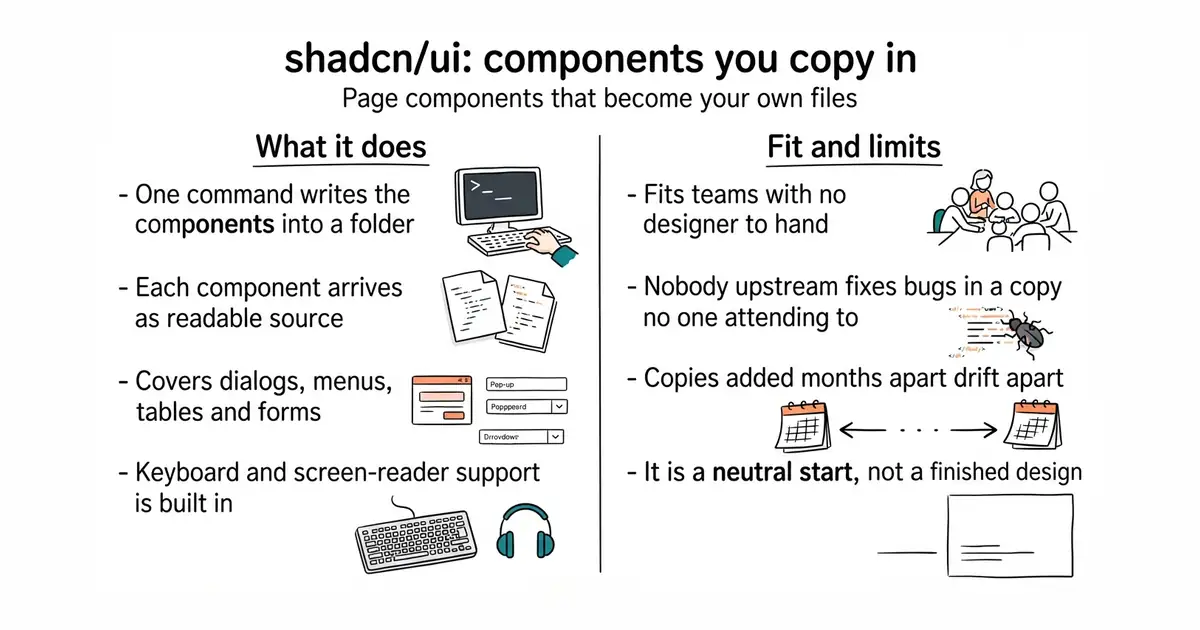
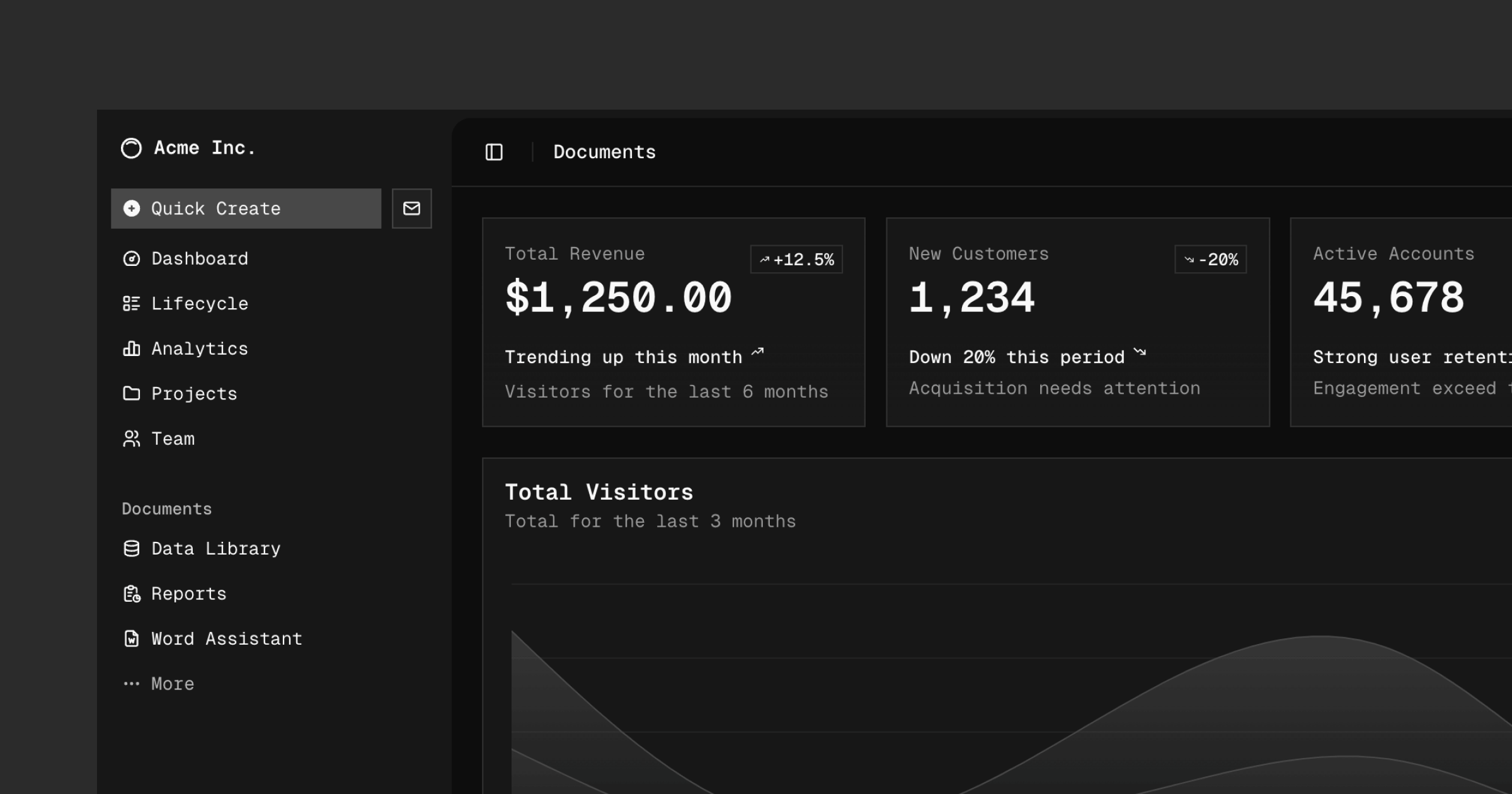
A command-line tool writes component files into a folder you choose inside the project. Each component is plain TypeScript and JSX, which is the source format React developers already read, styled with Tailwind CSS, a system of small utility class names applied in the markup. The behaviour underneath comes from Radix primitives, which handle keyboard control, focus and screen-reader labelling. The catalogue covers dialogs, dropdown menus, data tables, forms, tooltips, date pickers, charts and dozens more. The command-line tool is version 4.22.0 on npm, and the newest tag in the repository is @shadcn/helpers@0.3.0, dated 16 October 2026. It is deliberately not a package: there is nothing in node_modules to upgrade, and no component version to pin. It also does not design anything. What arrives is a plain, neutral starting point that still has to be shaped into a particular product's look.
Why it matters
Who it suits. Teams with a React application whose screens were each styled on whatever afternoon they were built, and who have no designer to hand. The copy-in model is what makes it suitable for developers rather than design teams: the components become files in the repository, so a coding assistant can read and edit them like any other source. Skip it if the project does not use Tailwind CSS, because adopting Tailwind is a much bigger decision than adding components.
Verdict. Worth a week of work, and the payoff is visible on the first screen. The honest cost is maintenance: a component copied in January and another copied in July will drift apart unless somebody deliberately re-runs the tool over both. Plan for one afternoon a year spent re-syncing. If you want the same look without React, hunvreus/basecoat does it in plain HTML. If you would rather have a package somebody else upgrades, mui/material-ui is the conventional answer.
- The component code sits in the repository, so there is no upgrade treadmill and nothing breaks on a dependency bump.
- Keyboard control and screen-reader labelling arrive built in through Radix, rather than being added later.
- A very large public example base, which makes coding assistants unusually good at it.
- It assumes Tailwind CSS. Outside that, this is a much larger decision than it looks.
- Owning the code means owning the bugs, because nobody upstream patches a copy.
- Components added months apart fall out of step unless the tool is deliberately re-run.
npx shadcn@latest init
npx shadcn@latest add button dialog table tooltip


24.4k stars · ISC · 1.42.0 (2026-09-07) · Track this in Scout · Share this tool
~1,600 icons on one 24px grid at one stroke weight — the cheapest way to stop looking like four separate afternoons.
▶Repo detailsthe review · specs · pros & cons · install
What it does
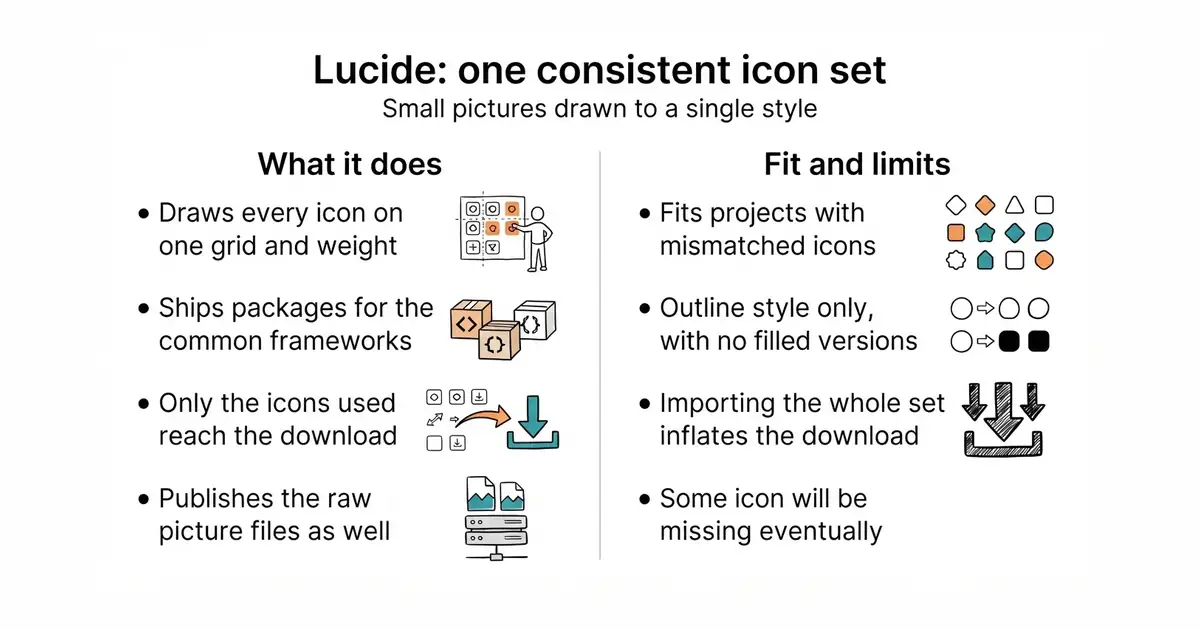
Lucide ships outline icons drawn on a consistent grid with a single line thickness, so any two of them sit beside each other without looking mismatched. Separate packages exist for React, Vue, Svelte, Angular, Preact and plain HTML, and the raw SVG files are published too. SVG means the picture is described as lines and shapes rather than pixels, so it stays sharp at any size and can be recoloured in CSS. The imports are tree-shakeable, meaning only the icons actually used end up in the finished download. The project is the community-maintained fork of Feather Icons and is the default icon set used by shadcn/ui. Version 1.59.0 was published on 17 October 2026, and code landed in the repository the same day. It is an icon set and nothing more: there are no filled or duotone variants, no illustration library, and no tool for drawing new icons in the same style.
Why it matters
Who it suits. Any project whose icons were collected from three different places over two years, which readers register as carelessness without being able to name why. It also suits anyone who needs the same icons in an application, on a marketing page and inside a video graphic, because the SVG files work in all three. Skip it if the design calls for filled or two-tone icons, because this set is outline only.
Verdict. Five minutes, and one of the cheapest visible improvements available. The real limit arrives later: eventually a project needs an icon the set does not have, and drawing a matching one is a genuine skill. Keep a note of which icons were missing, because that list is the argument for commissioning a few. If the set is too small, tabler/tabler-icons has over 6,100 icons under the same licence terms.
- One visual system across an application, a website and any video or slide graphics.
- Tree-shakeable, and the ISC licence is as permissive as MIT.
- Releases land roughly weekly, so gaps in the set get filled.
- Outline style only, with no filled or duotone variants, which limits visual emphasis.
- Importing the whole package rather than named icons quietly inflates the download.
- Sooner or later an icon is missing, and matching the style by hand is harder than it looks.
npm i lucide-react      # React
npm i lucide-vue-next   # Vue 3
npm i lucide-svelte     # Svelte
npm i lucide            # plain HTML and JavaScript

6.1k stars · MIT · core-v0.4.0 (2026-09-06) · Track this in Scout · Share this tool
Self-hosted open-source fonts as npm packages, split by weight and subset — including cyrillic.
▶Repo detailsthe review · specs · pros & cons · install
What it does
Fontsource repackages the Google Fonts catalogue and other open-source families as npm packages, split both by weight and by character subset. A subset is a slice of a typeface covering one writing system, so a site can ship the Latin letters and the Cyrillic letters separately instead of every glyph in the file. You install the family, import the exact weights and subsets the pages use, and the files are served from your own domain. Nothing is requested from an outside font service when a page loads, which removes one DNS lookup and one new connection from every first visit. It also removes a privacy question, because a request to an outside service carries the reader's IP address with it. The repository is a monorepo, meaning many packages live in one project and each is tagged separately; the newest tag is core-v0.6.1 from 12 October 2026. It does not host anything and it does not convert fonts: it packages what the original projects publish, so a commercial typeface will not be in there.
Why it matters
Who it suits. Any site that currently loads type from an outside service and would rather not, whether the reason is speed, privacy law or a cookie banner that has to block third-party requests until somebody clicks accept. It is particularly worth it for pages in Cyrillic, Greek, Vietnamese or Thai, where the fallback typeface on a reader's own machine often looks like a different, cheaper website. Skip it if the design depends on a licensed commercial typeface, because those are not here.
Verdict. Half an hour, done once, and then forgotten. The part that catches people is that font versioning and cache headers become a local responsibility rather than someone else's, so set a long cache lifetime on the font files and leave them alone. Check the finished download afterwards: importing a whole family instead of two weights is an easy way to add a megabyte without noticing. The underlying catalogue is google/fonts, and fonttools/fonttools is what to reach for when a font needs subsetting by hand.
- Removes an outside request and a privacy question in the same half hour.
- Explicit subsets give full support for non-Latin alphabets without shipping every glyph.
- The same packages work in a static site generator and in a bundled application, so one decision covers both.
- Font versioning and cache headers become a local responsibility.
- Importing the wrong file quietly ships a very large font, and nothing warns about it.
- Because it is a monorepo tagged per package, working out the current version of one family takes a moment's reading.
npm i @fontsource/inter

59.7k stars · MPL-2.0 · 2.17.2 (2026-08-27) · Track this in Scout · Share this tool
A Figma you can self-host, storing work in SVG and CSS rather than a proprietary binary.
▶Repo detailsthe review · specs · pros & cons · install
What it does
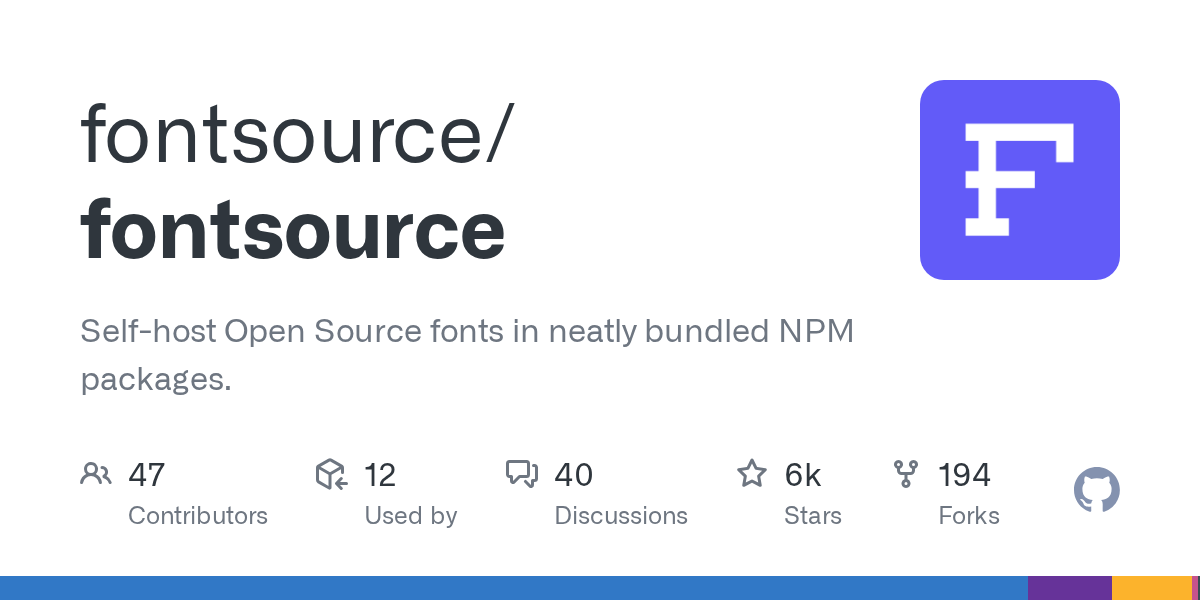
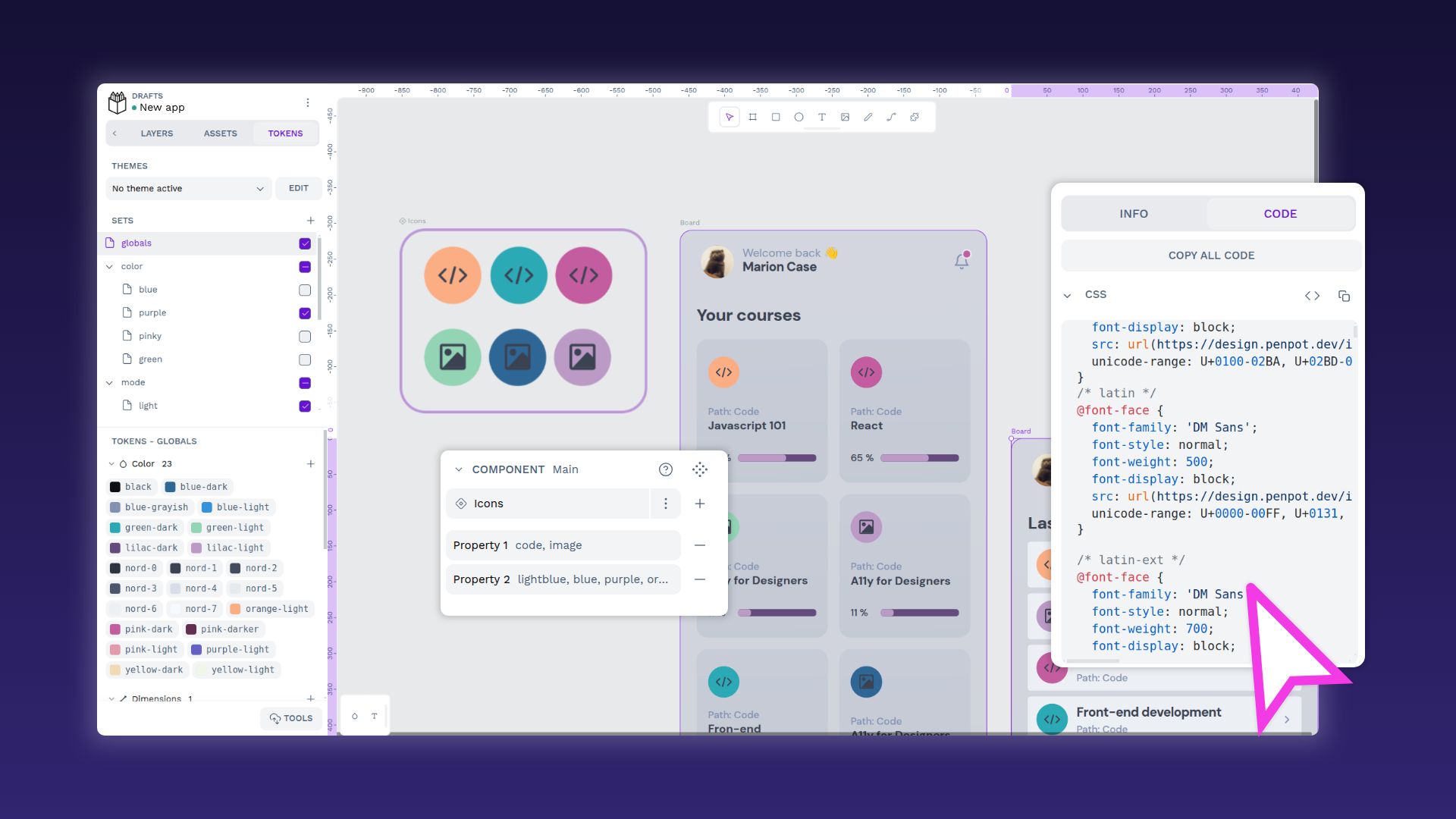
Penpot is a browser-based design tool for laying out screens, building clickable prototypes and keeping a shared component library. Its files are stored as SVG and CSS rather than a proprietary binary format, which means a design can be read by other software and nothing is trapped if the project is abandoned. Its layout model uses Flex and Grid, the same two systems a browser actually uses to arrange a page, so what a developer receives is real values rather than a picture to measure. It supports multi-person editing, comments on a design and design tokens for shared colours and spacing. The current release is 2.18.3, from 6 October 2026, under the MPL-2.0 licence. Self-hosting is a container stack with its own database behind it, not a single file. It is not a code generator: it will hand over CSS values, but it does not produce a working application.
Why it matters
Who it suits. Teams where every visual decision is currently made directly in code, and nobody can see an alternative without building it first. Penpot is where three arrangements of a landing page get tried in twenty minutes before one of them is written. There is a privacy argument too, because unannounced pricing pages and unreleased features are exactly the material some organisations would rather not keep on an outside design service. Skip it if nobody on the team has time to learn a design tool, because that is the real cost.
Verdict. This is the one entry here that will not pay off in an afternoon. The install is easy on the hosted tier and the learning is not, so evaluate on the hosted service for a month before deciding to run it. Tutorials written for other design tools do not translate one for one, and Penpot's own material is thinner. If the need is sketching and diagrams rather than interface design, excalidraw/excalidraw and jgraph/drawio are both far quicker to pick up.
- MPL-2.0 and genuinely self-hostable, with no per-seat pricing and no outside service holding the files.
- An open file format, so nothing drawn in it is trapped.
- Flex and Grid layout that matches what a browser does, which makes handover concrete.
- The real cost is learning a design tool, which is weeks of occasional use rather than one evening.
- Self-hosting means several containers and a database, so evaluate on the hosted tier first.
- Documentation and community tutorials are thinner than those for the commercial alternatives.
wget https://raw.githubusercontent.com/penpot/penpot/main/docker/images/docker-compose.yaml
docker compose -p penpot -f docker-compose.yaml up -d

26.7k stars · Apache-2.0 · v0.2.32 (2025-07-17) · Track this in Scout · Share this tool
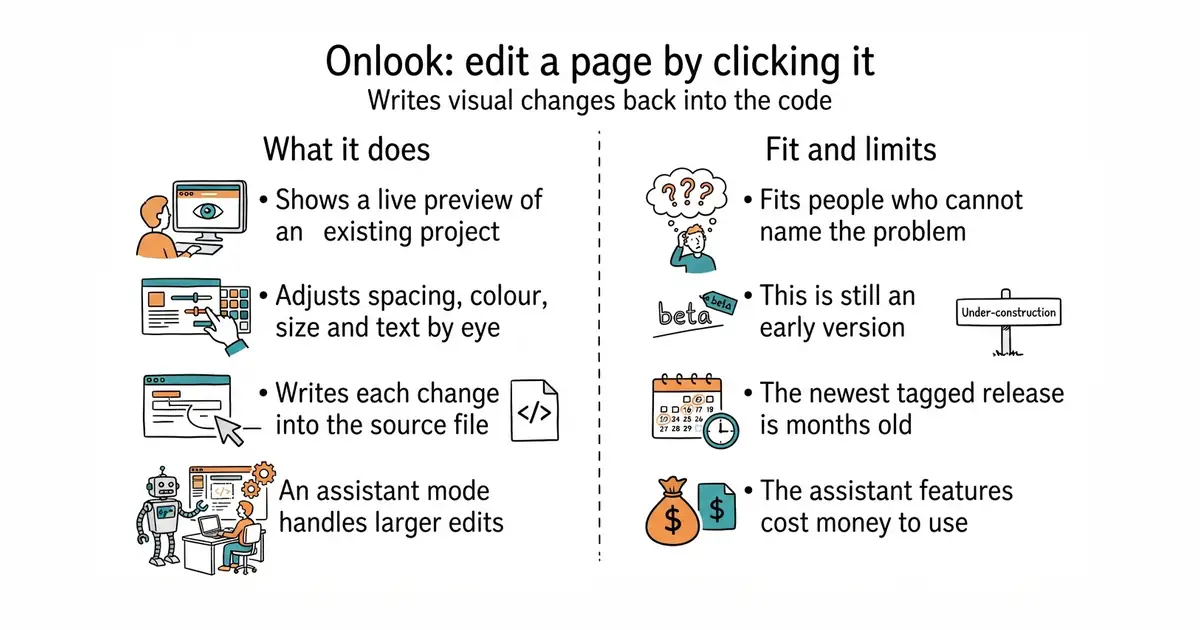
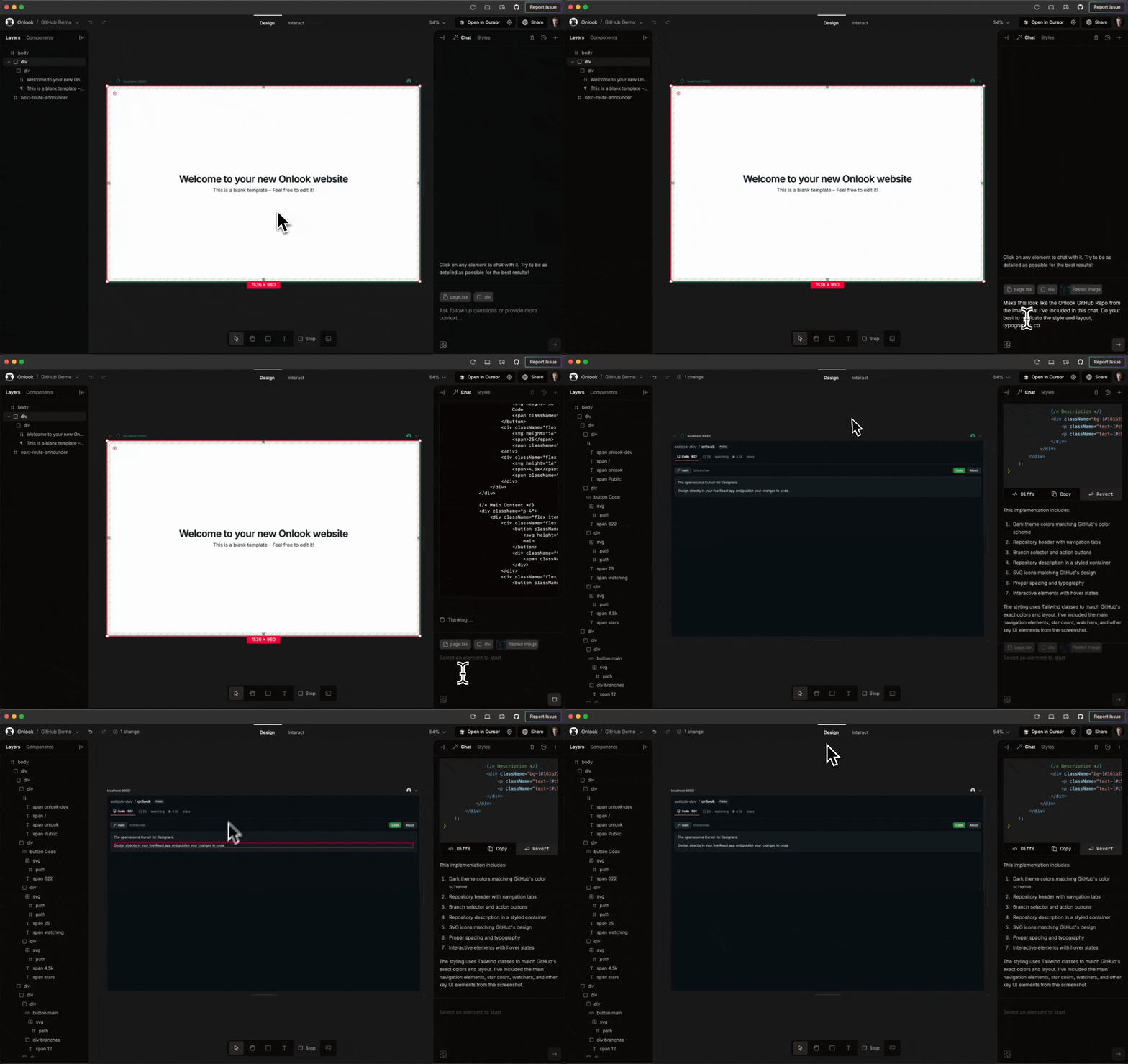
Click an element in a live preview, nudge the padding, and it writes the change back into the React source file.
▶Repo detailsthe review · specs · pros & cons · install
What it does
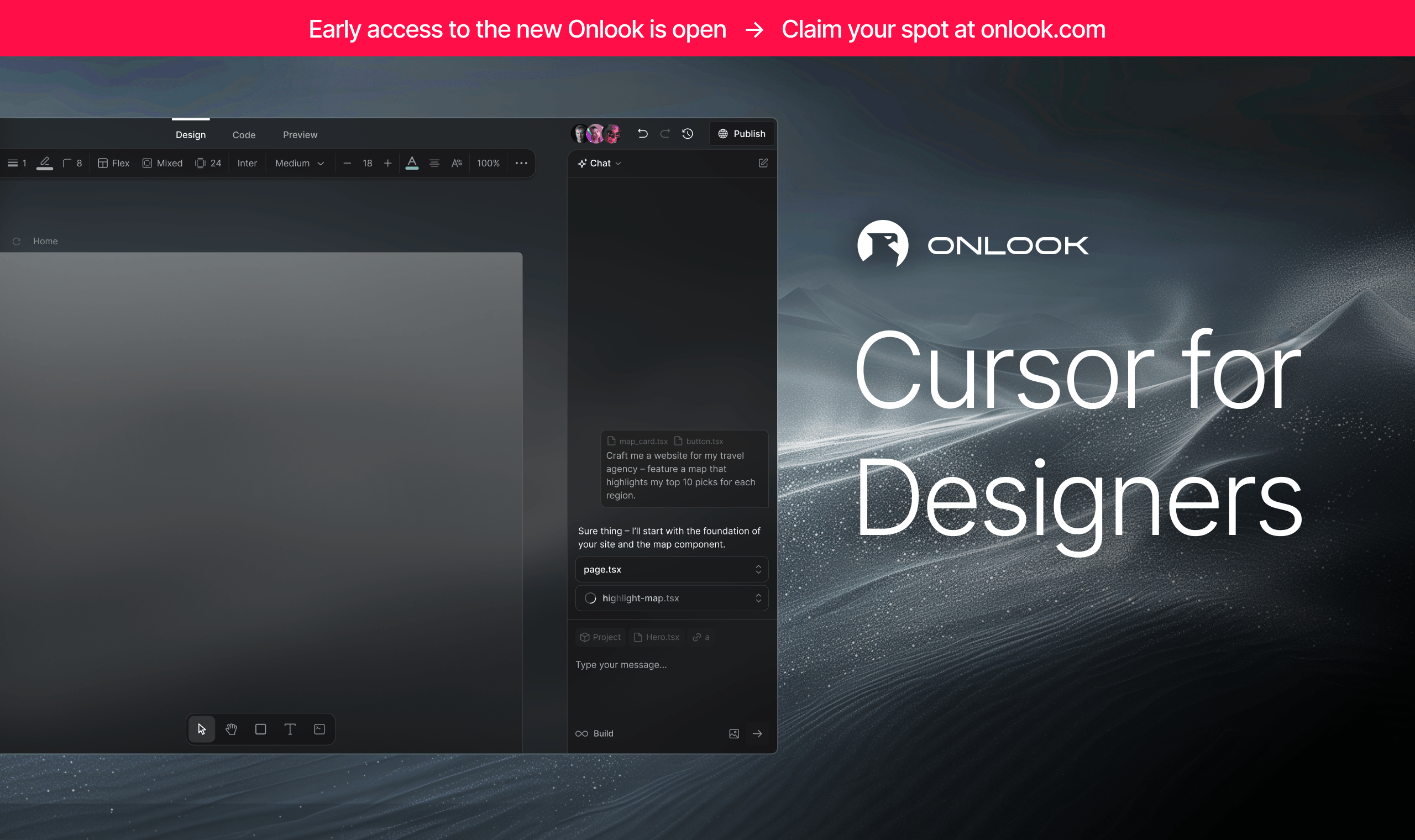
Onlook runs a live preview of a React project and lets you select any element in it. Padding, margin, colour, size, font and text can then be adjusted by eye, and the change is written back into the source file that produced the element. Because the edit lands in the repository, the next person to open the code sees it as an ordinary change. It also has an assistant mode that calls a language model for larger edits, which is a paid service billed by whoever provides the model. The current release is v0.2.32, dated 17 July 2026, and code landed on 25 August 2026, under the Apache-2.0 licence. It is strongest on Next.js projects using Tailwind CSS. It is not a design tool and not a page builder: there is no blank canvas, because it edits a project that already exists.
Why it matters
Who it suits. Anyone building through a coding assistant, which is good at structure and blind to a heading sitting four pixels too close to a rule. That gap, between noticing a problem and describing it well enough to fix, is exactly what this closes. Skip it if the project is not React with Tailwind, and skip it if an early-stage tool making automated edits to source files is not an acceptable risk.
Verdict. Worth thirty minutes to find out whether it grips a particular codebase, and not worth a migration to make it fit. Version 0.2.x means the shape of the tool still changes between releases, and the three months between the last tagged release and the last code push suggests the pace has eased. Use version control and review every change it writes. If the goal is building pages visually rather than adjusting existing ones, webstudio-is/webstudio and BuilderIO/builder are the nearer answers.
- Edits map back to source files, so the visual tool and the codebase never diverge.
- Apache-2.0, with a large community and visible momentum.
- It solves the non-designer-with-a-codebase problem, which very little else attempts.
- Version 0.2.x, and the newest tagged release is three months old.
- Strongest on Next.js plus Tailwind, so a differently built React project may grip poorly or not at all.
- The assistant features call paid models, so costs accrue outside the tool.
npm install -g onlook
onlook start



91k stars · MIT · v10.6.0 (2026-09-02) · Track this in Scout · Share this tool
Every component rendered on its own, in every state, including the states you never remember to open.
▶Repo detailsthe review · specs · pros & cons · install
What it does
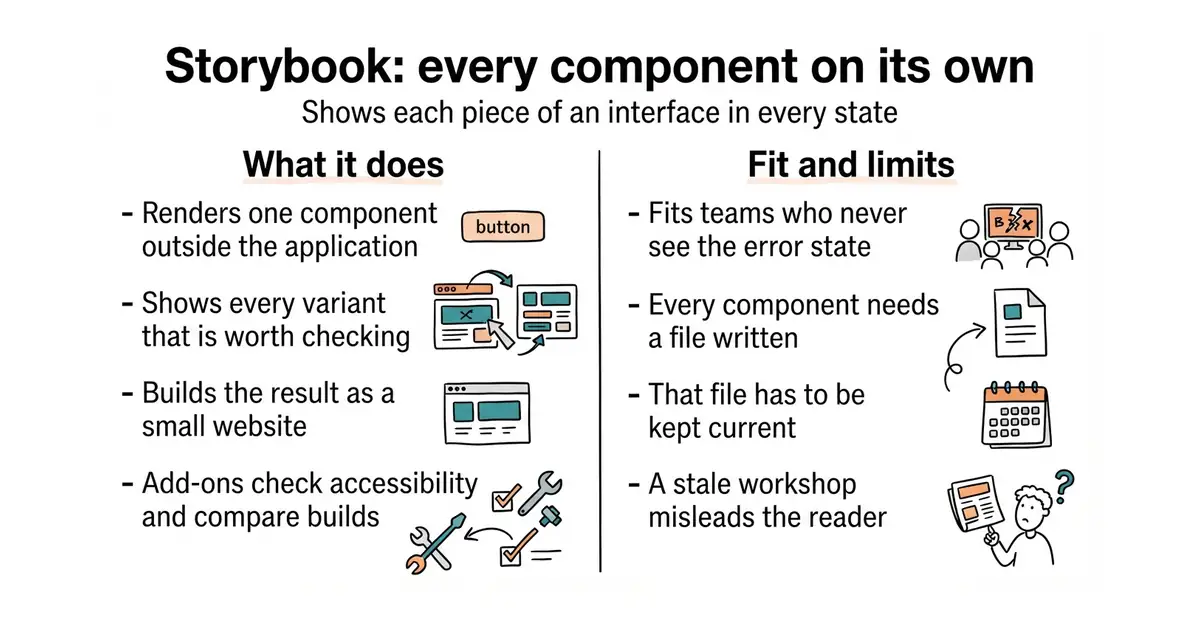
You write a short file for each component describing the variants worth looking at, and Storybook renders each one in isolation, outside the running application. The result is browsable locally and also builds to a static website, which is plain files that can be hosted anywhere. Add-ons cover accessibility checks, interaction tests, visual comparison between builds and documentation generated from the component source. It works with React, Vue, Svelte, Angular, Web Components and several others. The current release is v10.6.2, from 12 October 2026, under the MIT licence. It is not a test runner for an application's logic and not a design tool: it renders components that already exist, and shows nothing about how they behave once wired together.
Why it matters
Who it suits. Small teams whose characteristic failure is not the main path but the empty state, the error state and the state where a translated label is forty per cent longer and breaks the row. Those are invisible during normal development, because development always happens with good data loaded. It also gives a new collaborator one page to look at instead of an explanation. Skip it if nobody will keep the files current, because a stale Storybook actively misleads.
Verdict. Worth it only with a real commitment, and that commitment is the whole decision. Three components written up and then abandoned is worse than none. Start with the four or five components that appear on every screen, and add a story to the definition of done for new work. It pairs naturally with shadcn/ui above, one story per component copied in. If the overhead is too much, histoire-dev/histoire and tajo/ladle are lighter and quicker to start.
- Forces the empty, error and overflow states into view before a reader finds them.
- The static build doubles as documentation of how the interface is meant to look.
- A very large add-on ecosystem, covering accessibility and visual comparison.
- Real overhead: every component needs a file written and then kept current.
- It is a third build toolchain alongside the site and the application itself.
- The common outcome is a Storybook that goes stale within a month and then misleads.
There is a second, marketing-shaped payoff: the built output is a living style guide, which is the thing you point a freelancer or a future collaborator at instead of writing an explanation.
npx storybook@latest init
npm run storybook




22.7k stars · MIT · v4.1.0 (2026-08-24) · Track this in Scout · Share this tool
Rewrites SVG files several times smaller without changing how they look.
▶Repo detailsthe review · specs · pros & cons · install
What it does
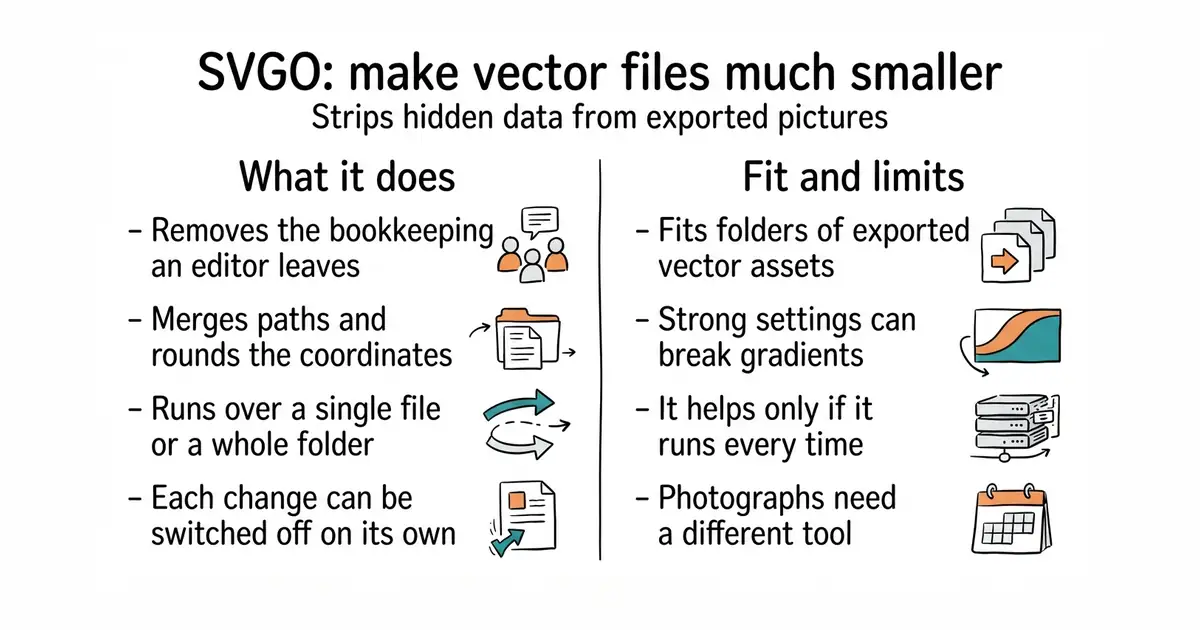
SVGO reads SVG files, which describe a picture as lines and shapes rather than pixels, and rewrites them smaller. It removes editor metadata, merges paths, drops unused definitions, rounds coordinates to fewer decimal places and strips comments. It runs as a command over a single file or a whole folder, as a configuration file checked into a project, or as a plugin inside a build step. Plugins are individually switchable, so an aggressive one can be turned off. The current release is v4.1.0, from 24 August 2026, and code landed on 27 August 2026, under the MIT licence. It is for vector files only: photographs, screenshots and anything else made of pixels are untouched by it, and need a different tool.
Why it matters
Who it suits. Any project with a folder of exported vector assets that nobody has ever looked at the size of. It is also the right step before putting an SVG into an email, where every byte is paid for repeatedly. Skip it only if the assets are already generated by a build that optimises them.
Verdict. Seconds of work, and a small but free improvement. The payoff is modest on its own, so the point is to make it automatic: put it in a build step or a commit hook, because one hand-copied file undoes the habit. Always look at the output when a file has gradients, filters or animation, because the more aggressive plugins can break those. jakearchibald/svgomg is the same engine with a browser interface, which is the easier way to see what each setting does.
- Seconds to run, with nothing to host, no account and no cost.
- Safe defaults: the standard preset rarely changes how a picture looks.
- Drops into a build step or a commit hook, so it happens without anyone remembering.
- Aggressive settings can break gradients, filters and animated files, so the output needs looking at.
- It only helps if it runs over every asset, every time.
- Nothing to do with photographs or screenshots, which need an entirely different tool.
npx svgo --folder ./src/assets --recursive

2.1k stars · MIT · @unpic/react 1.0.2 and siblings (2025-12-08, year confirmed via releasealert.dev) · Track this in Scout · Share this tool
One image component for Astro, React and eight other frameworks that already knows imgproxy's URL format.
▶Repo detailsthe review · specs · pros & cons · install
What it does
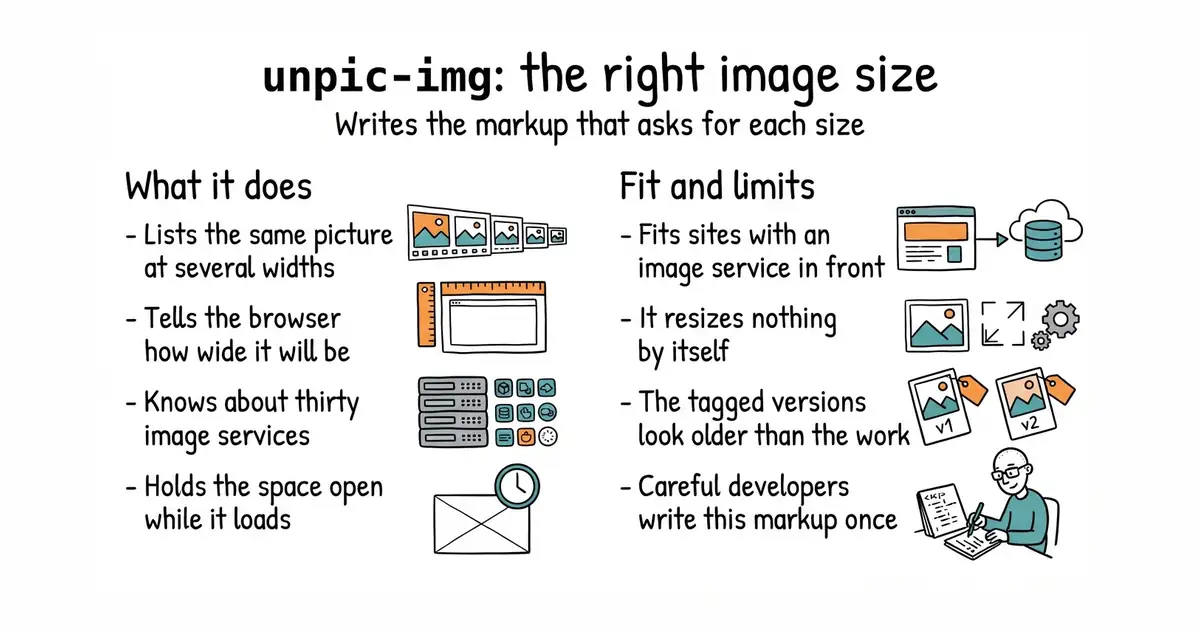
You use one component in place of an image tag and it generates the srcset and sizes attributes a browser needs to pick the right file, plus the layout CSS that holds the space open while the image loads. A srcset is a list of the same picture at several widths; sizes tells the browser how wide the picture will be on the page. It knows the URL formats of around thirty image services and self-hosted image servers, so it can ask any of them for a specific size without an adapter being written. The same component exists for Astro, React, Vue, Svelte, Solid, Qwik and others. The newest tag is @unpic/svelte@1.0.1, dated 8 December 2025, the React package is 1.0.2 on npm, and code landed in the repository on 15 October 2026. It does not resize anything itself: the actual resizing is done by whichever image service or server the URLs point at.
Why it matters
Who it suits. Projects already running an image server or using a hosted image service, where the resizing exists but the markup asking for the right size was never written. Also any site measured on layout stability, because reserving space before the picture arrives is a large part of that score. Skip it if the images are plain static files with no resizing service in front of them, because then there are no alternative sizes to ask for.
Verdict. Worth the few minutes, with one note that has changed since this edition first appeared. The original entry warned the project had been quiet since December 2025 and should be checked before anyone depended on it. Code landed on 15 October 2026, so the project is being worked on and the warning is withdrawn. The 1.0 version numbers mean the interface is settled rather than stalled. If the project is a Nuxt site, nuxt/image is the native option; imgproxy/imgproxy is the server that does the resizing this component asks for.
- Already speaks the URL format of about thirty image services, so there is no adapter to write.
- Prevents the page from jumping by default, rather than as an option to remember.
- The same component in a static site generator and in an application, so both behave alike.
- It does no resizing: without an image service or server in front, it adds little.
- The tagged releases are from December 2025, so the version numbers look older than the activity.
- It is another dependency for markup a careful developer writes once by hand.
npm i @unpic/astro or @unpic/react , point it at the imgproxy URL you already have, and replace <img> tags.
npm i @unpic/astro      # Astro
npm i @unpic/react      # React
npm i @unpic/vue        # Vue


1.2k stars · Apache-2.0 · v2.0.0 (2026-03-23) · Track this in Scout · Share this tool
Typed JSON-LD for the Schema.org vocabulary — structured data the compiler can check.
▶Repo detailsthe review · specs · pros & cons · install
What it does
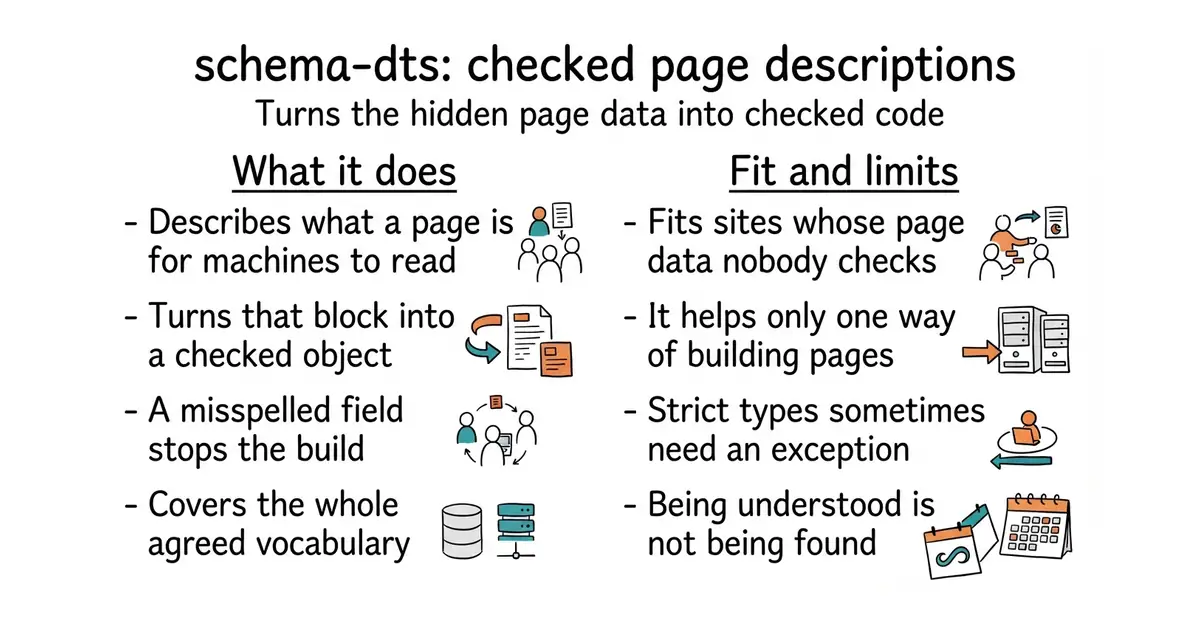
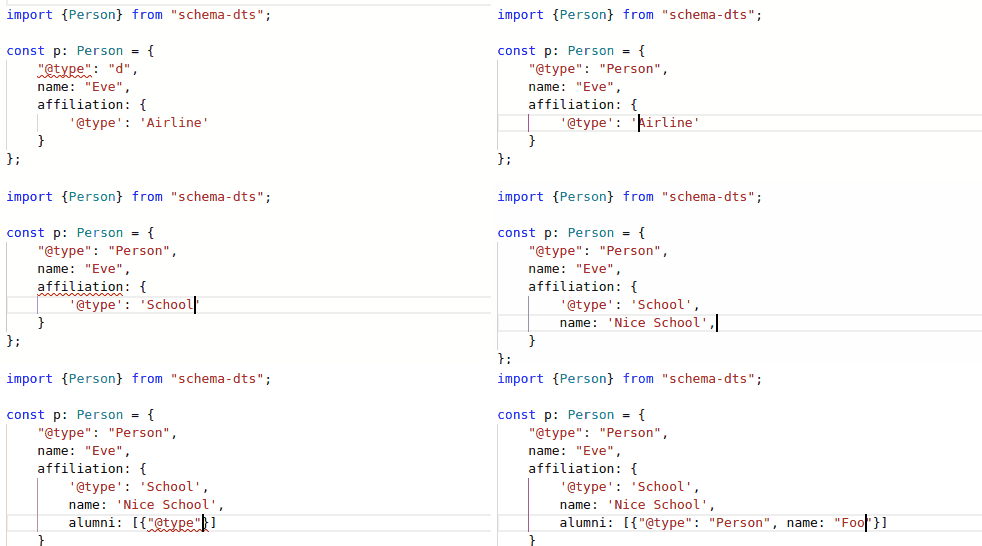
Schema.org is an agreed vocabulary for describing what a page contains, and JSON-LD is the format used to put it on the page as a hidden block of data. This package publishes TypeScript types generated from that vocabulary, so the block is written as a typed object instead of hand-written text. A misspelled property name, a value of the wrong kind or a required field left out becomes a compilation error. The types cover the whole vocabulary, including SoftwareApplication, FAQPage, VideoObject, Article, Product and Organization. The current release is v2.1.0, from 2 October 2026, and code landed on the same day, under the Apache-2.0 licence. The types are development-only: nothing from the package reaches the browser, only the data block you wrote. It also does nothing at runtime, validates no live page, and reports nothing about whether search engines accepted the markup.
Why it matters
Who it suits. Any TypeScript site that wants to be described correctly to search engines and to AI assistants that cite sources, and whose structured data is currently a block of hand-written text nobody has checked. Also anyone who has already discovered a year-old typo in that block. Skip it if the pages are rendered by something other than TypeScript, because there is no help here for Python or PHP templates.
Verdict. One hour, and then it never rots, which is an unusual return. The limit is honest and should be said once: structured data makes a page understood, not popular. It will not create demand and it will not rescue a page nobody wants. Expect to write the occasional type cast, because the types are strict and the vocabulary itself is loose. garmeeh/next-seo is the higher-level option on Next.js, and schemaorg/schemaorg is the vocabulary itself if a definition needs checking.
- Mistakes appear at build time instead of as a quietly missing search result.
- Generated from the actual vocabulary rather than from somebody's summary of it, and published by Google.
- Types only, so nothing is added to what a reader's browser downloads.
- TypeScript only, with nothing for pages rendered by other languages.
- The types are strict and the vocabulary is loose, so some legitimate markup needs a cast.
- Being understood is not the same as being found, and this does only the first.
Your Astro site is TypeScript, so this is an hour that then never rots — a mistyped property fails the build instead of failing silently for a year, which is the normal fate of hand-written JSON-LD.
npm i -D schema-dts

90.2k stars · MIT · @mermaid-js/tiny@11.17.2 (2026-08-25) · Track this in Scout · Share this tool
Diagrams from a few lines of plain text, rendered natively by GitHub, Notion, Obsidian and Claude.
▶Repo detailsthe review · specs · pros & cons · install
What it does
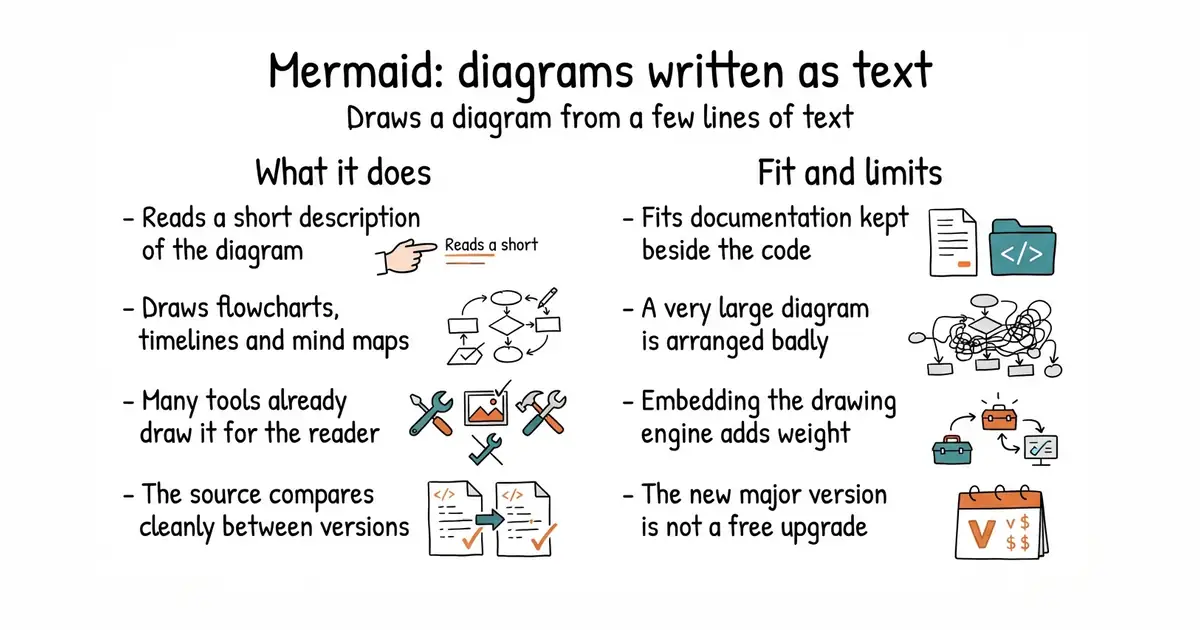
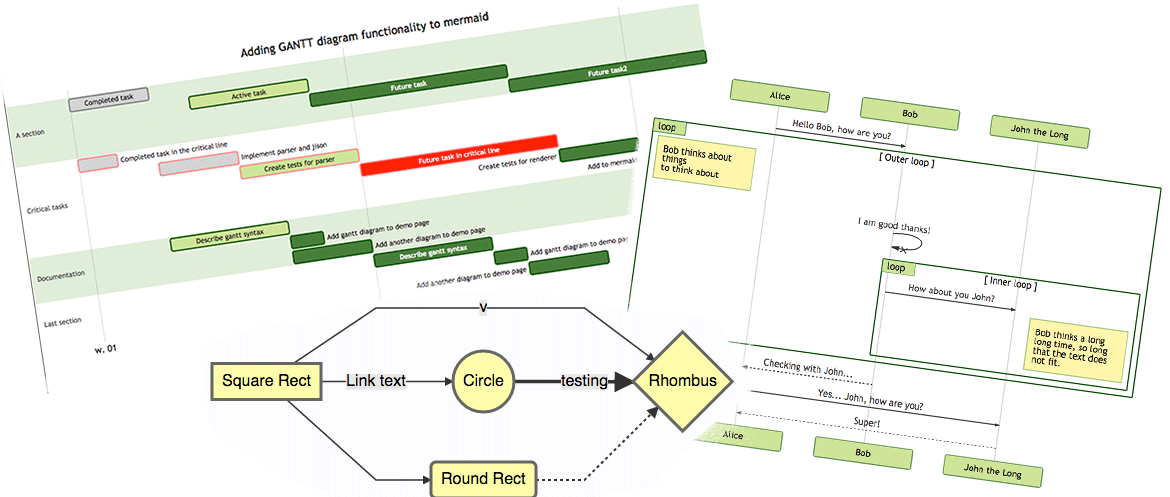
You write a few lines describing nodes and connections, and Mermaid renders the diagram as SVG in a browser. The supported diagram types include flowcharts, sequence diagrams, class and state diagrams, entity-relationship diagrams, Gantt charts, timelines, mind maps and pie charts. The text is short and readable, so a diagram can live in a repository and be reviewed line by line like code. GitHub, GitLab, Notion, Obsidian and several AI assistants render Mermaid blocks natively, which means a pasted diagram redraws itself without the recipient installing anything. The npm package is 12.2.0, the newest tag in the repository is @mermaid-js/tiny@12.2.0 from 13 October 2026, and code landed on 18 October 2026, under the MIT licence. Layout control is the stated weak point: the engine decides where nodes go, and a large diagram cannot be arranged by hand.
Why it matters
Who it suits. Documentation that currently carries diagrams as images nobody can edit, and applications whose own diagrams can only leave as a screenshot. An export that produces Mermaid text instead means the diagram survives being pasted into a document, a wiki page or a message. It also suits anyone who wants diagrams reviewed in a pull request rather than re-exported by hand. Skip it where the diagram's exact arrangement is the point, because that control is not available.
Verdict. Worth an hour to learn, and the cheapest diagram format to maintain. Two cautions. First, the move to version 12 means an upgrade from a working version 11 setup needs the project's own notes read first, and the project website is now at mermaid.ai/open-source/. Second, embedding the renderer inside an application adds real weight, so prefer exporting text over shipping the library. For precise layout, plantuml/plantuml gives more control at the cost of a Java install; mingrammer/diagrams is the better answer for cloud architecture pictures.
- Renders natively on GitHub, in Notion and in several AI assistants, so recipients install nothing.
- The source is small, readable text that belongs in a repository and compares cleanly between versions.
- Mind map and flowchart types match the shape an outline or a topic map already has.
- Layout control is limited, and a very large diagram will come out badly arranged.
- Embedding the renderer in an application adds a lot to what the browser downloads.
- Version 12 is a major change, so an upgrade from version 11 is not automatic.
It is also a second, phone-friendly view of the hierarchy alongside react-arborist (Ed.
npm i mermaid


11.2k stars · Apache-2.0 · v5.3.1 (2026-09-04) · Track this in Scout · Share this tool
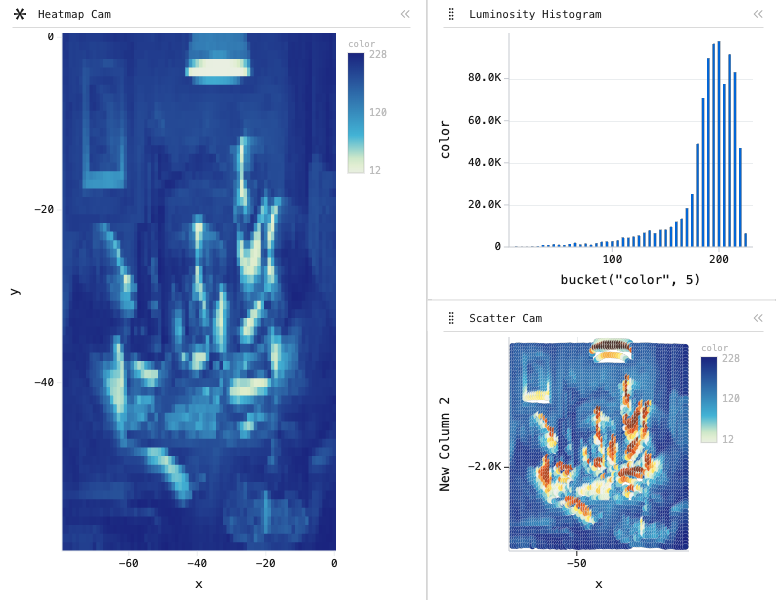
WebAssembly data grid and charts for large or streaming datasets — pivot two hundred thousand trades in the browser.
▶Repo detailsthe review · specs · pros & cons · install
What it does
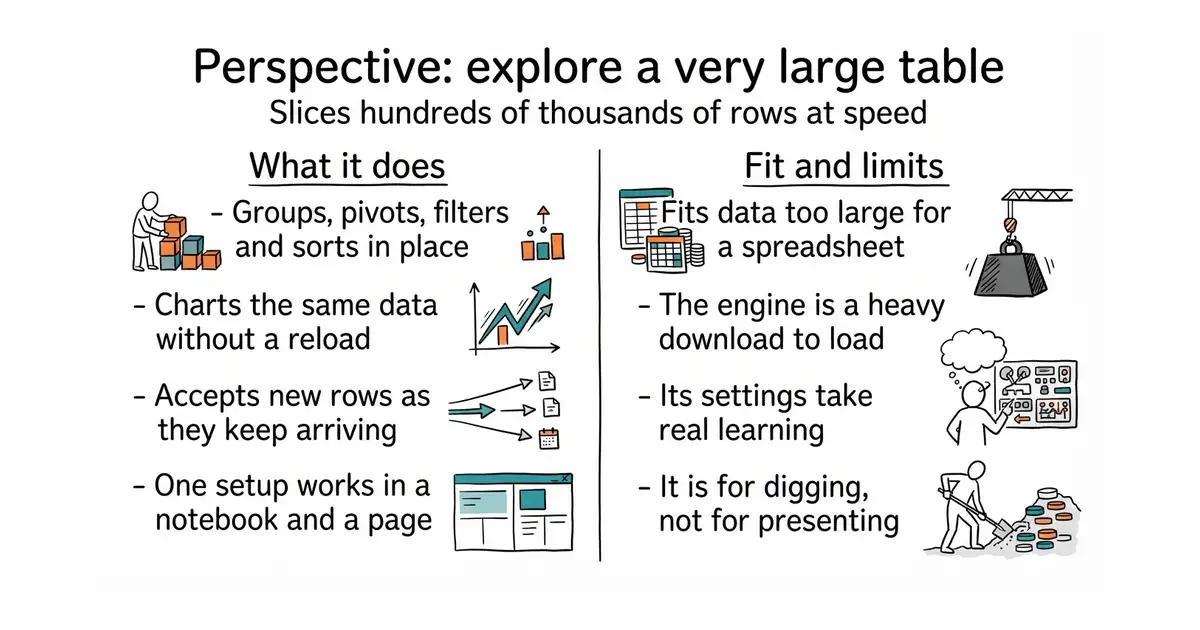
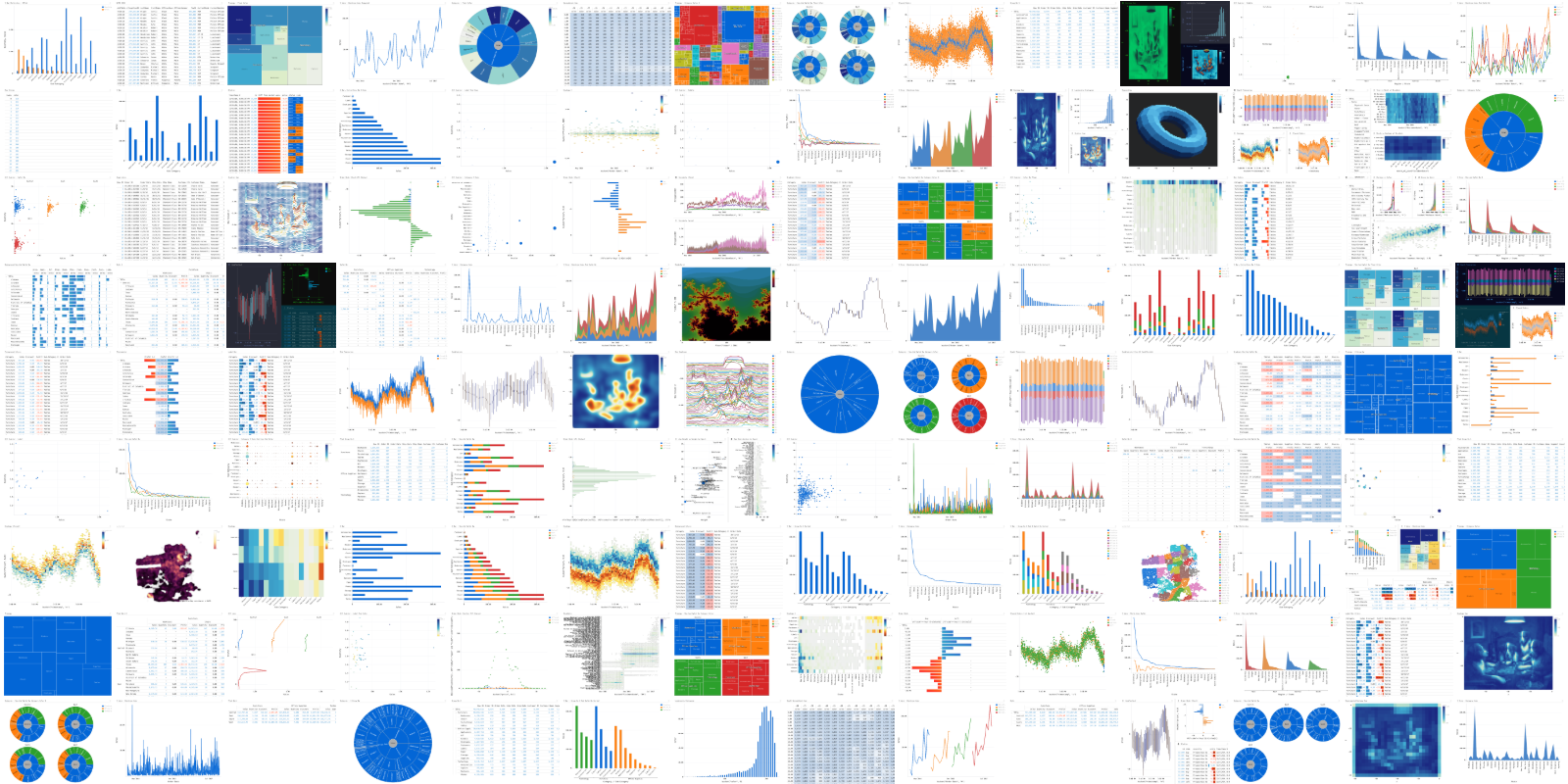
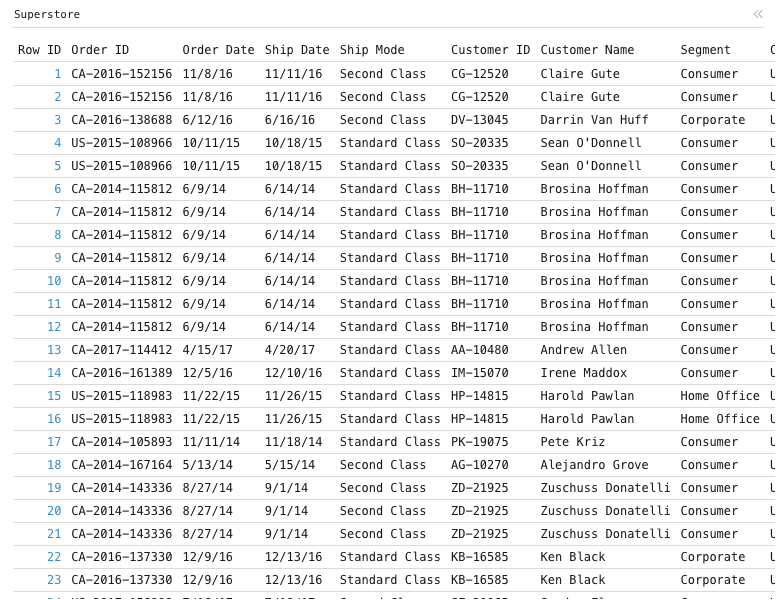
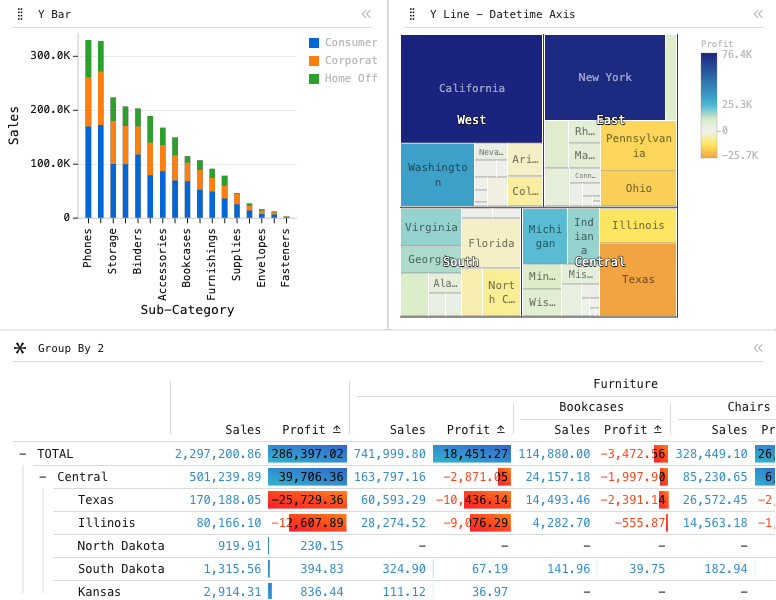
Perspective is a data-visualisation and analytics component compiled to WebAssembly, which is a format that lets compiled code run at near-native speed in a browser. It holds the data in its own in-browser engine, so grouping, pivoting, filtering and charting happen locally with no request to a server for each change. It handles streaming updates, meaning new rows can arrive continuously without the view being rebuilt. There is a matching Python package, and a table and chart configuration saved in a notebook can be loaded unchanged into a web page. The current release is v5.6.0, from 14 October 2026, with perspective-python at 5.5.1 on PyPI from 18 September 2026, under the Apache-2.0 licence. It is a tool for interrogating data rather than presenting it: the configuration interface is dense, and it is not what you would put in front of a customer.
Why it matters
Who it suits. Anyone with a result set too large for a spreadsheet and too interactive for a static chart, who currently exports it and opens it somewhere else. Pivoting a hundred thousand rows by hour, by category and by day of week is the kind of question it answers in a moment. Skip it for a landing page or a customer-facing chart, where it is both too heavy and too complicated.
Verdict. Worth a weekend if there is genuinely a lot of data to look at, and overkill otherwise. Two things to plan for. The WebAssembly bundle is large, so load it only on the page that needs it and never on a first-visit page. And its configuration model is a world of its own, with documentation that assumes familiarity with finance-desk tooling. The Apache-2.0 licence means the same grid can later sit inside a paid feature. For a lighter editable grid, glideapps/glide-data-grid is the smaller option, and ag-grid/ag-grid is the commercial-grade alternative with a split licence.
- Genuinely fast on hundreds of thousands of rows, in a browser, with no request per pivot.
- One configuration works in a Python notebook and in a web application.
- Apache-2.0, so it is safe inside a paid feature without a licence conversation.
- The WebAssembly bundle is large and must be loaded lazily.
- The configuration model takes real learning, and the documentation assumes finance-desk familiarity.
- It is for interrogation, not presentation, so a polished customer-facing chart still needs a different library.
Python side feeds it from the same DataFrames DuckDB (Ed.
python3 -m venv ~/perspective-env
source ~/perspective-env/bin/activate
pip install perspective-python

2.7k stars · MIT · v0.24.0 (2026-08-24) · Track this in Scout · Share this tool
Display tables in Python with titles, spanners, footnotes and real number formatting — from a pandas or Polars frame.
▶Repo detailsthe review · specs · pros & cons · install
What it does
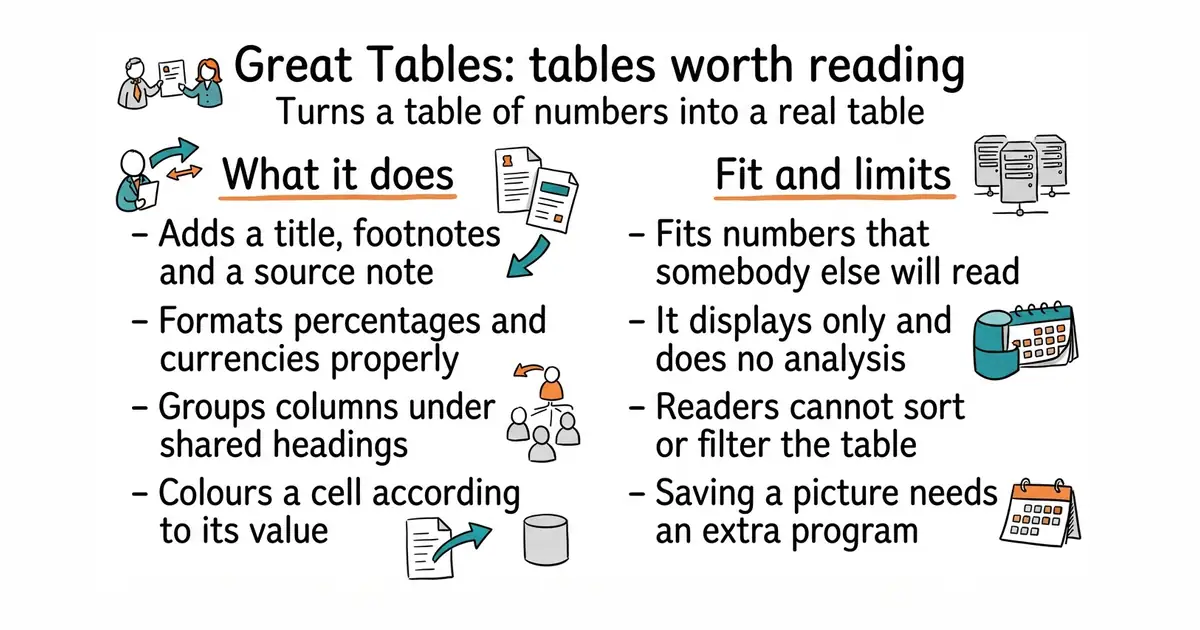
You pass it a pandas or Polars dataframe and describe the table you want: a title and subtitle, a stub column down the left, spanner headings grouping columns together, footnotes attached to particular cells, and a source note underneath. Numbers are formatted by meaning rather than by hand, so percentages print as percentages, currencies as currencies and large numbers with separators. Cells can be coloured by value. The output is HTML, which drops straight into a web response or an email, and it can also be saved as an image or as LaTeX. The package on PyPI is 1.0.0, published on 25 September 2026, and the newest tag in the repository is v1.1.0 from 15 October 2026, under the MIT licence. It is a display library only: there is no sorting, no filtering and no interactivity, and it does no analysis.
Why it matters
Who it suits. Anyone whose Python output is read by somebody other than its author: a table in a report, a figure in a blog post, a summary in an email, a frame in a video. A raw dataframe print reads as an unfinished side project in exactly the way mismatched icons do on a web page. Skip it if the table needs to be sorted or filtered by the reader, because that is a different kind of component.
Verdict. An afternoon to learn and then thirty lines per table, which is a good trade for anything a customer or a colleague reads. The version-1.0 release is the real news here, because the library was at 0.24.0 when this edition first appeared and a version below 1.0 makes people wait. The interface borrows its vocabulary from R's gt, so the names feel unfamiliar for the first hour. Saving to an image needs a headless browser installed on the machine, which is worth checking before relying on it in an automated job. For interactive tables, Perspective above is the answer; Textualize/rich is better for terminal output.
- Real table structure, with titles, spanners, footnotes and source notes rather than a grid of strings.
- HTML output drops straight into a web response or an emailed report.
- MIT, and now at a 1.0 release, so the interface is settled.
- Display only: no sorting, no filtering and no interactivity.
- The vocabulary is borrowed from R's
gt, so it takes an afternoon to feel natural. - Saving to an image needs a headless browser installed, which is another dependency on a server.
python3 -m venv ~/tables-env
source ~/tables-env/bin/activate
pip install great_tables
Checked, and left out
These were opened for this edition and did not make it, with the reason.
radix-ui/primitives
radix-ui/primitives (19.2k, MIT) — the accessibility engine under shadcn/ui, now maintained by WorkOS. No tagged releases at all, so recency unprovable, and it arrives anyway as shadcn's dependency. Backlogged.
radix-ui/colors
radix-ui/colors (1.6k, MIT) — accessible colour scales with matched dark-mode pairs; 93 commits, no releases, no readable dates. Backlogged; the right answer if he ever wants a colour SYSTEM rather than hexes chosen one at a time.
argyleink/open-props
argyleink/open-props (5.5k) — CSS custom properties for spacing, colour, shadows, easing. Licence not readable on the page, and the release date came back as '29 Sep' with no year, which would be in the future. Unverifiable. Backlogged.
hunvreus/basecoat
hunvreus/basecoat (4.0k, MIT) — shadcn/ui's look for plain HTML + Tailwind, no React. Verified alive but 0.3.3 was 2025-11-05, ten months. Backlogged as the answer if the Astro site ever wants the app's look.
matplotlib/mplfinance
matplotlib/mplfinance (4.4k, BSD) — candlestick charts in matplotlib; was the intended ScalpingMate research-chart slot. PyPI 0.12.10b0 dated 2023-08-02: three years and still beta. Dropped.
d3/d3-hierarchy
d3/d3-hierarchy (1.3k, ISC) — treemap, circle-pack and tidy-tree layouts, a genuinely phone-friendly alternative to Grasppy's node-and-edge canvas. Last release v3.1.2, April 2022. Backlogged WITH A CAVEAT: D3's modules are stable rather than dead, so this deserves a second look rather than a write-off.
delucis/astro-og-canvas
delucis/astro-og-canvas (279) — automatic OpenGraph images for Astro pages, natural pair for Starlight (Ed.4 #4). No licence shown, no releases. Backlogged.
Know a repository we should check?