22.7k stars · MIT · v4.1.0 (2026-08-24) · Track this in Rising ↗
Rewrites SVG files several times smaller without changing how they look.
Radar check
What we found when we opened it. Every bar is one fact, with its date.
Last code pushed 26 Oct 2026, one day before this check.
Latest release v4.1.0 on 24 Aug 2026.
Public since August 2012, a little over 14 years.
22,767 stars and 1,486 forks.
33 commits and 12 new issues in the last 90 days.
229 contributors. 36 pull requests merged in 90 days.
A security policy says how to report a problem. 4 published security advisories.
How the bars are scored
- Alive. Days since the last code push: a week or less 100, a month 90, three months 70, six months 50, a year 30, eighteen months 15, older 0.
- Releases. Age of the latest GitHub release, on a similar scale; no bar when the project publishes no releases.
- Maturity. Age of the project: eight years 100, five 90, three 70, two 55, one 40, six months 25, younger 10.
- Adoption. Stars on a log scale: 100,000 stars is 100, 10,000 is 80, 1,000 is 60, 100 is 40.
- Activity. Commits in the last 90 days: 300 or more 100, 100 85, 30 65, 10 45, any 25.
- Community. People who have contributed: 100 or more 100, 30 80, 10 60, 5 40, 2 25, one 10.
- Security. A published security policy 80, none 40; published advisories are listed, not scored.
Checked by Repo Radar on 27 Oct 2026 from the repository on GitHub. Covered in Edition 12.
▶Repo detailsthe review · specs · pros & cons · install
What it does
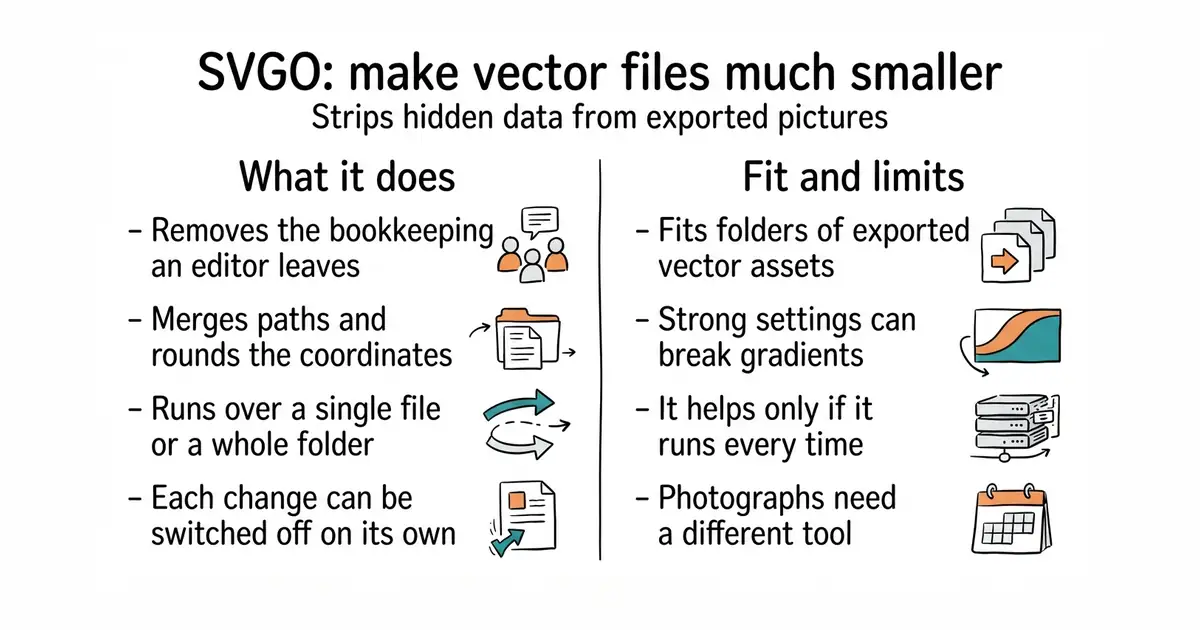
SVGO reads SVG files, which describe a picture as lines and shapes rather than pixels, and rewrites them smaller. It removes editor metadata, merges paths, drops unused definitions, rounds coordinates to fewer decimal places and strips comments. It runs as a command over a single file or a whole folder, as a configuration file checked into a project, or as a plugin inside a build step. Plugins are individually switchable, so an aggressive one can be turned off. The current release is v4.1.0, from 24 August 2026, and code landed on 27 August 2026, under the MIT licence. It is for vector files only: photographs, screenshots and anything else made of pixels are untouched by it, and need a different tool.
Why it matters
Who it suits. Any project with a folder of exported vector assets that nobody has ever looked at the size of. It is also the right step before putting an SVG into an email, where every byte is paid for repeatedly. Skip it only if the assets are already generated by a build that optimises them.
Verdict. Seconds of work, and a small but free improvement. The payoff is modest on its own, so the point is to make it automatic: put it in a build step or a commit hook, because one hand-copied file undoes the habit. Always look at the output when a file has gradients, filters or animation, because the more aggressive plugins can break those. jakearchibald/svgomg is the same engine with a browser interface, which is the easier way to see what each setting does.
Summary (Key Points)from the README
Key features
- Redundancy removal: Strips editor metadata, comments, hidden elements, and default or suboptimal values from SVG files, per the README's description of what is safe to remove.
- Plugin architecture: Behavior is built from plugins, and the full plugin list is in the SVGO documentation.
- Default preset: You can keep the default preset and configure or disable individual plugins instead of building a config from scratch.
- Custom plugins: You can add your own plugins in the configuration file.
- Recursive folder processing: The `-r/--recursive` and `-f/--folder` options process a whole directory.
- Configuration file: SVGO reads `svgo.config.mjs` by default, or a path passed with `--config`. Some other parameters can also be set as command-line options.
- Programmatic API: The `optimize` function is the core, and `loadConfig` lets other tools resolve the config file, with an optional path and working directory.
Ways to install
| Platform or method | What it needs | Effort |
|---|---|---|
| Global install via npm | Node.js; npm | Not stated in README |
| Global install via yarn | Node.js; yarn | Not stated in README |
| Global install via pnpm | Node.js; pnpm | Not stated in README |
| Local install in a Node.js project (omit the global flag) | Node.js project | Not stated in README |
Important
- Node.js required: SVGO is described as a Node.js library and CLI, so Node.js is needed for both installation and use.
- Config file format: The README names `svgo.config.mjs`, so custom settings are written as an ES module.
- Plugin order matters: The default plugins run in a fixed order, which the README points to the preset documentation for.
- Not all options are on the command line: Only some parameters can be set through command-line options, so others require the configuration file.
Written by an AI model from the project’s README; not part of the review, and it can be wrong.
- Seconds to run, with nothing to host, no account and no cost.
- Safe defaults: the standard preset rarely changes how a picture looks.
- Drops into a build step or a commit hook, so it happens without anyone remembering.
- Aggressive settings can break gradients, filters and animated files, so the output needs looking at.
- It only helps if it runs over every asset, every time.
- Nothing to do with photographs or screenshots, which need an entirely different tool.
npx svgo --folder ./src/assets --recursive