26.7k stars · Apache-2.0 · v0.2.32 (2025-07-17) · Track this in Rising ↗
Click an element in a live preview, nudge the padding, and it writes the change back into the React source file.
Radar check
What we found when we opened it. Every bar is one fact, with its date.
Last code pushed 21 Oct 2026, 6 days before this check.
Latest release v0.2.32 on 17 Jul 2025.
Public since June 2024, a little over 2 years.
27,006 stars and 2,137 forks.
0 commits and 6 new issues in the last 90 days.
108 contributors. No pull requests merged in 90 days; changes go in directly.
A security policy says how to report a problem. 3 published security advisories.
How the bars are scored
- Alive. Days since the last code push: a week or less 100, a month 90, three months 70, six months 50, a year 30, eighteen months 15, older 0.
- Releases. Age of the latest GitHub release, on a similar scale; no bar when the project publishes no releases.
- Maturity. Age of the project: eight years 100, five 90, three 70, two 55, one 40, six months 25, younger 10.
- Adoption. Stars on a log scale: 100,000 stars is 100, 10,000 is 80, 1,000 is 60, 100 is 40.
- Activity. Commits in the last 90 days: 300 or more 100, 100 85, 30 65, 10 45, any 25.
- Community. People who have contributed: 100 or more 100, 30 80, 10 60, 5 40, 2 25, one 10.
- Security. A published security policy 80, none 40; published advisories are listed, not scored.
Checked by Repo Radar on 26 Oct 2026 from the repository on GitHub. Covered in Edition 12.
▶Repo detailsthe review · specs · pros & cons · install
What it does
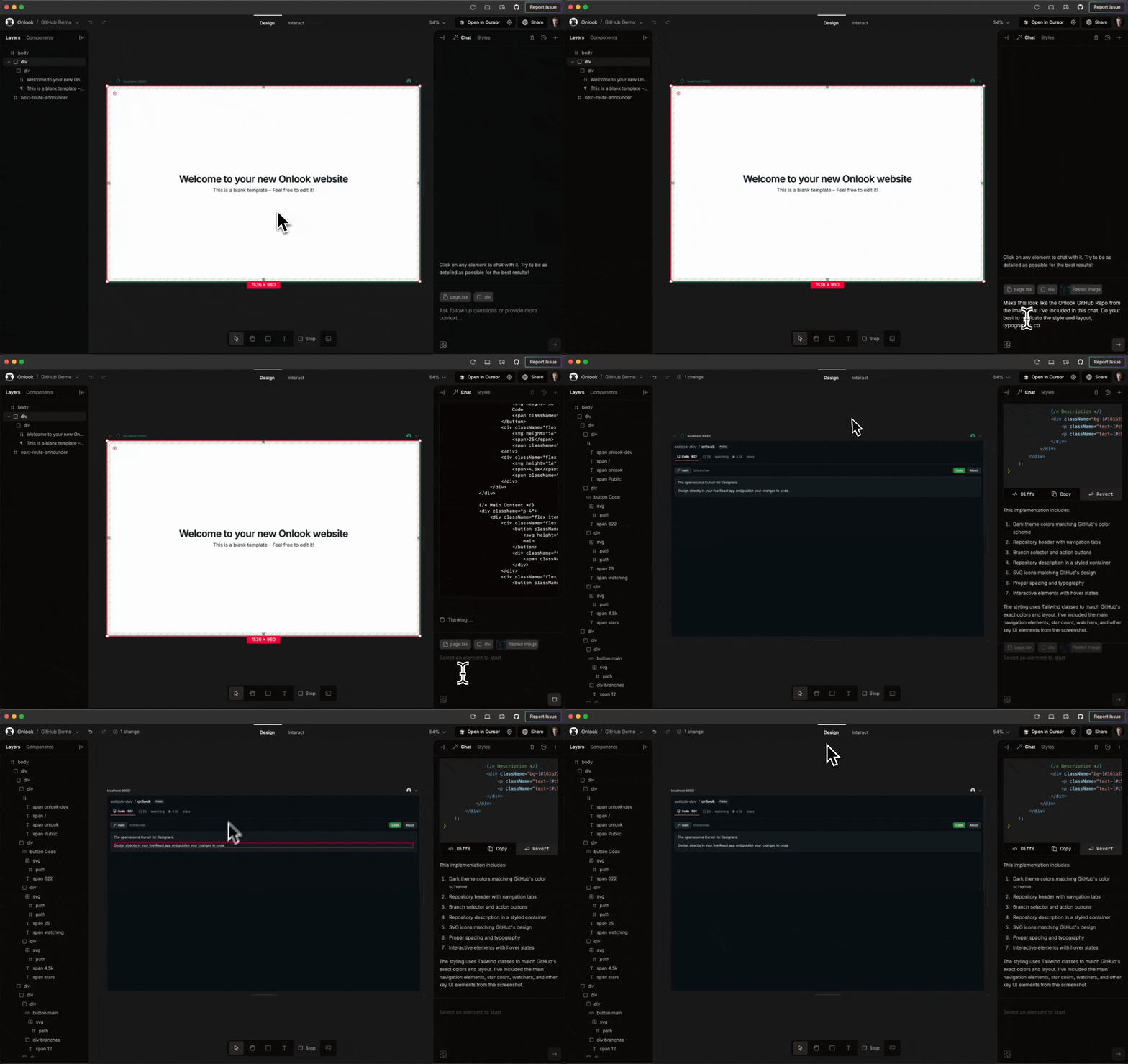
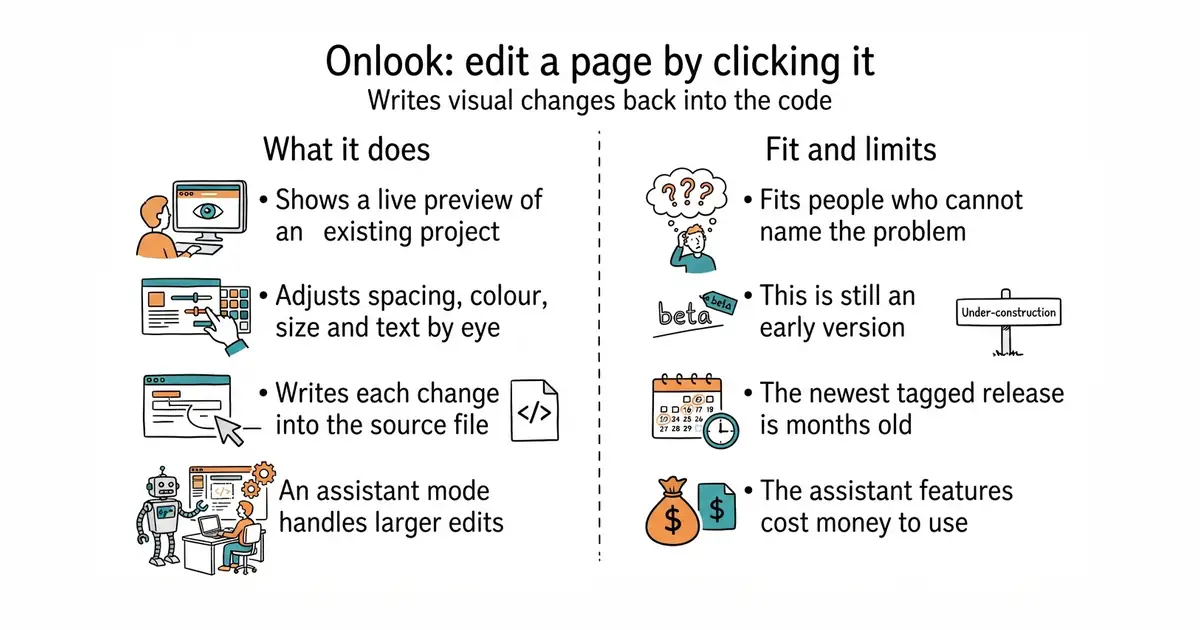
Onlook runs a live preview of a React project and lets you select any element in it. Padding, margin, colour, size, font and text can then be adjusted by eye, and the change is written back into the source file that produced the element. Because the edit lands in the repository, the next person to open the code sees it as an ordinary change. It also has an assistant mode that calls a language model for larger edits, which is a paid service billed by whoever provides the model. The current release is v0.2.32, dated 17 July 2026, and code landed on 25 August 2026, under the Apache-2.0 licence. It is strongest on Next.js projects using Tailwind CSS. It is not a design tool and not a page builder: there is no blank canvas, because it edits a project that already exists.
Why it matters
Who it suits. Anyone building through a coding assistant, which is good at structure and blind to a heading sitting four pixels too close to a rule. That gap, between noticing a problem and describing it well enough to fix, is exactly what this closes. Skip it if the project is not React with Tailwind, and skip it if an early-stage tool making automated edits to source files is not an acceptable risk.
Verdict. Worth thirty minutes to find out whether it grips a particular codebase, and not worth a migration to make it fit. Version 0.2.x means the shape of the tool still changes between releases, and the three months between the last tagged release and the last code push suggests the pace has eased. Use version control and review every change it writes. If the goal is building pages visually rather than adjusting existing ones, webstudio-is/webstudio and BuilderIO/builder are the nearer answers.
Summary (Key Points)from the README
Key features
- Next.js app creation: Create a Next.js app in seconds, starting from text, an image, or a prebuilt template.
- Visual editing: Edit the app directly in the browser DOM with a Figma-like UI and adjust Tailwind styles from the toolbar.
- Right-click to code: Right-click any element to open its exact location in the code.
- Real-time preview: Preview the app as you edit, with the code shown side-by-side with the design.
- Drawing and rearranging: Draw new divs and drag them within their parent containers.
- Branching and checkpoints: Experiment with designs on branches, and save and restore from checkpoints.
- Components and assets: Detect and use components, browse layers, and manage brand assets, tokens, and project images.
- Deployment and sharing: Deploy the app in seconds, generate shareable links, and link a custom domain.
Ways to install
| Platform or method | What it needs | Effort |
|---|---|---|
| Hosted app | Not stated in the README | Not stated in the README |
| Run locally | Not stated in the README beyond a Next.js + TailwindCSS project to work on | Not stated in the README |
Important
- Framework limits: Onlook is built for Next.js + TailwindCSS. Support for non-Next.js and non-Tailwind projects is still unchecked on the feature list.
- Hosted product not yet available: The hosted product for AI-native designers is in early access through a waitlist. This repository is the open-source visual editor that came before it.
- Missing collaboration: Team collaboration and comments are not yet implemented.
- Unfinished AI features: Advanced AI capabilities, MCP setup, and using images as references or assets are unchecked.
- Components panel incomplete: The drag-and-drop Components Panel is not yet done.
- Third-party services: The stack relies on outside providers, including Supabase, OpenRouter, CodeSandboxSDK, and Freestyle.
- License: Distributed under the Apache 2.0 License.
Written by an AI model from the project’s README; not part of the review, and it can be wrong.
- Edits map back to source files, so the visual tool and the codebase never diverge.
- Apache-2.0, with a large community and visible momentum.
- It solves the non-designer-with-a-codebase problem, which very little else attempts.
- Version 0.2.x, and the newest tagged release is three months old.
- Strongest on Next.js plus Tailwind, so a differently built React project may grip poorly or not at all.
- The assistant features call paid models, so costs accrue outside the tool.
npm install -g onlook
onlook start