Edition No. 15 · 9 Sep 2026
Jobs that run on their own
Most software is a thing you open, use, and close. This edition is about the other kind: work that happens overnight without anyone present, and the small number of tools that report whether it happened at all.
Refreshed on 18 October 2026. The repositories are the ones first published; any that are no longer maintained are left out.
Most software is a thing you open, use, and close. This edition is about the other kind: work that happens overnight without anyone present, and the small number of tools that report whether it happened at all.
Twelve repositories were chosen for this edition. All twelve were checked again on 18 October 2026 and all twelve are still maintained, so all twelve are still here. The figures, versions and install steps below are the ones read on that date.
We aim for twelve every day. Some candidates fall out while we check them — those are listed at the end, with the reason.
Two things worth knowing
- Check one thing with the hosting company before planning a mail server. Entry #5 is good software, and its own documentation is blunt about the condition: outbound port 25, the port used to hand mail to other mail servers, must be open. Many hosting companies block it on new accounts to stop spam, and they are allowed to refuse to open it. Ask first. Install second. - Polars (#12) reached version 2.0.0 on 6 October 2026. The entry below was first written against version 1. A first digit that changes usually means some code has to change with it, so read the project's upgrade notes before moving an existing script across.
If you only do three things
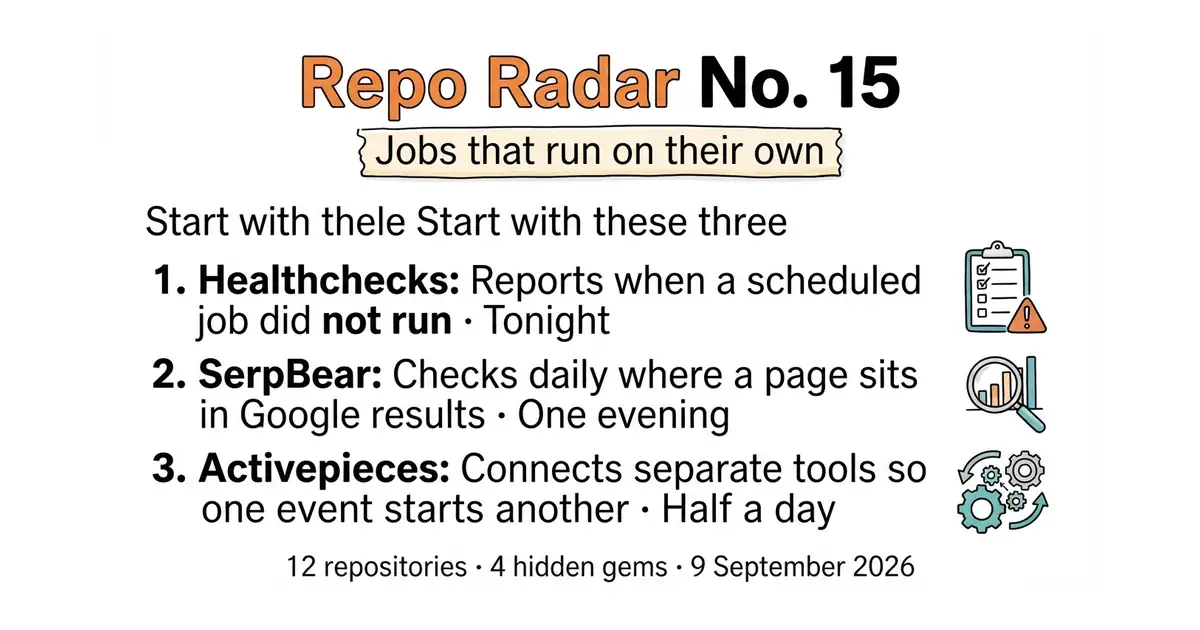
- healthchecks/healthchecks (#8) — tonight, fifteen minutes, free. A nightly backup can stop finishing and nothing announces it. You find out on the day you need the backup. One line added to the command closes that gap.
- towfiqi/serpbear (#6) — one evening, about an hour. It records a page's daily position in Google search results. Past positions cannot be collected later, so a month of waiting is a month of history that never exists.
- activepieces/activepieces (#1) — half a day. A new signup can reach a customer database, a mailing list and a phone message without a person copying anything by hand.
Every link in one place
| # | Repository | What it does | Stars | Licence | Latest | Website |
|---|---|---|---|---|---|---|
| 1 | activepieces/activepieces | Connects separate tools so one event starts another | 25.1k | MIT, except packages/ee/ | 0.92.3, 12 Oct 2026 | activepieces.com |
| 2 | windmill-labs/windmill | Turns a script into a scheduled job with a web form | 18.2k | AGPL-3.0, plus other licences | v1.840.0, 17 Oct 2026 | windmill.dev |
| 3 | makeplane/plane | Tracks planned work on a board, a list and a calendar | 60.7k | AGPL-3.0 | v1.4.2, 23 Aug 2026 | plane.so |
| 4 | novuhq/novu | One place to write app messages and send them anywhere | 40.1k | MIT, plus a paid edition | @novu/framework@v2.14.0, 28 Sep 2026 | novu.co |
| 5 | postalserver/postal | A self-run mail-sending server with delivery records | 16.8k | MIT | v3.3.7, 3 Jun 2026 | postalserver.io |
| 6 | towfiqi/serpbear 💎 | Daily Google position for a chosen list of words | 2.1k | MIT | v3.1.0, 27 Mar 2026 | docs.serpbear.com |
| 7 | elmohq/elmo 💎 | Records whether AI chat tools name a given brand | 465 | MIT | v0.7.2, 17 Oct 2026 | elmohq.com |
| 8 | healthchecks/healthchecks | Reports when a scheduled job did not run | 10.4k | BSD-3-Clause | v4.4, 31 Aug 2026 | healthchecks.io |
| 9 | segment-any-text/wtpsplit 💎 | Splits text into real sentences in 85 languages | 1.4k | MIT | 2.2.2 on PyPI, 25 Sep 2026 | PyPI page |
| 10 | ueberdosis/hocuspocus 💎 | The server Yjs needs to share one document | 2.6k | MIT | v4.7.1, 12 Oct 2026 | tiptap.dev |
| 11 | timescale/timescaledb | Makes years of time-stamped rows fast in PostgreSQL | 23.7k | Apache-2.0, and a second licence in the repository | 2.30.2, 29 Sep 2026 | tigerdata.com |
| 12 | pola-rs/polars | A faster replacement for pandas on large files | 40.1k | MIT | 2.0.0 on PyPI, 6 Oct 2026 | docs.pola.rs |
Jobs that run on their own
Twelve repositories, checked and reviewed. Every version verified against the GitHub API and dated.

25.1k stars · MIT, except `packages/ee/` | 0.92.3, 12 Oct 2026 | [activepieces.com](https://www.activepieces.com) · 0.92.3 (2026-10-12) · Track this in Scout · Share this tool
A free program that connects separate tools so one event starts another.
▶Repo detailsthe review · specs · pros & cons · install
What it does
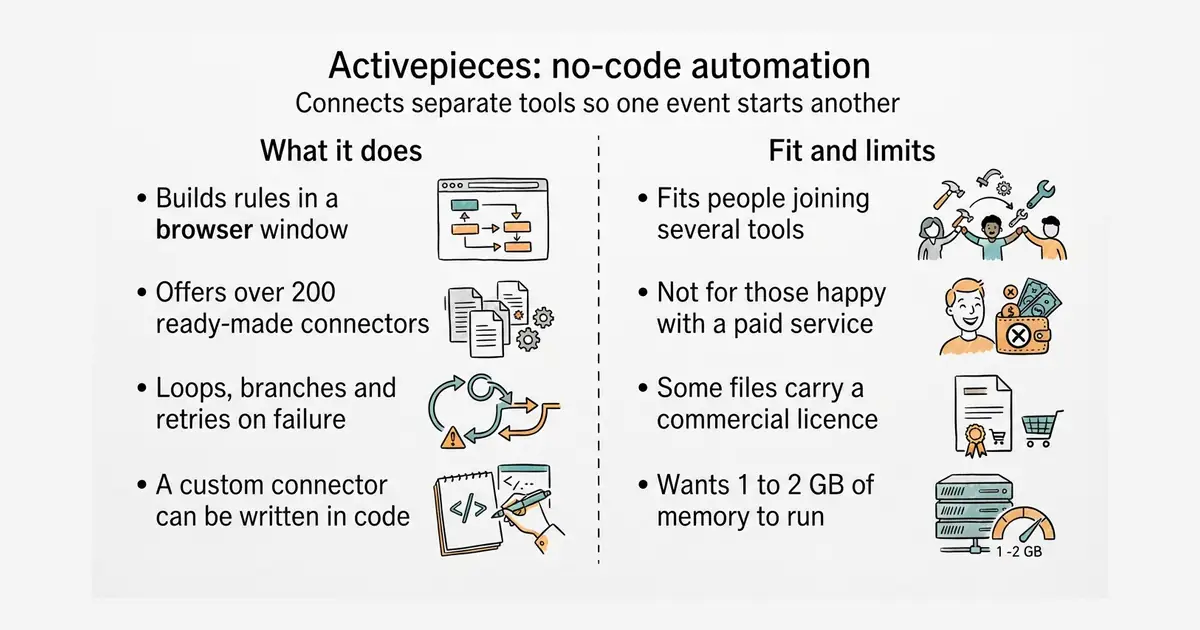
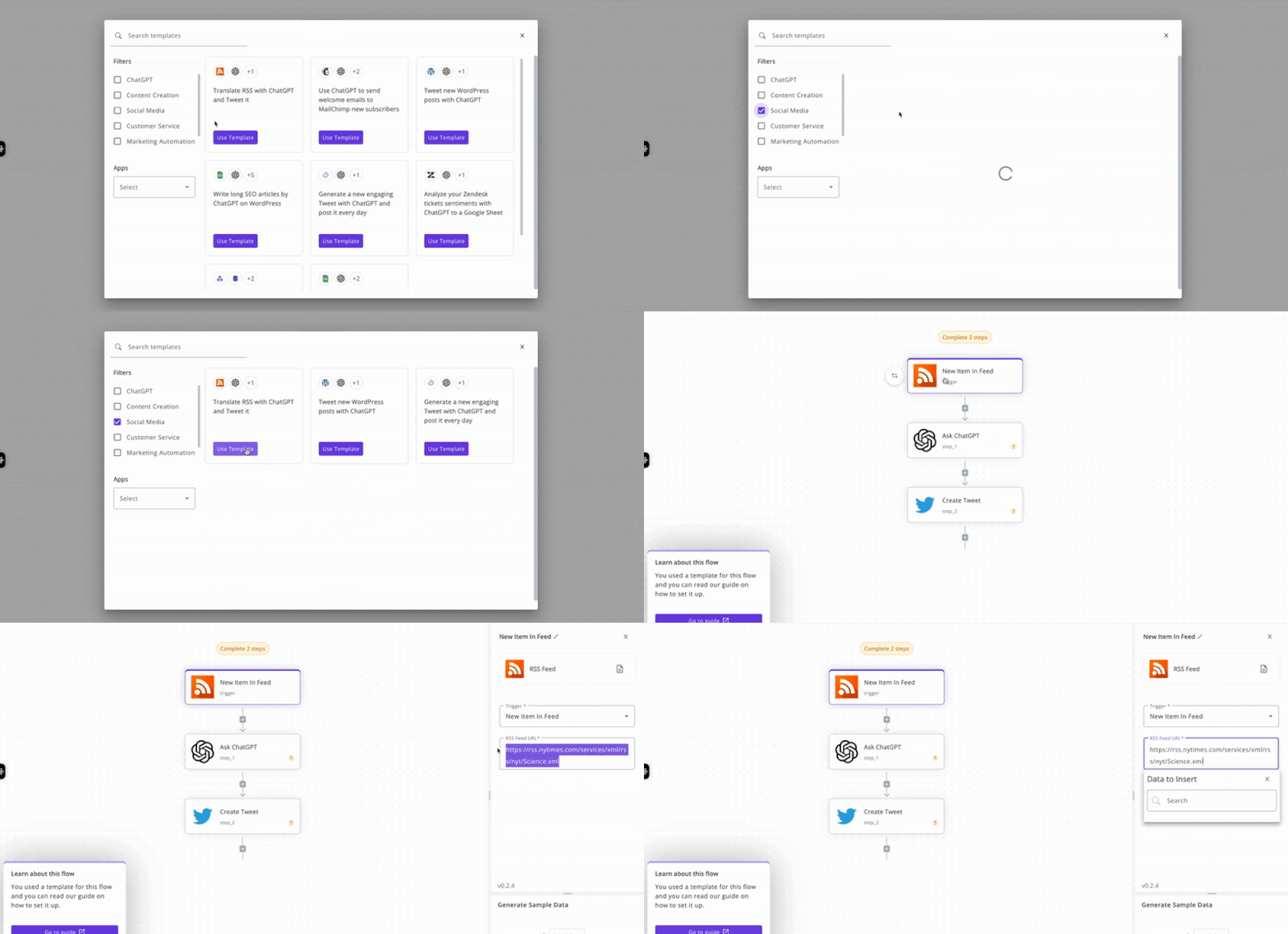
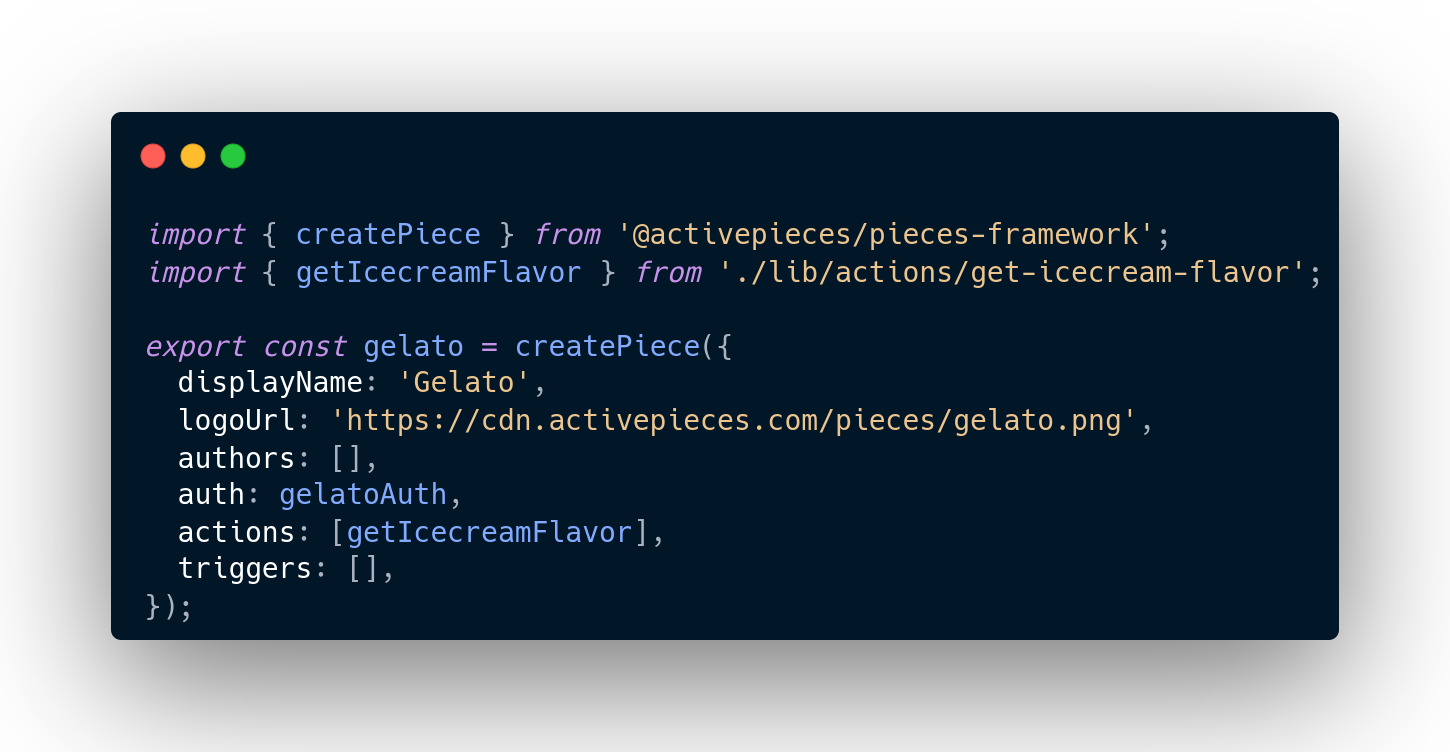
Activepieces describes itself as an open-source replacement for Zapier. A rule is built in a browser: one trigger, then one or more actions. The ready-made connectors are called pieces, and the project counts more than 200 of them in the builder, about 60 out of every 100 contributed by users rather than by the company. A rule can also loop, branch, retry after a failure, call any web address, or run a short piece of code with npm packages available to it. Two of the triggers wait for a person instead of an event: a chat window and a form. A piece can also hold a rule until somebody approves it. It does not run on a hosted account by default — the free edition is software you install and keep running yourself.
Why it matters
Who it suits. Anyone whose tools do not talk to each other and who would rather not pay per task for a hosted service. It suits people who want the rules on their own machine, because the project supports running it with no outside network access at all. Skip it if a hosted service already does the job for a few pounds a month, because this one has to be kept running and updated by somebody.
Verdict. Worth half a day if two or more tools need joining; the first rule usually pays that back inside a month. Watch the licence boundary: the files under packages/ee/ are commercial, and planning around a feature that sits there is the common mistake. n8n-io/n8n (Edition 1 #6) does the same job with a larger library and a stricter licence. Run one, not both, because each wants its own database and memory.
- The main code is MIT, so it can be run, changed and built on.
- More than 200 ready-made connectors, plus a plain web-address step for anything not covered.
- A new connector can be written in TypeScript as an ordinary npm package.
- Not all of it is MIT. The files under
packages/ee/carry a separate commercial licence. - It is a Node.js application with its own database. Expect it to want 1 to 2 GB of memory.
- The connector count differs between parts of the project's own README, so treat any single figure as approximate.
sudo apt install -y docker.io docker-compose-plugin
mkdir -p ~/activepieces && cd ~/activepieces
curl -fsSL https://raw.githubusercontent.com/activepieces/activepieces/main/docker-compose.yml -o docker-compose.yml
# Open docker-compose.yml and set the passwords and AP_FRONTEND_URL before starting.
sudo docker compose up -d



18.2k stars · AGPL-3.0, plus other licences | v1.840.0, 17 Oct 2026 | [windmill.dev](https://www.windmill.dev) · v1.840.0 (2026-10-17) · Track this in Scout · Share this tool
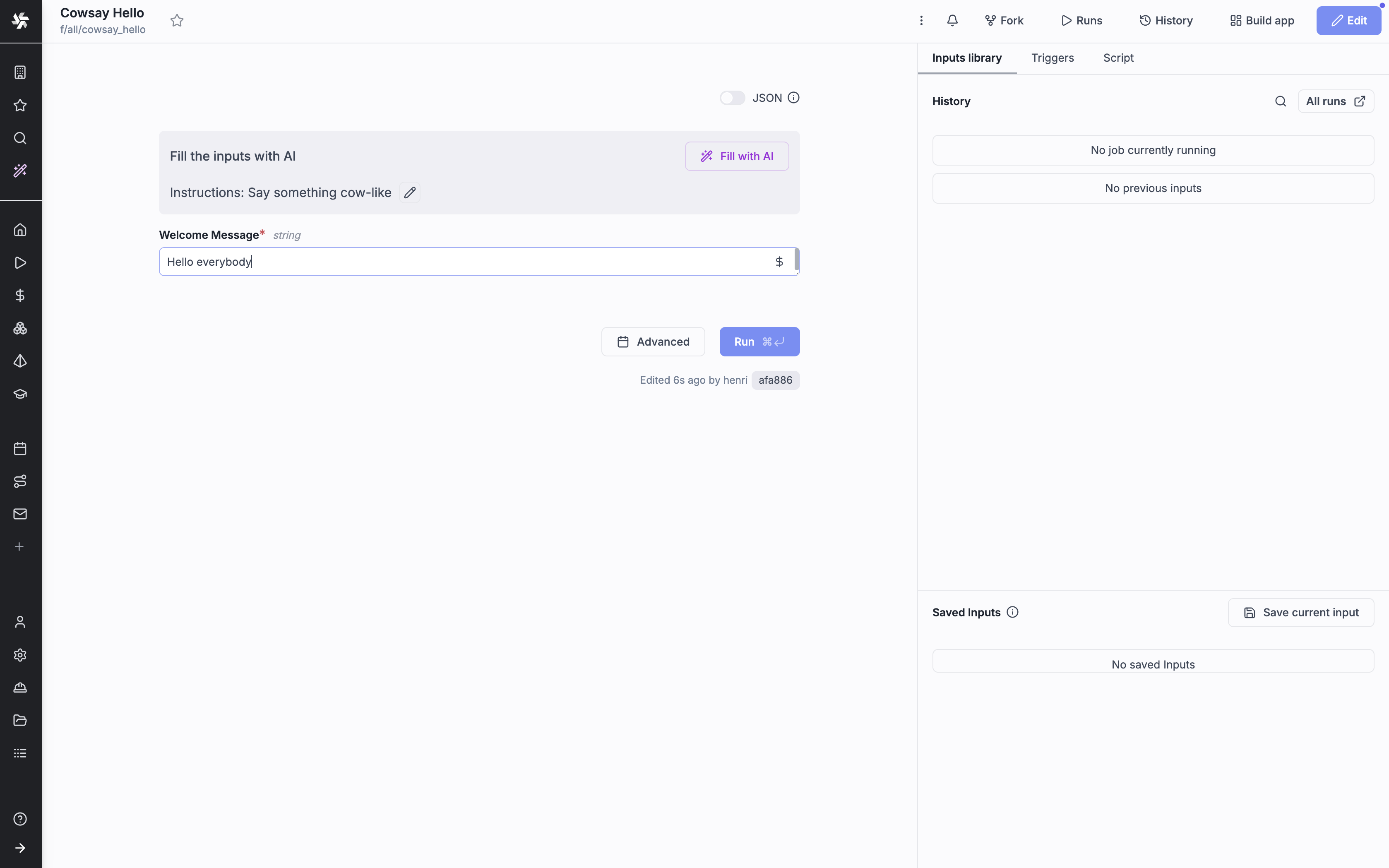
Turns an existing script into a scheduled job with a web form and a log.
▶Repo detailsthe review · specs · pros & cons · install
What it does
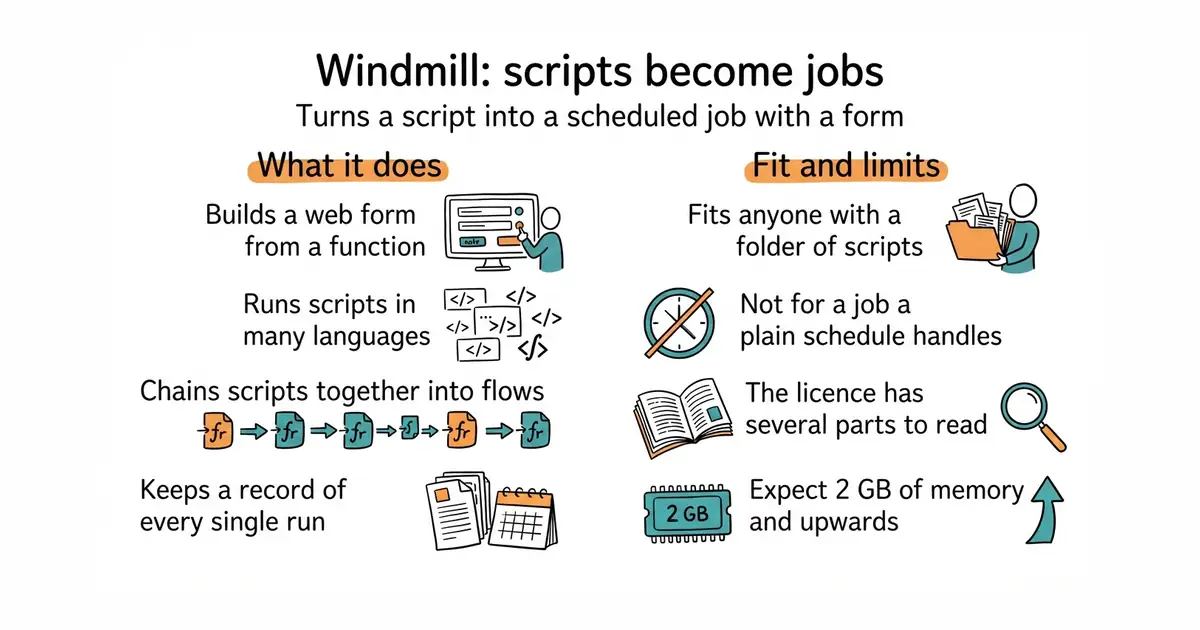
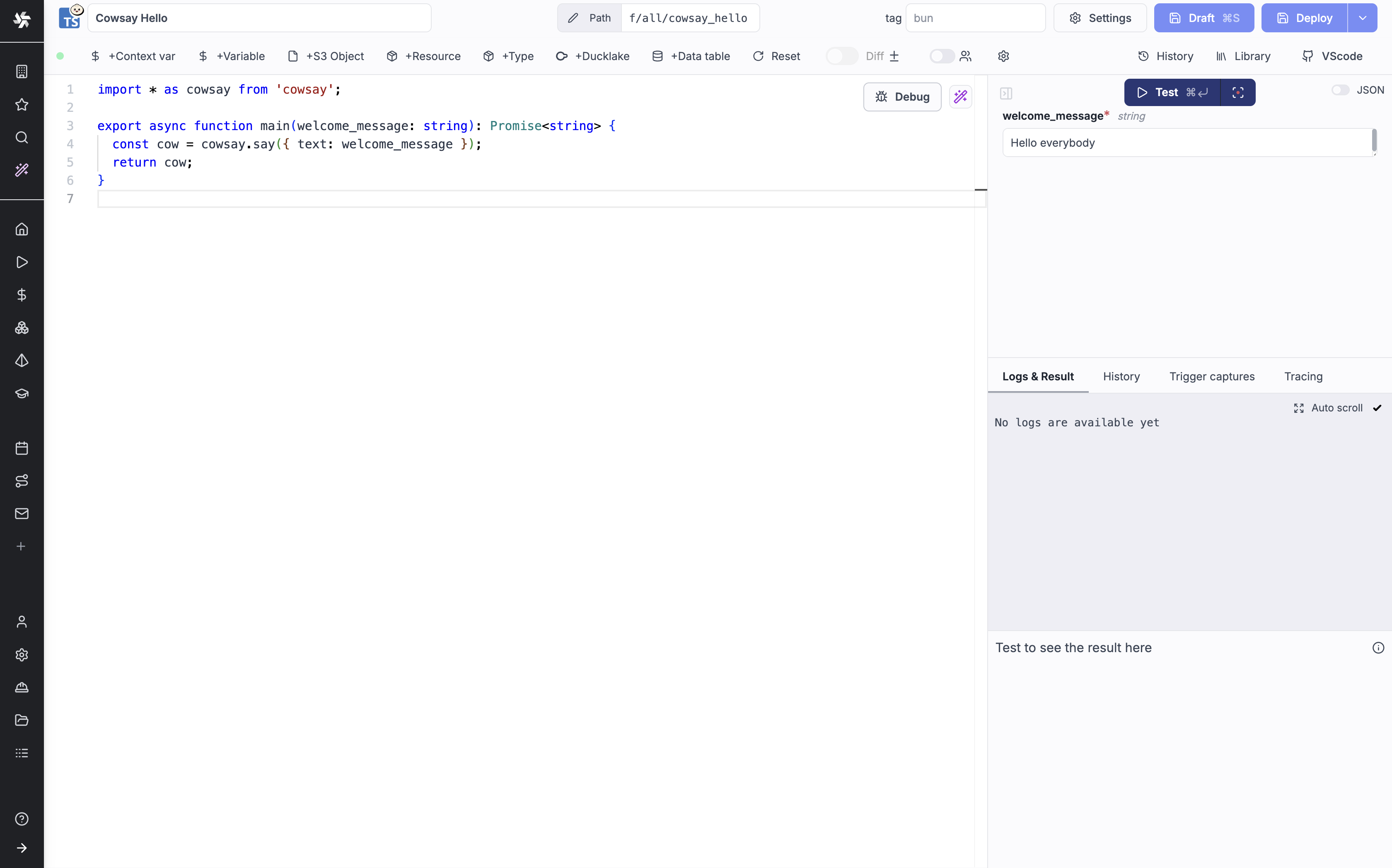
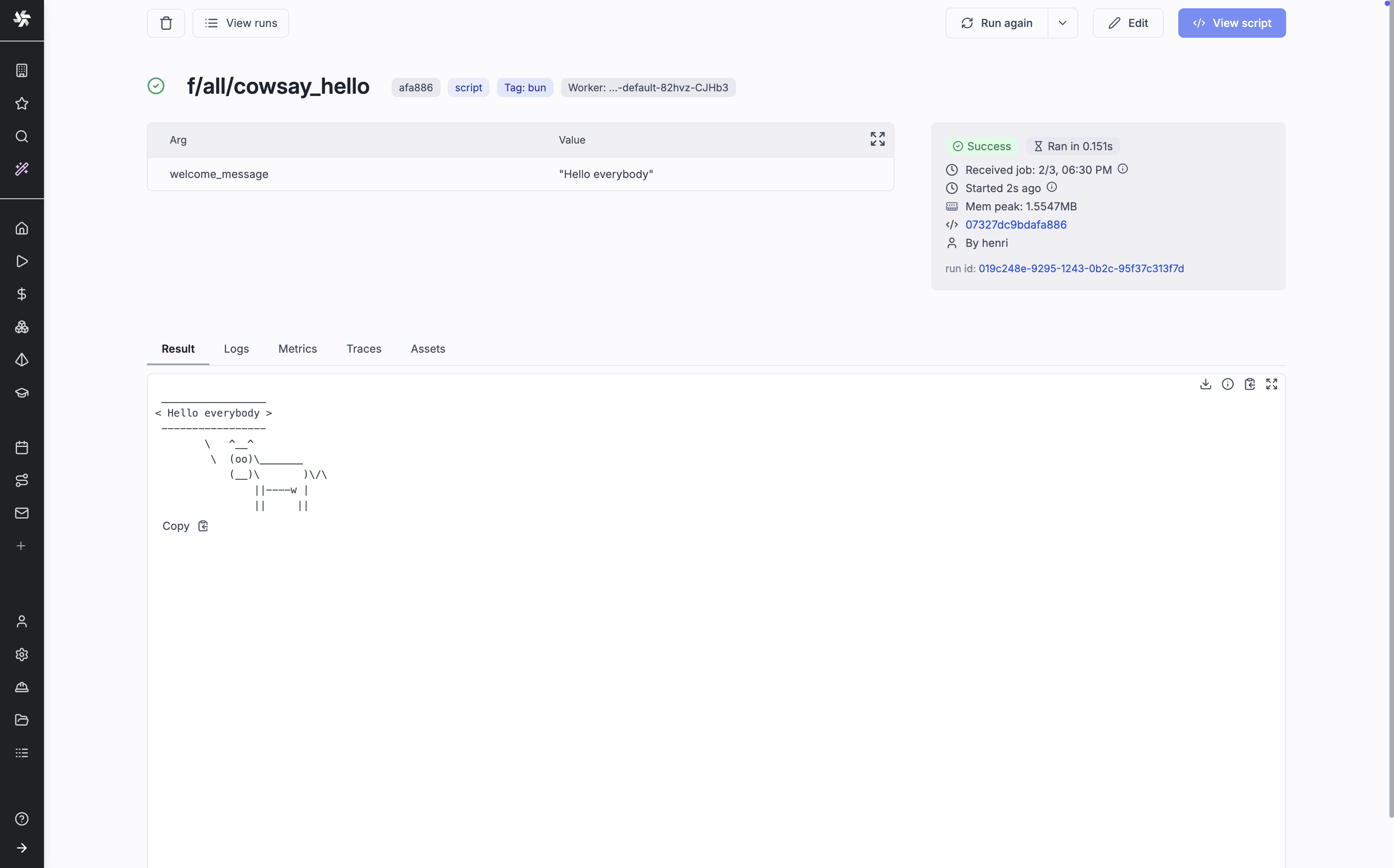
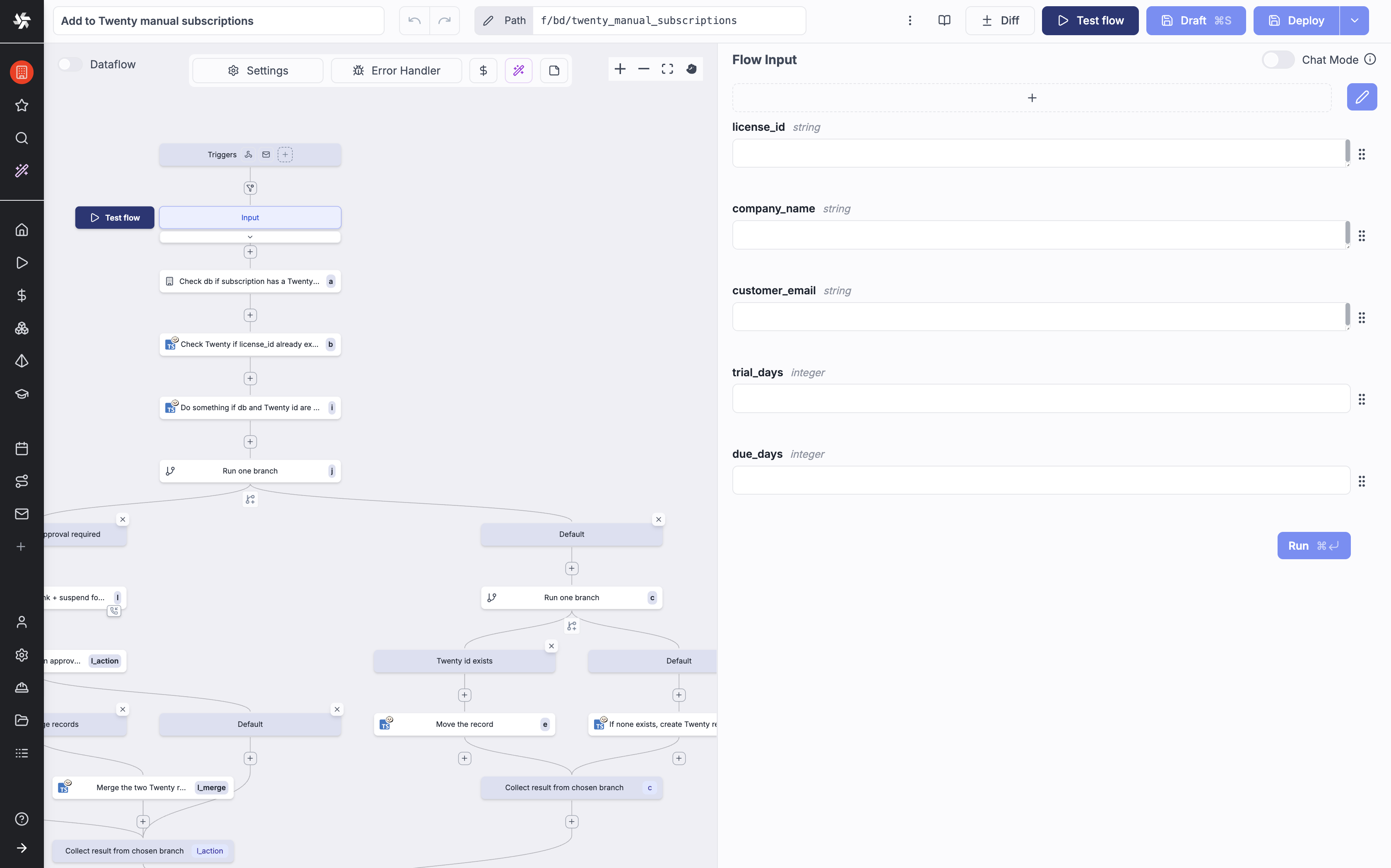
Windmill is a platform for running internal code. It accepts Python, TypeScript, Go, Bash, SQL, GraphQL, PowerShell, Rust and several more. It reads the arguments of a function and builds a small web form from them, so a script gains a usable page without any front-end code. Scripts can be chained into flows, and a flow or a script can be started by a schedule, a web request, an incoming email, a Kafka message or a WebSocket. The project measures about 50 milliseconds of its own overhead to pick a job off the queue and return a result, and about 100 milliseconds in total for a short job. Its sizing advice is one worker process per processor core and 1 to 2 GB of memory. It does not accept general outside contributions at the moment, and some features, such as its Prometheus metrics, are reserved for the paid edition.
Why it matters
Who it suits. People with a folder of working scripts and no scheduler, who want a run history and a form instead of a terminal. It also suits a small team where one person writes the script and another needs to run it with different numbers. Skip it if a plain cron entry and a log file already answer the need, because this is a large program to introduce for one job.
Verdict. Worth an hour, and the run history is the part that earns its keep: a wrong result from last Tuesday can be traced to the values it was given. Read the licence before building a product on it. The source is AGPL-3.0, the ready-made binaries include some proprietary code, and offering Windmill itself to other people needs a commercial agreement. apache/airflow is the heavier, more established alternative for data pipelines. Entry #1 above is the better choice for joining other companies' products, rather than running your own code.
- It builds a working web form from a function's arguments, with no front-end code at all.
- Every run is kept, with the values used and the output produced.
- Secrets, schedules, retries and queues are handled already. That is a lot of code nobody has to write.
- The licence is in several parts, and the published binaries are not all AGPL-3.0. Reselling it or hosting it for others needs an agreement.
- It is a big program. Expect PostgreSQL plus worker processes and 2 GB of memory upwards.
- It is not looking for contributors beyond small, easily checked fixes, so a missing feature is unlikely to be one you can add upstream.
mkdir -p ~/windmill && cd ~/windmill
curl -fsSL https://raw.githubusercontent.com/windmill-labs/windmill/main/docker-compose.yml -o docker-compose.yml
curl -fsSL https://raw.githubusercontent.com/windmill-labs/windmill/main/Caddyfile -o Caddyfile
curl -fsSL https://raw.githubusercontent.com/windmill-labs/windmill/main/.env -o .env
sudo docker compose up -d
# Then open the machine's address in a browser. The first login is admin@windmill.dev / changeme.

61k stars · AGPL-3.0 | v1.4.2, 23 Aug 2026 | [plane.so](https://plane.so) · v1.4.2 (2026-08-23) · Track this in Scout · Share this tool
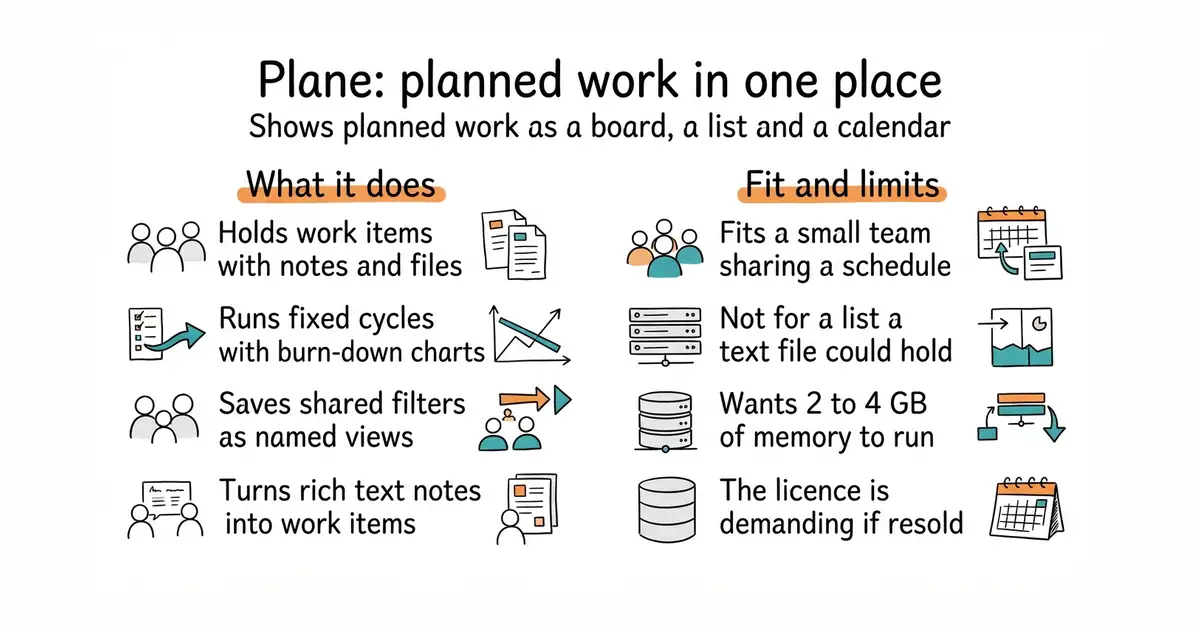
A place to keep planned work, with a board, a list and a calendar.
▶Repo detailsthe review · specs · pros & cons · install
What it does
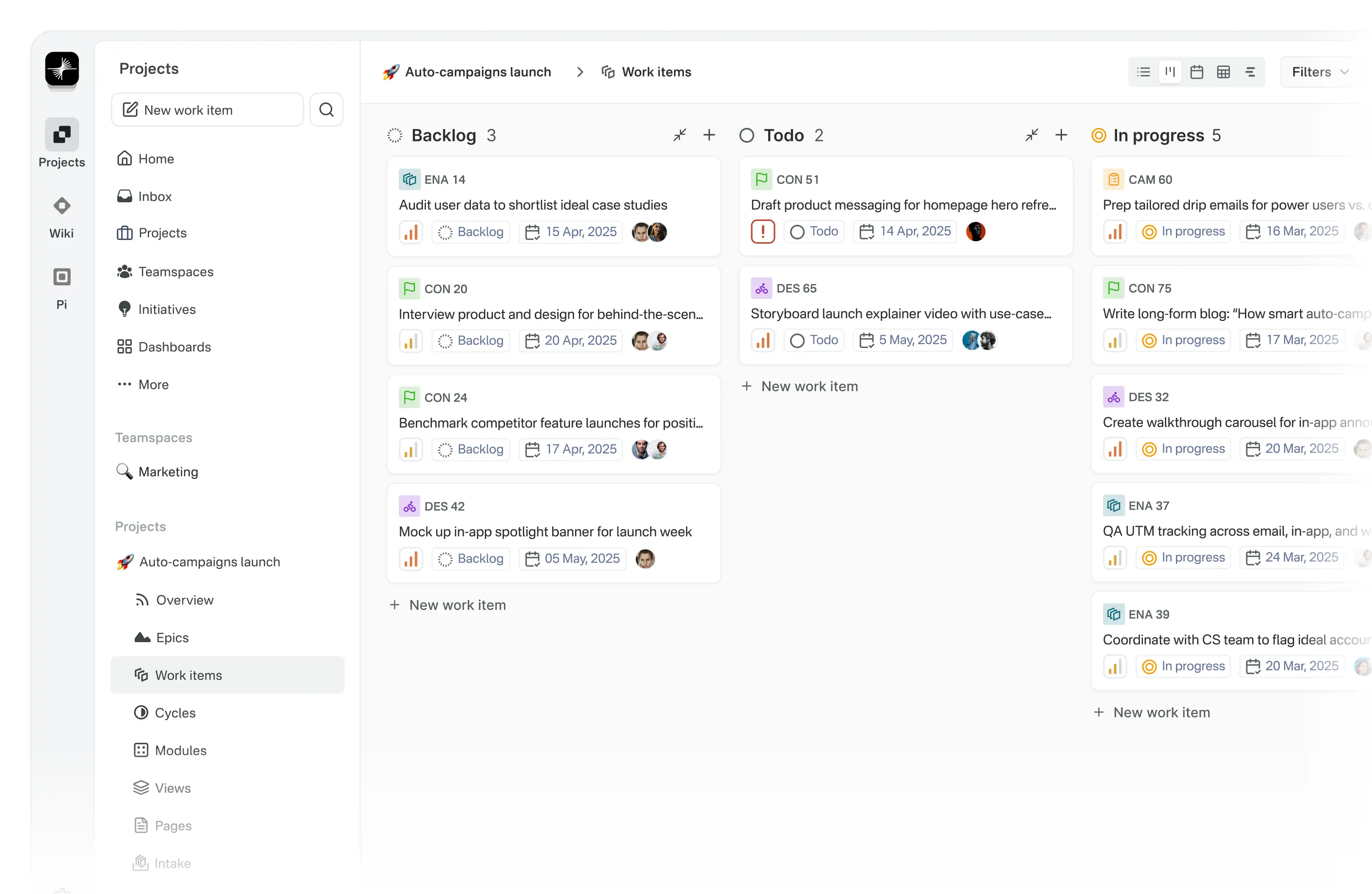
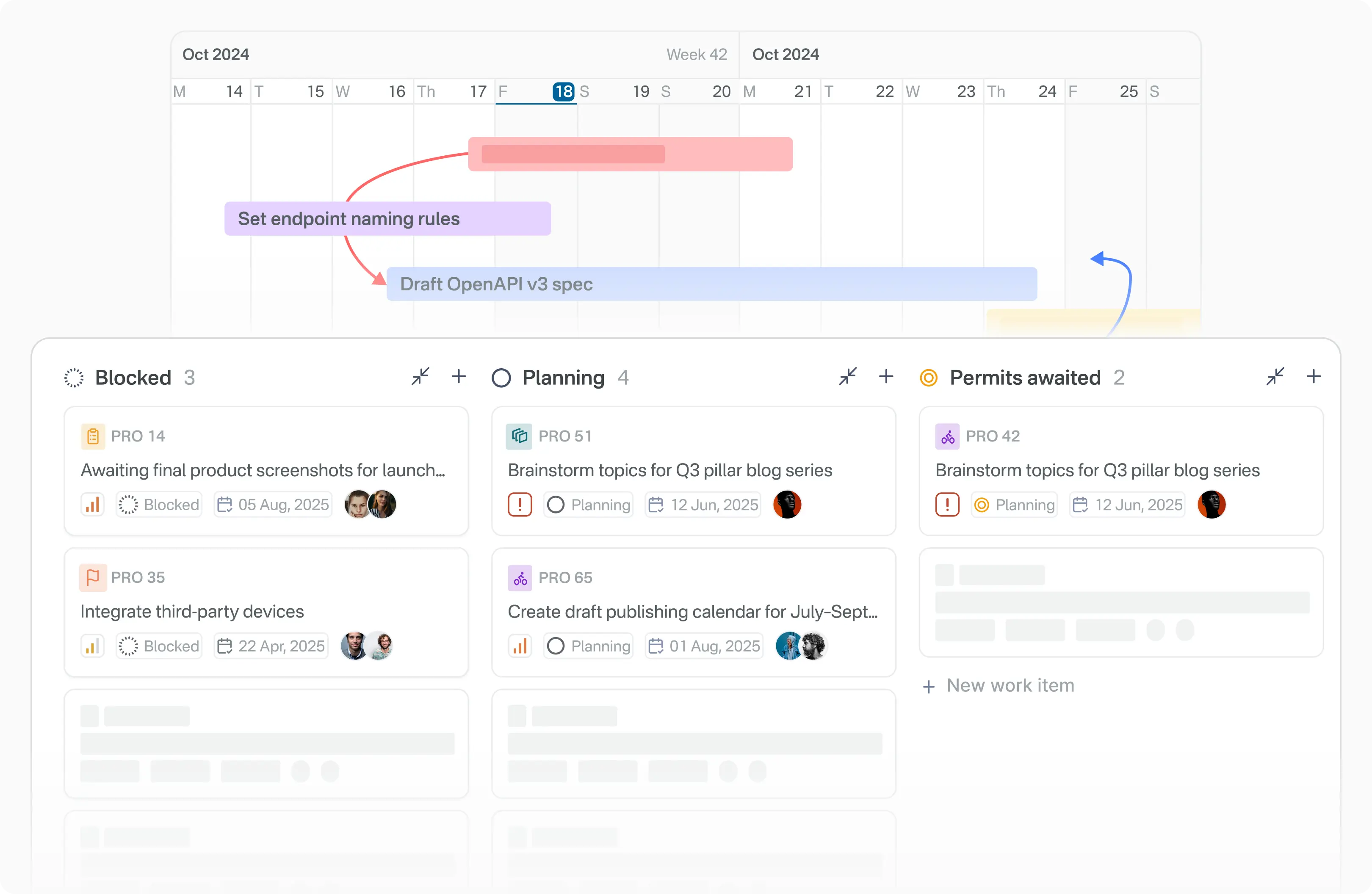
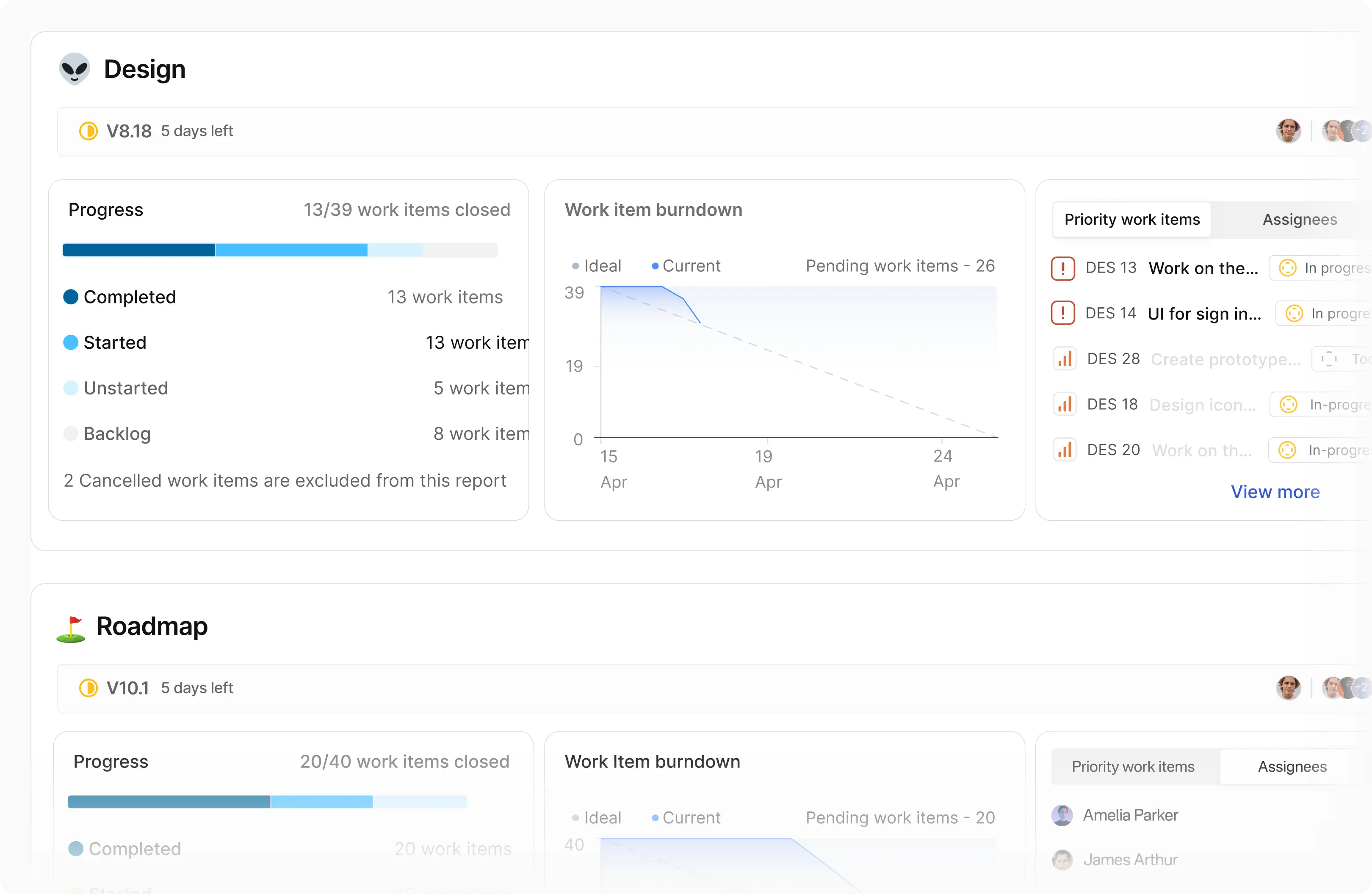
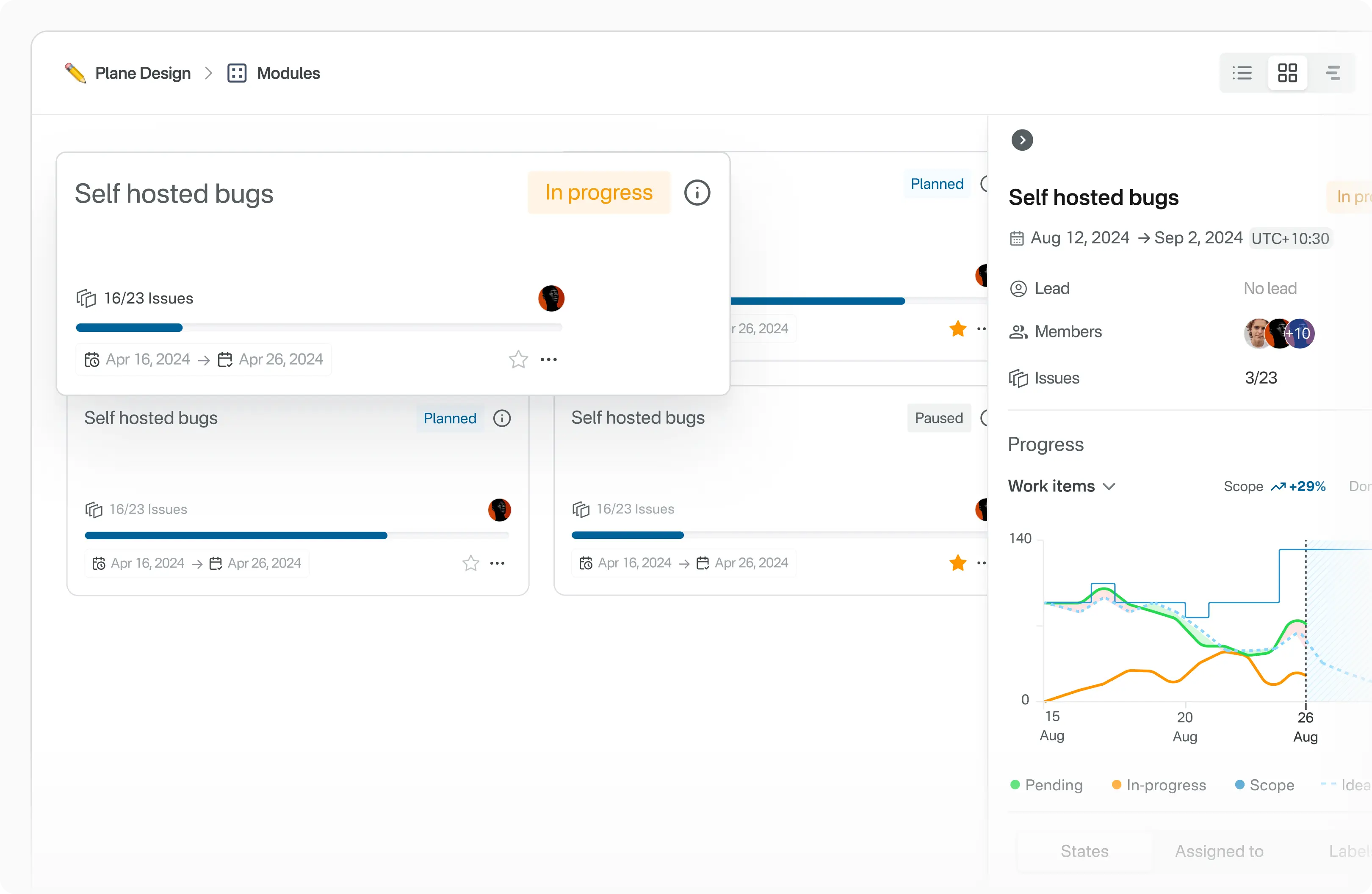
Plane is an open-source project tracker. The unit of work is called a work item, and it has a rich text editor, file uploads, extra fields and links to related items. Cycles are fixed periods of work with burn-down charts, which draw remaining work against time. Modules split a large project into smaller parts. Views are saved filters that can be shared, so one person's shortlist is a link rather than an explanation. Pages are rich text notes that can be turned into work items. It is deployed with Docker or Kubernetes, and instance-wide settings sit behind an admin mode the project calls God mode. It tracks work and notes, and nothing else: it is not a document store, a chat tool or a customer database.
Why it matters
Who it suits. A small team, or one person with several strands of work, who wants a shared schedule rather than a private list. The calendar view suits anything with publish dates attached. Skip it if a plain text file in a repository would be opened more often, because a tracker nobody opens is worse than a list that is read.
Verdict. Worth an afternoon for a team, harder to justify for one person: PostgreSQL, Redis, a file store and several containers, wanting 2 to 4 GB of memory, is a lot of machinery for one list. The licence is AGPL-3.0, which is fine for private use and demanding if Plane itself is offered to other people over the web. opf/openproject is the more traditional alternative, and kanboard/kanboard is the one to reach for when the whole need is a board.
- One set of work items shown as a board, a list and a calendar, so the same plan reads three ways.
- Cycles come with burn-down charts, so slipping is visible early rather than at the deadline.
- It runs on a machine you control, so unpublished plans stay there.
- The licence is AGPL-3.0, with the same condition as Windmill above.
- It is heavy for one person: PostgreSQL, Redis, a file store and several containers, 2 to 4 GB of memory.
- The README publishes no hardware requirements, so the real memory figure has to be found by running it.
mkdir -p ~/plane && cd ~/plane
curl -fsSL -o setup.sh https://raw.githubusercontent.com/makeplane/plane/master/deploy/selfhost/install.sh
# Read setup.sh before running it. It writes files and starts containers.
chmod +x setup.sh
./setup.sh


40.2k stars · MIT, plus a paid edition | `@novu/framework@v2.14.0`, 28 Sep 2026 | [novu.co](https://novu.co) · @novu/framework@v2.14.0 (2026-09-28) · Track this in Scout · Share this tool
One place to write the messages an application sends, and one way to send them by email, phone alert or in the app.
▶Repo detailsthe review · specs · pros & cons · install
What it does
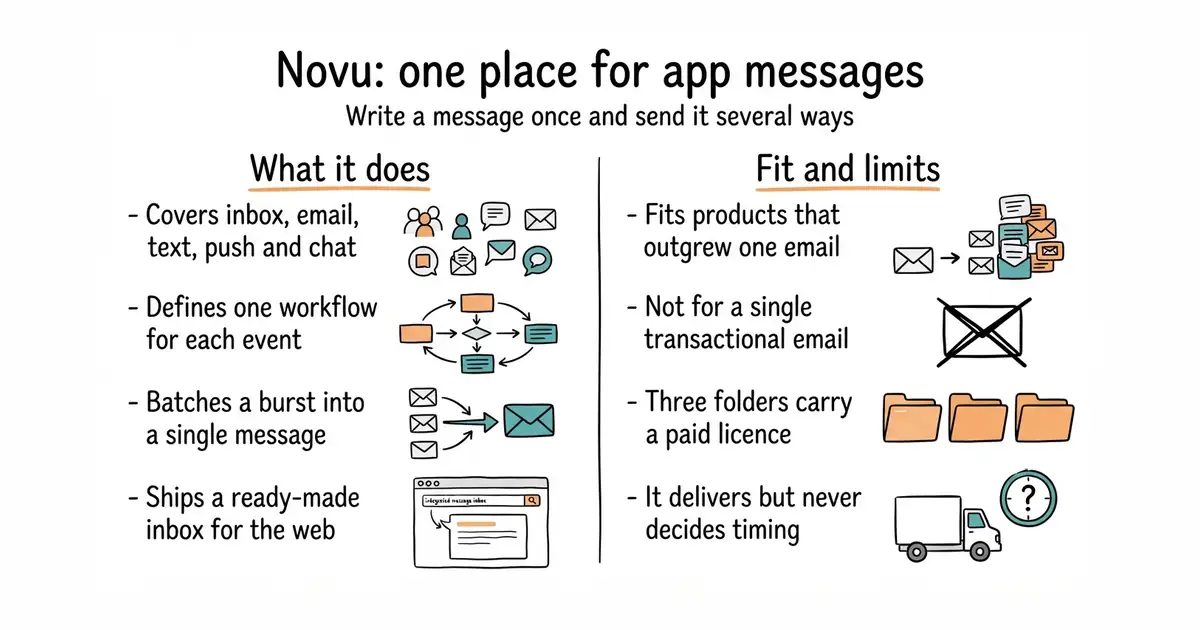
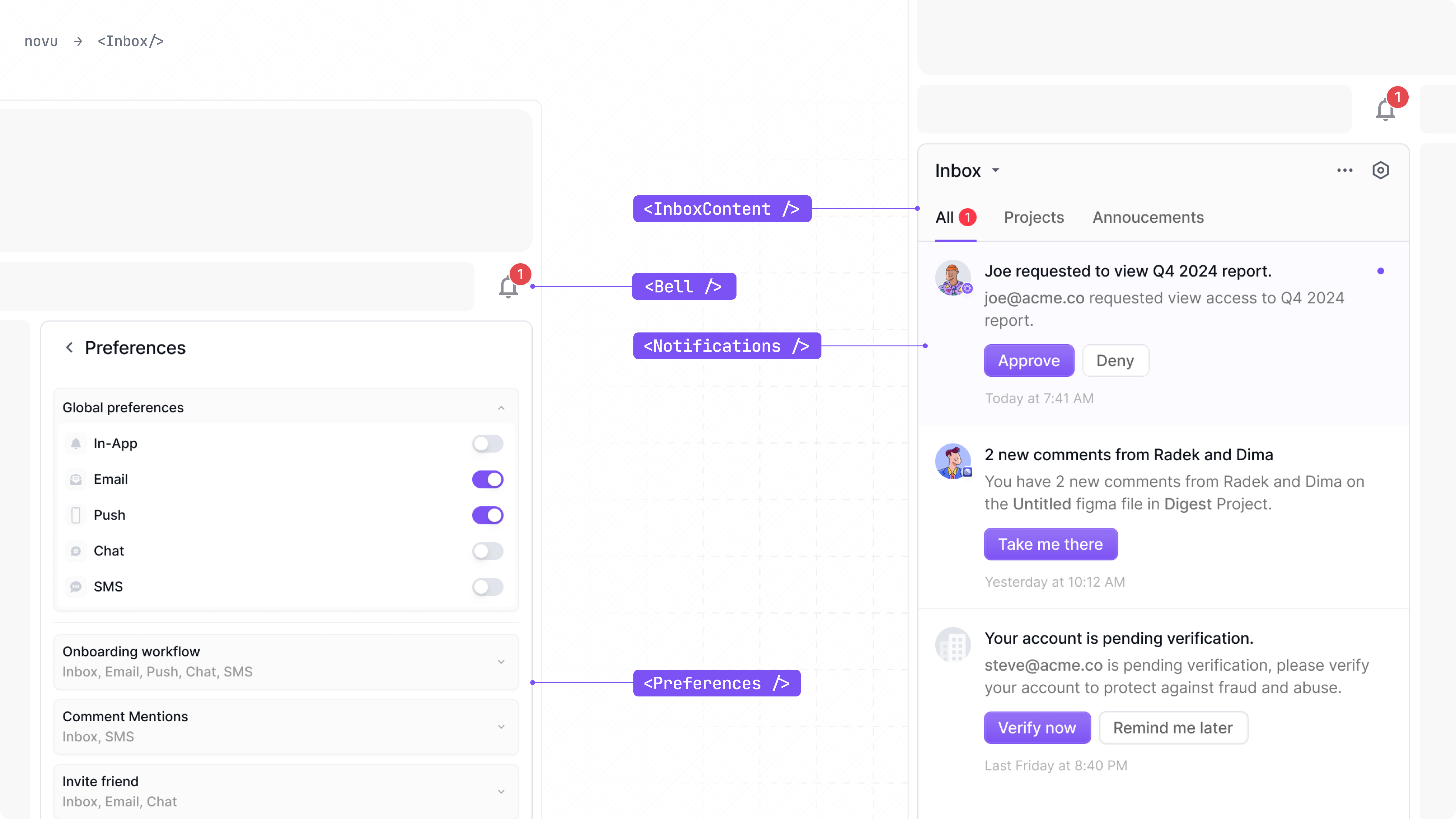
Novu is a layer that carries messages between an application and its users. It covers an in-app inbox, email through 20 providers, text messages through 37, phone alerts through 8, and chat through 13, including Slack, Microsoft Teams, Telegram and WhatsApp. A workflow is defined once, with per-channel conditions, so one event can mean an email for one person and a phone alert for another. A digest step batches a run of messages into one, which is the fix for a noisy feature. It ships an embeddable inbox component for React, with React Native, Vue and Angular listed as coming, and a preferences component so each person can turn channels off. There is also a no-code email editor. It explicitly does not contain the logic that decides what to say — the project is clear that the agent or application stays yours and Novu only delivers.
Why it matters
Who it suits. A product that has outgrown one hard-coded email and now needs several channels, consent handling and an in-app list. It suits teams who would rather not build the per-person "stop emailing me" setting themselves, which the law in most places expects to exist. Skip it if one transactional email is the whole requirement, because a single provider's library is a smaller thing to own.
Verdict. Worth a day once two channels are in play, and the hosted free account is the sensible way to judge it before self-hosting. Self-hosting is the real cost: an API service, a worker, a dashboard, MongoDB and Redis, 2 GB of memory upwards, and MongoDB is a second kind of database to keep running. Check whether the feature you want sits in the MIT part, because the enterprise folder and two ee folders are commercial. caronc/apprise is the much smaller answer when the need is only to deliver an alert.
- One workflow, several channels. The wording changes in a dashboard rather than in code.
- A ready-made inbox component for React, so the in-app half is an afternoon rather than a week.
- The digest step turns a burst of notifications into one message, which is otherwise fiddly code.
- The About sidebar says MIT, but three folders are under a separate commercial licence. Check before planning around a feature.
- Self-hosting means five moving parts and two kinds of database. The hosted free tier is the sensible start.
- It delivers messages and does not decide when to send them. That decision stays in your own code.
git clone -b next https://github.com/novuhq/novu.git
cd novu/docker/community
cp .env.example .env
# Set the secret values listed in .env, then:
sudo docker compose up -d

16.9k stars · MIT | v3.3.7, 3 Jun 2026 | [postalserver.io](https://postalserver.io) · 3.3.7 (2026-06-03) · Track this in Scout · Share this tool
A self-run mail server for outgoing mail, with delivery records and bounce handling.
▶Repo detailsthe review · specs · pros & cons · install
What it does
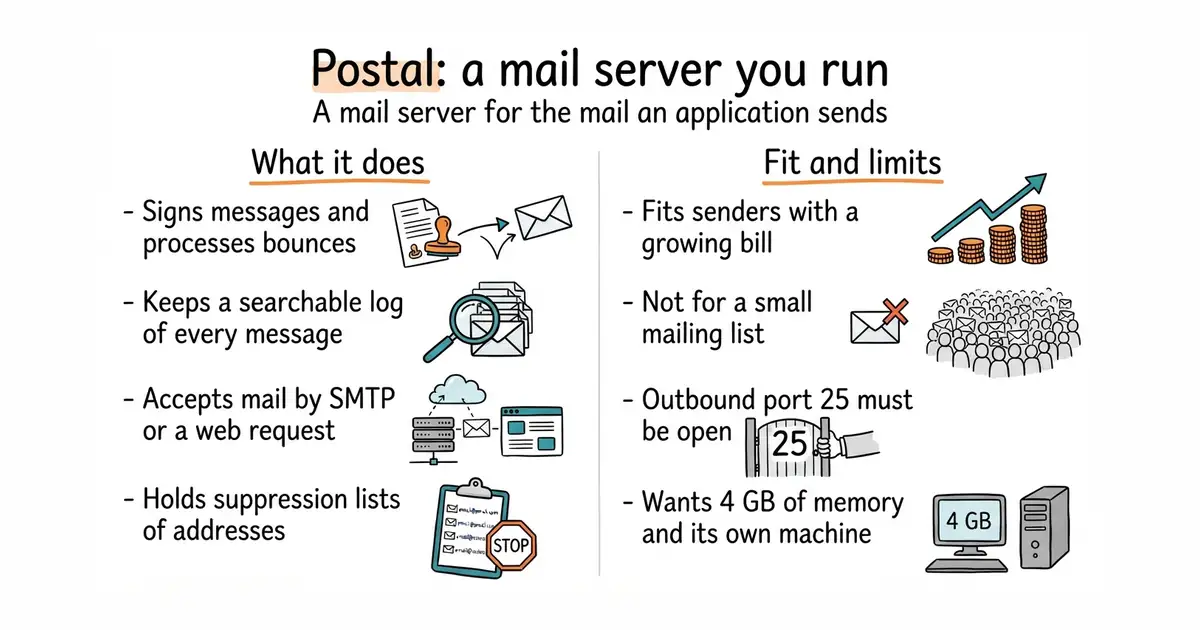
Postal is a full mail server for the mail an application sends, and it also accepts incoming mail. The project positions it as a replacement for paid sending services. It has a web interface, a web-request interface and an SMTP interface, so almost anything can hand it a message. It signs messages, processes bounces, keeps suppression lists and stores a searchable record of every message. Its own prerequisites are specific: a dedicated machine with 4 GB of memory, 2 processor cores and 25 GB of disk, Docker and the Docker Compose plugin, and MariaDB 10.6 or newer — MySQL is not supported. Outbound port 25, the port used to pass mail to other mail servers, must be open, and many hosting companies block it. It is not a mailbox service: there is no webmail for reading personal mail here.
Why it matters
Who it suits. Anyone sending enough mail that a per-message bill has become noticeable, who also wants the delivery log in their own hands. It suits the gap under a mailing-list tool: Listmonk (Edition 2 #1), Mautic (Edition 10 #6) and Dittofeed (Edition 14 #8) all write the email and none of them deliver it. Skip it on a small list, because a paid sending service costs very little at that size and carries the hard part.
Verdict. The install is the easy half and getting mail accepted is the hard half. A brand new sending address has no reputation, so volumes have to start small and build. Confirm port 25 before spending the afternoon, because the hosting company can simply say no. Worth it at scale and a poor trade below it. mailcow/mailcow-dockerized is the choice if human mailboxes are also wanted.
- MIT, and the whole product is in the repository. Nothing is held back for a paid edition.
- It does the real delivery work: message signing, bounce processing, suppression lists and a searchable log.
- It accepts mail over both SMTP and a web-request interface, so any sending tool can pass messages to it.
- Outbound port 25 is often blocked on new hosting accounts, and the provider is allowed to refuse to open it.
- The documentation asks for a dedicated machine, 4 GB of memory, 2 cores, 25 GB of disk and MariaDB 10.6 or newer. MySQL will not do.
- When mail stops flowing at two in the morning, it is nobody else's problem.
sudo apt install -y docker.io docker-compose-plugin git curl jq
sudo git clone https://github.com/postalserver/install /opt/postal/install
sudo ln -s /opt/postal/install/bin/postal /usr/bin/postal
sudo postal bootstrap postal.example.com
sudo postal initialize
sudo postal make-user
sudo postal start


2.1k stars · MIT · v3.1.0 (2026-03-27) · Track this in Scout · Share this tool
Self-hosted Google rank tracker — unlimited keywords, one small SQLite container, Search Console integration.
▶Repo detailsthe review · specs · pros & cons · install
What it does
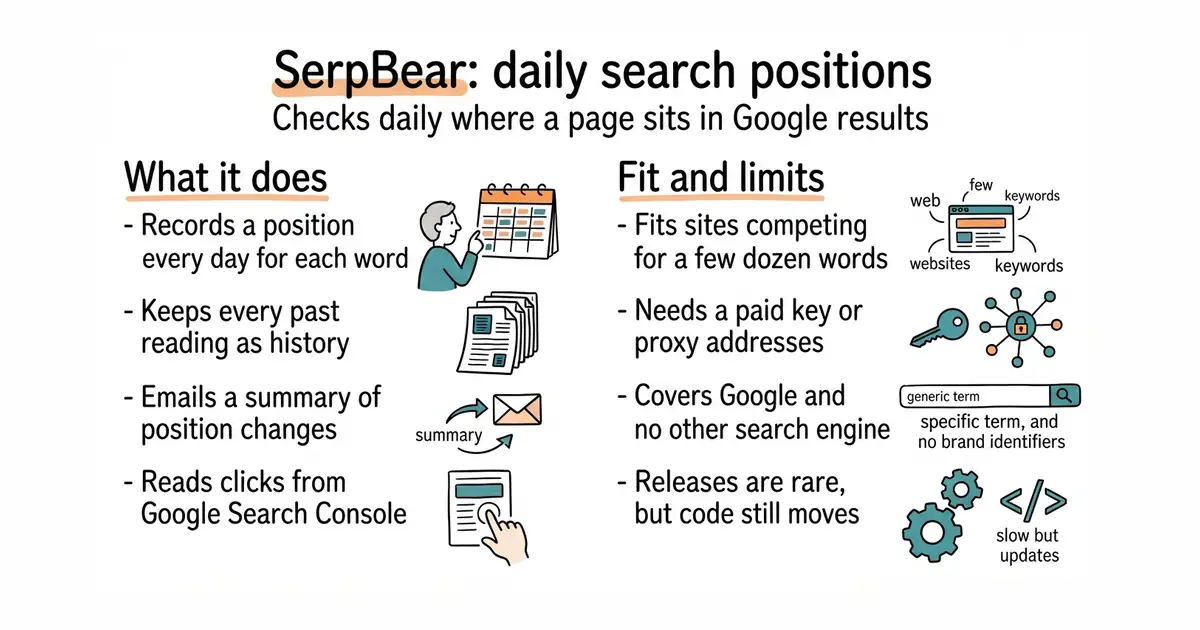
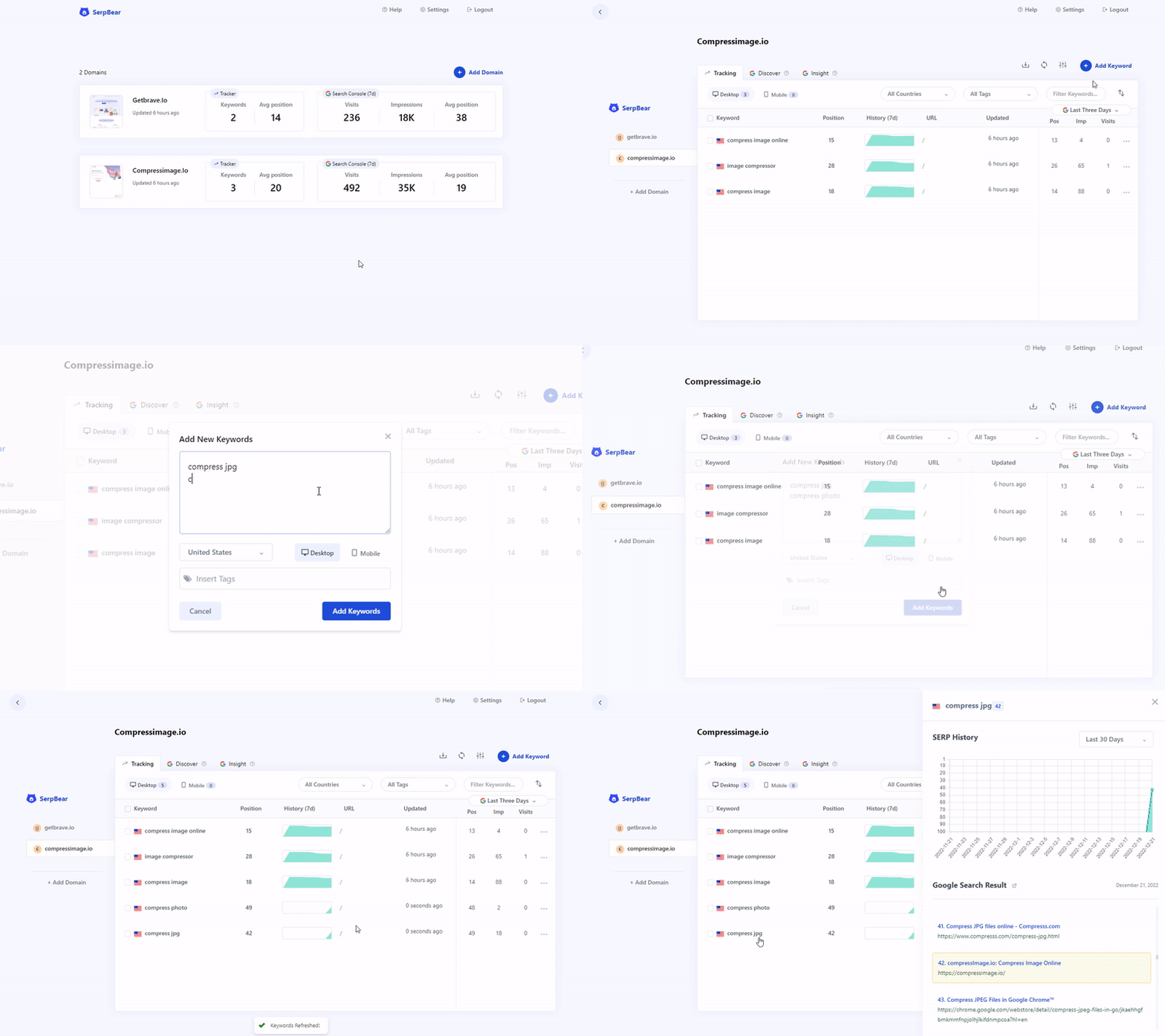
SerpBear records where a domain sits in Google search results for each word given to it, and it keeps every past reading. The number of domains and words is not capped. It can email a summary of position changes every day, every week or every month, which needs mail-sending details filled in first. It has a small interface for other programs, called an API, so the numbers can be pulled into a report elsewhere. It reads Google Search Console, the free Google service that reports real clicks and impressions, and shows those figures beside each word. It also suggests new words through a Google Ads test account, with monthly search volumes. It is a web application built with Next.js, a common toolkit for web pages, and it keeps all its data in one SQLite file, which is a database held in a single file on disk. It does not fetch search results on its own: it needs proxy addresses or a paid key from a search-data company, and it covers Google and no other search engine.
Why it matters
Who it suits. Anyone who has spent weeks improving pages and has no record of whether the positions moved. It suits a site competing for a few dozen words, and suits it twice over when the same site is published in two languages, because that is the same work measured twice. Skip it when nobody will read the chart, because the numbers only pay back when somebody acts on them. Skip it too when a paid rank tracker is already in place and its bill is not a problem.
Verdict. Worth about an hour, and worth doing this week rather than next. Positions cannot be collected backwards, so every day without it is a day missing from the chart for ever. The real cost is the search-data key rather than the software. Read the project's own table of providers before signing up to one, because three of the services it lists are marked there as no longer working. A position on its own flatters, so read it next to real visits from GoAccess (Edition 8 #4) or PostHog (Edition 11 #8). The project is quiet rather than abandoned: the newest release is v3.1.0 from 27 March 2026, and the newest code was pushed on 14 May 2026, so expect fixes slowly.
- MIT, one container to run, and all the data in a single file. It sits happily beside other things on a small machine.
- The number of words tracked is not capped. Paid rank trackers charge per word, which is what usually stops anyone tracking a second language.
- It reads Google Search Console, so words the site already ranks for appear without being guessed at.
- It cannot search by itself. It needs proxy addresses or a paid key, and three of the providers in the project's own table are marked as no longer working.
- Google only. No other search engine is covered.
- Releases are rare. v3.1.0 from March 2026 is still the newest, and the last code was pushed in May 2026.
sudo apt install -y docker.io
mkdir -p ~/serpbear/data
sudo docker run -d --name serpbear -p 3000:3000 \
  -v $HOME/serpbear/data:/app/data \
  -e USER=admin \
  -e PASSWORD=choose-a-real-password \
  -e SECRET=a-long-random-string \
  -e APIKEY=another-long-random-string \
  towfiqi/serpbear


305 stars · MIT · v0.3.0 (2026-08-31) · Track this in Scout · Share this tool
Self-hosted AEO/GEO tracker — records whether ChatGPT, Perplexity, Gemini and AI Overviews mention and cite your brand.
▶Repo detailsthe review · specs · pros & cons · install
What it does
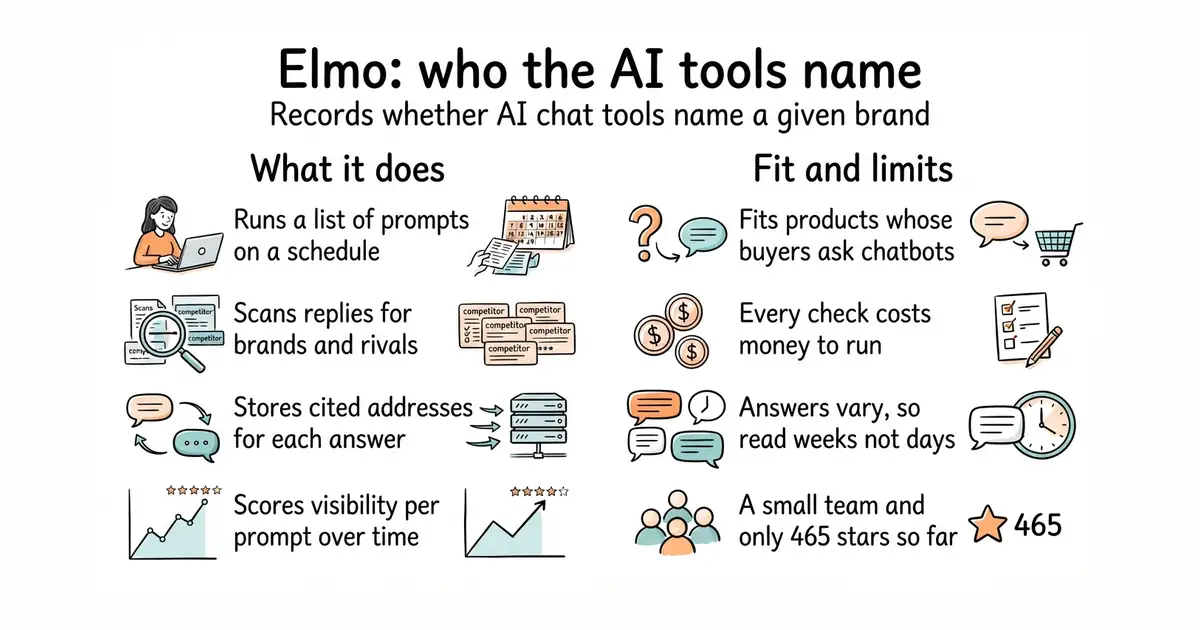
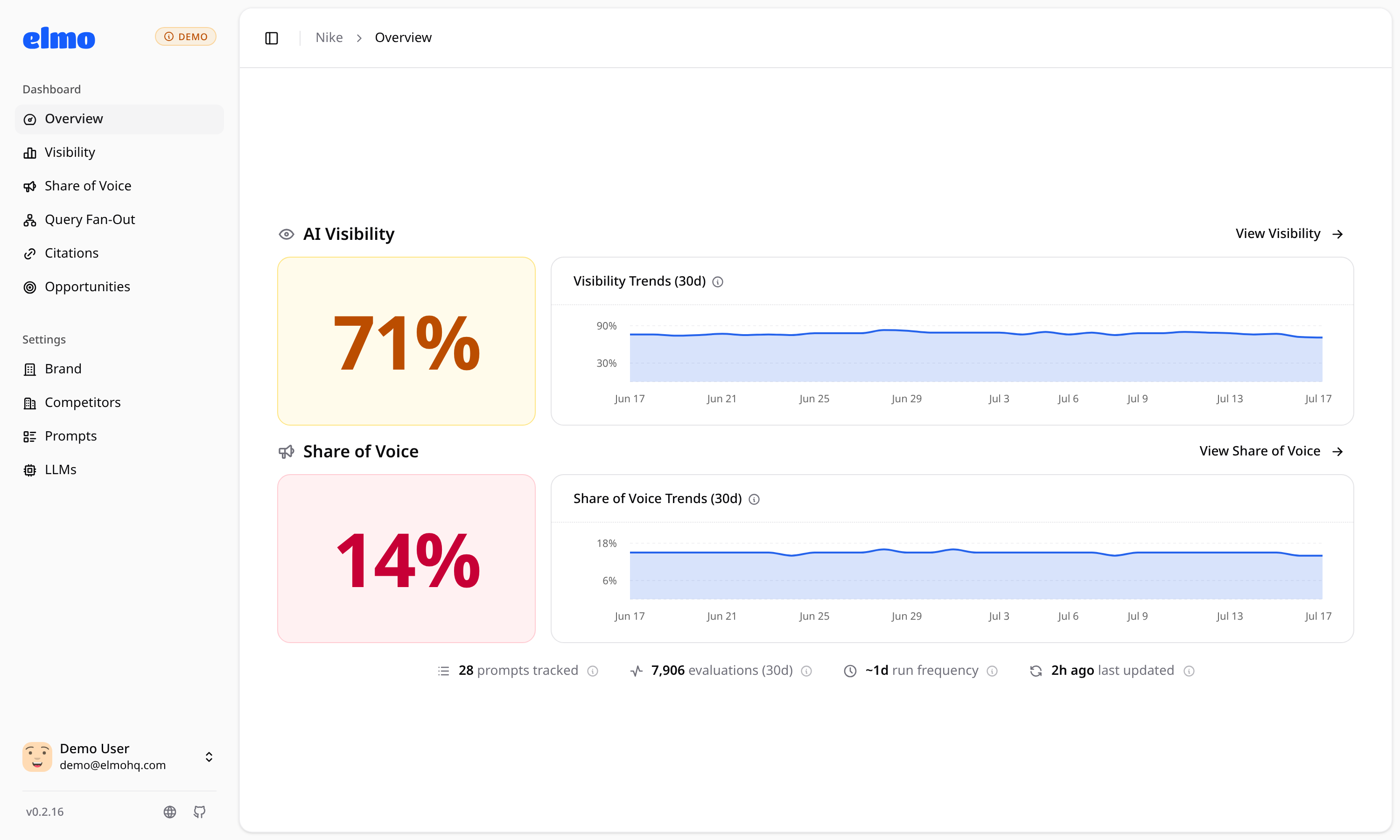
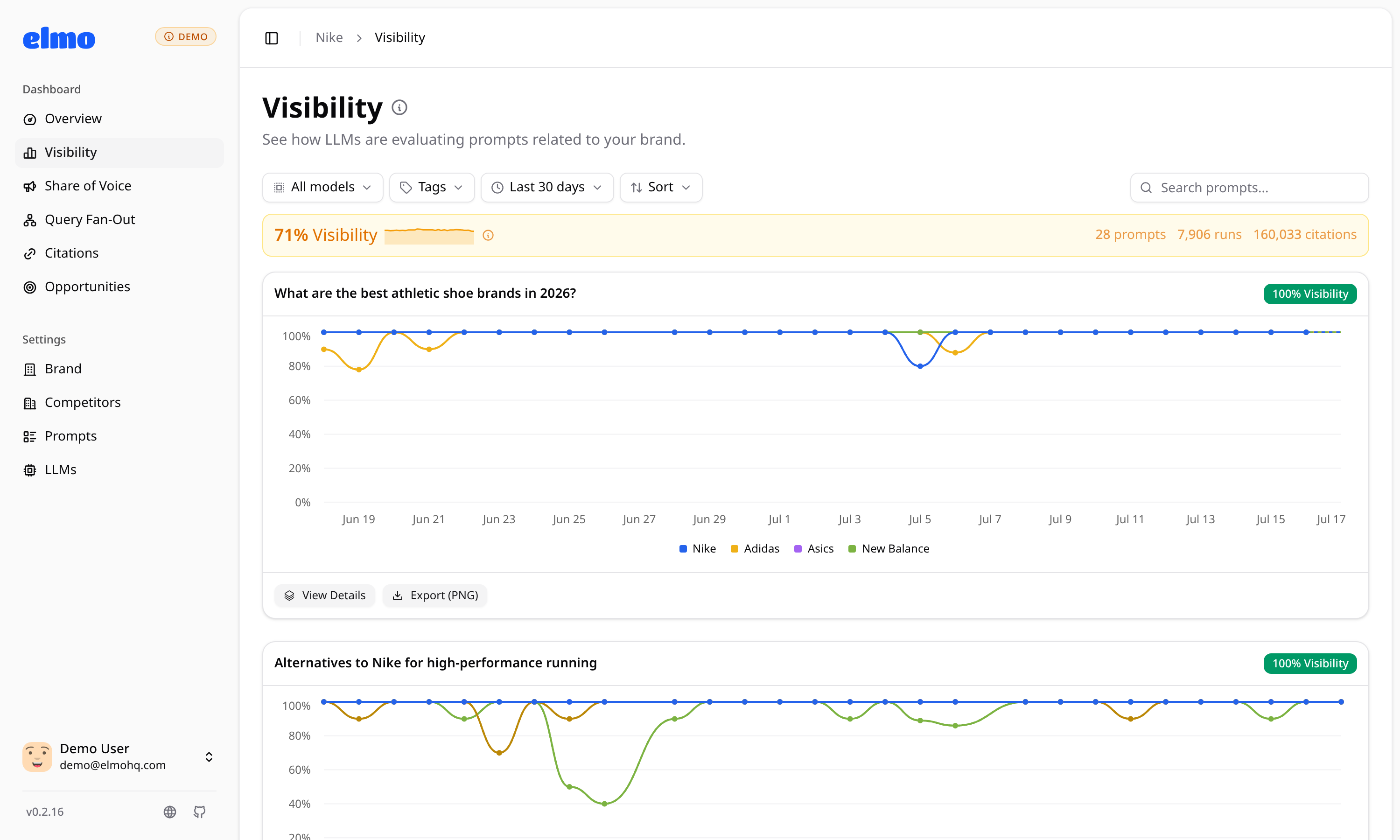
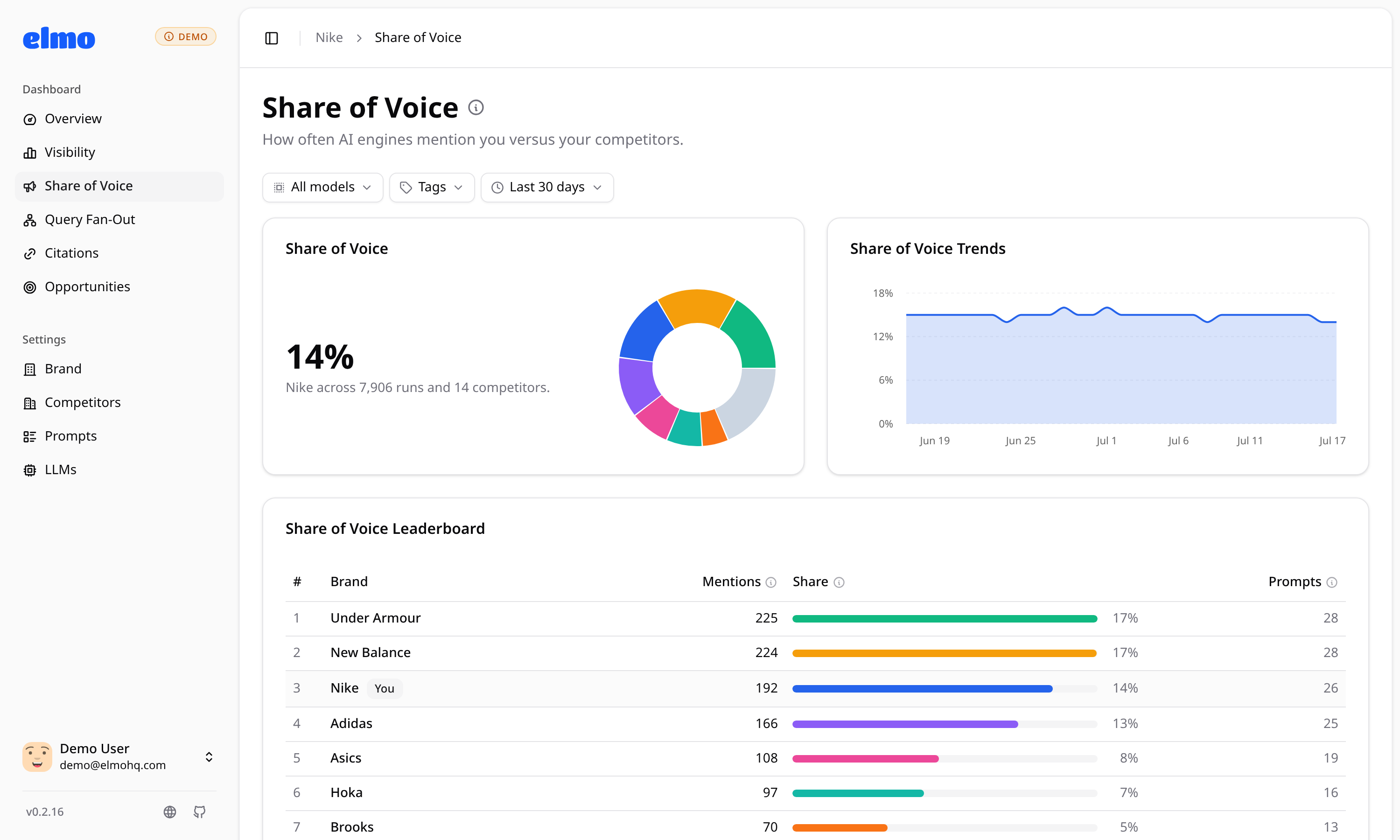
Elmo tracks how AI answer tools mention and cite a brand. You give it prompts — questions a possible customer might ask — written by hand or generated by a setup wizard that reads a website. A background worker runs each prompt against each configured engine several times a day. It scans the replies for the brand name, its other names, its domains and its competitors, and it stores the cited web addresses and the searches the engine ran while answering. From that it produces a visibility score per prompt and per model over time, a share-of-voice comparison, a breakdown of cited domains, and shareable reports that need no account. All raw output is kept in PostgreSQL, so the numbers can be recalculated and checked. It reaches ChatGPT, Google AI Mode, AI Overviews, Gemini, Perplexity and Copilot through scraping providers, and Claude, Grok and others through their own interfaces with web search on. The project lists what it leaves out: no prompt volume estimates, no sentiment analysis, no AI crawler statistics, no page audits and no connection to search datasets.
Why it matters
Who it suits. Products whose buyers already ask a chat tool before they search, and anyone who has written llms.txt files or structured data and has no way to tell whether it worked. It suits a team that wants the prompt list kept private, since that list is competitive information. Skip it if the audience arrives from one channel nobody is worried about, because each run costs model money.
Verdict. Worth an afternoon, with a spending limit in front of it. Ten prompts across four models every day adds up quietly, so put something like LiteLLM (Edition 5 #9) in the middle and cap it. Model replies vary from run to run, so read weeks, never one day. The project is moving quickly — v0.7.2 on 17 October 2026, up from v0.3.0 in late August — and at 465 stars it is still small, so treat it as a useful tool rather than a foundation.
- MIT and self-hosted, so the prompt list and the results stay in your hands.
- It records the other products named in the same answer, which is a competitor list nobody had to build.
- Raw replies are stored, so a number can be traced back to the text it came from.
- Every check is a paid call to a model or a scraping provider. The bill grows with prompts times models times days.
- 465 stars and a small team. If work stops, you are left with a working copy and nobody to fix it.
- Answers vary between runs, so a single day's figure means very little.
npm install -g @elmohq/cli
elmo init
elmo compose up -d
# Then open http://localhost:1515 and create the first account.

10.4k stars · BSD-3-Clause | v4.4, 31 Aug 2026 | [healthchecks.io](https://healthchecks.io) · v4.4 (2026-08-31) · Track this in Scout · Share this tool
Reports when a scheduled job did not run.
▶Repo detailsthe review · specs · pros & cons · install
What it does
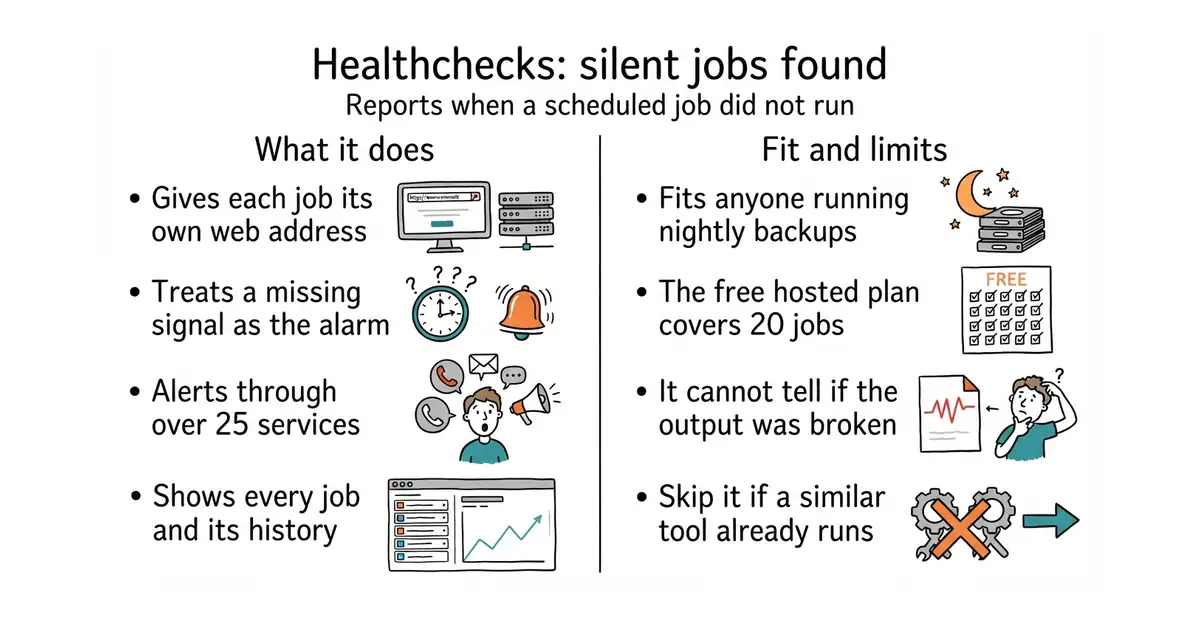
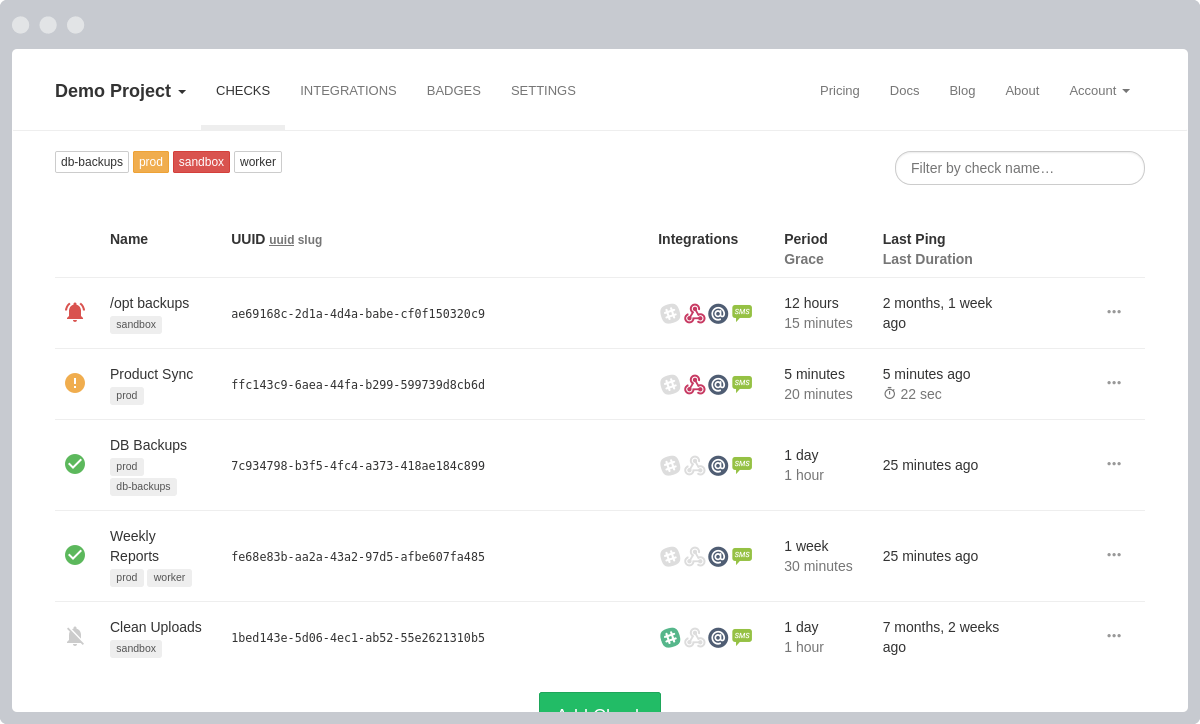
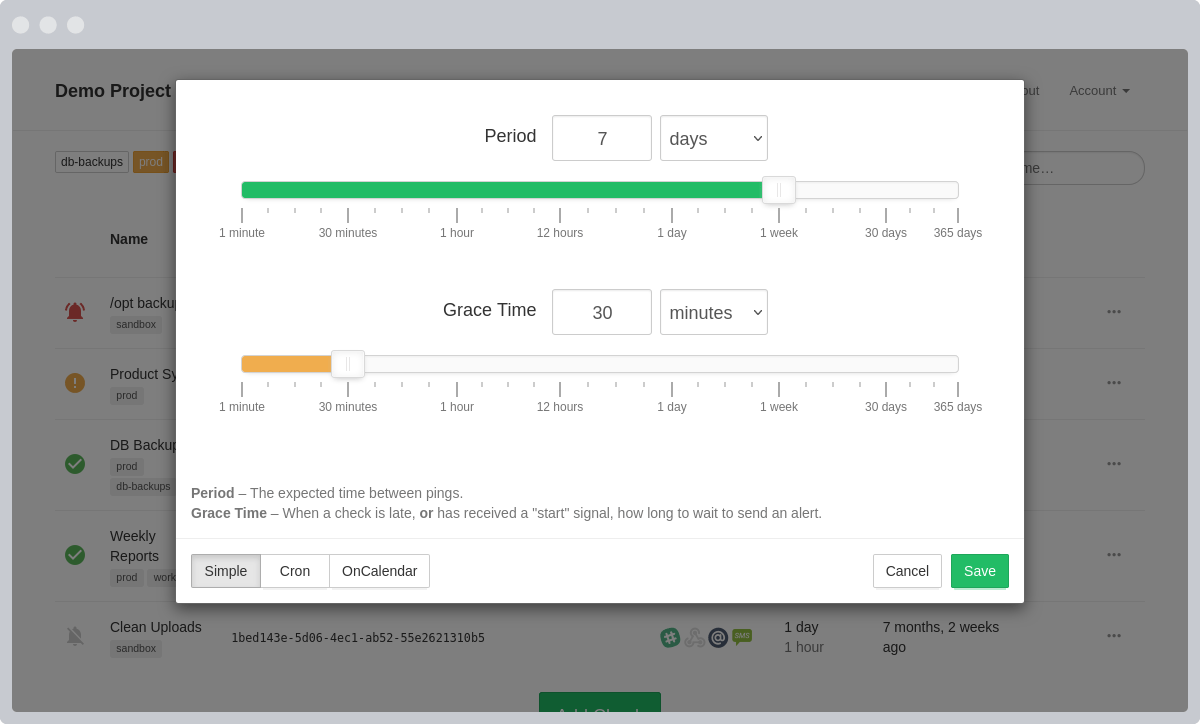
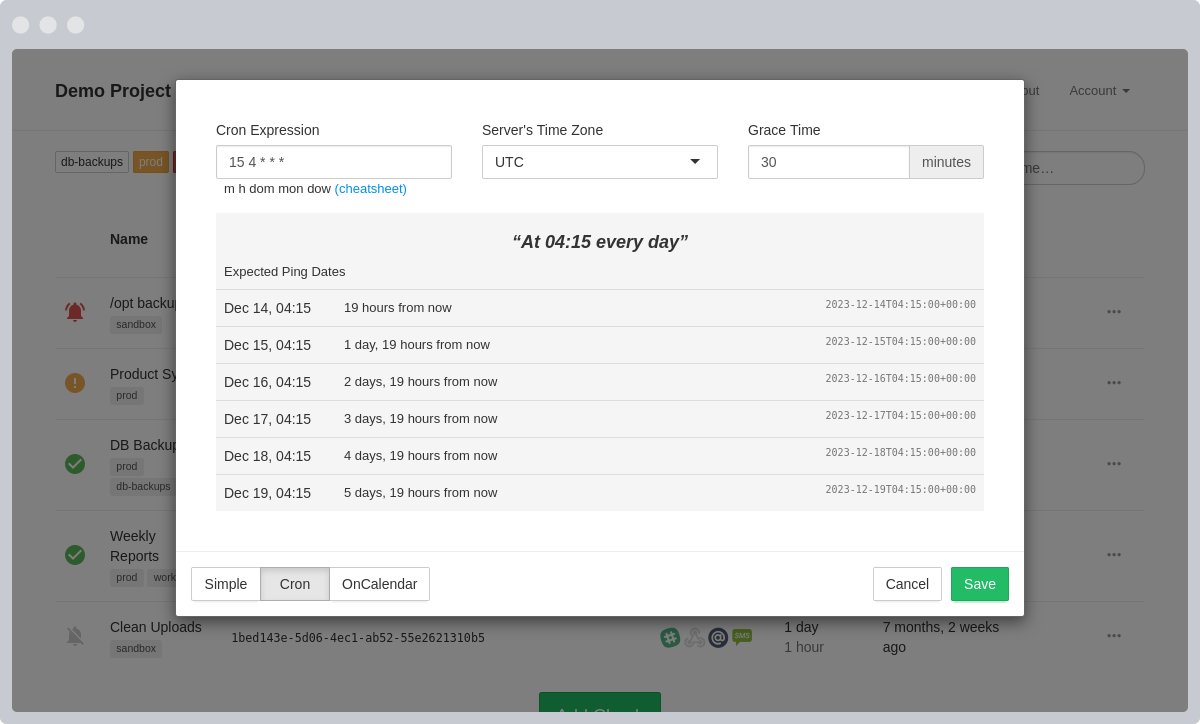
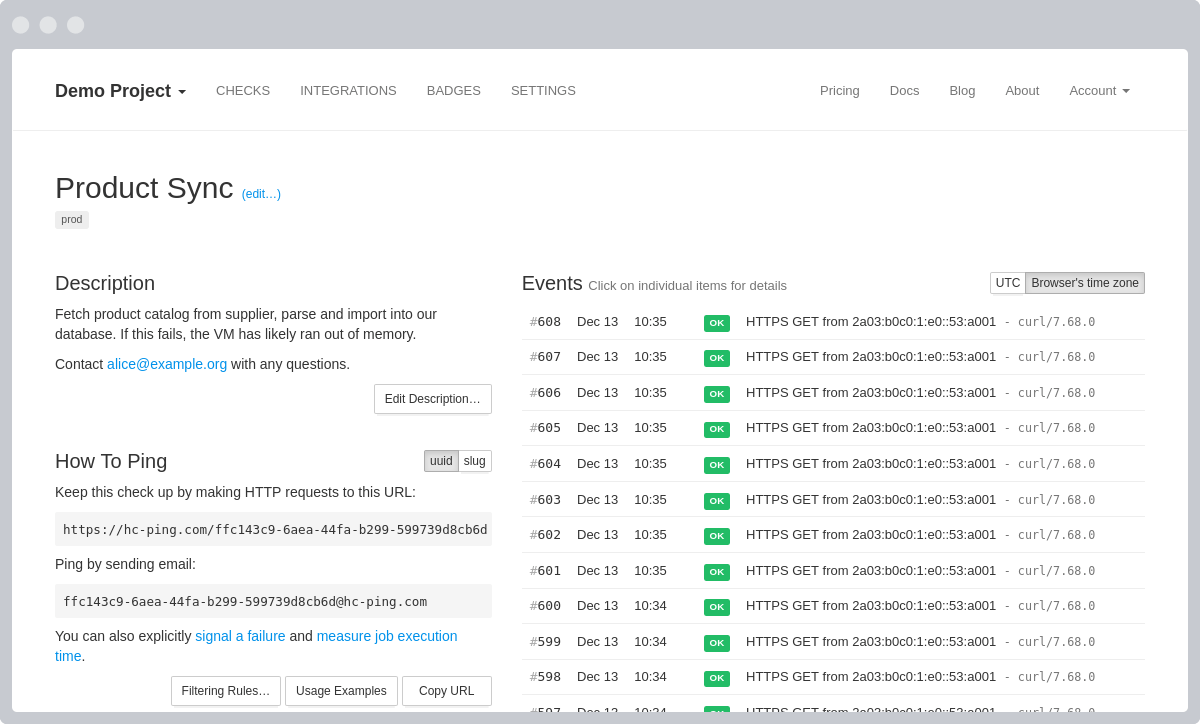
Healthchecks waits for a signal instead of watching a machine, so silence is the alarm. Each job gets a web address and an expected schedule, and the job sends a short web request, called a ping, when it finishes. A missing ping raises an alert. The dashboard shows every job, its history and its status, and there is an interface for other programs plus monthly email reports and two-factor sign-in. It carries more than 25 notification integrations, among them Slack, Discord, Telegram, Matrix, Signal, PagerDuty, Pushover and Apprise; running a local command is also possible and is switched off by default. It is a Python and Django application and stores its data in PostgreSQL, MySQL or MariaDB. The free hosted plan covers 20 jobs with 100 log entries each. It knows only whether the ping arrived: it does not inspect what the job produced, and the official container does not handle HTTPS, so a reverse proxy has to sit in front of a self-hosted copy.
Why it matters
Who it suits. Anyone with a backup, a report or a data pull on a schedule and no way to learn that it stopped. The failure it catches is the silent one, which is exactly the kind nobody notices for weeks. Skip it if Uptime Kuma (Edition 7 #1) is already running, because it has the same kind of check built in and a second tool earns nothing.
Verdict. The clearest fifteen minutes on this list. The hosted free plan is enough for most people, so start there and self-host only if a firm reason appears. A job that finishes and writes a broken file still reports success, so make the script check its own output before it pings. Alerts can go to ntfy (Edition 7 #4) if a phone app is already in use.
- Two minutes per job: add one short web request to the end of the command and it is done.
- The free hosted plan covers 20 jobs, so there is nothing new to run or update.
- More than 25 ways to be told, including Slack, Telegram, Signal and PagerDuty.
- It knows only what it is told. A job that finishes and writes a broken file still reports success.
- It overlaps Uptime Kuma, which has the same check built in. Run one of the two.
- Self-hosting it means a Django application, a database and a reverse proxy for HTTPS, because the container does not do that part.
# Nothing to install for the hosted version. Create a check, copy its address,
# then edit the crontab:
0 3 * * * /usr/local/bin/backup.sh && curl -fsS -m 10 --retry 3 https://hc-ping.com/YOUR-ID
# To run it yourself instead:
sudo docker run -d --name healthchecks -p 8000:8000 \
  -e SECRET_KEY=a-long-random-string \
  -e SITE_ROOT=https://checks.example.com \
  -v $HOME/healthchecks:/data \
  healthchecks/healthchecks

1.4k stars · MIT | 2.2.2 on PyPI, 25 Sep 2026 | [PyPI page](https://pypi.org/project/wtpsplit/) · 2.2.2 (2026-09-25) · Track this in Scout · Share this tool
Splits text into real sentences in 85 languages, even when the writing has no punctuation.
▶Repo detailsthe review · specs · pros & cons · install
What it does
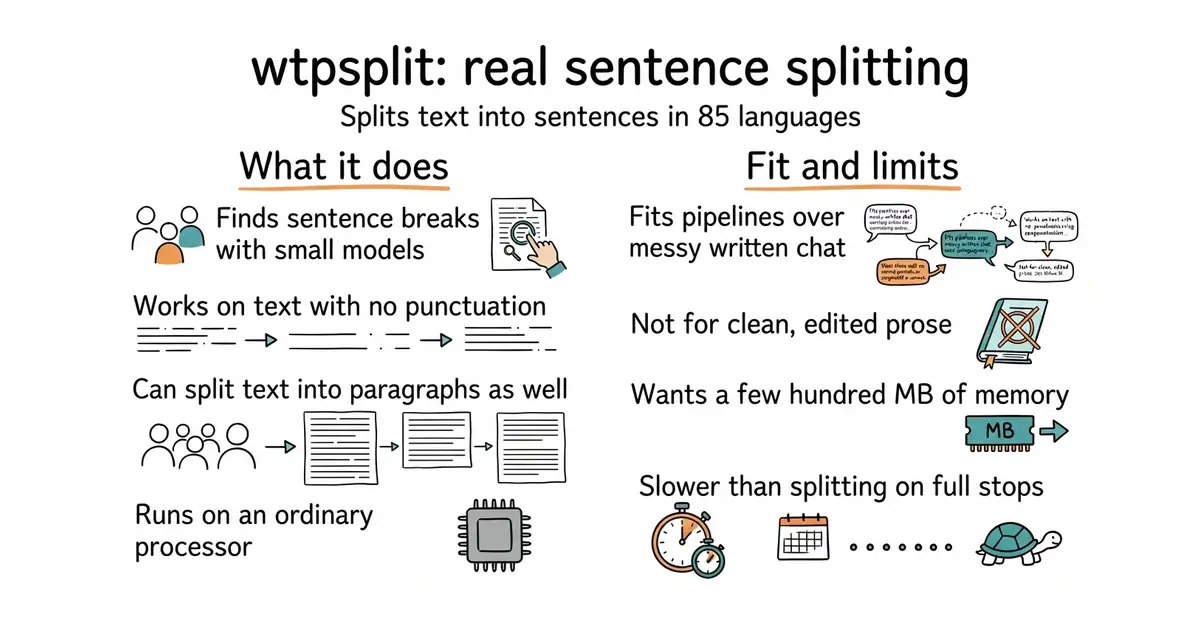
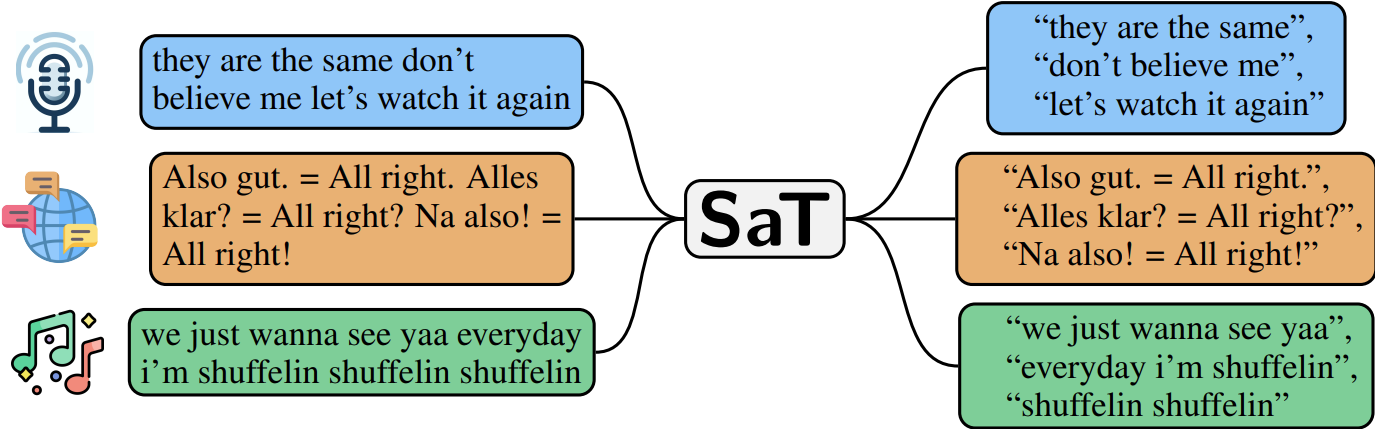
wtpsplit finds sentence boundaries using small trained models. The current family is called SaT and covers 85 languages; an older family is kept for reproducing earlier results. The main call takes a string and returns a list of sentences, and passing a list of strings is faster than looping. It can also split into paragraphs, return the probability of a break at each position, or enforce a maximum and minimum segment length. On English the project reports an accuracy score of 96.5 for its small three-layer model and 97.4 for the twelve-layer one, against 92.2 for the long-standing Punkt method and 69.6 for one rule-based tool. Small add-on modules adapt it to a particular style of text — legal documents, mixed languages, short posts — in 81 languages, and a new one can be trained from as few as 10 to 100 example sentences. It runs on an ordinary processor, with a faster path through ONNX and an option to use a graphics card. It finds boundaries and nothing else: no parts of speech, no translation, no summary.
Why it matters
Who it suits. Anyone building a pipeline over real written conversation, where messages are lowercase, run on, and often have no full stops at all. It matters most where the next step depends on the cut: chunking, grouping into topics, and search over the pieces all inherit whatever the splitter handed over. Skip it when the text is clean, edited prose, because splitting on punctuation is already good there and far cheaper.
Verdict. Worth an hour, and the three-layer model is the right default: close to the best accuracy at a fraction of the size. Load the model once when a service starts, never per request, and run it in a background job rather than while somebody waits — Procrastinate (Edition 5 #10) is the queue for that. One model covers many languages, so there is no second path to maintain. explosion/spaCy is the better choice if the pipeline needs much more than boundaries.
- MIT, and the small models run on an ordinary processor. No graphics card needed.
- It handles text with no punctuation, which is exactly the case that breaks the simple approach.
- One language-agnostic model covers many languages at once, so one code path serves them all.
- It is a model, so the first run downloads weights and it wants a few hundred MB of memory.
- It is slower than splitting on full stops. Put it in a background job, not in a request.
- Options interact in ways worth reading about: setting a maximum length makes the sensitivity setting inactive.
source venv/bin/activate
pip install wtpsplit
python -c "from wtpsplit import SaT; s = SaT('sat-3l-sm'); print(s.split('hello how are you all fine thanks'))"

2.6k stars · MIT | v4.7.1, 12 Oct 2026 | [tiptap.dev](https://tiptap.dev/docs/hocuspocus/introduction) · v4.7.1 (2026-10-12) · Track this in Scout · Share this tool
The ready-made server Yjs needs to share one document between people.
▶Repo detailsthe review · specs · pros & cons · install
What it does
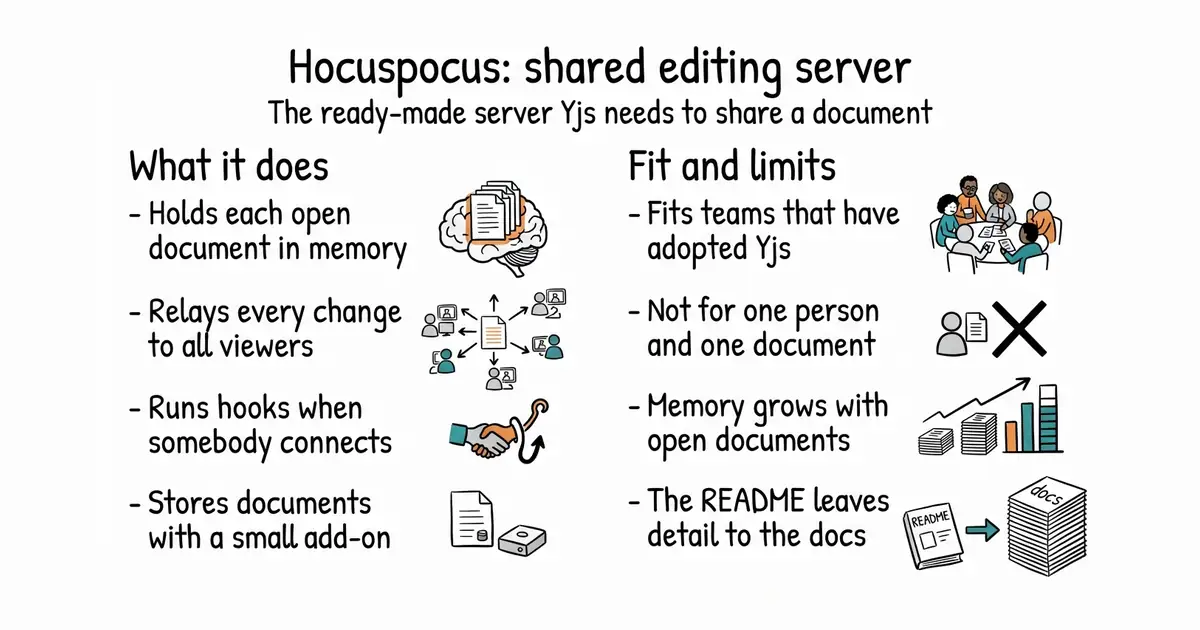
Hocuspocus is a collaboration server built on Yjs, the library that merges edits from several people without conflicts. It speaks WebSocket, a connection that stays open so changes travel in both directions as they happen. It holds each open document in memory and relays every change to everyone connected. Hooks run at the points that matter, such as when somebody connects, which is where access rules belong. An add-on stores documents in SQLite with one line of configuration, and the published documentation covers other storage. The example listens on one port and only on the local address, so a reverse proxy belongs in front of it. The project also points to a hosted service for anyone who would rather not run it. It is not an editor: the editing interface stays in the browser, and this carries changes between copies of it.
Why it matters
Who it suits. Anyone who has adopted Yjs — see yjs/yjs (Edition 13 #9) — and discovered that browsers still need something to connect to. It is the exact piece a small team loses a week to, and it brings the parts that get forgotten: who may open a document, and when to write it back to storage. Skip it if one person opens one document, because then there is nothing to share and the week is spent on nothing.
Verdict. Worth an afternoon if shared editing is genuinely in the plan, and worth nothing at all if it is a maybe. It comes from the team behind Tiptap, so the documentation is real and current, and v4.7.1 on 12 October 2026 matches the published package. One caution about sizing: long-lived connections mean memory grows with the number of open documents rather than with the number of requests, which is a different shape from an ordinary web service. yjs/y-websocket is the smaller alternative when hooks and storage are not needed.
- MIT, actively released, and the published package matches the repository.
- Saving to storage is a few lines: the SQLite add-on takes a file path and nothing more.
- It comes from the Tiptap team, so the documentation is maintained alongside the code.
- It is a Node.js service. If the rest of the application is written in something else, that is a second thing to deploy and restart.
- Memory grows with open documents, not with requests, so capacity planning works differently.
- The README is thin: storage, scaling and the other add-ons are only on the documentation site.
mkdir myapp-collab && cd myapp-collab
npm init -y
npm install @hocuspocus/server @hocuspocus/extension-sqlite
# server.js
#   import { Server } from '@hocuspocus/server'
#   Server.configure({ port: 1234 }).listen()
node server.js


23.7k stars · Apache-2.0, and a second licence in the repository | 2.30.2, 29 Sep 2026 | [tigerdata.com](https://www.tigerdata.com) · 2.30.2 (2026-09-29) · Track this in Scout · Share this tool
A PostgreSQL add-on that makes years of time-stamped rows fast to query.
▶Repo detailsthe review · specs · pros & cons · install
What it does
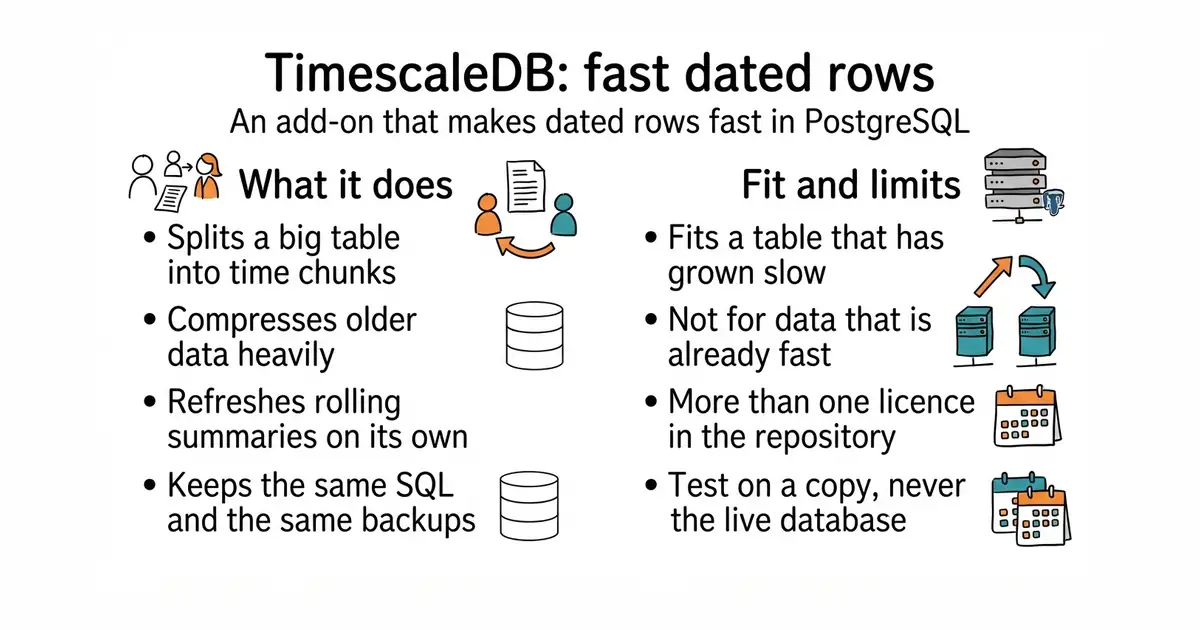
TimescaleDB is an extension for PostgreSQL built for rows that carry a timestamp. A table declared as a hypertable is split into time-based chunks on its own, so a query about last week reads last week's chunks and skips the rest. A columnar store compresses older chunks, and the project describes 90% or more compression as typical. Continuous aggregates are rolling summaries that refresh in the background and recompute only what changed, which is the difference from a plain PostgreSQL materialised view that has to be rebuilt whole. A policy sets how often that refresh runs, and an optional mode combines the stored summary with the newest raw rows. It is distributed as a container image alongside PostgreSQL, and the project recommends 8 GB of memory. It is not a separate database: everything stays PostgreSQL, with the same connection details and the same backups. The project also says plainly that its one-line installer is for local testing and not for production.
Why it matters
Who it suits. Anyone whose PostgreSQL table of readings, prices or events has grown past the point where a query feels instant. The rolling summaries suit anything that needs the same data at several time resolutions — by minute, by hour, by day — without rebuilding them in code each time. Skip it if the data already fits comfortably and queries already feel fast, because then it changes nothing.
Verdict. The strongest payoff on this list when the problem is real, and the smallest when it is not, so time one actual query first. The upgrade path is unusually gentle: same SQL, same connection, nothing else in the application changes. Install it on a copy of the data, never the live database, because it means matching the PostgreSQL version and restarting the server. Read the licence on any feature before building a product around it — the About sidebar names Apache-2.0 and reports more than one licence in the repository, and the restrictions in the second one are about reselling the database rather than selling your own application. questdb/questdb is the alternative when leaving PostgreSQL is acceptable.
- It is still PostgreSQL: same connection details, same SQL, same backups, no application changes.
- The columnar store compresses older data heavily — the project calls 90% or more typical — which matters on disk you pay for.
- Rolling summaries refresh only what changed, instead of rebuilding a whole view.
- There is more than one licence in the repository. Check which one covers the feature you plan to use.
- Installing it means matching the PostgreSQL version and restarting the server. Test on a copy first.
- The project's quick one-line installer is for local testing only, which is easy to miss.
sudo docker run -d --name timescaledb \
  -p 6543:5432 \
  -e POSTGRES_PASSWORD=choose-a-real-password \
  timescale/timescaledb-ha:pg18
# Wait a minute or two, then check the extension is there:
#   SELECT extname, extversion FROM pg_extension WHERE extname = 'timescaledb';
# On a COPY of your own database, turn one table into a hypertable:
#   SELECT create_hypertable('readings', 'time', migrate_data => true);

40.1k stars · MIT | 2.0.0 on PyPI, 6 Oct 2026 | [docs.pola.rs](https://docs.pola.rs) · py-2.0.0 (2026-10-06) · Track this in Scout · Share this tool
A faster replacement for pandas when the file is large.
▶Repo detailsthe review · specs · pros & cons · install
What it does
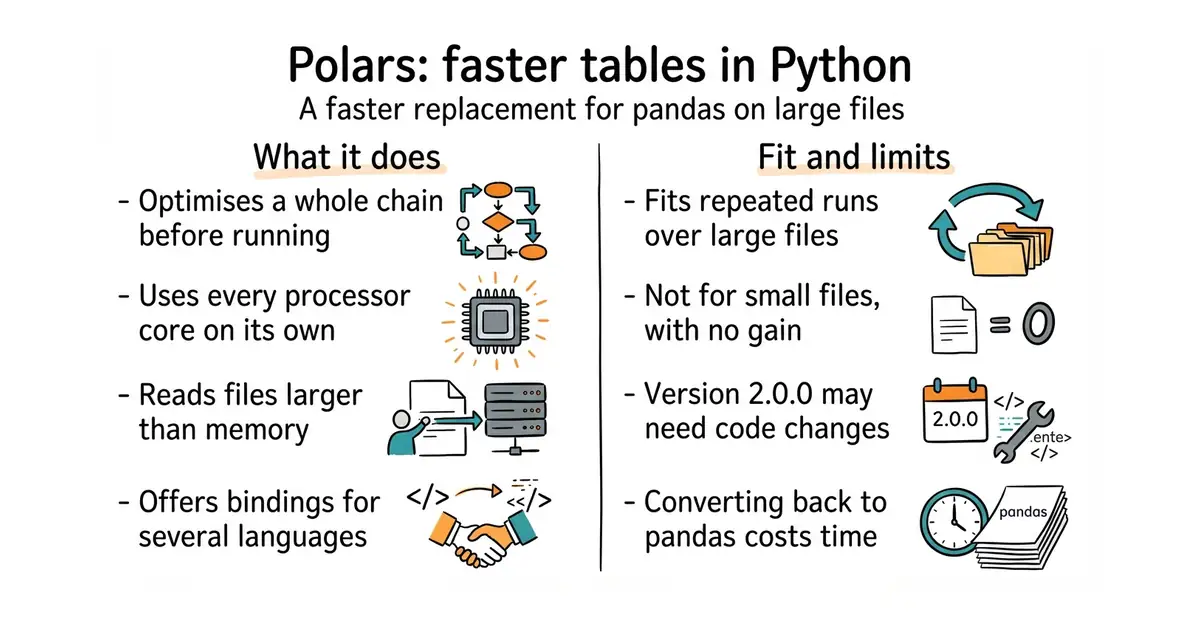
Polars is a query engine for tables, written in Rust with a Python interface. It works two ways: step by step, like pandas, or lazily, where the whole chain of steps is examined and optimised before anything runs. Queries are built from composable expressions for filtering, grouping, aggregating and sorting. A streaming mode processes a query in parts, so a file larger than the machine's memory can still be read; you ask for it when collecting the result. It uses the Apache Arrow column format, which lets data be shared with other tools without copying, and it reads Parquet files, the compact column-based format used for large datasets. Bindings exist for Python, Rust, Node.js and R, and there is a SQL interface. It uses every processor core without being asked, and can optionally use an NVIDIA graphics card. It is not a database: there is no server and no storage of its own, and spreading one query across several machines is a separate paid product.
Why it matters
Who it suits. Anyone repeating the same load-and-reshape hundreds of times — a parameter sweep, a backtest, a nightly report — where one pass getting three times faster makes the whole afternoon three times shorter. It also suits anyone whose file no longer fits in memory, because the streaming mode is a smaller change than restructuring the job. Skip it if the files are small, because the difference will not be felt and a day of rewriting buys nothing.
Verdict. Worth a day when the files are genuinely large, and worth nothing when they are not, so time one real run before committing. Note the version: 2.0.0 landed on 6 October 2026, and a first digit that changes usually means some code has to change too, so read the project's upgrade notes rather than bumping the version in place. Expect to call .to_pandas() at the edges where other libraries insist on a pandas table, and that copy costs back some of what was gained. It pairs well with entry #11: the database holds and summarises, this does the run-by-run work in memory.
- MIT, mature and fast-moving, with version 2.0.0 published on 6 October 2026.
- It uses every processor core with no special code, and the streaming mode reads files larger than memory.
- Lazy mode inspects the whole chain of steps before starting, then skips work it does not need.
- It is not pandas. Method names and behaviour differ, so expect a day of rewriting and some surprises.
- Some libraries demand a pandas table, and converting costs time and memory back.
- A major version arrived this month. Pin the version and read the upgrade notes before moving old code.
source venv/bin/activate
pip install polars
python -c "import polars as pl; print(pl.__version__)"
Checked, and left out
These were opened for this edition and did not make it, with the reason.
amicalhq/refref
amicalhq/refref — Re-checked today and UNCHANGED since 7 September: 215 stars, 113 commits, still no releases at all. Dropped again because a payments-adjacent tool with no released version is not something one person should run. Recorded loudly because the CATEGORY is still empty after fifteen editions: nothing in this ledger lets a happy customer earn something for bringing another one, and refref is the only candidate anyone has found.
pentacent/keila
pentacent/keila — VERIFIED ALIVE today (0.30.3, 6 September 2026, AGPL-3.0) and left out on slate fit, not health. It is third in line for the same slot behind Listmonk (Ed.2 #1) and Mautic (Ed.10 #6), and it runs on Elixir, a runtime nothing else on his box uses. Stays in the backlog; surface only if Listmonk is marked exclude.
Know a repository we should check?