18.2k stars · AGPL-3.0, plus other licences | v1.840.0, 17 Oct 2026 | [windmill.dev](https://www.windmill.dev) · v1.840.0 (2026-10-17) · Track this in Rising ↗
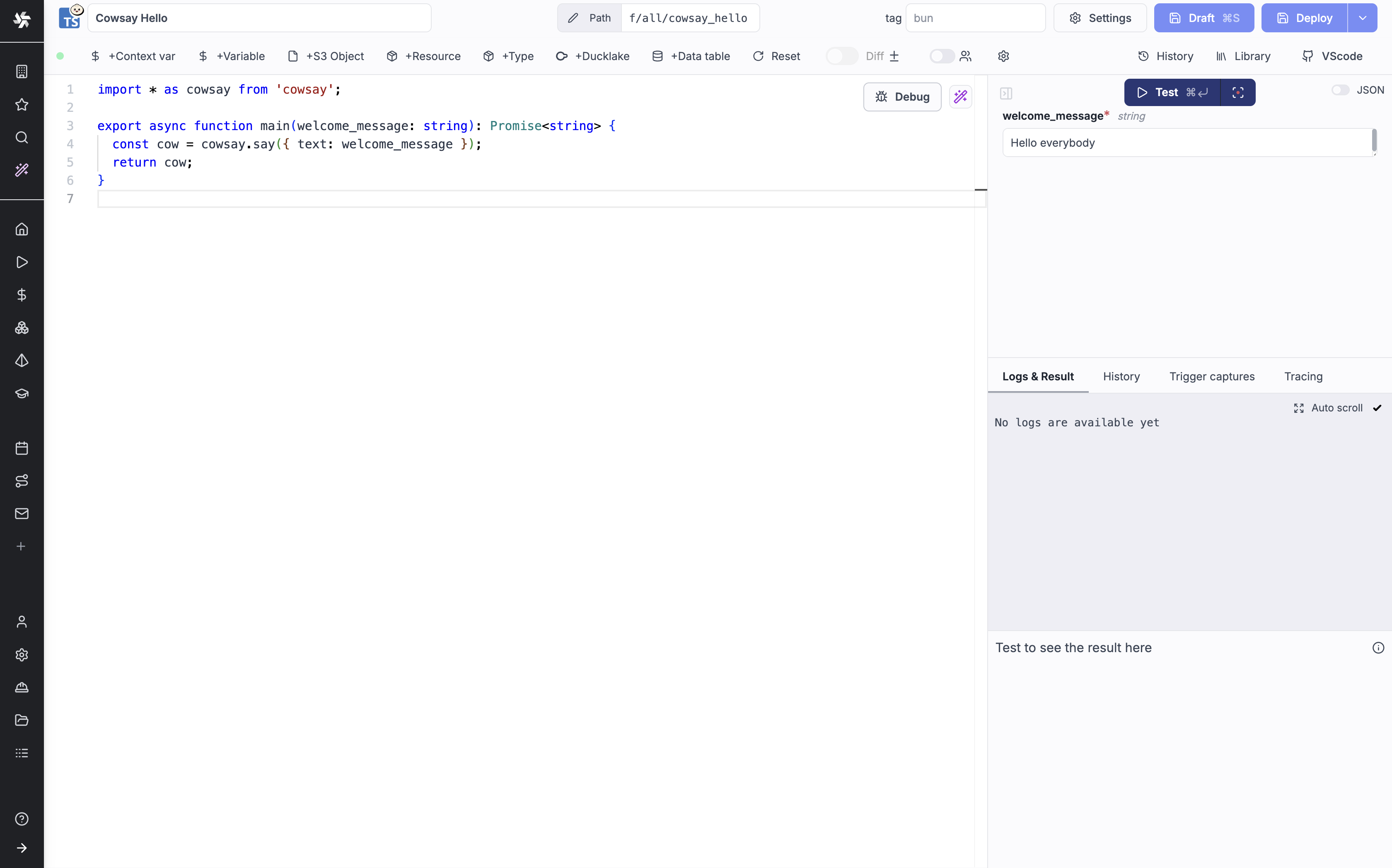
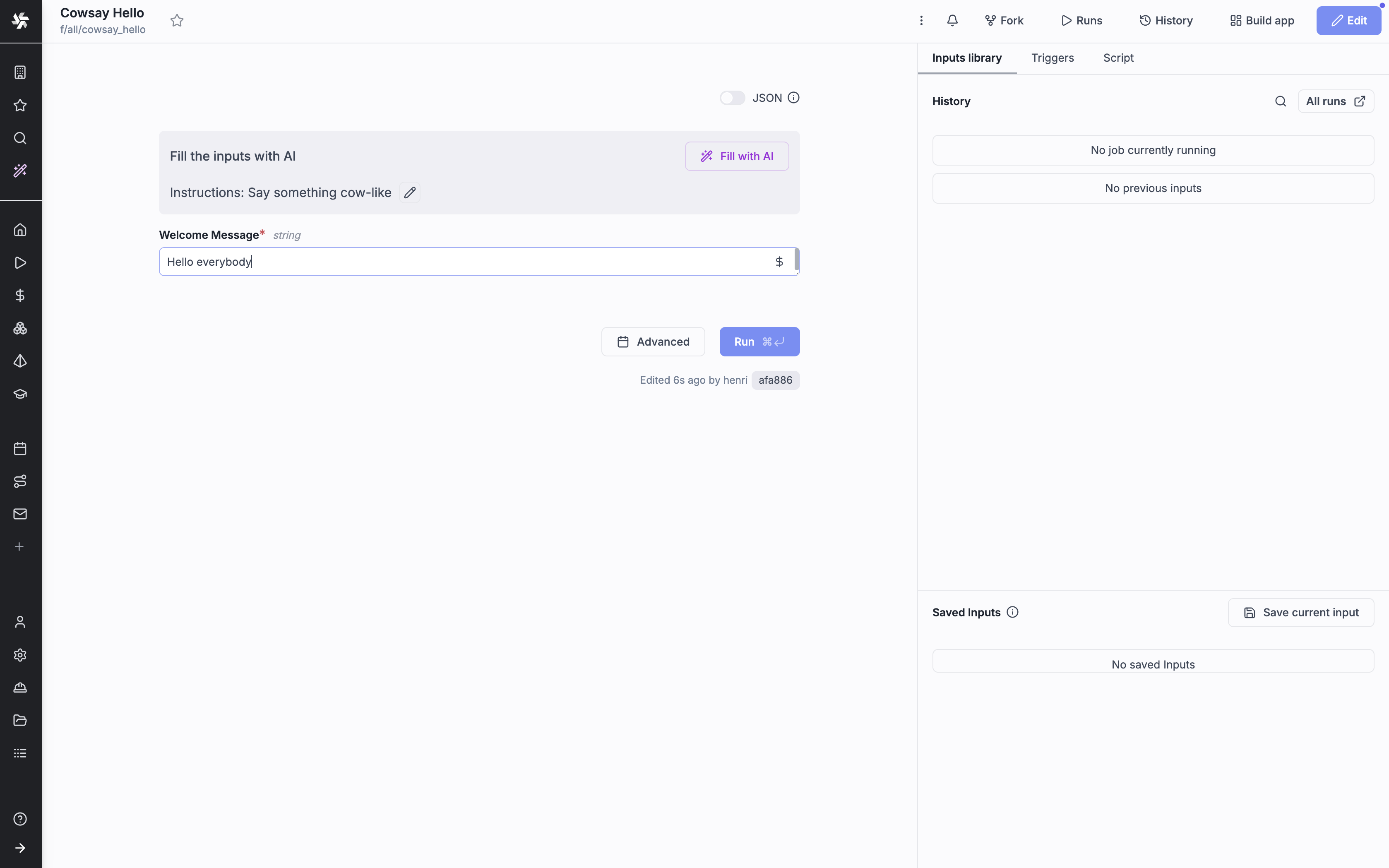
Turns an existing script into a scheduled job with a web form and a log.
Radar check
What we found when we opened it. Every bar is one fact, with its date.
Last code pushed 27 Oct 2026, the same day before this check.
Latest release v1.850.0 on 27 Oct 2026.
Public since May 2022, a little over 4 years.
18,294 stars and 1,127 forks.
1,288 commits and 123 new issues in the last 90 days.
172 contributors. 1286 pull requests merged in 90 days.
No security policy file says how to report a problem. 5 published security advisories.
How the bars are scored
- Alive. Days since the last code push: a week or less 100, a month 90, three months 70, six months 50, a year 30, eighteen months 15, older 0.
- Releases. Age of the latest GitHub release, on a similar scale; no bar when the project publishes no releases.
- Maturity. Age of the project: eight years 100, five 90, three 70, two 55, one 40, six months 25, younger 10.
- Adoption. Stars on a log scale: 100,000 stars is 100, 10,000 is 80, 1,000 is 60, 100 is 40.
- Activity. Commits in the last 90 days: 300 or more 100, 100 85, 30 65, 10 45, any 25.
- Community. People who have contributed: 100 or more 100, 30 80, 10 60, 5 40, 2 25, one 10.
- Security. A published security policy 80, none 40; published advisories are listed, not scored.
Checked by Repo Radar on 27 Oct 2026 from the repository on GitHub. Covered in Edition 15.
▶Repo detailsthe review · specs · pros & cons · install
What it does
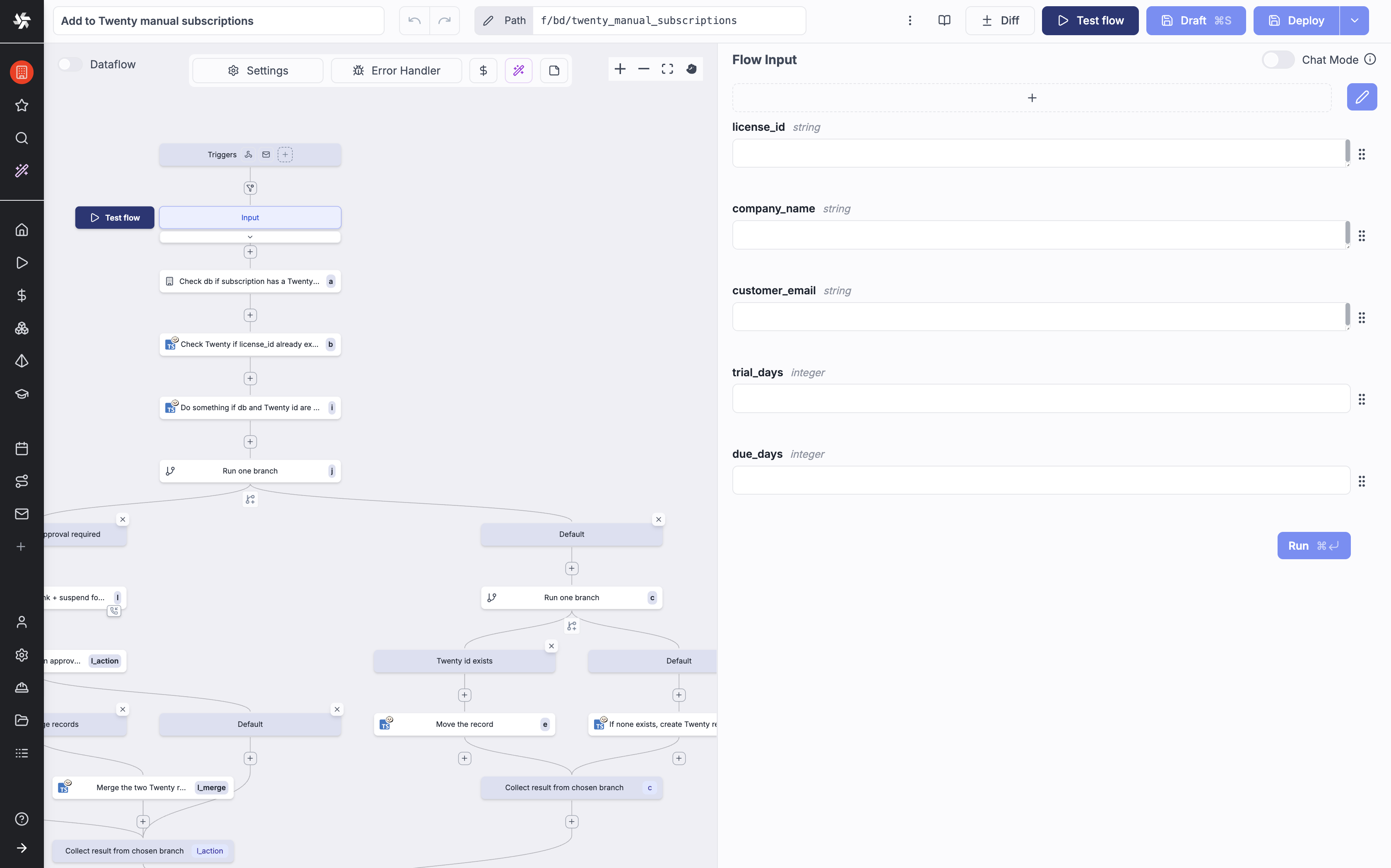
Windmill is a platform for running internal code. It accepts Python, TypeScript, Go, Bash, SQL, GraphQL, PowerShell, Rust and several more. It reads the arguments of a function and builds a small web form from them, so a script gains a usable page without any front-end code. Scripts can be chained into flows, and a flow or a script can be started by a schedule, a web request, an incoming email, a Kafka message or a WebSocket. The project measures about 50 milliseconds of its own overhead to pick a job off the queue and return a result, and about 100 milliseconds in total for a short job. Its sizing advice is one worker process per processor core and 1 to 2 GB of memory. It does not accept general outside contributions at the moment, and some features, such as its Prometheus metrics, are reserved for the paid edition.
Why it matters
Who it suits. People with a folder of working scripts and no scheduler, who want a run history and a form instead of a terminal. It also suits a small team where one person writes the script and another needs to run it with different numbers. Skip it if a plain cron entry and a log file already answer the need, because this is a large program to introduce for one job.
Verdict. Worth an hour, and the run history is the part that earns its keep: a wrong result from last Tuesday can be traced to the values it was given. Read the licence before building a product on it. The source is AGPL-3.0, the ready-made binaries include some proprietary code, and offering Windmill itself to other people needs a commercial agreement. apache/airflow is the heavier, more established alternative for data pipelines. Entry #1 above is the better choice for joining other companies' products, rather than running your own code.
Summary (Key Points)from the README
Key features
- Code-first building: Scripts in Python, TypeScript, Go, Bash, SQL, GraphQL, PowerShell, Rust and more become forms, HTTP endpoints, CLI commands and cron jobs automatically.
- Composable flows: Scripts chain into flows, data pipelines, AI agents or full-code React and Svelte apps, with a visual editor or YAML.
- Review before production: AI sessions build in a workspace fork with a diff to review, and protection rulesets block direct deployment until an engineer deploys.
- Git and local development: Two-way Git sync, a CLI, a VS Code extension and an MCP server let engineers work from their own editor and coding agent.
- Managed data: Each workspace gets Postgres data tables, DuckDB scripts over S3, Azure Blob, Postgres, MySQL and BigQuery, and DuckLake lakehouse tables.
- Worker isolation: Workers pull jobs by tag, so dev and prod workers can sit in separate networks, and nsjail with PID namespace isolation (on by default) sandboxes jobs.
- Low overhead: Per the README, a job adds about 50ms of latency from queue to result, and a typical lightweight Deno job takes around 100ms in total.
- Benchmarked engine: Windmill outperformed Airflow, Prefect and Temporal in the README's two benchmarks: one flow of 40 lightweight tasks and one of 10 long-running tasks.
- Per-workspace encryption: Each workspace has its own encryption key for credentials in the K/V store.
Ways to install
| Platform or method | What it needs | Effort |
|---|---|---|
| Docker Compose | Three files: docker-compose.yml, Caddyfile and .env; an external Postgres is optional via DATABASE_URL | Lowest, per the README's three-file setup |
| Kubernetes (Helm charts) | The windmill-helm-charts project and its configuration options | Configured through the Helm chart |
| Cloud providers | AWS (EKS/ECS), GCP, Azure, Ubicloud, Fly.io, Render.com, Hetzner, Digital Ocean or others, about 1 worker per vCPU and 1-2 GB RAM each | Depends on the provider; the README gives sizing only |
Important
- Default credentials: The Docker Compose setup ships with admin@windmill.dev and changeme, so change them before exposing an instance.
- Commercial license needed: Selling, reselling or serving the Community Edition as a managed service, or re-exposing it as a product feature, requires a commercial license (iframed public apps excepted).
- Community limits: Free use of the Community Edition applies only within the limits and quotas set in the software.
- Enterprise-only parts: Agent mode and the indexer image are Enterprise Edition features, and LICENSE_KEY applies only to Enterprise Edition.
- Runtime variations: Deno is only on the windmill-full images, and PHP is only on the windmill-full images.
- Alpha feature: Pipelines are marked alpha.
- Encrypt the database: The README recommends encrypting the Postgres database in addition to the per-workspace keys.
- No outside contributions sought: Bug reports, feature requests and small, trivially verified fix PRs are accepted, but the project is not seeking wider contributions.
Written by an AI model from the project’s README; not part of the review, and it can be wrong.
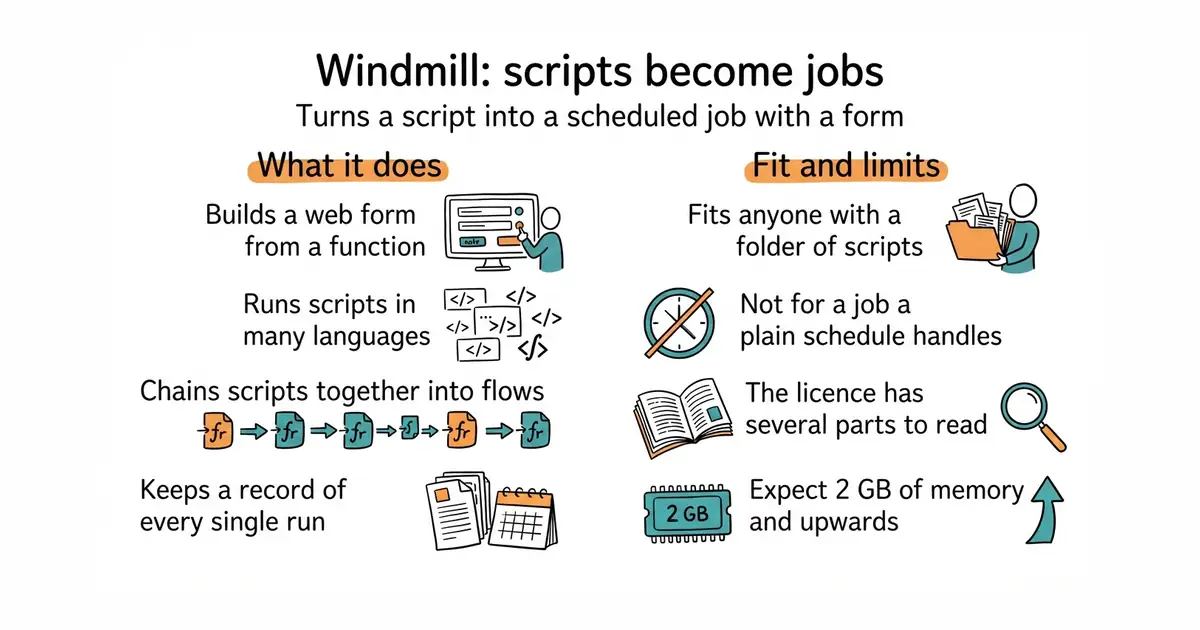
- It builds a working web form from a function's arguments, with no front-end code at all.
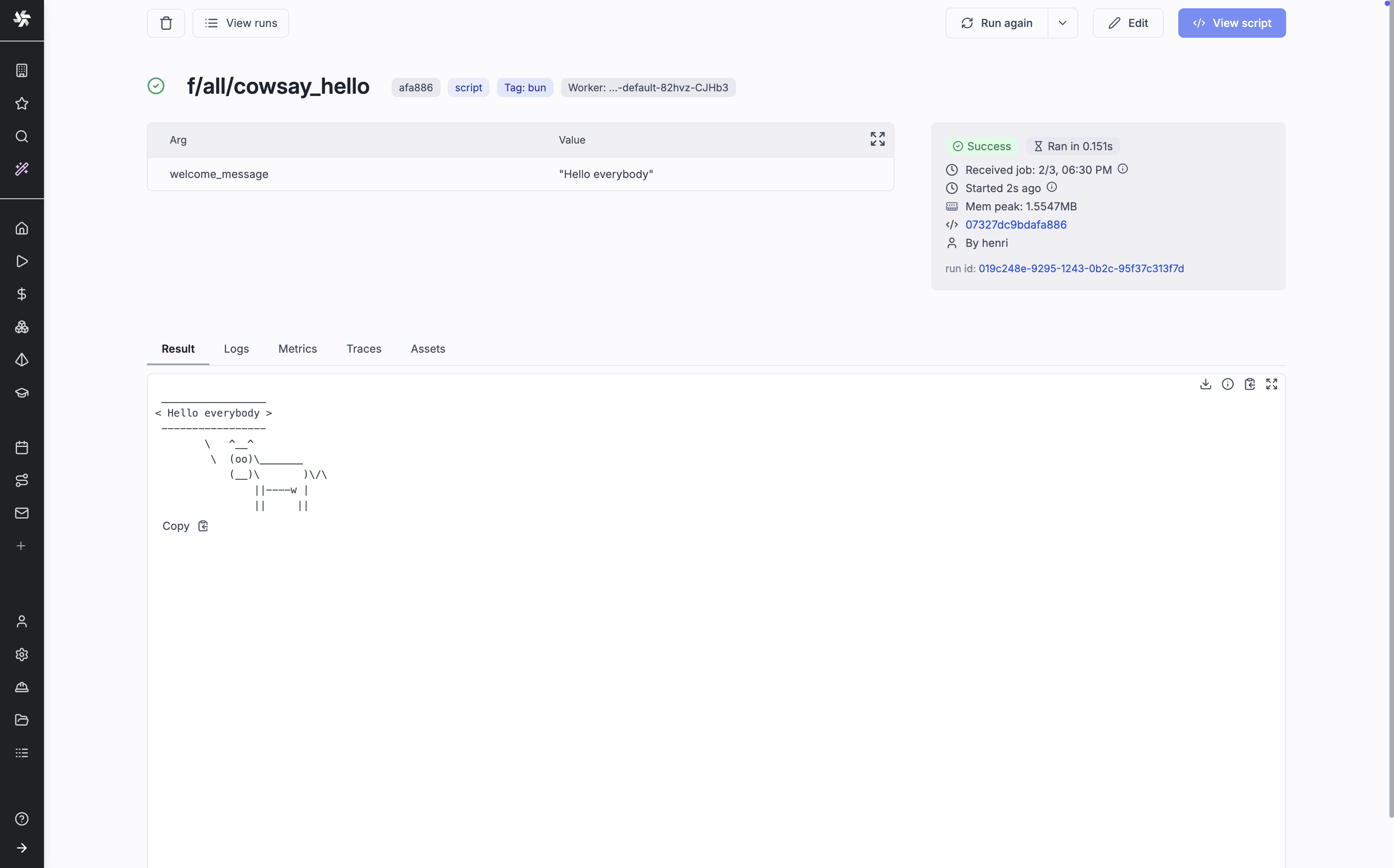
- Every run is kept, with the values used and the output produced.
- Secrets, schedules, retries and queues are handled already. That is a lot of code nobody has to write.
- The licence is in several parts, and the published binaries are not all AGPL-3.0. Reselling it or hosting it for others needs an agreement.
- It is a big program. Expect PostgreSQL plus worker processes and 2 GB of memory upwards.
- It is not looking for contributors beyond small, easily checked fixes, so a missing feature is unlikely to be one you can add upstream.
mkdir -p ~/windmill && cd ~/windmill
curl -fsSL https://raw.githubusercontent.com/windmill-labs/windmill/main/docker-compose.yml -o docker-compose.yml
curl -fsSL https://raw.githubusercontent.com/windmill-labs/windmill/main/Caddyfile -o Caddyfile
curl -fsSL https://raw.githubusercontent.com/windmill-labs/windmill/main/.env -o .env
sudo docker compose up -d
# Then open the machine's address in a browser. The first login is admin@windmill.dev / changeme.