23.7k stars · Apache-2.0, and a second licence in the repository | 2.30.2, 29 Sep 2026 | [tigerdata.com](https://www.tigerdata.com) · 2.30.2 (2026-09-29) · Track this in Rising ↗
A PostgreSQL add-on that makes years of time-stamped rows fast to query.
Radar check
What we found when we opened it. Every bar is one fact, with its date.
Last code pushed 27 Oct 2026, the same day before this check.
Latest release 2.31.0 on 20 Oct 2026.
Public since March 2017, a little over 9 years.
23,767 stars and 1,179 forks.
289 commits and 111 new issues in the last 90 days.
142 contributors. 347 pull requests merged in 90 days.
A security policy says how to report a problem. 4 published security advisories.
How the bars are scored
- Alive. Days since the last code push: a week or less 100, a month 90, three months 70, six months 50, a year 30, eighteen months 15, older 0.
- Releases. Age of the latest GitHub release, on a similar scale; no bar when the project publishes no releases.
- Maturity. Age of the project: eight years 100, five 90, three 70, two 55, one 40, six months 25, younger 10.
- Adoption. Stars on a log scale: 100,000 stars is 100, 10,000 is 80, 1,000 is 60, 100 is 40.
- Activity. Commits in the last 90 days: 300 or more 100, 100 85, 30 65, 10 45, any 25.
- Community. People who have contributed: 100 or more 100, 30 80, 10 60, 5 40, 2 25, one 10.
- Security. A published security policy 80, none 40; published advisories are listed, not scored.
Checked by Repo Radar on 27 Oct 2026 from the repository on GitHub. Covered in Edition 15.
▶Repo detailsthe review · specs · pros & cons · install
What it does
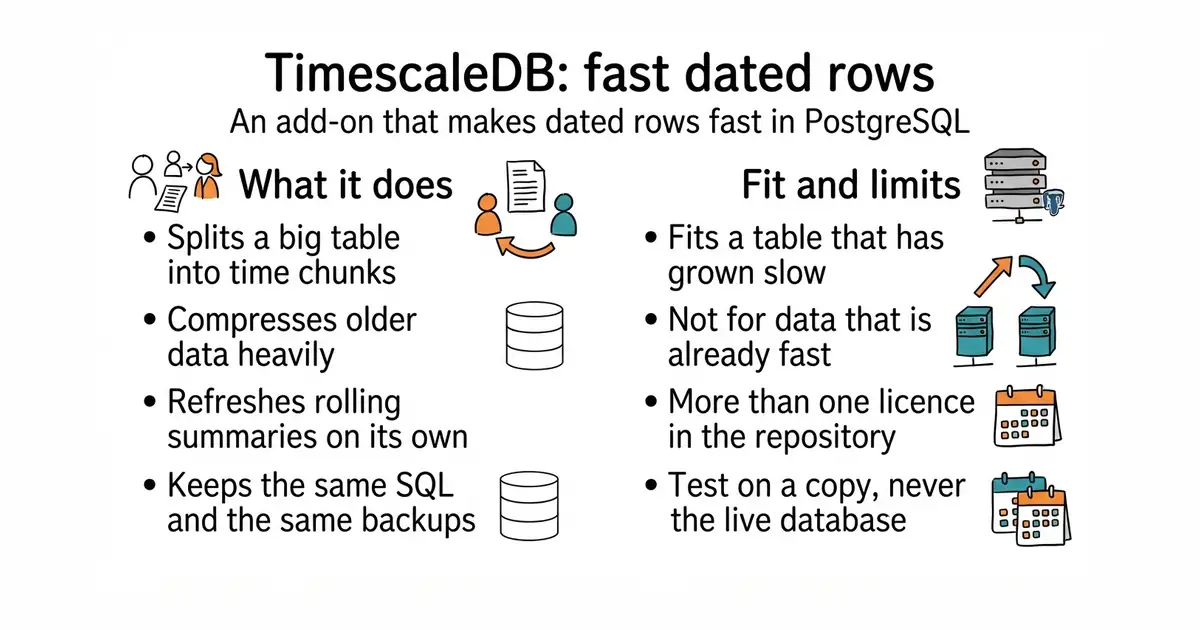
TimescaleDB is an extension for PostgreSQL built for rows that carry a timestamp. A table declared as a hypertable is split into time-based chunks on its own, so a query about last week reads last week's chunks and skips the rest. A columnar store compresses older chunks, and the project describes 90% or more compression as typical. Continuous aggregates are rolling summaries that refresh in the background and recompute only what changed, which is the difference from a plain PostgreSQL materialised view that has to be rebuilt whole. A policy sets how often that refresh runs, and an optional mode combines the stored summary with the newest raw rows. It is distributed as a container image alongside PostgreSQL, and the project recommends 8 GB of memory. It is not a separate database: everything stays PostgreSQL, with the same connection details and the same backups. The project also says plainly that its one-line installer is for local testing and not for production.
Why it matters
Who it suits. Anyone whose PostgreSQL table of readings, prices or events has grown past the point where a query feels instant. The rolling summaries suit anything that needs the same data at several time resolutions — by minute, by hour, by day — without rebuilding them in code each time. Skip it if the data already fits comfortably and queries already feel fast, because then it changes nothing.
Verdict. The strongest payoff on this list when the problem is real, and the smallest when it is not, so time one actual query first. The upgrade path is unusually gentle: same SQL, same connection, nothing else in the application changes. Install it on a copy of the data, never the live database, because it means matching the PostgreSQL version and restarting the server. Read the licence on any feature before building a product around it — the About sidebar names Apache-2.0 and reports more than one licence in the repository, and the restrictions in the second one are about reselling the database rather than selling your own application. questdb/questdb is the alternative when leaving PostgreSQL is acceptable.
Summary (Key Points)from the README
Key features
- Columnar analytics: Writes can go straight to the columnstore, which the README describes as using columnar storage with "90%+ compression typical" and faster vectorized queries.
- Automatic time partitioning: Data is split into time-based chunks so queries only scan the relevant time ranges and columns.
- Sample dataset: The quick start generates about 7,776,001 sensor readings across 10 sensors over the past 90 days.
- Continuous aggregates: Hourly sensor statistics are pre-aggregated and refreshed incrementally, so only new or changed data is recomputed.
- Refresh policy: The example refreshes every hour, covering data from 3 hours ago up to 1 hour ago, while the newest hour is queried in real time.
- Real-time aggregation option: Materialized and raw data can be combined when querying a continuous aggregate.
- time_bucket(): A built-in function for time-series aggregation.
- Example datasets and workshops: Ready-made examples cover NYC taxi data, financial market data, and application events using UUIDv7, plus AI and time-series workshops.
Ways to install
| Platform or method | What it needs | Effort |
|---|---|---|
| One-line install script (Linux/Mac, recommended) | Docker installed | Lowest: one command; the script tunes settings automatically and sets up a persistent data volume |
| Manual Docker command (also used for Windows) | Docker installed | Low: you run the container yourself; the README notes a 1-2 minute wait for download and initialization |
Important
- Not for production: The one-line install script is intended for local development and testing only; the README points to the TimescaleDB installation guide for production options.
- Hardware: 8GB RAM is recommended.
- Non-standard port: The setup exposes PostgreSQL on port 6543 to avoid clashing with an existing instance on 5432.
- Default credentials: The GUI instructions use user postgres with password "password", so change these before exposing the database beyond your machine.
- Startup time: Expect 1-2 minutes for the first download and initialization.
- Image choice: The timescale/timescaledb-ha:pg18 image has TimescaleDB pre-installed and pre-loaded; using a different image can produce "extension not found" errors.
Written by an AI model from the project’s README; not part of the review, and it can be wrong.
- It is still PostgreSQL: same connection details, same SQL, same backups, no application changes.
- The columnar store compresses older data heavily — the project calls 90% or more typical — which matters on disk you pay for.
- Rolling summaries refresh only what changed, instead of rebuilding a whole view.
- There is more than one licence in the repository. Check which one covers the feature you plan to use.
- Installing it means matching the PostgreSQL version and restarting the server. Test on a copy first.
- The project's quick one-line installer is for local testing only, which is easy to miss.
sudo docker run -d --name timescaledb \
  -p 6543:5432 \
  -e POSTGRES_PASSWORD=choose-a-real-password \
  timescale/timescaledb-ha:pg18
# Wait a minute or two, then check the extension is there:
#   SELECT extname, extversion FROM pg_extension WHERE extname = 'timescaledb';
# On a COPY of your own database, turn one table into a hypertable:
#   SELECT create_hypertable('readings', 'time', migrate_data => true);