Edition No. 16 · 10 Sep 2026
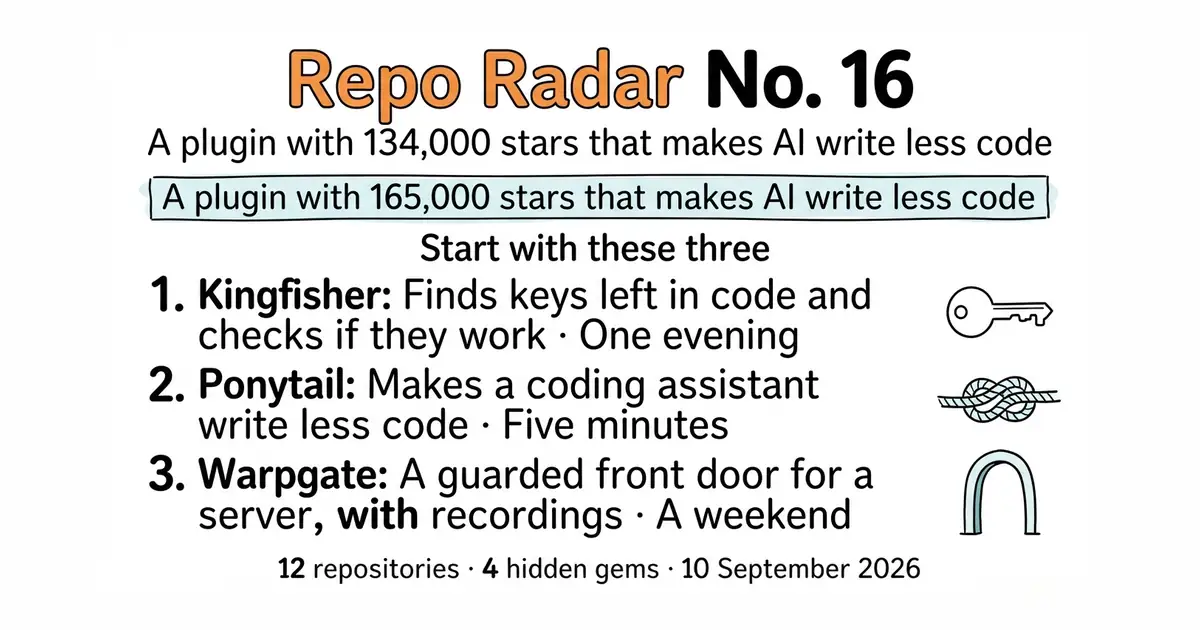
A plugin with 134,000 stars that makes AI write less code
The most popular thing in this edition does not add a feature to anything.
Refreshed on 18 October 2026. The repositories are the ones first published; any that are no longer maintained are left out.
Thursday, 10 September 2026 · A plugin with 165,000 stars that makes AI write less code
The most popular thing in this edition does not add a feature to anything. It is a small plugin for coding assistants, it has about 165,000 stars, and its whole job is to stop an assistant writing code that was not needed. That is entry #1.
Three repositories were asked for by readers. All three are here. All three were checked the same way as everything else.
Two things worth knowing
- All three reader requests passed, and two of them are very large. Ponytail (#1) shows about 165,000 stars and sits among the most starred repositories on GitHub. Graphify (#2) shows about 128,000 and released version 0.9.92 on 16 October 2026. FreeLLMAPI (#3) shows about 37,000 and released version 0.16.0 on 17 October 2026. Popularity is not quality, so all three were opened and read like anything else. One warning came out of that reading and it is in entry #3: FreeLLMAPI's own description says it is for personal experimentation only. - MongoDB gave away a security tool under a licence anyone can use. MongoDB's own database ships under the SSPL, which is not open source in the usual sense. Kingfisher (#4) does not. Its licence is the plain Apache License 2.0, with no added restriction on commercial use. There is one thing to know before running it: to check whether a leaked key still works, it sends that key to the provider. On code you own that is fine. On a client's code it may not be. The switch --no-validate turns the checking off.
If you only do three things
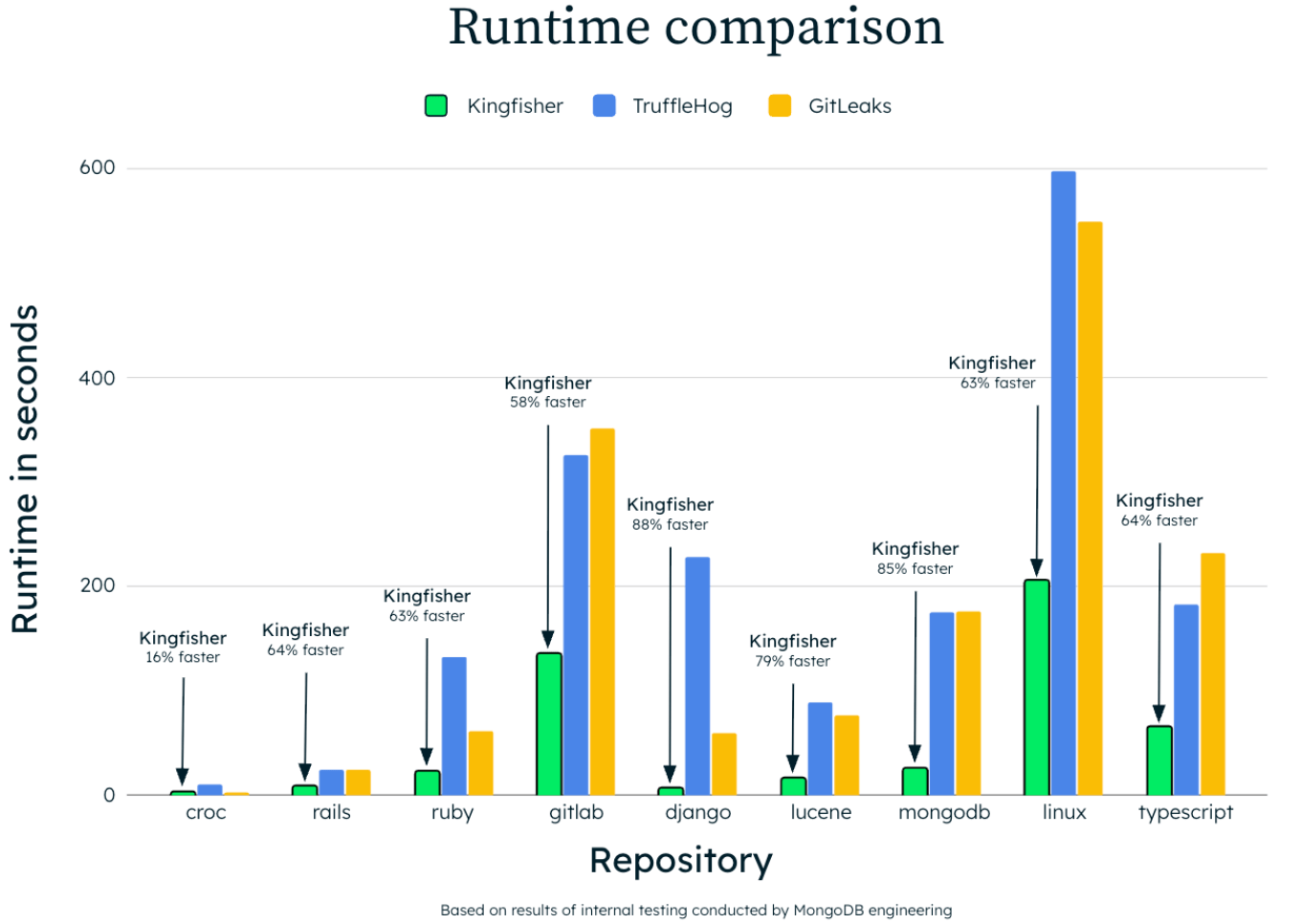
- mongodb/kingfisher (#4) — one evening, about ten minutes, free, nothing left running. It reads a project for passwords and keys that were left in the files. Then it does the part that matters: it asks each provider whether that key still works. The result is a short list of live keys to change today, not a long list of maybes.
- DietrichGebert/ponytail (#1) — five minutes, two commands, and it can be removed just as fast. It changes what a coding assistant decides to build, before it writes anything.
- warp-tech/warpgate (#5) — a weekend, two or three hours. Most servers have their login port open to the whole internet. This puts a guarded door in front of it, with a password and a second factor, and it records every session.
Every link in one place
| # | Repository | What it does | Stars | Licence | Latest | Website |
|---|---|---|---|---|---|---|
| 1 | DietrichGebert/ponytail | Makes a coding assistant write less code | 165k | MIT | v5.3.2, 16 Oct 2026 | ponytail.dev |
| 2 | Graphify-Labs/graphify | Turns a codebase into a map you can click | 128k | Apache-2.0 and MIT | v0.9.92, 16 Oct 2026 | graphify.com |
| 3 | tashfeenahmed/freellmapi | One address in front of many free AI accounts | 36.6k | MIT | v0.16.0, 17 Oct 2026 | freellmapi.co |
| 4 | mongodb/kingfisher 💎 | Finds leaked keys and checks if they still work | 1.2k | Apache-2.0 | v2.13.0, 13 Oct 2026 | mongodb.github.io/kingfisher |
| 5 | warp-tech/warpgate | A guarded door in front of a server | 8.1k | Apache-2.0 | v0.29.2, 7 Oct 2026 | warpgate.null.page |
| 6 | owncast/owncast | Live video and chat on a domain you own | 11.5k | MIT | v0.3.0, 3 Sep 2026 | owncast.online |
| 7 | mifi/lossless-cut | Cuts video in seconds without spoiling it | 44.6k | GPL-2.0 | v3.69.0, 4 Jun 2026 | losslesscut.app |
| 8 | radix-ui/colors 💎 | A ready colour set that works light and dark | 1.7k | MIT | no releases; ships on npm | radix-ui.com/colors |
| 9 | puckeditor/puck | Lets someone else arrange a page | 13.5k | MIT | v0.23.0, 7 Aug 2026 | puckeditor.com |
| 10 | StJudeWasHere/seonaut 💎 | Crawls a site and lists what is broken | 791 | MIT | no releases; ships as a container | seonaut.org |
| 11 | rilldata/rill 💎 | Dashboards written as files, not clicked together | 2.9k | Apache-2.0 | v0.90.5, 9 Oct 2026 | rilldata.com |
| 12 | juspay/hyperswitch | One payment interface in front of many providers | 43.6k | Apache-2.0 | v1.128.0, 16 Oct 2026 | hyperswitch.io |
A plugin with 134,000 stars that makes AI write less code
Twelve repositories, checked and reviewed. Every version verified against the GitHub API and dated.

166.2k stars · MIT | v5.3.2, 16 Oct 2026 | [ponytail.dev](https://ponytail.dev) · v5.3.2 (2026-10-16) · Track this in Scout · Share this tool
A plugin that makes a coding assistant look for the existing answer before writing a new one.
▶Repo detailsthe review · specs · pros & cons · install
What it does
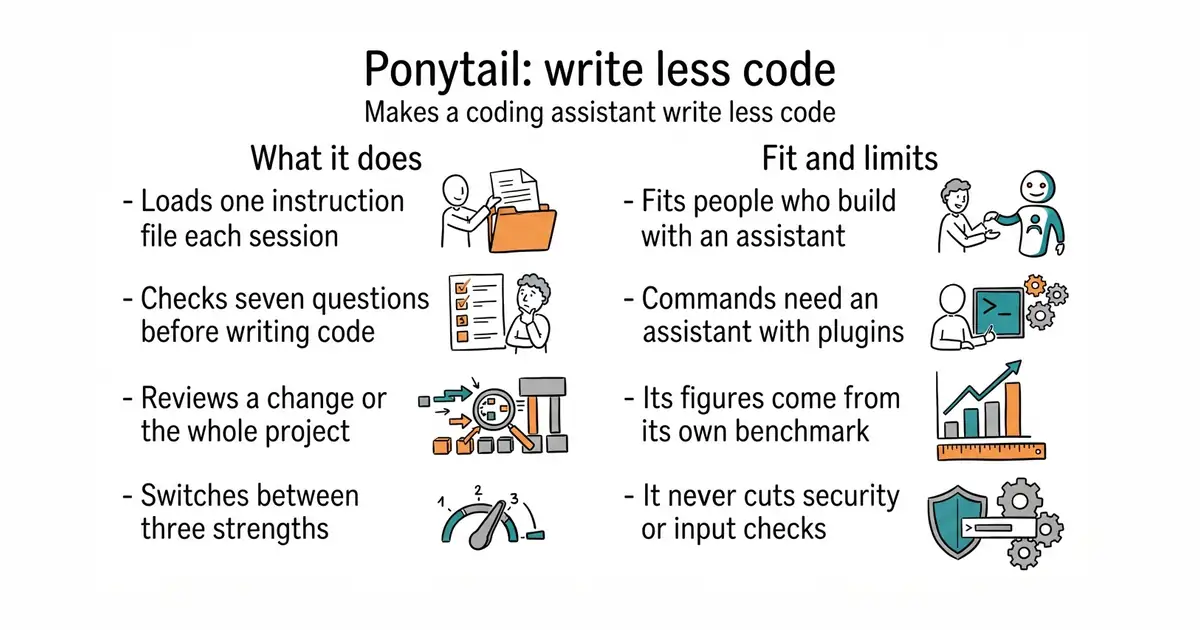
Ponytail is one written instruction file that a coding assistant loads every session. Before the assistant writes anything, it works down a list of seven questions and stops at the first one that answers the task: does this need to exist, is it already in the project, does the standard library do it, is there a native browser or platform feature, is there an installed library, can it be one line, and only then, the smallest thing that works. It reads the code a change touches before deciding. It adds four commands: a review of the current change, a review of the whole project ranked by priority, a list of shortcuts that were deliberately left behind, and a switch between three strengths called lite, full and ultra. Inside Claude Code it can also draw a small band above the prompt showing the cost, the time and whether the tests passed after the last change. The project states plainly what it never cuts: checks on untrusted input, handling that prevents data loss, security and accessibility. It does not aim at the fewest words or the fewest tokens, and it ships no program file of its own — it is text that the assistant reads.
Why it matters
Who it suits. It fits anyone who builds software by asking an assistant to do it, and who then has to own every line it produced. The usual complaint is not that an assistant writes bad code. It is that it writes far too much of it. The project's own benchmark, run on 39 tasks with five runs each, reports 53% less code, 41% less time, 26% lower cost and 45% fewer output tokens, and its own example is a date picker that came out at 335 lines without the plugin and 10 lines with it. Those are the project's figures, measured by the project, and not a promise. Skip it if the work is a one-off script nobody will maintain, or if the assistant in use has no way to load a rules file.
Verdict. Worth the five minutes, and the cheapest thing in this edition to try. There is no account, no service and no cost, and uninstalling it changes nothing in the project. Two things to watch. First, "write less" is a preference, not a law — sometimes the longer answer is the right one, and the output still has to be read. Second, the commands and the band only work on assistants that support plugins; on the rest it is a text file copied into the project and nothing more. Install it before the next big feature rather than after.
- Two commands to install, and removing it is just as quick. Nothing about the project itself changes.
- It is a text instruction, not a service. There is no account, no server and no subscription.
- The safety parts are protected by name. Input checking, security, data-loss handling and accessibility are never treated as code to cut.
- The slash commands need an assistant that supports plugins or skills. On the others it is only a rules file, with no commands and no review.
- The band above the prompt works in Claude Code and nowhere else, and the project names a minimum version for it.
- The headline figures come from the project's own benchmark. They were not measured independently, and a different codebase will give different numbers.
/plugin marketplace add DietrichGebert/ponytail
/plugin install ponytail@ponytail

127.8k stars · Apache-2.0 and MIT | v0.9.92, 16 Oct 2026 | [graphify.com](https://www.graphify.com) · v0.9.92 (2026-10-16) · Track this in Scout · Share this tool
Reads a project and draws a clickable map of how its parts connect.
▶Repo detailsthe review · specs · pros & cons · install
What it does
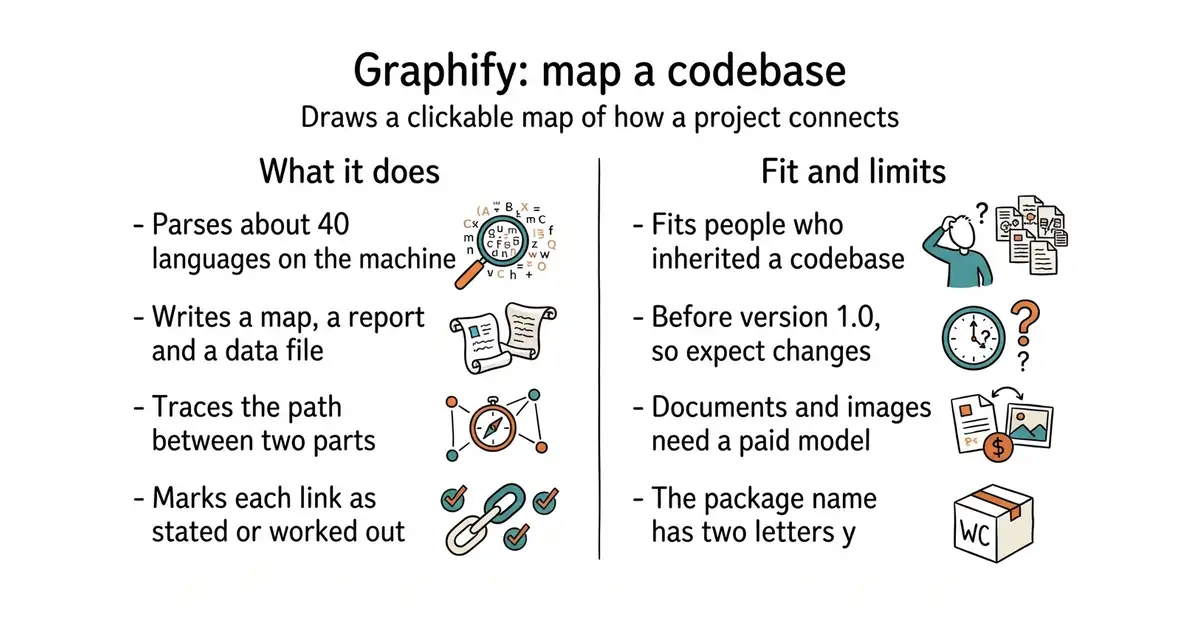
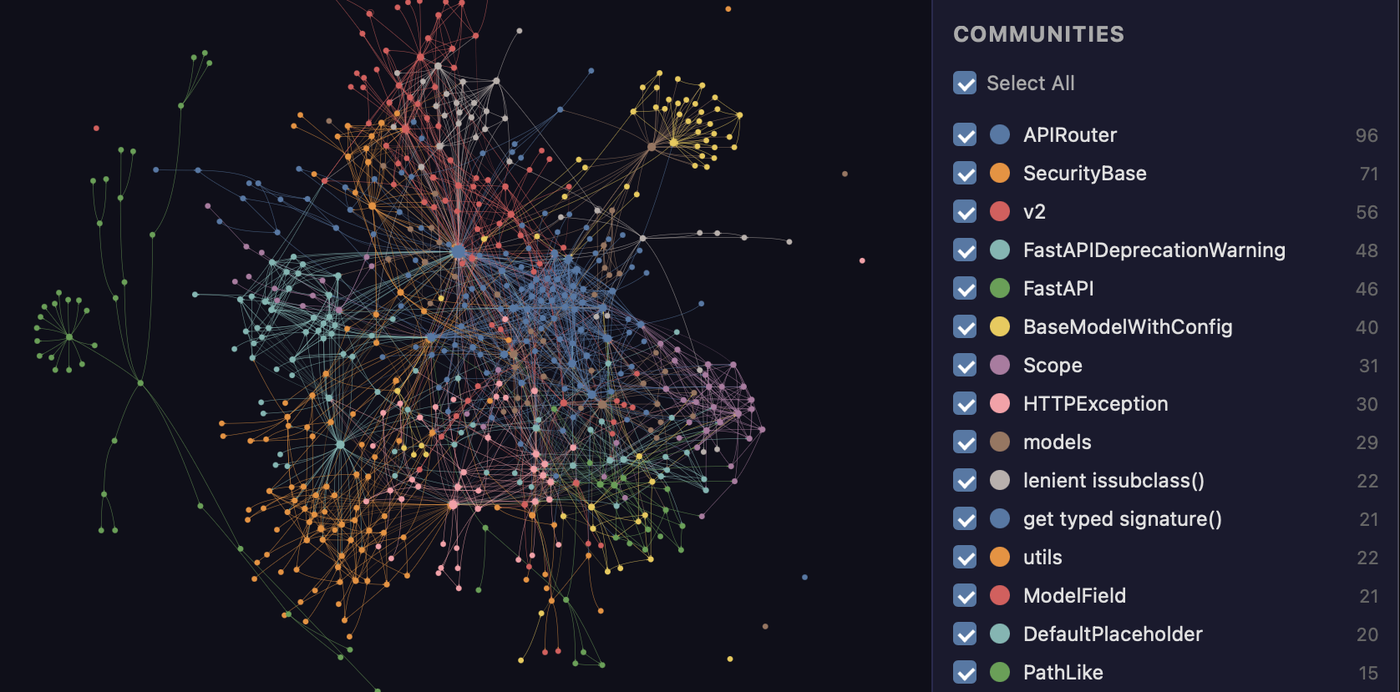
Graphify reads the files in a project and builds a graph of the things in them and the named connections between those things. It parses code in about 40 programming languages with tree-sitter, a fast parser that runs on the machine it is installed on. A run writes a folder called graphify-out holding three files: graph.html to click through in a browser, GRAPH_REPORT.md to read, and graph.json to query later without reading the source again. Every connection is marked either as stated in the source or as worked out by the tool, so the two are never confused. It can answer questions about the graph, trace the shortest path between two parts, group the project into subsystems, and export a call-flow diagram. Documents, PDFs and images are read by a model instead of the local parser, and audio and video are transcribed on the machine. It does not use embeddings or a vector store, it does not send code to a model, and its install step does not set up a connection for an assistant to call it directly.
Why it matters
Who it suits. It fits someone who has inherited a codebase, or written one over six months and lost the thread of it. It also fits anyone who has to explain a system to a new person and has no diagram to point at. The three outputs are the useful part: one to look at, one to read, and one a program can query. Skip it if the project is small enough to hold in your head, or if the interesting material is all in PDFs and documents rather than code, because that is the half that needs a paid model.
Verdict. Worth an hour to run once on the largest project you have, and worth keeping if the report tells you something you did not know. The code side is free and offline, which is the strongest thing about it. Two cautions. It is still at version 0.9.92, so expect the commands and the output shape to change between versions. And the package name on PyPI is graphifyy with two letters y, while the command is graphify with one — an easy five minutes to lose. Use it alongside a search tool rather than instead of one; a graph answers "how does this connect", not "where is this word".
- Code never leaves the machine. The parser is local and no key is needed for a project that is only code.
- Three outputs, not one: a page to click, a report to read, and a file to query later.
- Every connection says whether it was found in the source or worked out, so a guess is never presented as a fact.
- It is still before version 1.0. The commands and the output format are not settled.
- Documents, PDFs and images need a model, so the half of the feature list that reads prose is not the free half.
- The package is spelled
graphifyyand the command isgraphify. Nothing warns you if you install the wrong name.
uv tool install graphifyy
graphify install



36.6k stars · MIT | v0.16.0, 17 Oct 2026 | [freellmapi.co](https://freellmapi.co) · v0.16.0 (2026-10-17) · Track this in Scout · Share this tool
One local address in front of the free tiers of many AI providers.
▶Repo detailsthe review · specs · pros & cons · install
What it does
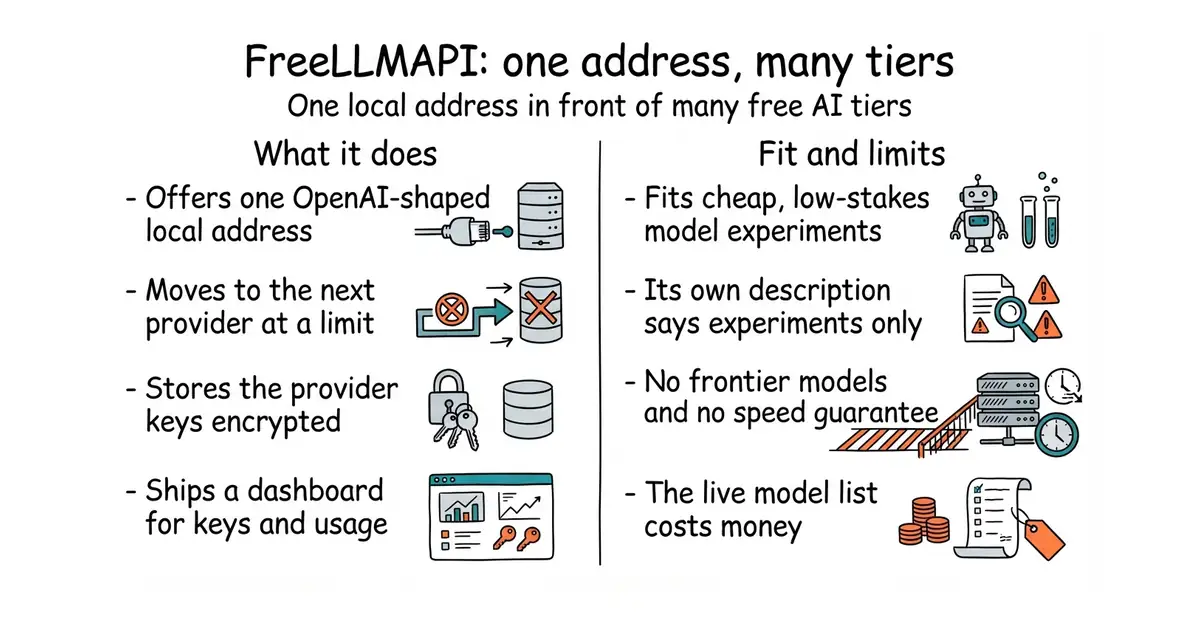
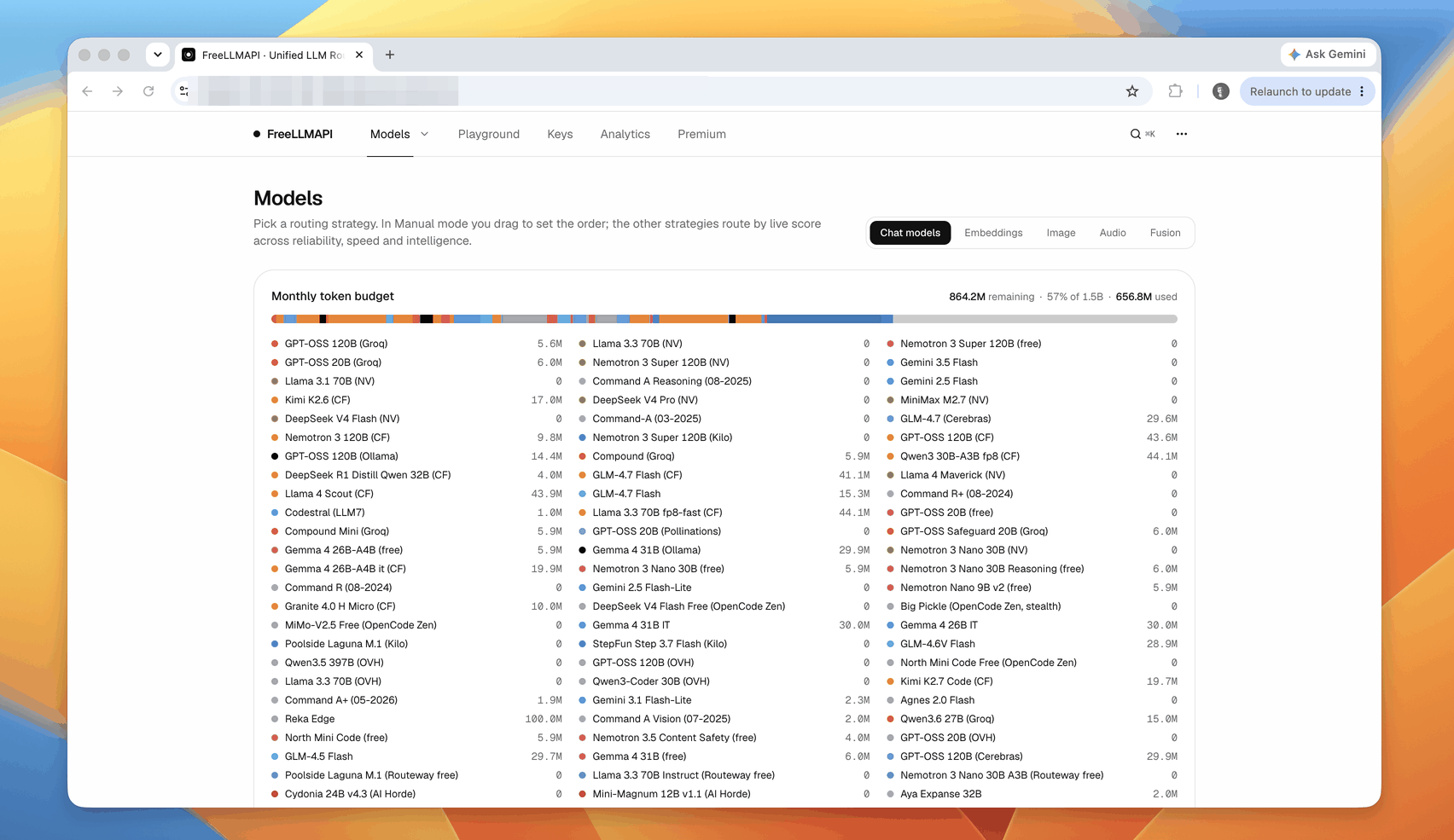
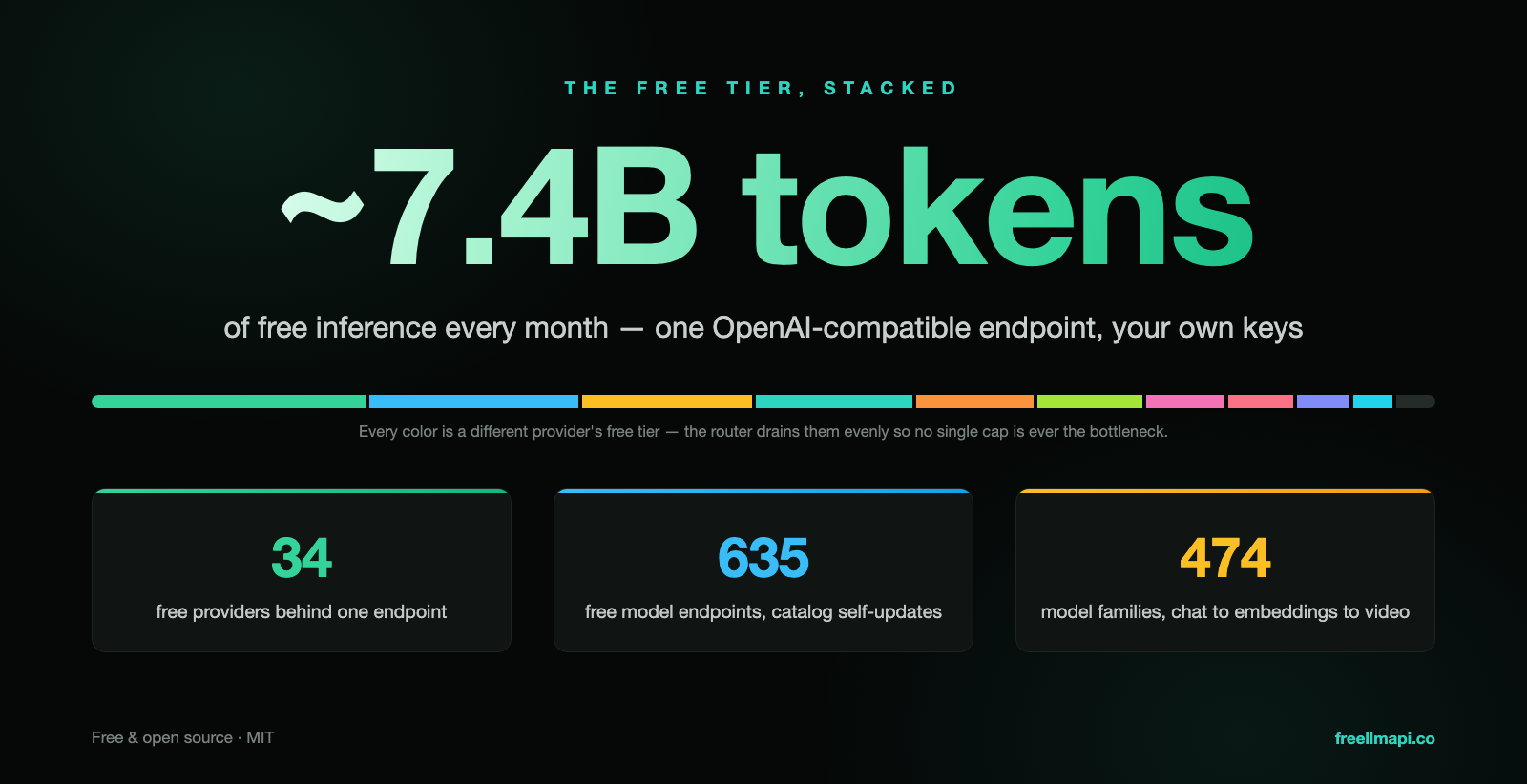
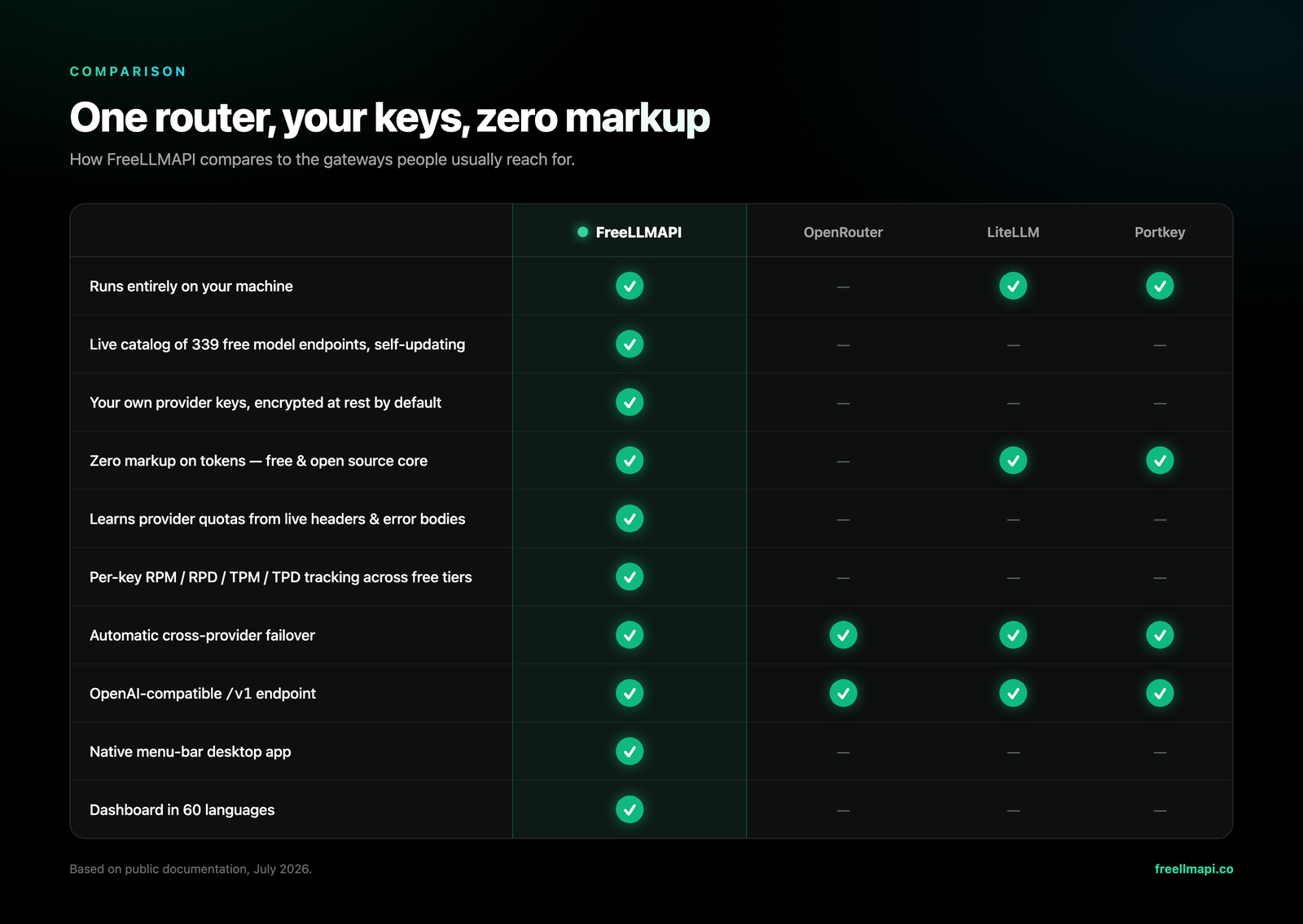
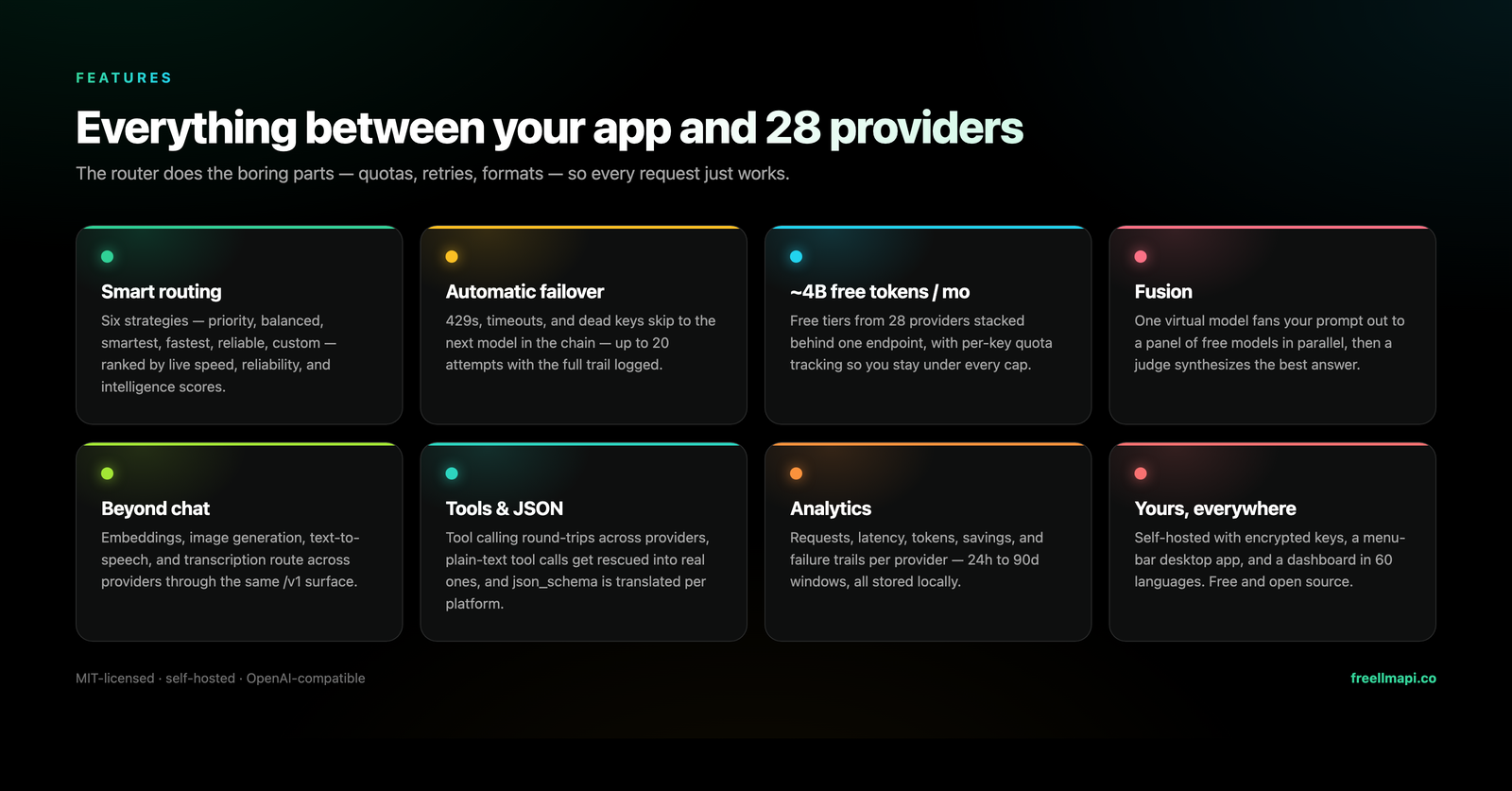
FreeLLMAPI is a program you run yourself that offers one OpenAI-shaped /v1 address and forwards each request to whichever provider you have set up. It picks a model for each request, moves to the next provider when one has hit its limit, and counts usage per key against each free tier's cap. It stores provider keys encrypted and hands out one key of its own to the programs that call it. It covers chat, embeddings, images, video and audio, and also answers in the shapes used by Anthropic and Google as well as OpenAI. It ships a dashboard for keys, routing, a playground and usage figures. The free install receives its list of available models as a monthly snapshot, so new models arrive about thirty days late; a paid tier at $19 a year or $49 once gives the live list, and the router itself stays MIT licensed either way. Its own description says plainly that this is for personal experimentation, and its documentation states there are no frontier models, no guaranteed speed and no service guarantee.
Why it matters
Who it suits. It fits anyone doing a lot of cheap, low-stakes model work: testing prompts, sorting large piles of text, drafts nobody will publish. Six accounts and six keys in six scripts become one address. It is small enough to run on a single-board computer. Skip it entirely for anything a paying customer touches. A stack of free tiers has nothing behind it, and the project says so itself.
Verdict. Worth an hour if prompt experiments are a regular part of the week, and worth nothing at all otherwise. Take the warning at face value rather than treating it as modesty: quality drops later in the day as daily free limits are used up, and the limits reset at midnight UTC. The one-line installer pipes a script from the internet straight into a shell, so download it and read it first. For anything that must keep working, use a paid gateway such as BerriAI/litellm instead, which solves the same shape of problem with accounts you pay for.
- You bring your own accounts and the keys are stored encrypted. The project is not handing out somebody else's access.
- Very small. It needs Node 20 or newer and runs on Windows, macOS, Linux or a small ARM board.
- One
/v1address means existing OpenAI-shaped code needs no changes.
- The project's own description says personal experimentation only. That is a limit, not modesty.
- No frontier models, changeable speed, and no service guarantee. Quality drops late in the day as the free daily caps run out.
- The free install gets a monthly snapshot of which models exist. The live list costs $19 a year or $49 once.
curl -fsSL https://freellmapi.co/install.sh | bash

1.3k stars · Apache-2.0 | v2.13.0, 13 Oct 2026 | [mongodb.github.io/kingfisher](https://mongodb.github.io/kingfisher/) · v2.13.0 (2026-10-13) · Track this in Scout · Share this tool
Finds keys left in code, then checks which of them still work.
▶Repo detailsthe review · specs · pros & cons · install
What it does
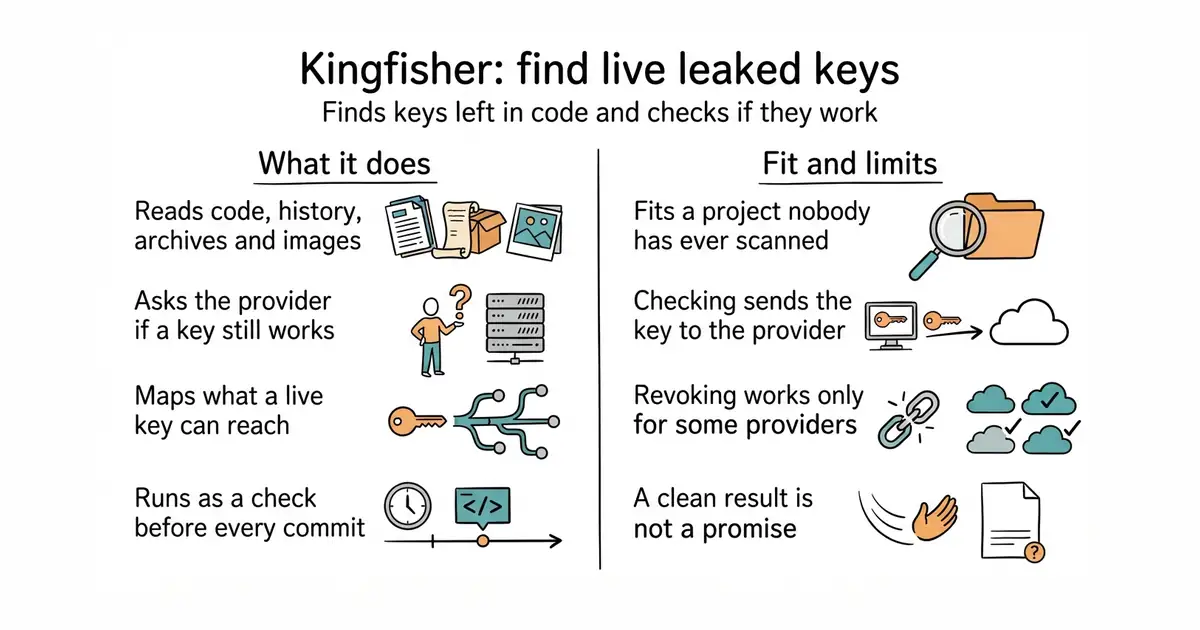
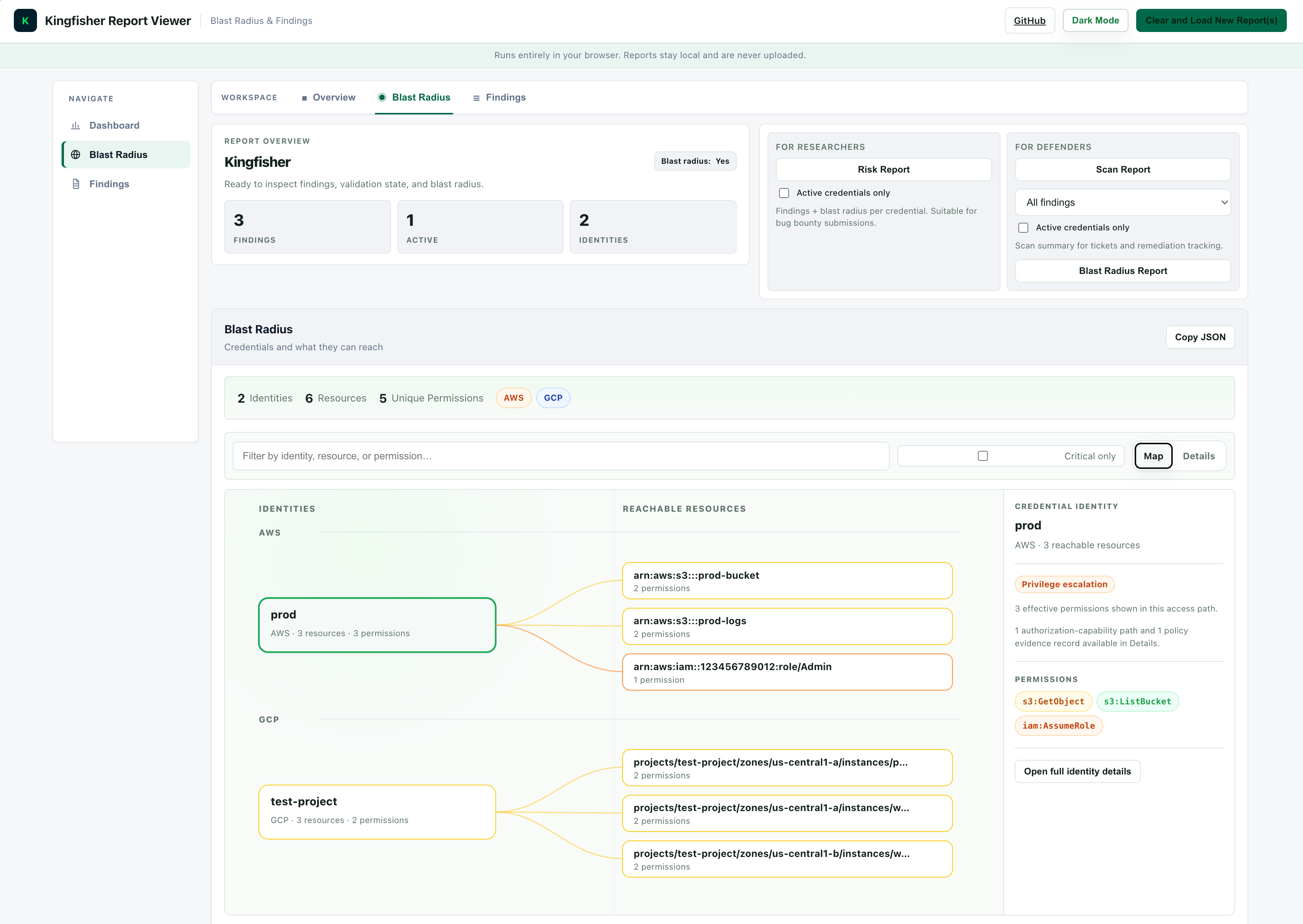
Kingfisher is a command-line secret scanner written in Rust. It reads source code, the full Git history, cloud storage, container images, archives and developer platforms, and matches what it finds against hundreds of built-in rules. For the providers it supports it then calls the provider to ask whether each credential is still active, so a finding becomes a yes or a no rather than a maybe. For 43 providers it also maps what a live credential can reach, using read-only calls, so the size of a leak is visible. It offers a browser viewer for sorting through findings, and for some providers it can revoke a key outright. It understands staged files, so it can run as a check before every commit. Every feature is in the free release and there is no paid tier. It is not a running service: it starts, finishes and exits, with no database and no port of its own.
Why it matters
Who it suits. It fits any project where one person has been the only one touching the code for a long time, because that is exactly the case where nobody has ever checked. It also fits a team that wants a check before each commit rather than a quarterly audit. The output is what makes it useful: a plain scanner produces a worry, and this produces a short to-do list in priority order. Skip the validation part when scanning somebody else's code without written permission, and skip the whole thing if the work has never held a credential in the first place.
Verdict. Worth ten minutes tonight, ahead of anything else in this edition. Nothing is installed if you use the container, nothing is left running, and the result is immediately actionable. The one thing to think about before running it: checking whether a key is live means sending that key to the provider, which is reasonable on code you own and may not be on a client's. --no-validate turns it off and the scan still works. Run it once over every repository you own, then add it as a commit check so a key never reaches the history again. gitleaks/gitleaks is the lighter alternative if live checking is not wanted at all.
- Nothing is left alive. It is one program, you run it, it finishes and exits. No database, no server, no port.
- The licence is the plain Apache 2.0, not MongoDB's usual SSPL. Commercial use is allowed with no added conditions.
- It knows about staged files, so it can run before every commit and stop a key ever reaching the history.
- Checking whether a key is live means sending that key to the provider. On code you own that is reasonable. On somebody else's it may not be.
- Revoking only works where the provider has a bounded workflow for it, so most credential types still have to be changed by hand.
- A clean result is not a promise. It finds the shapes it has rules for, and a home-made token format may match none of them.
docker run --rm -v "$PWD":/src ghcr.io/mongodb/kingfisher:latest scan /src


8.1k stars · Apache-2.0 | v0.29.2, 7 Oct 2026 | [warpgate.null.page](https://warpgate.null.page/) · v0.29.2 (2026-10-07) · Track this in Scout · Share this tool
A guarded front door for a server, with two-factor sign-in and a recording of every session.
▶Repo detailsthe review · specs · pros & cons · install
What it does
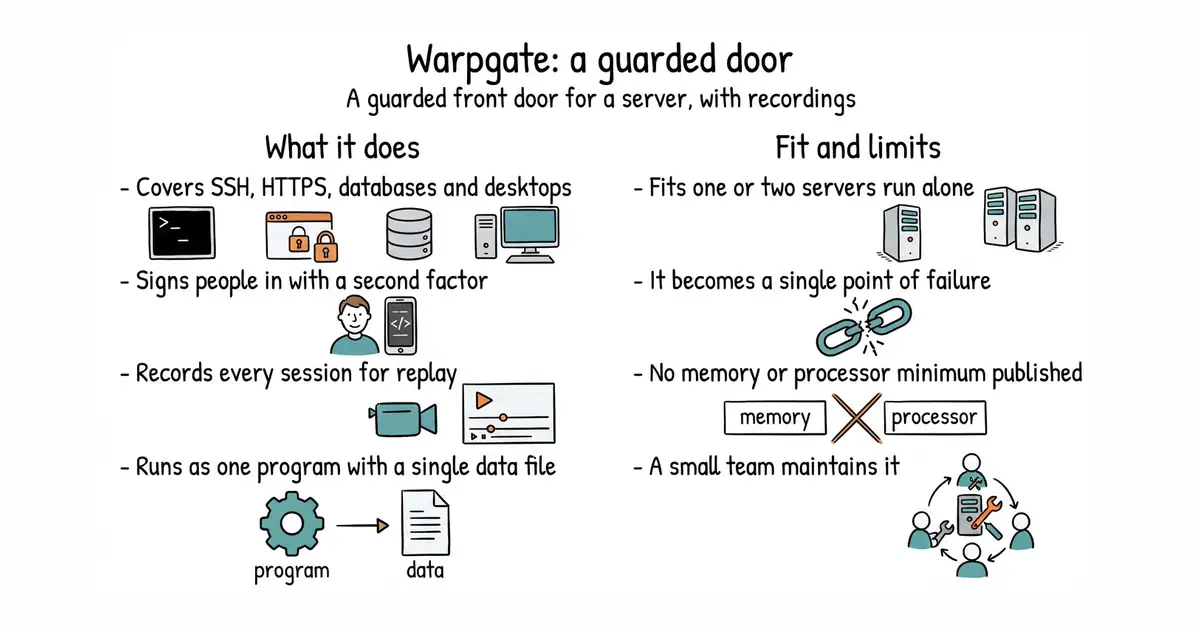
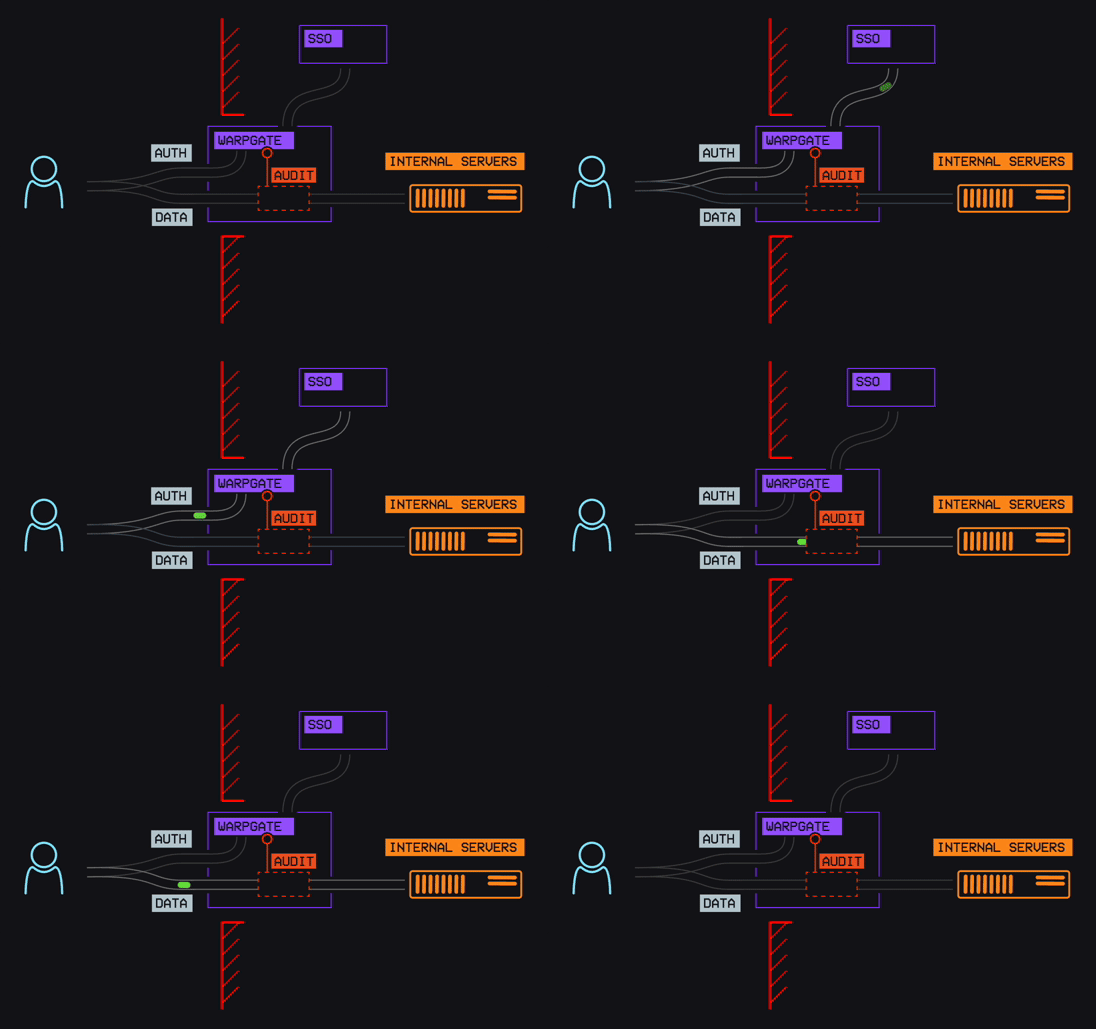
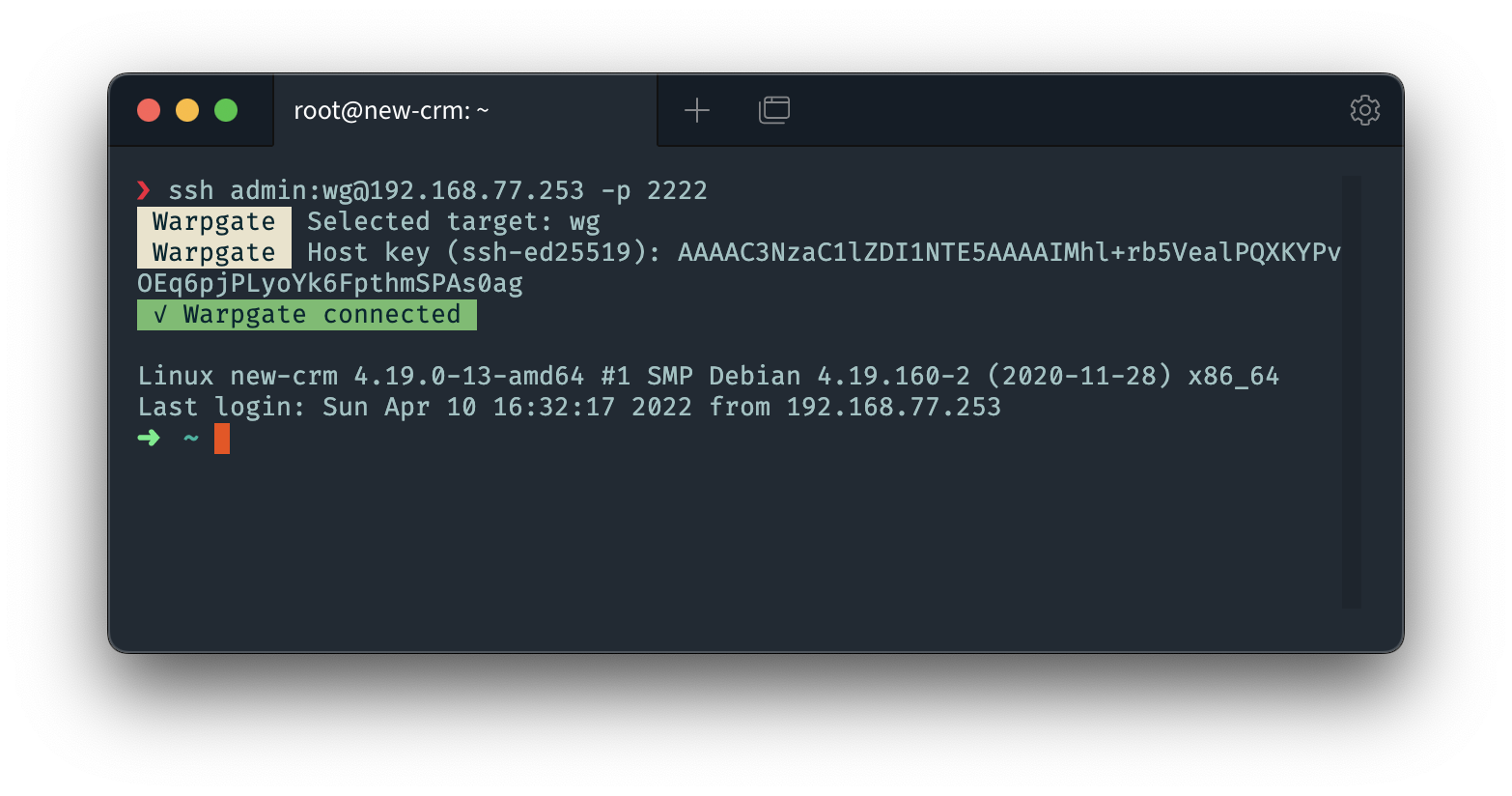
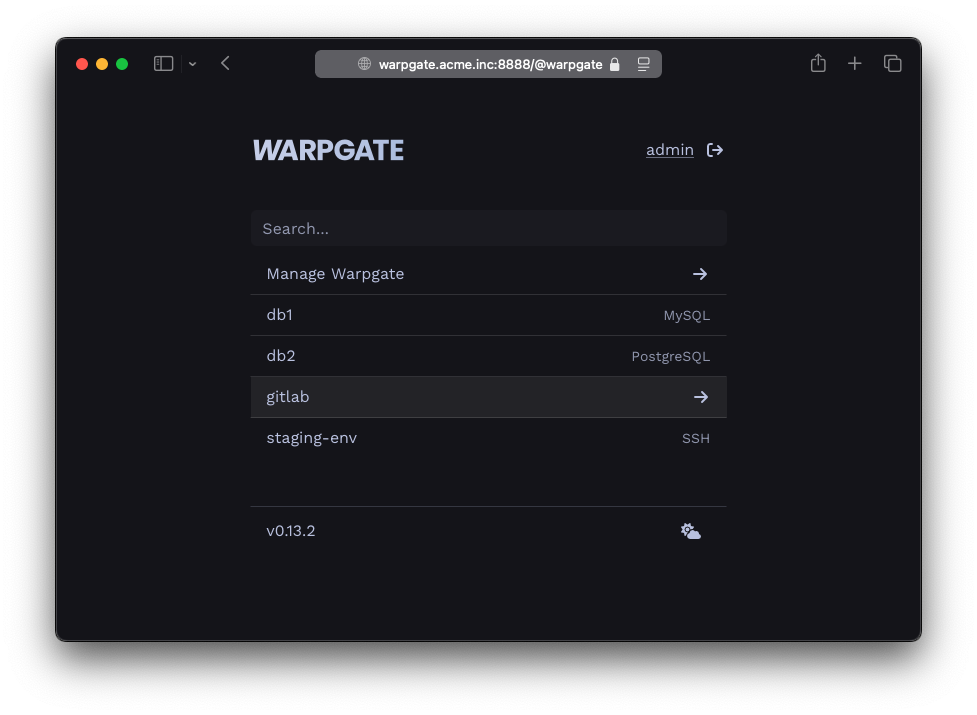
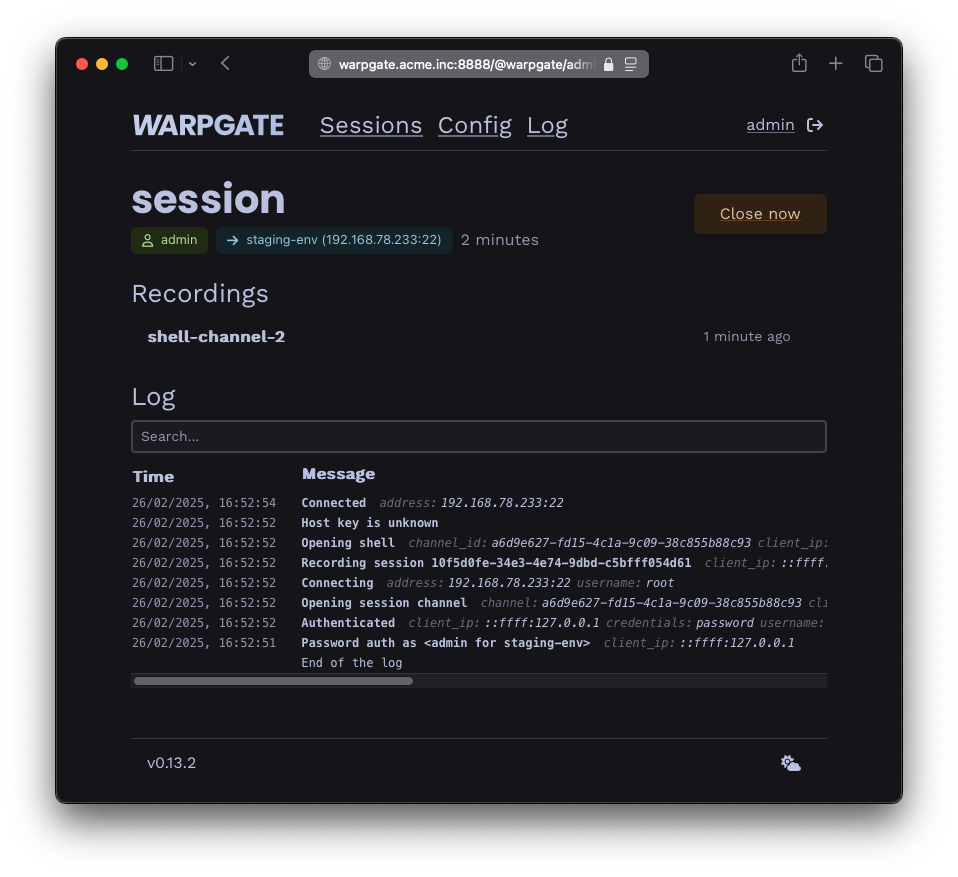
Warpgate is a single guarded machine that all access passes through, so the machines behind it never face the internet. It accepts connections carrying specially formatted credentials, signs the person in itself, opens the connection to the target, and joins the two sides together. It covers SSH, HTTPS, Kubernetes, MySQL, PostgreSQL, RDP and VNC, and it offers terminal, remote-desktop and VNC sessions inside a browser while normal command-line clients keep working. An administrator assigns each person to named hosts and addresses through a built-in web interface, which also shows sessions live, replays finished ones and holds the logs. It includes a code-from-your-phone second factor and single sign-on, and it blocks addresses and locks accounts after repeated failed attempts. It is one program written in Rust with no other software to install, and it keeps its data in SQLite, a database that lives in a single file. It is deliberately not a jump host: nothing extra is installed on the machine you connect from, and no wrapper script is needed.
Why it matters
Who it suits. It fits anyone running one or two servers alone, which is the case where this kind of thing is normally skipped as overkill. It also fits a small team that has to show a customer it keeps access records. There are two ways to work: open the web page and get a terminal or a database session in the browser, or keep using the normal ssh command and point it at Warpgate. Skip it if the servers are already behind a company network that does this, or if adding a second piece of infrastructure to maintain is the bigger risk.
Verdict. Worth a weekend, and the session recording is worth more than it sounds — the first time a customer asks whether access is logged, the honest answer stops being no. The real danger is the obvious one: this becomes a single point of failure in front of everything. Keep another way in before switching over, whether that is the hosting company's console or a firewall rule that lets one address through. Do not close the existing SSH access until a sign-in through the new door has worked once. gravitational/teleport does the same job at company scale, with a heavier licence and a much larger install.
- One program and no separate database. It uses SQLite, which lives in a single file, so there is nothing extra to install or back up.
- Nothing to install on the machine you connect from. A browser is enough, and the normal
sshcommand still works. - The project states it is free and stays free, with no features held back for a paid tier. The second factor is included, which some competitors charge for.
- It becomes a single point of failure in front of everything behind it. Keep a second way in.
- No memory or processor minimum is published, so plan to watch it for the first week.
- It is a small project. The licence is safe, but the number of people maintaining it is not large.
docker run --rm -it -v /opt/warpgate:/data ghcr.io/warp-tech/warpgate setup
docker run --rm --name warpgate -p 8888:8888 -p 2222:2222 \
  -it -v /opt/warpgate:/data ghcr.io/warp-tech/warpgate

11.5k stars · MIT · v0.3.0 (2026-09-03) · Track this in Scout · Share this tool
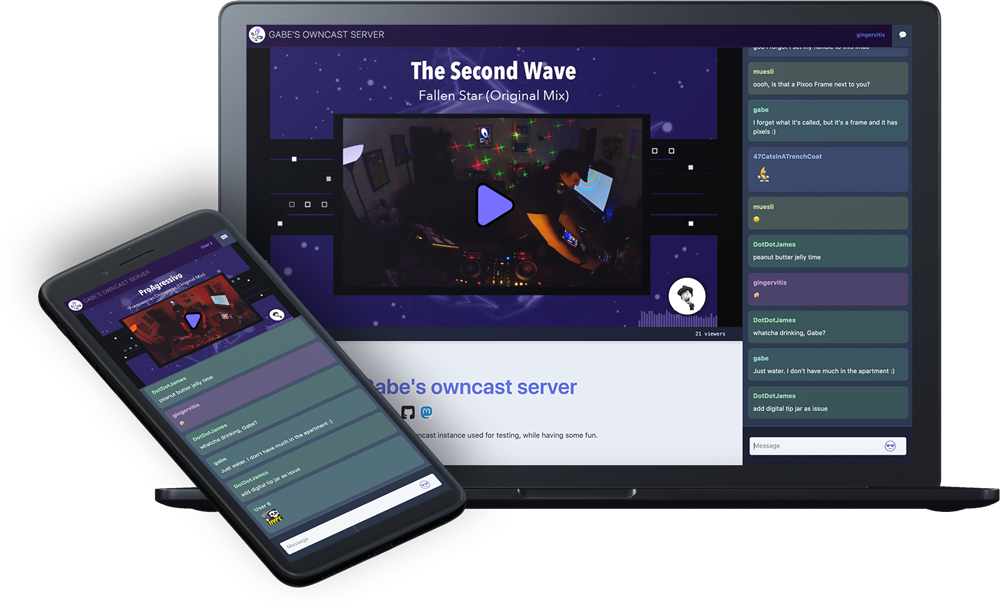
Self-hosted live video streaming and chat — your own Twitch, on your own domain.
▶Repo detailsthe review · specs · pros & cons · install
What it does
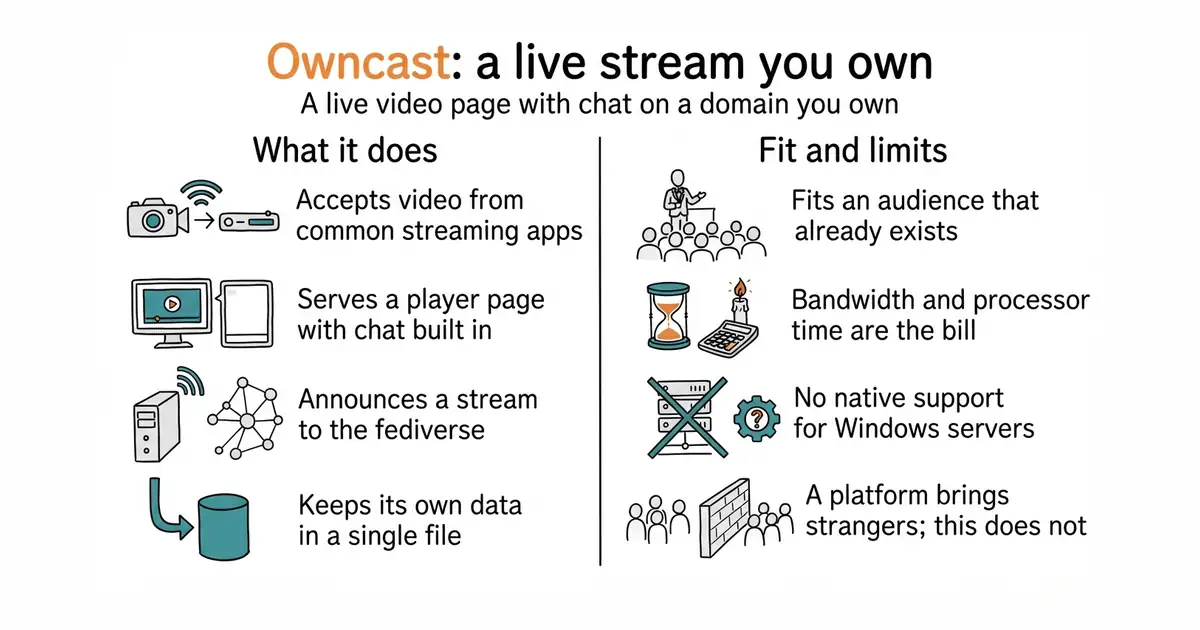
Owncast is a live streaming server you run yourself, built for one broadcaster. It accepts video over RTMP, the protocol that OBS, Streamlabs and Restream already send, and serves a web page with a player and a chat room. Chat moderation, the look of the page and the audience list all belong to whoever runs it. It can announce a stream to the fediverse so followers are told when it starts. The backend is written in Go and the page is built with React, and the whole thing ships as one program with its own data file, so there is no separate database to run. It needs ffmpeg present to convert the incoming video. It does not run natively on Windows servers — the project points Windows users at WSL2 — and it is built for a single streamer rather than a platform with many channels.
Why it matters
Who it suits. It fits anyone who wants live video without handing the audience to a platform: a workshop, a launch, open office hours, a session in a second language at a time that suits that audience. The useful part for a small site is that the viewer never leaves it, so a live session and the written pages sit at the same address. Skip it if the point of going live is to be discovered, because a platform sends strangers and a page you own does not. It suits an audience that already exists.
Verdict. Worth an afternoon to stand up, and the trade to think about is the bill rather than the licence. Converting video into several qualities at once is heavy work, and a small rented machine will struggle with it; check the processor and the bandwidth allowance before promising anyone a stream. Use the container rather than building from source, which otherwise wants a C compiler, ffmpeg, Go and Node.js. Change the default keys in the admin page before telling anybody the address. ossrs/srs is the better choice if the need is a plain media server with many streams and no page.
- MIT licensed and complete. Video, player and chat in one program, with no paid tier.
- No separate database to run. It keeps its own data in a single file.
- It can announce itself to the fediverse, so followers are told when a stream starts.
- Bandwidth and processor time are the real bill. Converting video into several qualities at once is heavy.
- Building from source needs a C compiler, ffmpeg, Go 1.24 or newer, and Node.js. Use the container instead.
- There is no native Windows server support. On Windows it has to run inside WSL2.
docker run -d --name owncast -p 8080:8080 -p 1935:1935 \
  -v /opt/owncast:/app/data owncast/owncast:latest


43.5k stars · GPL-2.0 · v3.69.0 (2026-06-04) · Track this in Scout · Share this tool
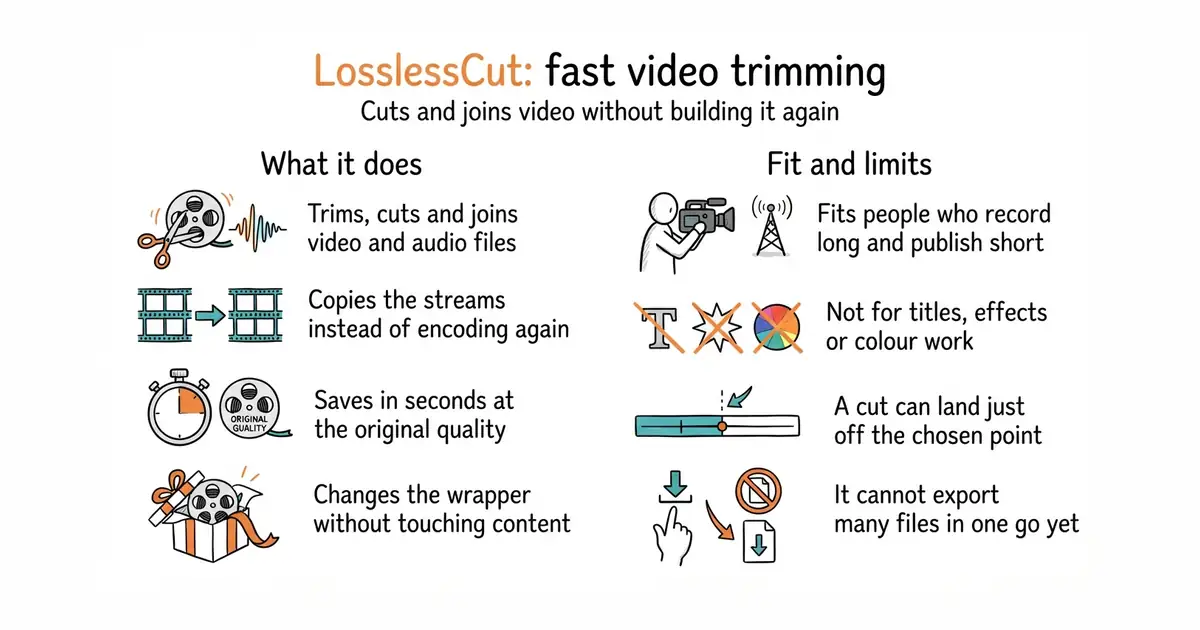
Trim and cut video without re-encoding — an ffmpeg GUI that is genuinely pleasant for a non-programmer.
▶Repo detailsthe review · specs · pros & cons · install
What it does
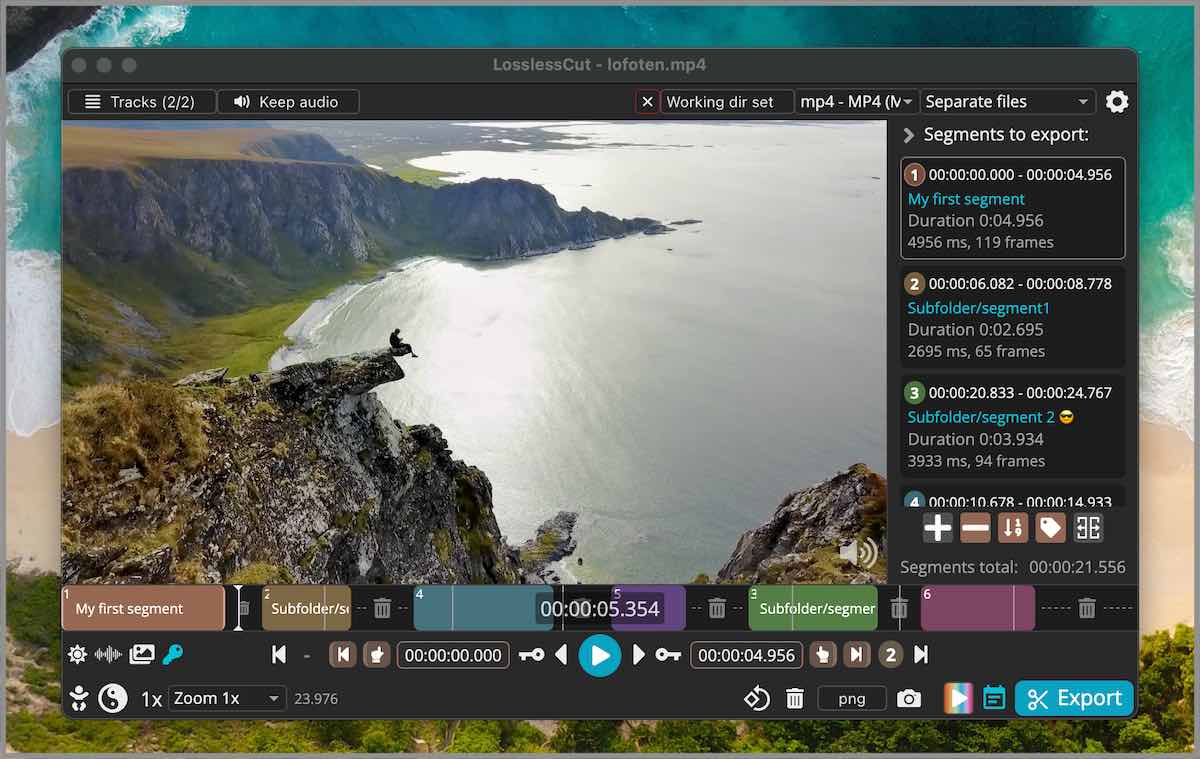
LosslessCut trims, cuts, joins and rearranges video and audio files. It puts a window with buttons in front of FFmpeg, the command-line program most video tools use underneath, and FFmpeg does the work. It copies the picture and sound already in the file instead of encoding them again, so a save takes seconds. It can change the container, which is the wrapper around the picture and sound, without touching the content inside. It opens files with several video, audio and subtitle tracks and can save one track on its own. It can edit titles and rotation, take still pictures, export single frames, and import or export lists of segments. It does not re-encode video to shrink or improve it, it has no batch export yet, and some formats will not play natively, so a low-quality preview copy is made while the cut still runs on the original.
Why it matters
Who it suits. It fits people who record long and publish short: cutting dead time off the front, splitting a two-hour recording into parts, joining takes, or lifting the sound out of a video. It also fits anyone working through very large camera files on a modest computer, because nothing is encoded a second time. Skip it when the job needs titles, transitions, colour work or several layers on top of each other. That is a full editor's work, and this program does not claim to do it.
Verdict. Worth an hour, and worth keeping after that. There is nothing to compile, and the first useful cut takes about ten minutes to learn. The thing to watch is where a cut lands. Cuts happen at the join points already inside the file, so the result can sit a fraction of a second away from the mark. For edits led by speech that is sometimes too rough, and a tool that removes silence by itself is a better first pass. Keep a full editor alongside for titles and effects, and use this one for the rough cut that comes first.
- A save takes seconds instead of hours, and the picture is exactly what came out of the camera.
- It is a window with buttons. Nothing here needs the command line.
- Ready-made downloads for macOS on both chip types, Windows, Linux, and Raspberry Pi.
- A cut lands on a join point already inside the file, so it can sit a fraction of a second from the mark. That is the price of not building the file again.
- The licence is GPL-2.0. Using the program is free. Putting its code inside a product that is sold is not practical.
- Playback uses the browser engine inside the program, so some formats only preview at low quality. The Windows APPX and macOS PKG packages do not work at all.
https://github.com/mifi/lossless-cut/releases/latest

1.7k stars · MIT · no releases published; 93 commits · Track this in Scout · Share this tool
A gorgeous, accessible colour system — scales with properly matched light and dark pairs.
▶Repo detailsthe review · specs · pros & cons · install
What it does
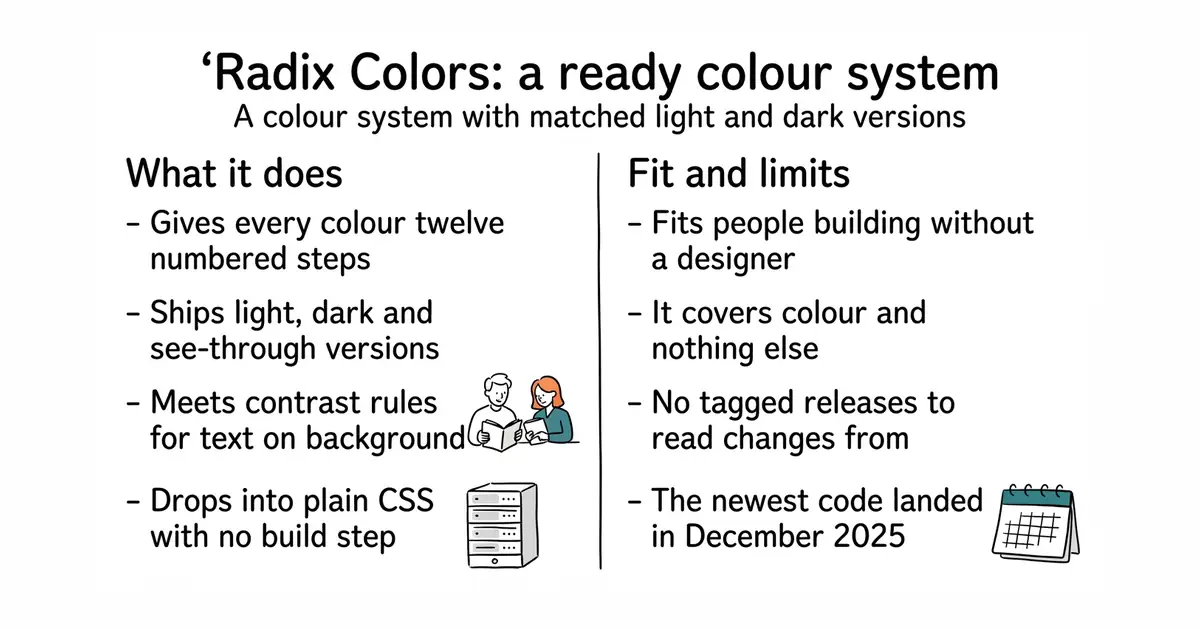
Radix Colors is a set of colour scales delivered as plain CSS files and as JavaScript objects. Each scale has twelve numbered steps, and the step numbers mean the same thing in every scale, so a subtle background is always step 3 and readable text is always step 11. Every scale ships in a light version and a dark version, plus see-through and wide-gamut variants, all matched to each other. The pairs of steps meant for text on a background are built to meet accessibility contrast rules, so the checking work is already done. It has no dependencies, needs no build step, and is not tied to React or any framework, so it drops into plain CSS. It publishes no tagged releases on GitHub, so changes have to be read from the npm page or the changelog file. It is colour only: spacing, type sizes, shadows and components are not part of it.
Why it matters
Who it suits. It fits anyone building an interface without a designer, and anyone whose screens have to stay readable in both light and dark. The real gift is not the colours but the numbering, because swapping red for blue leaves every rule in place. It also fits a screen that needs many colours at once to stay distinct, like a chart or a status board. Skip it if a brand palette is already fixed and signed off, or if what is actually missing is spacing and type rather than colour.
Verdict. Worth twenty minutes, and then it disappears into the project and never asks for attention again. It is data rather than code, so there is nothing to keep updated and nothing that can break at runtime. Two things to note. The last code landed in December 2025, which for a finished colour set reads as settled rather than neglected, but it does mean no new scales are arriving. And the project now sits under WorkOS, a company — not a problem today, and worth knowing. Pair it with argyleink/open-props for the spacing and type sizes this one deliberately leaves out.
- Free, MIT, and it is just data. No runtime code and nothing to keep updated.
- Light, dark, see-through and wide-gamut versions of every scale, all matched to each other.
- The contrast work is already done, so text on the recommended background is readable.
- No GitHub releases at all. To find out what changed you have to read the npm page or the changelog file.
- It is colour only. Spacing, type sizes, shadows and components are not here.
- The newest code landed in December 2025. Settled rather than neglected, but no new scales are coming soon.
npm install @radix-ui/colors


13.3k stars · MIT · v0.23.0 (2026-08-07) · Track this in Scout · Share this tool
Visual editor built natively for React components.
▶Repo detailsthe review · specs · pros & cons · install
What it does
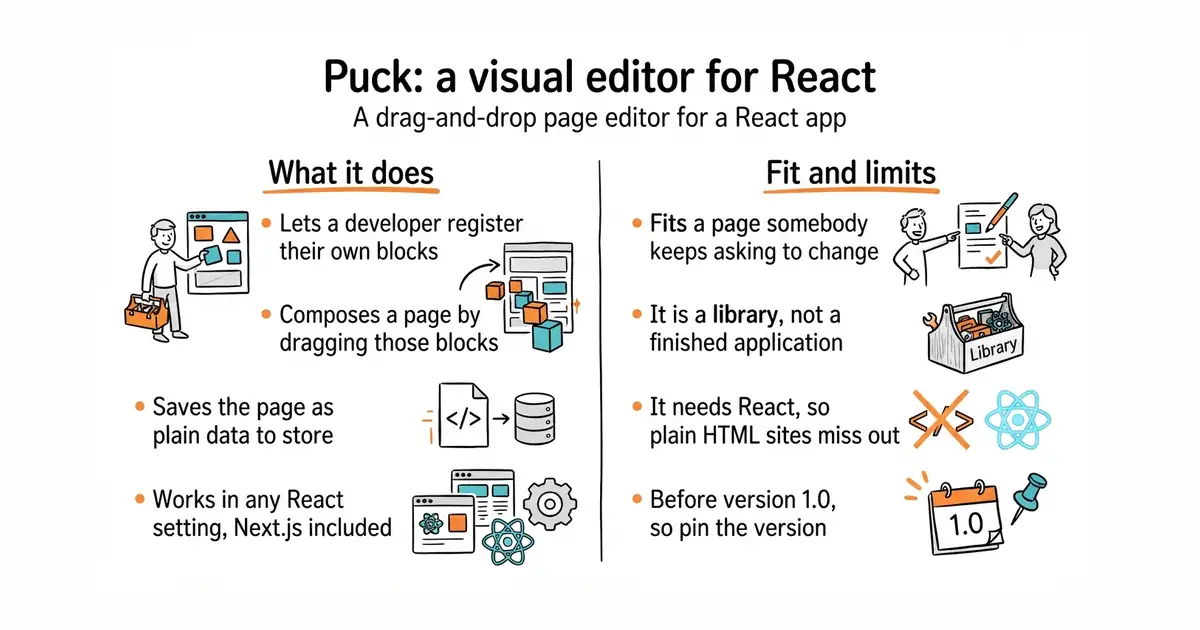
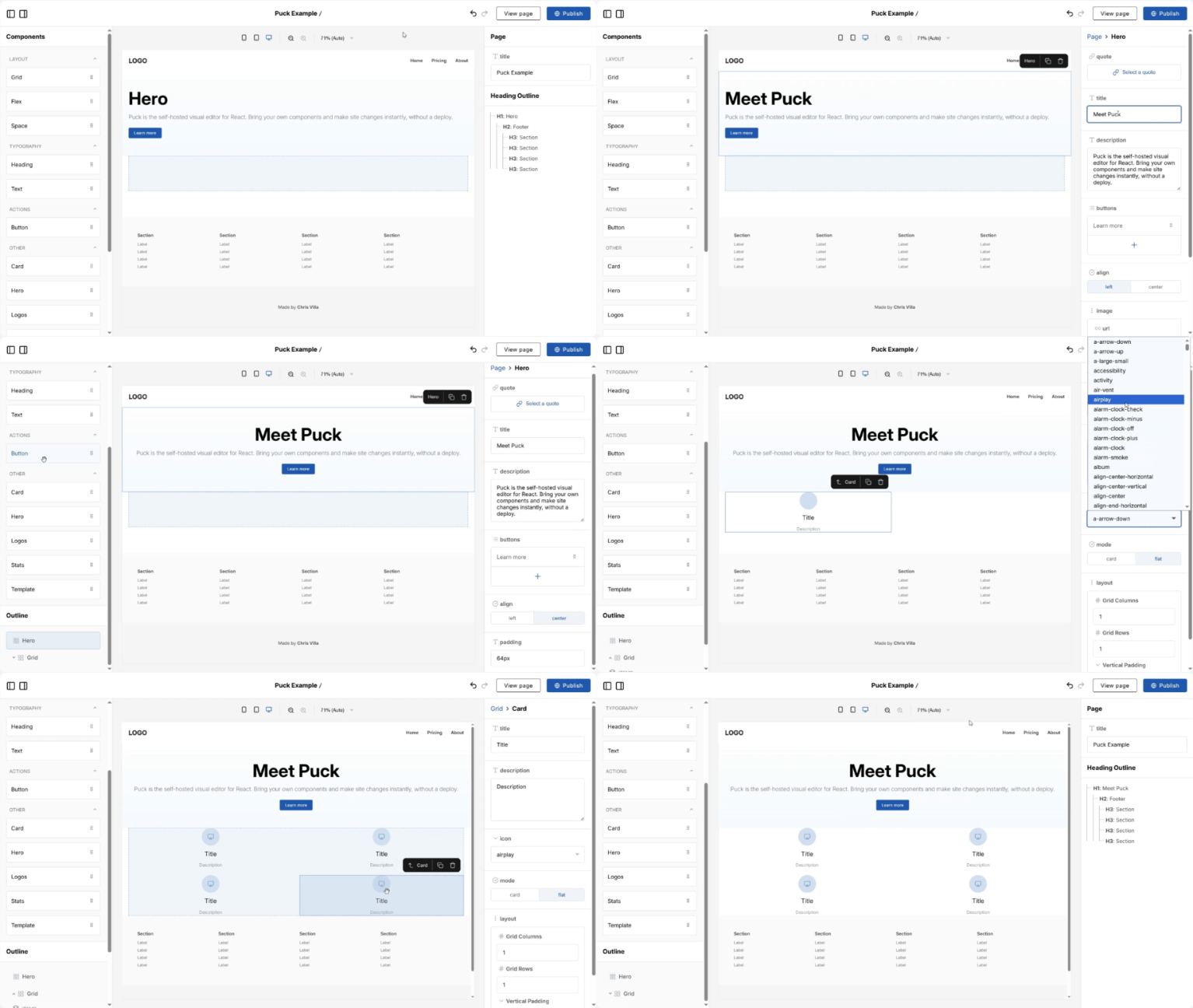
Puck is a visual editor that is itself a React component. A developer registers their own components with it, says which settings each one exposes, and the person editing composes a page by dragging those blocks around. The output is a plain JSON structure describing the page, which the developer stores wherever their data already lives and renders themselves. The editor works in any React setting, including Next.js, and the project states there is no lock-in because the data belongs to whoever stored it. The npm package is @puckeditor/core, renamed from @measured/puck, so older tutorials point at the wrong name. It is a library rather than an application: it supplies no storage, no sign-in and no hosting page, and it does not manage content outside the layout of the page it is editing.
Why it matters
Who it suits. It fits a developer who keeps being asked to change wording and move sections on a landing page, and who would rather hand that job to the person asking. Because the components are registered in code, the page cannot end up off-brand: the editor only offers the blocks that were allowed, with the settings that were allowed. Skip it if the public site is Astro or plain HTML, because this needs React, and skip it if what is really wanted is a full content system with users, drafts and a database.
Verdict. Worth half a day if there is a React app already running and a page somebody else keeps asking to change. Be clear what it is not: it edits the layout of a page built from your components, and it does not own the content or the database. That boundary is the main difference from a full content system, and it is a feature rather than a gap. It is still before version 1.0, so pin the version. GrapesJS/grapesjs is the one to look at if React is not in the picture.
- MIT, and the project states it is fine for commercial use. There is no paid edition of the editor.
- The person editing can only use blocks a developer defined, so the page cannot end up off-brand.
- The output is plain JSON. It goes wherever the data already lives, and rendering stays in your hands.
- It is a library, not an application. The storage, the sign-in and the page that hosts it all have to be supplied.
- It needs React. On an Astro or plain-HTML site this is not a small addition.
- Still before version 1.0, and the package was renamed from
@measured/puckto@puckeditor/core. Old tutorials send you to the wrong package.
npm i @puckeditor/core --save


779 stars · MIT · no releases at all; 909 commits; commit history unreachable (robots) · Track this in Scout · Share this tool
Self-hosted SEO auditing and reporting tool in Go — crawls a site and dashboards the technical issues.
▶Repo detailsthe review · specs · pros & cons · install
What it does
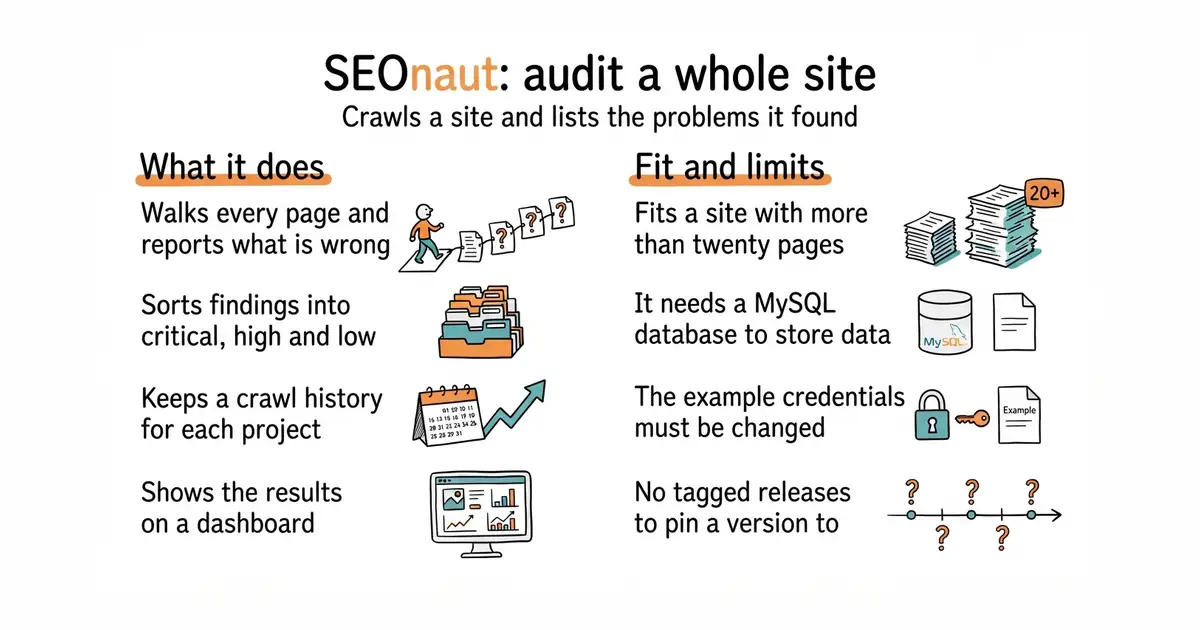
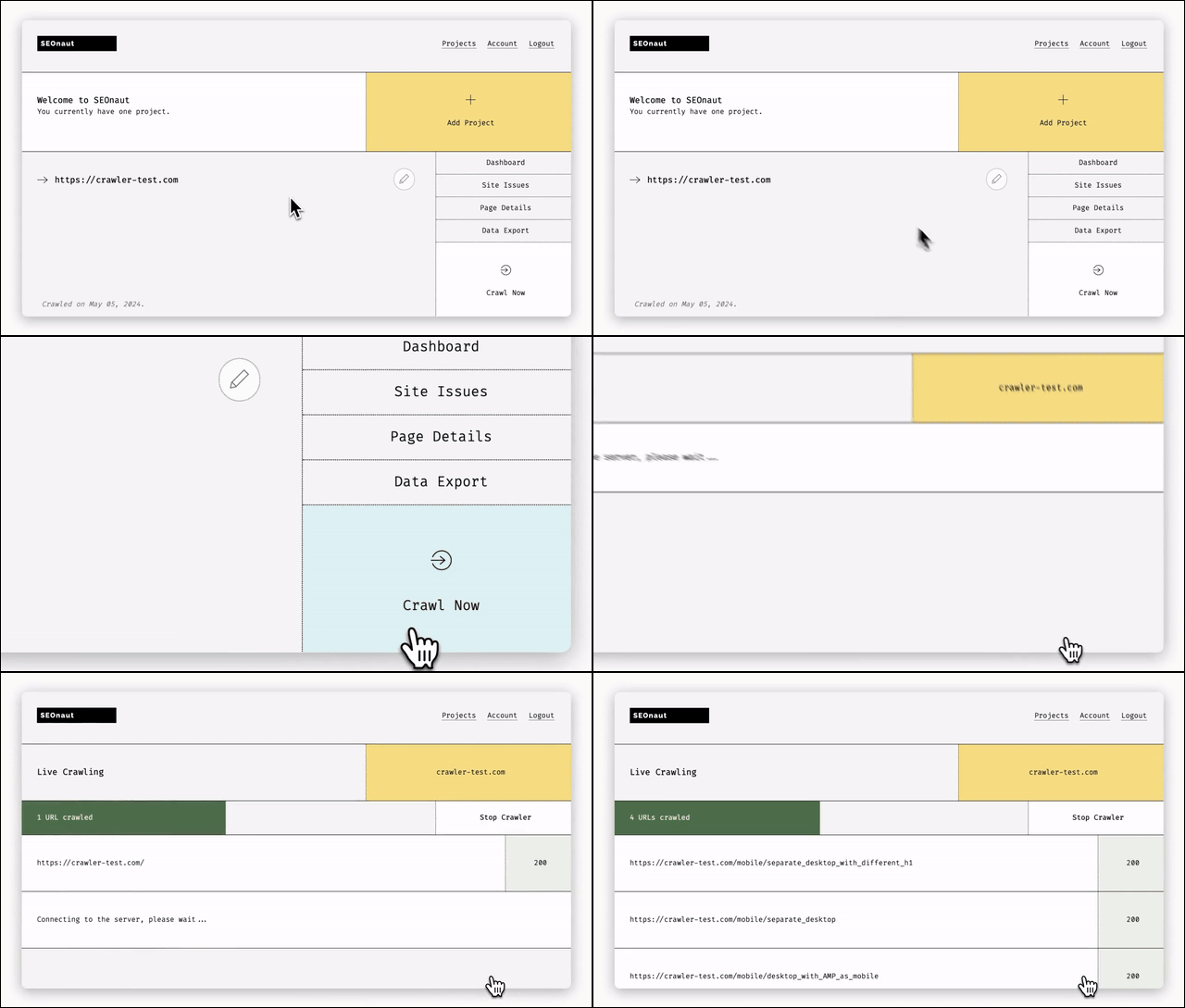
SEOnaut is a web application written in Go that you run yourself. It walks a site page by page and reports what it found, sorted into critical, high and low severity. It looks for broken links, redirect problems including temporary redirects, permanent redirects and loops, missing or duplicated title and description tags, and headings used in the wrong order. It keeps separate projects, so one site can be tracked over time while another is checked once, and it stores the history of each crawl so a fix can be proved rather than hoped for. Results are shown on a dashboard with charts. It stores its data in MySQL, and the example setup uses version 8.4. It publishes no tagged releases, so the thing you track is the container image. It serves plain unencrypted HTTP on port 9000 by default, and the project says to put a reverse proxy in front of it for HTTPS.
Why it matters
Who it suits. It fits a site with more than about twenty pages, which is the point where nobody can keep them in their head any more. It also fits anyone running several sites, because each one gets its own project and its own history. The history is the part a one-off command-line audit cannot give you. Skip it if a site is five pages long, and skip it if adding a MySQL database to the machine is more work than the problem is worth.
Verdict. Worth an afternoon if a site matters for search traffic, and the no-page-limit part is the real argument — every commercial version of this charges by the page. Two things to fix before it is reachable from outside. The example setup ships with the user seonaut and the password seonaut, and the default port serves plain HTTP. Change the first and put a proxy in front of the second. janreges/siteone-crawler is the lighter option when a one-off audit is all that is wanted and no database is welcome.
- MIT, runs on a machine you control, no paid tier and no crawl limits. Commercial versions of this charge by the page.
- It keeps history per project, so a fix can be proved instead of guessed at.
- Findings are grouped into critical, high and low, so the list arrives in a usable order.
- It needs MySQL, which is an extra thing to install and look after. The example setup uses version 8.4.
- The example setup ships with the user
seonautand the passwordseonaut. Change both before it is reachable from outside. - No tagged releases at all. You track the container image, and you cannot pin a version by release number.
docker pull ghcr.io/stjudewashere/seonaut:latest

2.9k stars · Apache-2.0 · v0.89.4 (2026-09-01) · Track this in Scout · Share this tool
'Fast business intelligence tool for humans and agents' — self-hosted, would sit next to Evidence (Ed.8 #6).
▶Repo detailsthe review · specs · pros & cons · install
What it does
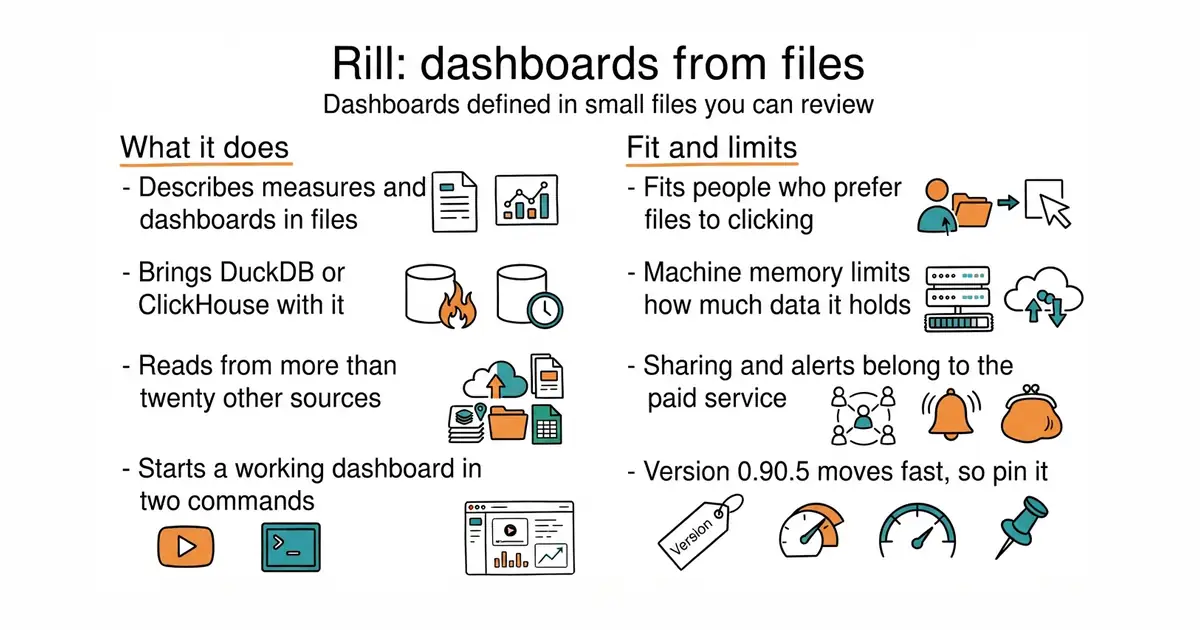
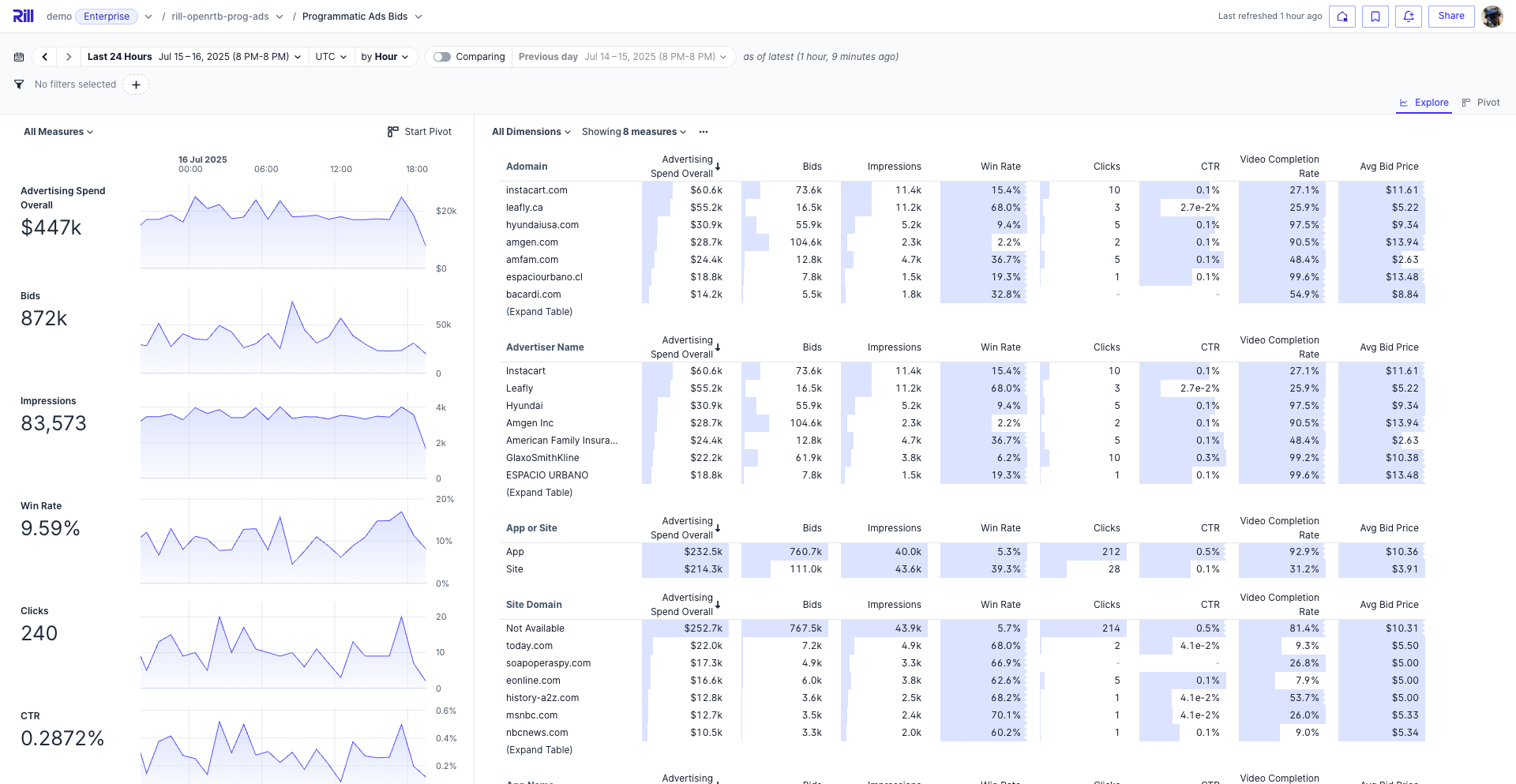
Rill is a business intelligence tool where data models, measures and dashboards are described in YAML and SQL files inside a project folder. It ships with a fast query engine, either DuckDB or ClickHouse, so there is nothing to set up before the first chart appears. Two commands take you from nothing to a working dashboard in a browser. It can also connect to engines that are already running, including ClickHouse Cloud, Druid, Pinot and MotherDuck, and it reads from S3, Google Cloud Storage, databases and more than twenty other sources. It has a layer where a measure is defined once and used everywhere, and it supports rules that limit which rows a person can see. Sharing, deployment, alerts and conversational use are features of Rill Cloud, the paid hosted product, rather than of the free tool. The project names no limitations of its own, and the honest one is that the engine runs inside the tool, so the machine's memory sets the ceiling on how much data it can hold.
Why it matters
Who it suits. It fits anyone with data in files or a database and no good way to look at it, and anyone who would rather review a dashboard change as text than as somebody's description of what they clicked. Two commands to a working chart is unusual in this category, where most tools want a warehouse first. Daily figures, test results and transaction records are the shape it likes. Skip it if clicking a chart together is genuinely preferred, and skip it if the data is far larger than the machine's memory.
Verdict. Worth an hour, and the file-based definitions are the reason to pick it over a click-together tool: a measure written in a file can still be explained in six months. Two things to watch. It is at version 0.90.5 and moves quickly, so pin the version you install. And this is the free half of a paid product, so check which features you need before building on it — the README names several that belong to the hosted service. evidence-dev/evidence is the closest free alternative with the same file-based idea, and worth comparing before committing.
- Two commands from nothing to a working dashboard. No warehouse, no server and no account.
- It brings DuckDB or ClickHouse with it, and can also connect to more than twenty other sources.
- The dashboard is text in a project folder, so it can be reviewed, compared between versions and copied to another project.
- The engine runs inside the tool, so the machine's memory limits how much data it can hold. No minimum is published.
- This is the free half of a paid product. Sharing, deployment, alerts and conversational use belong to the hosted service.
- It is at version 0.90.5 and moves quickly. Pin the version you install.
curl https://rill.sh | sh
rill start my-project

43.6k stars · Apache-2.0 · v1.126.0 (2026-08-24) · Track this in Scout · Share this tool
Open, composable payments orchestration across many processors, with routing and revenue recovery.
▶Repo detailsthe review · specs · pros & cons · install
What it does
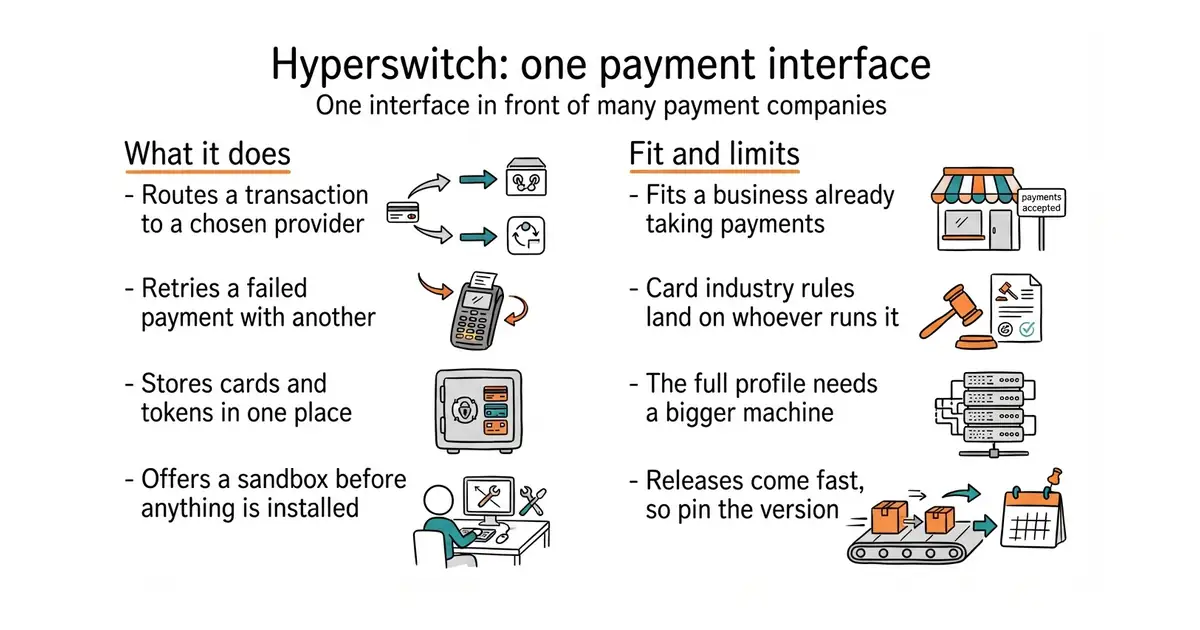
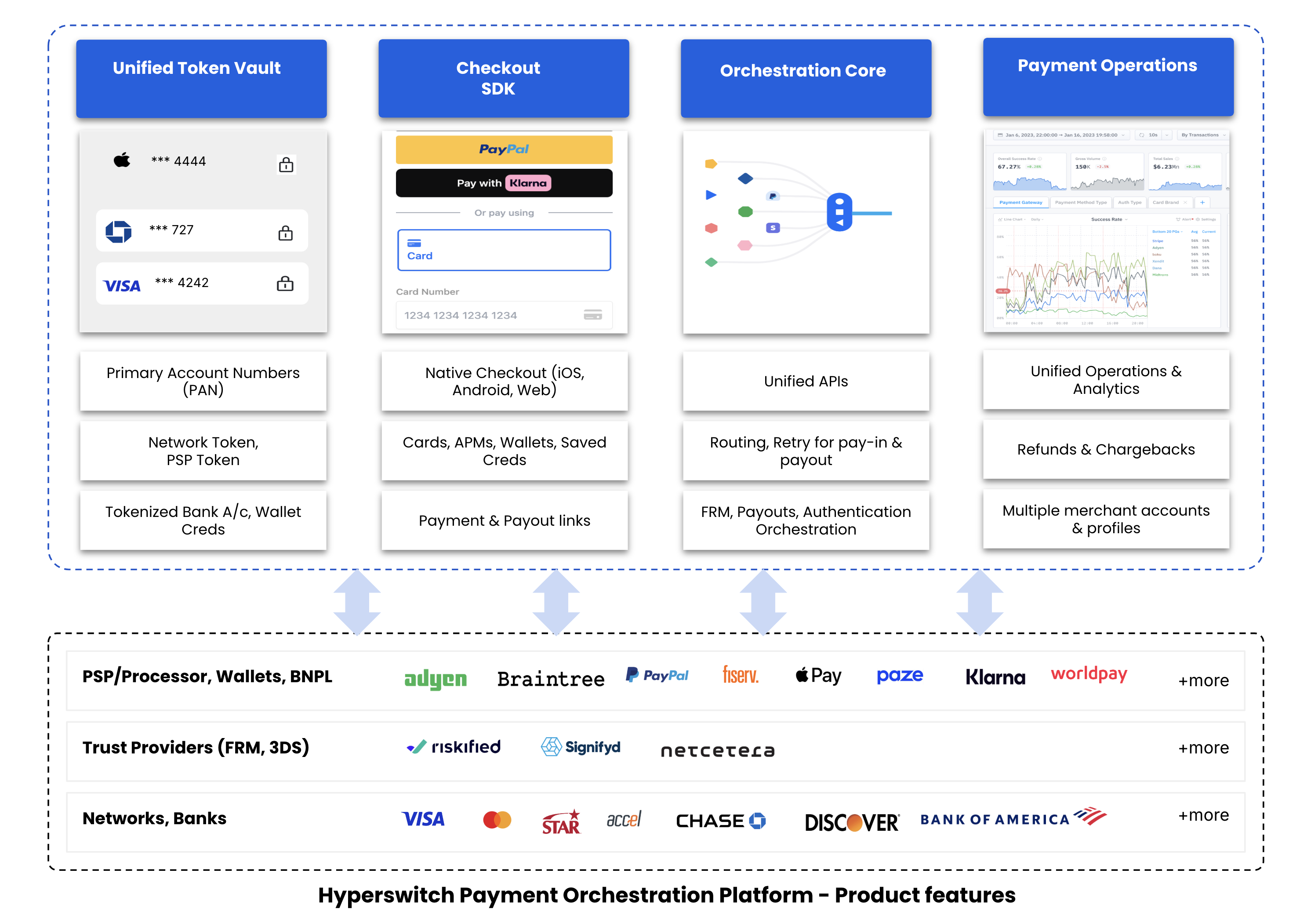
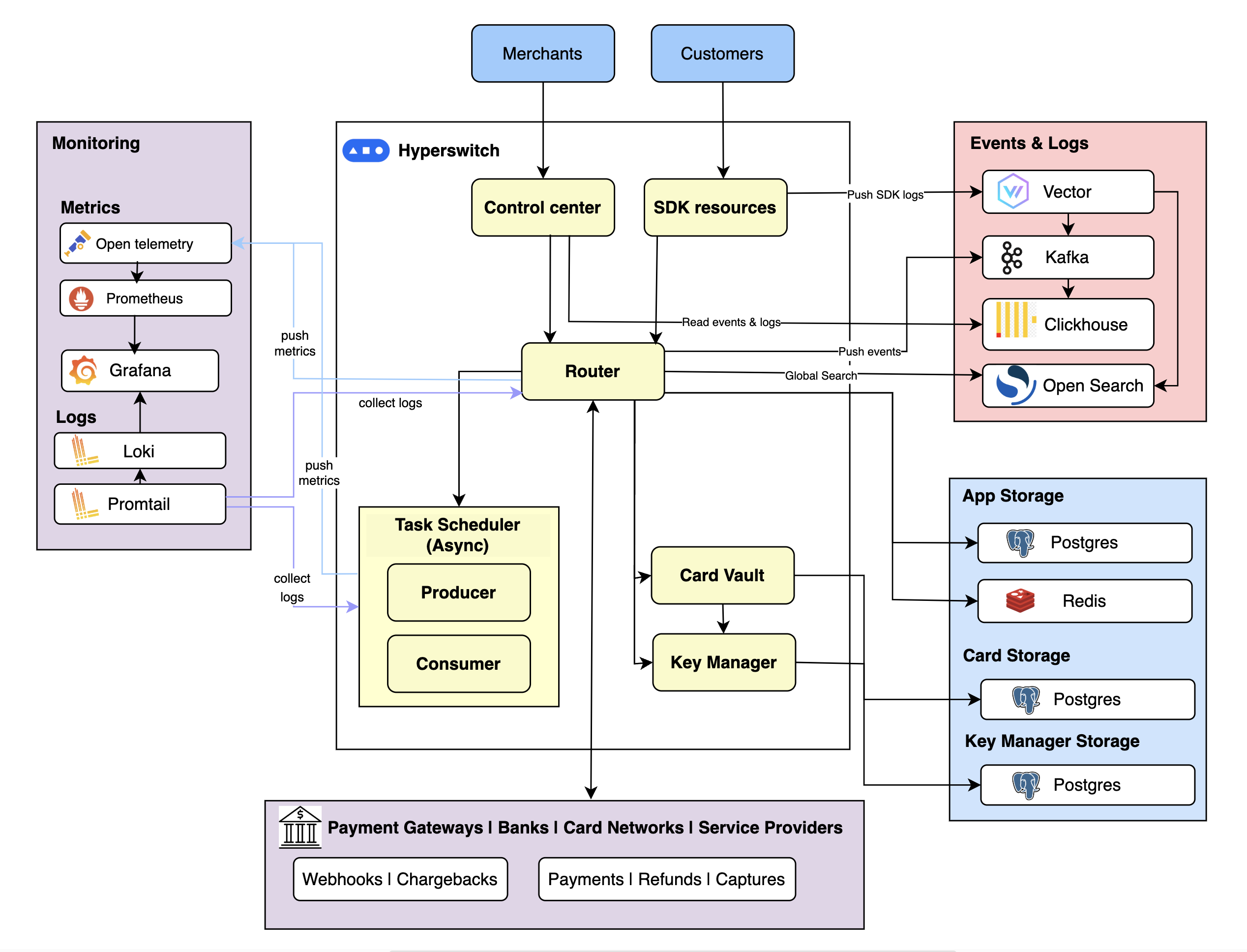
Hyperswitch is a payment layer written in Rust that puts one interface in front of many payment companies. It is built as separate modules, so a business can take one piece rather than the whole thing. The pieces cover routing a transaction to a chosen provider, retrying a failed payment through another, storing cards and tokens with the option of bringing your own vault, watching what payments cost, reconciling records two or three ways, and widgets for wallet and pay-later methods. The project names Stripe, Adyen, Braintree, Worldpay, Checkout.com and Cybersource among its connections and says more than a hundred processors work out of the box. There is a hosted sandbox for trying it before installing anything. Its setup script offers standard, full and minimal profiles and detects Docker or Podman, and cloud deployment uses Helm charts for the big three providers. The project lists no non-goals, and the honest boundary is that it moves money between a business and providers — it is not a shop, a subscription product or an accounting system.
Why it matters
Who it suits. It fits a business already taking money and feeling the cost of one provider: fees, a country that is not supported, or payments failing for one card type. The routing is the point — European cards one way and American cards another, and a failure retried with a second provider instead of a lost sale. Skip it entirely before the first payment has been taken, when a simpler service that handles tax and takes a percentage is the right size. Skip it too if nobody on hand wants to own card-industry compliance.
Verdict. Worth knowing about long before it is worth installing, because it is cheaper to know it exists than to unpick payment code later. Try the hosted sandbox first; it shows the whole thing working with nothing installed. The real cost is not the licence but the compliance: anything touching card numbers brings the card-industry rules onto whoever runs it. Releases come very fast, version 1.128.0 already, so pin the version and read the notes before upgrading. polarsource/polar is the right size for a first product, because it takes a percentage and handles tax and receipts itself.
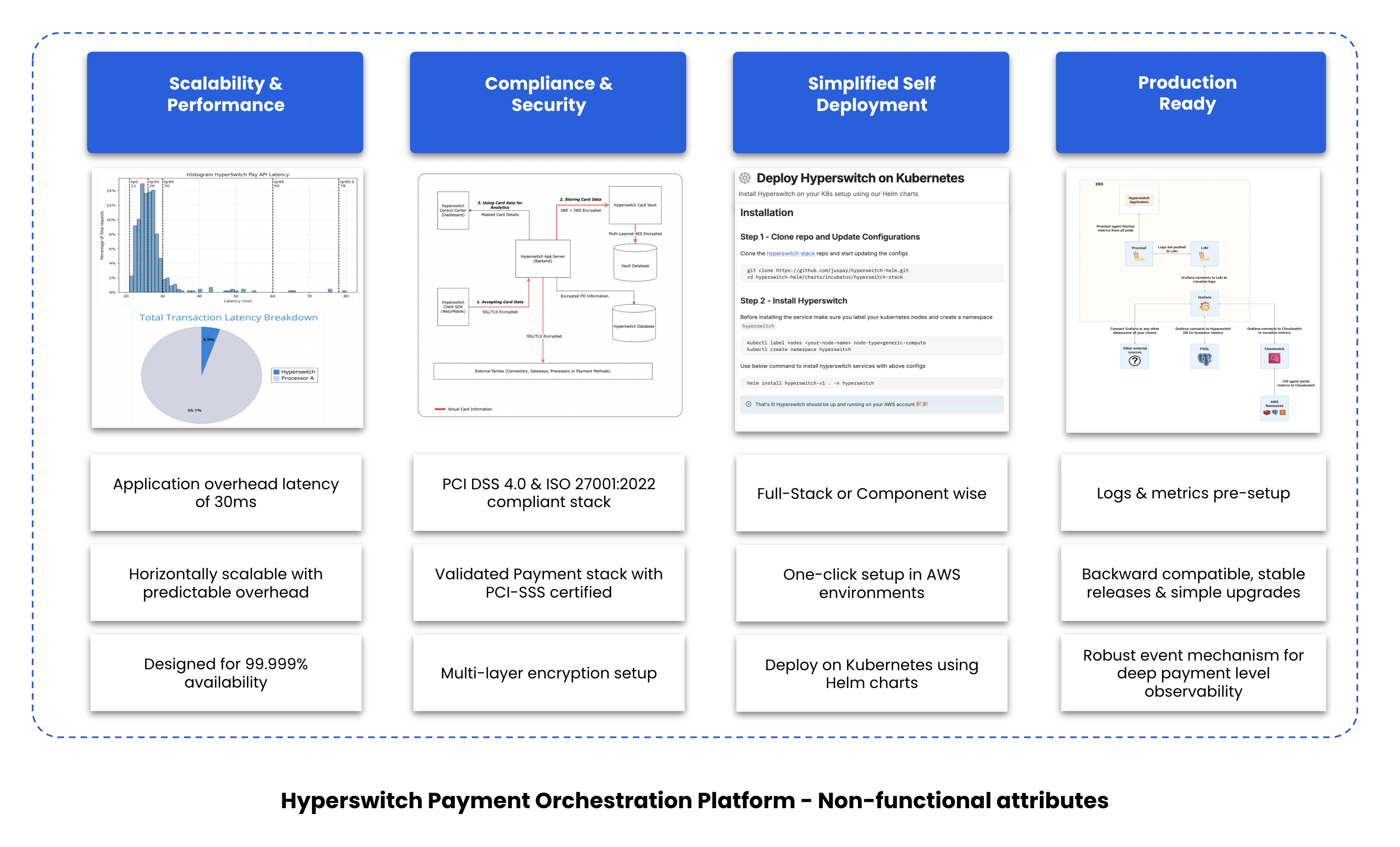
- Apache-2.0, and it comes from a company that runs payments at scale rather than a side project.
- Routing rules, automatic retries across providers, and card storage in one place.
- There is a hosted sandbox, so the whole thing can be seen working before anything is installed.
- The setup script's full profile brings a monitoring stack with it. Use the minimal profile on a small machine.
- Running anything that touches card numbers yourself puts the card-industry compliance work on whoever runs it. That is the real cost, not the licence.
- Releases come very fast — version 1.128.0 already. Pin the version and read the notes before upgrading.
git clone --depth 1 --branch latest https://github.com/juspay/hyperswitch
cd hyperswitch
scripts/setup.sh
Checked, and left out
These were opened for this edition and did not make it, with the reason.
crate-ci/typos
crate-ci/typos — VERIFIED ALIVE today: v1.50.1, 1 September 2026, dual MIT/Apache-2.0, and the changelog carries the explicit year. Left out only because the twelve were already full and two other the-workshop-adjacent entries were stronger. It is first in line for a future edition. Stays queued.
pgbackrest/pgbackrest
pgbackrest/pgbackrest — VERIFIED ALIVE: v2.58.0, MIT, C. Genuinely fills a hole restic (Ed.8 #11) does not: a file-level snapshot of a running Postgres data directory can restore to a corrupt state, and this does proper point-in-time recovery. Held over because it helps only Postgres users and its setup is heavier than either security entry chosen. Added to the queue.
pocket-id/pocket-id
pocket-id/pocket-id — VERIFIED ALIVE: 9.0k stars, BSD-2-Clause, Go. A passkey-only OIDC provider. Left out because it occupies the same access-control slot as Warpgate (#5) in one edition, and at 9k with heavy 2026 coverage it is drifting toward obvious. Added to the queue.
rustic-rs/rustic
rustic-rs/rustic — VERIFIED ALIVE. A Rust reimplementation using restic's own repository format, so a reader would receive the same advice twice. Added to the queue; surface only if restic is ever marked dropped.
Know a repository we should check?