Overview
Summary
The useful answer before the supporting detail.
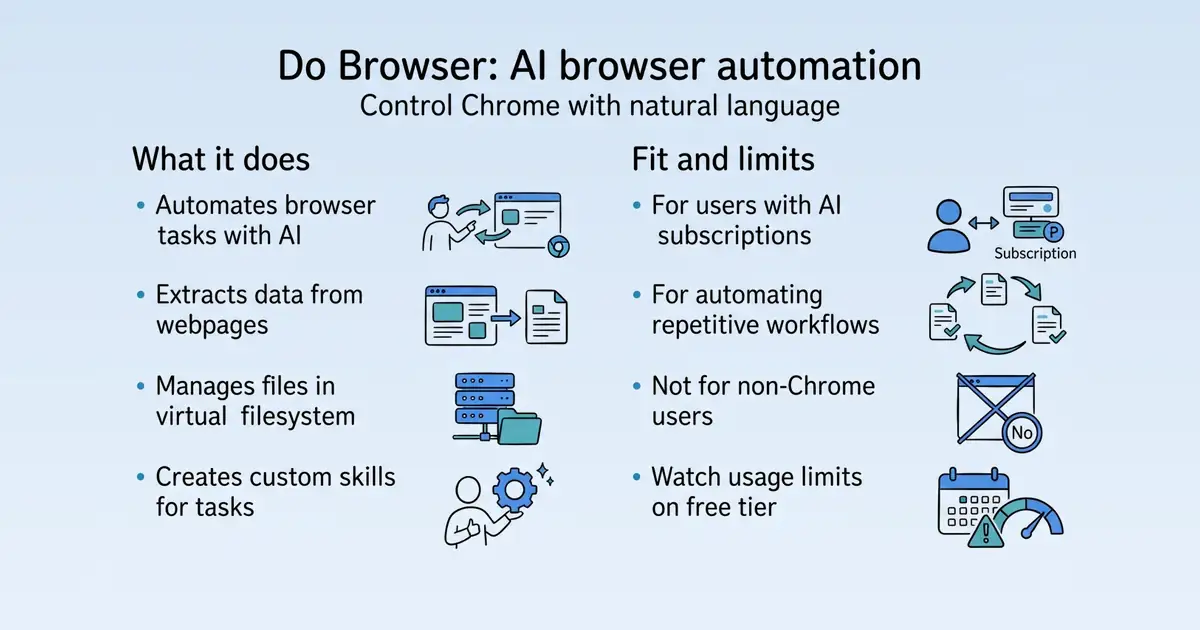
Do Browser is an AI agent that controls Chrome with natural language, automating tasks like web scraping, form filling, and data extraction S81. It is used by individuals and professionals who want to streamline repetitive browser workflows without manual scripting S81. The product offers a virtual filesystem for managing outputs, custom skills for specialized tasks, and flexible AI provider options, with a free tier and paid plans S11 S22 S81.
Product identity and positioning
Name, category, positioning, audience, and first-party claims.
- Identity: Do Browser is an AI browser automation extension for Chrome S81.
- Core purpose: It solves the problem of manual, repetitive browser tasks by letting users automate them with natural language S81.
- Intended users: Individuals and professionals who need to automate browser workflows S81.
- Product scope: It is a browser extension, not a platform, with core automation features and a virtual filesystem S11 S81.
- Positioning: The vendor positions it as an AI agent that controls Chrome with natural language S81.
- Claimed distinction: It claims to be faster and more accurate than manual task execution S81.
Use cases and audiences
Who the product serves and the jobs it is designed to handle.
Traffic and search
SEO analysis
Collected Oct 21, 2026dobrowser.io: an estimated 43,671 total monthly visits and about 192 monthly organic visits across 81 ranking keywords. Scout crawled 15 pages and measured a technical health score of 97/100.
Search summary
The useful answer before the supporting detail.
Do Browser is an AI agent that controls Chrome with natural language. Describe what you want, watch it happen. dobrowser.io: an estimated 43,671 total monthly visits and about 192 monthly organic visits across 81 ranking keywords. Scout crawled 15 pages and measured a technical health score of 97/100.
- Total traffic (modeled): 43,671 monthly visits across all channels.
- Organic search traffic (estimated): 192 monthly visits from search.
- Strongest sampled ranking: do browser at position 1.
- Leading page in the collected evidence: https://www.dobrowser.io/.
- Closest measured organic competitor: reddit.com, appearing 2 times in the sampled first-page SERPs.
- Technical crawl: 15 pages, health score 97/100.
Website intelligence — Collected evidence
Company identity and positioning
| Page type | Evidence | Source |
|---|---|---|
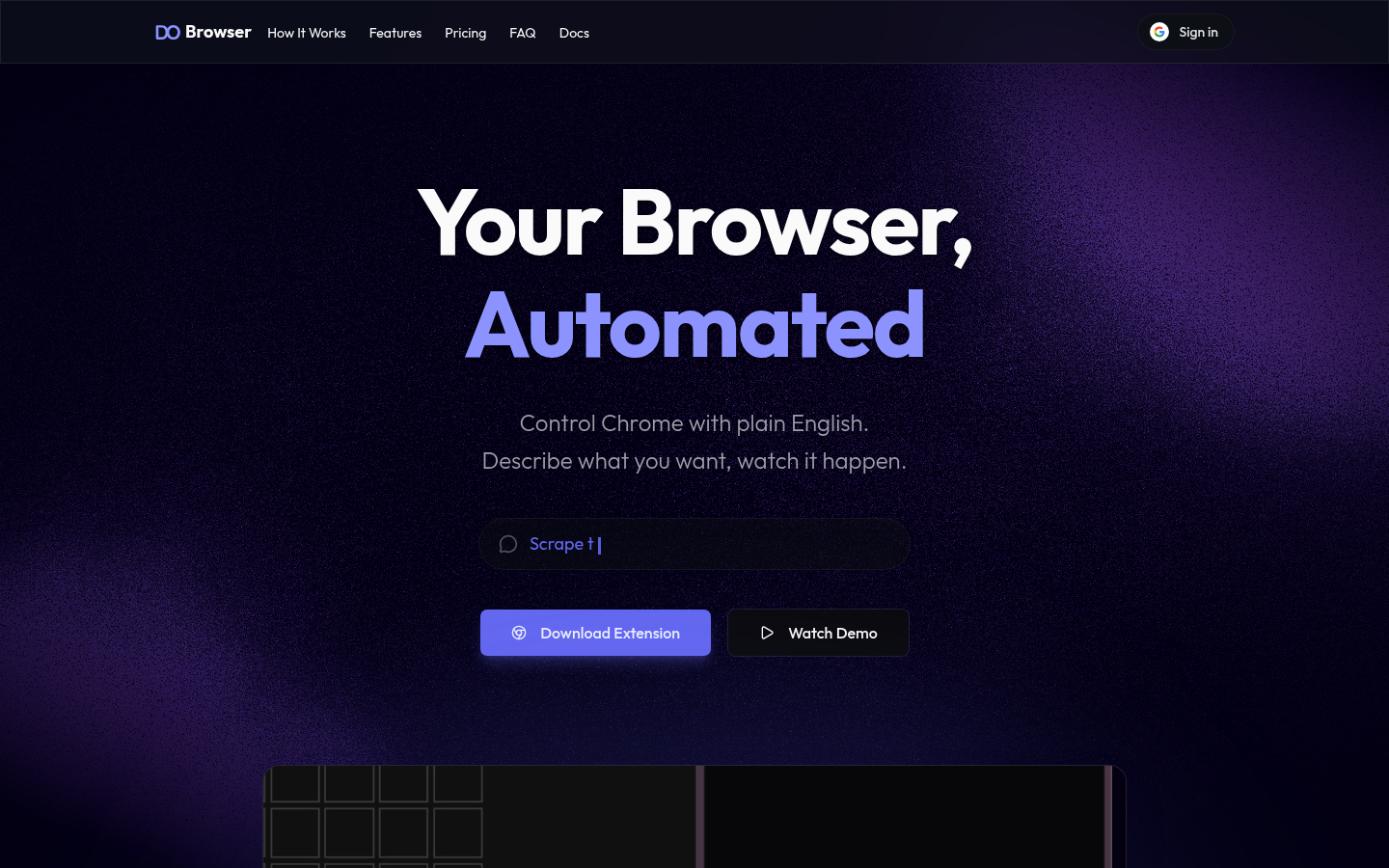
| other | Do Browser is an AI agent that controls Chrome with natural language. Describe what you want, watch it happen. | https://www.dobrowser.io/ |
| other | Everything you need for browser automation | https://www.dobrowser.io/ |
| other | Custom tools, tailored to you. Todo apps, trackers, dashboards—built without writing a single line of code yourself. | https://www.dobrowser.io/ |
| other | > “Works perfectly for me.” | https://www.dobrowser.io/ |
| other | Start free with your own ChatGPT or Claude subscription, then upgrade to Standard or Max for hosted usage. | https://www.dobrowser.io/ |
| other | Paid hosted plan for regular usage | https://www.dobrowser.io/ |
| other | For power users | https://www.dobrowser.io/ |
| other | Best for heavy daily automation | https://www.dobrowser.io/ |
| other | Your conversations are stored locally on your device and are not retained for training on the Max plan. We use third-party AI providers but your data is not used to train their models. | https://www.dobrowser.io/ |
| other | Yes — hosted plans include generous usage limits with fixed 5-hour boundary windows plus a weekly cap. Max includes higher limits for heavier workflows. You can check both usage meters directly in the app. | https://www.dobrowser.io/ |
Domain performance
Modeled total traffic, six-month trend, engagement, countries, and domain identity.
Total website traffic
| Month | Modeled visits |
|---|---|
| 2026-04 | 32,408 |
| 2026-05 | 24,615 |
| 2026-06 | 27,083 |
| 2026-07 | 24,278 |
| 2026-08 | 20,533 |
| 2026-09 | 43,671 |
Top visitor countries
| Country | Name | Traffic share |
|---|---|---|
| US | United States | 14.4% |
| MX | Mexico | 12.3% |
| IN | India | 9.2% |
| DE | Germany | 6.9% |
| VN | Vietnam | 6.6% |
Domain identity
| Signal | Value |
|---|---|
| Registered | Sep 13, 2024 |
| Last changed | Aug 19, 2026 |
| Expires | Sep 13, 2027 |
| WHOIS server | whois.nic.io |
| DNSSEC | — |
| Nameservers | dns1.registrar-servers.com, dns2.registrar-servers.com |
Website capture
Organic keywords
Top keywords and an independent Google result page.
Top organic keywords
| Keyword | Volume | CPC | Estimated value |
|---|---|---|---|
| ai that can take over a browser tab | 180 | $0.00 | $160 |
| me cite ia que faça automação pra mim em sitee | 150 | $0.00 | $140 |
| dobrowser | 110 | $0.00 | $110 |
| do browser | 240 | $3.86 | $90 |
| chrome control ai | 70 | $0.00 | $70 |
Independent Google result page
Query: do browser
| Position | Title | URL | Description |
|---|---|---|---|
| 1 | Do Browser - AI Browser Automation | https://www.dobrowser.io/ | Ready to Automate? Stop repeating tedious browser tasks. Let Do Browser handle the automation while you focus on what matters. Download Extension. 10 free ... |
| 2 | Do Browser: AI Browser Agent - Chrome Web Store - Google | https://chromewebstore.google.com/detail/do-browser-ai-browser-age/hjcibkpfgnljonndnnanhkholafmgmip?hl=en | Do Browser is an AI-powered Chrome extension that lets you automate your browser using natural language. Describe what you want in plain English ... |
| 3 | Do Browser - AI Agent | Pricing, Reviews & Alternatives | https://aiagentstore.ai/ai-agent/do-browser | Do Browser is a Chrome extension for carrying out natural-language tasks across tabs and pages. It supports navigation, extraction, CSV/file work and other ... |
| 4 | Browserbase | https://browserbase.com/ | Anything you can do in a browser, your agent can too. · Build agents that never sleep · Access the 85% APIs can't reach · Catch broken flows before your users do. |
| 5 | Do Browser: Automate Literally ANYTHING With This INSANE ... | https://www.youtube.com/watch?v=h3OE8miosvw | *Do Browser—a powerful Chrome extension that acts like an AI agent right within your browser. Think of it as Agent Zero**, but embedded in ... |
| 6 | Has anyone used "Do Browser"? Looks promising | https://www.reddit.com/r/ArtificialInteligence/comments/1h8ogsj/has_anyone_used_do_browser_looks_promising/ | It's still under development, but apparently it can reply to emails, order pizza, and more. an open source Chrome Extension. I found it easier ... |
| 7 | Browser Use Agents & Browser Infrastructure | Browser Use | https://browser-use.com/ | Browser Use is the cloud browser for AI agents. Run web agents that finish the task, or connect your own agent to stealth browsers at $0.02 an hour. |
| 8 | Browser Infrastructure for Computer Use Agents (Claude & ... | https://www.browserless.io/blog/browser-infrastructure-for-computer-use-agents | A computer-use agent is a screenshot-and-action loop. The model looks at a screenshot, requests an action like a click or keystroke, ... |
| 9 | Go behind the browser with Chrome's new AI features | https://blog.google/products-and-platforms/products/chrome/new-ai-features-for-chrome/ | We're taking you behind the browser to show you how AI is being built into Chrome to help you get things done while staying safe online. |
Important pages
Pages earning the most estimated search traffic in the sample.
| URL | Ranking keywords | Estimated traffic | Best position |
|---|---|---|---|
| https://www.dobrowser.io/ | 20 | 103.9 | 1 |
Website intelligence — Collected evidence
Prioritized website intelligence pages
| Type | Page | Words | Change | URL |
|---|---|---|---|---|
| other | Do Browser - AI Browser Automation | 837 | new | https://www.dobrowser.io/ |
| integrations | Do Browser Docs - Do Browser Docs | 153 | new | https://www.dobrowser.io/docs |
| integrations | AI Providers - Do Browser Docs | 699 | new | https://www.dobrowser.io/docs/ai-providers |
| integrations | Filesystem - Do Browser Docs | 754 | new | https://www.dobrowser.io/docs/filesystem |
| integrations | Skills - Do Browser Docs | 1,050 | new | https://www.dobrowser.io/docs/skills |
| integrations | Usage Limits - Do Browser Docs | 713 | new | https://www.dobrowser.io/docs/usage-limits |
| changes | Release Notes - Do Browser | 759 | new | https://www.dobrowser.io/releases |
| changes | Early Access Launch - Do Browser Releases | 43 | new | https://www.dobrowser.io/releases/1.3.0 |
| changes | Screenshots Enabled by Default - Do Browser Releases | 74 | new | https://www.dobrowser.io/releases/1.3.30 |
| changes | Free Trial & Tab Switching - Do Browser Releases | 82 | new | https://www.dobrowser.io/releases/1.3.43 |
| integrations | Google Sheets & Docs Support - Do Browser Releases | 83 | new | https://www.dobrowser.io/releases/1.3.7 |
Features
No supporting public-page evidence was collected for this category.
Pricing and plans
No supporting public-page evidence was collected for this category.
Integrations and supported platforms
| Page type | Evidence | Source |
|---|---|---|
| integrations | Do Browser Docs | https://www.dobrowser.io/docs |
| integrations | HomeSupportReleasesDo Browser DocsAI ProvidersUsage LimitsSkillsFilesystem | https://www.dobrowser.io/docs |
| integrations | Do Browser DocsGuides | https://www.dobrowser.io/docs |
| integrations | Do Browser Docs | https://www.dobrowser.io/docs |
| integrations | Help articles for getting the most out of Do Browser. | https://www.dobrowser.io/docs |
| integrations | Welcome to the Do Browser docs. Here you'll find everything you need to get set up and get the most out of the extension. | https://www.dobrowser.io/docs |
| integrations | [Guides](#guides) | https://www.dobrowser.io/docs |
| integrations | AI Providers — Connect ChatGPT, Claude, or your own Gemini API key. | https://www.dobrowser.io/docs |
| integrations | Usage Limits — How limits work, what each plan includes, and how to get more capacity. | https://www.dobrowser.io/docs |
| integrations | Skills — How Skills make the agent smarter at specific tasks, and how to create your own. | https://www.dobrowser.io/docs |
| integrations | Filesystem — How the virtual filesystem works, mounting local folders, and managing files. | https://www.dobrowser.io/docs |
| integrations | AI Providers | https://www.dobrowser.io/docs |
| integrations | How to connect ChatGPT, Claude, or your own Gemini API key to Do Browser. | https://www.dobrowser.io/docs |
| integrations | ](/docs/ai-providers) | https://www.dobrowser.io/docs |
| integrations | On this page | https://www.dobrowser.io/docs |
| integrations | Do Browser Docs | https://www.dobrowser.io/docs/ai-providers |
| integrations | HomeSupportReleasesDo Browser DocsAI ProvidersUsage LimitsSkillsFilesystem | https://www.dobrowser.io/docs/ai-providers |
| integrations | AI ProvidersSupported Providers | https://www.dobrowser.io/docs/ai-providers |
| integrations | AI Providers | https://www.dobrowser.io/docs/ai-providers |
| integrations | How to connect ChatGPT, Claude, or your own Gemini API key to Do Browser. | https://www.dobrowser.io/docs/ai-providers |
Product and company updates
| Page type | Evidence | Source |
|---|---|---|
| changes | Do BrowserBrowser | https://www.dobrowser.io/releases |
| changes | All Releases | https://www.dobrowser.io/releases |
| changes | Release Notes | https://www.dobrowser.io/releases |
| changes | What's new in Do Browser | https://www.dobrowser.io/releases |
| changes | Chat titles, rename & DeepSeek Flash upgrade | https://www.dobrowser.io/releases |
| changes | New chats get descriptive titles again, you can rename any chat, free messages work on more hosted models, and DeepSeek Flash can now see screenshots. | https://www.dobrowser.io/releases |
| changes | October 18, 2026 | https://www.dobrowser.io/releases |
| changes | ](/releases/3.1.37) | https://www.dobrowser.io/releases |
| changes | GPT-6 Luna and refreshed subscription models | https://www.dobrowser.io/releases |
| changes | GPT-6 Luna is now the default hosted model, with updated ChatGPT, Claude, and Gemini API key choices. | https://www.dobrowser.io/releases |
| changes | September 23, 2026 | https://www.dobrowser.io/releases |
| changes | ](/releases/3.1.36) | https://www.dobrowser.io/releases |
| changes | Gemini 3.8 Flash & Muse Spark 1.3 | https://www.dobrowser.io/releases |
| changes | Do Browser adds Gemini 3.8 Flash and Muse Spark 1.3 Contributor as hosted models. | https://www.dobrowser.io/releases |
| changes | September 3, 2026 | https://www.dobrowser.io/releases |
| changes | ](/releases/3.1.35) | https://www.dobrowser.io/releases |
Rank tracking
Persistent keyword baselines and position movement.
This analysis created the first position baseline at 2026-10-21T19:48:37.011Z. Movement appears after the next fresh analysis using the same location and language.
| Keyword | Current | Previous | Movement | Volume | Ranking URL |
|---|---|---|---|---|---|
| do browser | 1 | Baseline | Baseline | 210 | https://www.dobrowser.io/ |
| do chrome | 4 | Baseline | Baseline | 210 | https://www.dobrowser.io/ |
| ai browser automation | 6 | Baseline | Baseline | 170 | https://www.dobrowser.io/ |
| ai browser extension | 14 | Baseline | Baseline | 1,000 | https://www.dobrowser.io/ |
| ai assistant browser extension | 17 | Baseline | Baseline | 880 | https://www.dobrowser.io/ |
| browser io | 6 | Baseline | Baseline | 110 | https://www.dobrowser.io/ |
| browser us | 4 | Baseline | Baseline | 40 | https://www.dobrowser.io/ |
| browser automation extension | 16 | Baseline | Baseline | 260 | https://www.dobrowser.io/ |
| extension do | 9 | Baseline | Baseline | 70 | https://www.dobrowser.io/ |
| browser ai agent | 15 | Baseline | Baseline | 110 | https://www.dobrowser.io/ |
| ai based browser | 11 | Baseline | Baseline | 50 | https://www.dobrowser.io/ |
| do extension | 13 | Baseline | Baseline | 70 | https://www.dobrowser.io/ |
| ai agent for chrome | 12 | Baseline | Baseline | 40 | https://www.dobrowser.io/ |
| advanced browser | 12 | Baseline | Baseline | 30 | https://www.dobrowser.io/ |
| ai agent for browser automation | 12 | Baseline | Baseline | 30 | https://www.dobrowser.io/ |
| browser automation agent | 12 | Baseline | Baseline | 30 | https://www.dobrowser.io/ |
| browse anything ai agent | 13 | Baseline | Baseline | 30 | https://www.dobrowser.io/ |
| ai control browser | 16 | Baseline | Baseline | 30 | https://www.dobrowser.io/ |
| browser use tool | 16 | Baseline | Baseline | 30 | https://www.dobrowser.io/ |
| dodo browser | 15 | Baseline | Baseline | 10 | https://www.dobrowser.io/ |
Features
Features and capabilities
Core functions and evidence-backed product capabilities.
| Capability | What it does |
|---|---|
| Natural language automation | Users can instruct the AI agent to perform browser tasks like clicking, navigating, and filling forms S81. |
| Virtual filesystem | Provides a built-in file system for creating, editing, and downloading files, with persistence across sessions S11. |
| Custom skills | Users can create and manage skills that train the AI agent for specific tasks, stored as folders with instructions S22. |
| AI provider flexibility | Users can connect their own ChatGPT, AI model, or AI modelAPI key to bypass built-in usage limits S3 S31. |
| Data extraction | Users can extract insights from webpages and export data to CSV S81. |
| Script execution | The agent can create and execute scripts stored in the filesystem S11. |
Integrations and ecosystem
Connected products, exports, APIs, and workflow compatibility.
| Integration or interface | Type | What it enables |
|---|---|---|
| ChatGPT | Integration | Sign in with OpenAI account to use ChatGPT subscription for automation S3. |
| AI model | Integration | Sign in with Anthropic account to use AI modelsubscription for automation S3. |
| AI modelAPI Key | API | Paste a Google AI Studio API key to use AI modelmodels S3. |
| OpenAI, Anthropic, AI synthesis API keys | API | Connect your own API key to bypass built-in limits S31. |
| Agent Skills open standard | Extension framework | Use community-created skills or publish your own S22. |
Pricing
Pricing and plans
Published plans, free access, trials, credits, and pricing limitations.
| Plan or offer | Verified price and billing | Included | Limits |
|---|---|---|---|
| Free | $0 S1 | 10 hosted messages; unlimited with your own subscription S1 | No card required S1 |
| Standard | $25 per month, billed monthly S1 | Hosted model included S1 | Generous usage limits S1 |
| Max | $100 per month, billed monthly S1 | 4x Standard usage; access to AI model S1 | Not established |
Competition
Competitive landscape
Domains competing for the same organic search demand.
Sampled competitors
| Competitor | First-page appearances | Sampled queries | Average position | Queries observed |
|---|---|---|---|---|
| reddit.com | 2 | 2 | 3.5 | do browser, do chrome |
| blog.google | 2 | 1 | 4.5 | do chrome |
| chromewebstore.google.com | 2 | 1 | 6.5 | do chrome |
| youtube.com | 2 | 2 | 7.5 | do browser, do chrome |
| aixploria.com | 1 | 1 | 1 | do browser |
| google.com | 1 | 1 | 1 | do chrome |
| play.google.com | 1 | 1 | 2 | do chrome |
| linkedin.com | 1 | 1 | 3 | do browser |
| agent-browser.dev | 1 | 1 | 4 | do browser |
| bestaiagents.ai | 1 | 1 | 5 | do browser |
Website intelligence — Collected evidence
Customers, testimonials, and first-party review claims
No supporting public-page evidence was collected for this category.
Independent review sources discovered
| Platform | Status | Discovered source |
|---|---|---|
| discovered_not_scraped | https://aistudio.google.com/apikey |
Backlink profile
Authority and referring-domain signals.
Backlink comparison profile
- Domain rating: 14/100
- Backlinks: 2,798
- Referring domains: 515
- Dofollow backlinks: 42.0%
- Dofollow referring domains: 37.0%
Collection decision
The Scout search index remains intentionally excluded from automatic Scout analysis. This Scout traffic model profile costs 5 credits (0.5 cents) and is included in the first comparison run so its usefulness can be judged before the recurring collection is finalized.
AI visibility
Measured ChatGPT and Google AI mentions with cited sources.
AI-assistant referral traffic
- Estimated current generative-AI referral share: 1.4%
Scout traffic model did not return a separate AI-referral trend series for this domain.
Website intelligence — Collected evidence
Site-stated AI capabilities
| Page type | Evidence | Source |
|---|---|---|
| other | Do Browser is an AI agent that controls Chrome with natural language. Describe what you want, watch it happen. | https://www.dobrowser.io/ |
| other | Your conversations are stored locally on your device and are not retained for training on the Max plan. We use third-party AI providers but your data is not used to train their models. | https://www.dobrowser.io/ |
| integrations | HomeSupportReleasesDo Browser DocsAI ProvidersUsage LimitsSkillsFilesystem | https://www.dobrowser.io/docs |
| integrations | AI Providers — Connect ChatGPT, Claude, or your own Gemini API key. | https://www.dobrowser.io/docs |
| integrations | AI Providers | https://www.dobrowser.io/docs |
| integrations | ](/docs/ai-providers) | https://www.dobrowser.io/docs |
| integrations | HomeSupportReleasesDo Browser DocsAI ProvidersUsage LimitsSkillsFilesystem | https://www.dobrowser.io/docs/ai-providers |
| integrations | AI ProvidersSupported Providers | https://www.dobrowser.io/docs/ai-providers |
| integrations | AI Providers | https://www.dobrowser.io/docs/ai-providers |
| integrations | Do Browser uses AI to understand your instructions and automate tasks in the browser. Every paid plan comes with built-in AI — no setup required. Just describe what you want and go. | https://www.dobrowser.io/docs/ai-providers |
| integrations | You can also connect your own AI provider. If you already have a ChatGPT or Claude subscription, you can sign in and use it directly. This bypasses the built-in usage limits entirely. | https://www.dobrowser.io/docs/ai-providers |
| integrations | \ | Paste your API key \ |
| integrations | Under AI Provider, select ChatGPT (sign in) from the dropdown. | https://www.dobrowser.io/docs/ai-providers |
| integrations | Under AI Provider, select Claude (sign in) from the dropdown. | https://www.dobrowser.io/docs/ai-providers |
| integrations | HomeSupportReleasesDo Browser DocsAI ProvidersUsage LimitsSkillsFilesystem | https://www.dobrowser.io/docs/filesystem |
| integrations | Do Browser has a built-in virtual filesystem. It lets the AI agent read and write files, and gives you a place to store data, scripts, skills, and anything else you're working with. | https://www.dobrowser.io/docs/filesystem |
| integrations | HomeSupportReleasesDo Browser DocsAI ProvidersUsage LimitsSkillsFilesystem | https://www.dobrowser.io/docs/skills |
| integrations | Skills are like specialized training for Do Browser's AI agent. They give it step-by-step knowledge for specific tasks — things like how to navigate Gmail's compose window, how to scrape data from Twitter, or how to work with Google Sheets. | https://www.dobrowser.io/docs/skills |
| integrations | Without a skill, the agent can still figure things out — it's a capable AI. But with a skill, it already knows the best approach and can get it right faster and more reliably. | https://www.dobrowser.io/docs/skills |
These are first-party product claims, not independent measurements of AI-search visibility.
Marketing opportunities
Actions calculated directly from the collected evidence.
| Opportunity | Recommended action | Evidence |
|---|---|---|
| Striking-distance keyword | Move “do chrome” from position 4 toward the top three. | Volume 210 · https://www.dobrowser.io/ |
| Competitor gap | Review the sampled queries where reddit.com appears. | 2 first-page appearances across do browser, do chrome |
Website intelligence — Collected evidence
Website evidence gaps
- pricing: no usable public page was collected; verify whether the site publishes this evidence.
- features: no usable public page was collected; verify whether the site publishes this evidence.
- customers: no usable public page was collected; verify whether the site publishes this evidence.
- reviews: no usable public page was collected; verify whether the site publishes this evidence.
- identity: no usable public page was collected; verify whether the site publishes this evidence.
- technical: no usable public page was collected; verify whether the site publishes this evidence.
Trust and proof
Customers, proof, and reviews
Published proof, customer signals, and review evidence.
Independent reviews
| Platform | Page | How it was found | Note |
|---|---|---|---|
| Chrome Web Store | Do Browser: AI Browser Agent - Chrome Web Store | Grounded web search | Do Browser is an AI-powered Chrome extension that lets you automate your browser using natural language. Describe what you want in plain English, and watch it happen. How It Works: 1. Describe Your Task - Tell Do Browser what you want. No coding required. 2. AI Takes Control - It navigates, clicks, fills forms, and extracts data automatically. 3. Use the Results - Download CSVs and other files. Key Features: - Natural language commands - Just describe what you want done - Works on any website - |
Customer proof
No named customers, testimonials, or customer case studies were found.
Independent mentions
- Do Browser - AI Browser Automation — Do Browser - AI Browser Automation ... # Your Browser, Automated ... Control Chrome with plain English. Describe what you want, watch it happen. ... From emails to complex form submissions, Do Browser handles the tedious work so you can focus on what actually matters. ... Custom tools, tailored to you. Todo apps, trackers, dashboards—built without writing a single line of code yourself. ... Extract insights from any webpage. Scrape metrics, analyze trends, transform raw data into actionable inte
- Do Browser Docs - Do Browser Docs — Welcome to the Do Browser docs. Here you'll find everything you need to get set up and get the ... - AI Providers — Connect ChatGPT, AI model, or your own AI modelAPI key ... and how to create your own. - Filesystem — How the virtual filesystem works,
- Use Cases - Do Browser — ## Automate Web Data Extraction to CSV Turn repetitive copy-paste into a repeatable CSV workflow with Do Browser in Chrome. February 13, 2026 ... Into an Interactive Slideshow Convert long web content into a polished, interactive HTML deck in one run.
- Do Browser: AI Browser Agent — Do Browser is an AI-powered Chrome extension that lets you control your browser using natural language commands. Simply type "do" in your address bar and tell it what you want - from filling out forms to making purchases to playing music
- Release Notes - Do Browser — New chats get descriptive titles again, you can rename any chat, free messages work on ... - v3.1.36 ## AI model Luna and refreshed subscription models AI model Luna is now the default hosted model, with updated ChatGPT, AI model, and AI modelAPI key choices.
- AI Providers - Do Browser Docs — Do Browser uses AI to understand your instructions and automate tasks in the browser. Every paid plan comes with built-in AI — no setup required. Just describe what you want and go. ... have a ChatGPT or AI modelsubscription, you can sign in and use it
- Do Browser is Out of Early Access - Do Browser Releases — .0 uses a brand new code-first approach to browser automation, incorporating techniques learned from building Dev Browser and AI modelCode into a browser-first agent ... - More reliable — Actions work consistently - More repeatable — Perfect for doing the
- Skills - Do Browser Docs — for Do Browser's AI agent. They give it step-by-step knowledge for specific tasks — things like how to navigate Gmail's compose window, how to scrape data from Twitter, or how to work with Google Sheets. Without a skill, the agent can still figure things
External links were grounded in one live web search. Search snippets are leads, not independently scraped page content; rejected links remain available in Review evidence.
Company, security, and trust
Ownership, policies, security signals, and public trust evidence.
| Signal | Finding | Source |
|---|---|---|
| Company and ownership | Not published on the collected pages. | — |
| Contact and support | Not published on the collected pages. | — |
| Legal and privacy | Added links to the Terms of Service and Privacy Policy in Settings | source |
| Security and compliance | Not published on the collected pages. | — |
| Uptime and status page | Not published on the collected pages. | — |
Not found on the collected pages: company and ownership, contact and support, security and compliance, uptime and status page. This only means Scout did not find it on the pages it read; it says nothing about the company itself.
Documentation and product updates
Help resources, product guidance, and visible changes over time.
| Resource or update | Type | What is available | Date or freshness |
|---|---|---|---|
| Product FAQ | FAQ | Answers common product, workflow, pricing, privacy, ownership, API, and team questions. (source) | Not dated |
| Do Browser Docs - Do Browser Docs | Documentation | Help articles for getting the most out of Do Browser. (source) | Not dated |
| AI Providers - Do Browser Docs | Documentation | How to connect ChatGPT, AI model, or your own AI modelAPI key to Do Browser. (source) | Not dated |
| Filesystem - Do Browser Docs | Documentation | How Do Browser's virtual filesystem works, and how to use it to manage files. (source) | Not dated |
| Skills - Do Browser Docs | Documentation | How Skills make Do Browser smarter at specific tasks, and how to create your own. (source) | Not dated |
| Usage Limits - Do Browser Docs | Documentation | How usage limits work in Do Browser, what the plans include, and how to get more capacity. (source) | Not dated |
| Release Notes - Do Browser | Release notes | Latest updates, new features, and improvements to Do Browser (source) | Not dated |
| Early Access Launch - Do Browser Releases | Release notes | The first public release of Do Browser. Welcome to early access! (source) | Not dated |
Not found in the collected public sources: public roadmap, status page, separate help center or knowledge base.
Technical
Technical and delivery signals
Delivery model, platforms, API, data ownership, reliability claims and release activity.
| Signal | Finding | Source |
|---|---|---|
| Delivery model (cloud, self-hosted, desktop, browser extension) | Delivered as a Chrome extension S81. | S81 |
| Platforms and apps | Runs on Chrome browser S81. | S81 |
| API and extensibility (API, SDK, webhooks, MCP, plugins) | Supports connecting external AI providers via API keys and OAuth S3. | S3 |
| Data ownership and export | Files are stored locally, not in the cloud S11. | S11 |
| Performance and reliability claims | Not published on the collected pages. | — |
| Release activity | Regular releases with new features and models S81. | S81 |
Measured infrastructure
Domain, certificate, and hosting signals, measured directly.
| Signal | Finding |
|---|---|
| First archived | 2024-09-18 — web archive |
| TLS certificate | Let's Encrypt, valid, expires 2027-01-03 |
| Security headers | HSTS |
| Headers not served | CSP, X-Content-Type-Options, X-Frame-Options, Referrer-Policy |
| Server header | Vercel |
| Mail handled by | smtp.google.com |
| Nameservers | dns2.registrar-servers.com, dns1.registrar-servers.com |
Not measurable: rdap: no RDAP server published for .io; rdap: exceeded the overall budget; wayback: exceeded the overall budget; tls: exceeded the overall budget; dns: exceeded the overall budget; headers: exceeded the overall budget. A gap here means the lookup was unavailable, not that the finding is negative.
Technical site audit
A bounded multi-page crawl with page-level issues and URLs.
Scout — Bounded technical crawl
- Pages crawled: 15 of 15 maximum
- Technical health: 97/100
- Critical issues: 0
- Warnings: 8
- Notices: 4
Issues
| Severity | Issue | Value | Affected URL |
|---|---|---|---|
| notice | Low visible word count | 140 | https://www.dobrowser.io/docs |
| warning | Title length should be reviewed | 66 | https://www.dobrowser.io/releases/3.1.37 |
| warning | Title length should be reviewed | 66 | https://www.dobrowser.io/releases/3.1.36 |
| notice | Low visible word count | 114 | https://www.dobrowser.io/releases/3.1.36 |
| notice | Low visible word count | 115 | https://www.dobrowser.io/releases/3.1.35 |
| warning | Title length should be reviewed | 70 | https://www.dobrowser.io/releases/3.1.34 |
| warning | Title length should be reviewed | 69 | https://www.dobrowser.io/use-cases/turn-any-article-into-an-interactive-slideshow |
| notice | Low visible word count | 27 | https://www.dobrowser.io/support |
| warning | Duplicate title in audit sample | 2 | https://www.dobrowser.io/ |
| warning | Duplicate title in audit sample | 2 | https://www.dobrowser.io/ |
| warning | Duplicate meta description in audit sample | 2 | https://www.dobrowser.io/ |
| warning | Duplicate meta description in audit sample | 2 | https://www.dobrowser.io/ |
Crawled pages
| Status | Title | H1s | Words | Response | URL |
|---|---|---|---|---|---|
| 200 | Do Browser - AI Browser Automation | 1 | 1171 | 343 ms | https://www.dobrowser.io/ |
| 200 | Do Browser - AI Browser Automation | 1 | 1171 | 133 ms | https://www.dobrowser.io/ |
| 200 | Do Browser Docs - Do Browser Docs | 1 | 140 | 50 ms | https://www.dobrowser.io/docs |
| 200 | Automate Web Data Extraction to CSV - Do Browser Use Cases | 1 | 475 | 189 ms | https://www.dobrowser.io/use-cases/automate-web-data-to-csv |
| 200 | Chat titles, rename & AI modelFlash upgrade - Do Browser Releases | 1 | 271 | 154 ms | https://www.dobrowser.io/releases/3.1.37 |
| 200 | Release Notes - Do Browser | 1 | 755 | 33 ms | https://www.dobrowser.io/releases |
| 200 | AI model Luna and refreshed subscription models - Do Browser Releases | 1 | 114 | 138 ms | https://www.dobrowser.io/releases/3.1.36 |
| 200 | AI model & Muse Spark 1.3 - Do Browser Releases | 1 | 115 | 151 ms | https://www.dobrowser.io/releases/3.1.35 |
| 200 | GLM 5.3 Flash, AI model & AI modelFlash - Do Browser Releases | 1 | 151 | 146 ms | https://www.dobrowser.io/releases/3.1.34 |
| 200 | Use Cases - Do Browser | 1 | 166 | 149 ms | https://www.dobrowser.io/use-cases |
| 200 | Turn Any Article Into an Interactive Slideshow - Do Browser Use Cases | 1 | 309 | 195 ms | https://www.dobrowser.io/use-cases/turn-any-article-into-an-interactive-slideshow |
| 200 | Extract a YouTube Transcript - Do Browser Use Cases | 1 | 297 | 143 ms | https://www.dobrowser.io/use-cases/extract-youtube-transcript |
| 200 | Privacy Policy - Do Browser | 1 | 2199 | 165 ms | https://www.dobrowser.io/privacy |
| 200 | Terms of Service - Do Browser | 1 | 1384 | 177 ms | https://www.dobrowser.io/terms |
| 200 | Support - Do Browser | 1 | 27 | 146 ms | https://www.dobrowser.io/support |
This is a bounded Scout crawl. Core Web Vitals and Lighthouse scores are not claimed unless a dedicated performance audit is connected.
Search Console and Analytics
First-party search and behavioral data connection state.
Modeled acquisition channels
| Channel | Estimated share |
|---|---|
| direct | 41.7% |
| search | 32.2% |
| search organic | 30.9% |
| search paid | 1.3% |
| social | 6.8% |
| social organic | 6.0% |
| social paid | 0.7% |
| referrals | 10.6% |
| paid referrals | 3.8% |
| 2.2% | |
| gen ai | 1.4% |
| affiliate | 1.2% |
| other | 0.0% |
First-party connections
| Integration | Status | Data available after connection |
|---|---|---|
| Google Search Console | Not connected | Clicks, impressions, CTR, average position, queries, pages, countries, and devices |
| Google Analytics | Not connected | Organic sessions, engagement, landing pages, conversions, geography, and devices |
No first-party Search Console or Analytics numbers are shown until the site owner authorizes the corresponding Google account. Scout traffic model values above are modeled estimates, not private analytics totals.
Limits and method
Limitations and open questions
Known constraints and missing evidence from the collected pages.
The collected pages do not mention any competitors. Evidence gaps include lack of detailed pricing for Standard and Max plans beyond monthly cost, no information on company ownership, legal terms, or security certifications. Open questions remain about the exact usage limits and credit top-up availability.
Sources, method, and limitations
Evidence inventory, collection method, provider use, and constraints.
This report is based on 15 collected pages from dobrowser.io, including documentation, release notes, and the homepage. The evidence catalog includes 148 entries from these pages. External proof search was performed but no additional verification was completed. Limitations: some pages may not have been fully captured, and pricing details are limited to what was published.
- Official Websitehttps://www.dobrowser.io/Verified
- Documentationhttps://www.dobrowser.io/docsVerified
- Documentationhttps://www.dobrowser.io/docs/ai-providersVerified
- Documentationhttps://www.dobrowser.io/docs/filesystemVerified
- Documentationhttps://www.dobrowser.io/docs/skillsVerified
- Documentationhttps://www.dobrowser.io/docs/usage-limitsVerified
- Official Websitehttps://www.dobrowser.io/releasesVerified
- Official Websitehttps://www.dobrowser.io/releases/1.3.0Verified
- Official Websitehttps://www.dobrowser.io/releases/1.3.30Verified
- Official Websitehttps://www.dobrowser.io/releases/1.3.43Verified
- Documentationhttps://www.dobrowser.io/releases/1.3.7Verified
- Official Websitehttps://www.dobrowser.io/releases/2.0.0Verified
- Official Websitehttps://www.dobrowser.io/releases/2.0.9Verified
- Official Websitehttps://www.dobrowser.io/releases/3.0.0Verified
- Official Websitehttps://www.dobrowser.io/releases/3.1.0Verified
- Review Sitehttps://chromewebstore.google.com/detail/do-browser/hjcibkpfgnljonndnnanhkholafmgmipVerified
- Articlehttps://www.dobrowser.io/use-casesVerified
- Articlehttps://chromewebstore.google.com/detail/do-browser-ai-browser-age/hjcibkpfgnljonndnnanhkholafmgmipVerified
- Articlehttps://www.dobrowser.io/termsVerified