In simple English
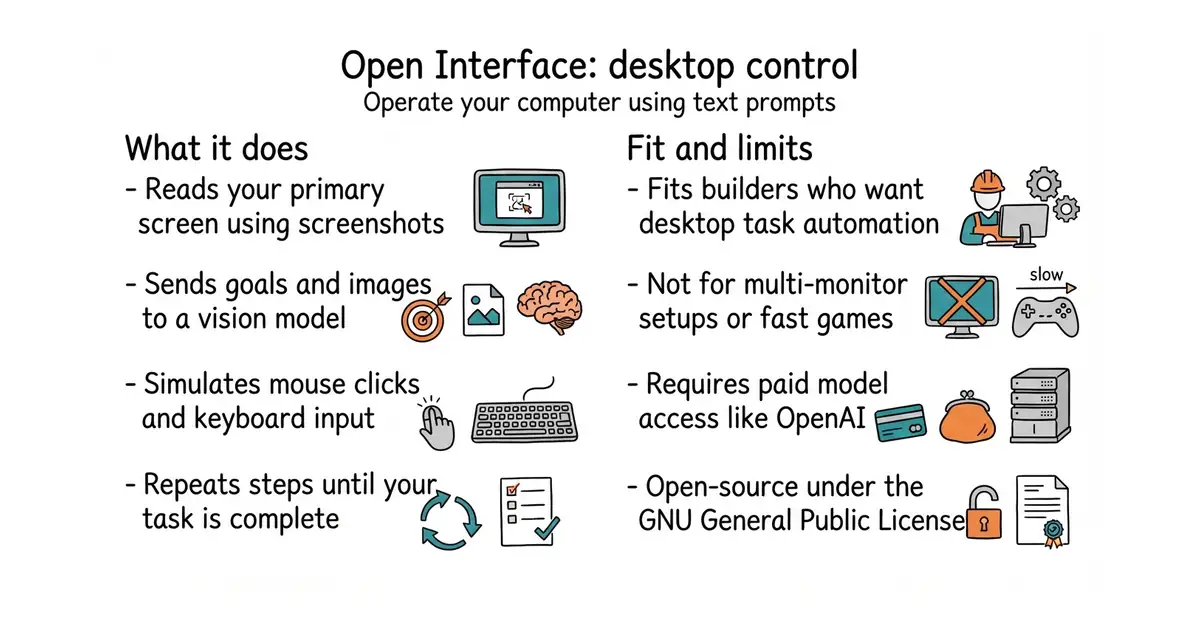
This tool lets you operate your computer by writing plain English requests. You type what you want done, and the software looks at your screen and clicks the mouse for you. It takes screenshots, sends them to an artificial intelligence model, and repeats the process until your task is finished. You need an internet connection and an account with an artificial intelligence provider to pay for the model calls. It runs on Windows, macOS, and Linux.
What it is
Open Interface is an open-source desktop assistant that translates text commands into operating system mouse clicks and keyboard strokes. It uses vision models like OpenAI's GPT-4o or Google Gemini to interpret your screen and decide the next action.
What it is good for
Solo builders who want to automate repetitive desktop tasks, test user interfaces visually, or run software workflows that lack a proper application programming interface.
- Runs on macOS, Windows, and Linux without complex setup.
- Supports custom language models if you prefer not to use OpenAI.
- Includes a safety feature to stop execution instantly if you move your cursor to any screen corner.
- Prone to errors when clicking small buttons or tracking fast changes on screen.
- Costs money for every artificial intelligence model request, which adds up during long tasks.
- Fails to see secondary monitors and only captures your primary display.
Manual repetitive desktop clicking and custom scripts for user interface testing.
OpenAI API key or a local vision model backend.
- browser-use/browser-use119k stars
Controls web browsers using language models instead of the entire desktop operating system.

- ggml-org/llama.cpp132k stars
A C and C++ library and command-line tool for running language models locally.
- EleutherAI/lm-evaluation-harness14k stars
Runs standard question sets against a language model and reports the scores.
- mudler/LocalAI50k stars
Serves text, vision, speech, image and video models from one self-hosted service that imitates the paid interfaces.
git clone https://github.com/AmberSahdev/Open-Interface.git
cd Open-Interface
python3 -m venv .venv
source .venv/bin/activate
pip install -r requirements.txt
python app/app.py