In simple English
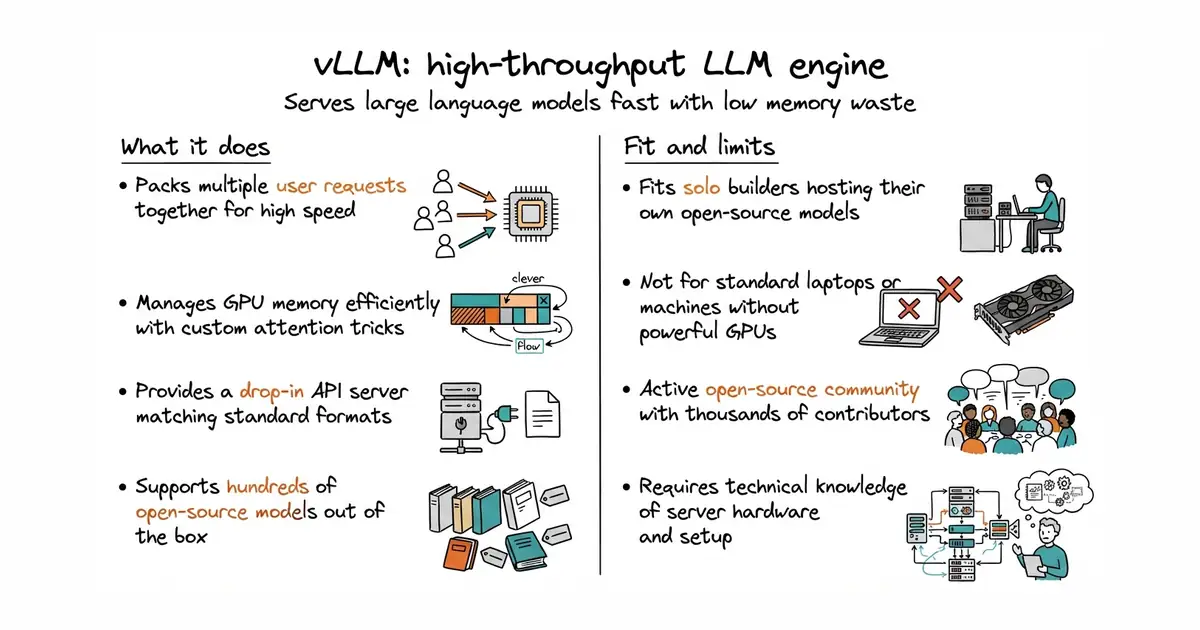
Running large language models on your own server can be slow and waste memory. This tool makes text generation fast and packs many requests together at the same time. It speaks the same language as OpenAI, so you can swap it into your existing apps without changing code. You need a dedicated server with a powerful graphics card to run it well. It costs nothing to use under an open-source licence.
What it is
A high-throughput and memory-efficient inference and serving engine for large language models. It optimizes GPU memory management to handle multiple concurrent users efficiently.
What it is good for
Solo builders who want to host their own open-source models like Llama or Qwen with high speed and low memory waste, without paying cloud markup.
- Serves models much faster than standard Hugging Face pipelines.
- Provides a drop-in API server that matches the OpenAI format.
- Supports hundreds of popular open-source model architectures out of the box.
- Requires an expensive graphics card with plenty of VRAM to run well.
- Setup can be complex when compiling custom kernels for specific hardware.
- High open issue count reflects the massive scope and rapid pace of the project.
Standard Hugging Face text generation scripts and naive model serving loops
LangChain or any application framework that speaks the OpenAI API
- ggml-org/llama.cpp132k stars
Runs large language models locally on consumer hardware and CPUs instead of requiring heavy server graphics cards.
- ollama/ollama184k stars
Provides an easier desktop experience for running local models, whereas this tool focuses on high-speed server throughput.


- mudler/LocalAI50k stars
Serves text, vision, speech, image and video models from one self-hosted service that imitates the paid interfaces.
- janhq/jan45k stars
Downloads and runs language models entirely offline as a desktop application, and opens a local server other programs can use.
- Mintplex-Labs/anything-llm67k stars
One program that reads your documents and answers questions about them, with the model running locally if you want.
uv pip install vllm
vllm download-kernels