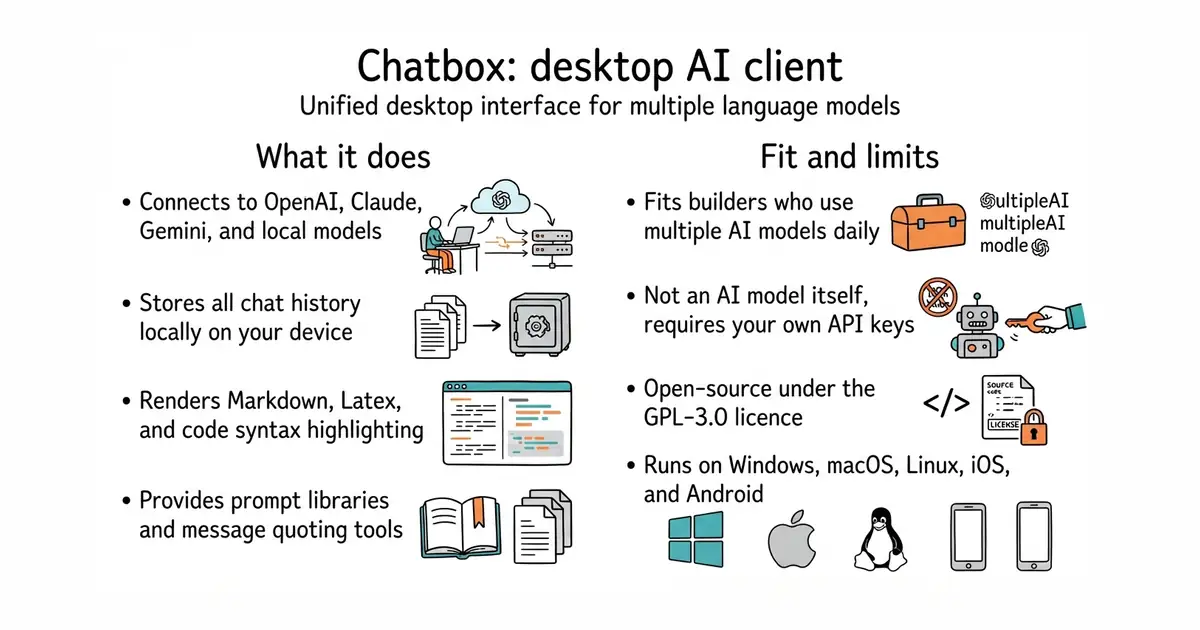
In simple English
Chatbox is a desktop application that lets you talk to popular artificial intelligence models from one place. You can connect your own keys for services like OpenAI or Anthropic, or use local models on your computer. Your chat history stays safely stored on your device instead of a remote server. The software is free to download and use, though you pay your chosen AI provider for the messages you send. It helps you avoid messy browser tabs and keeps your conversations organized.
What it is
A cross-platform desktop client and chat interface for interacting with multiple artificial intelligence language models. It supports local data storage, prompt libraries, and code syntax highlighting.
What it is good for
Solo builders who want a clean desktop app to manage multiple AI models without relying on a web browser. It removes the hassle of switching between different provider websites and keeps your prompts in one organized place.
- Works across Windows, Mac, and Linux with native desktop apps.
- Stores your chat data locally on your device for privacy.
- Supports major AI providers and local models through Ollama.
- Requires an internet connection and paid API keys for cloud-based AI models.
- Large installer size typical of desktop apps built with web technologies.
- GPL-3.0 licence may impose conditions if you modify and redistribute the code.
Browser-based chat interfaces and multiple AI provider tabs
Ollama (a tool to run language models locally on your own hardware)
- mudler/LocalAI50k stars
Serves text, vision, speech, image and video models from one self-hosted service that imitates the paid interfaces.
- janhq/jan45k stars
Downloads and runs language models entirely offline as a desktop application, and opens a local server other programs can use.
- Mintplex-Labs/anything-llm67k stars
One program that reads your documents and answers questions about them, with the model running locally if you want.
git clone https://github.com/chatboxai/chatbox.git
cd chatbox
pnpm install
pnpm run dev