In simple English
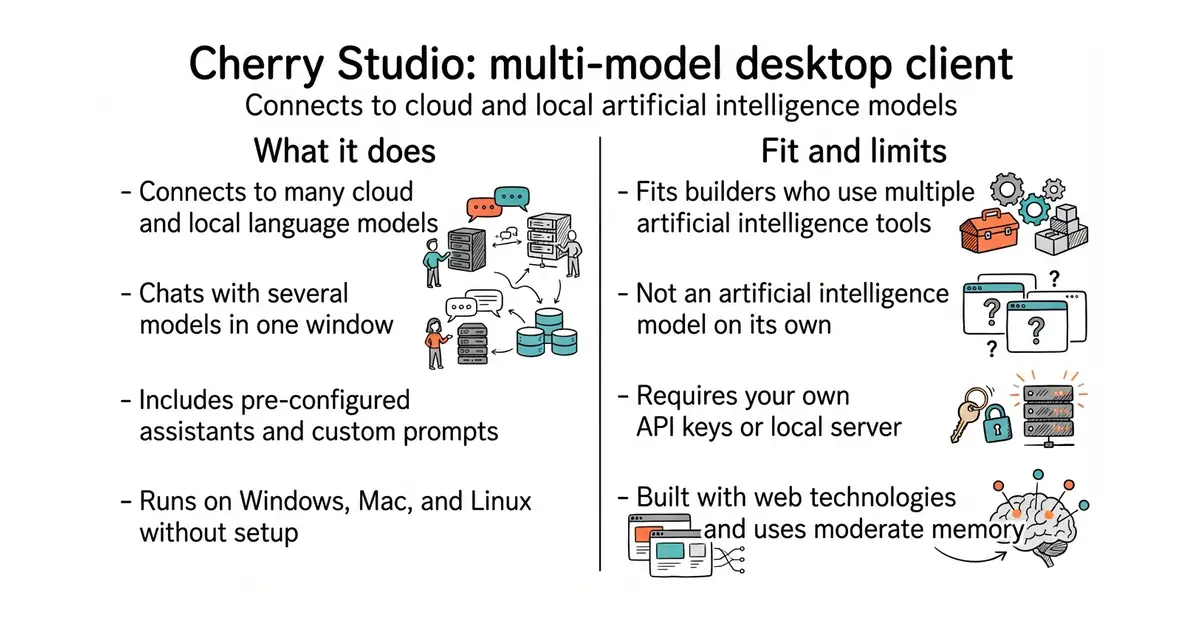
Cherry Studio is a desktop app for your computer. It connects to many different artificial intelligence services, such as OpenAI and Anthropic, through one screen. You can chat with several models at the same time and compare their answers. It also lets you store files and create custom assistants for specific tasks. The software is free to download and use under a source-available licence.
What it is
A desktop client for Windows, Mac, and Linux that provides a unified interface for multiple large language models. It supports cloud-based services and local models while including file management and custom assistant features.
What it is good for
Solo builders who want to switch between different artificial intelligence providers without opening multiple browser tabs. It helps you manage prompts, chat with local models, and organize your daily work.
- Connects to cloud providers and local models in one app.
- Includes hundreds of pre-configured AI assistants for common tasks.
- Runs on Windows, Mac, and Linux without complex setup.
- Requires your own API keys or local model server to function.
- Uses several hundred megabytes of RAM as an Electron-based desktop app.
- Licence is AGPL, which has strict rules for cloud service hosting.
Using multiple web browser tabs for different artificial intelligence chat services
Ollama
- lobehub/lobehub83k stars
A popular web and desktop interface for managing artificial intelligence assistants and plugins.

- mudler/LocalAI50k stars
Serves text, vision, speech, image and video models from one self-hosted service that imitates the paid interfaces.
- janhq/jan45k stars
Downloads and runs language models entirely offline as a desktop application, and opens a local server other programs can use.
- Mintplex-Labs/anything-llm67k stars
One program that reads your documents and answers questions about them, with the model running locally if you want.
Download the installer for your operating system from the official GitHub releases page and run it on your computer.