Edition No. 59 · 23 Oct 2026
A tool with 59,000 stars, and no code since 2024
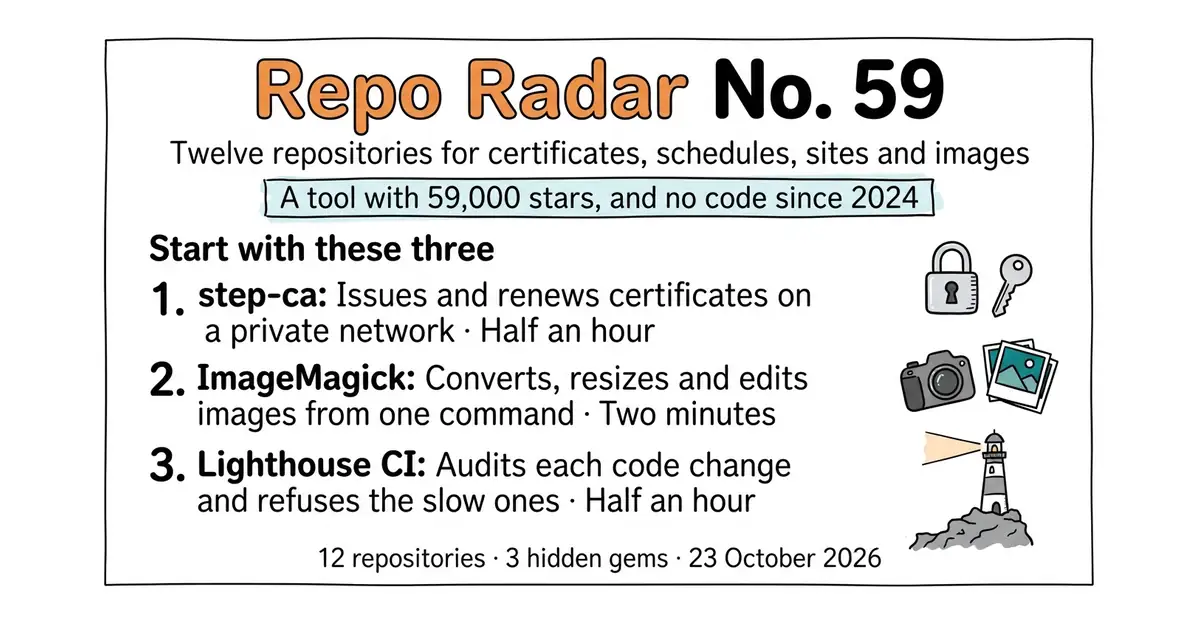
A certificate authority you run yourself, a deployment tool whose licence overrules its own Apache terms four lines from the end, and three projects whose newest release says nothing about whether they are alive.
Refreshed on 23 October 2026. The repositories are the ones first published; any that are no longer maintained are left out.
Friday, 23 October 2026. Twelve open-source repositories, opened and checked today. One candidate fell out, and the reason it fell out is the most interesting fact in this edition: mkcert, one of the most starred developer tools on GitHub, has not had a line of code pushed to it since August 2024. The maintained tool that does the same job is entry 1.
We aim for twelve every day. Some candidates fall out while we check them — those are listed at the end, with the reason.
If you only do three things
- smallstep/certificates — half an hour. It issues the certificates that let two programs on a private network talk over an encrypted connection, and it renews them before they expire. This is the maintained answer to the dormant tool in the headline.
- ImageMagick/ImageMagick — two minutes, one command. Resize, convert or compress a folder of images without opening an image editor. Code landed this morning, after twenty-nine years.
- GoogleChrome/lighthouse-ci — half an hour. It measures how fast a web page loads on every code change, and refuses the change if the page got slower. Code landed four days ago. ---
Every link in one place
| # | Repository | Project site | Stars | Licence |
|---|---|---|---|---|
| 1 | smallstep/certificates | smallstep.com/certificates | about 8,700 | Apache-2.0 |
| 2 | caprover/caprover | caprover.com | about 15,100 | Apache-2.0 with four extra conditions |
| 3 | google/slo-generator | docs in the repository | 564 💎 | Apache-2.0 |
| 4 | apache/airflow | airflow.apache.org | about 46,700 | Apache-2.0 |
| 5 | btcpayserver/btcpayserver | btcpayserver.org | about 7,800 | MIT |
| 6 | GoogleChrome/lighthouse-ci | docs in the repository | about 7,100 | Apache-2.0 |
| 7 | jekyll/jekyll | jekyllrb.com | about 51,700 | MIT |
| 8 | sphinx-doc/sphinx | sphinx-doc.org | about 8,000 | BSD-2-Clause, not named in the sidebar |
| 9 | Future-Scholars/paperlib | paperlib.app | 2,293 💎 | GPL-3.0 |
| 10 | ImageMagick/ImageMagick | imagemagick.org | about 17,500 | ImageMagick License |
| 11 | shaka-project/shaka-packager | shaka-project.github.io/shaka-packager | about 2,600 💎 | BSD-3-Clause |
| 12 | alecthomas/kong | docs in the repository | about 3,200 | MIT |
A tool with 59,000 stars, and no code since 2024
Twelve repositories, checked and reviewed. Every version verified against the GitHub API and dated.

9k stars · Apache-2.0 · v0.30.2 (2026-03-23) · Track this in Scout · Share this tool
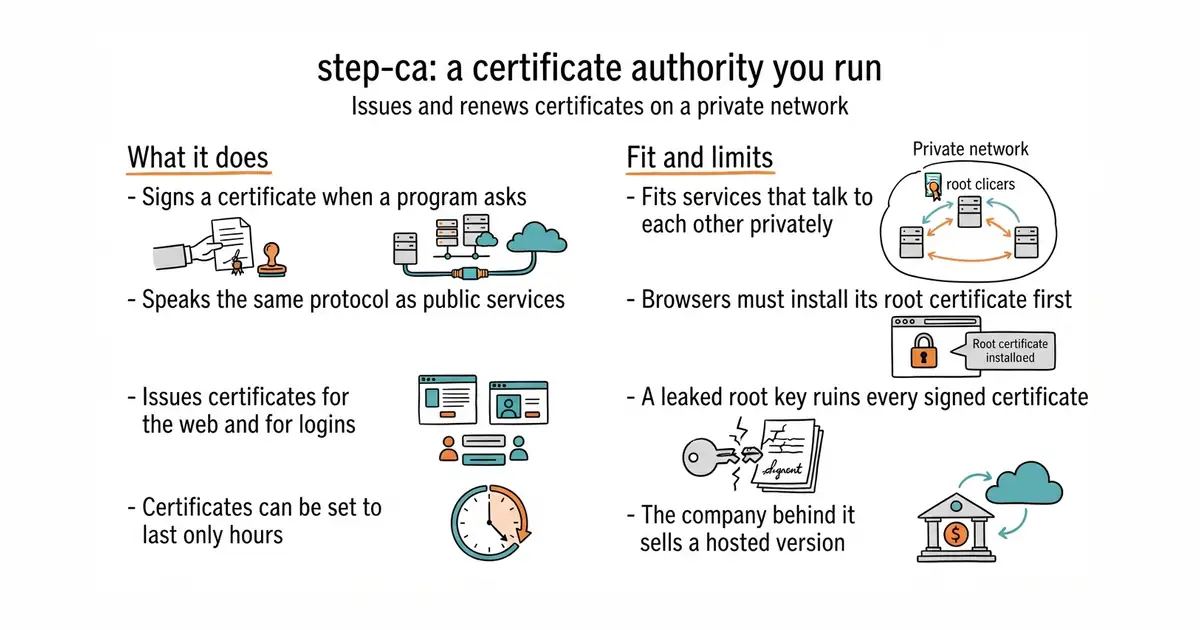
A certificate authority you run yourself, for machines the public internet cannot reach.
▶Repo detailsthe review · specs · pros & cons · install
What it does
It runs as a service that signs certificates when something asks for one. It speaks ACME, the same protocol Let's Encrypt uses, so any tool that already renews certificates on its own works against it with one setting changed. It issues X.509 certificates, which is the kind used for TLS, the encryption behind an address beginning https. It also issues SSH certificates, which replace the habit of copying a public key onto every machine by hand. Certificates can be set to last hours rather than months, so a stolen one stops working quickly. Identity can be checked against an existing single sign-on provider, against a cloud machine's own identity document, or against a one-time token. The step command-line tool does the daily work of asking for a certificate and reading one. It does not make certificates the wider internet will trust: a browser on a stranger's machine rejects them until this authority's root certificate has been installed there.
Why it matters
Who it suits. Anyone running more than two or three services that talk to each other on a network the public cannot reach, and who wants those conversations encrypted anyway. It also suits a small team that has grown tired of adding and removing SSH keys on every machine, because an SSH certificate expires by itself. Skip it if everything being run is a public website on a public address, because Let's Encrypt already covers that for nothing and with less to install.
Verdict. Worth the half hour, and the clearest recommendation in this edition. The reason is the one in the headline: FiloSottile/mkcert is the tool most people reach for here, it has 59,500 stars, and no code has been pushed to it since August 2024. mkcert is also a different shape of thing: it makes a certificate once, by hand, for a developer's own machine, and nothing renews it. This one renews. The thing to watch out for is the root key. It is the one secret that matters, and if it leaks, every certificate ever signed with it becomes worthless, so read the project's own page on where to keep it before putting it anywhere permanent. If everything already runs inside Kubernetes, a container scheduler, then cert-manager/cert-manager is the better fit, and the two are often used together.
- Speaks the same protocol as Let's Encrypt, so existing renewal tools need almost no change.
- Does SSH certificates as well as web certificates, which is rare in one tool.
- Short-lived certificates are a setting, not a project.
- The root key has to be protected properly, and getting that wrong undoes the whole point.
- Every machine and browser that should trust it needs its root certificate installed first, which is fiddly on phones.
- The company behind it sells a hosted version, so some documentation pushes gently toward the paid service.
- FiloSottile/mkcert
Makes locally trusted certificates for one developer machine with a single command, which is simpler, but it issues them once by hand and no code has been pushed to it since August 2024.
Track this in Scout - cert-manager/cert-manager
Apache-2.0, the same job inside Kubernetes only, where it watches for expiring certificates and replaces them without being asked.
Track this in Scout
docker run -d --name step-ca \
  -v step:/home/step \
  -p 9000:9000 \
  -e "DOCKER_STEPCA_INIT_NAME=Example" \
  -e "DOCKER_STEPCA_INIT_DNS_NAMES=localhost,ca.example.internal" \
  smallstep/step-ca

15.2k stars · Apache-2.0 with four extra conditions · v1.15.4 (2026-08-30) · Track this in Scout · Share this tool
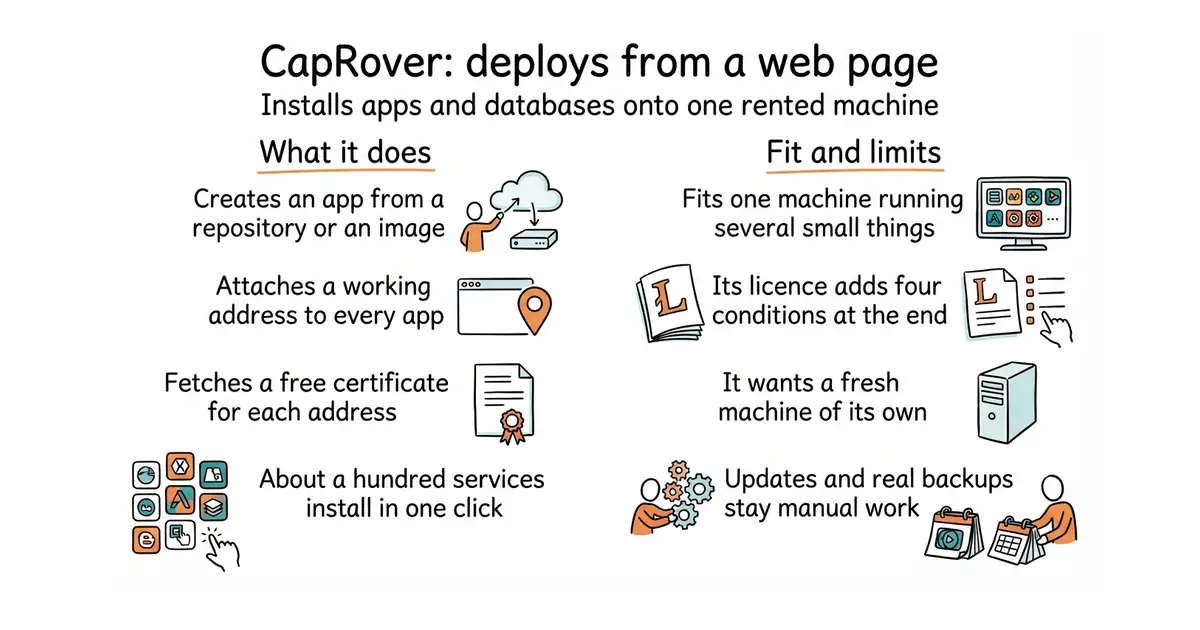
A web page that installs apps and databases onto one rented computer, and sorts out the addresses and certificates.
▶Repo detailsthe review · specs · pros & cons · install
What it does
It installs itself with one command and then runs an admin web page on port 3000. From that page you create an app, point it at a Git repository or a container image, and it builds and runs it. It attaches a subdomain to each app automatically and fetches a free certificate for it, so the address works over https straight away. A one-click library covers about a hundred ready-made things to install, including PostgreSQL, Redis, WordPress and MongoDB. A text file called captain-definition in a repository tells it how to build that project, so a plain git push can trigger a new version. It can also spread apps over several machines if they are joined into a Docker swarm. It does not manage the machine itself: operating system updates, firewall rules and backups of the data stay somebody's manual job.
Why it matters
Who it suits. Anyone who has a rented Linux machine, more than one small thing to run on it, and no wish to learn a container scheduler to do it. The one-click library makes it especially good for the case where you want a database and a small app beside each other with addresses that work. Skip it if there is only ever one thing to run, because a plain container and a reverse proxy are less to install and less to learn.
Verdict. Worth twenty minutes to try and an evening to commit to. The thing to read before committing is the licence, and it is the most interesting licence in this edition. The file is the Apache 2.0 licence, which is about as permissive as licences get, followed by an appendix that says in plain words that it overrules the Apache terms in case of conflict. The four added conditions are: the paid features cannot be modified without a written agreement, nobody may redistribute another paid version, modifications of the free features must themselves be distributed as free and open-source software, and the full terms live in a separate file. None of that stops anyone running it. It does mean the project is not plain Apache 2.0, and the About sidebar does not say so. Compared with the alternatives: dokku/dokku, covered in Edition 53, is MIT and leaner but driven from the command line, and coollabsio/coolify, covered in Edition 3, has a nicer interface and wants more memory.
- One command to install, then everything is a page rather than a file to edit.
- Free certificates and working subdomains are automatic, which is the part people usually get wrong.
- About a hundred ready-made services install in one click.
- The licence is Apache 2.0 with four extra conditions bolted on at the end, and the sidebar does not mention them.
- It wants a fresh machine. Installing it beside something else already using ports 80 and 443 causes a fight.
- Operating system updates, firewall and real backups remain manual work.
 dokku/dokku
MIT, the same idea and lighter, covered in Edition 53; it is driven from the command line on the server rather than from a web page.
Track this in Scout coollabsio/coolify
Apache-2.0, covered in Edition 3, a more polished interface over the same job, and it wants about 2 GB of memory rather than 1 GB.
Track this in Scout
docker run -p 80:80 -p 443:443 -p 3000:3000 \
  -e ACCEPTED_TERMS=true \
  -v /var/run/docker.sock:/var/run/docker.sock \
  -v /captain:/captain \
  caprover/caprover

564 stars · Apache-2.0 · v2.6.0 (2024-02-19) · Track this in Scout · Share this tool
Turns a written reliability target into a measured number and a remaining budget.
▶Repo detailsthe review · specs · pros & cons · install
What it does
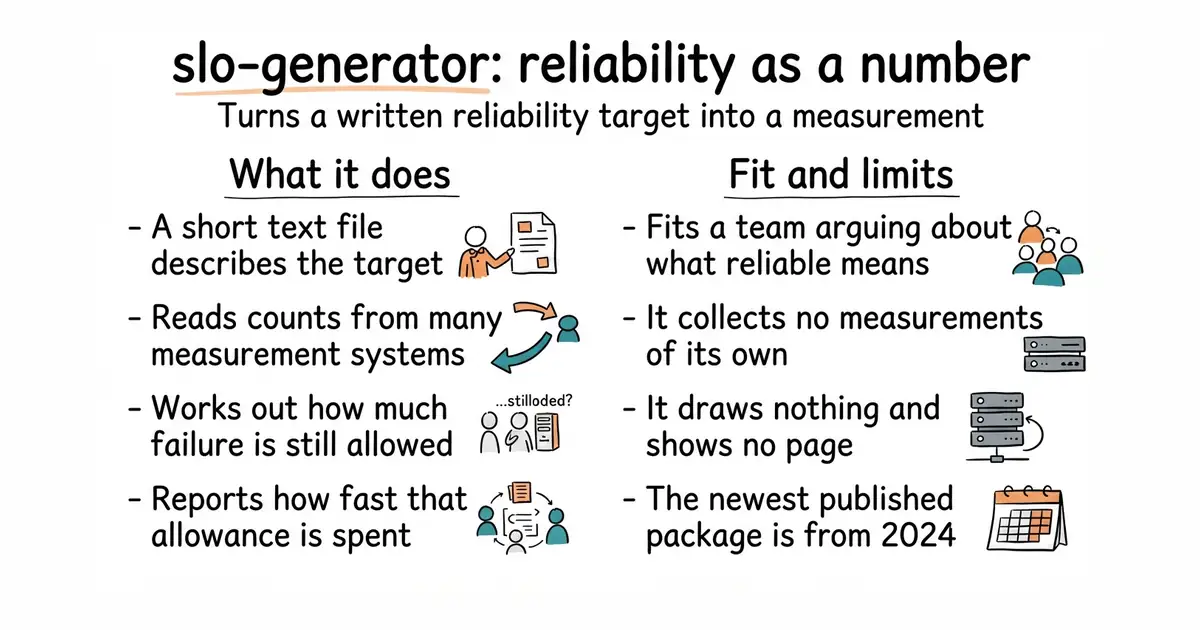
You describe a target in a small YAML file, which is a plain text format of labelled lines. The description says what counts as a good event, what counts as a total event, and what share of them must be good. It then reads those counts from wherever the measurements live, including Prometheus, Datadog, Dynatrace, Elasticsearch and several Google Cloud services. It computes the achieved rate, the error budget, which is how much failure the target still allows, and the burn rate, which is how fast that budget is being spent. The results can be written out to a file, to a monitoring system, or to a spreadsheet-style store, so an alert or a dashboard can read them. The same descriptions can be kept in version control and reviewed like code. It does not collect any measurements itself and it draws nothing: something else has to be counting requests already, and something else has to show the result.
Why it matters
Who it suits. Anyone who already collects numbers about a service and still cannot answer whether it was reliable last month. It suits a small team moving from "somebody noticed it was down" to a figure they can agree on in advance. Skip it if nothing is being measured yet, because this tool needs a counter to read and gives nothing without one.
Verdict. Worth an afternoon if reliability is becoming an argument rather than a fact, and this entry carries a warning about dates that applies to the whole edition. Its newest published package is version 2.6.0 from March 2024, and anyone reading that alone would call the project dead. Code was pushed on 12 August 2026. A release date is not a code date. What to use instead depends on the setup: if everything is already in Prometheus, slok/sloth from Edition 56 is a single small program that writes the Prometheus rules itself and is less to learn, and pyrra-dev/pyrra from Edition 45 adds a page showing the remaining budget. This one earns its place by reading from many different measurement systems rather than one.
- Reads from many measurement systems, including several that the Prometheus-only tools cannot touch.
- The targets are plain text files, so they can be reviewed and kept in version control.
- Computes the burn rate, which is the number that tells you to act now rather than next week.
- Useless without an existing measurement system, and setting one of those up is the bigger job.
- The newest published package is from March 2024, so anyone judging it by releases will skip it.
- Documentation assumes a reader who already knows what a service level objective is.
 slok/sloth
Apache-2.0, covered in Edition 56; a single small program that generates Prometheus rules from a short target description, simpler but tied to Prometheus alone.
Track this in Scout pyrra-dev/pyrra
Apache-2.0, covered in Edition 45; the same job for Prometheus with a web page that shows the remaining error budget, which this one does not draw.
Track this in Scout
python3 -m venv venv
source venv/bin/activate
pip install slo-generator

47.3k stars · Apache-2.0 · 3.3.2 (2026-09-17) · Track this in Scout · Share this tool
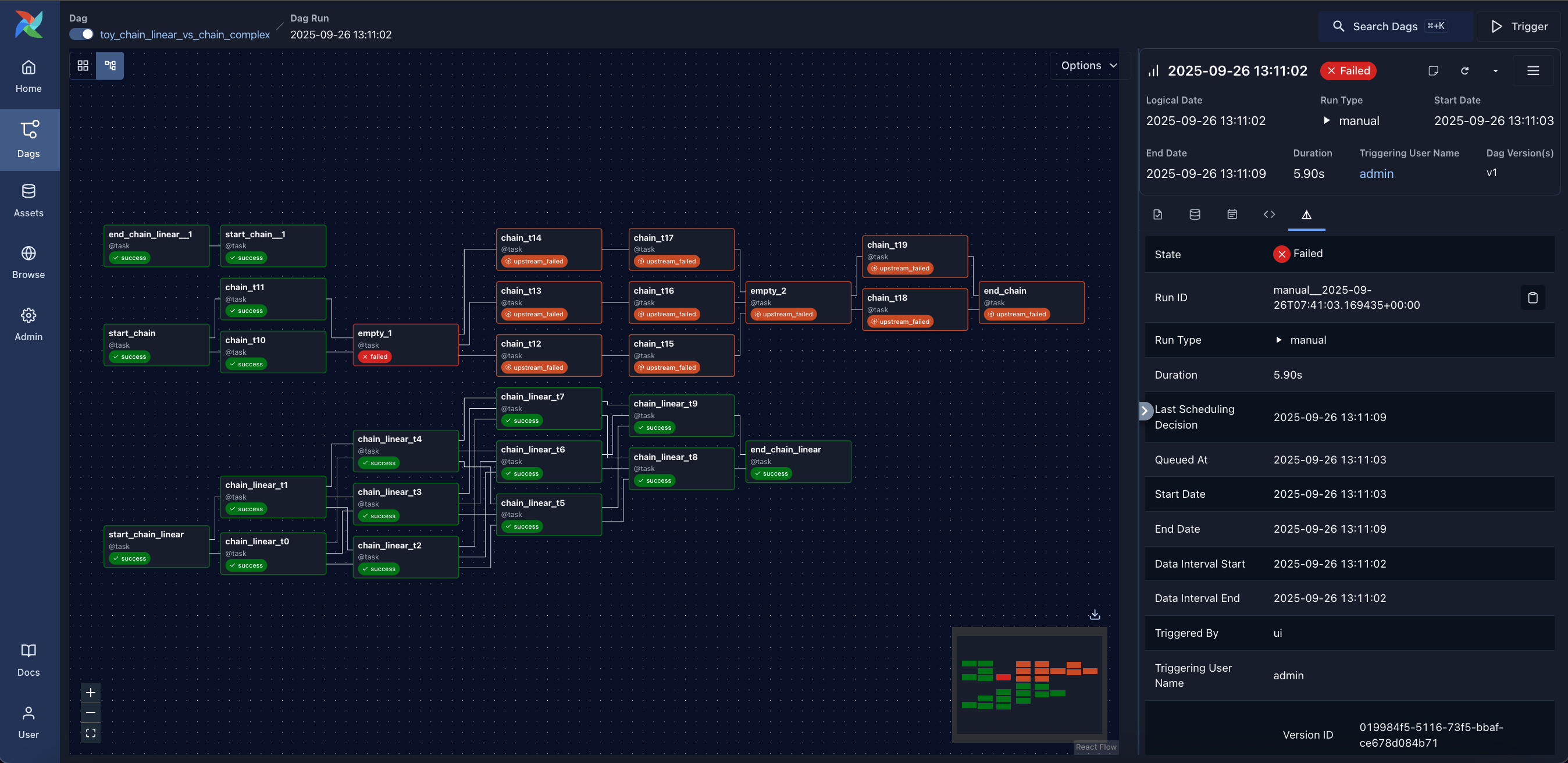
Runs chains of scheduled jobs written in Python, and keeps a record of every run.
▶Repo detailsthe review · specs · pros & cons · install
What it does
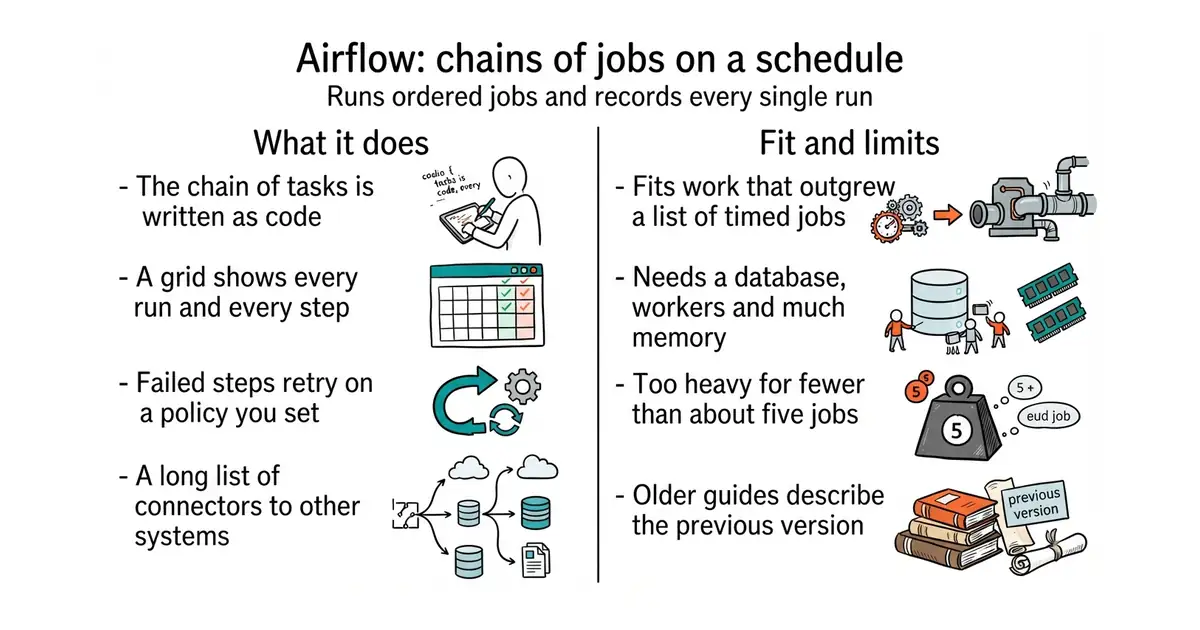
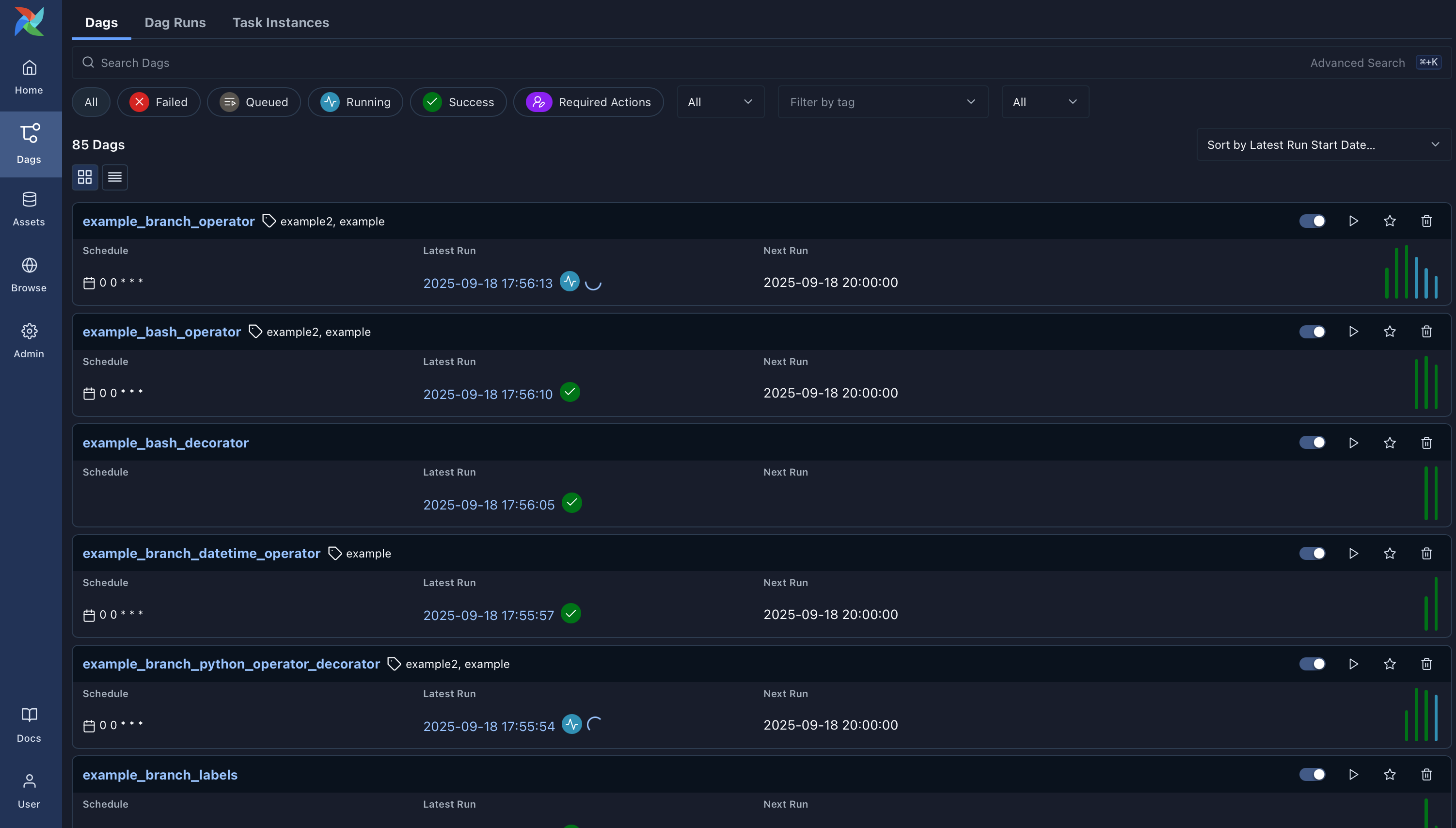
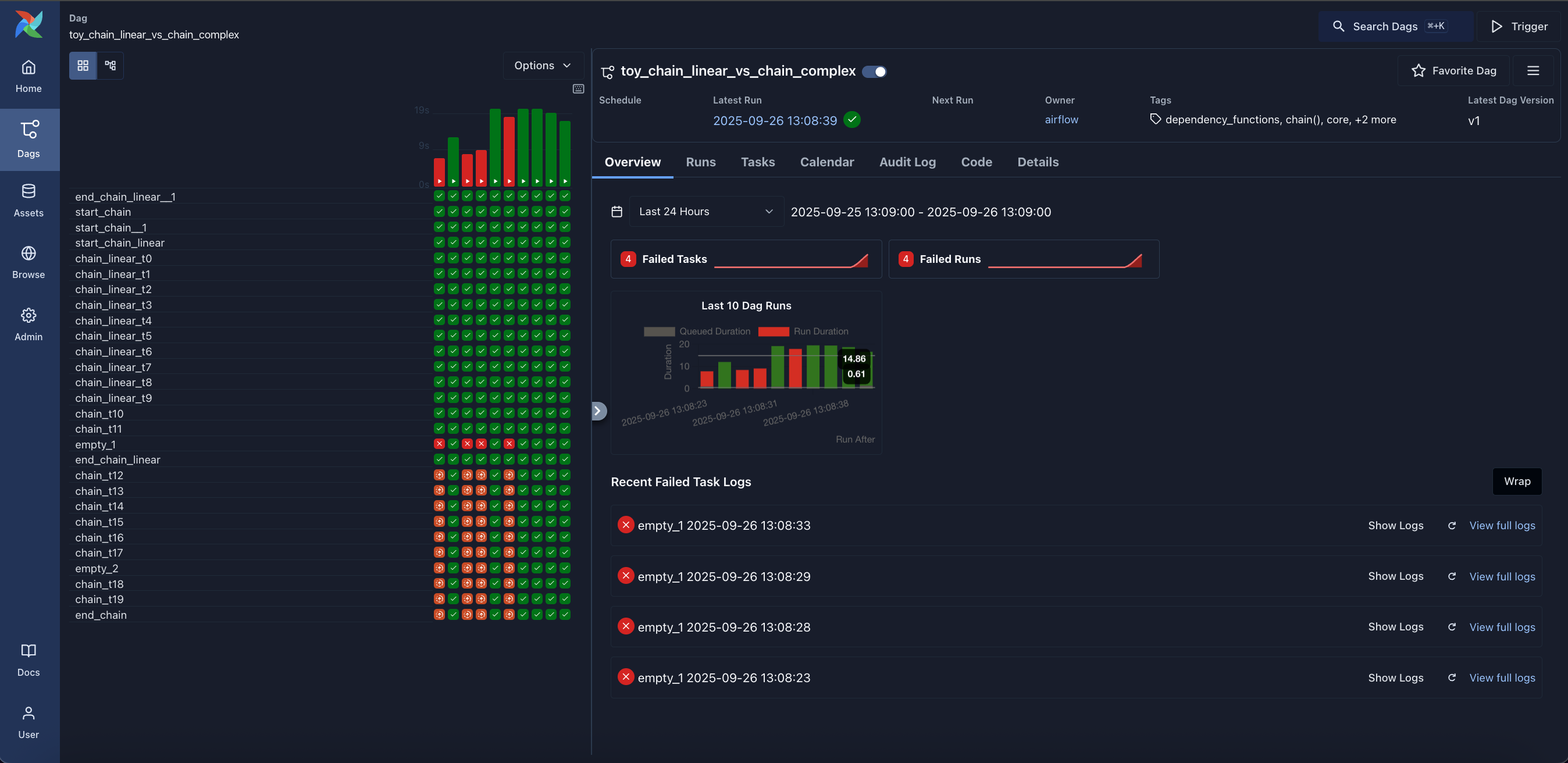
You write the chain in Python as a set of tasks and the order between them. It schedules those chains, runs each task, and stores the outcome. A web interface shows every run as a grid, so a failed step is one click from its log. Failed tasks retry on a policy you set, and a chain can be re-run from the step that broke rather than from the beginning. It ships with connectors for a long list of outside systems, including the major clouds, common databases and message queues, published as separate provider packages so they update on their own schedules. Version 3 moved task execution behind an API, which means tasks no longer need direct database access, and that was the biggest change in the project's history. It is not a tool for reacting to single events in milliseconds, and it is not a data processing engine: it decides what runs and when, while the actual work happens in the code or the systems it calls.
Why it matters
Who it suits. Anyone whose nightly work has outgrown a list of cron entries, and who needs to know which step failed and be able to re-run just that step. The large connector library makes it strongest where data has to move between several outside systems. Skip it if there are fewer than about five jobs, because a scheduler of this size costs more to run and watch than the problem it solves.
Verdict. Worth it only above a certain size, and the honest advice is to be sure you have reached that size. Code was pushed this morning and version 3.3.2 landed on 17 September 2026, so there is no doubt it is alive and well staffed. The cost is real: a database, a scheduler process, workers, and a few gigabytes of memory before any of your own work runs. For a smaller setup, PrefectHQ/prefect from Edition 55 adds scheduling to existing Python functions with two decorators, and kestra-io/kestra from Edition 45 describes jobs in YAML instead of Python, which some people prefer and others find limiting. dagster-io/dagster is the main rival at the same weight and organises work around the data produced rather than the tasks performed.
- The run history and the grid view make a failure easy to find, which is the whole point of a scheduler.
- A very large library of connectors to outside systems, maintained separately from the core.
- Enormous community, so almost every problem has already been asked about in public.
- Heavy. A database, a scheduler and workers, and a few gigabytes of memory, before your own jobs.
- The jump from version 2 to version 3 changed how tasks run, so older guides can mislead.
- Installing it needs a constraints file to pin versions, and ignoring that causes dependency conflicts.
 PrefectHQ/prefect
Apache-2.0, covered in Edition 55; adds scheduling, retries and run history to existing Python functions with two decorators, and is far lighter to run.
Track this in Scout- dagster-io/dagster
Apache-2.0, the same weight class, but organised around the data each step produces rather than the steps themselves.
Track this in Scout  kestra-io/kestra
Apache-2.0, covered in Edition 45; the same job with workflows written in YAML rather than Python.
Track this in Scout
python3 -m venv venv
source venv/bin/activate
pip install "apache-airflow==3.3.2" \
  --constraint "https://raw.githubusercontent.com/apache/airflow/constraints-3.3.2/constraints-3.12.txt"
airflow standalone

7.8k stars · MIT · v2.4.5 (2026-10-06) · Track this in Scout · Share this tool
Payment software you run yourself that takes Bitcoin into a wallet whose keys you hold.
▶Repo detailsthe review · specs · pros & cons · install
What it does
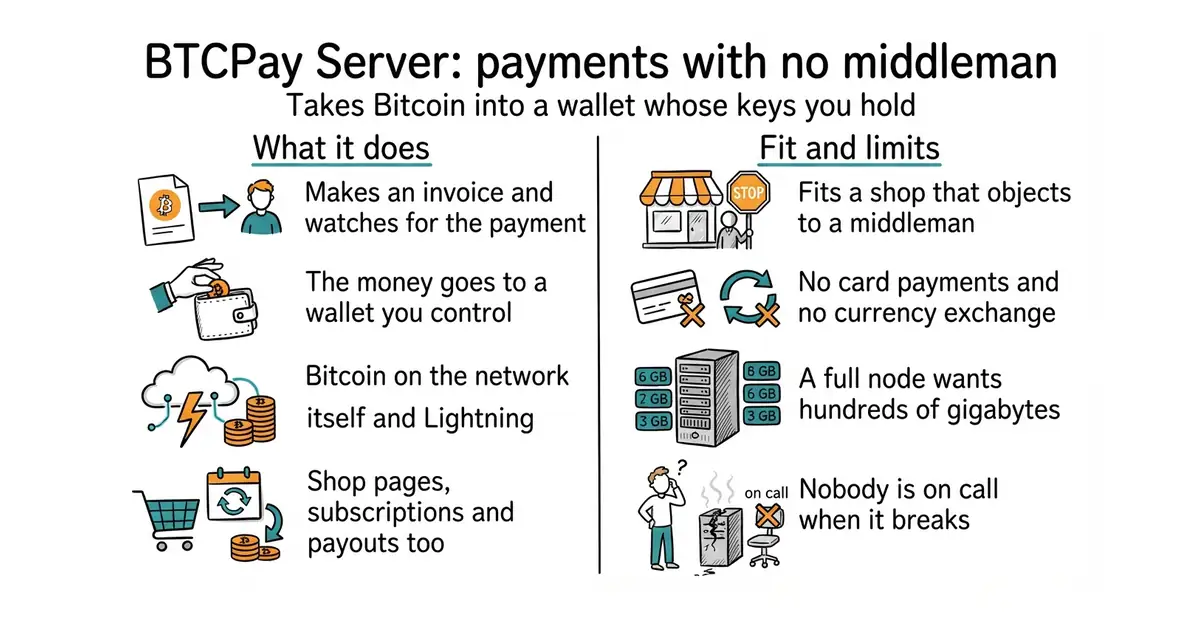
It serves a payment page that creates an invoice, shows a QR code, watches for the payment and marks the invoice paid when it arrives. The money goes straight to a wallet whose keys you hold, so the software never has custody of it. It takes payments on the Bitcoin network itself and over the Lightning Network, a second network built so that small payments settle in seconds for a tiny fee. It covers the rest of a shop too: a point-of-sale page, payment buttons, donation pages, recurring subscriptions, and a tool for paying money out again. Plugins connect it to several storefront systems, and an interface for other programs, called an API, lets other software create invoices. One installation can serve several shops and several users. The newest part of that interface, called Greenfield, is still being built, so running the whole thing with no web pages at all is not possible yet. It does not take card payments and it does not convert anything into a national currency: it prices in whatever currency you choose and settles in Bitcoin.
Why it matters
Who it suits. A shop or a project that already wants to accept Bitcoin and objects to a company in the middle holding the money or deciding who is allowed to be a customer. It suits anyone collecting donations who has had a payment account closed without much explanation. Skip it if the aim is to take card payments, because this does not do that at all, and skip it if nobody involved wants to look after a server.
Verdict. Worth it for that one case, and the wrong tool outside it. The software itself is in good order. It is MIT licensed with nothing held back for a paid version, the repository is not archived, it carries more than 9,000 changes, and version 2.4.5 is the newest release. That release is dated 6 October on a page that does not print the year, so this report does not guess at the year; the last code push recorded for the project is 10 September 2026, and that is what shows it is current. The warning is the disk and the first week. A full Bitcoin node keeps the whole history of the network, which is well past 600 GB and still growing, and the first synchronisation takes days and a great deal of bandwidth. The supported install can run a trimmed node that keeps far less, so find that setting before starting rather than after. Budget a machine with at least 2 GB of memory. For card payments the two repositories below do a different job and neither replaces this one.
- No company in the middle and no percentage: the payment lands in a wallet whose keys you hold.
- It covers the whole shop, not only the payment: point of sale, subscriptions, donations and payouts.
- MIT licensed, with no paid tier and no feature carved out of the free version.
- A full node wants hundreds of gigabytes of disk and days of synchronising before the first sale.
- Bitcoin and Lightning only. No cards, and no conversion into a national currency.
- The uptime belongs to whoever runs it, and there is nobody to telephone at midnight.
 juspay/hyperswitch
Apache-2.0, covered in Edition 16; one interface in front of many card processors, which is the opposite case: cards rather than Bitcoin, and a processor still holds the money.
Track this in Scout getlago/lago
AGPL-3.0, covered in Edition 11; counts what a customer used and turns it into an amount owed, and leaves the actual payment to something else.
Track this in Scout
mkdir BTCPayServer
cd BTCPayServer
git clone https://github.com/btcpayserver/btcpayserver-docker
cd btcpayserver-docker
export BTCPAY_HOST="btcpay.example.com"
export NBITCOIN_NETWORK="mainnet"
export BTCPAYGEN_CRYPTO1="btc"
export BTCPAYGEN_LIGHTNING="none"
export BTCPAYGEN_REVERSEPROXY="nginx"
export BTCPAYGEN_ADDITIONAL_FRAGMENTS="opt-save-storage-xs"
. ./btcpay-setup.sh -i


7.1k stars · Apache-2.0 · v0.15.1 (2025-06-26) · Track this in Scout · Share this tool
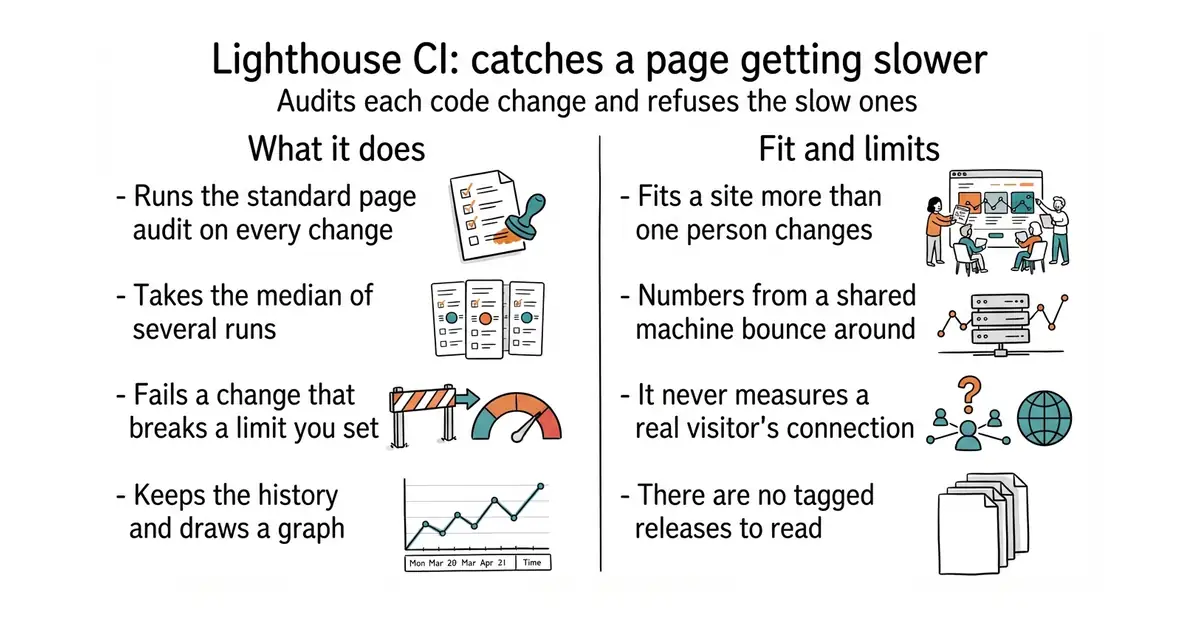
Runs the standard page audit on every code change and fails the change if the page got slower.
▶Repo detailsthe review · specs · pros & cons · install
What it does
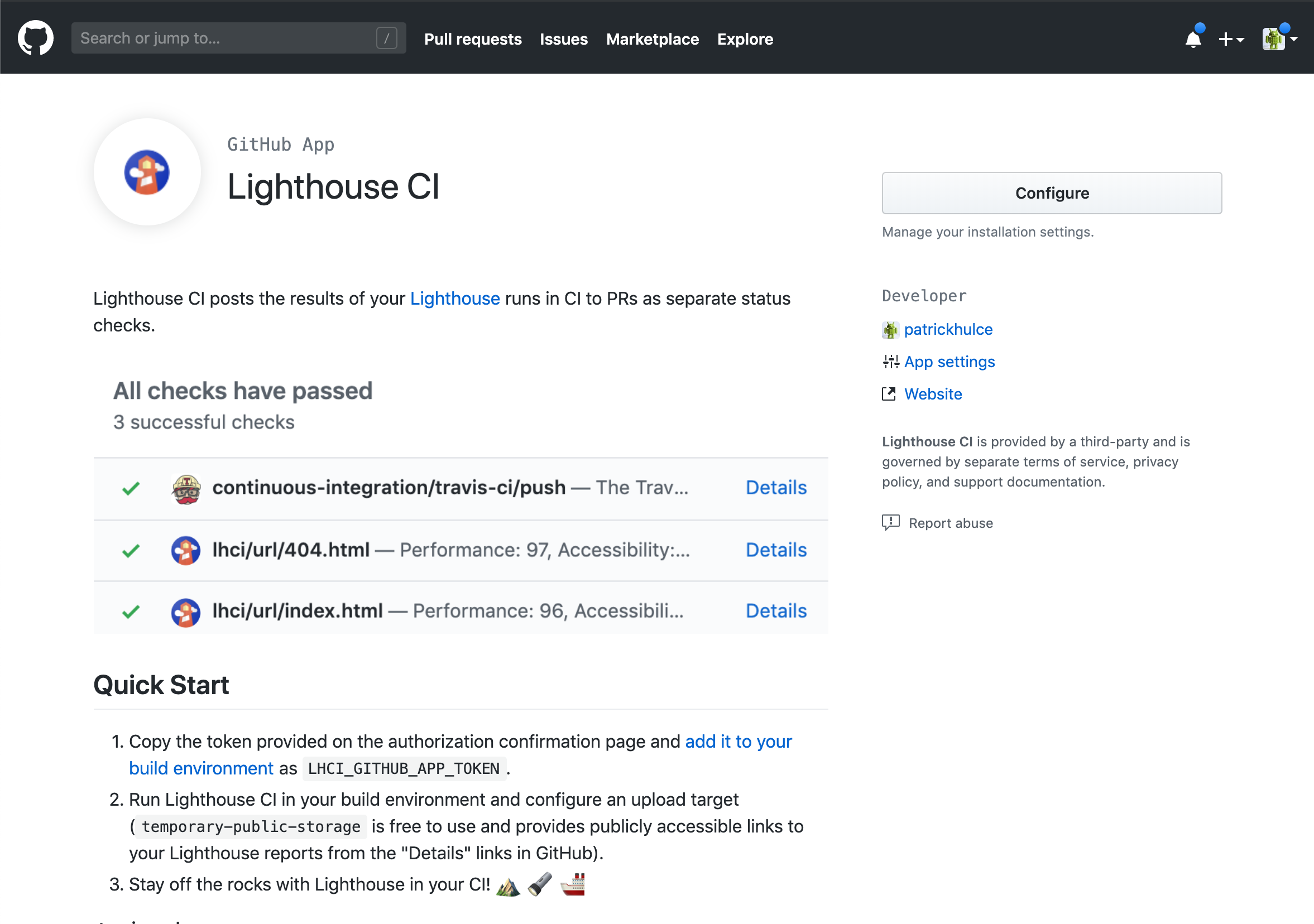
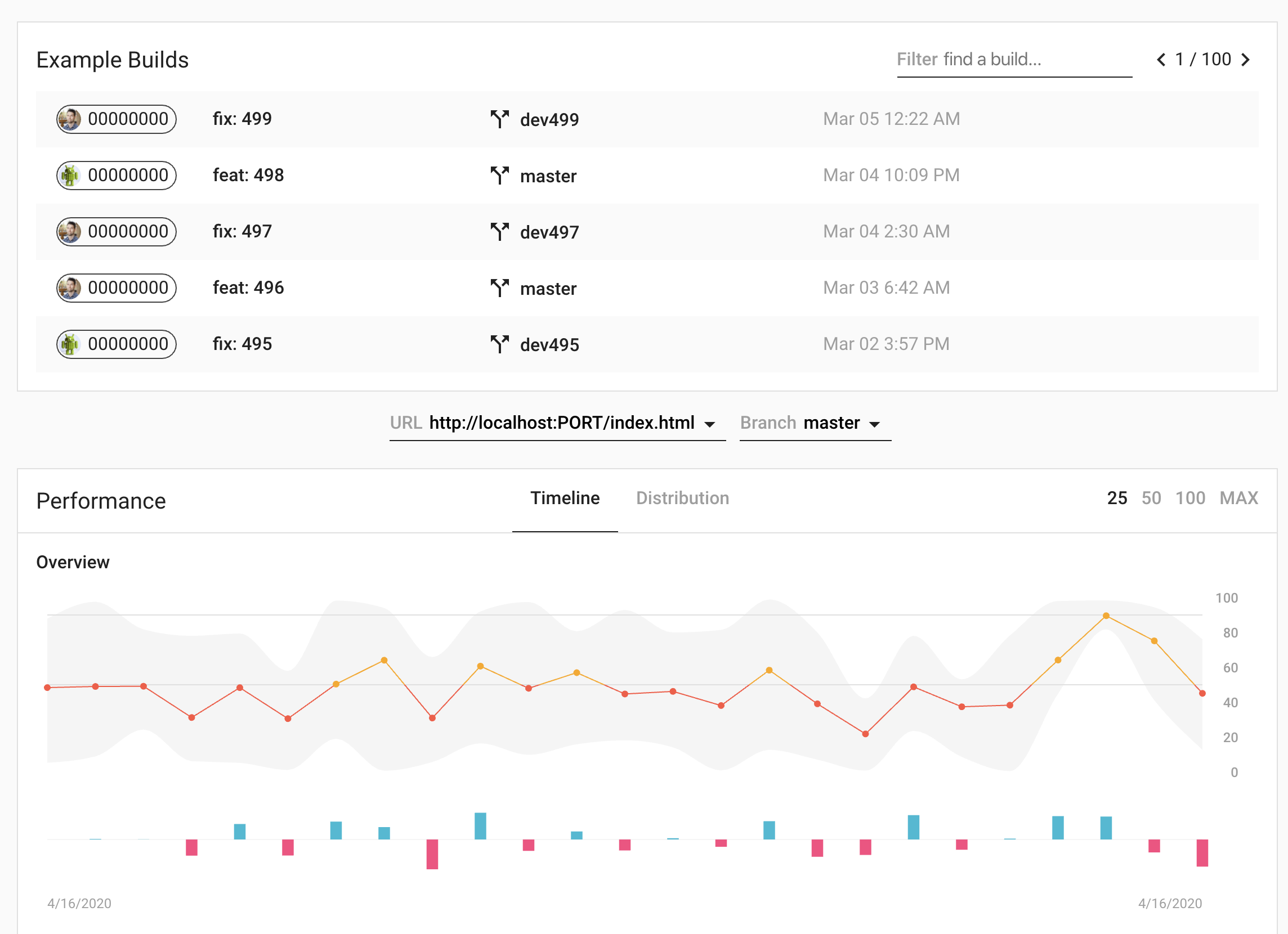
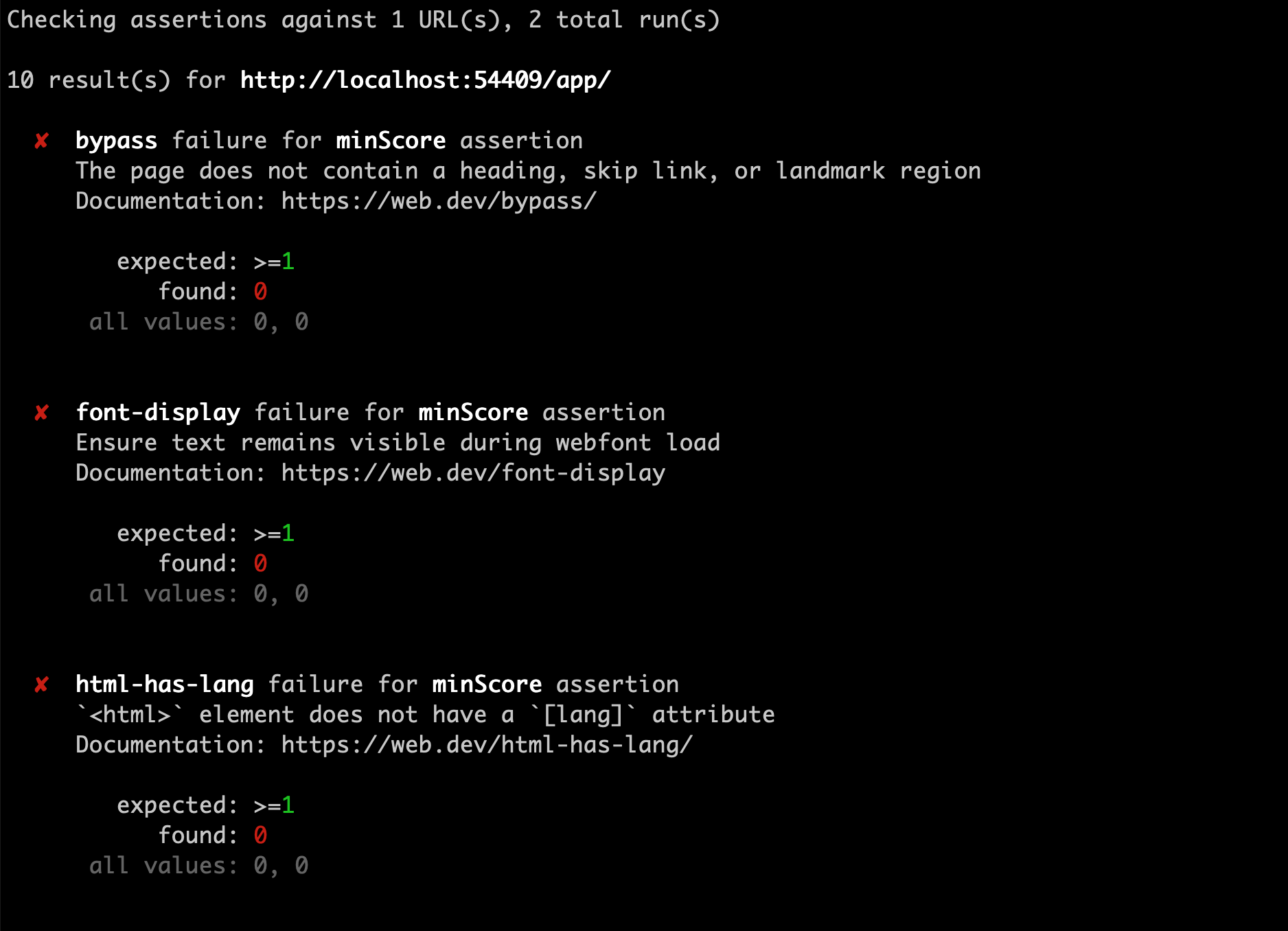
It builds the site, starts a local web server, and runs Lighthouse, the page auditing tool built into Chrome, against the addresses you name. It runs each page several times and takes the median, because a single run of a performance test is noise. It then compares the results with limits you declare, called assertions, and exits with an error if any limit is broken. Results can be uploaded to a small server it provides, which keeps the history and draws a graph per page per metric, or to temporary public storage if running a server is too much. It plugs into the common automation services, and the whole thing is driven by one command, lhci autorun. It does not test a page from real visitors' machines: every measurement comes from the machine running the job, so it tells you about changes rather than about what people actually experience.
Why it matters
Who it suits. Anyone with a site that matters and more than one person changing it, where "it feels slower lately" has already been said once. It suits a marketing or documentation site especially well, because the audit also checks accessibility and search-readiness, not only speed. Skip it if the site is one page that changes twice a year, because running the audit by hand is then simpler.
Verdict. Worth half an hour, and the second-easiest win in this edition. It is Apache-2.0, there are no GitHub releases at all, the npm package @lhci/cli sits at version 0.15.1, and code was pushed on 19 October 2026, four days before this edition. Two things to watch out for. The numbers from a shared build machine bounce around, so set the limits loosely at first and tighten them, or the job will cry wolf and be switched off within a week. And the history server is another small thing to run, so start with the temporary public storage and move to a server only once the graph is being looked at. The plain GoogleChrome/lighthouse from Edition 43 is the right tool for a one-off look at a single page.
- Takes the median of several runs, which is the difference between a useful number and noise.
- Checks accessibility and search-readiness in the same pass as speed.
- Can start with no server at all, using temporary public storage for the reports.
- Numbers from a shared build machine are unstable, so limits set too tightly produce false alarms.
- Measures from the build machine, never from a real visitor's phone on a real network.
- No tagged releases on GitHub, so the version has to be read from the package registry.
 GoogleChrome/lighthouse
Apache-2.0, covered in Edition 43; the audit itself, for looking at one page once, with none of the history, limits or automation around it.
Track this in Scout sitespeedio/sitespeed.io
MIT, covered in Edition 24; measures the same kind of thing with real browsers and is built for repeated monitoring over time rather than for failing a code change.
Track this in Scout
npm install -g @lhci/cli
lhci autorun

51.7k stars · MIT · v4.4.1 (2025-01-29) · Track this in Scout · Share this tool
Turns a folder of text files into a finished website, in advance.
▶Repo detailsthe review · specs · pros & cons · install
What it does
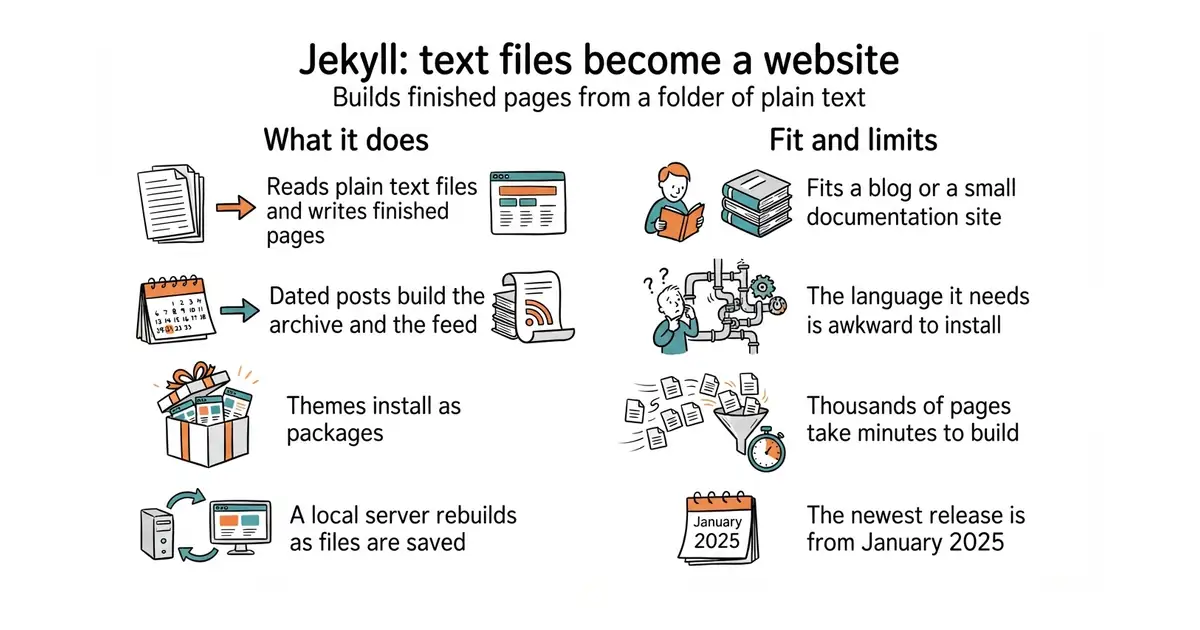
It reads Markdown files, which are plain text with simple marks for headings and links, and HTML templates, and writes out a complete set of pages. Posts live in a _posts folder and are named by date, which is where the blog behaviour comes from: it builds the archive and the feed without being asked. A templating language called Liquid handles loops and conditions inside templates. Themes install as packages, so a site can change its appearance without its content moving. A built-in local server rebuilds the site as files are saved. It is the engine behind GitHub Pages, so a plain Git push can publish a site with nothing else installed anywhere. It does not do anything at the moment a visitor arrives: comments, search and forms all need an outside service, because the finished site is only files.
Why it matters
Who it suits. Anyone writing a blog, a documentation site or a small project site who wants the content to be plain files they still own in ten years. It suits GitHub Pages users in particular, since that service builds Jekyll sites with no extra setup. Skip it if Ruby is not already installed and not wanted, because the install is the roughest part of the experience.
Verdict. Still worth using, and this entry is the sharpest example in the edition of why a release date proves nothing. The newest release is version 4.4.1 from 29 January 2025, which is twenty-one months ago. Code was pushed on 13 October 2026, ten days before this edition. The project is maintained; it simply does not cut releases often, and anyone reading the releases page alone would call it abandoned. What has genuinely changed is the competition. gohugoio/hugo from Edition 44 is one downloaded program with nothing to install around it and builds large sites far faster, and for a Python household getpelican/pelican does the same job without Ruby. Choose Jekyll for the themes, the documentation and GitHub Pages; choose Hugo for speed and a simpler install.
- The blog parts — archives, dated posts, feeds — work with no configuration at all.
- Published by GitHub Pages directly, so hosting can cost nothing and need no pipeline.
- Fifteen years of themes, plugins and tutorials, which no newer tool can match.
- Needs Ruby and its package manager, and that install is where most people give up.
- Slow on large sites. Thousands of pages take minutes where some rivals take seconds.
- The newest release is from January 2025, which makes it look abandoned when it is not.
 gohugoio/hugo
Apache-2.0, covered in Edition 44; the same job as a single downloaded program with no language runtime to install, and much faster on large sites.
Track this in Scout- getpelican/pelican
AGPL-3.0, the same job in Python, which suits anyone who already has Python and does not want Ruby; it has far fewer themes.
Track this in Scout
sudo apt install ruby-full build-essential zlib1g-dev

8.1k stars · BSD-2-Clause, not named in the sidebar · v9.2.0 (2026-10-21) · Track this in Scout · Share this tool
Builds a documentation website, and a PDF, from text files and from the comments beside the code.
▶Repo detailsthe review · specs · pros & cons · install
What it does
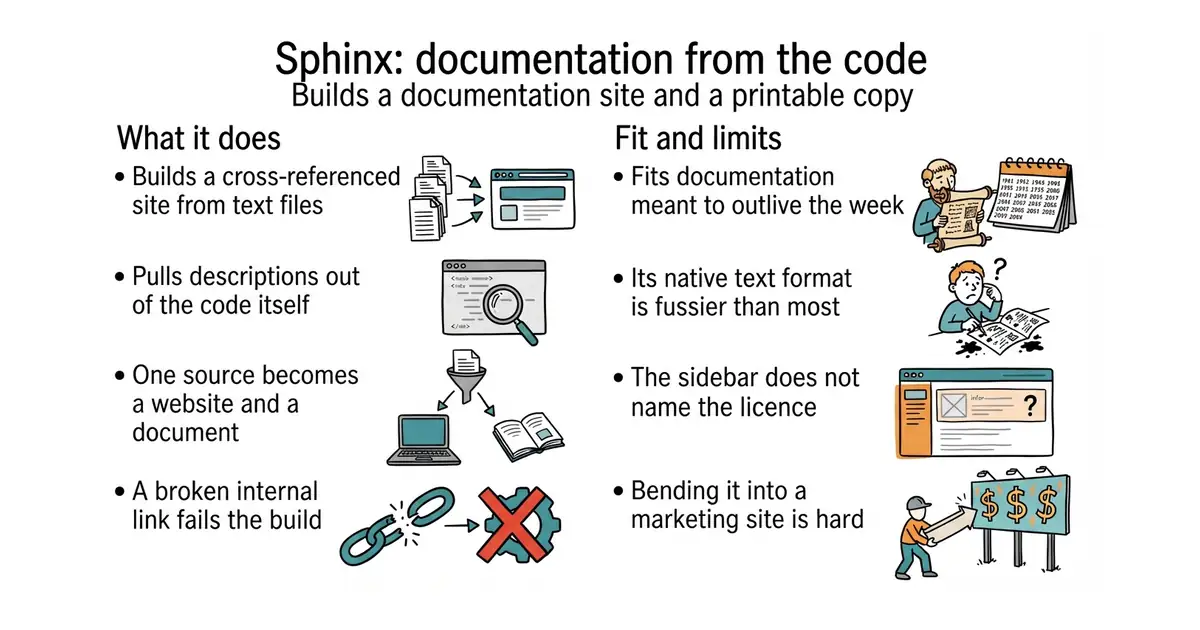
It reads text files and builds a cross-referenced website from them, with a contents tree, a search box that works without a server, and links between pages that break the build if they point at nothing. It can pull descriptions straight out of Python code and turn them into reference pages, which is why almost every Python project uses it. The same source produces HTML, a single-page HTML file, PDF through LaTeX, EPUB and manual pages. Its native format is reStructuredText, a plain text format older and stricter than Markdown, and Markdown works too through an extension. Translation into other languages is built in, using the standard gettext message files. Version 9.2.0 was published on 21 October 2026, two days before this edition. It is not a general website builder: it is shaped around documentation, and bending it into a marketing site is more work than starting with something else.
Why it matters
Who it suits. Anyone writing documentation for software, especially in Python, who wants the reference pages generated from the code rather than typed twice. It suits anyone who needs the same content as both a website and a PDF, which is common in regulated and academic work. Skip it if the documentation is five Markdown pages, because the simpler tool below will have them online in five minutes.
Verdict. Worth the twenty minutes if the documentation will outlive the week. Two warnings. The default format, reStructuredText, is fussier than Markdown, and the error messages when a directive is slightly wrong are not kind; install the Markdown extension on day one if that matters. And the About sidebar does not name the licence, which is an odd gap for a project this central — the README badge and the published package both say BSD 2-Clause, and that is what the licence file holds. For a smaller project, mkdocs/mkdocs from Edition 53 is Markdown-only, configured in one file, and much faster to start. readthedocs/readthedocs.org is not an alternative but a companion: it is the software behind the free hosting service that builds Sphinx documentation on every commit.
- Reference pages generated from the code, so the descriptions cannot drift away from what they describe.
- One source produces a website, a PDF and an EPUB.
- Broken internal links fail the build, which catches the most common documentation rot.
- Its native text format is stricter than Markdown and its errors are hard to read.
- The About sidebar names no licence at all, so the terms have to be looked up in the files.
- Themes and extensions are plentiful but inconsistent in quality and in how well they are documented.
 mkdocs/mkdocs
BSD-2-Clause, covered in Edition 53; Markdown only, one settings file, far quicker to start, and no reference pages generated from code.
Track this in Scout- readthedocs/readthedocs.org
MIT, the software behind the hosting service that builds this kind of documentation automatically; it runs Sphinx rather than replacing it.
Track this in Scout
python3 -m venv venv
source venv/bin/activate
pip install sphinx
sphinx-quickstart docs
cd docs
make html

2.3k stars · GPL-3.0 · release-electron-3.1.12 (2025-09-28) · Track this in Scout · Share this tool
A desktop library for research papers that fills in the details itself.
▶Repo detailsthe review · specs · pros & cons · install
What it does
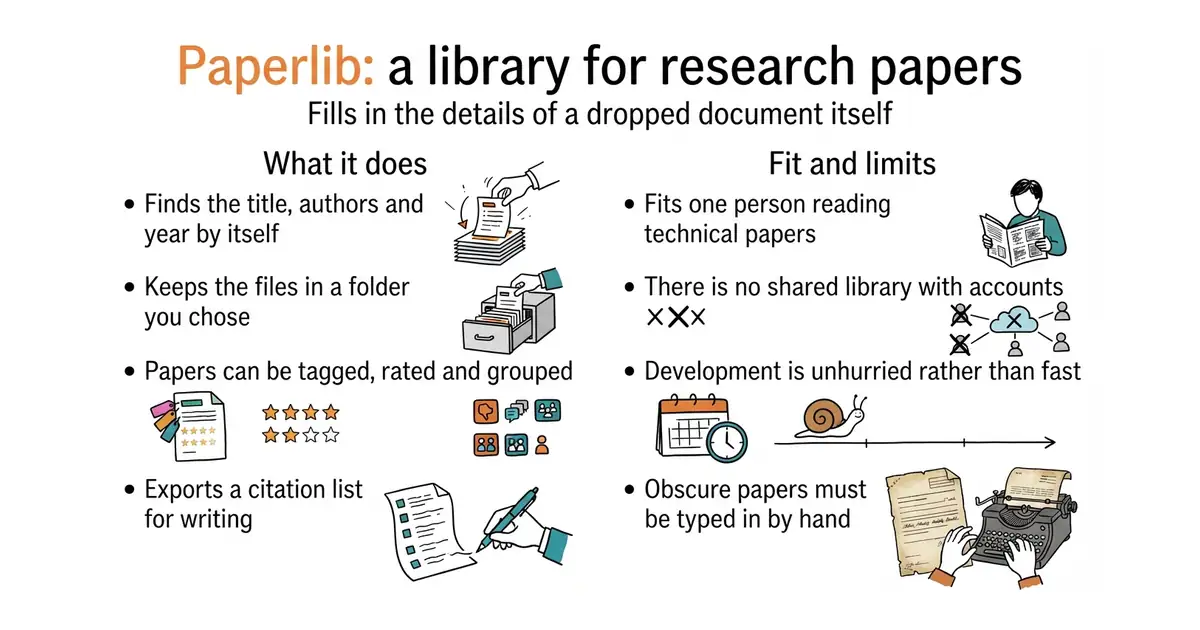
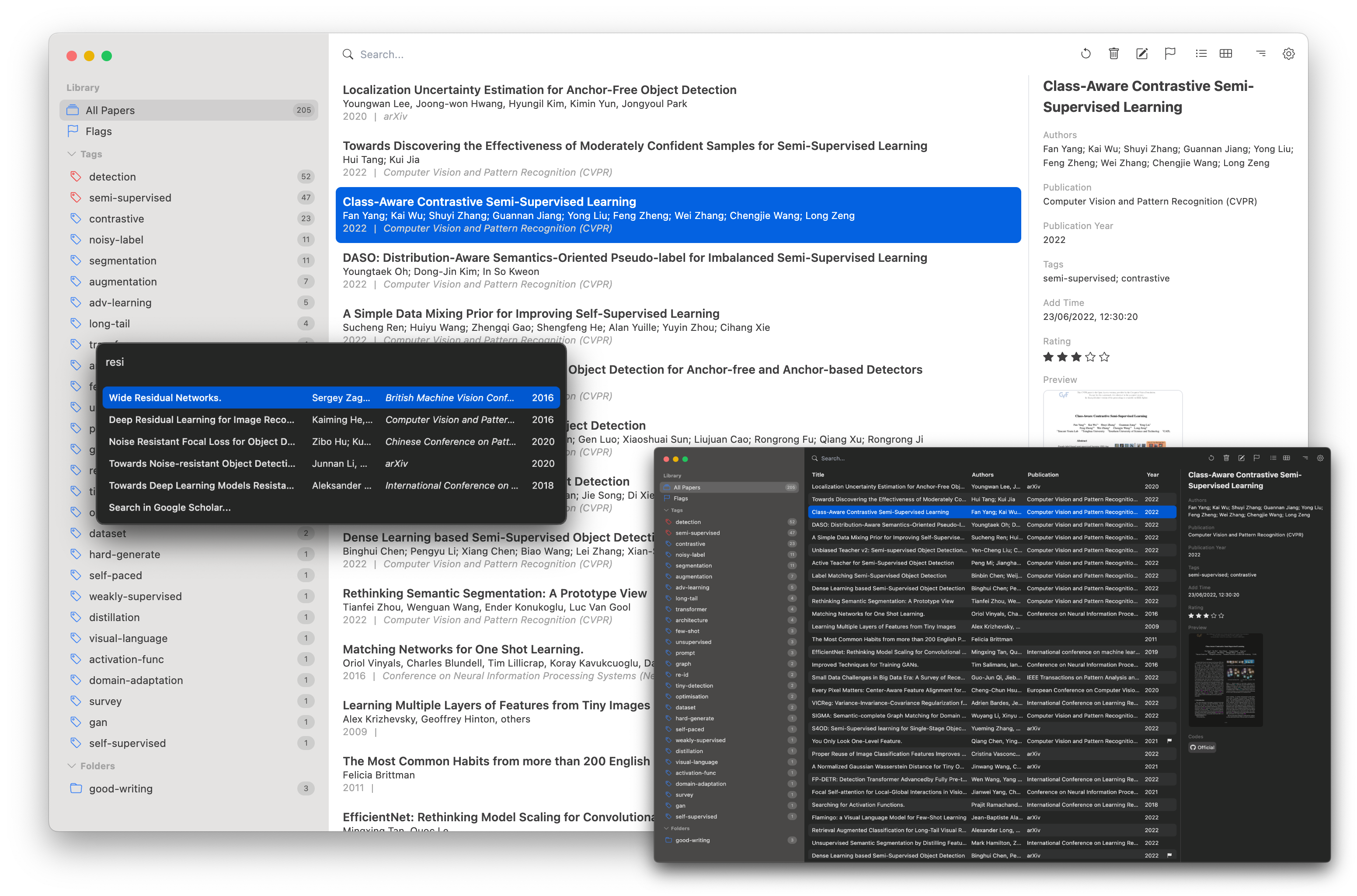
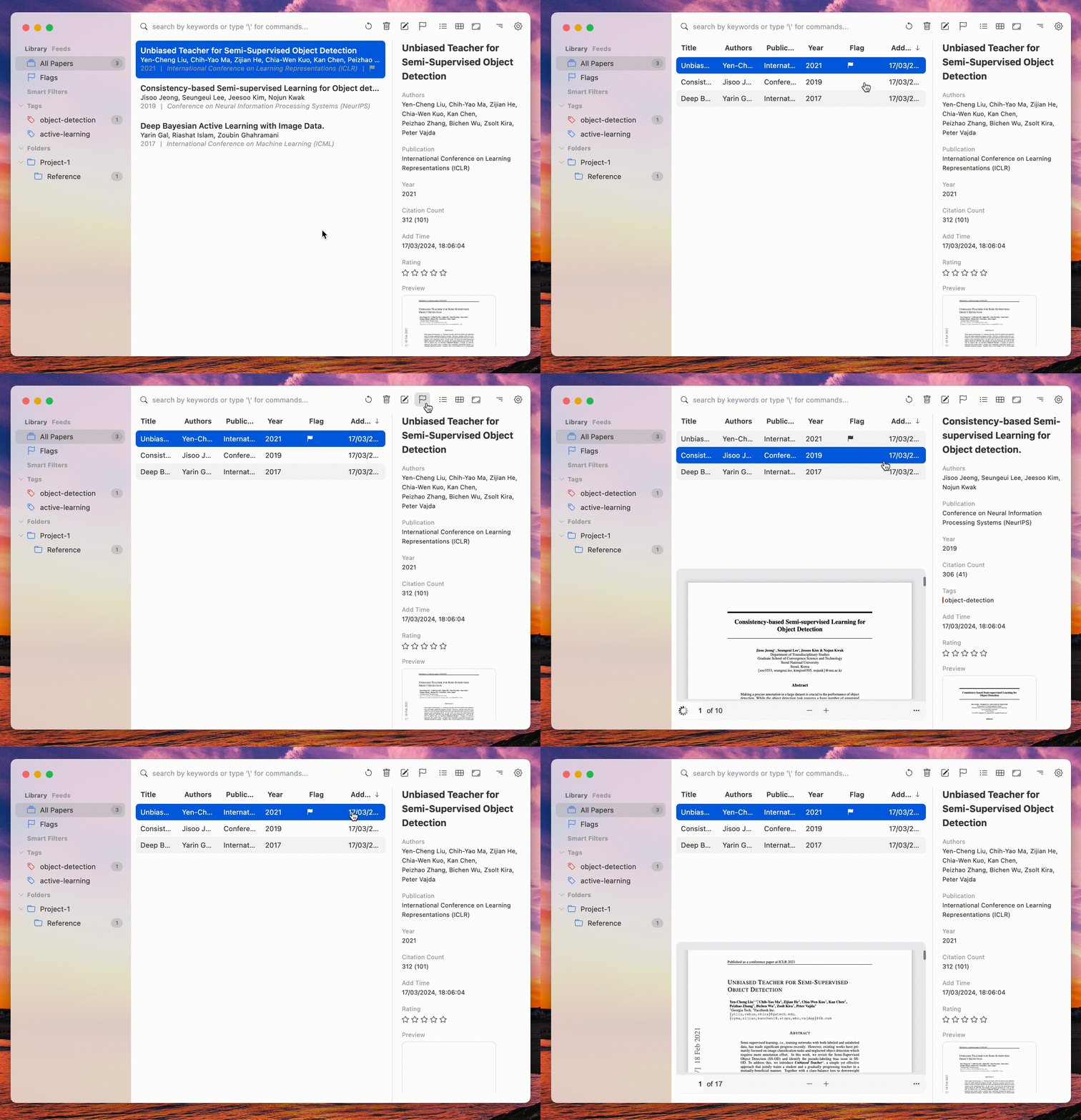
You drop a PDF in and it searches public catalogues to find the matching paper, then fills in the title, authors, publication and year. It keeps the files in a folder you choose, so the library is not locked inside the program. Papers can be tagged, grouped into folders, rated and marked as read. A built-in reader shows the PDF with highlights and notes beside it. It exports citations in BibTeX and plain styles for pasting into a document, and a plugin system adds integrations with editors and other tools. It runs on Windows, macOS and Linux, and can sync a library through a cloud folder. It is not a shared workspace: there is no built-in multi-person library with permissions, so a research group wanting one account per person needs one of the bigger tools below.
Why it matters
Who it suits. A student, a researcher, or anyone reading technical papers alone who wants the metadata filled in automatically and the files left as files. The deliberate simplicity is the appeal: it does one job without the weight of the established tools. Skip it if a group needs a shared library with accounts, or if the writing happens in Word and a deep word-processor integration matters.
Verdict. Worth the twenty minutes if the PDF folder has become unusable, with one caveat about how alive it is. Code was pushed on 1 April 2026, which is six months before this edition and comfortably inside the line we draw at eighteen months, but it is not a project shipping every week. The newest release on the page is version 3.1.12 of the desktop application, dated 28 September with no year shown, so the exact release date could not be settled from the page. Treat it as maintained but unhurried, and keep a copy of the library folder, which is easy because the files stay where you put them. The two established alternatives are zotero/zotero from Edition 44, which is far more capable and much heavier, and JabRef/jabref from Edition 56, which keeps its whole library in one plain BibTeX file and suits anyone who wants the data in text.
- Fills in the details of a dropped PDF automatically, which is the tedious part of the job.
- The files stay in a normal folder you chose, so nothing is trapped inside the application.
- Much lighter and simpler than the two well-known reference managers.
- No shared library with separate accounts, so a research group will outgrow it.
- Development is unhurried, and the newest release date is not stated clearly on the page.
- Automatic lookup fails on obscure or unpublished papers, and then the details are typed by hand.
 zotero/zotero
AGPL-3.0, covered in Edition 44; much more capable, with word-processor plugins and group libraries, and correspondingly heavier to run and to learn.
Track this in Scout JabRef/jabref
MIT, covered in Edition 56; keeps the entire library in one plain BibTeX file, which suits anyone who wants their references as readable text.
Track this in Scout
It is a desktop application.




17.7k stars · ImageMagick License · 7.1.2-34 (2026-10-14) · Track this in Scout · Share this tool
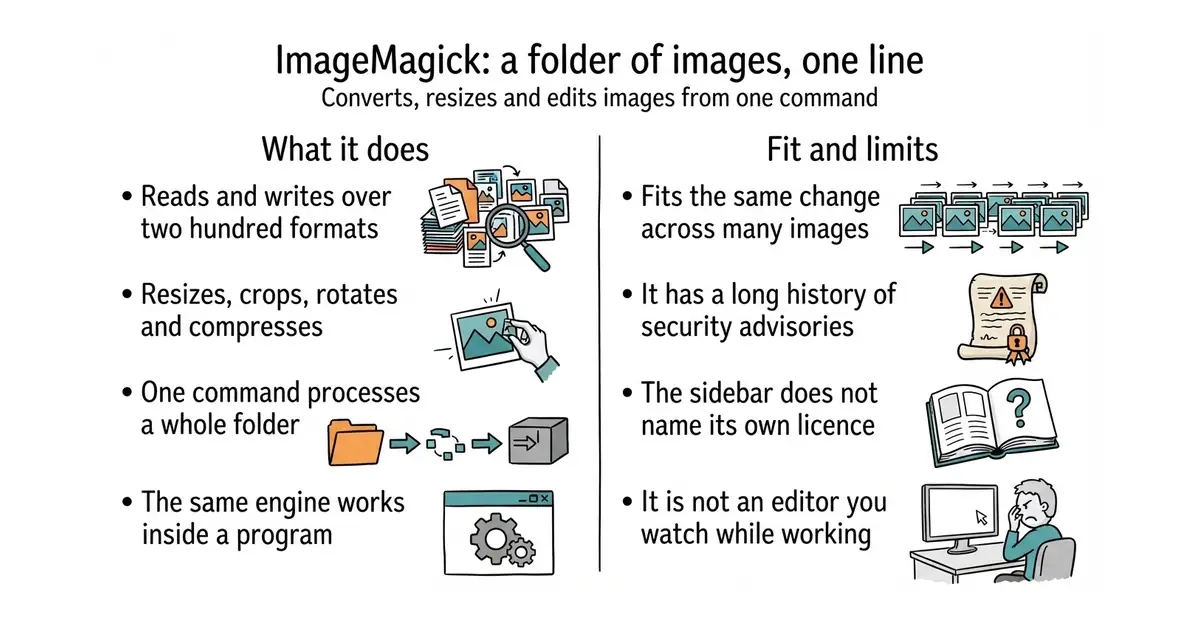
Converts, resizes and edits images from one typed command, across more than two hundred formats.
▶Repo detailsthe review · specs · pros & cons · install
What it does
The main command, magick, reads an image, applies the operations you list, and writes the result. It reads and writes more than two hundred formats, including JPEG, PNG, WebP, TIFF, HEIC, SVG and PDF, so it is also a format converter. The operations cover the ordinary work — resize, crop, rotate, compress, change colours, add text — and a great deal of less ordinary work, including comparing two images and reporting the difference. It can read and write the hidden information inside a file, such as the camera settings or the location a photograph was taken. The same engine is available as a library for most programming languages, so a website can use it to make thumbnails. A wildcard in the filename processes a whole folder at once. It is not an interactive editor: there is a simple display window, but anyone wanting to see what they are doing while they do it wants a different kind of program.
Why it matters
Who it suits. Anyone who has the same operation to perform on more than ten images, and anyone who needs a format converted that ordinary tools refuse. It also suits anyone building a site that has to make thumbnails, through the library rather than the command. Skip it for one-off edits where you want to see the result as you work, because an editor is the right tool for that.
Verdict. Install it and forget about it until the day it saves an afternoon. It is one of the most useful two minutes in this edition, and it is alive in a way few twenty-nine-year-old projects are: code was pushed on 23 October 2026, the morning this edition was written, and version 7.1.2-34 was released on 14 October. Two things to know. The licence is its own, called the ImageMagick License, and the About sidebar does not name it; the file states it is compatible with the GPL version 3, and it is permissive in practice, but read it if the use is commercial and redistribution is involved. And it has a long history of security advisories, because reading two hundred untrusted formats is genuinely hard, so keep it updated and never point it at files from strangers without the project's security policy in place. For making web images smaller specifically, libvips/libvips is faster and uses far less memory, and GoogleChromeLabs/squoosh from Edition 57 does it in a browser with a preview.
- More than two hundred formats, which makes it a converter of last resort that usually works.
- One command handles a whole folder, which turns an afternoon into a line.
- Available as a library in most languages, so the same behaviour works inside a program.
- A long history of security advisories, so it must be kept updated and pointed only at trusted files.
- The licence is its own and the About sidebar does not name it, so the terms have to be read in the file.
- The options are many and terse, and the order they are written in changes the result.
- libvips/libvips
LGPL-2.1, a library for the same resizing and converting work that is considerably faster and uses much less memory, but has no comparable command-line tool for ad-hoc jobs.
Track this in Scout  GoogleChromeLabs/squoosh
Apache-2.0, covered in Edition 57; compresses images in a browser page with a before-and-after preview, which suits judging one image by eye rather than processing a folder.
Track this in Scout
sudo apt install imagemagick



2.6k stars · BSD-3-Clause · v3.9.3 (2026-07-27) · Track this in Scout · Share this tool
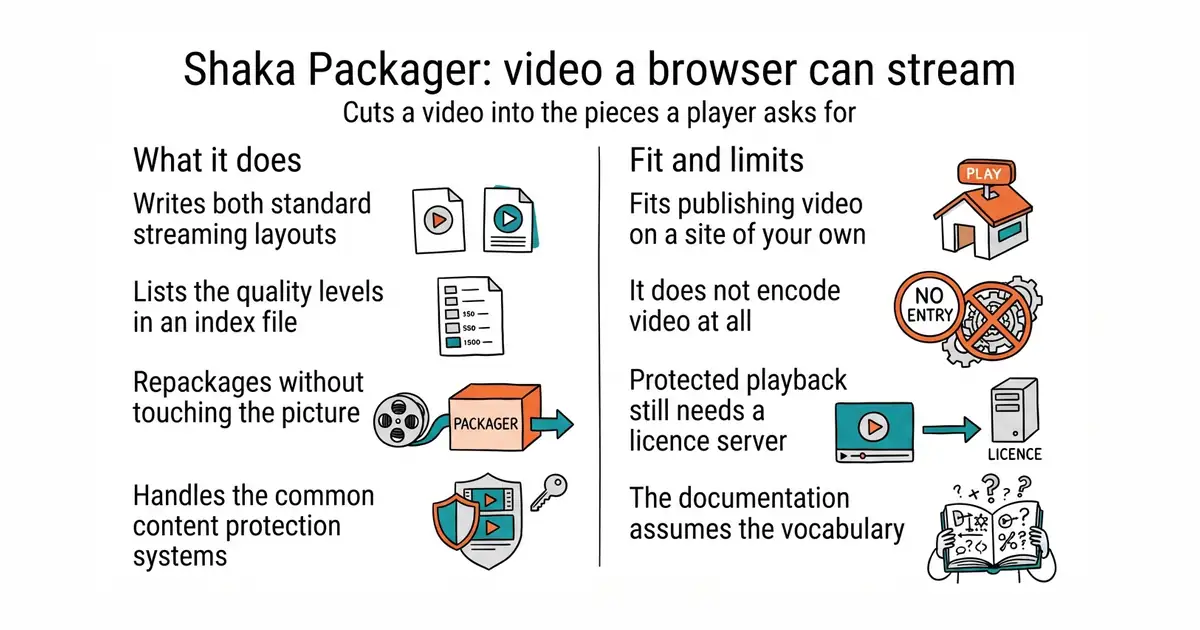
Cuts a video file into the pieces and index files that a browser needs in order to stream it.
▶Repo detailsthe review · specs · pros & cons · install
What it does
It takes finished video and audio and produces the two standard streaming layouts, DASH and HLS, which between them cover every current browser and device. It writes the small media pieces and the index file, called a manifest, that lists the available quality levels so a player can switch between them as the connection changes. It handles encryption for the common content protection systems, including Widevine, PlayReady and FairPlay, and can take keys from a key server or from the command line. It can package a live stream as well as a stored file, and it can repackage existing files without re-encoding them, which is fast because the video itself is untouched. A library version lets other software call the same code. It is not an encoder: it will not change the resolution or the bitrate of a video, so something like ffmpeg has to produce the quality levels before this tool packages them.
Why it matters
Who it suits. Anyone putting their own video on their own pages who wants it to start quickly and survive a bad connection, and anyone who needs content protection because a licence demands it. The small star count is misleading: this is production software used by large video services. Skip it if a single MP4 file in a video tag is good enough, which it often is for short clips.
Verdict. Worth twenty minutes if video is part of the work, and worth knowing about even if it is not, because the alternative is usually a paid service. It is BSD-3-Clause, which is about as free as a licence gets, and version 3.9.3 was released on 27 July 2026, so it is current. Two warnings. The division of labour catches people out: this packages, ffmpeg encodes, and most "it didn't work" problems are a video that was never encoded at the right quality levels in the first place. And the encryption side is only half the problem, because playing protected content also needs a licence server, which this does not provide. For adjacent needs: tsduck/tsduck from Edition 46 works on broadcast television streams rather than web streaming, and bluenviron/mediamtx from Edition 26 is a live media server that receives a stream and hands it out again, which is a different job from preparing a stored file.
- Produces both standard streaming layouts from one command, which covers every current browser.
- Repackages without re-encoding, so it is fast and does not touch the picture quality.
- BSD-3-Clause, with the content protection support included rather than sold separately.
- It does not encode, so something else has to produce the quality levels first.
- Content protection needs a licence server as well, which is a separate and larger project.
- The documentation assumes the reader already knows the streaming vocabulary.
 tsduck/tsduck
BSD-2-Clause, covered in Edition 46; reads and rewrites the streams used by broadcast television, which is a neighbouring world with different formats and no web player involved.
Track this in Scout bluenviron/mediamtx
MIT, covered in Edition 26; receives a live stream over one protocol and hands it out over several others, where this one prepares stored files for a browser.
Track this in Scout
chmod +x packager-linux-x64

3.2k stars · MIT · NO RELEASES AT ALL - /releases/latest renders "There aren't any releases here." A determination, not a gap: Go takes its versions from tags and nothing is missing. · Track this in Scout · Share this tool
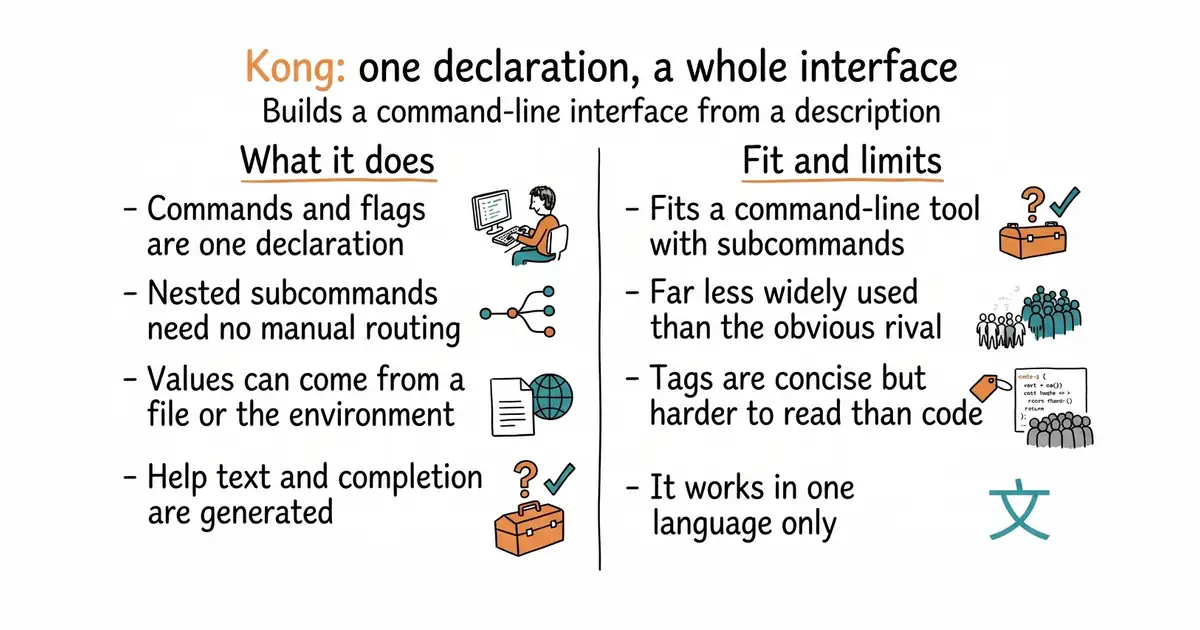
Builds the whole command-line interface of a Go program from a description of its commands.
▶Repo detailsthe review · specs · pros & cons · install
What it does
You declare the commands, flags and arguments as a Go structure, with the help text written beside each one as a tag. It then parses what the person typed, fills the structure in, and reports a clear error when something is missing or wrong. Nested subcommands work, so tool thing create --name x needs no manual routing. Values can come from the command line, from environment variables, from a configuration file, or from a default, in an order you control. It generates the help text, including per-command help, so the documentation cannot drift away from the flags. It supports shell completion and can print the parsed result for debugging. It does not do anything at runtime beyond parsing: it builds no interactive prompts and draws no interface, so a program that wants to ask questions on screen needs something else alongside it.
Why it matters
Who it suits. Anyone writing a command-line tool in Go, particularly one with subcommands, who wants the interface described once in one place. It suits small internal tools especially well, because the help text comes free and that is the part nobody writes otherwise. Skip it if the program takes one filename and nothing else, because the standard library handles that in three lines.
Verdict. The best-designed of the three options, and the least used, which is worth knowing. Code was pushed on 11 October 2026 and it is MIT licensed. It publishes no GitHub releases at all, which is a determination rather than a gap: Go takes its versions from tags, and there is nothing missing. The honest comparison is the deciding factor. spf13/cobra has 44,600 stars against this one's 3,200, is used by most well-known Go tools, and is what a new contributor will already know, at the cost of more code to write for the same interface. urfave/cli sits in between. Choose Kong for a tool you will maintain yourself and want described in one structure; choose Cobra when the project is shared and familiarity matters more than elegance.
- The whole interface is one declaration, so flags, help text and parsing cannot disagree.
- Values can come from flags, environment variables or a file, with the order under your control.
- Help text and shell completion are generated, which are the two things people skip.
- Far less widely used than the obvious alternative, so fewer examples and fewer people who know it.
- Describing an interface through structure tags is concise but harder to read than plain code.
- Go only. Nothing here transfers to another language.
- spf13/cobra
Apache-2.0, the same job and by far the most widely used, behind most well-known Go command-line tools; it needs more code written by hand for the same interface.
Track this in Scout - urfave/cli
MIT, the same job with the interface built as values rather than structure tags, which some people find easier to follow and others find longer.
Track this in Scout
go get github.com/alecthomas/kong

Checked, and left out
Nothing to show for this edition. Recording the repositories that were checked and rejected began with Edition No. 4, and every edition from there on has the list.
Know a repository we should check?
Coming tomorrow