8.1k stars · BSD-2-Clause, not named in the sidebar · v9.2.0 (2026-10-21) · Track this in Scout
Builds a documentation website, and a PDF, from text files and from the comments beside the code.
▶Repo detailsthe review · specs · pros & cons · install
What it does
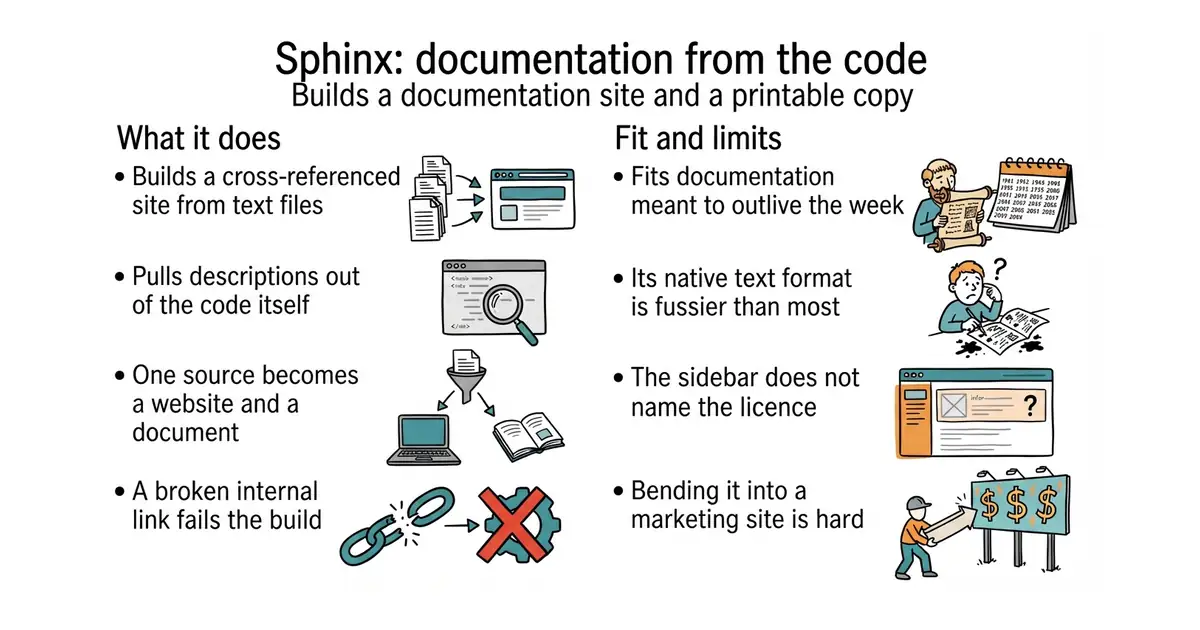
It reads text files and builds a cross-referenced website from them, with a contents tree, a search box that works without a server, and links between pages that break the build if they point at nothing. It can pull descriptions straight out of Python code and turn them into reference pages, which is why almost every Python project uses it. The same source produces HTML, a single-page HTML file, PDF through LaTeX, EPUB and manual pages. Its native format is reStructuredText, a plain text format older and stricter than Markdown, and Markdown works too through an extension. Translation into other languages is built in, using the standard gettext message files. Version 9.2.0 was published on 21 October 2026, two days before this edition. It is not a general website builder: it is shaped around documentation, and bending it into a marketing site is more work than starting with something else.
Why it matters
Who it suits. Anyone writing documentation for software, especially in Python, who wants the reference pages generated from the code rather than typed twice. It suits anyone who needs the same content as both a website and a PDF, which is common in regulated and academic work. Skip it if the documentation is five Markdown pages, because the simpler tool below will have them online in five minutes.
Verdict. Worth the twenty minutes if the documentation will outlive the week. Two warnings. The default format, reStructuredText, is fussier than Markdown, and the error messages when a directive is slightly wrong are not kind; install the Markdown extension on day one if that matters. And the About sidebar does not name the licence, which is an odd gap for a project this central — the README badge and the published package both say BSD 2-Clause, and that is what the licence file holds. For a smaller project, mkdocs/mkdocs from Edition 53 is Markdown-only, configured in one file, and much faster to start. readthedocs/readthedocs.org is not an alternative but a companion: it is the software behind the free hosting service that builds Sphinx documentation on every commit.
- Reference pages generated from the code, so the descriptions cannot drift away from what they describe.
- One source produces a website, a PDF and an EPUB.
- Broken internal links fail the build, which catches the most common documentation rot.
- Its native text format is stricter than Markdown and its errors are hard to read.
- The About sidebar names no licence at all, so the terms have to be looked up in the files.
- Themes and extensions are plentiful but inconsistent in quality and in how well they are documented.
 mkdocs/mkdocs
BSD-2-Clause, covered in Edition 53; Markdown only, one settings file, far quicker to start, and no reference pages generated from code.
Track this in Scout- readthedocs/readthedocs.org
MIT, the software behind the hosting service that builds this kind of documentation automatically; it runs Sphinx rather than replacing it.
Track this in Scout
python3 -m venv venv
source venv/bin/activate
pip install sphinx
sphinx-quickstart docs
cd docs
make html