Edition No. 57 · 21 Oct 2026
An audit tool that says it cannot audit the administrator
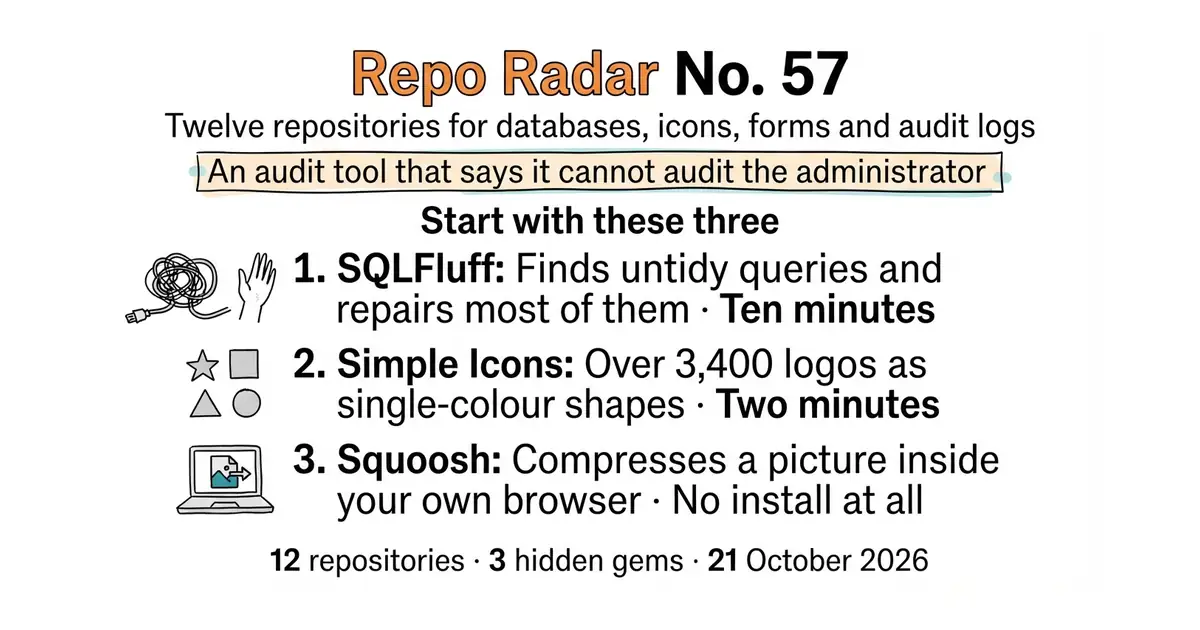
An audit extension that lists its own blind spots, 3,400 brand logos in the public domain, and a loader whose stable tag is a year behind its code.
Refreshed on 21 October 2026. The repositories are the ones first published; any that are no longer maintained are left out.
Wednesday, 21 October 2026. Twelve open-source repositories, opened and checked today. Three ways into a database, two PostgreSQL extensions, four things for the look of a page, and three that talk to people or to a market.
We aim for twelve every day. Some candidates fall out while we check them — those are listed at the end, with the reason.
If you only do three things
- sqlfluff/sqlfluff — ten minutes, on SQL files that already exist. One install, one command, and it tells you where your SQL is inconsistent. It can also fix most of what it finds.
- simple-icons/simple-icons — two minutes. Over 3,400 brand logos as clean SVG files, released into the public domain. One web address gives you any of them.
- GoogleChromeLabs/squoosh — no install at all. Open a web page, drag an image in, and compare the compressed result side by side before you save it.
Every link in one place
| # | Repository | Project site | Stars | Licence |
|---|---|---|---|---|
| 1 | dbeaver/dbeaver | dbeaver.io | 52,160 | Apache-2.0 |
| 2 | sqlfluff/sqlfluff | sqlfluff.com | about 9,900 | MIT |
| 3 | dimitri/pgloader | pgloader.io | 6,549 | PostgreSQL Licence |
| 4 | pgaudit/pgaudit | pgaudit.org | about 1,700 | PostgreSQL Licence |
| 5 | cybertec-postgresql/pg_timetable | product page | about 1,400 | MIT |
| 6 | GoogleChromeLabs/squoosh | squoosh.app | 26,052 | Apache-2.0 |
| 7 | simple-icons/simple-icons | simpleicons.org | about 25,800 | CC0-1.0 |
| 8 | phosphor-icons/core | none set on the repository | 389 | MIT |
| 9 | unocss/unocss | unocss.dev | 18,964 | MIT |
| 10 | heyform/heyform | heyform.net | 9,045 | AGPL-3.0 |
| 11 | botpress/botpress | botpress.com | 14,872 | MIT |
| 12 | jesse-ai/jesse | jesse.trade | 8,677 | MIT |
An audit tool that says it cannot audit the administrator
Twelve repositories, checked and reviewed. Every version verified against the GitHub API and dated.

52.2k stars · Apache-2.0 · 26.2.3 (2026-10-18) · Track this in Scout · Share this tool
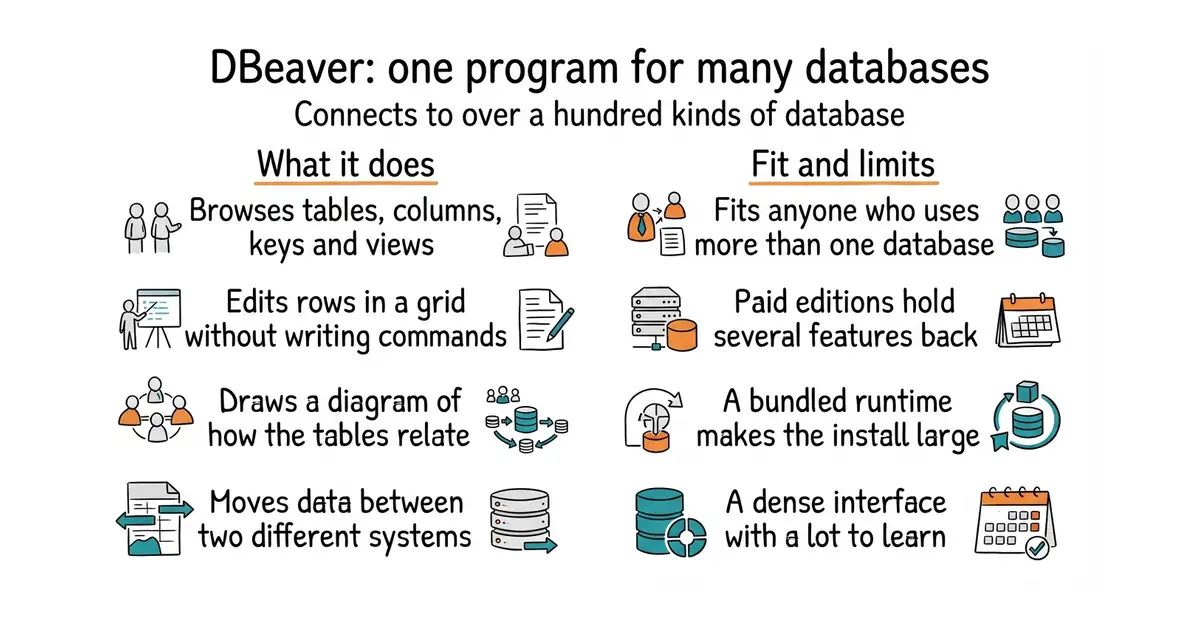
A free desktop program that connects to more than a hundred kinds of database and lets you browse and edit them.
▶Repo detailsthe review · specs · pros & cons · install
What it does
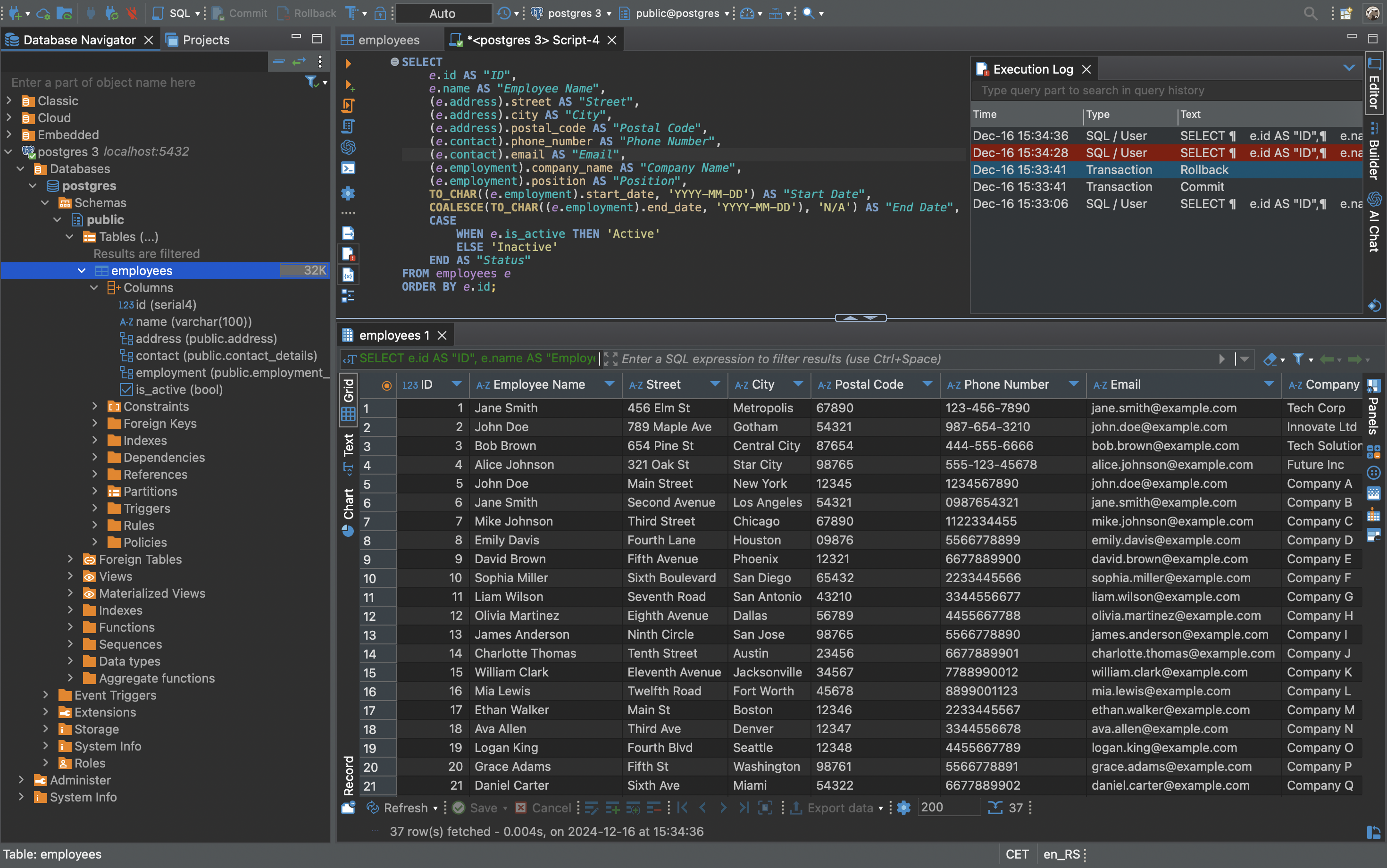
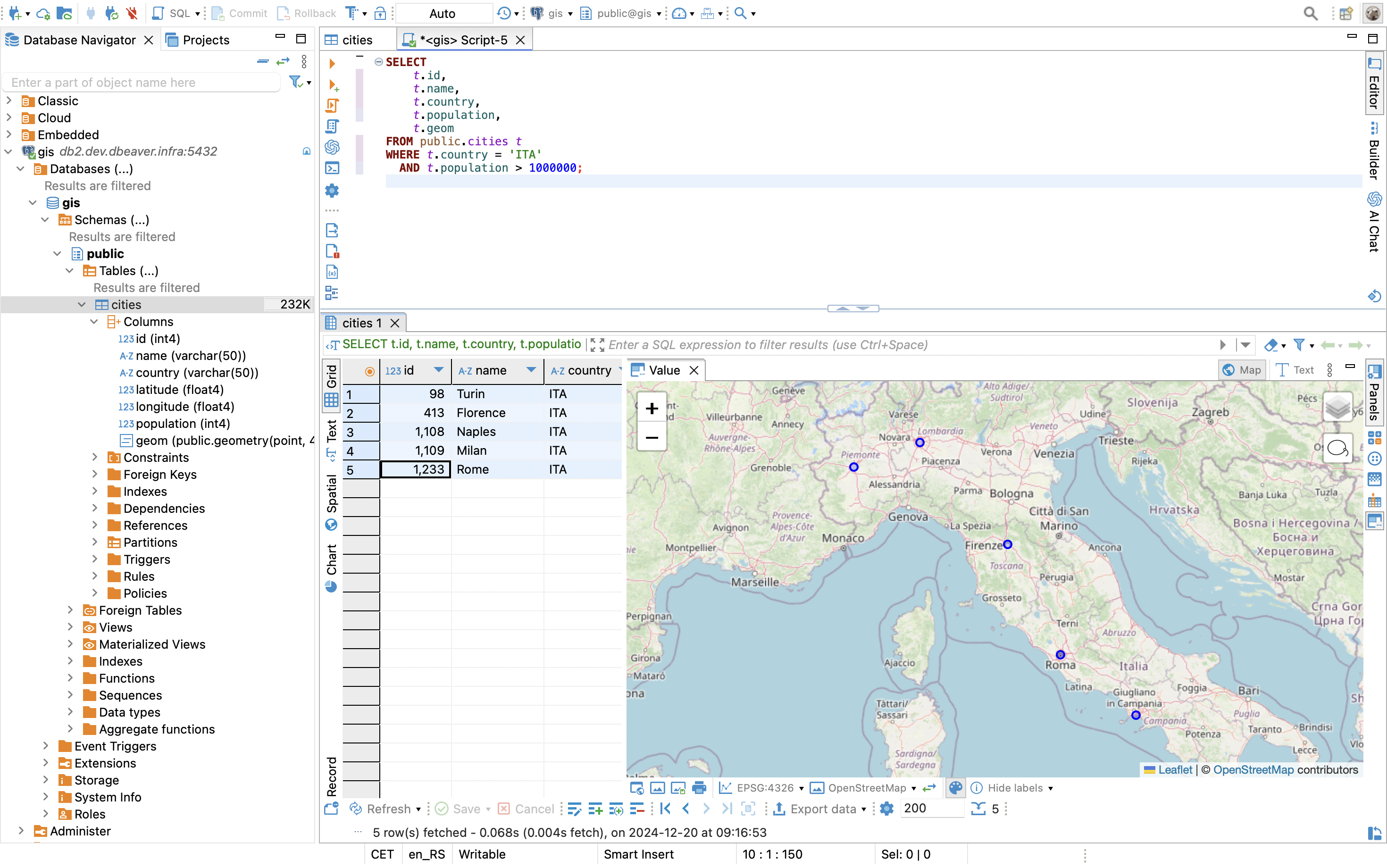
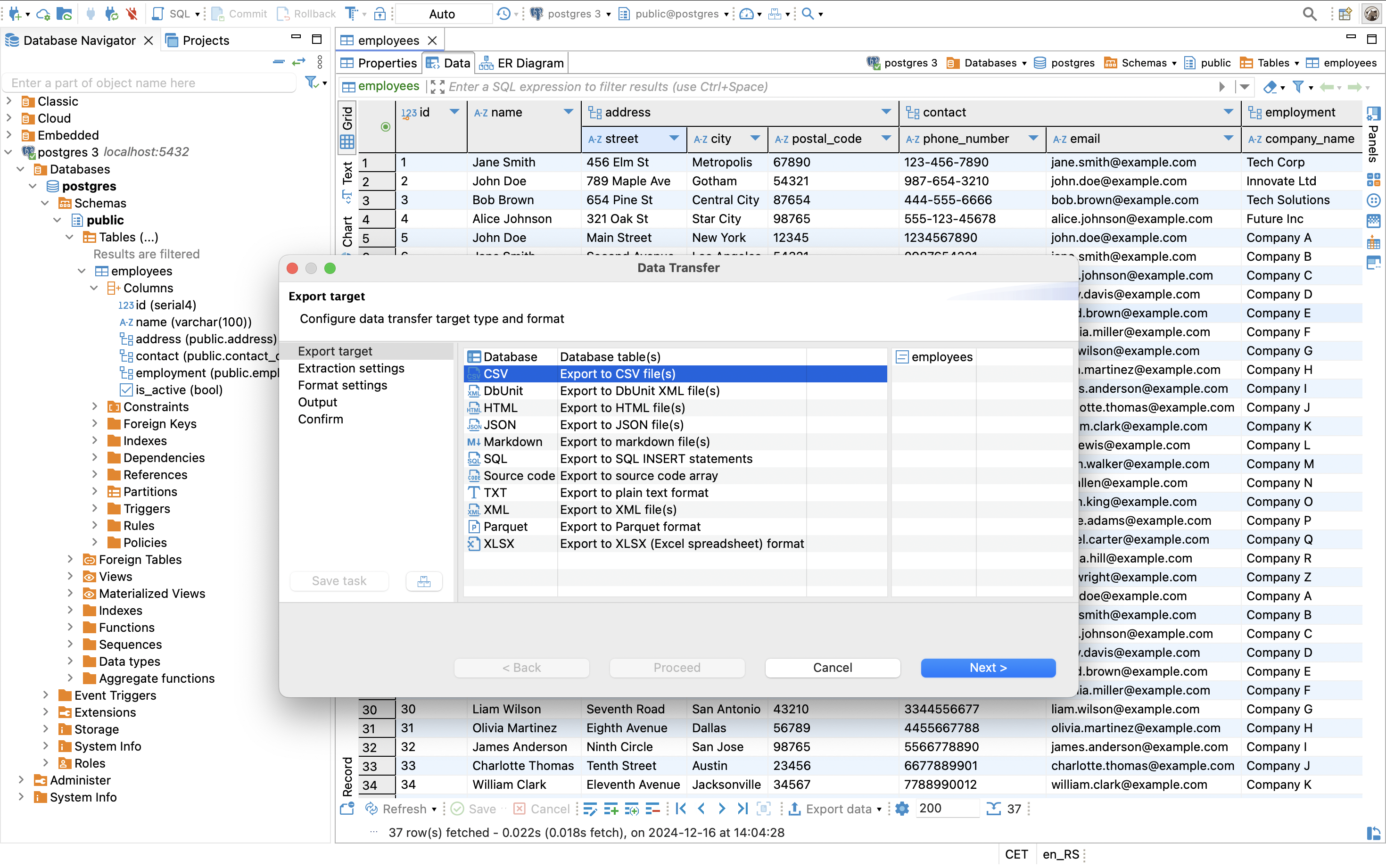
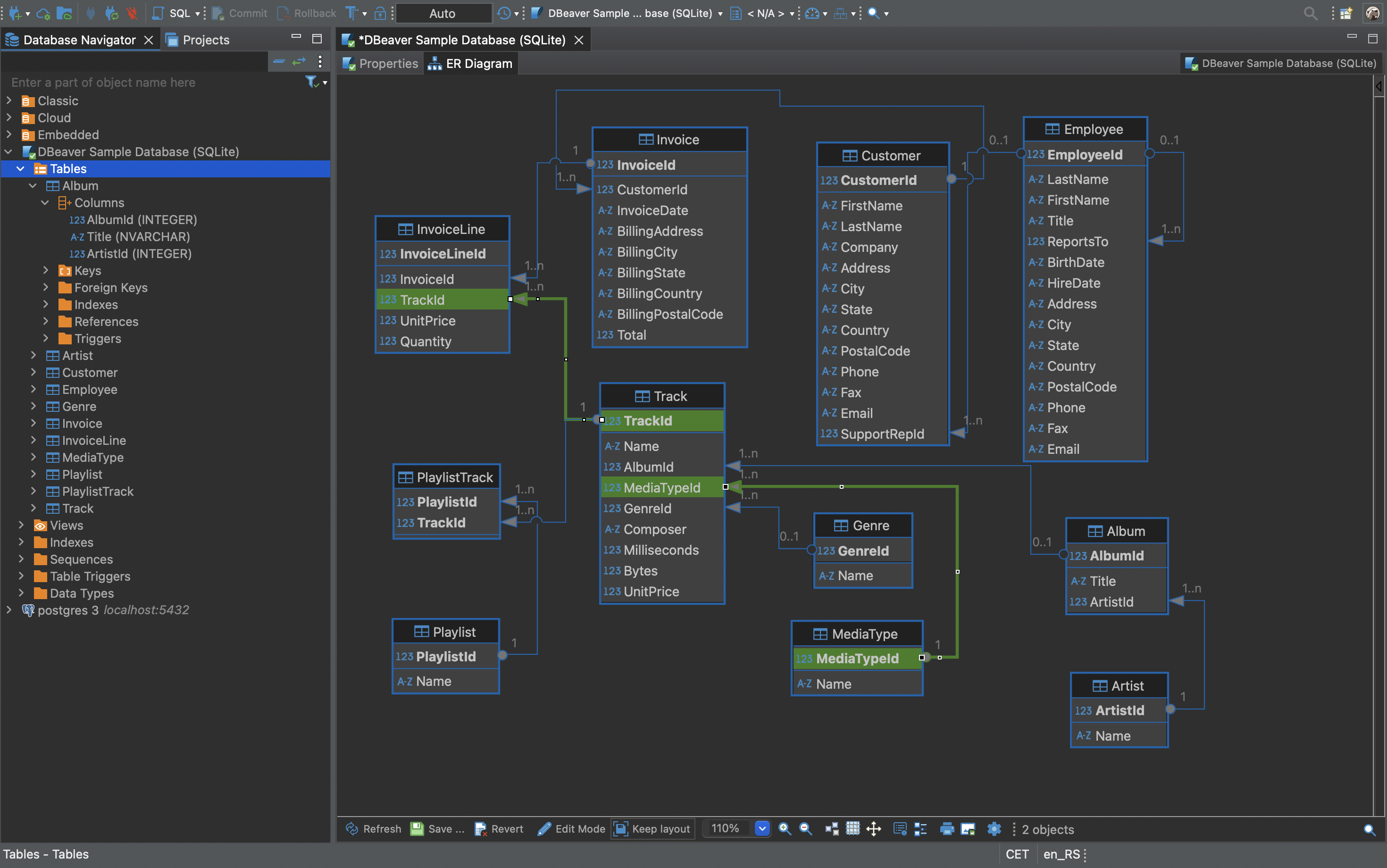
You give it an address, a user name and a password, and it opens a connection. It then shows the structure of the database as a tree you can click through: tables, columns, keys, views. There is a SQL editor for writing commands by hand, a grid editor for changing rows without writing any, and a diagram view that draws how the tables relate. It imports and exports data, moves data between two different kinds of database, and shows the plan a query will follow before you run it. The README says the free version ships with more than a hundred database drivers, and that any database with a JDBC or ODBC driver will work. A driver is a small piece of software that teaches one program how to speak to one kind of database. It does not include the paid features: the commercial versions add NoSQL databases such as MongoDB and Cassandra, extra connection types, and more AI model providers.
Why it matters
Who it suits. Anyone who touches more than one kind of database and does not want a separate program for each. It suits people who prefer clicking to typing, because the grid editor and the structure tree make a database readable without any SQL. It also suits anyone who has to move data between two systems once, since the import and export steps are built in rather than scripted. Skip it if you work with one database only and are happy at the command line, where a smaller tool starts faster.
Verdict. Worth the download, and the download is the whole cost. Version 26.2.3 landed on 18 October 2026 and code was pushed the morning this was written, so the project is moving quickly. Two things to know before you commit. It needs Java to run, and every download bundles OpenJDK 25, which makes the installed folder large. And the free version is genuinely free rather than a trial, but the feature list you read on the website may include paid items, so check which edition a feature belongs to before you plan work around it. If you want something lighter, dbcli/pgcli is a terminal client for PostgreSQL alone and starts instantly.
- One program for more than a hundred kinds of database, with no per-connection cost.
- Apache-2.0, a plain permissive licence, with no restriction on commercial use.
- Actively developed: a release three days before this edition, and code pushed the same morning.
- It needs Java, and the bundled OpenJDK 25 makes the install large.
- Several advertised features are in the paid editions only, including NoSQL databases and ODBC connections.
- A desktop program with a dense interface. There is a lot to learn before the fast paths become obvious.
 beekeeper-studio/beekeeper-studio
The same job in a much simpler interface, covering MySQL, PostgreSQL, SQLite and SQL Server; its free Community Edition is GPL-3.0 and some features sit in a paid edition in the same repository.
Track this in Scout- dbgate/dbgate
A smaller database manager, GPL-3.0, that also runs as a web page you host rather than only as a desktop program.
Track this in Scout - dbcli/pgcli
PostgreSQL only, in a terminal, with completion as you type; BSD-3-Clause and far faster to start, with no graphical editing at all.
Track this in Scout
# macOS, with Homebrew
brew install --cask dbeaver-community
# any system: download from the project site, then
# run the installer, or unzip the archive and run:
./dbeaver

10k stars · MIT · 4.4.0 (2026-10-02) · Track this in Scout · Share this tool
A tool that checks SQL files for style problems and fixes most of them.
▶Repo detailsthe review · specs · pros & cons · install
What it does
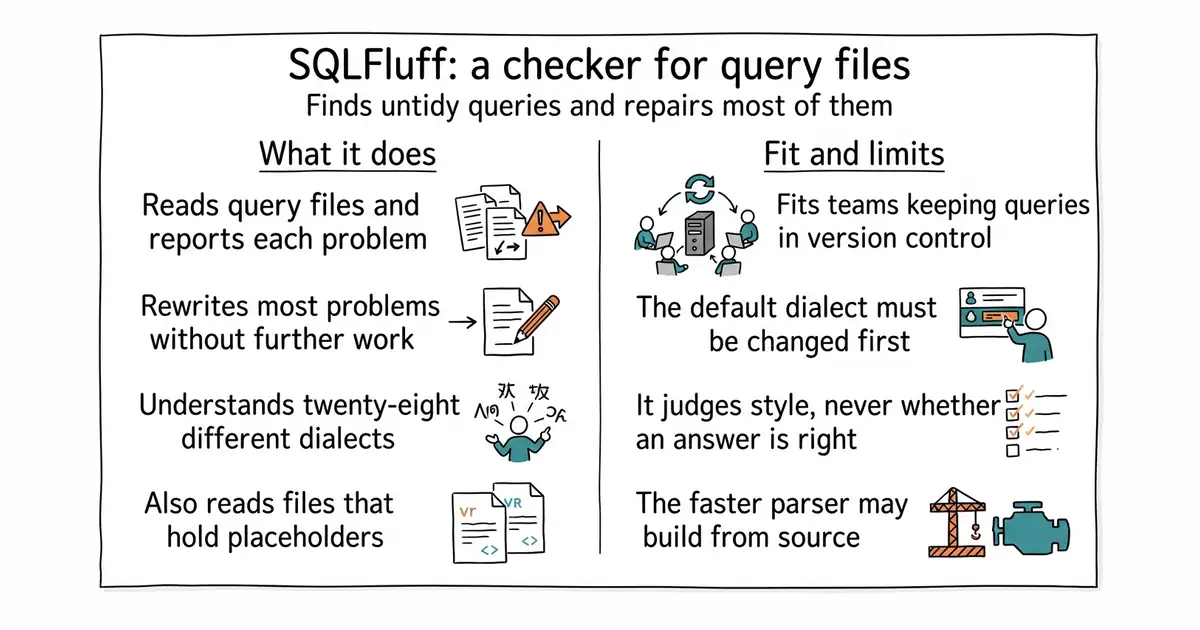
You point it at a file or a folder and it parses the SQL properly rather than matching text patterns. It then reports each problem with a line number, a column number and a rule name, so you can see exactly what it objected to. The fix command rewrites the file for the rules it knows how to repair, which the README says is most of them. It understands 28 SQL dialects, including a base ANSI entry, so the same tool works on PostgreSQL, BigQuery, Snowflake and the rest. It also reads templated SQL, which is SQL with placeholders filled in later: Jinja, Python format strings, database placeholders, and dbt through a plugin. Every rule can be switched off or configured in one file in the project. It does not check whether your SQL is correct or fast. It has no opinion about your schema, your indexes or your query plan, and it never connects to a database.
Why it matters
Who it suits. Anyone who keeps SQL in files that more than one person edits. It is most useful where SQL sits in version control next to code, because then the check can run automatically on every change and the style argument stops happening in review. It also suits a single person inheriting somebody else's SQL, since one fix pass makes an unfamiliar file readable. Skip it if your SQL lives only in a database client's history and never in a file.
Verdict. This is the gold entry today, and the reason is the ratio. One install and one command, on files that already exist, and the output is immediately actionable. Version 4.4.0 reached PyPI on 2 October 2026 and it needs Python 3.10 or newer. Two practical notes. Run lint before fix and read what it wants to change, because a formatter applied blindly to a long file produces a large and unreviewable difference. And set the dialect explicitly on the command line or in the configuration file: the default ANSI dialect will complain about perfectly valid PostgreSQL. If you want formatting without the rule engine, darold/pgFormatter is a smaller answer for PostgreSQL alone.
- Finds real inconsistencies in minutes and repairs most of them without further work.
- MIT, and 28 dialects, so one tool covers several databases.
- Reads templated SQL, which plain formatters usually refuse.
- The default dialect is ANSI, so a first run on PostgreSQL produces noise until you set the dialect.
- The optional faster parser installs a prebuilt package only on CPython 3.10 and newer; elsewhere pip builds it from source and needs a Rust toolchain and a C compiler.
- It judges style, not meaning. A query can pass every rule and still return the wrong answer.
 darold/pgFormatter
Formats PostgreSQL SQL and nothing else, as a command or a small web page, under the PostgreSQL Licence; it tidies code but has no configurable rule set to lint against.
Track this in Scout- tobymao/sqlglot
An MIT Python library that parses SQL and translates it between dialects; it is a building block for other tools rather than a checker you run on a folder.
Track this in Scout
python3 -m venv venv
source venv/bin/activate
pip install sqlfluff
# look first
sqlfluff lint queries/ --dialect postgres
# then let it rewrite what it can
sqlfluff fix queries/ --dialect postgres



6.5k stars · PostgreSQL Licence · v3.6.9 (2022-10-24) · Track this in Scout · Share this tool
Loads data into PostgreSQL from other databases and from files, keeping going when individual rows fail.
▶Repo detailsthe review · specs · pros & cons · install
What it does
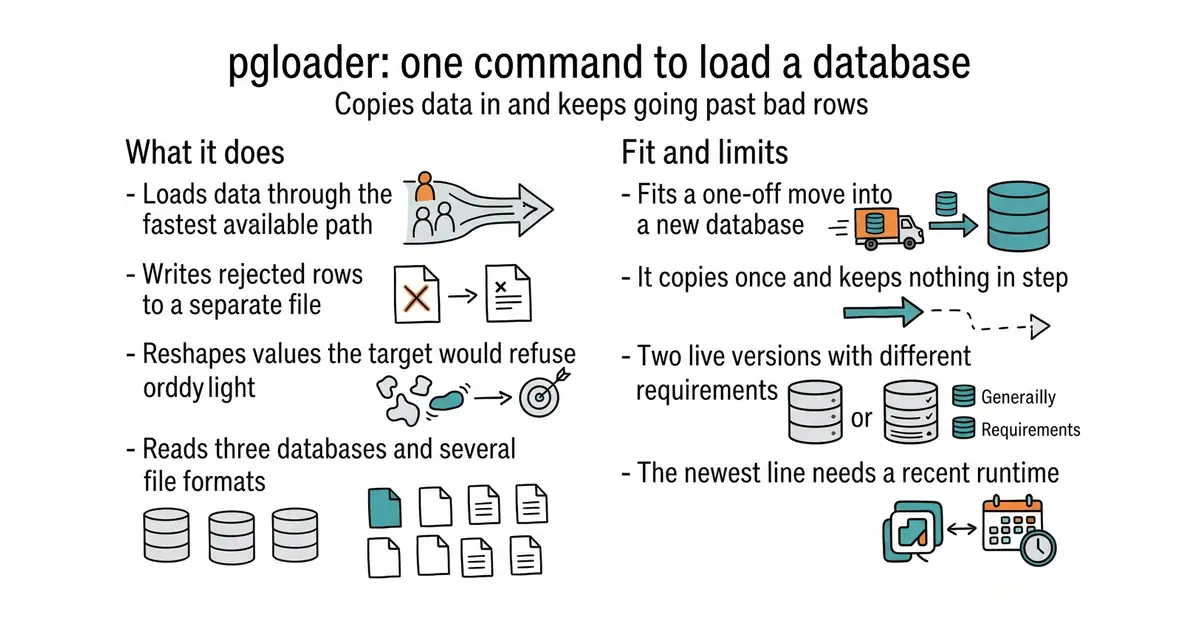
You write a short .load file saying where the data comes from and where it should go, then run one command. It loads through PostgreSQL's fast COPY path rather than row by row. Its central behaviour is transaction handling: PostgreSQL normally wraps a load in one transaction, so a single bad line throws away the whole table, and pgloader instead writes rejected rows to their own file and continues. It also reshapes values as it goes, and the README gives the clearest example of why that matters: MySQL allows a date of all zeros, which PostgreSQL will not accept, so pgloader turns it into an empty value. It reads SQLite, MySQL and SQL Server, and the repository also lists CSV, dBase and IBM IXF. Version 4 is a rewrite in Clojure and the project calls it a drop-in replacement for version 3, using the same .load syntax and the same flags. It is a loader, not a continuous link: it copies data once when you run it, and it does not keep two databases in step afterwards.
Why it matters
Who it suits. Anyone with records in one database who wants them in PostgreSQL, once. It suits a migration with messy data most of all, because the rejected-rows file turns an all-or-nothing failure into a short list of things to look at. It also suits repeated bulk loads from CSV, since a .load file is reusable and readable. Skip it if you need changes to flow continuously from one database to another, which is a different job and a different tool.
Verdict. Still the straightest route into PostgreSQL, and worth an afternoon on a copy of the data before you touch anything real. Be careful about which version you take. The newest tagged stable release is v3.6.9 from 24 October 2025, about twelve months old, while code was pushed on 14 September 2026, so the project is alive and the tag is simply behind. Version 4 is the active line, it needs Java 21 or newer, and the download is a pre-release build from the v4-clojure-rewrite branch. There is no version 4 Debian package yet, so apt-get install pgloader still gives you version 3. For an Oracle source this is the wrong tool and darold/ora2pg is the right one; Edition 48 covered it.
- One command and one short file turn another database into a PostgreSQL one.
- Bad rows go to a file instead of killing the whole load.
- The PostgreSQL Licence, which is about as permissive as licences get.
- Two live versions with different requirements, and the stable tag is a year old while the active work sits on a branch.
- Version 4 needs Java 21 or newer, which is a real install on a small machine.
- The package managers still ship version 3, so the documented v4 route means downloading a file by hand.
- dimitri/pgcopydb
By the same author, for PostgreSQL to PostgreSQL only; it copies a whole database in parallel and is faster for that one case, under the PostgreSQL Licence.
Track this in Scout  darold/ora2pg
Oracle to PostgreSQL, GPL-3.0, and it also prints an estimate of how many person-days the migration would take; covered in Edition 48.
Track this in Scout debezium/debezium
The continuous version of this idea: Apache-2.0, it watches a database for changes and streams them out, rather than copying once.
Track this in Scout
# version 3, from the Debian or Ubuntu archive
sudo apt-get install pgloader
# version 4: download pgloader.jar from the v4-dev release,
# then check it runs (needs Java 21 or newer)
java -jar pgloader.jar --version
# or use the container image
docker pull ghcr.io/dimitri/pgloader:latest

1.7k stars · PostgreSQL Licence · 18.0 (2025-09-24) · Track this in Scout · Share this tool
A PostgreSQL extension that records what was done to the database, in the database's own log.
▶Repo detailsthe review · specs · pros & cons · install
What it does
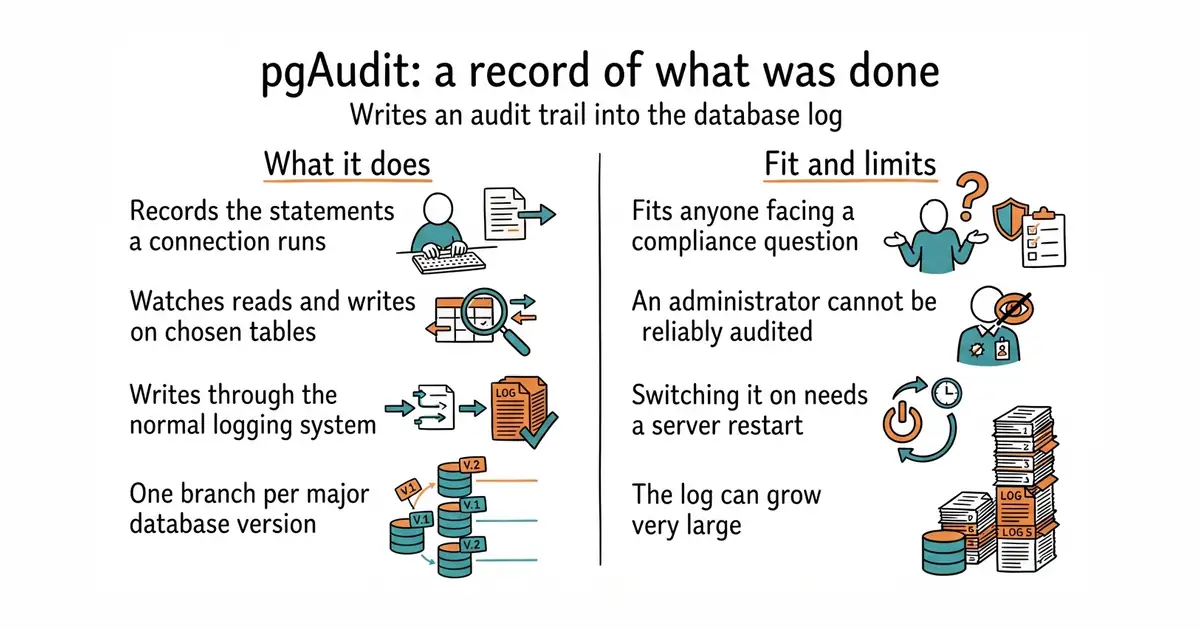
You install it as an extension and add it to the list of libraries PostgreSQL loads at startup, which means one restart. After that it writes audit entries through the normal PostgreSQL logging system, so they land wherever the logs already land. Session logging records the statements a connection runs, and is switched on with the pgaudit.log setting. Object logging records reads and writes against named tables, through rights granted to a role, so a few sensitive tables can be watched instead of everything. It supports PostgreSQL 14 and newer, with one branch and one version number for each major version: v19.X for PostgreSQL 19, down to v1.6.X for 14. The project then lists its own limits in plain language, and they are the reason this entry is here. Audit logging is best-effort and not transactional, so an entry can be missing after a crash. It does not log autovacuum or autoanalyze, it does not cover TRUNCATE in object logging, it does not audit statements run once a transaction has already failed, and it cannot reliably audit a superuser.
Why it matters
Who it suits. Anyone who has been asked to show who touched which records. It suits a small team facing a compliance questionnaire, because the answer here is an extension rather than a product to buy. It also suits a database with a handful of genuinely sensitive tables, since object logging can be pointed at those alone and left off everywhere else. Skip it if nobody is asking: the extra log data is real, and switching it on costs a restart.
Verdict. Worth it once the question has been asked, and worth leaving alone until then. The documentation is the reason to trust it. A project that lists its own limits rather than hiding them has earned the claims it does make, and two of those limits are worth acting on. A superuser cannot be reliably audited, and the project's own advice is to restrict superuser access and use the set_user extension when extra rights are needed, because otherwise the person with the most power is the one nobody can watch. The log is also best-effort rather than transactional, so treat it as strong evidence and not as a complete record. Start with object logging on a few tables rather than session logging on everything, and work out the disk space first. Two facts could not be settled here today. The releases page returned a server error on every attempt, and the mirror used for exact dates refused this repository, so no release date and no code date are claimed. Currency rests instead on the README, which lists PostgreSQL 14 through 19 as maintained and names a REL_19_STABLE branch for the newest major version.
- Built and licensed in the PostgreSQL tradition, with the copyright handed to the PostgreSQL Global Development Group.
- Object logging can be pointed at a few sensitive tables rather than the whole database.
- It lists its own limits in plain language, including the awkward one about administrators.
- Switching it on means loading a library at startup, so the database has to be restarted.
- A superuser cannot be reliably audited, which is a gap at exactly the wrong end.
- Log volume can grow very large, which can fill a disk and slow the database down.
- supabase/supa_audit
Apache-2.0, a much smaller answer: database triggers copy changed rows into an audit table, so the record lives in the database rather than in the log, and it covers writes rather than every statement.
Track this in Scout - pgaudit/pgaudit_analyze
The companion from the same project: it reads the log output and loads it into tables you can query, which is what turns a log file into something searchable.
Track this in Scout
git clone https://github.com/pgaudit/pgaudit.git
cd pgaudit
git checkout REL_19_STABLE
make install USE_PGXS=1 PG_CONFIG=/usr/pgsql-19/bin/pg_config

1.4k stars · MIT · v7.1.0 (2026-08-24) · Track this in Scout · Share this tool
A job scheduler for PostgreSQL whose jobs and schedules live in the database itself.
▶Repo detailsthe review · specs · pros & cons · install
What it does
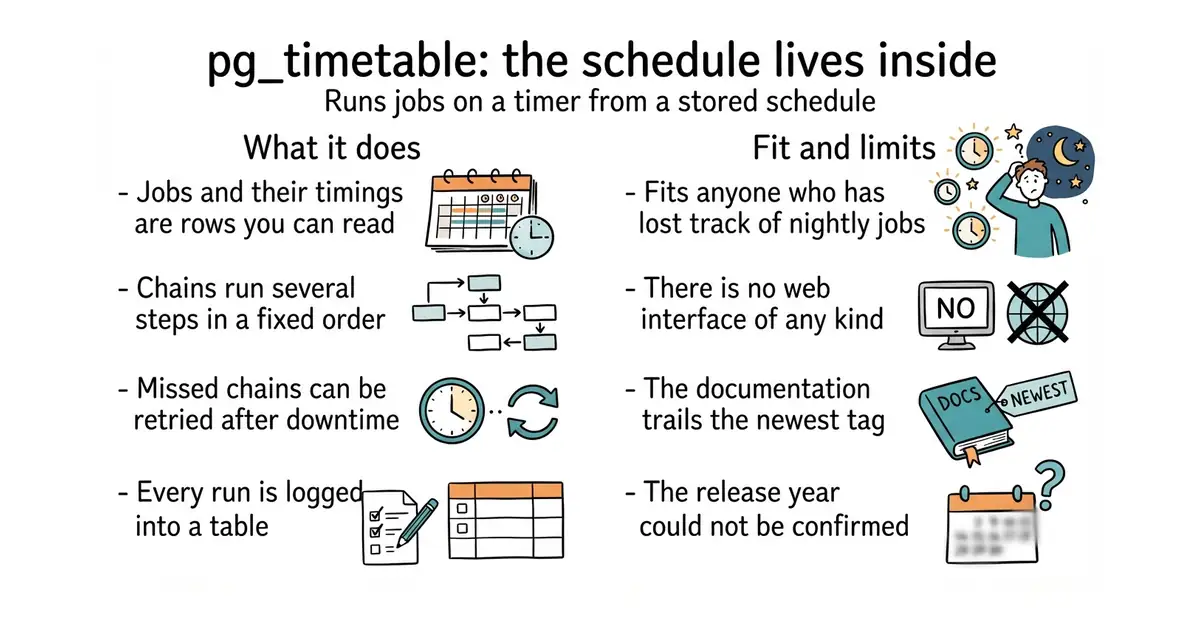
You add a job by running a function inside the database, then run a small program that connects to that database and does the work when the time comes. Jobs can be SQL commands, programs on the machine, or built-in actions the project supplies, including sending email and downloading and importing a file. Several steps can be joined into a chain, so a download, an import and a clean-up run in order and stop if one fails. It uses cron-style timing, the same five-field pattern as the classic scheduler, and it can also read a chain written as YAML. Missed chains can be retried, which matters after a restart, and runs are logged into database tables rather than scattered across log files. It can refuse to start a chain that is already running, and chains and individual tasks can each be switched off without deleting them. OpenTelemetry export is there if you want run data sent somewhere else. The supported-versions table lists PostgreSQL 10 through 19, and the project says older versions should also work. It is a scheduler, not a workflow platform: there is no web page for drawing pipelines and no graphical editor.
Why it matters
Who it suits. Anyone who runs scheduled database work and has lost track of where the schedule lives. It suits a setup where one machine's crontab is the only record of what runs at night, because moving that record into the database makes it visible and restorable. It also suits work that must happen in a fixed order with a stop on failure, which plain cron cannot express. Skip it if you want a browser interface for building and watching pipelines, since this is deliberately a command and a set of tables.
Verdict. A good, narrow tool, and the narrowness is the point: it does one job and keeps its state where your backups already go. Two honest caveats. The documentation site is published at version 6.x while the newest tag is v7.1.0, so the pages may describe the previous line. And the release year could not be settled from here: the releases page shows v7.1.0 as 24 August with no year, and no second source available in this run would confirm it, so the day and month are all this edition will claim. Currency instead rests on the project's own supported-versions table listing PostgreSQL 19 in development, which only makes sense recently. If you would rather not run a separate program at all, citusdata/pg_cron lives entirely inside the database.
- The schedule is data in the database, so it is visible, editable and included in backups.
- Chains run several steps in order and stop on failure, which plain cron cannot do.
- Missed chains can be retried after downtime instead of being silently skipped.
- The documentation site is still on the 6.x line while the newest tag is v7.1.0.
- The release year could not be confirmed from the sources available here.
- One more program to keep running beside the database, with no web interface of its own.
- citusdata/pg_cron
Under the PostgreSQL Licence, it runs periodic jobs from inside PostgreSQL with nothing extra to install or keep running; simpler, but it cannot chain steps or run programs outside the database.
Track this in Scout  dagucloud/dagu
GPL-3.0, a single-binary workflow runner with no database of its own, defined in YAML; a wider tool that also runs scripts, SSH commands and containers, and is not tied to PostgreSQL.
Track this in Scout windmill-labs/windmill
A much larger platform with a web interface that turns scripts into scheduled jobs, webhooks and small applications; covered in Edition 15, and it carries both AGPL-3.0 and Apache-2.0 files.
Track this in Scout
-- create a role the scheduler can use
CREATE ROLE scheduler WITH LOGIN CREATEDB PASSWORD 'change-me';
-- add one job: tidy up at 03:00 every night
SELECT timetable.add_job('nightly-vacuum', '0 3 * * *', 'VACUUM ANALYZE');

26.1k stars · Apache-2.0 · NO RELEASES AT ALL — a determination, not a gap: /releases/latest renders 'There aren't any releases here.' The live site at squoosh.app is the product and the dev branch carries 1,472 commits. · Track this in Scout · Share this tool
A web page that compresses images in the browser and shows you the result before you save it.
▶Repo detailsthe review · specs · pros & cons · install
What it does
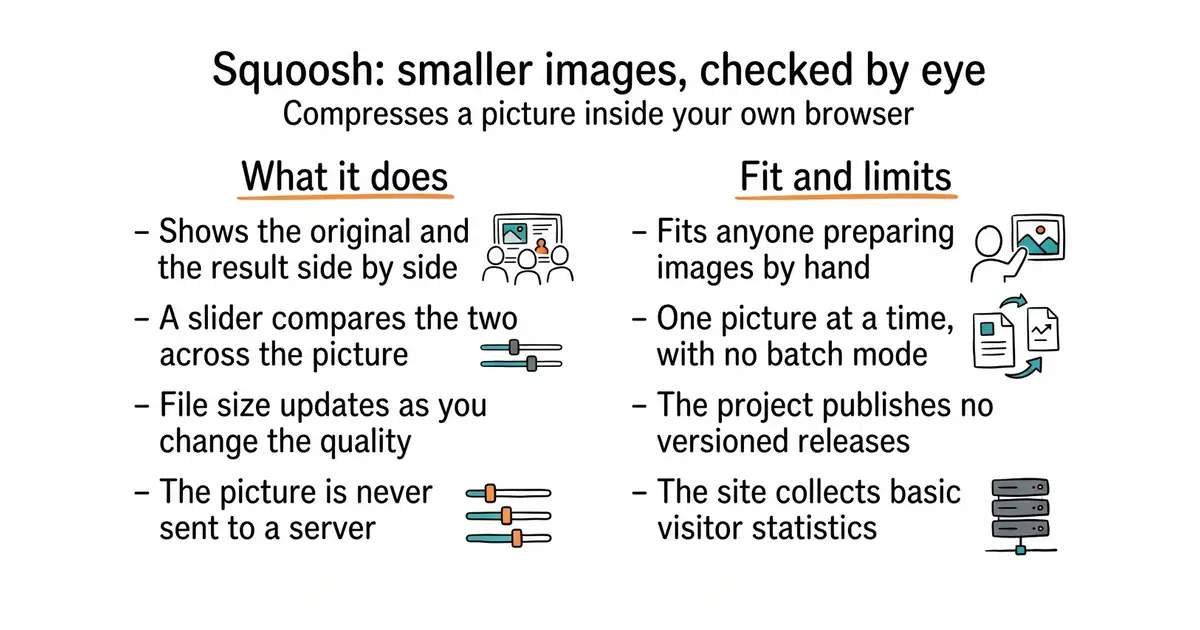
You drop an image onto the page and it loads two panes, original on one side and compressed on the other, divided by a slider you drag across the picture. You pick an output format and adjust its quality, and the file size updates as you go. The README states plainly that Squoosh does not send your image to a server, so the compression runs locally in the browser. The project is also installable as an application on a phone or desktop, so it works after the first visit without a connection. It uses image codecs compiled to run in the browser, which is how the whole thing stays on one machine. There is no command-line version in this repository and no automation: you cannot point it at a folder and walk away. The README also notes that the site collects basic visitor data and before-and-after image sizes through an analytics service.
Why it matters
Who it suits. Anyone who puts images on a web page by hand and wants them smaller. It suits a one-off job best of all, because the side-by-side view answers the only question that matters: can I see the difference? It also suits someone who is nervous about uploading a picture to a free online compressor, since nothing leaves the machine. Skip it if you have hundreds of images, or if compression needs to happen automatically whenever a file is added.
Verdict. Worth bookmarking, and it costs nothing to try since there is no install. Code was pushed on 15 October 2026, so the project is current, though it publishes no versioned releases at all: the releases page is empty, which is a determination rather than a gap, and the live site is the product. Two things to note. It is one image at a time by hand, so it is the wrong shape for a build step. And it does collect analytics, which the README says includes the before-and-after sizes. For batches or automation, lovell/sharp or imgproxy/imgproxy are the tools to reach for instead.
- No install, no account, and the image never leaves the machine.
- The side-by-side slider makes the quality decision obvious rather than a guess.
- Apache-2.0, and installable as an application so it keeps working offline.
- One image at a time, by hand. There is no batch mode and no command-line tool here.
- No versioned releases at all, so there is no changelog to read before relying on it.
- The site collects visitor analytics, including the before-and-after file sizes.
- lovell/sharp
Apache-2.0, a Node.js library that resizes and converts JPEG, PNG, WebP, AVIF and TIFF images in code; the right answer when the work must happen automatically rather than by hand.
Track this in Scout  imgproxy/imgproxy
Apache-2.0, a server you run that resizes and converts images as they are requested, so pages get the size they need without anyone preparing files.
Track this in Scout- thumbor/thumbor
MIT, an older image service with the same on-demand idea plus smart cropping, built in Python and configured rather than coded against.
Track this in Scout
git clone https://github.com/GoogleChromeLabs/squoosh.git
cd squoosh
npm install
npm run build     # produces static files you can serve anywhere
npm run dev       # or run it locally while developing

26k stars · CC0-1.0 · 16.35.0 (2026-10-11) · Track this in Scout · Share this tool
More than 3,400 brand logos as single-colour SVG files, released into the public domain.
▶Repo detailsthe review · specs · pros & cons · install
What it does
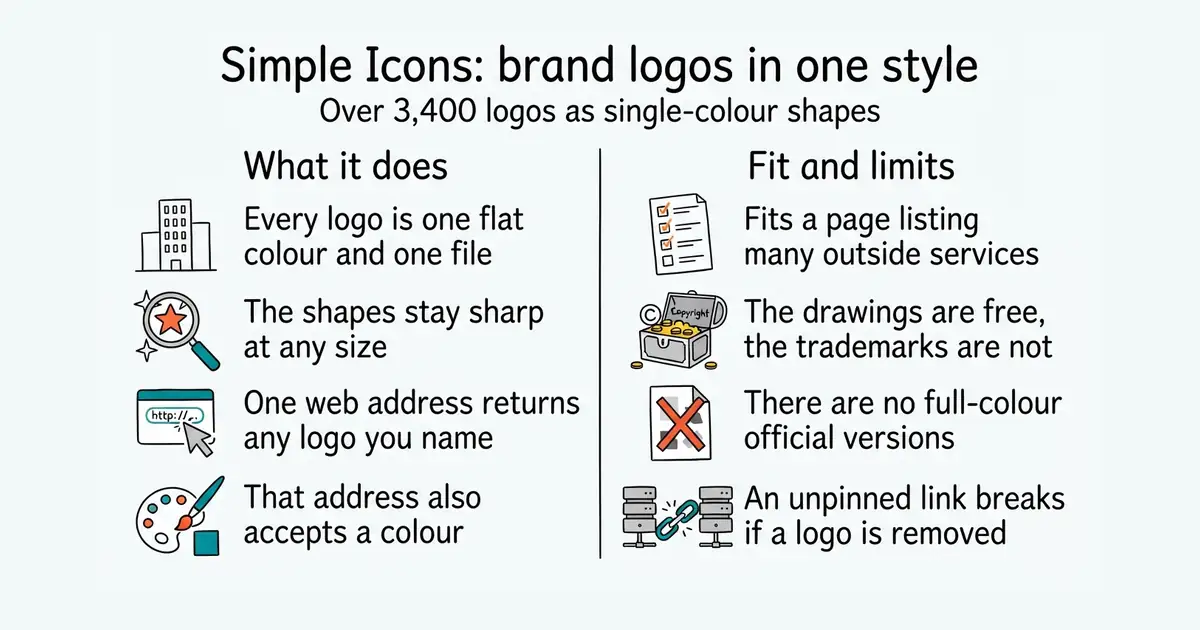
Each icon is one SVG file, which is an image described as shapes rather than pixels, so it stays sharp at any size. Each is a single colour and a consistent shape, so a row of twenty logos looks like one set rather than twenty different styles. The README says the collection holds over 3,400 icons. You can take the whole thing as a package from npm for JavaScript projects or from Composer for PHP, pull individual files from a public content network, or use the project's own address which also accepts a colour. The repository ships data alongside each icon, including the brand's own usage guidelines and licence where those are known. A separate project turns the same set into a font. What it does not do is give you permission: the icons are CC0-1.0, which puts the drawings in the public domain, but the brands themselves remain the property of their owners, and the README asks you to read its disclaimer before use. The per-icon guidelines and license fields are also empty for brands where that information is not recorded.
Why it matters
Who it suits. Anyone building a page that lists services, integrations, payment methods or technologies. It suits a comparison table, a footer, a pricing page or a documentation site, because all of those need other people's logos and need them to look consistent. It also suits anyone who has been pasting logos found through a search engine, since those are usually the wrong size, the wrong format and of unknown provenance. Skip it if you need full-colour official logos, because every icon here is a single flat colour by design.
Verdict. One of today's three starting points, because the cost is two minutes and the result is immediate: a single web address returns any logo in any colour. Version 16.35.0 was released on 11 October 2026 and the npm package agrees, so the set is current and growing. The thing to be careful about is legal rather than technical. CC0 covers the drawings in this repository, not the trademarks they depict, so read the project's disclaimer before putting a company's mark on a page that implies a relationship. One practical note too: the README warns that a @latest content-network link will return an error if an icon is ever removed, so pin a version in anything that matters.
- Over 3,400 logos in one consistent single-colour style, so a row of them looks deliberate.
- CC0-1.0: the drawings are in the public domain, with no attribution required.
- Several ways in, including a one-line web address that also accepts a colour.
- Single colour only. There are no full-colour official versions here.
- The licence covers the drawings, not the trademarks, so the disclaimer is required reading.
- A
@latestcontent-network link breaks if an icon is removed, so versions should be pinned.
 iconify/iconify
MIT, a framework that unifies more than 200 icon sets behind one way of using them, including this one; a bigger answer when you need several sets rather than brand logos. Edition 27 covered it.
Track this in Scout- devicons/devicon
MIT, a smaller set aimed at programming languages and development tools, with full-colour versions as well as flat ones.
Track this in Scout  lucide-icons/lucide
ISC, interface icons rather than brand logos: arrows, menus and symbols for the parts of a page that are made rather than borrowed. Edition 12 covered it.
Track this in Scout
# JavaScript, with a bundler that removes unused code
npm install simple-icons
# PHP
composer require simple-icons/simple-icons


394 stars · MIT · v2.0.8 (2024-02-01) · Track this in Scout · Share this tool
The raw SVG files and the catalogue for the Phosphor icon family, with no framework attached.
▶Repo detailsthe review · specs · pros & cons · install
What it does
It holds the SVG files for every icon in the family, grouped by weight, which is how heavy the lines are drawn. Alongside them sits catalogue data: the name of each icon, its tags, its category and the version it first appeared in. The project says this data is what powers the search on its website and in other tools, and that it is used as a development dependency by the framework packages. It is published to npm as @phosphor-icons/core, currently at version 2.1.1. The README's type example truncates with a note saying "1237 more", which puts the set above 1,200 icons. It contains no framework components at all: the React, Vue, web-component, Flutter and Swift packages are separate projects, listed from this one. The README also records two small cautions of its own. Duotone icons use two character positions rather than one, and the character-position feature is described as not yet stable, so it should only be relied on from version 2.1.0 onward.
Why it matters
Who it suits. Anyone who wants these icons without adopting a framework package, and anyone building a tool that needs to search or list icons rather than just draw one. It suits a static site or a plain HTML page, where an SVG file copied in is simpler than a component. It also suits a design tool or an internal picker, because the catalogue gives you names, tags and categories to search over. Skip it if you are building with React or Vue, where the matching package will be less work.
Verdict. A genuine find at 389 stars, and the reason it is worth naming is that the famous part of this project is the icons while the repository holding them is almost unknown. Install it, copy out the SVG files you need, and you are done. Two things to set expectations. The repository has no description and no website set on it at all, so everything you learn comes from the README and the file tree, and the README does not even state a total icon count. And code was last pushed on 6 January 2026, about nine and a half months before this edition, which is well inside what counts as maintained and is unsurprising for a set of drawings that does not need to change. If you want icons with a framework package and more activity around them, tabler/tabler-icons and feathericons/feather are both MIT.
- The plain SVG files and a searchable catalogue, with no framework to adopt.
- MIT, over 1,200 icons, and one small package to install.
- The catalogue carries tags, categories and first-appearance versions, which is what makes a picker possible.
- No description and no website on the repository, and the README states no icon total.
- The character-position feature is described as not yet stable, and duotone icons use two positions.
- Some build setups need extra type declarations before SVG files can be imported.
 tabler/tabler-icons
MIT, over 6,100 interface icons in a single consistent stroke style, with packages for several frameworks; a larger set with one weight rather than several.
Track this in Scout- feathericons/feather
MIT, a much smaller and deliberately minimal set, widely copied and the ancestor of several of the others.
Track this in Scout - lucide-icons/lucide
ISC, a community-maintained continuation of that minimal style with far more icons and active development. Edition 12 covered it.
Track this in Scout
npm install @phosphor-icons/core

19k stars · MIT · v66.11.0 (2026-10-12) · Track this in Scout · Share this tool
A styling engine that reads the labels in your markup and generates only the CSS those labels need.
▶Repo detailsthe review · specs · pros & cons · install
What it does
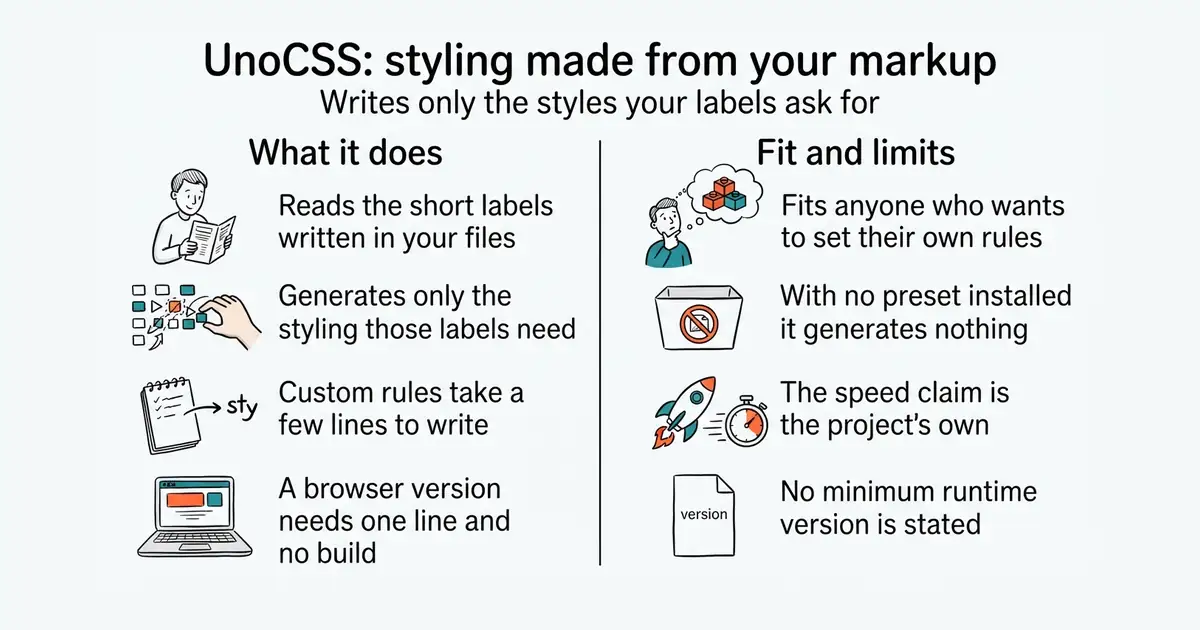
It scans the files you point it at, finds the short class names in them, and writes the matching CSS. The README says it does no parsing, no abstract syntax tree work and no source scanning in the usual sense, and claims this makes it about five times faster than two named alternatives. That figure is the project's own and was not independently checked here. It ships with no utilities at all: everything comes from presets, which are bundles of rules you add, and you can write your own rules in a few lines. On top of plain labels it adds shortcuts, which name a group of labels once; variant groups, which shorten repetition; an attribute mode, which puts the labels in HTML attributes instead of a class list; pure CSS icons; and an inspector for seeing what was generated and why. The core is about 6 kilobytes compressed with no dependencies, and there is a version that runs directly in the browser from a content network. Integrations exist for Vite, Nuxt, Astro, Webpack, PostCSS, a command-line tool, an editor extension and an ESLint configuration. What it does not give you is a design system out of the box: with no preset it generates nothing.
Why it matters
Who it suits. Anyone building a web interface who wants the styling generated rather than written, and who cares about what ends up in the final file. It suits a project that has outgrown a hand-written stylesheet but does not want to adopt one fixed set of conventions, because here the conventions are a preset you choose or replace. It also suits anyone writing a component library, since custom rules are short and the engine is small enough to embed. Skip it if you want a full design system with opinions already made, or if your team has standardised on another engine and its examples.
Verdict. The most flexible of this family, and the flexibility is also the cost: nothing works until you pick a preset, which is a decision the bigger alternatives have already made. Version 66.11.0 is on npm and code was pushed on 23 September 2026, so it is current. Two notes. The five-times-faster claim is the project's own and is worth treating as a direction rather than a number. And the context is worth knowing: windicss/windicss, one of the projects this was inspired by, now carries a notice on its own repository saying it is being sunset and recommending new projects look elsewhere. That makes UnoCSS the surviving member of that branch of the family, with tailwindlabs/tailwindcss the much larger neighbour.
- Generates only what is used, from a core of about 6 kilobytes with no dependencies.
- No fixed set of utilities, so the conventions are yours; custom rules take a few lines.
- Integrations for most build tools, plus a browser version needing one line and no build step.
- With no preset installed it generates nothing at all, so the first step is a decision.
- The speed claim is the project's own and no independent figure is published.
- No stated minimum Node.js version and no technical limits documented on the repository page.
- tailwindlabs/tailwindcss
MIT, the same idea with a complete set of utilities and design decisions already made; far more documentation and examples, and much less to configure before anything appears.
Track this in Scout - tw-in-js/twind
MIT, the same labels generated inside JavaScript at run time rather than by a build step, which suits a page assembled in the browser.
Track this in Scout - windicss/windicss
MIT, one of the projects that inspired this one; its repository now carries a notice saying the project is being sunset and that new projects should look at alternatives.
Track this in Scout
npm install -D unocss

9k stars · AGPL-3.0 · v3.0.4 (2026-10-15) · Track this in Scout · Share this tool
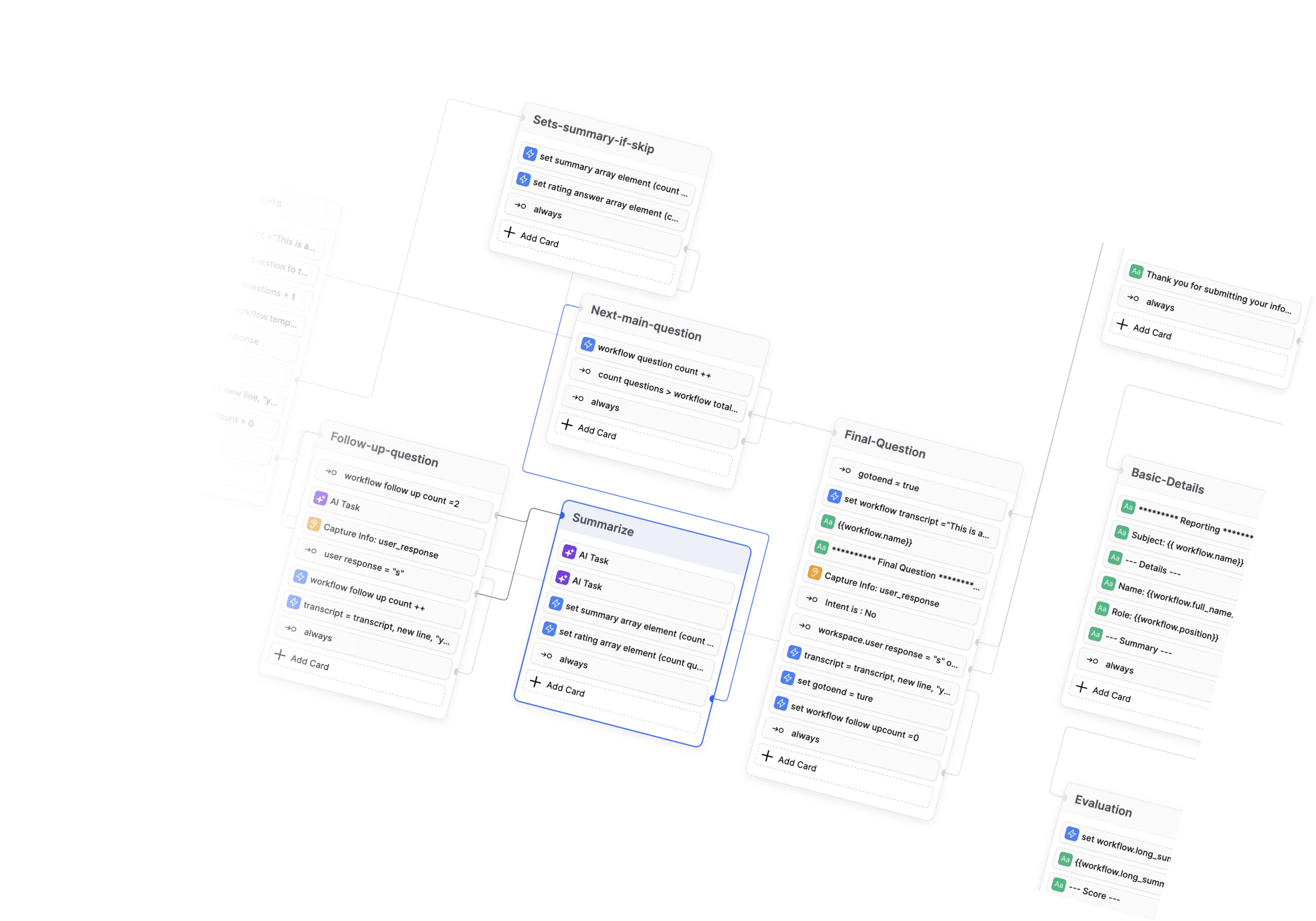
A form and survey builder you can run yourself, with conversational one-question-at-a-time forms.
▶Repo detailsthe review · specs · pros & cons · install
What it does
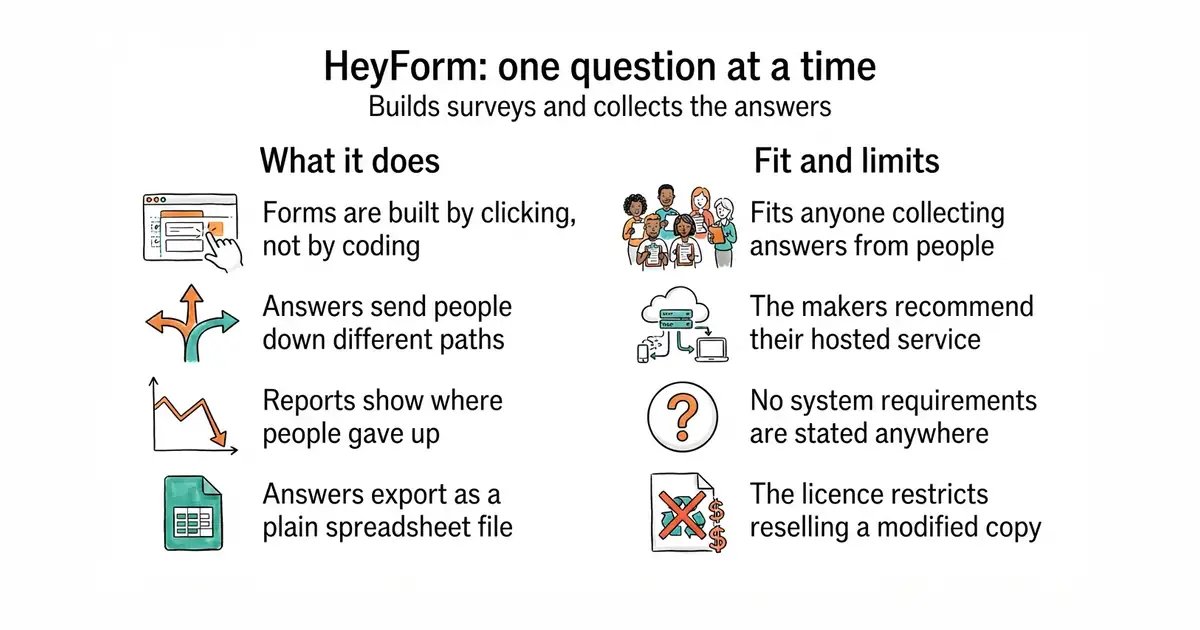
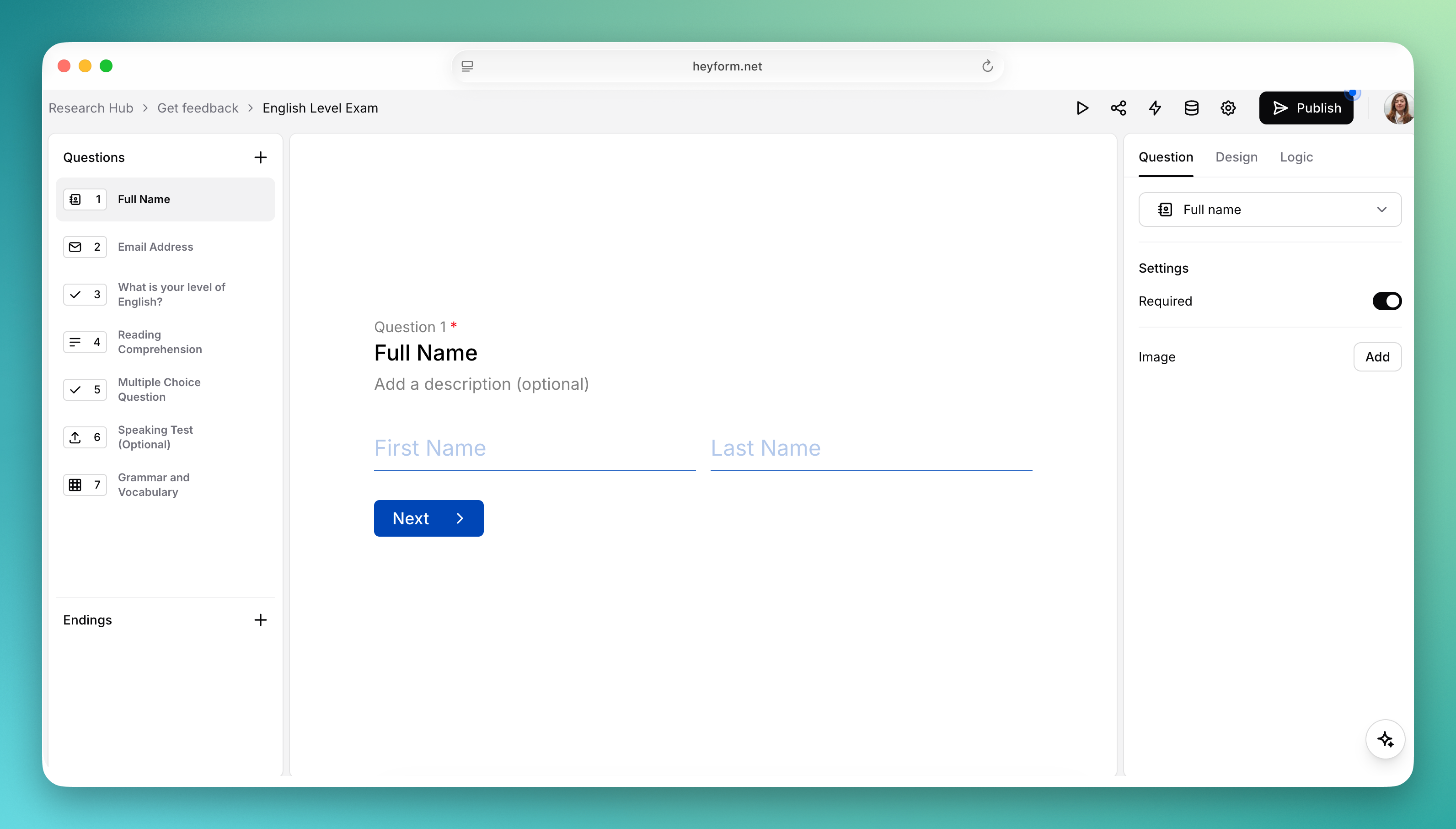
A form is assembled from blocks in a visual editor: text, email, phone number, dates, file uploads and picture choices among them. Conditional logic sends people down different paths depending on what they answered, and a form can redirect to a chosen address when it finishes. Appearance is adjustable, including fonts, colours, backgrounds and custom CSS, and forms can be saved as reusable templates. Results come with analytics, including how many people dropped out and where, and they export as CSV. Integrations cover webhooks, analytics services, marketing platforms, Zapier and Make.com, and sign-in can be handed to an identity provider through OpenID Connect, with Authelia, Authentik and Keycloak named. It is AGPL-3.0, which matters if you plan to modify it and offer it to others as a service. The project's own README recommends the hosted service over running it yourself, citing reliability, backups, security and maintenance, and it states no system requirements on the repository page at all.
Why it matters
Who it suits. Anyone collecting answers from people who wants the answers to stay in their own hands. It suits a longer form most of all, because asking one question at a time measurably reduces the number of people who give up halfway. It also suits anyone already running containers, since the repository ships the files needed for that. Skip it if a form is a once-a-year need, where a hosted service costs less than the attention this will take.
Verdict. A capable form builder with a real self-hosting path, and the version numbers suggest a project in good order: v3.0.4 was released on 15 October 2026 and code was pushed four days later. Read two things before committing. First, the maintainers themselves say the hosted service is the better choice for most people, which is unusually candid and worth believing: a form that takes orders or job applications should not go down because nobody patched it. Second, the repository page states no requirements, so the real install cost is only discoverable in the external documentation, which is a gap when you are trying to decide. The AGPL licence is a constraint if you intend to build a product on top and not publish your changes.
- Conversational forms with conditional logic, built by clicking rather than coding.
- Drop-out analytics and CSV export, so the answers are usable outside the tool.
- Identity-provider sign-in through OpenID Connect, with three named providers.
- The maintainers recommend their hosted service over self-hosting, and say why.
- No system requirements are stated on the repository page; you have to go to the documentation to find them.
- AGPL-3.0, which is a genuine constraint if you plan to offer a modified version as a service.
 formbricks/formbricks
AGPL-3.0 per its README, aimed at surveys and in-product questions rather than standalone forms, with more emphasis on asking people inside an application.
Track this in Scout baptisteArno/typebot.io
The same conversational shape with a wider block set, but its licence is a Functional Source Licence rather than an open-source one, so read the terms. Edition 2 covered it.
Track this in Scout- surveyjs/survey-library
MIT, a library rather than an application: you render the form inside your own code and store the answers yourself, so there is no service to run.
Track this in Scout
git clone https://github.com/heyform/heyform.git
cd heyform
cp .env.example .env     # then edit the values in .env
docker compose up -d

15k stars · MIT · v12.30.9 (2023-06-22) · Track this in Scout · Share this tool
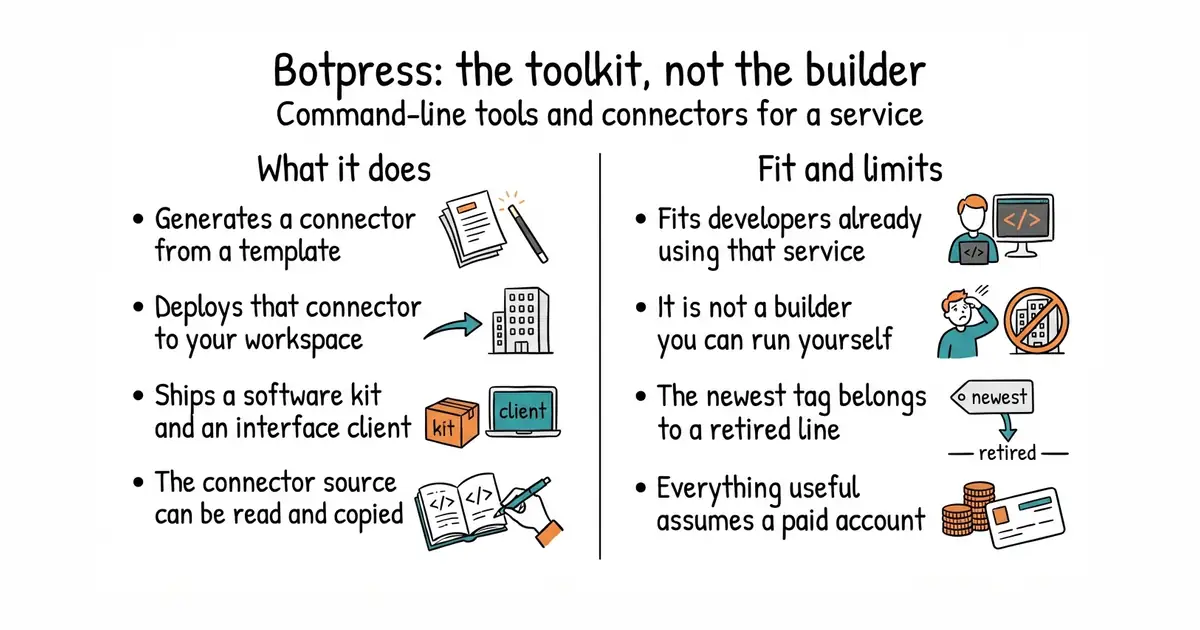
The command-line tool, software kit and integrations for the Botpress cloud service, rather than a chatbot you host.
▶Repo detailsthe review · specs · pros & cons · install
What it does
The repository holds four things, and the README lists them plainly. Integrations are the connectors published to the company's public hub, which is how a bot reaches an outside service. Devtools are the cloud command-line tool, the software development kit and the API client. Bots are worked examples built as code with that kit, which the README says are not the recommended way to build a bot and do not replace the company's visual studio. Plugins for that studio are listed as coming soon, which means they are not here yet. You install the command-line tool globally, run one command to generate an integration from a template, and another to deploy it into a workspace on the service. Deploying publicly to the hub is one-way for a given version: once public, that version cannot be updated. What is not in this repository is the self-hosted product. The older on-premise line, version 12, lives in a separate repository, and the README directs its issues there.
Why it matters
Who it suits. Developers already building on the Botpress cloud service who need to write a connector it does not have. For them this is exactly the right repository, with templates, an API client and a deploy command. It also suits anyone evaluating that service and wanting to see how extensible it really is, since the integration source is all here to read. Skip it if you want a chatbot builder to run on your own machine: this repository will not give you one, and the MIT licence on it does not change that.
Verdict. An honest recommendation here is mostly a warning, and it is the reason the entry exists. The repository's own description calls it "the open-source hub to build & deploy GPT/LLM Agents", which reads like a self-hostable builder, and it is not one. The evidence is in the tags: the newest release in this repository is v12.30.9 from 22 June 2023, which belongs to the old on-premise line that has since moved out, while the code itself was pushed on 19 August 2026 and carries none of it. So if you are a cloud customer, take it. If you wanted something to install, FlowiseAI/Flowise and langflow-ai/langflow are the repositories to look at instead.
- MIT, and the integration source is open, so a connector can be read and copied rather than guessed at.
- One command generates an integration from a template and another deploys it, which is a short path to working code.
- A real API client and software kit, not just examples.
- It is not a chatbot builder you can host. The description reads as though it might be.
- The newest release in the repository, v12.30.9, is from June 2023 and belongs to a product line that has moved to another repository.
- Everything useful here assumes a workspace on the paid cloud service, and the repository states no costs.
- FlowiseAI/Flowise
Apache-2.0, and genuinely self-hostable: a visual builder for conversational agents that you run yourself, which is what many people expect to find here.
Track this in Scout  langflow-ai/langflow
MIT, the same drag-and-drop approach to building agents and workflows, with a very large community around it.
Track this in Scout- RasaHQ/rasa
Apache-2.0, the long-standing framework for text and voice conversations; note that its repository now carries a notice saying the open-source edition is in maintenance mode.
Track this in Scout
npm install -g @botpress/cli
bp init                          # generate an integration from a template
bp deploy                        # deploy it to your workspace
bp deploy --visibility public    # publish to the hub; a public version is final

8.7k stars · MIT · 3.4.0 of 2026-10-16, read from the PyPI project page, which is the authority for a Python tool; requires Python >=3.10. NO GITHUB RELEASES AT ALL — a determination: /releases/latest renders 'There aren't any releases here.' · Track this in Scout · Share this tool
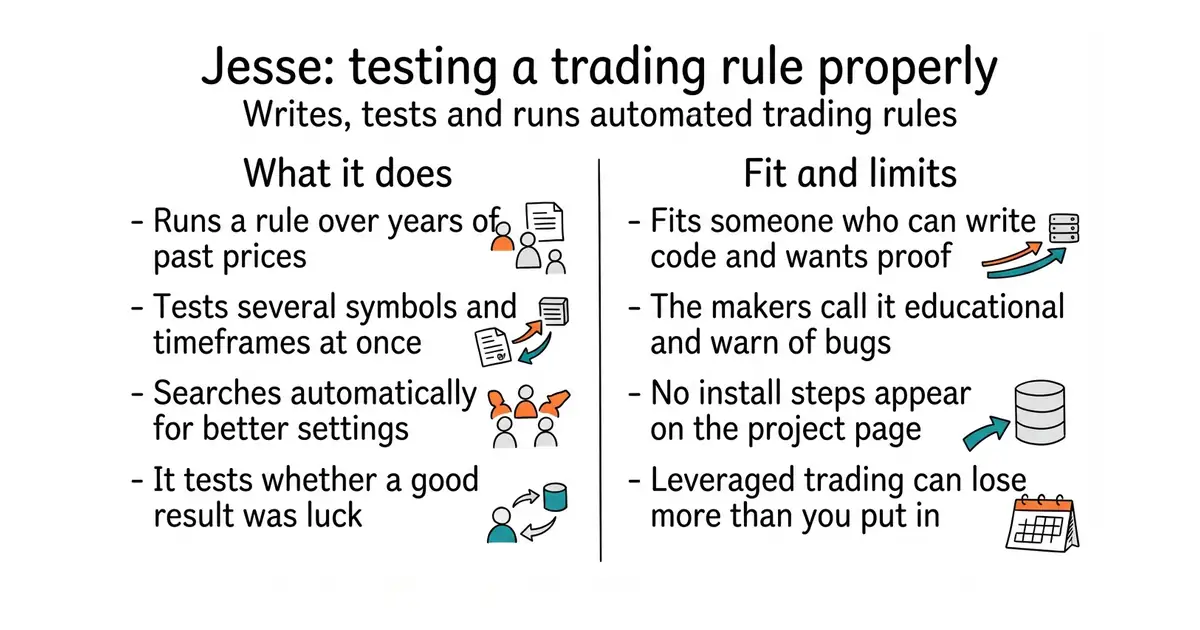
A Python framework for writing crypto trading strategies, testing them against past prices, and running them live.
▶Repo detailsthe review · specs · pros & cons · install
What it does
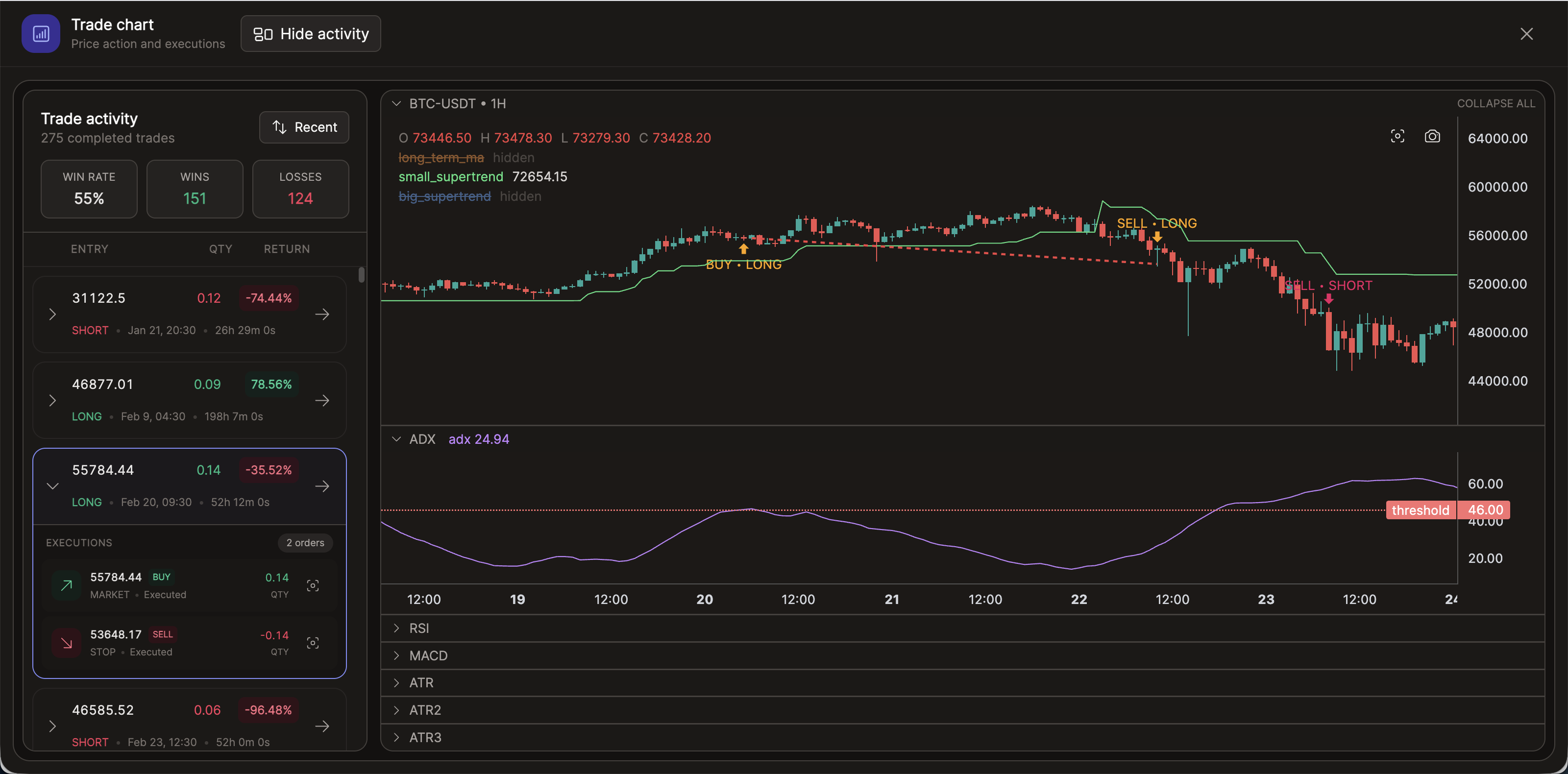
You write a strategy as a Python class and the framework handles the rest of the machinery. Backtesting runs it over historical prices, and the project states it does so without look-ahead bias, meaning the strategy cannot accidentally see prices from the future. It supports several symbols and several time frames in one test, which matters because a rule that works on one pair often fails on another. Parameter tuning uses Optuna to search for better settings, with work spread across cores through Ray. Results come with interactive charts, Monte Carlo analysis and significance testing, which is a way of asking whether a result is luck. There is a research interface for scripts and notebooks, indicators implemented in Rust for speed, a machine-learning path using scikit-learn, and a Model Context Protocol server so an AI assistant can drive it. Live and paper trading are both supported, with alerts to Telegram, Slack and Discord. Reinforcement learning is listed as coming soon and is therefore not available. It supplies no market data service of its own, and the repository page names no specific exchanges.
Why it matters
Who it suits. Someone who can write Python, wants to test a trading idea properly, and understands that a good backtest is not a prediction. It suits research most of all: the look-ahead protection, the multi-symbol tests and the significance testing exist because the common way to fool yourself is to find a rule that fits the past and nothing else. Skip it entirely if you cannot write Python, and skip it if you would be trading money you need, because the project's own disclaimer says the software is for educational purposes and may contain bugs.
Verdict. The best-built thing in its category today, and the tooling around honesty is what sets it apart: Monte Carlo analysis and rule significance testing are features for doubting your own result, which most frameworks in this field do not bother to ship. Version 3.4.0 reached PyPI on 16 October 2026, it needs Python 3.10 or newer, and code was pushed on 19 October 2026, so it is actively developed. Two practical points. It publishes no GitHub releases at all, so PyPI is the place to read version history. And the repository page gives no install steps and names no exchanges, so the real shape of a live setup only becomes clear in the documentation at docs.jesse.trade. Nothing in this entry is financial advice, and the project is explicit that its authors take no responsibility for trading results.
- Backtesting stated to be free of look-ahead bias, across several symbols and time frames at once.
- Monte Carlo analysis and significance testing, which exist to challenge a good-looking result.
- MIT, with an active release line and indicators written in Rust for speed.
- You must be able to write Python. There is no visual strategy builder.
- No GitHub releases and no install steps on the repository page; both live in external documentation.
- The project's own disclaimer calls it educational, warns of possible bugs, and accepts no responsibility for results. Leveraged crypto trading can lose more than you put in.
 freqtrade/freqtrade
The largest project in this category, also Python and also crypto, with a Telegram interface and a big strategy community; its About sidebar links a licence file without naming the licence. Edition 29 covered it.
Track this in Scout nautechsystems/nautilus_trader
LGPL-3.0, a Rust-based engine aimed at professional use across asset classes rather than crypto alone, with much more machinery and a steeper start. Edition 17 covered it.
Track this in Scout hummingbot/hummingbot
Apache-2.0, built around market making and arbitrage rather than writing your own directional rules, so the strategies ship with the tool.
Track this in Scout
python3 -m venv venv
source venv/bin/activate
pip install jesse        # needs Python 3.10 or newer

Checked, and left out
Nothing to show for this edition. Recording the repositories that were checked and rejected began with Edition No. 4, and every edition from there on has the list.
Know a repository we should check?
Coming tomorrow