Edition No. 56 · 20 Oct 2026
A fork of Vault is now a Linux Foundation project
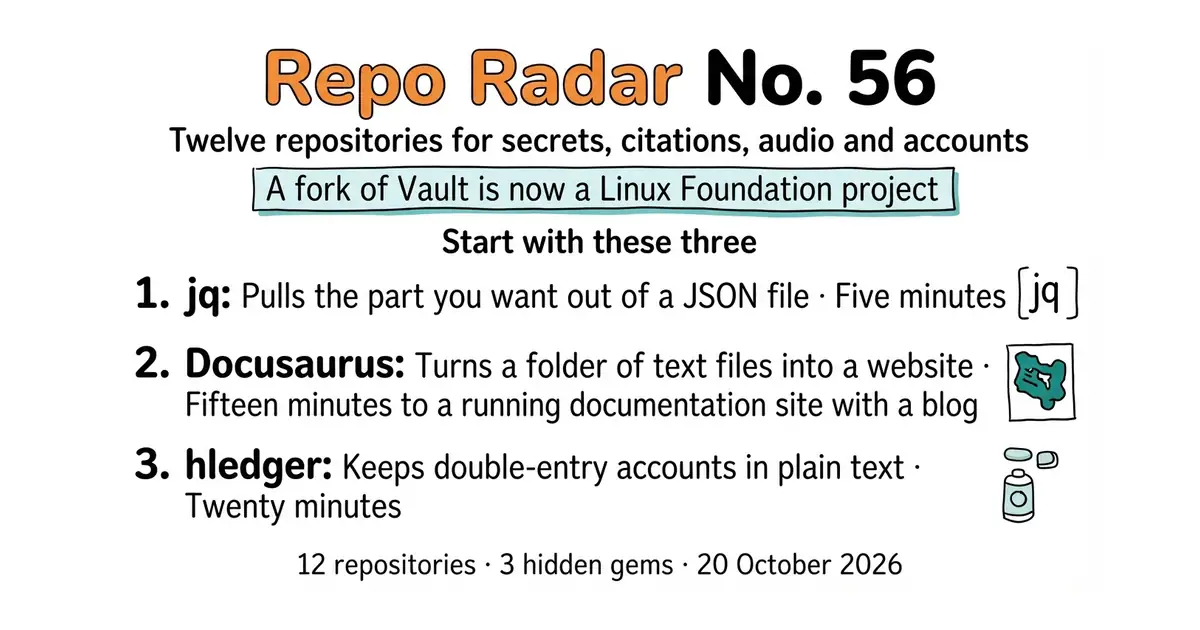
A fork of Vault now run under the Linux Foundation, a hex editor with its own language, and three ways to run audio in a house.
Refreshed on 20 October 2026. The repositories are the ones first published; any that are no longer maintained are left out.
The first entry is a secrets manager called OpenBao. Its own website describes it as "an open source, community-driven secrets manager and fork of Vault managed by the Linux Foundation's OpenSSF". A company changed the terms on a widely used tool, a community copied the last freely licensed version, and two years later that copy has 7,100 stars, its own release line and an open-governance charter. If you were waiting to see whether these forks survive, this one did.
The rest of the dozen is a mix. The command-line tool for reading JSON, and the graphical one for reading raw bytes. A way to turn a one-line promise about uptime into working alerts. Three ways to run audio in a house. Accounts kept in a plain text file.
We aim for twelve every day. Some candidates fall out while we check them — those are listed at the end, with the reason.
If you only do three things
- jqlang/jq — five minutes. One small program with no dependencies, and from then on every JSON file on your disk is readable from the command line.
- facebook/docusaurus — fifteen minutes to a running documentation site with a blog, search and dark mode, from one command.
- hledgerorg/hledger — twenty minutes. Write six lines in a text file and get a balance sheet out. You will know quickly whether this way of working suits you. ---
Every link in one place
| # | Repository | What it is | Stars | Licence | Official site |
|---|---|---|---|---|---|
| 1 | openbao/openbao | A secrets manager, forked from Vault | 7,100 | MPL-2.0 | openbao.org |
| 2 | slok/sloth | Turns an uptime promise into alert rules | 2,600 | Apache-2.0 | sloth.dev |
| 3 | jqlang/jq | Reads and reshapes JSON on the command line | 35,743 | MIT | jqlang.org |
| 4 | WerWolv/ImHex | A hex editor with its own pattern language | 54,474 | GPL-2.0 | imhex.werwolv.net |
| 5 | facebook/docusaurus | Documentation websites from text files | 66,533 | MIT | docusaurus.io |
| 6 | JabRef/jabref | A citation and reference library | 4,700 | MIT | jabref.org |
| 7 | Zettlr/Zettlr | A writing desk for long documents | 13,500 | GPL-3.0 | zettlr.com |
| 8 | Hack-with-Github/Awesome-Hacking | An index of 81 security reading lists | 116,878 | CC0-1.0 | — |
| 9 | MusicPlayerDaemon/MPD | A music player with no window | 2,799 | GPL-2.0 | musicpd.org |
| 10 | snapcast/snapcast | The same music, in time, in every room | 8,007 | GPL-3.0 | — |
| 11 | AcademySoftwareFoundation/OpenTimelineIO | A file format for editing timelines | 2,030 | Apache-2.0 | opentimeline.io |
| 12 | hledgerorg/hledger | Double-entry accounting in a text file | 4,777 | GPL-3.0 | hledger.org |
A fork of Vault is now a Linux Foundation project
Twelve repositories, checked and reviewed. Every version verified against the GitHub API and dated.

8.6k stars · MPL-2.0 | [openbao.org](https://openbao.org/) · v2.7.1 (2026-10-01) · Track this in Scout · Share this tool
A secrets manager that stores keys and passwords, hands them out on request, and can revoke them.
▶Repo detailsthe review · specs · pros & cons · install
What it does
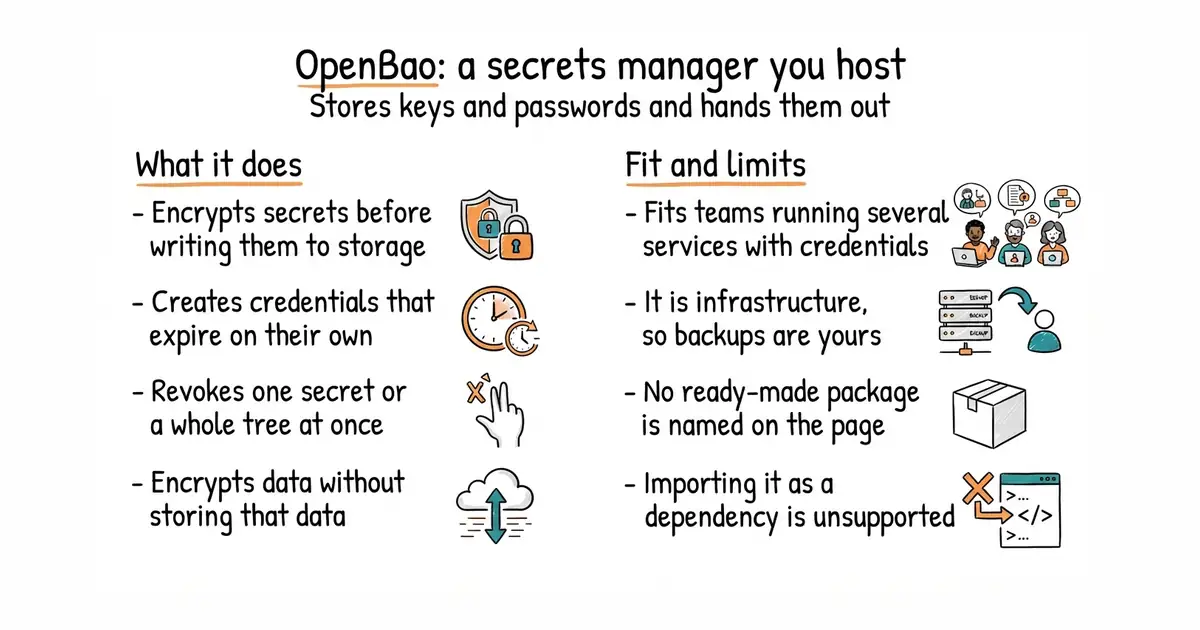
OpenBao stores sensitive data — secrets, certificates and keys — encrypted before it is written to disk or to a PostgreSQL database. The feature it is really bought for is dynamic secrets: instead of holding one password for a database or a cloud account for ever, it generates a fresh credential when something asks, attaches a lease to it, and deletes it when the lease ends. Secrets can be renewed through its API while they are still in use, and revoked one at a time or in whole trees, which is what you want after a key rotation or a break-in. It can also encrypt and decrypt data for a program without storing that data itself. Governance is the part that distinguishes it: the project's own site calls it "an open source, community-driven secrets manager and fork of Vault managed by the Linux Foundation's OpenSSF", it carries a charter and a maintainers file, and it is an OpenSSF Sandbox project under MPL-2.0. The repository is clear about one boundary: importing it as a Go dependency is not and never has been supported, and only its api/v2 and sdk/v2 packages are published for other programs to use.
Why it matters
Who it suits. Anyone running more than one service that needs credentials, and anyone who has been putting off the question of where those credentials live. It suits teams who want the governance written down rather than implied, because the whole reason this project exists is a licence that changed under people who had already built on it. Skip it if you have one application and one database, where an encrypted environment file does the job at a fraction of the effort, and skip it if nobody can be responsible for keeping it running — a secrets manager that falls over takes everything that depends on it with it.
Verdict. Worth a careful weekend, not an evening. This is infrastructure: it has to be unsealed after a restart, backed up, upgraded and monitored, and the failure mode is every service losing its credentials at once. So read the operations documentation before you like the feature list. Two honest notes. The release line is active — v2.7.1 on 1 October 2026, with 21,010 commits behind it — so this is not a fork left to rot, which is the usual fate. And ungh.cc refused this repository today, so the proof of currency here is that October release rather than a code date. If you want most of the benefit for a tenth of the work, getsops/sops encrypts secrets into files you keep in git and needs no server at all.
- Dynamic secrets with leases: a credential that expires on its own is a credential that cannot leak for long.
- Revocation of a single secret or a whole tree, which is what a key rotation or an incident actually needs.
- MPL-2.0, an open-governance charter, and an OpenSSF Sandbox project under the Linux Foundation, so the terms cannot quietly change again.
- It is infrastructure. Unsealing, backups, upgrades and monitoring are all yours, and the blast radius is every service that depends on it.
- No prebuilt package is named on the repository page; the README's route is building from source with Go.
- Importing the repository as a Go dependency is explicitly unsupported, so only the two published packages are safe to build against.
 hashicorp/vault
The original this was forked from: the same shape of tool, far more widely deployed, and its repository page links a licence file without naming the licence in the sidebar.
Track this in Scout getsops/sops
A much smaller answer: it encrypts values inside YAML, JSON, ENV and INI files using a cloud key service, age or PGP, with no server to run.
Track this in Scout Infisical/infisical
A platform for secrets, certificates and access with a web interface, MIT licensed except for a paid ee directory; covered in Edition 50.
Track this in Scout
# Binaries: https://github.com/openbao/openbao/releases/latest
# Or from source:
git clone https://github.com/openbao/openbao.git
cd openbao
go build -o bin/bao .
./bin/bao server -dev        # a throwaway server for trying it out, in memory only

2.6k stars · Apache-2.0 | [sloth.dev](https://sloth.dev) · v0.16.0 (2026-04-04) · Track this in Scout · Share this tool
Generates Prometheus alerting and recording rules from a short specification of a service level objective.
▶Repo detailsthe review · specs · pros & cons · install
What it does
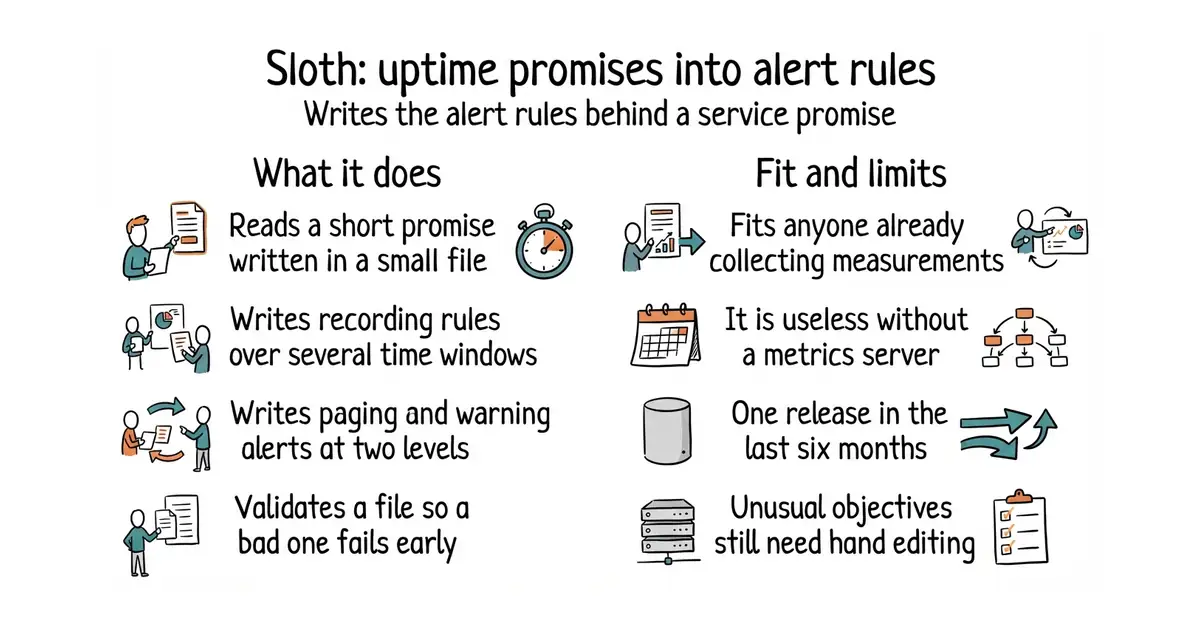
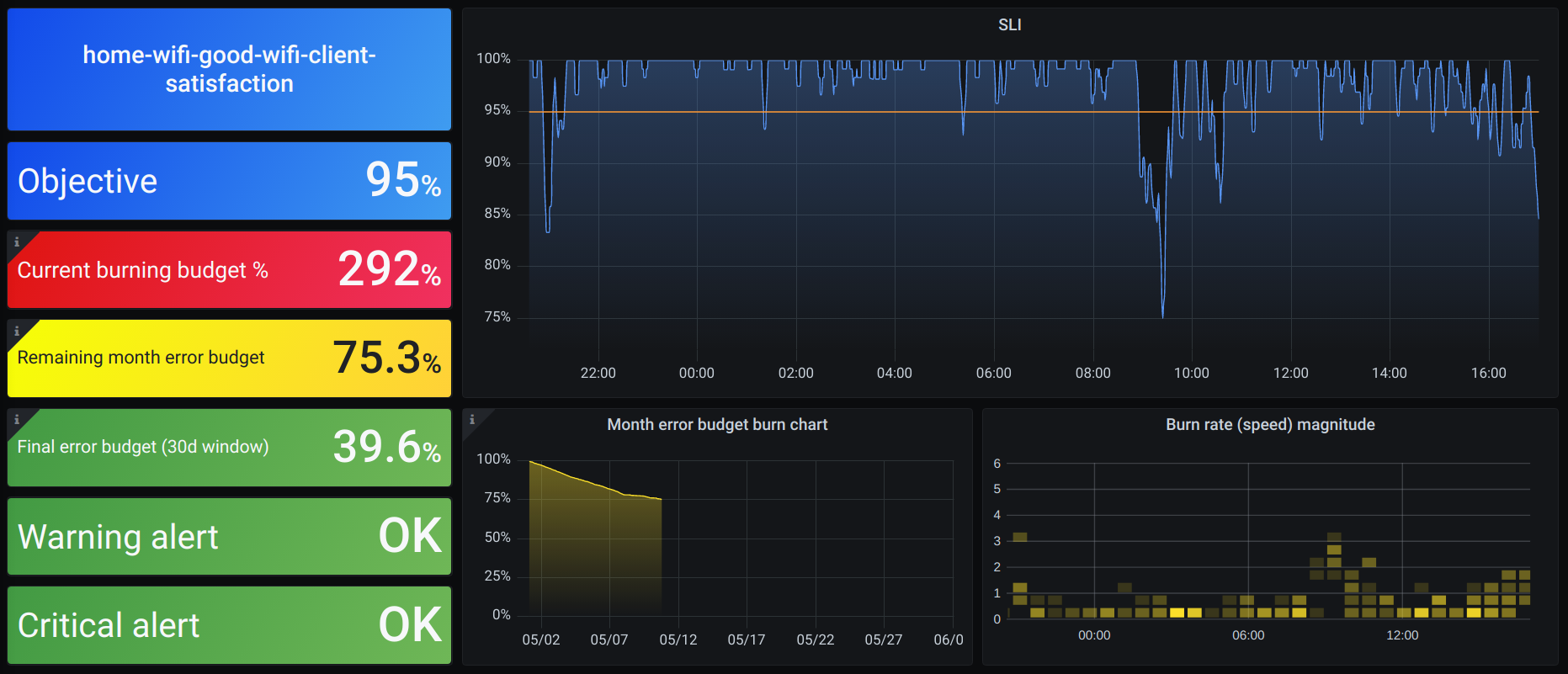
You write a small YAML file saying what you are measuring and what the objective is — 99.9 per cent availability, say. Sloth reads it and generates the Prometheus rules: recording rules that compute the error rate over several time windows, metadata rules about the objective itself, and multi-window multi-burn-rate alerts at two severities, one that pages somebody and one that only warns. The default windows are 30 and 28 days, and both can be changed. It ships as a single binary with a generate command and a validate command, which is the one you put in a continuous-integration job so a broken specification never reaches the cluster. For Kubernetes there are two routes: generating rules for the Prometheus Operator, or running it as a controller with its own custom resources. Labels are customisable, alert types can be switched off, custom measurement plugins are supported, and it reads the OpenSLO specification as well as its own. A Grafana dashboard for viewing the result is published with it. It does not collect anything and it does not alert anything: Prometheus does both, and Sloth only writes the rules Prometheus runs.
Why it matters
Who it suits. Anyone already running Prometheus who has alerts that fire too often, or not at all, because nobody wanted to do the burn-rate arithmetic by hand. It is also the cheapest way to make a service promise concrete, since the promise becomes a file in version control that a job can check. Skip it if you do not use Prometheus, because everything it produces is Prometheus-shaped, and skip it if you have no measurements worth alerting on yet — this writes the rules, it cannot invent the data.
Verdict. Worth an hour, and at 2,600 stars it is the most undervalued thing in this edition. The multi-window multi-burn-rate pattern is well known and genuinely hard to hand-write correctly; a generator removes a whole class of quiet mistakes. Two caveats. Release v0.16.0 is dated 4 April 2026, about six and a half months ago, and ungh.cc refused this repository today, so that release and its 991 commits are what the currency rests on — a slow rhythm for a tool whose output you then own, which is tolerable but worth knowing. And the project's own status note says it is still working on making generation more flexible, which is a polite way of saying the current customisation has edges. Compare with pyrra-dev/pyrra, which does the same job and adds a web interface.
- Writes the multi-window multi-burn-rate alert rules correctly, which is the part people get wrong by hand.
- A
validatecommand, so a bad specification fails in a continuous-integration job rather than in production. - One binary, plus a Kubernetes operator route and a published Grafana dashboard, under Apache-2.0.
- Useless without Prometheus: every output is a Prometheus rule.
- One release in the last six months, and no install instructions at all on the repository page.
- The project says generation is not yet as flexible as it intends, so unusual objectives still mean hand-editing the output.
 pyrra-dev/pyrra
The same job with a web interface and an API on top, so objectives can be browsed rather than only generated.
Track this in Scout- OpenSLO/oslo
Not a generator at all: a small command that validates and formats documents written to the OpenSLO specification, which Sloth can also read.
Track this in Scout
# Binary: https://github.com/slok/sloth/releases/latest
# Then, from a clone of the repository:
sloth validate -i ./examples/getting-started.yml
sloth generate -i ./examples/getting-started.yml > slo-rules.yml

35.9k stars · MIT | [jqlang.org](https://jqlang.org) · jq-1.8.2 (2026-06-20) · Track this in Scout · Share this tool
A command-line program that filters and reshapes JSON, in the way that sed and awk handle lines of text.
▶Repo detailsthe review · specs · pros & cons · install
What it does
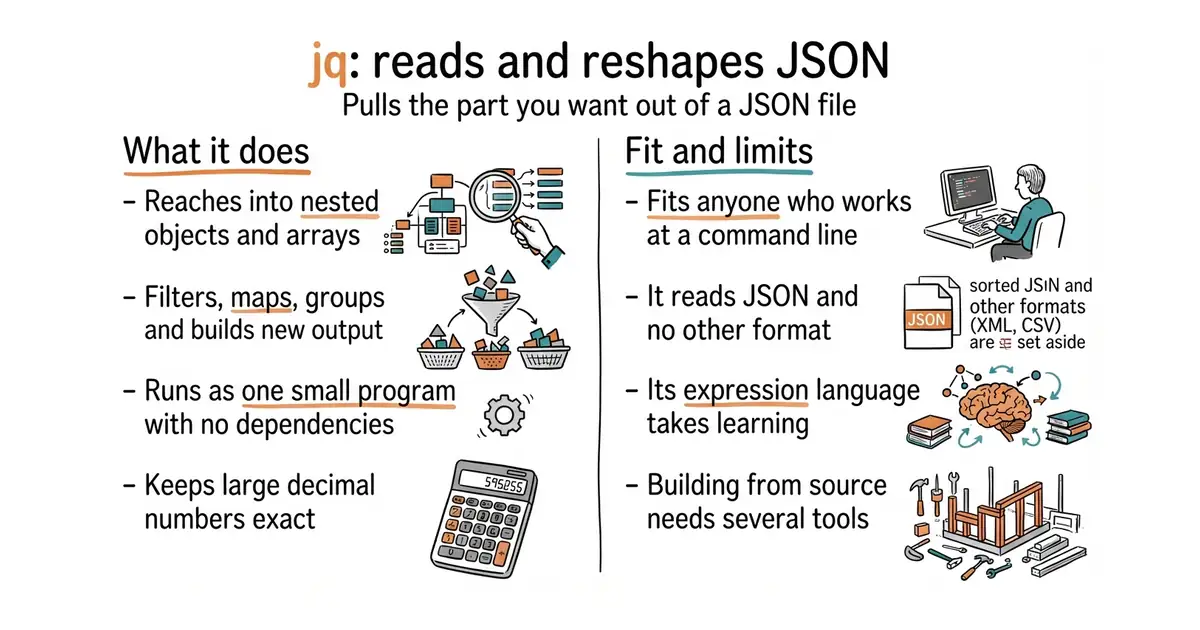
You pipe JSON in, give jq a short expression, and it prints the result. The expression language slices into nested objects and arrays, selects by condition, maps over lists, joins and groups, builds new objects, and formats the output as JSON or as plain text. It is written in portable C with no runtime dependencies, which is why it exists as a single standalone binary for macOS, Linux and Windows on its releases page, and as a container image at ghcr.io/jqlang/jq. The repository ships the decNumber library for precise decimal arithmetic, so large numbers survive a round trip instead of being quietly rounded. The documentation is under CC BY 3.0 and the project runs an online playground for trying an expression before committing it to a script. The limits are worth knowing: it reads JSON and nothing else, so YAML, XML and CSV need a different tool, and the expression language is a real language — the first few filters are easy and the day you need reduce or to_entries you will be reading the manual.
Why it matters
Who it suits. Anyone who works at a command line and touches an API, a log file, a configuration file or a cloud provider's output. That is close to everybody, which is why 35,743 stars understates it. It is also the right first tool for a non-programmer handed a JSON export and told to find something in it, because jq '.' alone prints it readably. Skip it only if you never see JSON.
Verdict. Install it. Five minutes, one binary, no dependencies, and it will still be useful in ten years. This is the gold entry today and the case is not close. The honest cautions are small. The expression language gets strange at the edges, and the usual mistake is reaching for a long jq program where ten lines of Python would be clearer — if your filter no longer fits on one line, that is the signal. Currency is proven: code pushed on 1 October 2026 against 1,966 commits, which is a project that changes slowly because it is finished rather than because it is abandoned. For YAML and the other formats, mikefarah/yq uses a deliberately similar expression style.
- One standalone binary with no runtime dependencies, available for every common system and as a container image.
- An expression language powerful enough that most one-off data questions become a single line.
- Precise decimal arithmetic through the bundled decNumber library, so big numbers are not silently rounded.
- JSON only. YAML, XML, CSV and TOML all need something else.
- The expression language is genuinely a language, and its error messages are terse.
- Building from source needs libtool, make, automake and autoconf, so most people should take the binary instead.
 mikefarah/yq
The same style of expression applied to YAML, JSON, XML, CSV, TOML, HCL and properties files; a different tool for a wider set of formats.
Track this in Scout- tomnomnom/gron
Turns JSON into one assignment per line so ordinary grep works on it, then turns the result back; a different answer with nothing to learn.
Track this in Scout - jpmens/jo
The opposite direction: it builds JSON from shell arguments rather than reading it. Its repository page links a licence file without naming the licence.
Track this in Scout
# macOS or Linux with Homebrew
brew install jq
# Debian or Ubuntu
sudo apt install jq
# Or a standalone binary from https://github.com/jqlang/jq/releases
# First try:
echo '{"items":[{"name":"a","n":1},{"name":"b","n":2}]}' | jq '.items[] | select(.n > 1) | .name'
55.5k stars · GPL-2.0 | [imhex.werwolv.net](https://imhex.werwolv.net/) · v1.38.1 (2025-12-21) · Track this in Scout · Share this tool
A hex editor with its own small language for describing the layout of a binary file.
▶Repo detailsthe review · specs · pros & cons · install
What it does
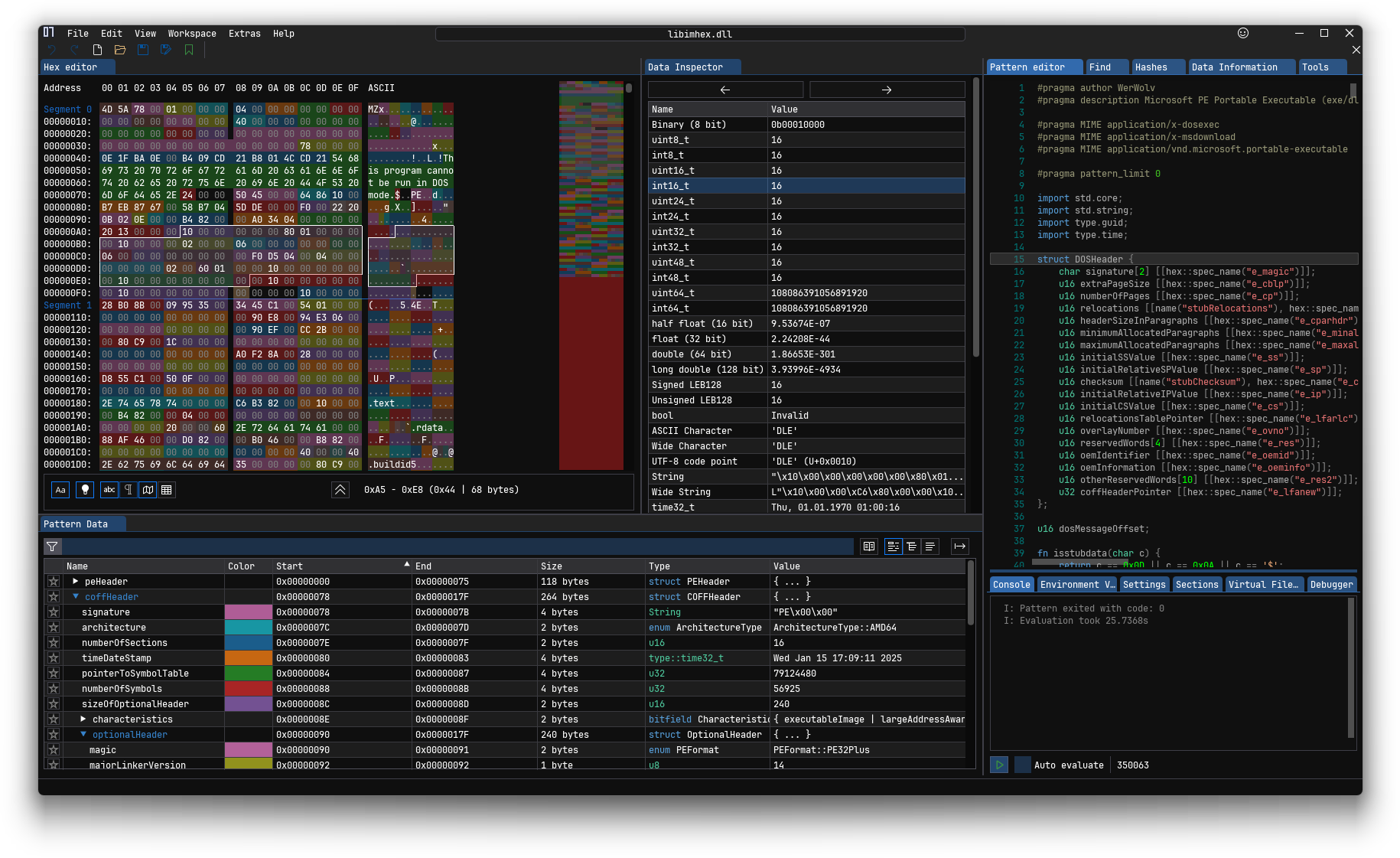
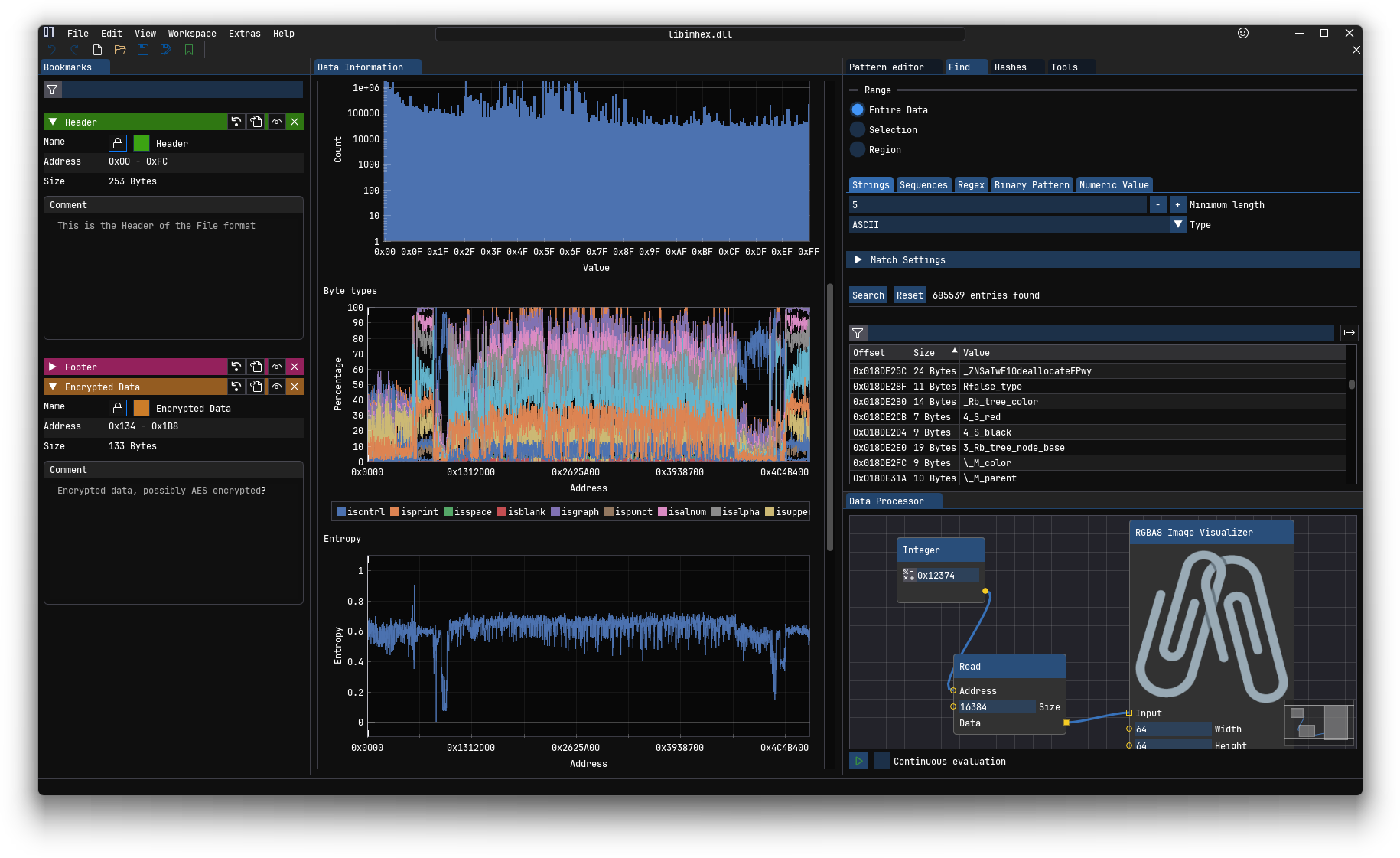
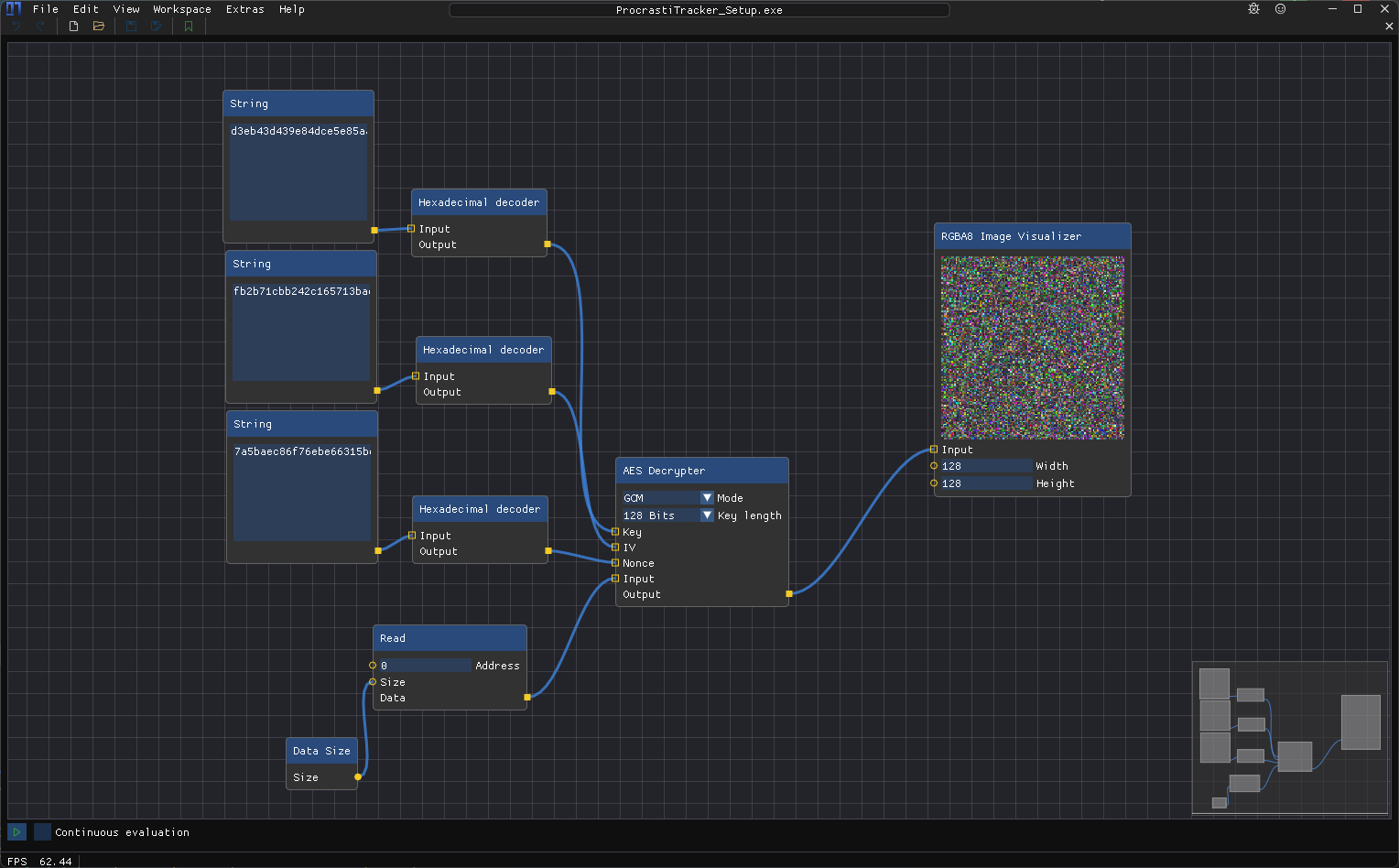
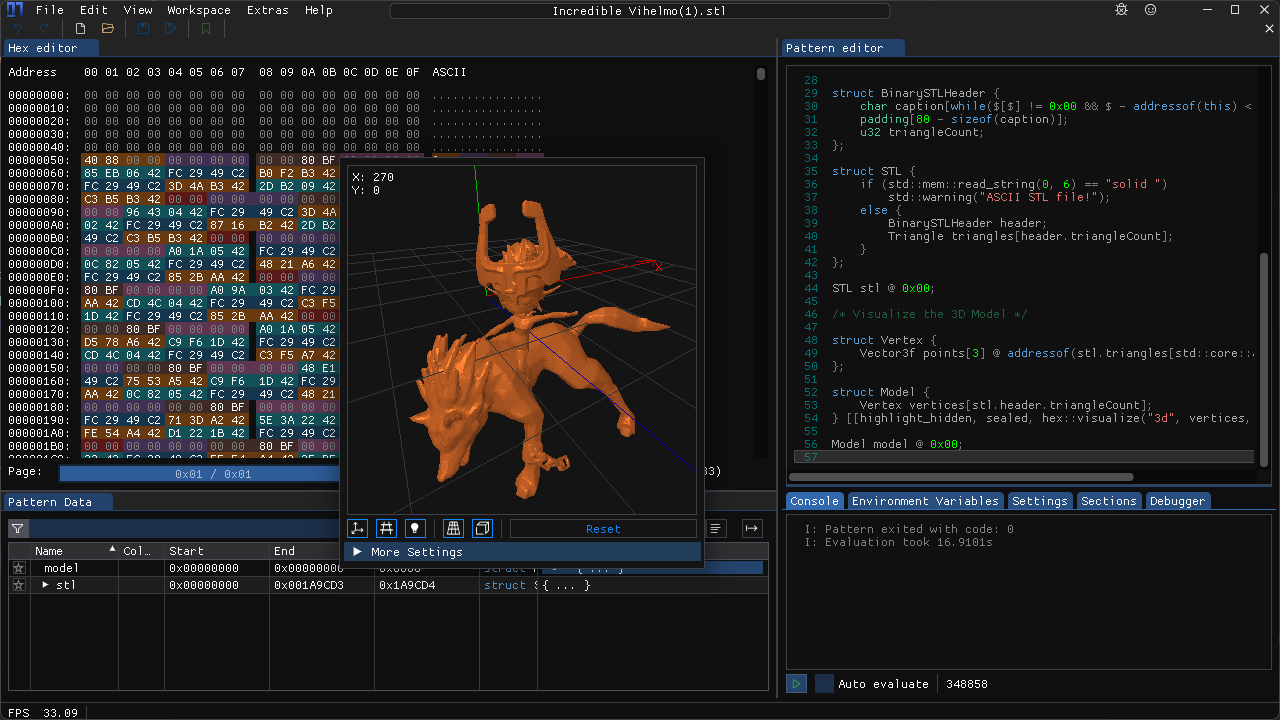
A hex editor shows a file as a grid of numbers in base 16 rather than as letters. ImHex does that and adds a pattern language, which is a C++-like way of writing down the structure of a format so the editor can highlight and name each field. It reads from more places than most: files on disk, raw disks and partitions, a running program's memory, a GDB debugging server, UDP network packets, Intel Hex and Motorola SREC records, Base64 text, and remote files over SSH. It also carries a data inspector that reads the bytes under the cursor as many different types, a disassembler that turns machine code back into readable instructions, file comparison, hashing, bookmarks, a node-based data processor and support for YARA rules. Bytes can be patched, with undo and redo. The README puts its appetite at about 50 MiB of memory and about 100 MiB of disk, more for heavy analysis. The licence is GPL-2.0 for most of the project, with the lib/libimhex and plugins/ui directories under LGPL-2.1. The project is clear about where it stops: MSVC and AppleClang cannot build it, the release binaries need macOS 15 or newer, and a graphics card with OpenGL 3.0 is expected, with slower software-rendered builds for machines that have none.
Why it matters
Who it suits. Anyone who has to look inside a file format nobody documented: a save file, a firmware image, a proprietary export, an old archive. It suits people who want a window rather than a terminal, because most of the alternatives in this corner are command-line tools. Skip it if you only ever need to peek at a few bytes, since a terminal tool does that faster. Skip it too if the machine runs macOS 14 or older, because the release binaries will not start there and the only route is compiling it yourself.
Verdict. Worth an afternoon if reverse engineering is part of the job, and worth nothing at all if it is not. The pattern language is where the value sits, and it is a real language, so expect to read documentation before the first useful result. It is also one of very few tools here that can write bytes back into a file, which is exactly as dangerous as it sounds, so keep a copy of the original. On currency, here is what was proven today: the repository is open and not archived, its main branch carries 6,571 commits, and the newest release is v1.38.1 from 21 December 2025. ungh.cc, the mirror this report uses for code dates, could not be read today, so the most recent code date stands at the 15 August 2026 one already in this report's own record. A release that old beside code that recent means the project ships from source faster than it tags, not that it stopped. For a smaller command-line counterpart, wader/fq reads binary formats the way jq reads JSON.
- The pattern language turns an unknown format into a labelled, coloured view that can be saved and reused.
- Reads disks, program memory, GDB servers, UDP packets, Intel Hex and SREC records and remote files over SSH, not only files on disk.
- Small: about 50 MiB of memory and 100 MiB of disk, with software-rendered builds for machines that have no usable graphics card.
- The pattern language is a genuine language, so the first useful result is hours away, not minutes.
- It can write bytes back into a file, and a wrong edit to a disk image is not recoverable.
- Release binaries need macOS 15 or newer and OpenGL 3.0; older machines must compile from source or accept a slower software-rendered build.
 wader/fq
The command-line counterpart: it decodes binary formats and lets you query them like JSON, and it will not modify a file.
Track this in Scout- kaitai-io/kaitai_struct
You describe a format once and it generates reading code in many programming languages, rather than inspecting a file in front of you.
Track this in Scout - HexFiend/HexFiend
A macOS-only hex editor that handles very large files and binary comparison well, with no pattern language.
Track this in Scout
git clone --recurse-submodules https://github.com/WerWolv/ImHex.git
cd ImHex
# then follow INSTALL.md and the dependency scripts in dist/

66.5k stars · MIT | [docusaurus.io](https://docusaurus.io) · v3.10.2 (2026-07-10) · Track this in Scout · Share this tool
A static site generator from Meta that turns Markdown files into a documentation website.
▶Repo detailsthe review · specs · pros & cons · install
What it does
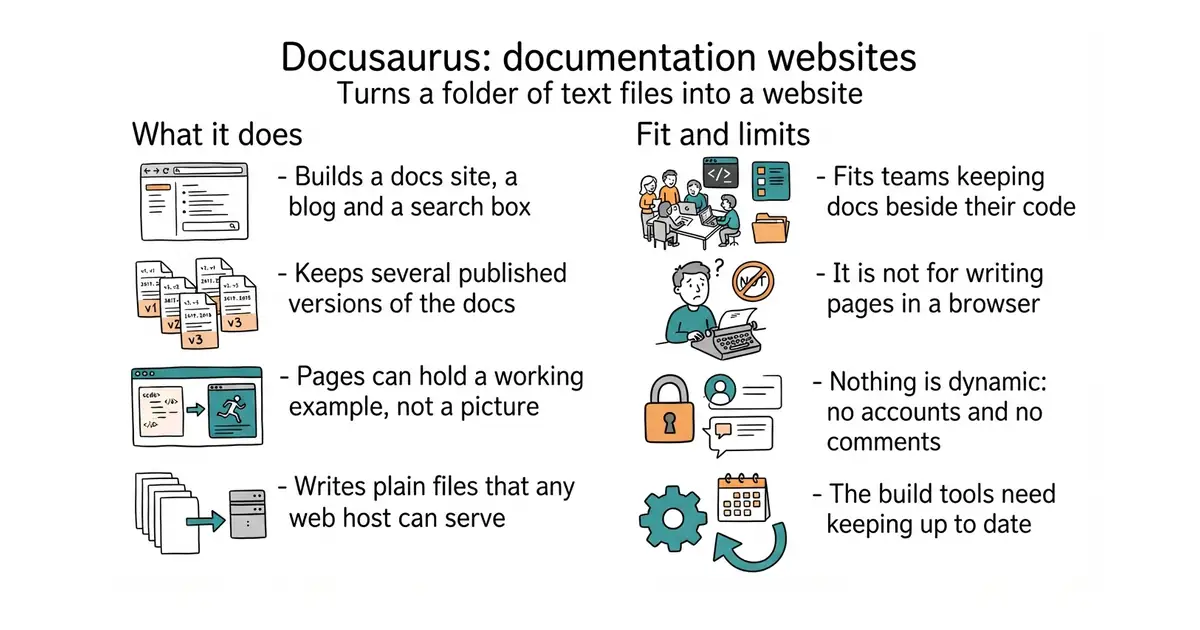
Docusaurus reads a folder of Markdown files and produces a complete website as static files, meaning plain pages with no database and no server-side code to run. One command, npx create-docusaurus@latest my-website classic, creates a project with a documentation section, a blog, custom pages, a CSS theme and dark mode already wired together. Pages can be MDX, which is Markdown with React components mixed in, so a page can hold a live example rather than a picture of one. The sidebar order lives in sidebars.js, the site settings in docusaurus.config.js, and anything in static/ is copied straight to the root of the output. It handles versioned documentation and translation, with CrowdIn named in the README for the translation side. It needs Node.js 20.0 or newer. It does not host anything and it runs nothing at request time: npm run build writes a build/ folder and from there it is a plain website, so features that need a server — comments, accounts, search over private content — are not its job.
Why it matters
Who it suits. Anyone who has to document a project and does not want to run a content management system to do it. It is the strongest option when the documentation lives beside the code in the same repository, when several versions must stay published at once, and when some pages need an interactive example. Skip it if you want to write in a browser rather than in files, and skip it if a React toolchain is more than you want to maintain for ten pages.
Verdict. Worth fifteen minutes to see a running site, and it is the safe default in this corner. Two honest limits. It is a React application underneath, so upgrades mean Node and npm work, and a site left untouched for a year will need attention before it builds again. And it is heavier than its rivals: if all you have is Markdown and no need for versions or embedded components, squidfunk/mkdocs-material from Edition 52 asks far less. The current release is v3.10.2 from 10 July 2026, with code pushed on 16 October 2026, and the npm registry agrees at @docusaurus/core 3.10.2.
- One command to a complete site with navigation, search, blog and dark mode already working.
- Versioned documentation and translation are built in rather than bolted on.
- MDX lets a documentation page carry a working example instead of a screenshot.
- It is a React and Node project, so the toolchain is yours to keep current; Node 20.0 is the floor.
- Heavier than plain Markdown generators, and more than a small site needs.
- Nothing dynamic: no accounts, no comments, no server-side logic, by design.
 squidfunk/mkdocs-material
The same job in Python, much lighter to run and with no React; covered in Edition 52.
Track this in Scout withastro/starlight
Documentation sites built on Astro, with smaller output and faster builds but less built in around versions.
Track this in Scout- vuejs/vitepress
A Vite and Vue generator for the same purpose, very fast while you write, with a smaller set of documentation-specific features.
Track this in Scout
npx create-docusaurus@latest my-website classic
cd my-website
npm start          # a live preview at http://localhost:3000
npm run build      # writes the finished site into build/


4.8k stars · MIT | [jabref.org](https://www.jabref.org) · v5.15 (2024-07-10) · Track this in Scout · Share this tool
A desktop citation and reference manager that stores its library as a plain BibTeX file.
▶Repo detailsthe review · specs · pros & cons · install
What it does
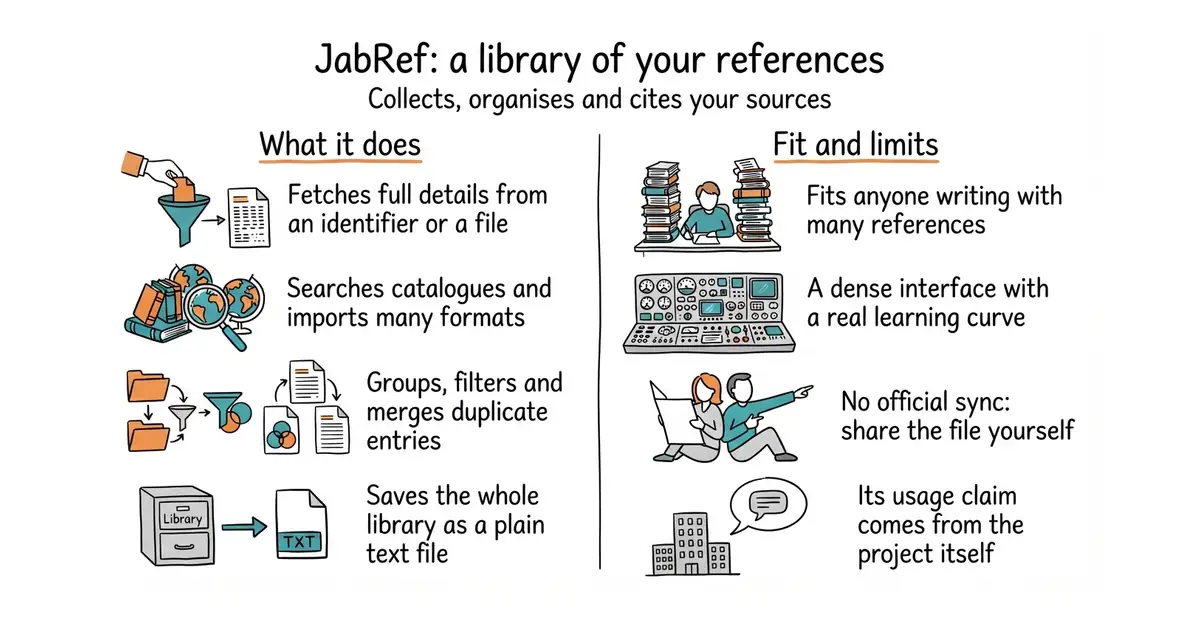
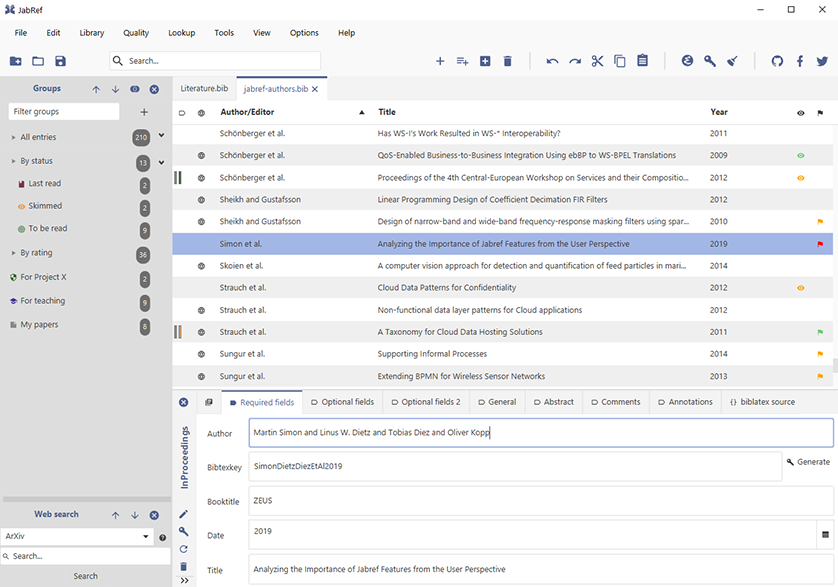
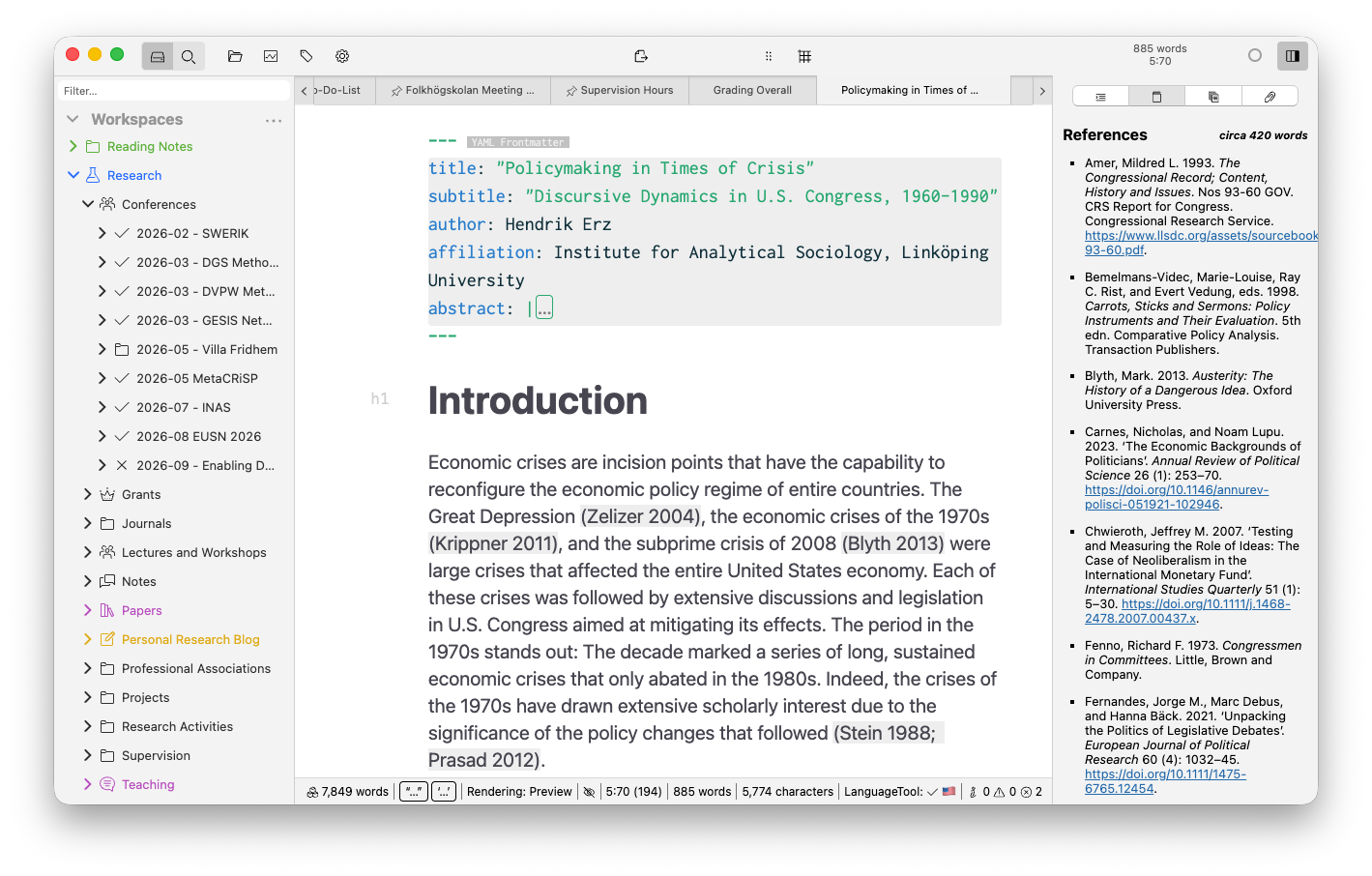
JabRef collects references four ways: searching online catalogues including CrossRef, Google Scholar, IEEEXplore, arXiv and PubMed; importing from more than 15 reference file formats; fetching full details from an ISBN, DOI, PubMed identifier or arXiv identifier; and pulling metadata out of a PDF already on your disk. Browser extensions for Firefox, Chrome, Edge and Vivaldi send a page straight into the library. Once collected, references sit in hierarchical groups with search, filtering, duplicate merging and a customisable citation-key generator, and attached files — 20 document kinds are supported — can be renamed and moved automatically by rule. For writing, it supports BibTeX and BibLaTeX natively, cite-as-you-write in several editors, thousands of citation styles, and Word and LibreOffice. A library saves as a plain text file, and a team can share one through a SQL database. There is also a command-line tool, JabKit. What it is not: a PDF reader, a note-taking system or a writing program. It manages the references and hands them to whatever you write in.
Why it matters
Who it suits. Anyone writing with references who wants the library to be a file rather than an account: a thesis, a paper, a book, a long report with sources. It is the natural companion to a text-based writing setup, because the library it produces is exactly what LaTeX and Pandoc expect. Skip it if you want your references synced to a phone and shared through a service, where a hosted product fits better, and skip it if you have fewer than twenty references, which a plain list handles.
Verdict. Worth an hour, and the reason to choose it over the better-known alternative is the file format. A BibTeX file is text: readable, searchable, sensible in version control, and accepted by every typesetting tool that matters. Two cautions. The interface is a dense desktop application and the first hour is spent finding things. And the project's own claim that "tens of thousands of researchers" use it daily is its claim, not a measurement — treat it as marketing. On currency: release v5.15 is dated 10 July 2026 against 24,690 commits, and ungh.cc refused this repository today, so that release is the proof rather than a code date. If you want something lighter and newer, Future-Scholars/paperlib does less with a cleaner interface.
- Fetches full reference details from a DOI, ISBN, arXiv or PubMed identifier, or straight out of a PDF.
- The library is a plain text BibTeX file: portable, version-controllable, and what typesetting tools already read.
- MIT licensed, with browser extensions, a command-line tool and optional sharing through a SQL database.
- A dense desktop interface with a real learning curve, and no system requirements published on the repository page.
- No official hosted sync; sharing a library means running a SQL database or passing the file around.
- The headline usage claim comes from the project itself, with nothing behind it that a reader can check.
 zotero/zotero
The best-known alternative: collecting, organising, annotating and citing sources, with hosted sync and a stronger browser capture.
Track this in Scout- Future-Scholars/paperlib
A smaller, newer academic paper manager that imports papers, scrapes metadata and exports citations, with far less to learn.
Track this in Scout
docker run ghcr.io/jabref/jabkit:edge --help

13.8k stars · GPL-3.0 | [zettlr.com](https://www.zettlr.com) · v4.8.0 (2026-09-18) · Track this in Scout · Share this tool
A desktop writing program for Markdown documents, with citation support and export to Word, PDF and LaTeX.
▶Repo detailsthe review · specs · pros & cons · install
What it does
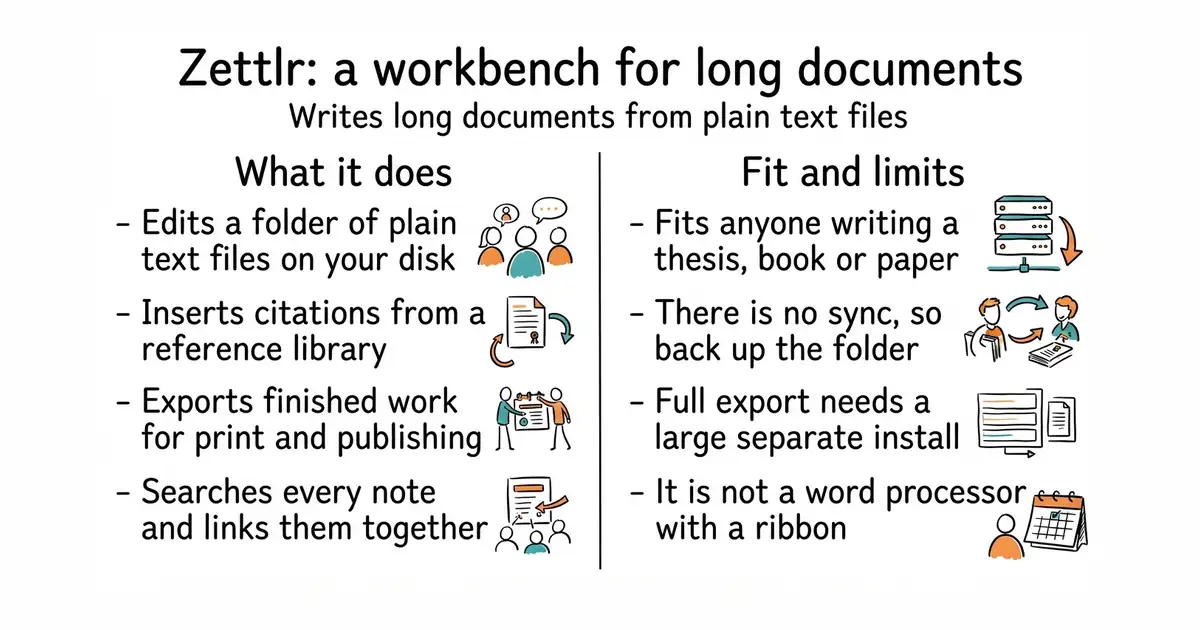
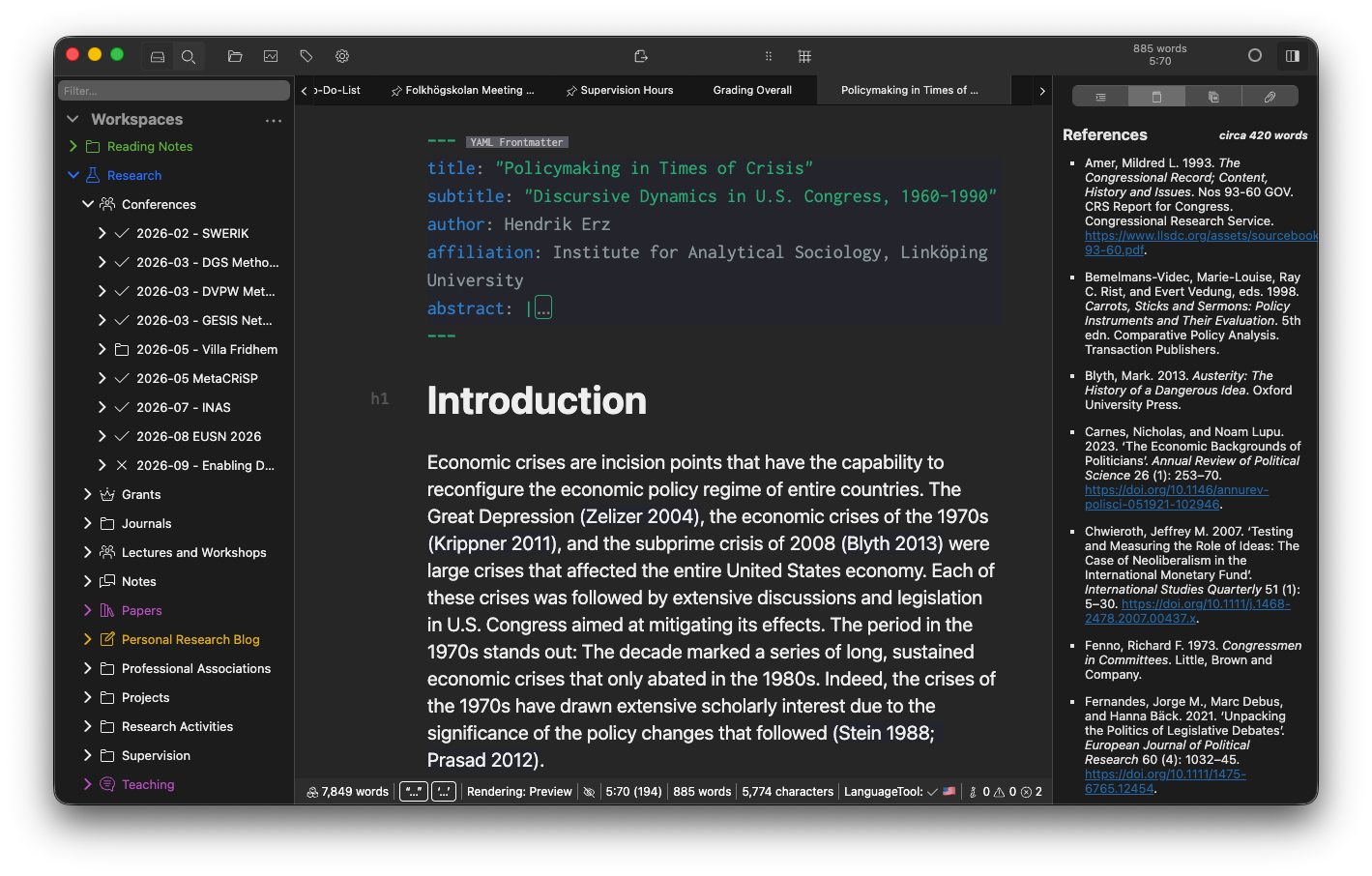
Zettlr calls itself a publication workbench. You point it at a folder of Markdown files and it gives you a file tree, full-text search, syntax highlighting, snippets for boilerplate text and themes including a dark mode. It reads citation libraries from reference managers such as Zotero and JabRef, so a citation key in the text becomes a formatted reference in the output. Export runs through Pandoc and LaTeX, with support for Word and LaTeX templates, so a department's required layout can be applied to your own plain text. It supports Zettelkasten-style links between notes, which is the practice of connecting short notes to each other rather than filing them in one tree. The interface is translated into more than a dozen languages. It does not store your work anywhere but your own disk — there is no built-in sync and no collaboration — and it does not run on 32-bit systems. Full export needs LaTeX installed separately.
Why it matters
Who it suits. People writing something long with references: a thesis, a book, a paper, a report that has to come out as a Word file in someone else's template. The combination of plain text files, citation keys and Pandoc export is exactly that job, and it is a narrow enough job that general note applications do it badly. Together with JabRef/jabref above it makes a complete setup with no account anywhere. Skip it if you want notes that sync to a phone, and skip it if you have never used Markdown, because this is not a word processor with a ribbon.
Verdict. Worth an hour if you have a long document with citations ahead of you, and worth skipping otherwise. The reason to prefer it over a general knowledge tool is that it treats export as a first-class step rather than an afterthought — most note applications can link notes, and almost none can produce a correctly formatted bibliography in a supervisor's template. Three caveats. It is an Electron application, so it is heavier than a text editor. LaTeX is a separate, multi-gigabyte install if you want every export route. And release v4.8.0 is dated 18 September 2026 while the default branch is called develop, so a source build is not the same thing as the release. If linked notes matter more than export, siyuan-note/siyuan and logseq/logseq are built around that instead.
- Your work stays as plain Markdown files in a normal folder, readable by anything, now and in ten years.
- Citations from Zotero or JabRef, and export through Pandoc into Word, PDF or LaTeX with templates.
- Official builds for macOS, Windows, Debian, Fedora and AppImage, plus Homebrew, apt, Flathub, WinGet, Chocolatey and Arch packages.
- No sync and no collaboration: one computer, one folder, and backups are on you.
- An Electron application, so expect the memory use of a browser tab rather than of a text editor.
- Full export needs a separate LaTeX installation, which is a multi-gigabyte download.
 siyuan-note/siyuan
A note system built around block-level links and Markdown, self-hostable; stronger on linking notes, weaker on producing a formatted document.
Track this in Scout- logseq/logseq
Outline-first notes with links between them, aimed at thinking rather than at publishing.
Track this in Scout - marktext/marktext
A plain Markdown editor with live preview and nothing else: no citations and no export templates, so far lighter.
Track this in Scout
git clone https://github.com/Zettlr/Zettlr.git
cd Zettlr
yarn install
yarn package


123.2k stars · CC0-1.0 | — · no releases at all — a determination, not a gap, re-confirmed 20 October 2026. Recency from ungh.cc: pushedAt 2026-05-07. · Track this in Scout · Share this tool
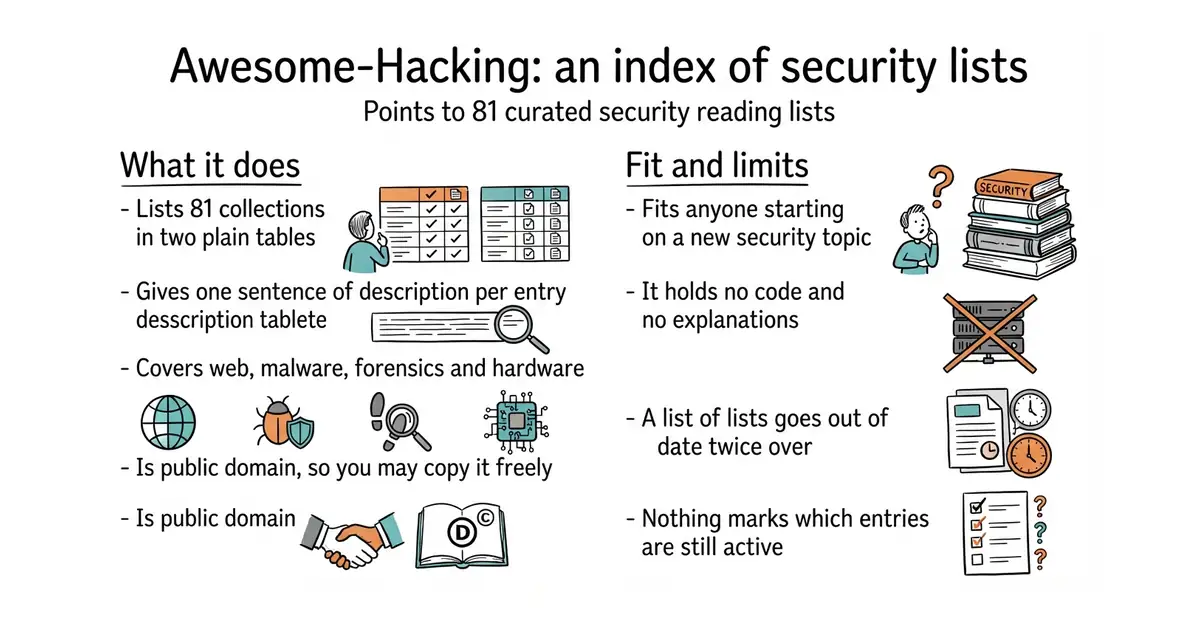
An index of 81 curated security reading lists, with one line on each.
▶Repo detailsthe review · specs · pros & cons · install
What it does
The repository is a single README containing two tables: 47 entries under "Awesome Repositories" and 34 under "Other Useful Repositories". Each row is a name, a link and one sentence. The subjects run across application and web security, malware analysis and reverse engineering, threat intelligence and incident response, penetration testing and red teaming, bug bounty programmes and capture-the-flag puzzles, embedded and Internet-of-Things security, vehicle and drone security, Android, open-source intelligence, fuzzing, password cracking, forensics, Tor, Web3 and — newer — prompt-injection attacks against AI systems. It is published under CC0-1.0, which puts it in the public domain, so the whole thing can be copied into your own notes without asking. It has 116,878 stars, no releases, and the last change landed on 7 May 2026. It contains no tools, no code and no explanations: every row sends you somewhere else, and whether the destination is current is the destination's problem, not this repository's.
Why it matters
Who it suits. Anyone starting out in security, or anyone experienced who has been handed a topic outside their usual corner and needs the best starting list rather than the first search result. It is also a good shape to copy: two tables and one sentence per row stays readable at 81 entries, which most link collections do not manage. Skip it if you already know the landscape, because you will recognise most of it, and skip it if you learn by doing rather than by reading.
Verdict. Worth ten minutes once, then a bookmark. Treat it as a map, not as a syllabus: a list of lists has two layers of staleness, and the only date you can check is this repository's own. The rows that point at living projects — PayloadsAllTheThings, the OWASP cheat sheets — are worth far more than the rows that point at a list somebody abandoned in 2019, and nothing on the page tells you which is which. So open three or four rows, see which destinations are still moving, and keep those. The star count is remarkable and means very little: a list is easy to star and costs nothing to keep.
- 81 starting points across the whole of security, each with one line saying what it is.
- CC0-1.0, so the content is public domain and may be copied or forked freely.
- Covers newer ground as well as old, including prompt-injection and Web3 security.
- No code and no explanation: it only sends you elsewhere, and judging the destinations is your work.
- A list of lists goes stale twice over, and nothing marks which rows still lead somewhere active.
- Last changed 7 May 2026, with no releases, so there is no version to pin or watch.
- swisskyrepo/PayloadsAllTheThings
Not an index but the material itself: attack payloads and filter-evasion techniques sorted by vulnerability type.
Track this in Scout - enaqx/awesome-pentest
One level down: a single long list of penetration-testing tools, books and conferences rather than a list of lists.
Track this in Scout - sindresorhus/awesome
The same format applied to every subject rather than to security alone; the original of the pattern.
Track this in Scout
git clone https://github.com/Hack-with-Github/Awesome-Hacking.git

2.8k stars · GPL-2.0 | [musicpd.org](https://www.musicpd.org/) · no GitHub releases at all — a determination, not a gap, confirmed 20 October 2026 by opening /releases/latest. The project's own site lists 0.24.16, posted 17 October 2026. · Track this in Scout · Share this tool
A background music player with no interface of its own, controlled over a network by separate client programs.
▶Repo detailsthe review · specs · pros & cons · install
What it does
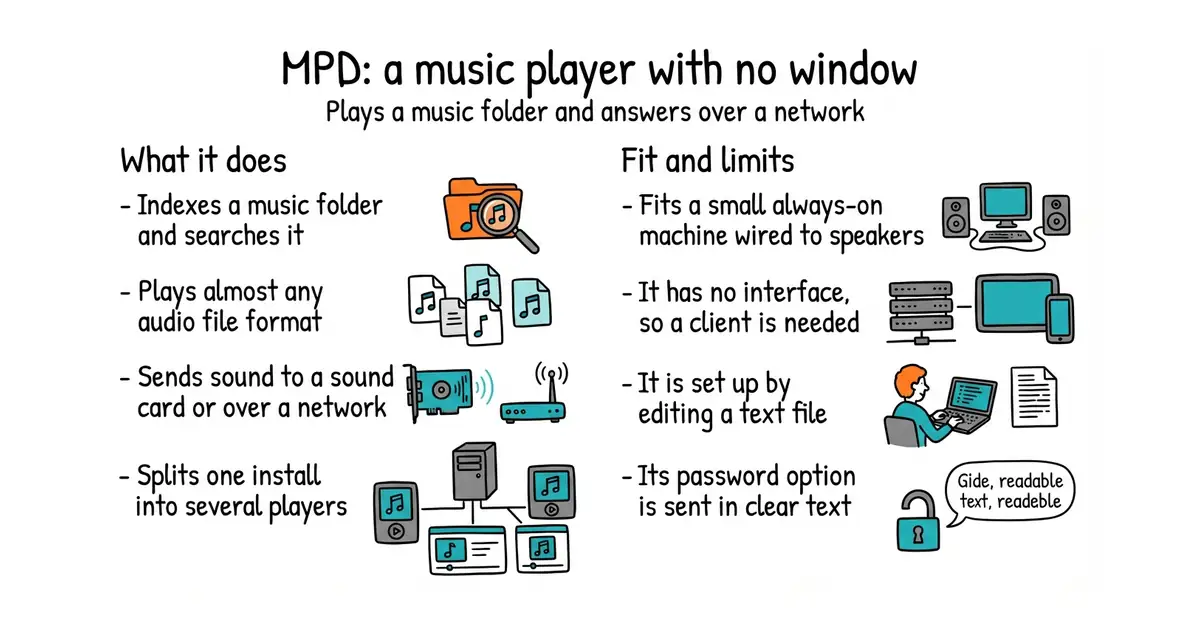
MPD is a daemon, which means a program that runs with no window and waits for instructions. It builds an index of a music folder and answers searches against it, and that folder can sit on the same machine or on a remote server reached through its NFS or SMB storage plugins, with several storages combined if needed. Clients connect over its own network protocol, on port 6600 by default, and mpc is the simple command-line client. Settings live in one file, mpd.conf, with separate blocks for the database, decoders, audio outputs, filters, listeners and permissions, cross-fading, volume levelling, the state file and Zeroconf announcement on the local network. Partitions split one installation into several independent players, each with its own queue and its own outputs, all sharing a single index. Output plugins cover ALSA, PulseAudio, PipeWire, JACK, Core Audio and others, plus httpd and shout, which send the audio over the network instead of to a sound card. Decoders cover FLAC, Vorbis, Opus, MP3, DSD and, through FFmpeg, nearly everything else. The documentation states the boundary plainly: MPD is "a remote-controlled music player, not a music distribution system", so the sound plays where the server is and not where the listener is.
Why it matters
Who it suits. Anyone with a small always-on computer, a sound card and a music collection stored as files. A single-board computer in a cupboard wired to an amplifier is the usual arrangement, and MPD will run in that shape for years without attention. It also suits people who want the player to be scriptable, because everything it does is reachable over a documented protocol. Skip it if the music comes from a streaming subscription. Skip it too if an icon to double-click is what is wanted, because there is no interface here at all, only a protocol and other people's clients.
Verdict. Worth an hour, and remarkable value for a project with 2,799 stars. Currency is not in doubt: 19,739 commits, and code pushed today, 20 October 2026. The project publishes no releases on GitHub at all, so versions are announced on its own site, where 0.24.16 is dated 17 October 2026 and seven earlier versions landed during this year. The documentation is unusually honest, and the list of things the project will not promise is longer than most projects' feature lists, which is a good sign. Three practical warnings. The documentation says the versions in Debian and Ubuntu stable releases are usually too old for the project to support, so expect to build from source if a bug turns up. The password option is sent in clear text, so port 6600 should stay on a trusted network. And bit-perfect output, meaning the audio reaching the sound card unchanged, is attempted by default but is lost as soon as software volume, volume levelling or a forced audio format is switched on. Pair it with snapcast/snapcast below for the same music in more than one room.
- Very light and very stable: no window, a documented protocol, and 19,739 commits behind it.
- Plays almost any format and sends sound to almost any output, including over the network through
httpdorshout. - Partitions give several independent players from one installation and one music index.
- No interface of its own. A client has to be chosen and installed, and the good ones come from other people.
- Set up by editing
mpd.conf, with blocks and plugin names to learn before the first note plays. - The built-in password option is clear text over the wire, and the project says distribution packages are usually too old for it to support.
- mopidy/mopidy
The same idea in Python, speaking the same protocol so the same clients work, with extensions for streaming sources.
Track this in Scout  navidrome/navidrome
A different answer: a web and mobile music server that streams a collection to the listener rather than playing it where the server is.
Track this in Scout beetbox/beets
Not a player but the thing to run before one: it tidies and tags a music library so the index is worth searching.
Track this in Scout
sudo apt install mpd mpc
sudo nano /etc/mpd.conf        # set music_directory and one audio_output block
sudo systemctl enable --now mpd
mpc update                      # build the index
mpc listall | head              # check it found the files
mpc add / && mpc play

8k stars · GPL-3.0 | — · v0.35.0 (2026-03-10) · Track this in Scout · Share this tool
A server and clients that play one audio stream in several rooms, kept in time with each other.
▶Repo detailsthe review · specs · pros & cons · install
What it does
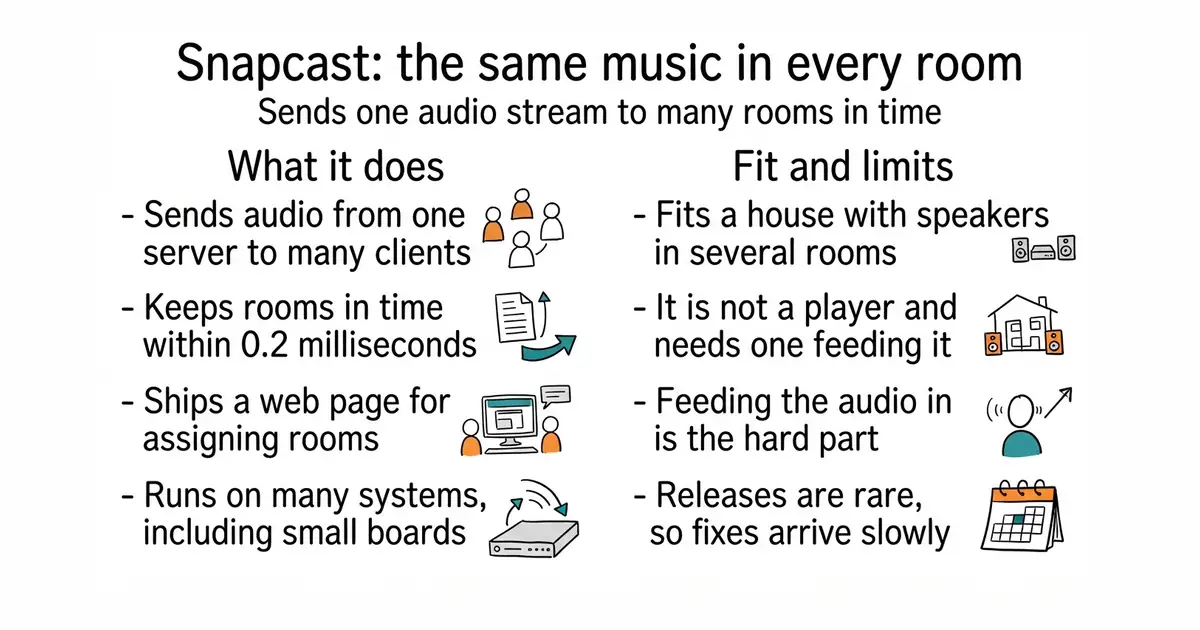
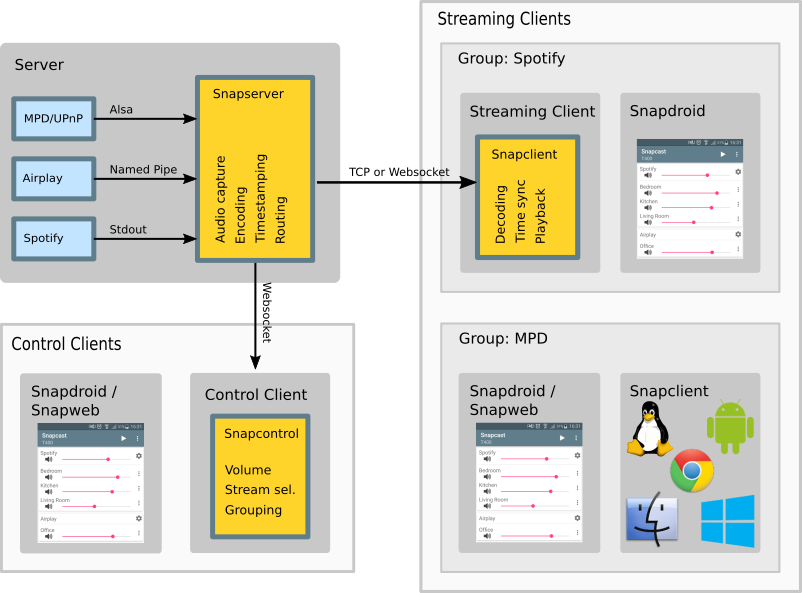
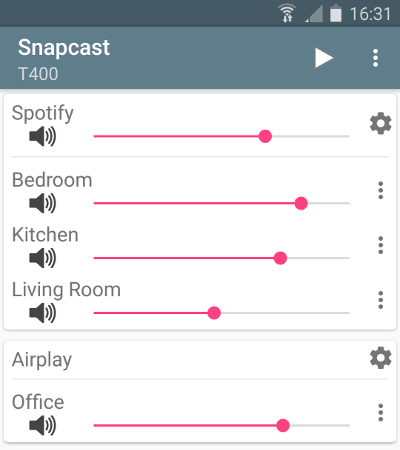
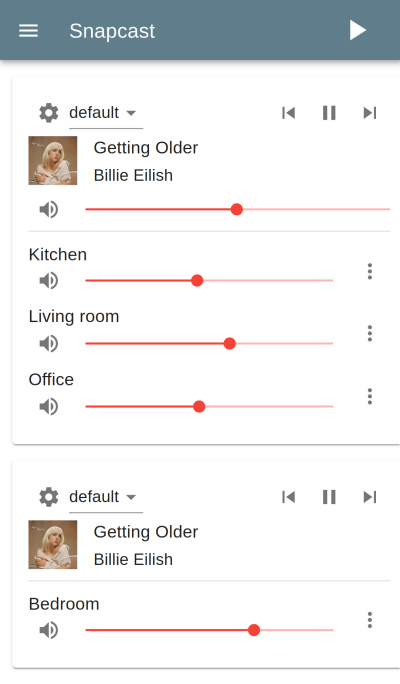
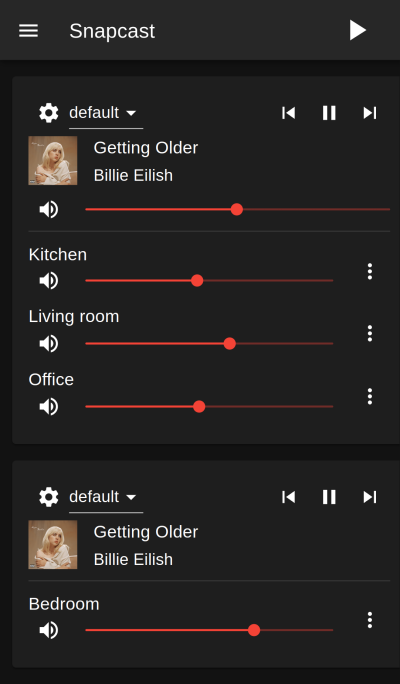
Snapcast has two halves. The server reads raw PCM audio from a source — a named pipe, an ALSA device, a TCP connection or another program's standard output — and sends it to any number of clients over the network. Each client plays it and corrects its own drift by speeding up or slowing down very slightly, and the README states the usual deviation between rooms stays below 0.2 milliseconds. Audio travels as PCM, FLAC by default, Vorbis or Opus. Control is by JSON-RPC over plain TCP, HTTP, HTTPS or WebSockets, and a web application called Snapweb ships with it for choosing which clients hear which stream. Prebuilt packages exist for Debian, OpenWrt, Alpine, Arch and Void, with brew install snapcast on macOS and Linux, and source builds for FreeBSD, Android, Buildroot, Raspberry Pi, webOS and Windows. Client-side output goes through ALSA, PulseAudio, Oboe, OpenSL ES, Core Audio, WASAPI, SDL2 or straight to a file. The README says plainly that it is not a standalone player: with no player feeding its input it has nothing to send. Two roadmap items are still unticked — adding, removing or renaming streams over JSON-RPC, and a published protocol specification.
Why it matters
Who it suits. Anyone with more than one room and more than one small computer who wants one source of music in all of them, and who already runs a player. The classic arrangement is MPD or Mopidy feeding Snapcast, with a cheap single-board computer and a small amplifier in each room. Skip it if you have one pair of speakers, because it adds a layer for no gain, and skip it if you want to buy a finished product: this is a server, a client and a configuration file, not an appliance.
Verdict. Worth an evening if multiroom is the actual problem, and the synchronisation really does work — sub-millisecond drift is the hard part of this job and it is the part Snapcast has solved. Budget your time for the input side rather than the Snapcast side: wiring an existing player's output into a named pipe is where people get stuck, and the documentation assumes you already know how your player emits audio. Note the rhythm before committing: v0.35.0 is dated 10 March 2026 and code last landed on 27 June 2026, so this is a slow, steady project rather than a busy one. That is fine for something whose job does not change, but do not expect quick answers to new requests.
- Rooms stay in time, with stated drift under 0.2 milliseconds, which is the whole reason this exists.
- Runs on almost anything: five Linux package formats, Homebrew, FreeBSD, Android, Raspberry Pi, webOS and Windows.
- Controlled over JSON-RPC and shipped with a web interface, so it can be driven from other software.
- Not a player. You must already have one, and feeding its sound into Snapcast is the hard part of the setup.
- A slow release rhythm: one release in March 2026 and the last code in June 2026.
- No published protocol specification yet, and stream management over JSON-RPC is still on the roadmap.
- mopidy/mopidy
Not a competitor but the usual partner: an extensible music server that can feed Snapcast its audio.
Track this in Scout - roc-streaming/roc-toolkit
A lower-level library and command-line tools for sending live sound over a network with packet-loss recovery; a building block rather than a finished system.
Track this in Scout - ralph-irving/squeezelite
A small headless player for one media-server ecosystem, which solves multiroom a different way: one server, many players, all of one design.
Track this in Scout
# macOS or Linux, with Homebrew:
brew install snapcast
# Debian or Ubuntu: take the .deb files for snapserver and snapclient from
# https://github.com/snapcast/snapcast/releases/latest and then
sudo apt install ./snapserver_0.35.0-1_amd64.deb
sudo apt install ./snapclient_0.35.0-1_amd64.deb

2k stars · Apache-2.0 | [opentimeline.io](http://opentimeline.io) · v0.18.1, read from /releases/latest, shown as '09 Nov' with no year; 9 November 2026 is in the future, so 9 November 2025. Code pushed 2026-10-17 per ungh.cc, so a stale release against live code. · Track this in Scout · Share this tool
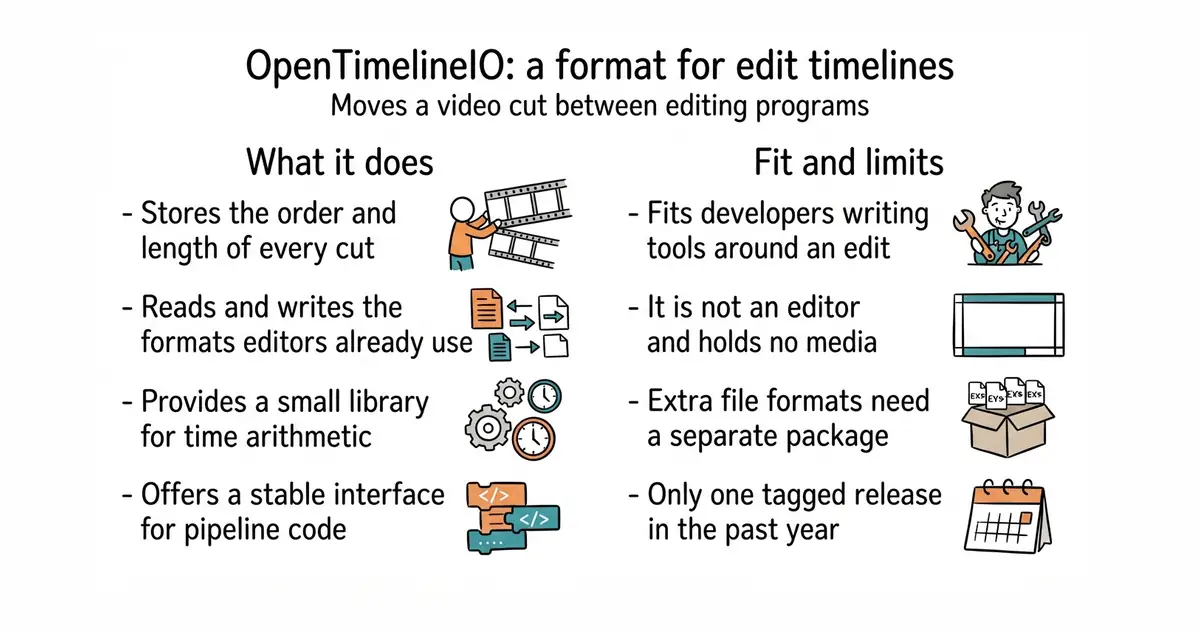
An interchange format and library for editing timelines: the order and length of cuts, and references to the media, but not the media.
▶Repo detailsthe review · specs · pros & cons · install
What it does
OpenTimelineIO stores editorial information — which clip, in what order, at what length, with what references to external media files. The core is a C++ library with an in-memory data model and functions to read, change and serialise it, plus a separate dependency-free opentime library that handles timecode and rational time arithmetic. The Python binding adds a plugin system whose main plugin type is the adapter, which reads and writes the formats editing programs already use: the README names Final Cut Pro XML, AAF and CMX 3600 EDL. Other plugin types handle media linking, hook scripts and schema definitions. It supports the VFX Reference Platform years 2022 to 2025 and Python 3.9 to 3.15, and the README describes the API as stable and the framework as mature and widely deployed in film and television. One thing to know before installing: since v0.16 the main PyPI package carries only the core libraries and the native .otio, .otioz and .otiod formats, and every other adapter moved to its own repository, reachable through a separate OpenTimelineIO-Plugins package. It is explicit about its boundary: it is "not however, a container format for media". It holds the decisions about a cut, never the pictures or the sound.
Why it matters
Who it suits. People writing software that has to touch an edit: a studio pipeline, a transcoding service, an automation step that assembles a rough cut, a reporting tool that counts shots. It also suits anyone handed an AAF or an EDL who needs to read it in Python without buying an editing suite. Skip it if you want to edit video — this is not an editor and has no interface beyond an optional viewer — and skip it if your work never leaves one program.
Verdict. Worth an hour if you ever write code that reads or writes an edit, and it is the obvious choice because the alternative is parsing a different proprietary format for every program you meet. It is backed by the Academy Software Foundation, which is the part that makes it safe to build on: this is infrastructure for an industry rather than one company's side project. Two cautions. The release rhythm is slow and the version numbers are honest about it — v0.18.1 is dated 9 November 2025, while code landed on 17 October 2026, so the project is active and simply does not tag often. And the adapter split after v0.16 catches people out: install the core, find that an AAF will not open, and the answer is the separate plugins package, not a bug.
- One format for edit decisions across programs, with adapters for Final Cut Pro XML, AAF and CMX 3600 EDL.
- A C++ core with a Python binding and a stable API, backed by the Academy Software Foundation.
- The
opentimelibrary has no dependencies, so rational-time arithmetic can be used on its own.
- Not an editor and not a media container: no interface to speak of, and it never touches the footage.
- Adapters beyond the native formats now live in a separate
OpenTimelineIO-Pluginspackage, which surprises first-time users. - One release in the last twelve months (v0.18.1, 9 November 2025), so fixes arrive from source rather than from PyPI.
- mltframework/mlt
A multimedia framework for video editing that actually processes and renders footage, where this one only describes the cut.
Track this in Scout - OpenShot/libopenshot
A C++ editing and playback library with Python and Ruby bindings; again it handles the media, not the interchange of edit decisions.
Track this in Scout
python3 -m venv venv
source venv/bin/activate
pip install opentimelineio
pip install "OpenTimelineIO-Plugins"     # for AAF, EDL, FCP XML and the rest
python -c "import opentimelineio as otio; print(otio.__version__)"

4.8k stars · GPL-3.0 | [hledger.org](https://hledger.org) · 1.52.4 (2026-09-10) · Track this in Scout · Share this tool
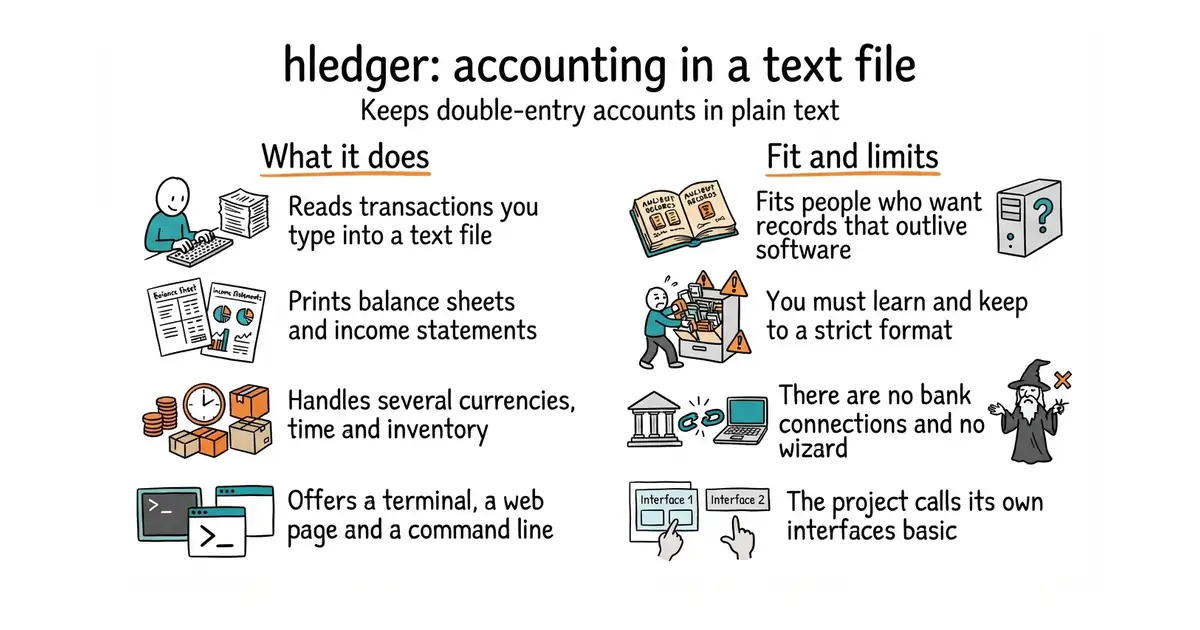
Double-entry accounting over plain text files, with command-line, terminal, web and editor interfaces.
▶Repo detailsthe review · specs · pros & cons · install
What it does
You write transactions in a text file: a date, a description, and two or more lines saying which account gained and which lost. hledger reads that file and produces the standard reports — balance sheet, income statement, register, and anything you can describe with its query language. Double-entry means every amount appears twice, once as a source and once as a destination, which is what lets the program catch arithmetic that does not add up. It handles several currencies at once and tracks more than money: the README names investments, cryptocurrencies, invoices, time and inventory, all in the same file. There are four ways in: a command-line tool, a terminal interface, a small web interface and editor integrations. The numbers it publishes about itself are specific: around 25,000 transactions a second on a MacBook Air M1, and amounts accurate to 255 decimal places, with more than 140 contributors and 16,605 commits. Current release 1.52.4, dated 10 September 2026, with code pushed on 20 October 2026. The project says plainly that the interfaces are basic. There is no import wizard, no bank connection and no mobile application of its own: getting data in is your job, usually with a CSV rules file.
Why it matters
Who it suits. Anyone who wants their financial records to outlive the software that made them, and who would rather type than click. It fits one-person businesses, freelancers tracking invoices and time, and anyone who already keeps notes in text files and version control. It is also the right tool when the question you want to ask is unusual, because the query language will answer it and a budgeting application will not. Skip it if you want a chart on a dashboard and bank feeds that fill themselves in. Skip it also if someone else has to maintain the books and would not touch a text editor.
Verdict. Worth twenty minutes to decide, and that is honestly all it takes: write six lines, run hledger balancesheet, and you will know whether this way of working suits you. It is the most approachable of the plain-text accounting tools, with much better documentation than the others and a terminal interface that makes the first week less bleak. Two things to go in knowing. The real work is the import step — converting bank CSV files into transactions — and rules for each account are yours to write and keep. And the interfaces are basic, by the project's own admission, so anyone who wants pictures rather than tables should pair it with a web front end. One oddity worth recording: the repository moved from simonmichael/hledger to hledgerorg/hledger, so old links redirect.
- Your records are a text file: readable forever, searchable with any tool, and sensible in version control.
- Four interfaces — command line, terminal, web and editor — so you can pick how much typing you want.
- Several currencies, plus time, invoices and inventory in the same file, and fast: around 25,000 transactions a second.
- You must learn a format and keep to it, and a misplaced indent is a syntax error rather than a typo.
- No bank connections and no import wizard: CSV conversion rules are yours to write and maintain.
- The project describes its own interfaces as basic, and the web one is not a replacement for a reporting tool.
 ledger/ledger
The original command-line double-entry tool this one reimplements; faster in places, far less documentation and no terminal interface. Covered in Edition 53.
Track this in Scout beancount/beancount
The same idea with a stricter format and a Python ecosystem around it, including a separate web interface.
Track this in Scout ananthakumaran/paisa
A web front end for the Ledger format aimed at personal finance, with charts and goals; a different balance of typing against clicking.
Track this in Scout
cat > 2026.journal <<'EOF'
2026-10-01 opening balances
    assets:bank:checking        1000
    equity:opening balances
2026-10-02 invoice paid
    assets:bank:checking         500
    income:consulting
EOF
hledger -f 2026.journal balancesheet
hledger -f 2026.journal incomestatement
hledger -f 2026.journal ui          # the terminal interface
Checked, and left out
Nothing to show for this edition. Recording the repositories that were checked and rejected began with Edition No. 4, and every edition from there on has the list.
Know a repository we should check?
Coming tomorrow