
AI Chat History Sync for Claude & Codex on Mac
Your Claude chat history is work product you can’t read
The thinking you already lost
Every claude chat you have ever had with Claude Code is sitting on your Mac right now, but where are claude code conversations stored remains a mystery to most users—and understanding your conversation history is the first step to solving it. So is every Codex session and every Cursor conversation. Months of decisions, fixes, dead ends, and reasoning, stored in full, on hardware you own. You just can’t read any of it.
I learned this the expensive way. In March I needed an architecture decision I’d talked through with Claude three weeks earlier. I knew the conversation existed. I could not find it, and I ended up re-deriving the whole decision from scratch. That was the moment the problem got a name. I wasn’t losing code. I was losing my own thinking.
So we built a small free Mac app that turns those hidden logs into plain Markdown files in one folder you own. It’s called GRASPPY Capture. This post is about what it does, and about the launch weekend when 59 of my own conversations refused to sync and the bugs turned out to be ours.
Where are Claude Code conversations stored
The direct answer to where are claude code conversations stored: Claude Chat writes every session to ~/.claude/projects, one JSONL file per conversation, named by a session ID like 64c91278-....jsonl. Codex keeps rollout files under ~/.codex/sessions. Cursor stores its AI chat history in a local database. All three live in hidden folders under your home directory.
The files are complete. Every prompt, every response, every tool call is in there. The largest conversation on my machine is 104 MB of JSONL for a single session, and one line in another file runs 8,535,080 characters. These are records built for programs to append to, not for a person to open on a Tuesday and find the fix from last month.
Why nobody reads JSONL
Line-delimited JSON is a fine storage format and a terrible reading format. Each line is a raw event: a message wrapped in metadata, a tool result, a lifecycle marker. The conversation you remember having is smeared across thousands of lines, interleaved with machinery.
The practical result is that nobody reads their own conversations. The work is preserved and inaccessible at the same time, which is a strange way to treat the most detailed record of your thinking that has ever existed. Searching it means grepping raw JSON. Sharing it means apologizing first.
A free Mac app that turns logs into files you own
What GRASPPY Capture does
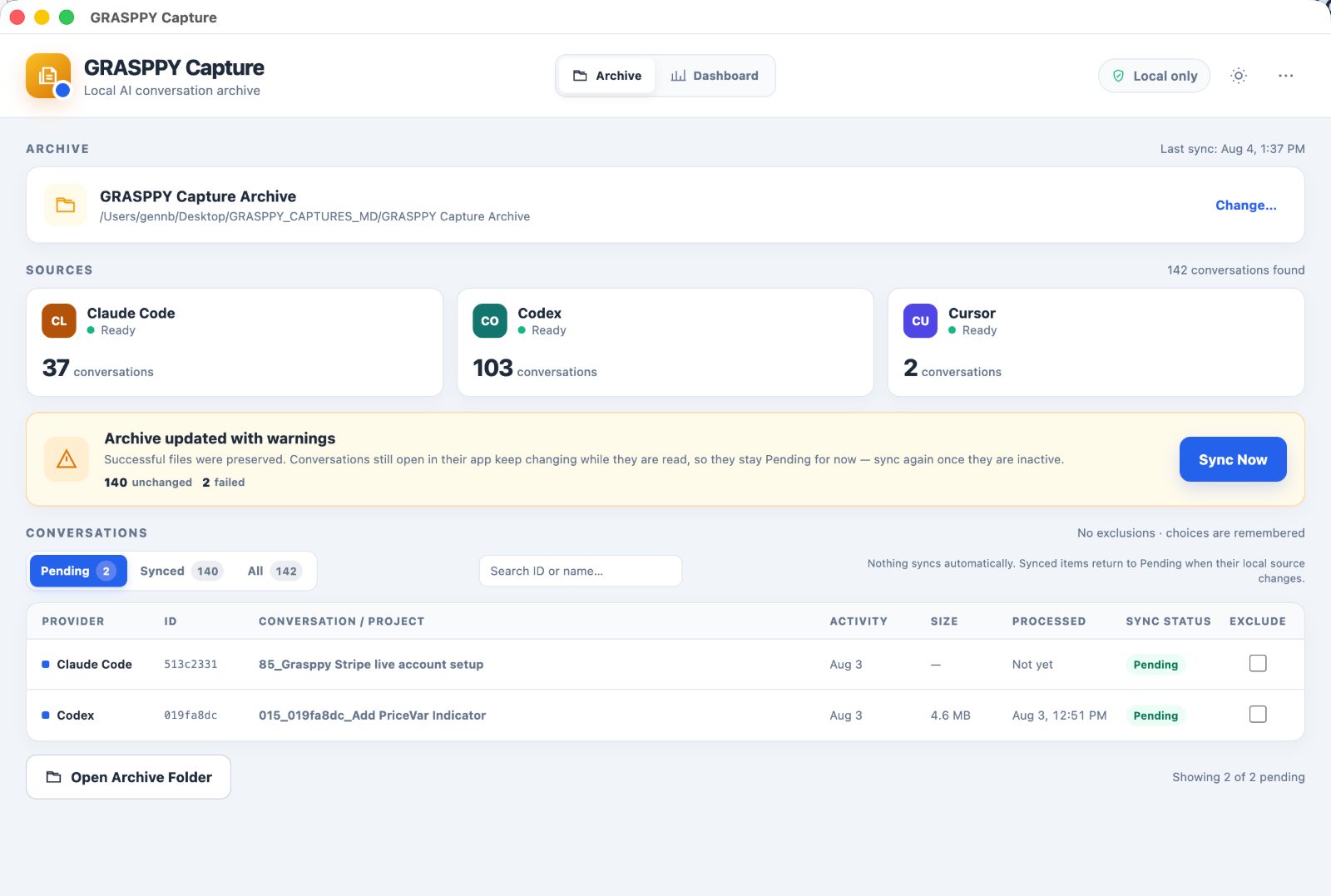
GRASPPY Capture finds the conversations that Claude Code, Codex, and Cursor already store on your machine and converts them into clean Markdown files in a folder you pick once. If you’ve ever wondered where are Claude Code conversations stored, GRASPPY answers that question by locating them automatically. You review the catalog, exclude anything you don’t want, and press Sync Now. One click covers your entire AI chat history archive.
Each conversation becomes one file with a stable name and a readable header: provider, session ID, message count, timestamps. Below that, the claude chat history flows as numbered user and assistant messages with code blocks intact. There’s no account, no sign-up, and no background process. If the window isn’t open, the app is doing nothing.
Zero network requests is a design, not a promise
Capture’s interface runs with networking structurally disabled. The window that shows your conversations cannot make a network request, enforced by the engine it runs on rather than by a policy we wrote. Cataloging and syncing work with Wi-Fi off.
The one exception is Check for Updates, which runs only when you click it and sends a version string to GitHub, nothing else. We rejected background update polling for a simple reason: the header says Local only, and a badge that’s quietly untrue is worse than no badge. Your provider folders are opened read-only. Capture writes to exactly one place, the archive folder you chose.
Launch weekend, told honestly
The first sync told the truth
I pointed Capture at my own machine on launch day: 142 conversations across three tools, 37 from Claude Code, 103 from Codex, 2 from Cursor. The first sync ran 17 minutes and archived 83 of them. The other 59 failed.
The banner said “Archive updated with warnings, 59 failed” and nothing else, because at that point the app recorded failure counts but threw away failure reasons. This was especially problematic since we didn’t even know where our claude chat history was stored or how to locate the source data for debugging. That was mistake number one, and it set the price of the whole afternoon. We were debugging our own launch in public, on my real archive, with months of my work as the test data.
Five theories, all wrong
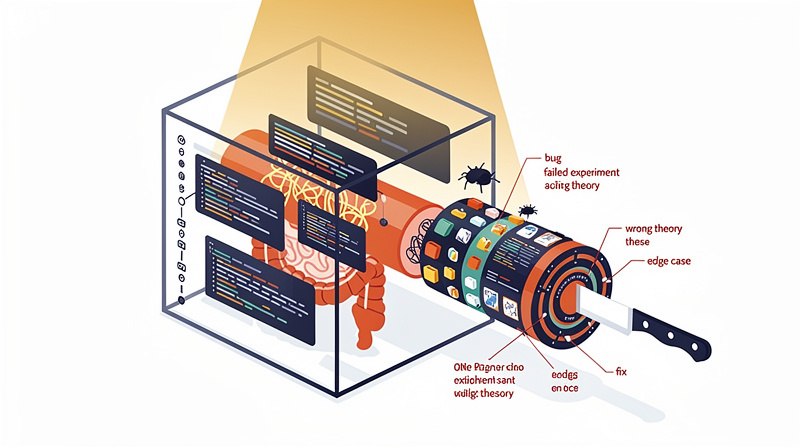
The obvious suspects went first. File size: a 94 MB conversation had succeeded while a 1.4 MB one failed. Line length: an 8,535,080 character line passed while a 153 KB line didn’t. File age: August 2 alone had 6 failures and 8 successes. Duplicates across project folders: none. Session IDs mismatched inside files: all 37 matched.
I even had a confident public explanation at one point, that files were changing during the sync window. Then the check: 14 of the 15 failed files in my claude chat history hadn’t been touched in days. A file last modified July 7 does not change during an August 3 sync. I had five theories and the data killed all five. Efficient, in a way.
Reproduce, don’t guess
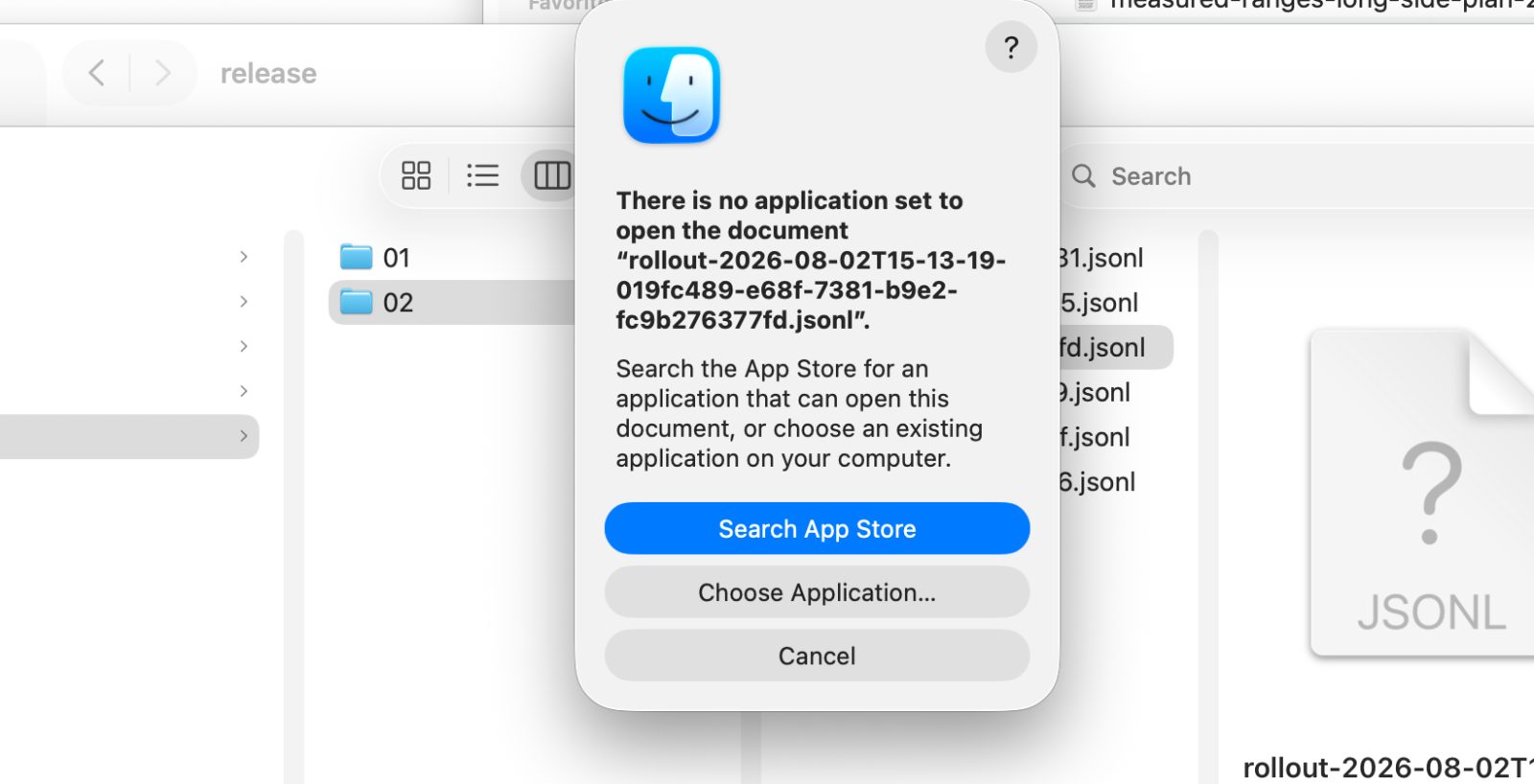
The break came from running Capture’s own pipeline offline against every source file, outside the app. Suddenly the failures had names: “Markdown fenced code is unbalanced” on 13 files, “Rendered Markdown contains a null byte” on 2.
Then the test that mattered. We predicted, from the offline run, exactly which sessions would fail the real sync: 15 failures, 22 passes. The actual sync matched with zero mismatches in either direction. That’s the difference between a correlation and a cause. When failures line up with nothing you can measure in your ai chat history, stop theorizing and reproduce the system against real inputs.
The three bugs were ours
Unclosed fences and stray bytes
Bug one: if a conversation contained an odd number of triple-backtick markers, even from a message that merely mentioned code fences in passing, the renderer emitted Markdown with a fence left open. Bug two: null bytes from provider logs passed straight through the renderer. In both cases the app’s own validator then rejected the output and discarded the whole conversation.
That’s the real lesson: the renderer and the validator disagreed about what valid meant. A renderer must never produce output its own validator refuses. We fixed the source, closing open fences and stripping null bytes at render time, instead of loosening the validator, which would have shipped corrupt files quietly. Understanding how to manage your claude chat history helps ensure that the data integrity measures we implemented actually protect your information from corruption.
Conversations that quote conversations
After the first fix, three stubborn failures remained, all with a new error: “Markdown message count is invalid.” The validator counted message markers like ## USER MESSAGE (12) wherever they appeared, including inside code blocks. The three failing conversations were ones where I had pasted GRASPPY’s own exported transcripts into the chat. Quoted markers got counted as real messages: one file had 52 genuine markers and 4 phantoms.
All three were conversations about building GRASPPY itself. The app choked on its own biography. The fix taught the validator that anything inside a code fence is content, not structure—a lesson that applies broadly to understanding where are Claude code conversations stored and how they’re processed.
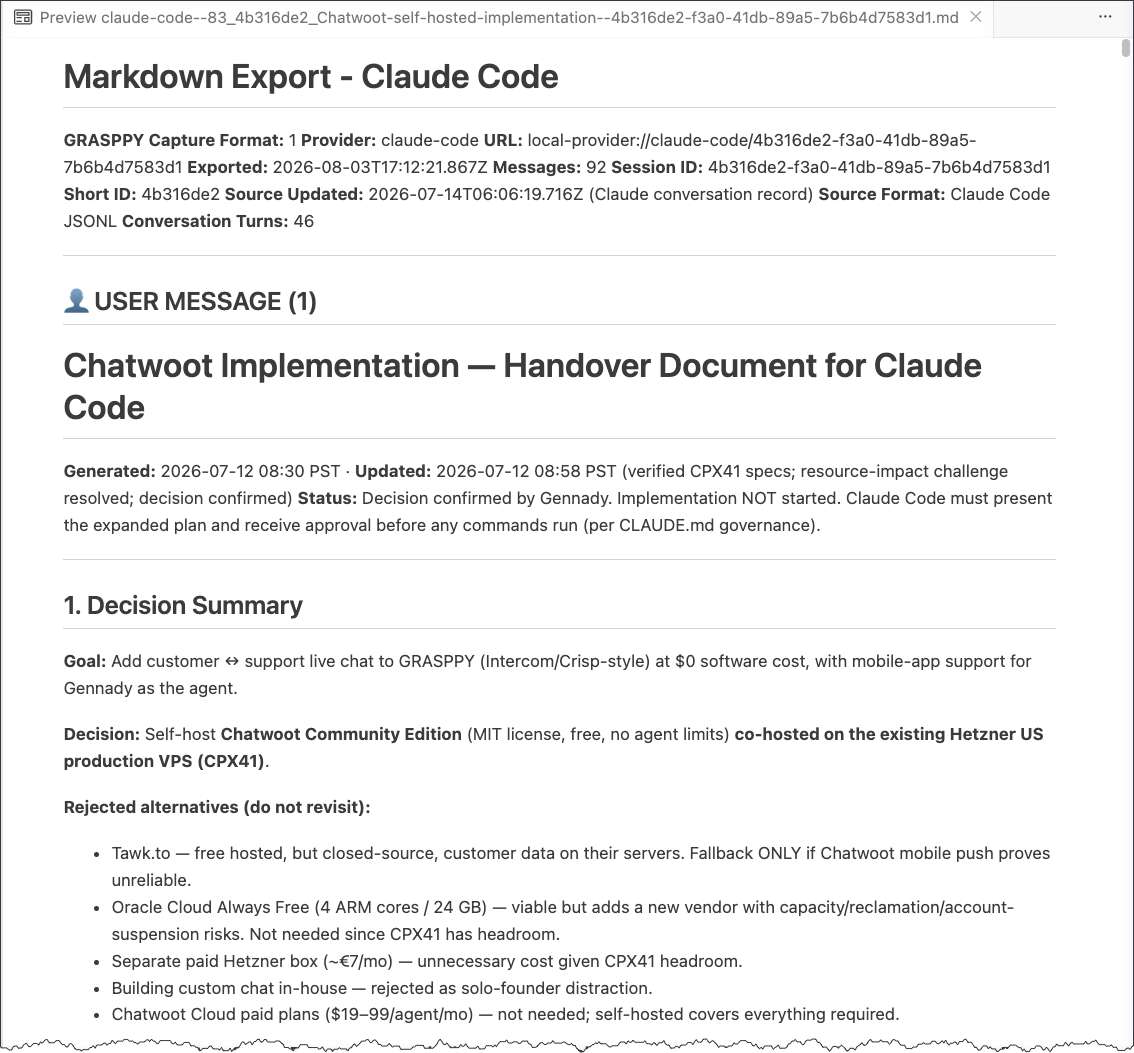
* My actual chat conversation in development (chat widget implementation)
The 18 broken files nobody had noticed
The stricter validator then re-checked all 137 previously archived files and failed 18 of them. The old renderer had occasionally left a fence open in one message that a later message accidentally closed. Globally balanced, so it passed at write time, but whole messages sat swallowed inside a code block. One archive had every message from 253 onward trapped.
Nobody had complained, mostly because nobody had read them. Including me. Because sources stay read-only and the archive is always rebuildable, understanding where claude chat history is stored meant the fix was automatic: the app flagged the 18 as stale and the next sync rewrote them from the originals. Final score, 142 of 142, roughly 400 MB of readable Markdown. My reaction at the time, verbatim: 300, 500 megabytes for months of work, that’s fine.
Why the fixes went straight into a public repo
Trust has to be readable
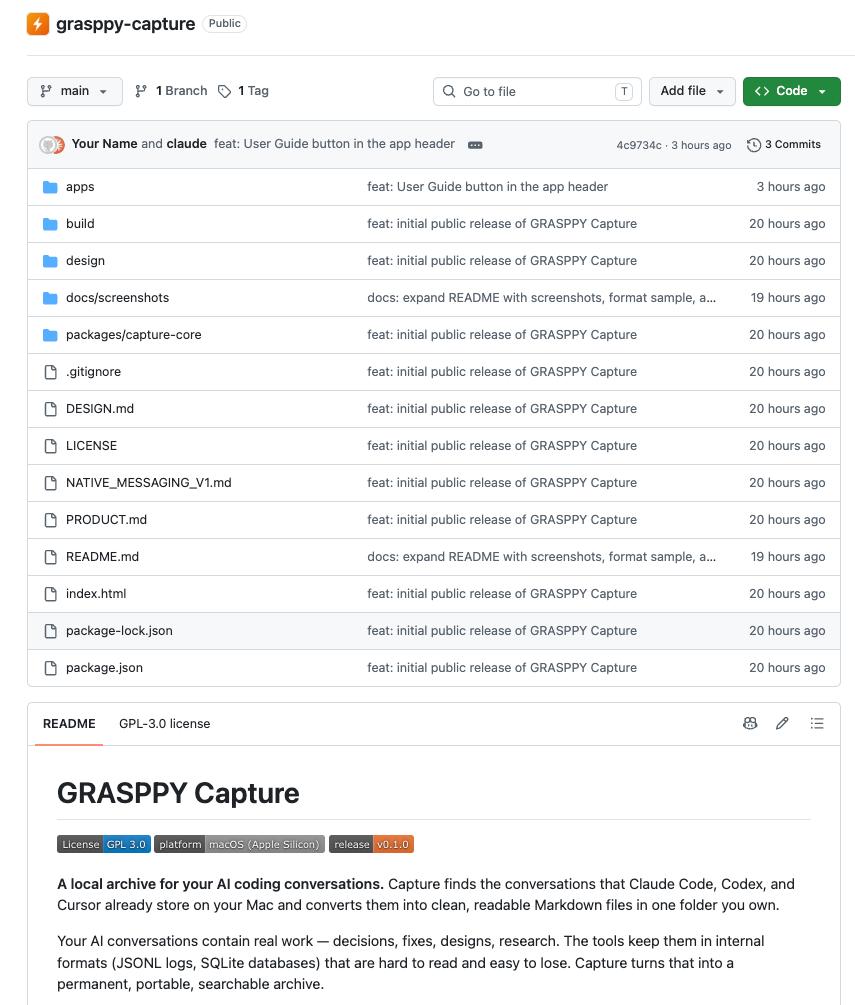
The same weekend, the whole codebase went public under GPL-3.0 at github.com/grasppy-labs/grasppy-capture. Every bug I just described is readable in the commit history, error strings and all.
Here’s the trade-off we accepted: anyone can now see exactly how the sausage was made, including the wrong theories. In exchange, the privacy claims stop being marketing. A tool that says local only should be structurally incapable of lying about it, and the only version of that claim worth anything is one you can verify in source—unlike closed alternatives like Claude’s AI chat history that keep their internals hidden. GPL also means nobody can take the code, close it, and sell it back to you. Improvements stay open.
What Grasppy gets out of giving it away
The honest business model, stated plainly. Capture is free, standalone, and complete on its own. The archive it produces, months of decisions and context in portable Markdown, is exactly the raw material Grasppy is built to organize, search, and feed back into your next AI session. Unlike wondering where your claude chat history is stored elsewhere, Capture solves ownership. Grasppy sells what you do with it after that.
When we decided this, the reasoning took one sentence: we just give away a part of the Grasppy. If you never touch the paid product, you still keep the archive forever. That asymmetry is the point.
Should you use it
When not to bother
Skip Capture if you’re on Windows or an Intel Mac, for now. The core is portable and a Windows build is in progress, but today’s release is Apple Silicon only. Skip it if your AI work lives entirely in browser chats like Claude Chat, since Capture reads local tool logs; browser conversations are what the Grasppy extension exists for. And if you want continuous background sync of your AI chat history, this isn’t that by design. Nothing runs unless you click, which is a feature you may reasonably not want.
One behavior worth knowing before you judge it broken: a conversation that’s open and active stays Pending during a sync. The app refuses to archive a file that’s changing while being read. A half-written archive is worse than a late one, so it waits until the session goes quiet.
Ten minutes to your own archive
The download is a 116 MB DMG from grasppy.com/capture. Drag to Applications, right-click and Open once because the build isn’t notarized, pick a folder, press Sync Now. My first full sync took 17 minutes for 146 MB of claude chat history. Every re-scan since finishes in about 1.6 seconds, because unchanged conversations are skipped by file stats without reading a byte.
There’s a full user guide covering installation, statuses, and troubleshooting. Or read the source first and the app second. Either order is fine with us.
Gemini now imports chat history. Read the direction of travel
Google recently shipped an import page for Gemini. The pitch, in their words, is trying Gemini “without feeling like you’re starting over.” The mechanics: you paste a prompt into your old AI to generate a summary of your preferences, paste the result into Gemini’s memory settings, and upload a .ZIP export of your chat threads so Gemini can organize them for you. For switching from one consumer chat app to another, it’s genuinely fine.
Notice what actually happened, though. Your history moved from one platform’s custody into another’s. The threads now live inside Gemini, behind personalization settings, in whatever internal shape Gemini organizes them into. The day you leave Gemini, you get to do the export dance again. That’s not ownership, that’s a change of landlord.
There’s also a scope problem for anyone who builds with AI. The import is built around ZIP exports from consumer chat apps. The most valuable AI chat history a developer has doesn’t live there. It lives in local JSONL session logs from Claude Code, Codex, and Cursor, and my largest single session is a 104 MB JSONL file. I’d genuinely like to see the upload form’s face when it meets that.
Capture’s answer runs the opposite direction. One click converts those local logs into plain Markdown files on your own disk. No export ritual, no upload, no personalization toggle, no custody transfer. And here’s the part that matters: files can do everything an import can, plus everything it can’t. Want to ask an AI about your history? Paste a Markdown file into any model you like, including Gemini. But you can also grep the folder, open it in Obsidian, commit it to git, and run it through Grasppy’s pipeline, where conversations become structured decisions, artifacts, and context your next session can reuse. Asking questions is one thing you can do with your history. With an import, it’s the only thing.
Import tools answer “how do I move my chats to a new platform.” Capture answers a different question: how do I stop needing to.
Questions people actually ask
Quick answers before you download
Where are Claude Code conversations stored on my Mac?
In ~/.claude/projects, as one JSONL file per session. They’re complete but unreadable in practice, which is the problem Capture exists to solve.
Does GRASPPY Capture upload my conversations anywhere?
No. Cataloging and syncing make zero network requests. The only network call in the app is the update check, it runs only when you click it, and it sends a version string.
Does it modify my original Claude Code or Codex files?
Never. Provider folders are opened read-only. The app writes only inside the archive folder you chose, and every write is atomic.
Is it actually free?
Yes. No account, no trial, no tier. The source is public under GPL-3.0, so this isn’t a promise you have to take from me.
What happens to conversations that fail to sync?
They stay Pending and nothing is lost. The most common cause is a conversation that’s still active in its app. Sync again when it’s idle and it goes through.
Can I put the archive in Obsidian or git?
Yes, and you should. They’re ordinary Markdown files. Point an Obsidian vault at the folder, grep it from a terminal, or commit it to a repo. That’s the whole idea.
Or keep your thinking in hidden JSONL files. It’s very safe there. Nobody will ever read it, including you.
FAQ
What happens if I sync while Claude is actively writing to a conversation file?
Capture marks actively open conversations as Pending during the sync and skips them, then archives them on the next run. This prevents partial or corrupted exports. The app checks file modification times and only syncs conversations that aren’t currently being written to, so you don’t need to close Claude before hitting Sync Now. Your archive stays consistent because we’d rather miss a conversation temporarily than export it mid-message.
Can I use Capture to back up conversations I want to share with my team?
Yes. Once exported to Markdown, your conversations are plain text files you can email, commit to Git, or paste into docs. The readable format makes sharing practical—no more apologizing before sending JSONL. Just remember that exported conversations include your full prompts and Claude’s responses, so treat them like any other work product containing decisions and reasoning. The archive folder is yours to do whatever you want with.
If I delete conversations from Claude Code, will Capture still have them in my archive?
Yes, as long as you’ve synced at least once. Capture reads the source logs on your Mac and writes to a separate folder you control. Deleting the original conversation in Claude Code won’t touch your Markdown archive. However, if you delete the source JSONL file and then run Capture again, it won’t re-create files that no longer exist in the provider’s folders—it only syncs what’s currently there. So your archive is independent once it’s written, but future syncs only capture active conversations.
How do I know Capture isn't secretly sending my conversations somewhere?
The code is public on GitHub under GPL-3.0, so you can read exactly what it does. More structurally: the app runs with networking disabled at the engine level, not just by policy. Wi-Fi can be off and Capture still works. The only network call is Check for Updates, which you trigger manually and sends only a version string to GitHub. If you want to verify this yourself, you can run it with network monitoring tools or read the source. That’s the whole point of open-sourcing it—trust you can verify, not trust we promise.
Related posts
Why I Built an AI Workspace Sandbox Over Safety Checks
Discover why building an AI workspace sandbox proved more effective than traditional safety checks for managing AI-powered development environments.
AI Agent Collaboration: Two Agents Work Your Plan - Claude Codex
Discover how AI agent collaboration works when two agents relay and refine your plans together until they reach agreement on the best approach.
Built with AI: VoiceHelper Voice to Text Solution Launch
Discover VoiceHelper, an AI-powered voice to text solution for accurate speech recognition. Learn how to build and integrate this transcription tool.
 Powered by GRASPPY