
Why I Built an AI Workspace Sandbox Over Safety Checks
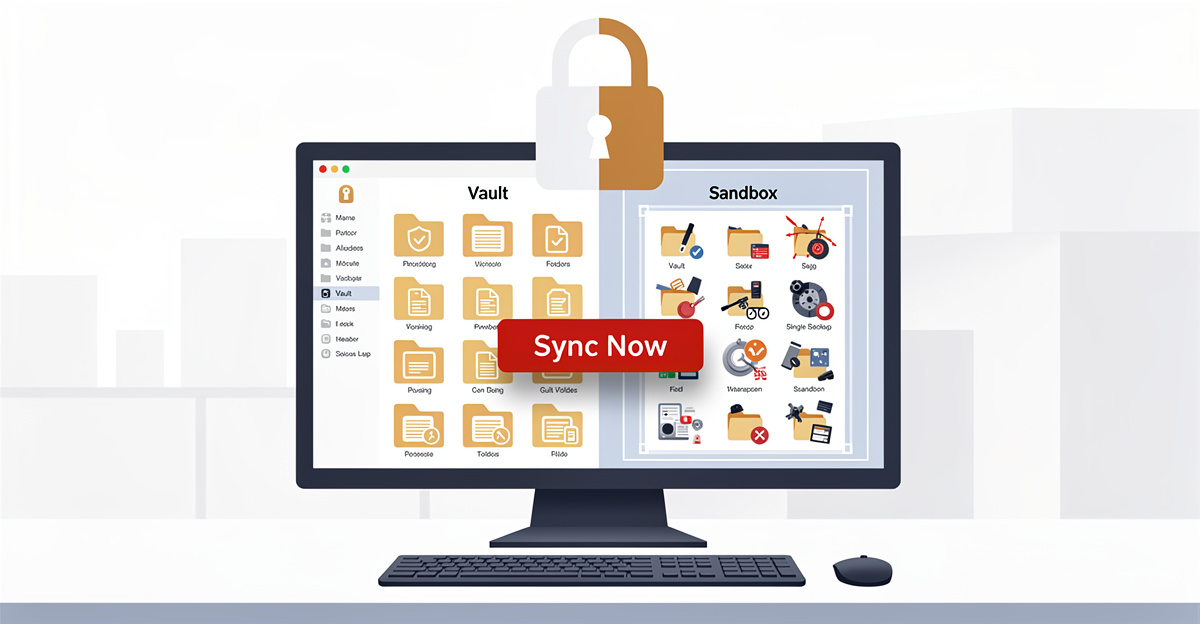
The morning a Sync button quietly deleted my project
Thirty lines of docs cost six hours of work
I clicked a button. The button was labeled Sync Now. It was supposed to copy thirty lines of documentation from our app into a folder on my Desktop, the way it had been doing for weeks. Instead, it deleted my entire project folder — the AI workspace I had been building for nine months.
Six hours of work lived inside that folder. My environment file. My git history. The plans I had been writing for tomorrow. All of it was somewhere on disk a second before I clicked. A second after, everything was gone.
The bug had a name. The button was holding onto the parent folder by mistake, not the small sub-folder it was supposed to manage. When the code went to clear “the folder” before copying in the new docs, it cleared the wrong folder. The wrong folder happened to be everything.
This is the kind of mistake that doesn’t show up in tests. The function did what it was written to do. The function was just given the wrong input.
Two hours later I clicked it again
I spent the next two hours rebuilding. I pulled the project back from GitHub. The environment file came back out of a password manager. The plans I rewrote from memory. The cleanup took the rest of the afternoon. I was tired. Annoyed. Somehow still optimistic, which says something about how much sleep I had been running on.
Then I clicked Sync Now a second time. Same button. Same code path. Same wipe. This time the git folder was gone too.
The only reason any of this survived in any form was a git push I had made thirty minutes before the second click. Without that one push, the company would have lost a week of work to a single button. Two clicks, same day, same code, same outcome. More times than I want to count, I sat there refreshing the empty folder, trying to convince the operating system to undo what it had already done.
That’s the moment I stopped thinking of the bug as a bug. I started thinking of it as an architecture problem.
Why “more checks” was the wrong instinct
Seven defenses, one wrong input
The original sync had seven layers of safety. A folder name check. A path depth check. A file extension filter. A confirmation modal. A retry-with-backoff. A forensic snapshot. An audit log. Every layer was code I had written deliberately. Every layer had a test.
They all passed during both wipes.
The reason they all passed was that they all started from the same wrong assumption — that the folder handle pointed where we thought it did. When the assumption was wrong, all seven defenses were polite spectators. Polite spectators are an expensive form of confidence.
This is what bothers me about most safety architectures I see inside an ai powered workspace product. Layers stack up. Each layer reads correct in isolation. The system feels safer with every check added. But adding more layers can’t fix an input that was already wrong upstream. Sometimes another check is the most expensive way to do nothing.
The trap of layered validation
The thing about a check is that you have to verify the check. If the check passes, you trust the result. If the check is wrong, you trust the wrong result. The verification is always behind the thing it verifies.
This is true for file operations, and it’s true for the user-facing signals we ship around them. A sync modal that says “complete” because a check passed is only as honest as the check itself. The math says: a defense you have to check is a single point of failure wearing a friendly UI.
I had been adding layers for six months. Adding the eighth layer would not have caught the wipe. The eighth layer would have given me a more detailed log of how the wipe happened.
One folder, picked once, the rest derived
How an AI workspace can prove instead of check
The fix that worked replaced “check this is the right folder” with “this is the only folder we can reach at all.” The user picks one folder during setup. That folder becomes the workspace’s entire universe on disk. Every sub-folder our code touches is derived from the picked folder at the moment of use. We never store a path string. We never compare strings. We ask the operating system a question with a binary answer: is this folder the same physical thing as the one the user picked?
The operating system has an answer. The answer is yes or no. There is no path to fool, no slash to escape, no race condition between the check and the operation. The proof and the operation share the same handle. If the handle is wrong, the operation refuses to run, because the proof refuses to return true.
This is what people mean by an ai sandbox when they use the term well. The sandbox isn’t a list of validation rules. The sandbox is a structural property of the folder itself. Inside is reachable. Outside is unreachable. Both by construction.
The per-project lock as the second proof
Even inside the safe folder, projects need to stay out of each other’s way. A sync from My Memory should never write into the journal folder, even by accident. The second proof we added is a name lock: each project registers the sub-folder name it owns, and a sync operation refuses to touch any other sub-folder.
This is the difference between an ai vault that’s safe and an ai vault that’s safe and predictable. The first proof keeps the system inside the bounds. The second proof keeps projects inside their lanes. Cross-contamination between projects becomes structurally impossible — not “tested impossible,” structurally impossible.
I shipped this as a second-pass design during the rewrite. The first-pass design had been a fixed list of nine allowed sub-folder names. That list broke the day I tried to use a tenth folder I had created for my own notes. The system I built to protect everyone refused to let me use my own folder. The fix wasn’t to weaken the lock. The fix was to widen what the lock applied to without weakening the proof underneath.
The night I almost shipped a lie
Seven PM, the modal said all green
A week into the rewrite, on the evening I was planning to ship, I ran our internal sync tool against an updated skill. The tool runs a drift review — it compares what should be on disk with what is, then offers to apply the changes. The drift review reported twenty matches, zero stale, zero missing, zero orphan. The button said Applied. I closed the modal.
Then I checked the actual file on disk.
The update was not there. The skill I had just spent the evening writing existed in the database, but not in the file the AI assistant was about to read tomorrow morning. The drift tool had told me everything was fine while doing nothing. The signal was a lie. The bug wasn’t in a file operation. The bug was in the report that file operations had succeeded.
That landed harder than the wipes had. The wipes had been violent and obvious. This was quiet. A normal user wouldn’t have checked the file by hand. A normal user would have read “Applied” and gone to bed.
Choosing the delay
I had been planning to launch publicly on May 31. The sync tool that lied was scheduled to ship with the launch. I could not ship a tool that told users it had done something when it had done nothing. Crashes get fixed because users complain about them. Quiet lies get worse over time because users trust them and act on the false signal.
The math was straightforward. Launching on May 31 with the lying modal would mean some unknown number of customers thinking their files were synced when they were not. Launching seven days later, after the lie was fixed, would mean a week of missed waitlist conversion. I moved the date.
A launch date that depends on hidden bugs isn’t a date. It’s a guess. Moving the date when you find the bug is the cheap version. Moving it after the customer finds it is the expensive version. The sandbox we built changed the structural floor on what we could ship. The drift bug changed when we could ship it.
When an AI workspace needs this — and when it doesn’t
Read-only sync doesn’t justify the overhead
Not every AI tool needs this architecture. A pure read-only sync — one that only writes files into a folder and never deletes anything — doesn’t have the surface area that demands a sandbox. Plain folder checks suffice. The structural-guarantee work pays off only when your code can delete files. If your AI workspace is purely additive, you can stop reading here.
The mistake I had been making for months was treating “we mostly write files” as if it were the same risk profile as “we sometimes delete files.” It’s not. Even one delete path inside an otherwise safe sync product is the whole risk surface. An AI vault that respects user data has to assume the delete path will be wrong eventually, and architect for that day.
Why AI tools are different from note apps
The reason this matters more for AI apps than for note apps is the local context store. The sync ai workspaces require is structurally harder than the sync a typical notes app needs, because the data is larger, more structured, and rewritten in place more often. Skills, memory, plans, prompt artifacts — all of it lives on disk, and all of it gets touched on every meaningful update.
An AI workspace that maintains local context is also the most painful thing for a user to lose. A note can be retyped. A six-week conversation history with your assistant cannot. The structural-safety overhead is worth it the moment your product stops being a second pad and starts being a second brain.
What I’d build before the first user touches my disk
Make the wrong operation unreachable
If I were starting fresh today, I would build the structural proof first and the user interface second. The shortest version of the architecture is this: every operation that could delete data on a user’s disk has to go through one bottleneck. The bottleneck is a function that requires both a parent handle and a child name, and refuses to run unless the operating system confirms the parent is the picked folder and the child is a direct descendant of it. Everything else in the codebase calls this function.
The advantage is that the function can be wrong once and reviewed, and then the rest of the codebase stays safe forever. The thirty-eight tables in the database can change. The seven pipeline stages can change. The 16 AI platforms we integrate with can change. The bottleneck doesn’t move. New developers can add destructive features as long as the destructive feature reaches the disk through the bottleneck.
Ship the harder version
The other piece of advice is to ship the version that’s harder for you to write. The version that’s easier to write is usually the version that asks the user to trust the developer. The version that’s harder to write is the version that proves itself to the user. The harder version takes more days. The harder version doesn’t have to be apologized for.
Solving it became the work. The sandbox we built is now the floor under everything else in the AI workspace, and the floor is the part of a building you don’t think about — which is the entire point. If you’re shipping an AI tool that touches a user’s disk, I’d put the sandbox in before the spinner. Otherwise you’re betting your launch on the customer not being the one to find the bug. They always are.
Related posts
AI Chat History Sync for Claude & Codex on Mac
Free Mac app to sync your AI chat history from Claude, Codex, and Cursor. Back up conversations and code in one click—never lose your work.
AI Development Workflow: The Supervised AI Story
Discover how supervised AI development came about and why a structured AI development workflow changes everything. Learn the founder story behind context engineering.
AI Hallucination Example: When LLMs Shift Blame
Discover a real AI hallucination example showing how LLMs deflect responsibility. Learn to spot confabulation patterns in AI workspace interactions.
 Powered by GRASPPY