
Why We Built a Semantic Map for Your AI Brain
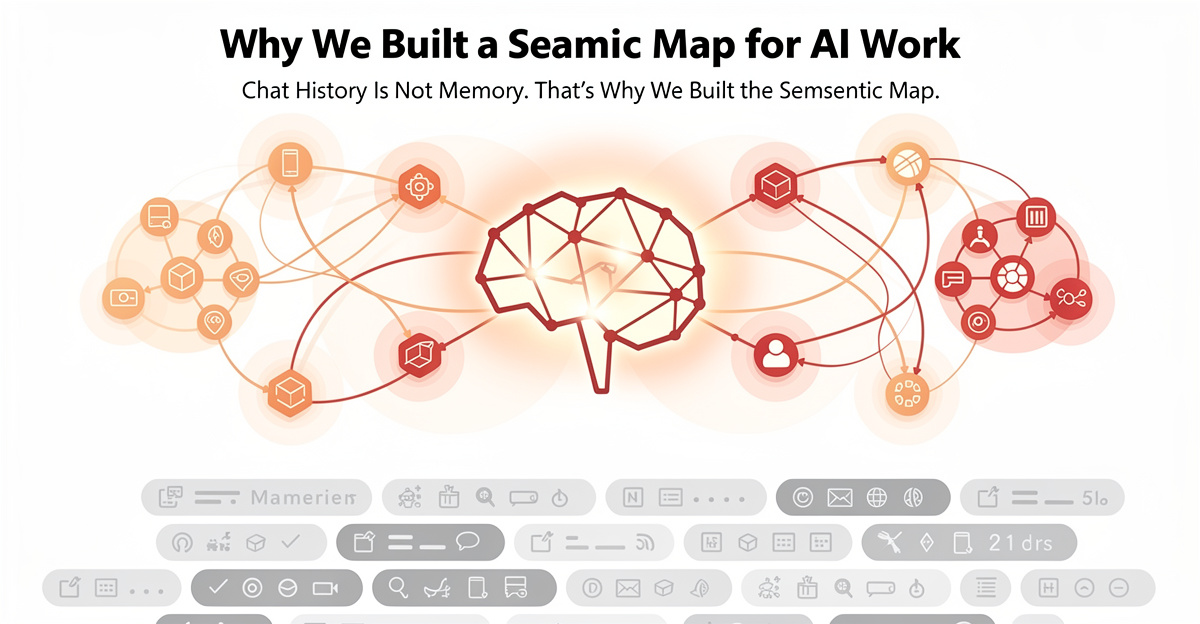
Chat history is not project memory
The decision you made three weeks ago
The semantic map exists because ai brain architecture needs more than chat history to stay coherent—and chat history is a terrible place to keep project decisions. It records what happened, but it does not help you find what mattered. That distinction sounds small until you need one architectural answer from a conversation you had three weeks ago, and the platform gives you a polite pile of chronological fog.
I hit that wall in March 2026. I knew I had discussed a specific architecture decision with Claude. I remembered the shape of it. I remembered the trade-off. I even remembered the feeling of finally landing on the answer. What I could not find was the actual conversation.
That is when the annoyance became a product requirement. I wasn’t losing code. I was losing my own thinking—the semantic memories of decisions made, trade-offs weighed, and conclusions reached. The code was still there. The chat was probably still there too, buried somewhere behind search, title guesses, and platform memory that did not belong to me in any practical way.
A transcript preserves sequence. A project needs memory. Those are not the same thing.
Why having the data was not enough
The strange part was that nothing had technically disappeared. The conversation existed. The decision existed. The evidence existed. I had the data, but I did not have retrieval. Semantic memories were scattered across prompts, answers, side comments, generated artifacts, pasted snippets, screenshots, plans, rules, and whatever half-panicked note you wrote at 12:43 AM because something finally made sense. A normal chat archive stores all of it in one long stream. The stream is honest. It is also exhausting.
That is the trap with AI work. The important material is scattered across prompts, answers, side comments, generated artifacts, pasted snippets, screenshots, plans, rules, and whatever half-panicked note you wrote at 12:43 AM because something finally made sense. A normal chat archive stores all of it in one long stream. The stream is honest. It is also exhausting.
The more I used AI as a collaborator, the worse this became. Every session produced more useful context, but the usefulness decayed the moment it landed in the archive. Without a semantic map — an ai brain that tracks how decisions connected to each other — I could remember that something happened. I could not reliably recover the proof.
That is not a search problem alone. Search helps when you remember the words. It does not help when you remember the decision, the pressure, or the consequence, but not the exact phrase the assistant used that day.
Fragmentation turns progress into rework
AI work fragments by default. One conversation holds the plan. Another holds the bug fix. A third holds the rule we created because the bug fix was too clever for its own good. Then there are the files, the local notes, the exported Markdown, the code, the screenshots, and the one prompt that finally made the model stop producing corporate oatmeal.
After a while, the problem is not that you lack context. The problem is that the context is everywhere.
That is where rework starts. You re-explain a decision. You re-derive a constraint. You rebuild a prompt. You ask the AI to remember something it cannot see. Sometimes it does a decent job. Sometimes it confidently rewrites history with the tone of a consultant who just learned the word “workflow.”
I have personally tested many avoidable mistakes for quality assurance purposes. This one kept repeating. The more work I captured, the harder it became to reuse that work without a system underneath it.
The transcript trap
Sequence is not meaning
A transcript is organized by time. A project is organized by meaning. That is the first mismatch.
Time is useful when you want to replay what happened. It is less useful when you want to answer a question like: Why did we decide not to put this in a Netlify function? Which bug caused this rule? Where did the naming change happen? Which prompt generated the plan we actually used? Which artifact was evidence, and which one was just an intermediate draft?
Those answers do not live neatly in sequence. They live across turns, files, and decisions. A single useful answer may require one source turn, one rule, one plan section, and one code reference. A transcript keeps those pieces far apart because the conversation moved between them naturally.
That is normal for human work. We jump around. We make decisions in loops. We discover the real question halfway through the answer. Chat history captures that process, but it does not turn the process into a semantic map of usable memory.
The transcript is a record. It is not an interface.
Everything captured can still mean nothing surfaced
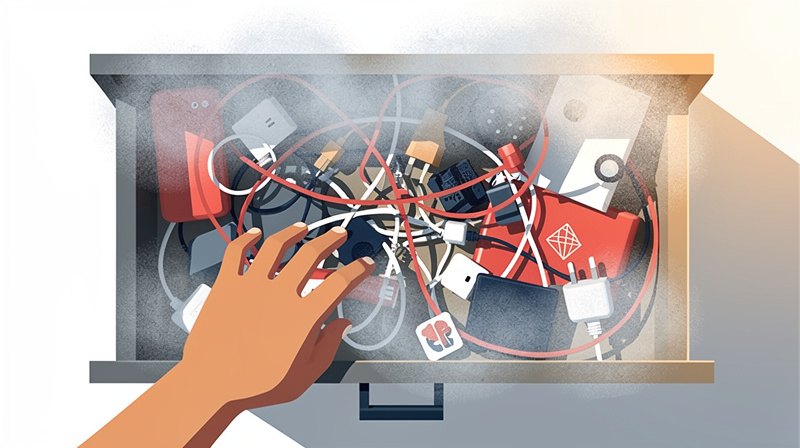
Capturing everything feels safe. It is the developer version of putting every cable in one drawer and calling it infrastructure.
The drawer contains the cable you need. It also contains three chargers from devices you no longer own, a mysterious adapter, and enough dust to qualify as a second project. Search has the same failure mode. It can prove something exists without making it easy to use.
That mattered for GRASPPY because the product itself captures AI work. Conversations, plans, research, rules, memory, artifacts, decisions, verification results, and code context all belong in the loop. If we only saved them as files or transcripts, we would reproduce the same problem with better folder names.
So the question changed. It was not “Can we store the work?” We could. It was “Can we surface the smallest reliable piece of evidence — the right semantic memories — when the user needs it?”
That question became the spine of the semantic map.
A record is not a usable memory
Usable memory guides you. It shows where to look next, making fewer things need opening. For AI agents, finding evidence is crucial without overwhelming them with too much context.
That’s more important than people realize. Loading everything into the system can be costly and inefficient; it feels powerful but starts causing issues when decisions mix old and new or an option is wrongly treated as current.
A good memory setup needs clear limits. It requires categories to function properly, distinguishing between turns, rules, plans, artifacts, external documents, and other types of information.
This approach ensures that the system doesn’t treat everything uniformly; a rule isn’t the same as a turn, nor is a prompt like a plan. Each type of content has its specific role to maintain focus on relevant data without getting overwhelmed by an unorganized mass.
Why a generic graph was not enough
Pretty dots do not answer questions
Graphs are seductive. Put enough dots on a screen, connect them with lines, and it starts looking like intelligence. I understand the temptation. I fell for it for about five minutes, which is short by my standards.
The problem is that a generic graph often stops at showing relationships. This topic connects to that topic. This document mentions that entity. This cluster is bigger than that cluster. Interesting, but then what?
If a user clicks a node and lands nowhere useful, the graph has failed. If the line tells you two things are related but cannot show the evidence, the graph is a mood board with better math. That may be fine for exploration. It is not enough for project memory.
The semantic map in GRASPPY had to be built for retrieval, not decoration. Every actionable node needed a route back to something real: a turn, a document, an artifact, an attachment, a rule, a plan section, or a local file.
The relationship can suggest. The source has to prove.
Search still makes you guess
Search is necessary, but search alone makes you carry too much in your head. You have to know the term, or at least a close cousin of the term. You have to decide which result looks trustworthy. Then you have to open it, scan it, and hope the relevant evidence is not hidden halfway down a long file.
That is tolerable with ten files. It gets ugly with thousands.
In one local Context Vault snapshot, the registry showed 3,030 files, 188 conversations, and 1,245 artifacts. The semantic map view, with everything selected, showed 12,998 visible nodes and 17,935 edges. That sounds like too much until you realize the alternative is asking a human to remember where all of it lives.
Search says, “Here are candidates.” A graph says, “Here is the neighborhood.” A source reader says, “Here is the proof.”
The map had to combine all three. Otherwise, it would just move the guessing from one screen to another.
Built for evidence, not vibes
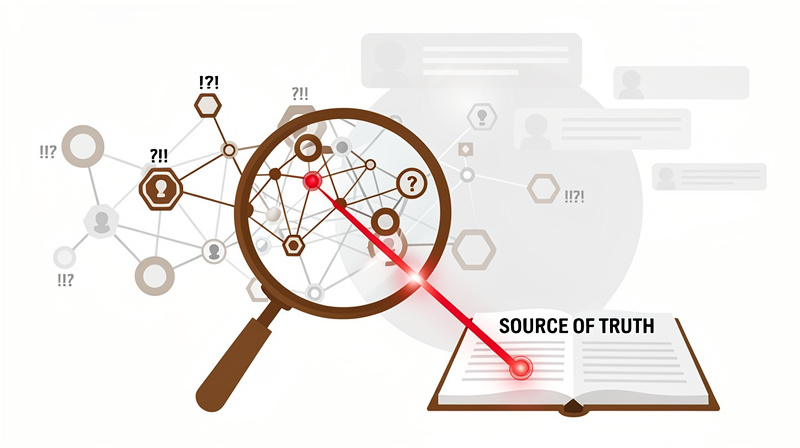
The most important design rule became simple: graph relationships are routing hints, not final truth.
That sentence saved the feature from becoming too clever. A relationship can be wrong, stale, incomplete, or merely adjacent. A graph can show that two nodes share a topic, entity, or term. It cannot decide that the answer is proven. Proof still lives in the source.
So the semantic map became an evidence browser. It shows categories and relationships, but every useful path ends with a source. Click a turn. Open the document. Inspect the artifact. Read the local Markdown. The map does not ask the user to trust the line. It asks the line to take the user somewhere verifiable.
This also made the interface more honest. The graph can help you find the place. It does not pretend to be the place.
That sounds obvious after the fact. Most useful architecture decisions do. Before the decision, they are just arguments wearing different shirts.
Nodes are evidence units
A turn is small enough to trust
For conversations, the smallest useful evidence unit is usually the turn. Not the whole chat. Not the summary. The turn.
A turn has context around it, but it is still small enough to inspect. It can contain the actual decision, the warning, the command, the rejected option, or the moment where the assistant did something suspiciously confident. That matters because AI work often changes direction inside a single conversation.
If the unit is too large, the user has to scan. If the unit is too small, the meaning falls apart. Turns landed in the useful middle. They made conversation memory searchable without forcing every result to become a transcript-reading assignment.
This is also where the map starts helping local AI. A local model does not need the entire conversation archive to answer one question. It needs the few turns that prove the answer — the semantic memories that point directly to relevant decisions and outcomes. Smaller evidence units make that possible.
It is not magic. It is indexing with better manners.
Documents needed a different depth
Documents are different. A documentation file can be usefully split by section. A skill may be better represented as one whole item. A rule is usually short enough to keep intact. A plan can grow until the semantic map — the ai brain’s working memory — starts looking like someone spilled architecture decisions across a circuit board.
So node depth became a real design question. What is the smallest unit that still carries meaning?
For some content, section-level nodes are perfect. For other content, chapter-level nodes are better. The same structure that helps a user find one paragraph in documentation can make a skill harder to reason about if it breaks the skill into fragments.
We eventually treated this as configurable architecture, not a fixed truth. Conversations can stay turn-level. Skills and prompts can move higher. Documentation and plans can be grouped more aggressively as they grow.
That is the trade-off: precision versus load. Good systems let the user move that line.
Categories protect meaning
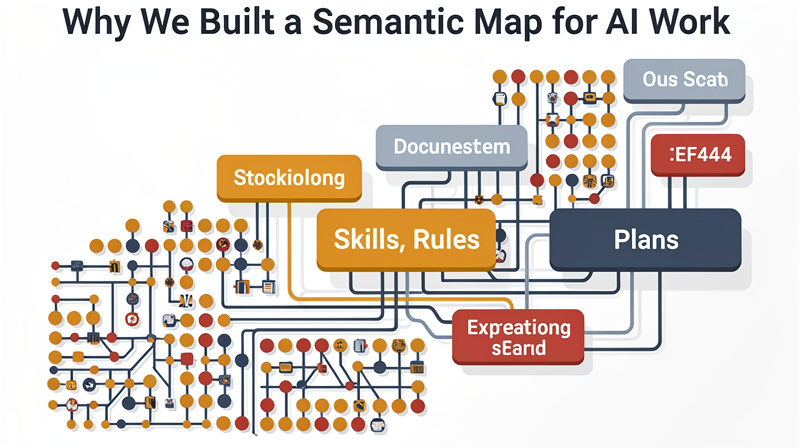
The map tracks many node types because the work itself has many shapes: turns, conversations, artifacts, attachments, compactions, highlights, rules, prompts, skills, research, journal entries, project docs, code, plans, and external files.
Those categories are not just filters. They are meaning guards.
A rule should not behave like a chat turn. A prompt should not be confused with the output it generated. A research note should not have the same weight as a final plan. If everything becomes a blob of semantically similar text, the user loses the difference between evidence, instruction, draft, and decision.
That is one reason generic AI memory can feel slippery. The system remembers words, but not roles. It knows that two items are related, but not which one should govern the next action.
GRASPPY needed stricter boundaries. The user can still search across everything, but the map shows what kind of thing each result is. That small label changes how much trust the user places in it.
Zooming beats opening giant files
The best graph interaction is not “look at this graph.” It is “get me to the thing.”
That is why zooming matters. A user can start with a large map, filter to one category, search a term, select a cluster, and open a source. The motion is from broad to narrow. It should feel like moving through a library with signs, shelves, and page numbers, not like shaking a box of index cards until one falls out.
This is also where performance and usability meet. The map can handle thousands of nodes, but it should not force the user to look at all of them all the time. Default views matter. Filters matter. Search order matters. If a user searches first and then expands the category, the interface feels different than selecting everything first and then asking the browser to behave.
The data may be large. The moment of use should be small.
That was the whole point.
The semantic map as an AI brain
The map is not the brain, but it gives one shape
I do not like pretending software is a memory system. It usually leads to bad metaphors, worse diagrams, and somebody eventually saying “neural” in a meeting. Still, the phrase ai brain points at a real problem: AI systems need organized working memory, not just bigger context windows.
The semantic map is not an AI memory system by itself. It is a way to give memory shape. It shows the pieces, their types, their relationships, and their route back to source evidence. That structure is what makes an agent more useful in the next session.
Without it, the agent starts from a cold prompt and a pile of files. With it, the agent can begin with routing layers: indexes, topic maps, high-signal turns, briefs, source paths, and evidence nodes.
That does not make the model smarter. It makes the work around the model less chaotic.
Some days, that is the same thing in practice.
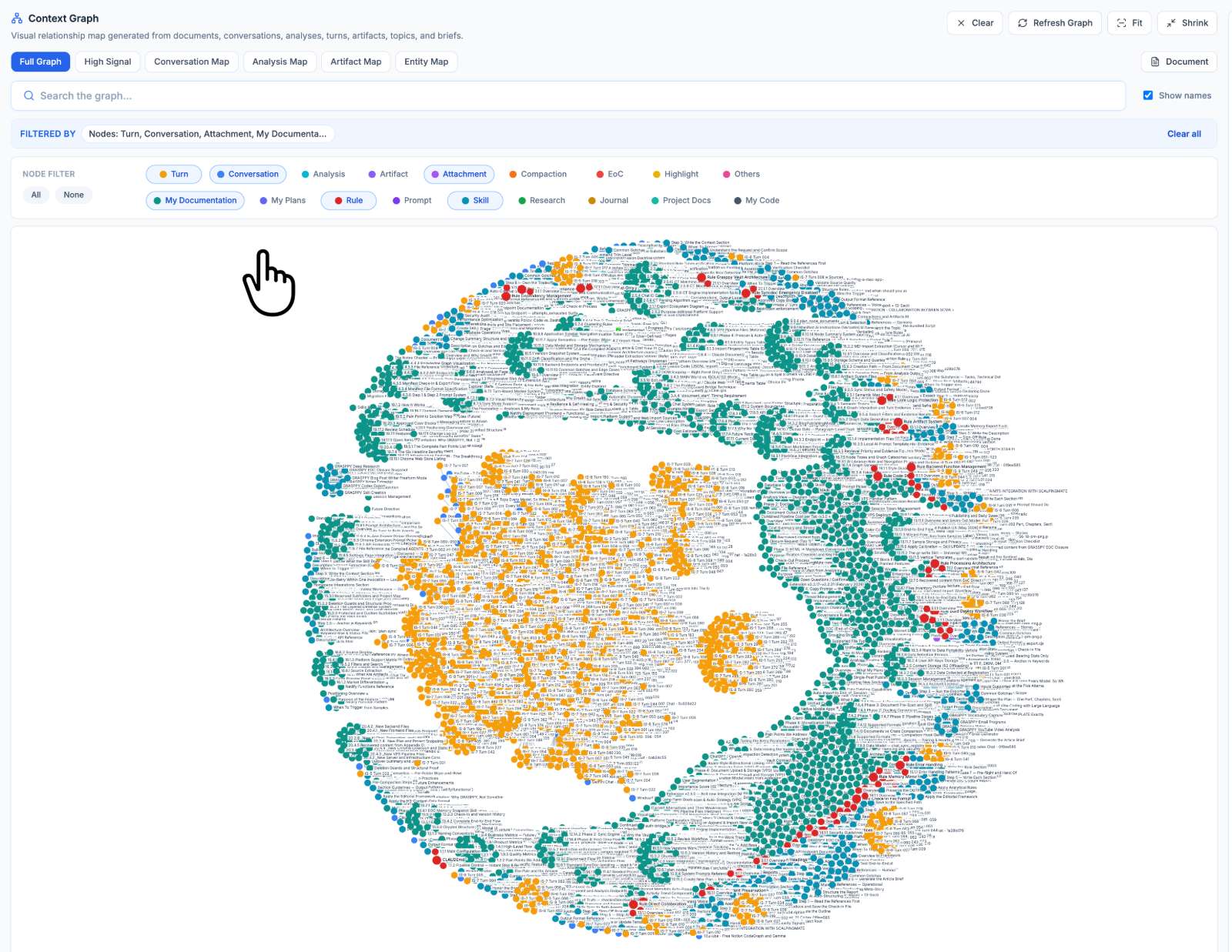
Semantic memories need receipts
The phrase semantic memories can sound abstract, but in a project it means something very concrete. It is the memory of what a thing meant, not just where it appeared.
A conversation turn might mean “we rejected this architecture.” A rule might mean “never do this again.” A plan section might mean “this is the approved implementation path.” A code file might mean “this is where the behavior actually lives.” Those meanings are different, even if the words overlap.
That is why receipts matter. If a memory cannot point back to its source, it becomes rumor with a nicer interface.
The semantic map tries to avoid that. It can show related terms and topics, but the user can open the source. The evidence browser can show nearby nodes. The document reader can open the file. The user can inspect the turn, not just accept the summary.
Trust does not come from the graph looking smart. Trust comes from clicking through and finding the thing the graph promised.
Local AI needs smaller packages
Local AI changes the economics of context. It is private and useful, but it is not happy when you hand it the entire attic and ask for one screwdriver.
That is where a semantic map helps. It can find the few pieces that matter before the model reads anything. Instead of sending 340 MB of local mirror content, the system can route through indexes, categories, topics, and source nodes. The agent gets a small evidence set. The user gets a better answer. The machine gets to keep breathing.
This is especially important for independent builders. I do not want a workflow that only works if every question goes through an expensive cloud model with a giant context window. I want local AI to participate in real project work. That requires discipline around what context gets handed over — and around which semantic memories are worth indexing in the first place.
The map is the discipline. It is scaffolding I needed to stay sane.
Bringing your own markdown
The missing bridge was obvious after we named it
The first version of Context Vault mostly understood GRASPPY-generated material. Imported chats, analyzed documents, generated docs, plans, rules, skills, prompts, research, and journal entries all made sense. That was useful, but it had a blind spot.
People already have semantic memories.
Many AI builders keep Markdown files in project folders, Obsidian vaults, scratch directories, and whatever system survived the last productivity tool migration. Those files may contain decisions, prompts, references, snippets, and project history that never passed through GRASPPY. Ignoring them made the memory system — the AI behind each project — too narrow.
The answer was not to build a massive migration wizard. The answer was a folder.
The others folder became the lightweight bridge. Put Markdown there, sync, and the Context Vault can see it. No ceremony. No ownership claim. No demand that the user abandon the system they already trust.
Sometimes the boring design wins because it respects gravity.
The Obsidian second brain should not be trapped either
Obsidian is popular with AI developers for a reason. It is plain files. It is local. It does not require pretending a sidebar is a life philosophy. If someone already has an Obsidian second brain, the worst thing GRASPPY could do is demand they recreate it.
So the bridge had to be additive. GRASPPY can read Markdown placed in grasppy-exports/others/ and make it visible through Context Vault and the semantic map. The file remains local. The user still owns it. The map just makes it discoverable.
This is not the same as importing the file into GRASPPY as native content. That distinction matters. Native content can have richer structure, summaries, and workflows. External Markdown can start with visibility and searchability. That is already a large improvement over invisibility.
The point is not to replace the second brain. The point is to connect it to the work.
External context needs limits
The others folder started with Markdown because scope matters. If you accept every file type on day one, you build a file viewer instead of solving the memory problem.
Markdown is the right first format because it is readable, local, portable, and already common in technical workflows. It is also friendly to AI. A local agent can open it, quote it, summarize it, and reason across it without asking for a proprietary decoder ring.
PDFs, HTML, CSV, JSON, and text files may all be useful later, mostly for preview and recognition. But the memory bridge should stay disciplined. The system should know what it can parse, what it can preview, and what it should leave alone.
That boundary keeps the feature honest. It also keeps me from accidentally building a document-management platform while trying to finish a blog post. I have enough browser tabs already.
Why this beats dumping everything into context
The smallest reliable evidence set wins
The best answer usually comes from the smallest reliable evidence set. Not the biggest. Not the most dramatic. The smallest set that proves the point.
That is the core retrieval idea behind the semantic map. Start with routing layers. Search indexes. Open topics. Follow graph relationships. Then open the source turns or documents that actually matter.
This is how a good human researcher works too. You do not read the whole library because one sentence is missing. You check the catalog, find the shelf, pull the book, and open the page. The AI version should not be less disciplined just because tokens exist.
Large context windows can hide sloppy retrieval. They do not remove the need for retrieval. They just make it easier to postpone the pain until the answer sounds confident and wrong.
That is not a future I want to debug more times than I want to count.
Hallucination often starts as bad routing
People talk about hallucination like it is only a model problem. Sometimes it is. Sometimes the model simply did not have the right evidence.
If the prompt gives the AI old plans, rejected ideas, drafts, and final rules with no distinction between them, the model has to guess which one matters. It may guess well. It may also produce something that sounds coherent while quietly violating the current project truth.
That is why categories and source routes matter. The semantic map helps the ai brain separate decisions from drafts, rules from conversations, prompts from outputs, and local notes from generated vault files — functioning like semantic memories that distinguish what was decided from what was merely considered. It does not make hallucination impossible. Nothing does. It reduces the number of chances we give the model to confuse the room.
Good context is not just more context. Good context is selected context with provenance.
That word sounds fancy. It means: where did this come from, and why should I believe it?
Token savings are a side effect
Saving tokens is useful, but it is not the main reason to build the map. The main reason is correctness.
Still, the token savings are real. If an agent can read one topic index, two source turns, and one rule instead of opening twenty large files, the whole workflow gets cheaper and faster. Local AI benefits even more because it often has tighter practical limits.
The result feels less like “ask the model to remember everything” and more like “give the model the evidence it needs.” That is a different kind of collaboration. The user stays in control of the trail. The AI can still reason, draft, compare, and explain. But it is reasoning from a smaller, cleaner bundle.
This also makes handoffs better. A new AI session can start with the same routing protocol instead of begging the user for a recap.
I like tools that reduce the number of times I have to explain myself. My coffee budget has limits.
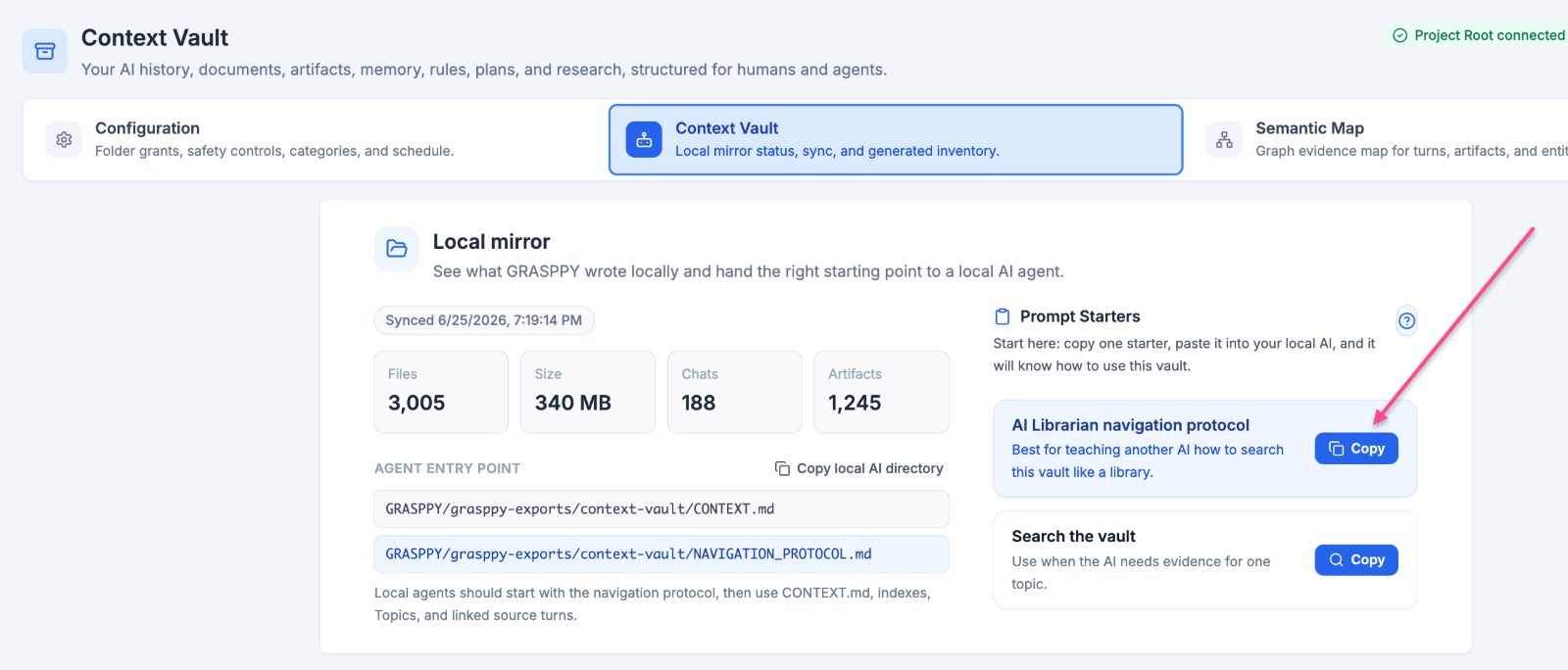
How this actually works
Think of it as a library card catalog
The nodes are cards. Some cards lead to conversation turns, while others point to documentation or specific rules, prompts, skills, artifacts, or external Markdown resources. The lines between these nodes represent relationships that can be filtered based on the type of card you’re interested in.
The folder on the desk
The others folder is the folder on the desk where you put material from outside the library system.
You do not rewrite the note. You do not move your whole Obsidian vault into a new tool. You place the Markdown where GRASPPY can see it, then sync. The system reads enough to make the file visible and searchable in the map.
That is it.
The file is still yours. The source remains local. GRASPPY does not need to pretend it created the note. It just makes the note part of the working context.
This matters because real work is messy. Some decisions happen in chats. Some happen in docs. Some happen in a Markdown file named something like final-final-actually-read-this.md, because civilization is fragile and naming is hard.
The map should meet the work where it is.
The receipt at the end
If the card says a decision happened, you should be able to open the evidence. If a topic appears in the map, you should be able to trace it back to its source. If a rule is connected to a bug, you should be able to follow that connection back to the thing that broke.
Otherwise, the map becomes another place where confidence can hide.
Why we built it this way
Dogfooding made the weak spots impossible to ignore
GRASPPY became its own worst test case, which is usually how you know a product is getting real.
The project has rules, plans, prompts, skills, research, documentation, artifacts, journal entries, code, imported chats, and a growing local mirror. It also has my usual operating style, which is best described as “move fast, then create a rule explaining why that was dangerous.”
That made the Context Vault hard to fake. If the semantic map — the ai brain organizing everything, including the semantic memories that accumulate across sessions — could not handle GRASPPY’s own memory, it was not ready for anyone else’s. If source opening failed, I noticed. If categories were missing, I noticed. If the interface had two buttons that made me wonder whether I had to sync twice, I noticed that too.
The feature improved because the product had to survive its own use.
That is not glamorous. It is useful.
The controls got simpler because confusion is expensive
One of the best changes had nothing to do with graph algorithms. It was removing doubt.
At one point the Context Vault area had more controls than it needed. There was a Sync Now button in one tab and another sync control elsewhere. Prompt starters were useful, but the labels overlapped. The local directory button looked like an instruction prompt. The whole page worked, but it made the user think too much about the tool instead of the work.
So we simplified it. Sync belongs in configuration. Context Vault is for using already-synced data. The directory button became “Copy local AI directory.” Prompt starters became clearer. The interface stopped asking the user to interpret our internal architecture.
That lesson keeps repeating. The fewer controls, the fewer buttons, the fewer moving parts that a user needs to think about, the better it is.
Software should not make the user feel like they are defusing a toaster.
The map exposed the real product
The semantic map changed how I understood GRASPPY.
Before, I could describe the product as a supervised AI development system. That is still true. But the map made the deeper thing visible: GRASPPY is a context system. It turns AI work into structured memory that can be inspected, filtered, routed, and reused.
That is different from a project manager. It is different from a chat archive. It is different from a second brain. It sits underneath those things and asks a practical question: what does the next AI session need to know, and where is the evidence?
Once that became visible, the rest of the product made more sense. Rules are guardrails. Prompts are reusable instructions. Plans are execution memory. Research is reasoning context. Artifacts are outputs with provenance. The map lets them appear in one place without pretending they are the same thing.
That is what I had been building. Solving it became the work.
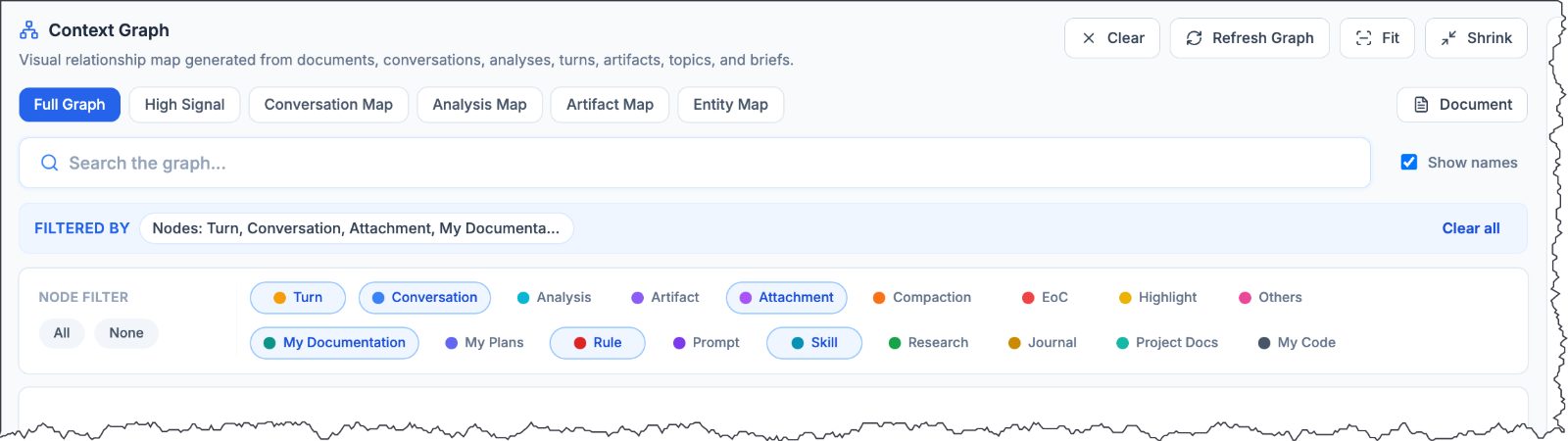
Where the semantic map goes next
Node depth should become a user choice
The next version of the semantic map should let users tune depth by category.
Some users will want fine-grained documentation nodes. Others will prefer chapter-level grouping. Conversations probably need turn-level evidence because a single turn can carry a decision. Skills and prompts often make more sense as whole units. Plans may need different grouping as they age.
This is not just performance tuning. It changes how people think with the map. Fine-grained nodes are better for precision. Higher-level nodes are better for scanning and stability. The right answer depends on the content and the user’s current task.
The system can provide sane defaults. The user should still be able to adjust the grain.
That keeps the map from becoming too fixed. It also avoids pretending that every kind of knowledge should be sliced the same way.
Context packages are the real prize
The map is not only for humans. It is also a routing layer for AI agents.
The long-term prize is context packaging. A user asks a question. The system finds the relevant topics, source turns, rules, plans, documents, and external Markdown. Then it hands the agent a compact evidence bundle instead of a vague instruction to “look around.”
That is where semantic memories become operational. They stop being an abstract archive and become a working input for the next task.
This is especially important for local AI. The local model should not need to browse the whole vault every time. It should receive a focused packet with source paths, evidence units, and enough surrounding context to answer without guessing.
That is the future I want: not bigger prompts, better routing.
I know. That sounds like something a person with too many folders would say.
The destination is proof
The final test of the semantic map is simple. Can you click from a visual node to the source evidence?
If yes, the map earns its place. If no, it is another attractive layer between the user and the truth.
That standard keeps the feature grounded. It prevents the graph from becoming an ornament. It keeps local files, generated context, and database records tied back to actual evidence. It also keeps the AI honest, or at least gives the human a way to catch it when it is not.
I still like the visual part. Watching a project become a map is satisfying. But the beauty is not the point. The point is finding the decision, the rule, the prompt, the source turn, or the Markdown note without re-living six months of your own work.
If your AI brain cannot find the receipt, it is not memory yet. It is just a very confident junk drawer.
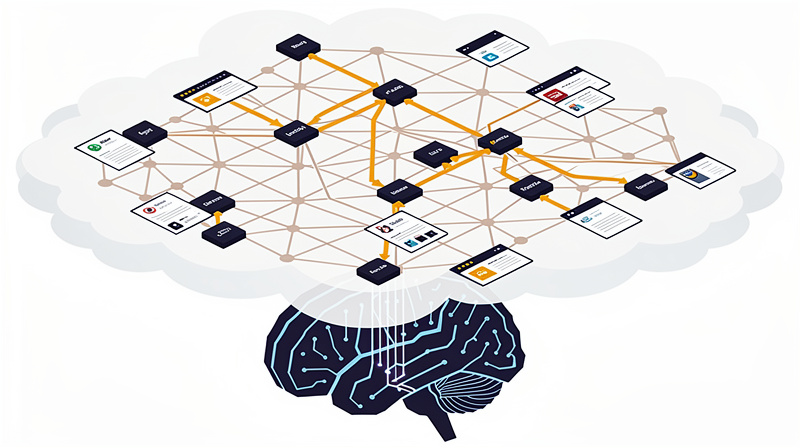
FAQ
How does the Semantic Map help users efficiently retrieve important decisions from their AI work, especially when they need them from months ago?
The Semantic Map significantly aids in this regard by organizing all related project material into a structured, searchable format. Instead of relying solely on linear chat history that may not preserve the exact context or decision-making process, the map provides a visual and navigable evidence system where each node represents a small yet meaningful unit of evidence such as a turn, document, rule, plan, or artifact. This allows users to quickly navigate through their AI work and find specific decisions without having to sift through large amounts of data or rely on keyword-based searches that may not accurately capture the intended context.
What makes the Semantic Map different from generic graph features in terms of its utility for project memory?
The key difference lies in its design purpose. Unlike a generic graph, which focuses on visualizing relationships without necessarily linking back to source evidence, the Semantic Map is designed around retrieval and verification. Each actionable node has a direct route back to its source, whether it’s a turn, document, artifact, or other related content. This ensures that while the map visually represents connections, these are hints for further exploration rather than definitive truths; actual proof of concepts resides within the original sources.
When should one consider using the Semantic Map over traditional search tools in managing AI-native work?
The Semantic Map is particularly beneficial when immediate and accurate retrieval of specific decisions or contextual information is required, especially in scenarios where traditional keyword searches might fail to capture the nuances of a conversation or decision. It excels for users who need to trace back evidence quickly from various sources like chat logs, documents, prompts, rules, plans, and more. The map’s structure allows for faster navigation through AI work compared to the trial-and-error method often employed with general search engines.
How does the fragmentation of AI work affect its usability, and how can a Semantic Map improve this?
Fragmentation is a common issue in AI work where information generated during various stages of development (conversations, decisions, documents, prompts) are stored separately, leading to difficulties in accessing or reusing this information. The Semantic Map addresses this by providing a unified interface that integrates all related content into one visual system, making it easier for users to navigate and understand the connections between different pieces of work. This not only improves usability but also reduces the likelihood of important decisions being lost or overlooked due to poor organization.
Related posts
The AI Workflow Stack Behind GRASPPY (And Why Simple Wins)
Discover the simple AI workflow stack powering GRASPPY's memory system. Learn why choosing straightforward tools over complex architectures delivers better results.
Why I Built an AI Second Brain for My Chat Conversations
Discover how I built an AI second brain to organize and search through my chat conversations, creating a personal AI wiki for better knowledge management.
AI Chat Session Management: Master Claude Code Debugging
Master AI chat session management with Claude for better code debugging. Learn closure reports, context preservation, and seamless workflows.
 Powered by GRASPPY