Overview
Summary
The useful answer before the supporting detail.
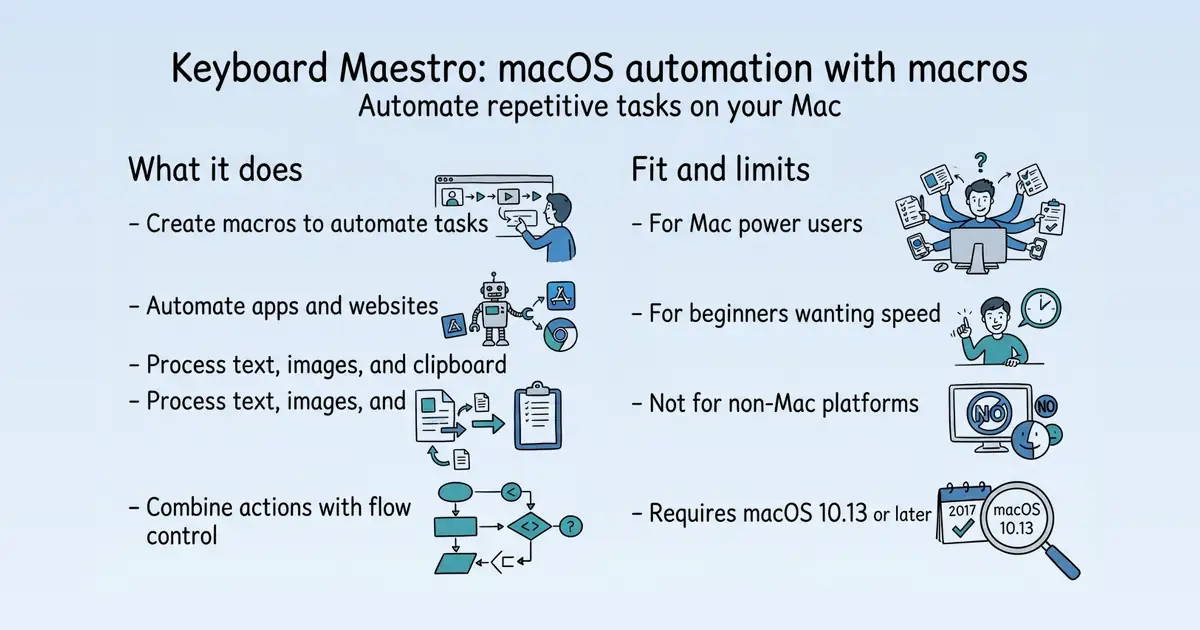
Keyboard Maestro is a macOS automation tool that lets users create macros to automate applications, websites, text, and images, from simple tasks to complex multi-application workflows S1. It is used by power users and beginners to save time and improve accuracy on repetitive tasks S1. The product offers a one-time purchase model with a free trial, and version 11 adds dozens of actions and a new macro wizard S1.
Product identity and positioning
Name, category, positioning, audience, and first-party claims.
- Identity: Keyboard Maestro is a macOS automation software for creating macros S1.
- Core purpose: It solves the problem of repetitive manual tasks by automating them S1.
- Intended users: Power users and beginners who want to work faster on their Mac S1.
- Product scope: It is a desktop application, not a platform, with hundreds of built-in actions S1.
- Positioning: The vendor positions it as the leading software for macOS automation S1.
- Claimed distinction: It claims to automate almost any task you can perform manually S1.
Use cases and audiences
Who the product serves and the jobs it is designed to handle.
| Audience | Practical use case |
|---|---|
| Power users | Automate complex multi-application reporting systems S1. |
| Web users | Fill in web forms, visit commonly read pages, and download reports or bank statements S1. |
| Meeting organizers | Combine name, time, and location into a single text invite to a meeting S1. |
| Beginners | Quickly create macros to automate simple tasks S1. |
Features
Features and capabilities
Core functions and evidence-backed product capabilities.
| Capability | What it does |
|---|---|
| Macro creation | Quickly create a new macro and configure it further S1. |
| Application automation | Automate applications or websites, on command or scheduled S1. |
| Text and image processing | Create reports, transform text, OCR images, and expand text snippets S1. |
| Clipboard history | Work with multiple entry clipboard history and filter clipboards S1. |
| Web automation | Fill in web forms, visit pages, download reports, and format web pages S1. |
| Flow control | Combine actions with flow control, conditions, and looping for complex tasks S1. |
| Security settings | New Security Settings pane shows status of system security permissions S1. |
Integrations and ecosystem
Connected products, exports, APIs, and workflow compatibility.
| Integration or interface | Type | What it enables |
|---|---|---|
| Applications | Integration | Automate applications on your Mac S1. |
| Web sites | Integration | Automate web sites, including filling forms and downloading reports S1. |
| Text and images | Data portability | Process text and images, including OCR and text expansion S1. |
| Clipboard | Data portability | Work with multiple entry clipboard history S1. |
Pricing
Pricing and plans
Published plans, free access, trials, credits, and pricing limitations.
Trust and proof
Customers, proof, and reviews
Published proof, customer signals, and review evidence.
Independent reviews
No citation-grounded independent review links were found.
Customer proof
No named customers, testimonials, or customer case studies were found.
Independent mentions
- Keyboard Maestro 11.1.1: Work Faster with Macros for macOS — Keyboard Maestro 11.1.1: Work Faster with Macros for macOS ... Automate applications or web sites, text or images, simple or complex, on command or scheduled. You can automate virtually anything. ... Launch commonly used applications, open specific documents, rearrange windows, play music, handle email, you can do it all with Keyboard Maestro, faster, easier, and much more reliably. ... Create reports, transform text, OCR images, download files, expand text snippets, perform calculations, filter
- About Keyboard Maestro Keyboard Maestro Wiki — you can activate at any time. For example, your macros could help you navigate runnings applications or work with an unlimited number of clipboards. Best of all, every macro you create is available using simple keystrokes you choose. The only limit to
- Keyboard Maestro 11.0.4: Work Faster with Macros for macOS — or images, simple or complex, on command or scheduled. You can automate virtually ... Launch commonly used applications, open specific documents, rearrange windows, play music, handle email, you can do it all with Keyboard Maestro, faster, easier
- Keyboard Maestro 11.1.1: Work Faster with Macros for macOS — images, simple or complex, on command or scheduled. You can automate virtually anything. ... Launch commonly used applications, open specific documents, rearrange windows, play music, handle email, you can do it all with Keyboard Maestro, faster, easier
- Keyboard Maestro 11.1.1: Keyboard Maestro Store — Keyboard Maestro is engineered by Stairways Software Pty Ltd and fulfilled by FastSpring. Keyboard Maestro is licensed on a per-user basis and individual users may use it on up to five Macs. ... Maestro may require the purchase of an upgrade license. For
- manual:Overview Keyboard Maestro Wiki — Keyboard Maestro comes complete with a clipboard history, saving everything you copy for later use so you’ll never lose something on your clipboard again, as well as named clipboards where you can store commonly used images or text. ... Keyboard Maestro also includes a powerful Application Switcher and Window Switcher so you can cycle through applications or windows, closing, hiding, launching, and more as well as an Application Launcher that lets you quickly launch applications. ... Keyboard Ma
- Keyboard Maestro 11.0.4: Keyboard Maestro Store — Keyboard Maestro is engineered by Stairways Software Pty Ltd and fulfilled by FastSpring. Keyboard Maestro is licensed on a per-user basis and individual users may use it on up to five Macs. ... Maestro may require the purchase of an upgrade license. For
- Getting Started Keyboard Maestro Wiki — first things to do are: - Read the Quick Start (Help ... Do the Tutorial (Help ➤ Tutorial). Now you know the basics of creating a macro. - ... asks, sign up for the Getting Started email series. - Follow @
External links were grounded in one live web search. Search snippets are leads, not independently scraped page content; rejected links remain available in Review evidence.
Company, security, and trust
Ownership, policies, security signals, and public trust evidence.
| Signal | Finding | Source |
|---|---|---|
| Company and ownership | Not published on the collected pages. | — |
| Contact and support | Not published on the collected pages. | — |
| Legal and privacy | If you can no longer receive email using the email address in our database, use this form to change it. To protect against fraud, changes are hand approved by a moderator after several days to allow answering the old add | source |
| Security and compliance | Not published on the collected pages. | — |
| Uptime and status page | Not published on the collected pages. | — |
| Domain registered | 2000-11-05 | — |
| Domain expires | 2027-11-05 | — |
Not found on the collected pages: company and ownership, contact and support, security and compliance, uptime and status page. This only means Scout did not find it on the pages it read; it says nothing about the company itself.
Documentation and product updates
Help resources, product guidance, and visible changes over time.
Not established in the collected sources.
Technical
Technical and delivery signals
Delivery model, platforms, API, data ownership, reliability claims and release activity.
| Signal | Finding | Source |
|---|---|---|
| Delivery model (cloud, self-hosted, desktop, browser extension) | Desktop application for macOS S1. | S1 |
| Platforms and apps | Requires macOS 10.13 High Sierra or later, native on Apple Silicon S1. | S1 |
| API and extensibility (API, SDK, webhooks, MCP, plugins) | Not published on the collected pages. | — |
| Data ownership and export | Not published on the collected pages. | — |
| Performance and reliability claims | Claims to help you do tasks faster, easier, and more accurately S1. | S1 |
| Release activity | Version 11 is out now S1. | S1 |
Measured infrastructure
Domain, certificate, and hosting signals, measured directly.
| Signal | Finding |
|---|---|
| Domain registered | 2000-11-05 — Netregistry Wholesale Pty Ltd |
| Domain expires | 2027-11-05 |
| First archived | 2002-01-18 — web archive |
| TLS certificate | Let's Encrypt, valid, expires 2026-12-20 |
| Security headers | HSTS, CSP, X-Frame-Options |
| Headers not served | X-Content-Type-Options, Referrer-Policy |
| Server header | nginx/1.24.0 (Ubuntu) |
| Nameservers | ns1.peter.com.au, ns2.peter.com.au |
Limits and method
Limitations and open questions
Known constraints and missing evidence from the collected pages.
The collected pages do not mention any competitors. Evidence gaps include lack of detailed feature documentation, customer reviews, and integration details. Open questions remain about API availability, data export, and company background.
Sources, method, and limitations
Evidence inventory, collection method, provider use, and constraints.
This report is based on 6 collected pages from keyboardmaestro.com, including the main product page and email management forms. The external proof search was performed but did not yield additional verified evidence. Limitations include the absence of detailed documentation, pricing pages beyond the main page, and customer reviews.
- Official Websitehttps://www.keyboardmaestro.com/main/Verified
- Official Websitehttps://www.keyboardmaestro.com/form/announceVerified
- Official Websitehttps://www.keyboardmaestro.com/form/enquiryVerified
- Official Websitehttps://www.keyboardmaestro.com/form/manageemailVerified
- Articlehttps://www.keyboardmaestro.com/Verified
- Articlehttps://wiki.keyboardmaestro.com/About_Keyboard_MaestroVerified
- Articlehttps://www.keyboardmaestro.com/docs/Verified
- Articlehttps://www.keyboardmaestro.com/main/storeVerified
- Articlehttps://wiki.keyboardmaestro.com/manual/OverviewVerified
- Articlehttps://purchase.keyboardmaestro.com/Verified
- Articlehttps://wiki.keyboardmaestro.com/Getting_StartedVerified
- Articlehttps://wiki.keyboardmaestro.com/manual/Quick_StartVerified
- Articlehttps://wiki.keyboardmaestro.com/Frequently_Asked_QuestionsVerified