2,432 stars · MIT · v2.2.2 (2025-11-10, the repository page and ungh agree) · Track this in Scout
Renames many files at once from a pattern, prints the full list of changes before writing anything, and can undo a rename that went wrong.
▶Repo detailsthe review · specs · pros & cons · install
What it is
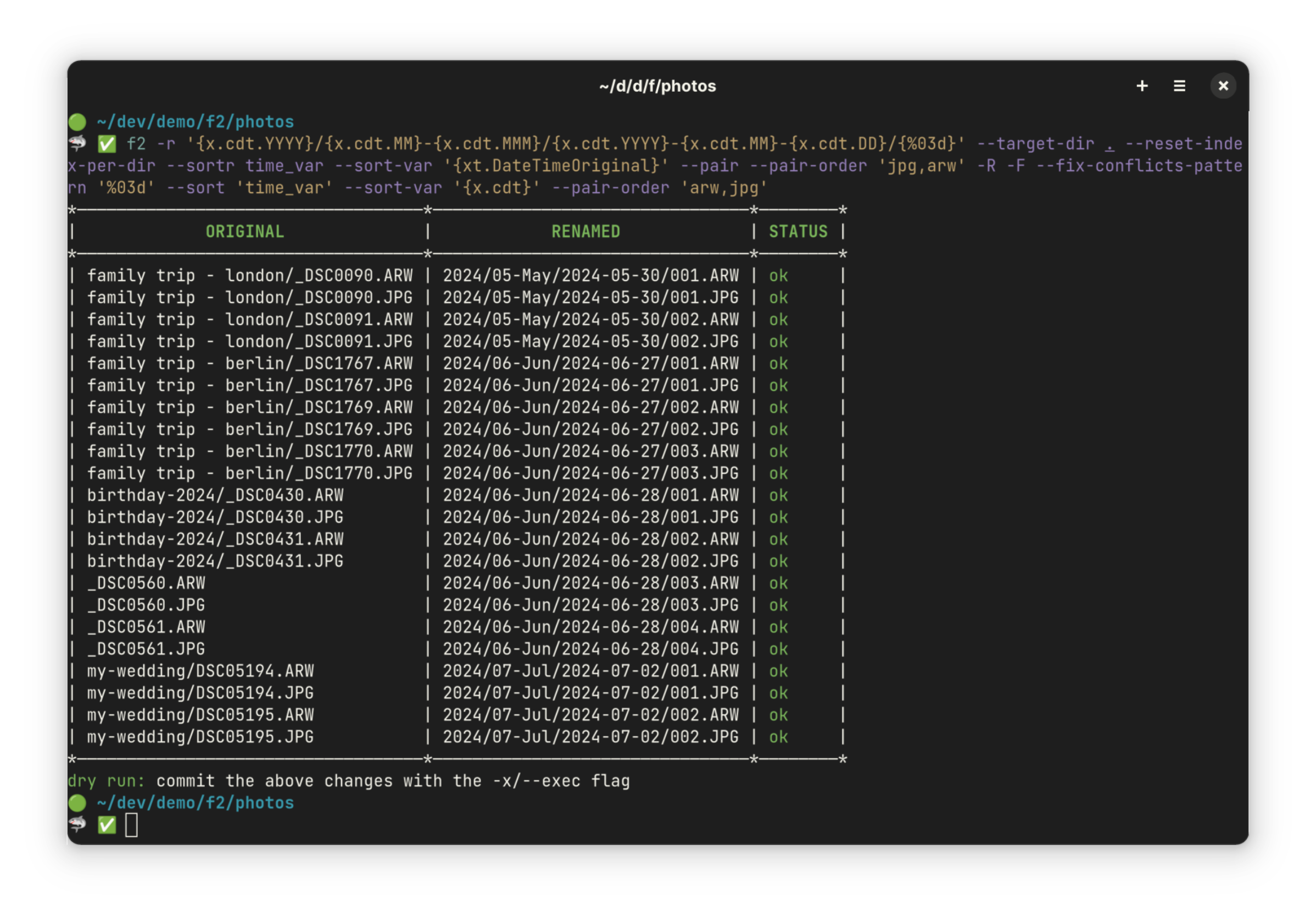
F2 is a cross-platform command-line renamer written in Go. It matches files by text or by pattern, can pull information out of the files themselves — such as the date a photograph was taken — and defaults to a dry run so the result is visible before anything is written.
What it is good for. Anyone with a folder of downloads, scans, invoices or camera files named by four different programs in four different ways. It is also for anyone who has once renamed a batch wrongly and spent the evening undoing it.
- Dry run by default. You see every old name and new name, and the rename only happens when you ask a second time.
- It has an undo. If a rename does go wrong, one command puts the names back.
- It can read EXIF data from photographs and tags from music files, so files can be renamed by the date a picture was taken rather than by the date it was copied.
- The newest release, v2.2.2, is dated 10 November 2025, while code landed on 22 June 2026. The release is ten months old; the project is not.
- It is a command-line tool. There is no window, and the pattern syntax takes twenty minutes to learn properly.
- Renaming is not moving. It changes names in place and does not sort files into folders.
- marcusbuffett/pipe-rename
437 stars, a smaller idea: it opens the list of names in your text editor and applies whatever you saved. Last code 21 February 2026.
Track this in Scout - laurent22/massren
1,397 stars, the same text-editor approach, but its last code landed 8 December 2024, twenty-one months ago.
Track this in Scout - jhotmann/node-rename-cli
172 stars, a Node.js renamer whose last code landed 9 January 2023, forty-four months ago.
Track this in Scout
# with Go installed
go install github.com/ayoisaiah/f2/v2/cmd/f2@latest
# or download the binary for your system from
# https://github.com/ayoisaiah/f2/releases
# see what would happen (nothing is changed)
f2 -f 'IMG_' -r 'holiday_' .
# do it
f2 -f 'IMG_' -r 'holiday_' . -x