6.5k stars · Apache-2.0 · v0.16.2 (2026-05-12), read from the About sidebar on the repository page · Track this in Scout
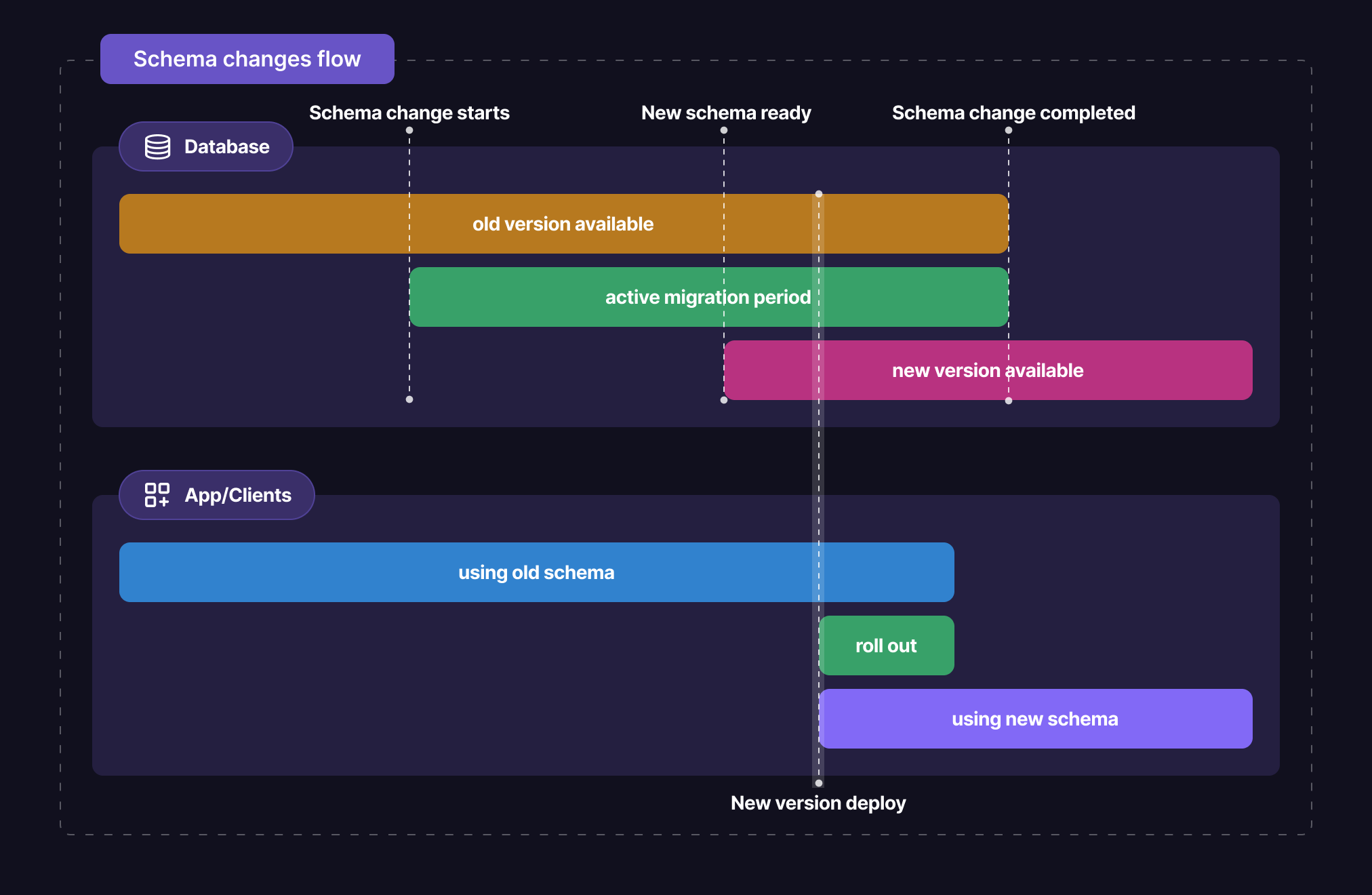
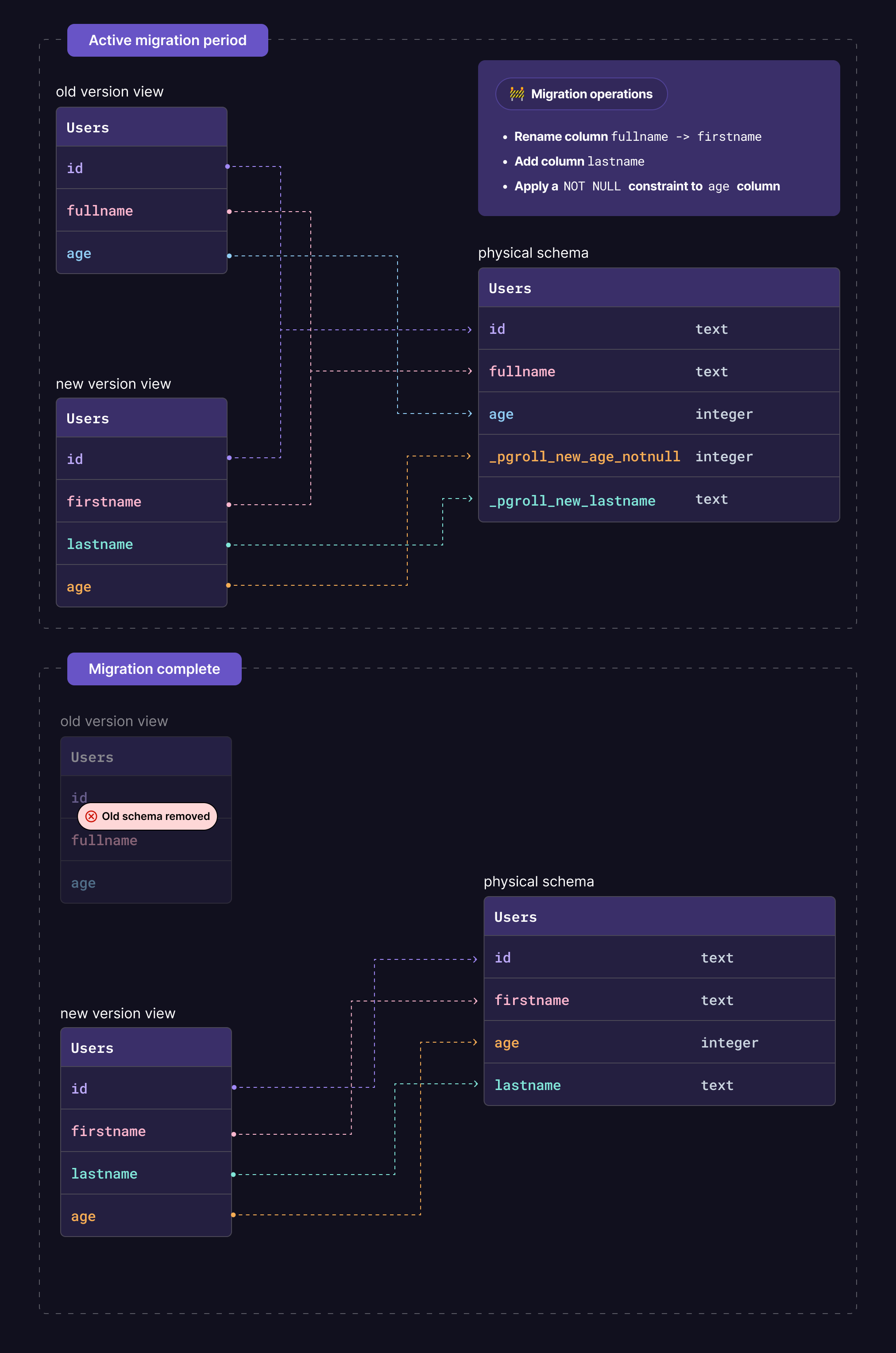
Applies PostgreSQL schema changes as two-phase migrations, so old and new versions of your code both keep working while the change is in progress and one command undoes it.
▶Repo detailsthe review · specs · pros & cons · install
What it is
A command-line program that applies PostgreSQL schema changes as two-phase migrations, so old and new versions of your code can both read the database while the change is in progress. You start a change, deploy your new code, and then either complete the change or roll it back with a single command.What it is good for. Anyone with one database sitting behind a live application, which is almost every solo builder. The problem it removes is not really downtime — it is fear. A schema change you can undo in one second is a change you will actually make, and a change you cannot undo is one you put off for months. For Grasppy, whose data lives in PostgreSQL on a single Hetzner server, this is the difference between shipping a new field this week and shipping it when you feel brave.
- One command undoes a change, so you never write a reverse migration by hand.
- Old code and new code both keep working during the change, so you deploy when you like.
- It is one program that runs and exits. There is no service to keep alive.
- PostgreSQL only. If you use MySQL or SQLite it is of no use to you.
- You describe the change in the tool's own format, written in JSON, rather than in plain SQL. That is a new thing to learn.
- The version number is 0.16.2, so the project is still before 1.0 and the format can change between releases. Pin the version you use.
- ariga/atlas
Also manages database schema changes as files you keep in git, but you write the shape you want and it works out the steps, where pgroll asks you to write the steps yourself.
Track this in Scout - golang-migrate/migrate
The same job of applying numbered changes in order, across many database types, but with no two-phase trick, so a long change still locks the table.
Track this in Scout - amacneil/dbmate
A smaller tool for the same job, plain SQL files and one binary, and a good choice if you do not need zero downtime.
Track this in Scout
# The easiest route if Go is already on the machine:
go install github.com/xataio/pgroll@latest
# Otherwise download the Linux build from the releases page:
#   https://github.com/xataio/pgroll/releases/latest
# then make it runnable and put it on your path:
chmod +x ./pgroll
sudo mv ./pgroll /usr/local/bin/pgroll
pgroll --version
# Prepare the database once (it adds its own bookkeeping tables):
pgroll init --postgres-url "postgres://user:password@localhost:5432/yourdb"
# Then start a change, and complete it when your new code is live:
pgroll start migrations/01_add_column.json
pgroll complete