
54,454 stars · MIT, from the About sidebar on 2026-10-14 · v0.13.1 (2025-03-29) — NINETEEN MONTHS OLD, and the year matters. The GitHub release page printed '29 Mar' with no year, which the yearless-date rule would read as March 2026; ungh's releases/latest endpoint gives publishedAt 2025-03-29T15:29:08Z, a full year earlier. The mirror's reading is the one recorded · Track this in Scout
Opens a container image layer by layer and reports which files are wasting space inside it.
▶Repo detailsthe review · specs · pros & cons · install
What it does
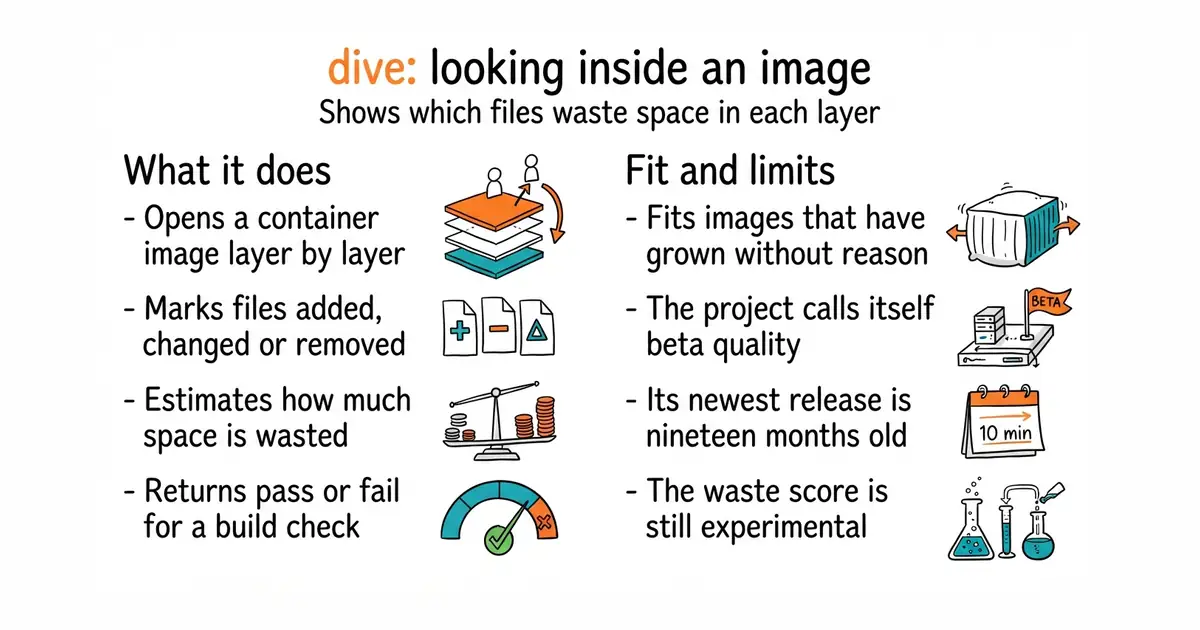
You run it with the name of an image. It shows a file tree on one side and the layers on the other, and the arrow keys move between them. For each layer it marks which files were added, changed or removed, and it can show those marks for one layer or for everything up to that point. It then estimates an efficiency score as a percentage, together with the total space wasted by files that were written and later replaced or deleted. The project calls that score experimental. It can also build an image and analyse it in one command. Images can be read from the Docker engine, from an image saved as a file, or from Podman on Linux. The useful part for a build pipeline is that setting one environment variable makes it skip the interface and return a pass or fail instead, with the rules in a small file: a minimum efficiency score, a maximum number of wasted bytes, and a maximum share of waste excluding the base image. The values shown in the documentation are examples, not defaults, so you have to choose them. What the project says plainly is that this is beta quality, and that the efficiency score is experimental.
Why it matters
Who it suits. Anyone whose container images have grown and who does not know which step made them grow. It pays for itself the first time, because the usual cause is a single layer that installs build tools and a later layer that deletes them, which saves nothing at all. The pass-or-fail mode suits a team that wants image size to stop growing rather than to be measured once. Skip it if your images are already small and built from a minimal base, because there will be nothing to find.
Verdict. Ten minutes for a clear answer to a question most people guess at, and the first run on a long-lived image is usually surprising. Two cautions. The project describes itself as beta quality at 54,454 stars, which is unusual honesty and worth believing: expect rough edges, especially around non-standard container setups, where the documentation lists environment variables you may have to set. And the dates need stating plainly, because they are easy to read wrongly. Its newest release is v0.13.1 from 29 March 2025, which is nineteen months ago, while the last code change was 15 December 2025, ten months ago. So the release information is old and the code is not: this is a slow project, not a dead one. jesseduffield/lazydocker at 52,500 stars is the companion rather than the competitor, giving a terminal view of running containers, logs and resource use, under an MIT licence. anchore/syft at 9,700 stars answers the other question about the same image: not what is wasting space, but exactly which software versions are inside it, under Apache-2.0.
- One command on an image already on the machine, with nothing to configure first.
- It names the files wasting space, rather than only reporting that the image is large.
- A pass-or-fail mode with rules in a file, so image size can be checked automatically on every build.
- The project calls itself beta quality and the efficiency score experimental.
- The newest release is from March 2025, nineteen months ago, although code landed in December 2025.
- Podman support is Linux only, and some container setups need environment variables set by hand.
- jesseduffield/lazydocker
A terminal view of running containers, their logs and their resource use, at 52,500 stars, under an MIT licence.
Track this in Scout  anchore/syft
Lists exactly which software and versions are inside an image, at 9,700 stars, under Apache-2.0.
Track this in Scout
brew install dive
sudo apt install ./dive_0.13.1_linux_amd64.deb
choco install dive
scoop install dive
go install github.com/wagoodman/dive@latest