62.5k stars · MIT · v0.30.0 (2026-07-26) · Track this in Scout
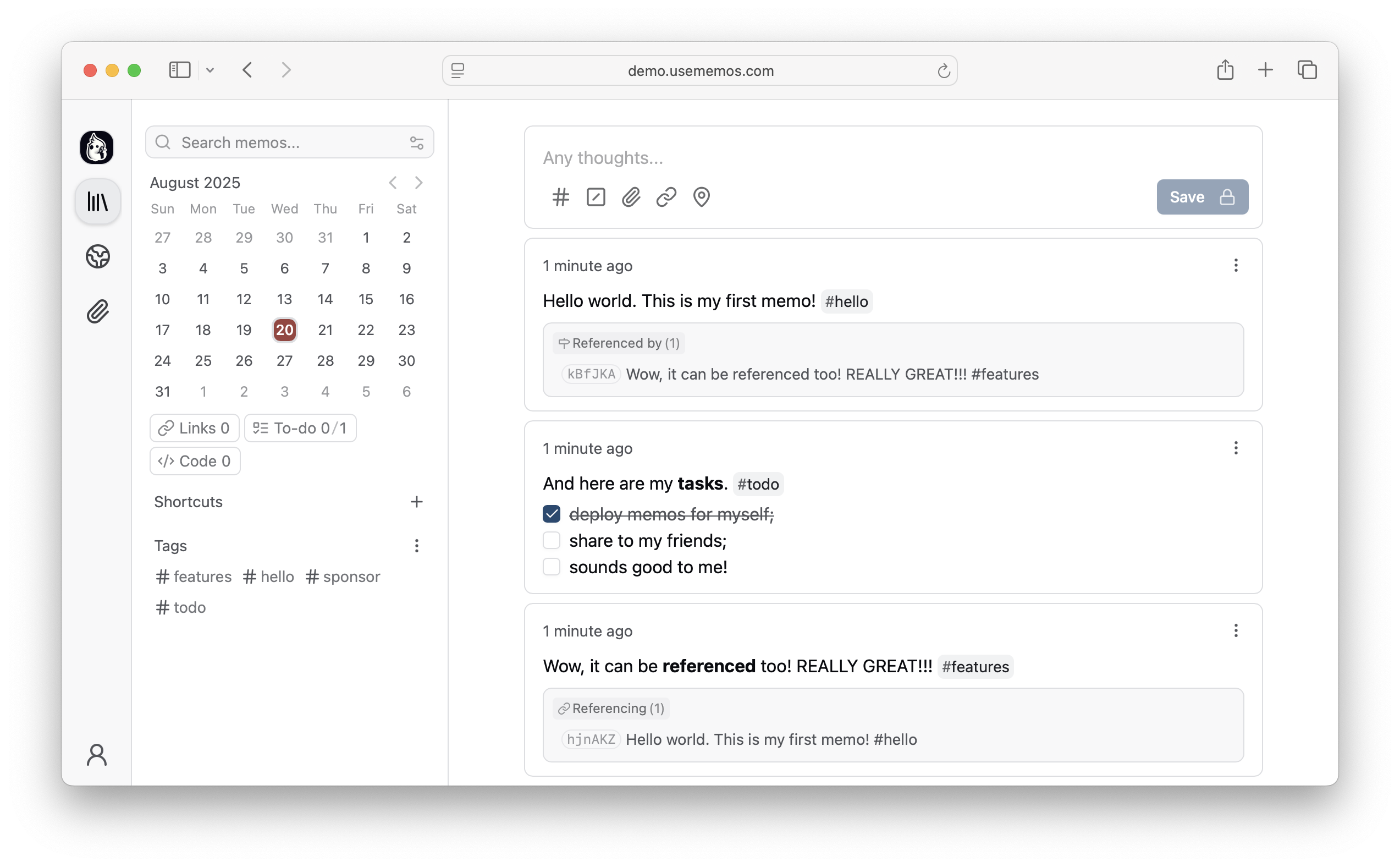
A very light self-hosted notes app built around quick capture: short Markdown notes on a chronological timeline, stored in your own database.
▶Repo detailsthe review · specs · pros & cons · install
What it is
A self-hosted note-taking service written in Go, built around quick capture rather than organisation. Self-hosted means you run it on your own machine instead of using somebody's service. Notes are written in Markdown, which is plain text with a few simple marks for headings and lists, and they are stored in SQLite by default, so the whole thing is one program and one file. It has accounts, public and private notes, and an interface that works on a phone.What it is good for. Anyone whose ideas currently live in a chat message to themselves. The problem it removes is the friction before writing: no notebook to pick, no place to file it. It is deliberately not a wiki and not a second brain. Version 0.30, from July, added a browser extension that saves a page and its selected text straight into your own copy, which makes it a reasonable place to keep the things you find during research.
- One program, one file, and it starts in a few seconds with nothing else installed.
- The whole point is speed of capture, and it is genuinely faster than any wiki.
- MIT licence, and the notes are plain Markdown that you can export and read anywhere.
- It is still before version 1.0, and it has changed things between minor versions in ways that broke people's setups. Pin the version you run and read the release notes before upgrading.
- There is no folder structure at all. If you want a hierarchy, this is the wrong tool.
- Version 0.30 made instances without a configured address run in private mode, which surprises people who upgrade without reading.
- siyuan-note/siyuan
A full personal knowledge system with blocks, links and a graph, which is far more powerful and much slower to write one line into.
Track this in Scout - outline/outline
A team knowledge base with real documents, sharing and permissions; its licence is the Business Source License, not a plain open-source one.
Track this in Scout
# One container, storing its data in a folder in your home directory:
docker run -d --name memos \
  -p 5230:5230 \
  -v ~/.memos/:/var/opt/memos \
  --restart unless-stopped \
  neosmemo/memos:stable
# Then open http://<your-server-address>:5230 and create the first account.
# Pin the version rather than following 'stable' if you dislike surprises:
#   neosmemo/memos:0.30.0