2,726 stars · MIT · mprocs v0.9.6 (2026-06-06), confirmed by ungh. There is NO dekit release yet; the README says the first one is not available · Track this in Scout
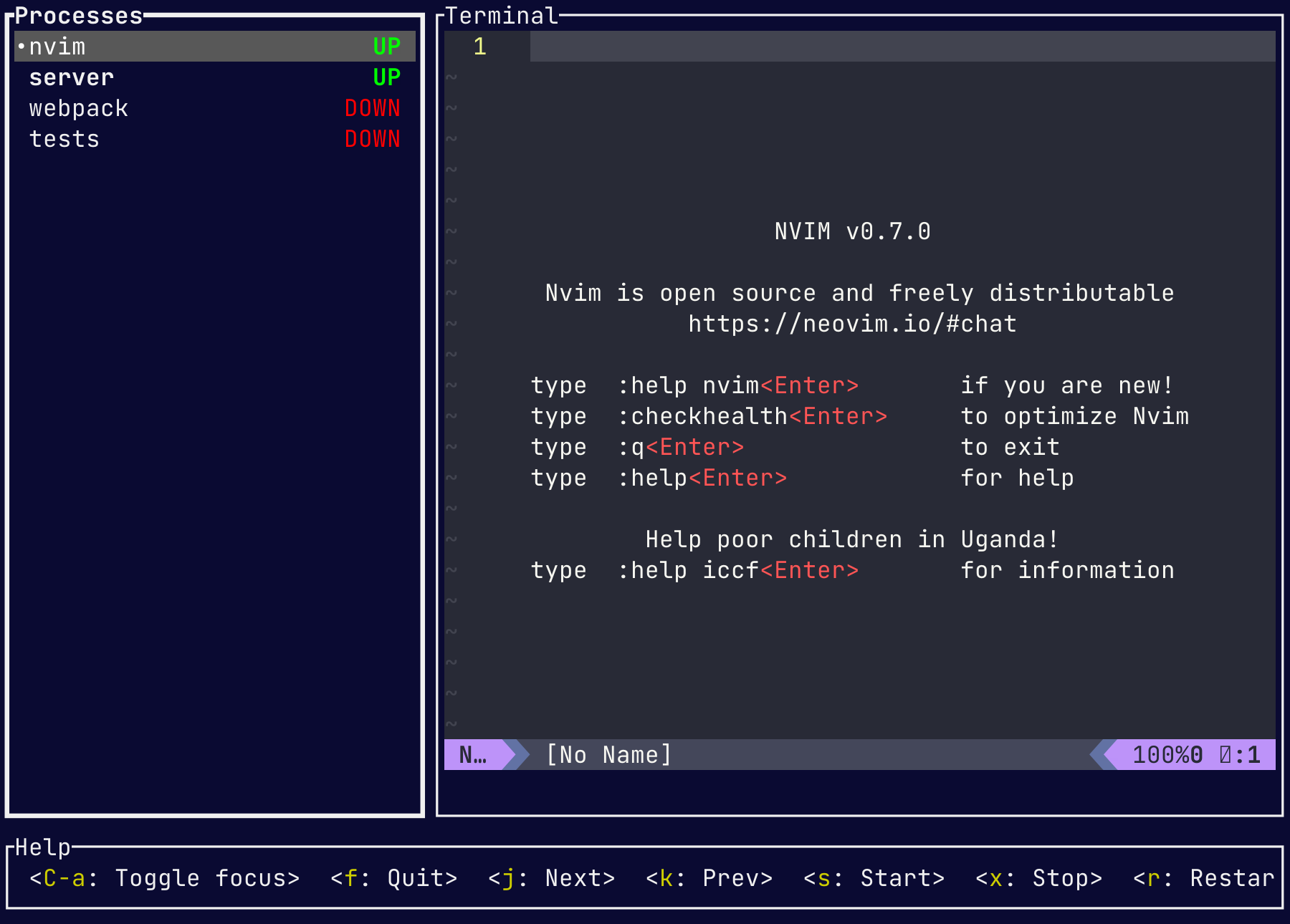
It runs several long-running commands at once, each in its own panel on one screen.
▶Repo detailsthe review · specs · pros & cons · install
What it is
dekit is a terminal program, written in Rust, that starts a list of commands from a small configuration file and shows each one's output in a separate pane. You can restart or stop any one of them without touching the others, and scroll back through what each has printed.
What it is good for. Any project where "start working" means starting a web server, a background worker, a file watcher and a database at the same time. One command replaces four windows, and stopping work is one key instead of four.
- Very small and very fast. One binary, no runtime to install, and it starts instantly.
- MIT licence, and the configuration is a short YAML file that lives with the project, so everyone on it gets the same setup.
- Actively developed: code landed on 24 September 2026, the day before this edition.
- The repository has been renamed.
pvolok/mprocsnow redirects topvolok/dekit, and the README is explicit about what that means: "the first dekit release is not available yet. The CLI, configuration format, and scripting API are still being designed and may change." The last published release is mprocs v0.9.6 of 6 June 2026, and that is still what you install today. - It is a terminal program with no graphical version, so it suits people who already live in a terminal.
- It runs processes and shows their output. It does not restart something that crashes, and it is not a process manager for a server.
- zellij-org/zellij
35,533 stars, a full terminal workspace with panes, tabs and plugins; far more capable and far more to learn.
Track this in Scout - Nukesor/pueue
6,288 stars, queues and manages long-running commands in the background instead of showing them side by side.
Track this in Scout - DarthSim/overmind
3,748 stars, runs the processes listed in a Procfile on top of tmux; its last code landed on 4 April 2025, seventeen months ago.
Track this in Scout
# with cargo (Rust's package manager)
cargo install mprocs
# or on macOS
brew install mprocs
# then write mprocs.yaml in the project root:
# procs:
#   server: { shell: "npm run dev" }
#   worker: { shell: "python worker.py" }
mprocs