401 stars · Apache-2.0 · 2026.9.0 (2026-09-11), read from ungh's releases endpoint; the project uses calendar versioning · Track this in Scout
It prints the state of every code project in a folder, in one screen.
▶Repo detailsthe review · specs · pros & cons · install
What it is
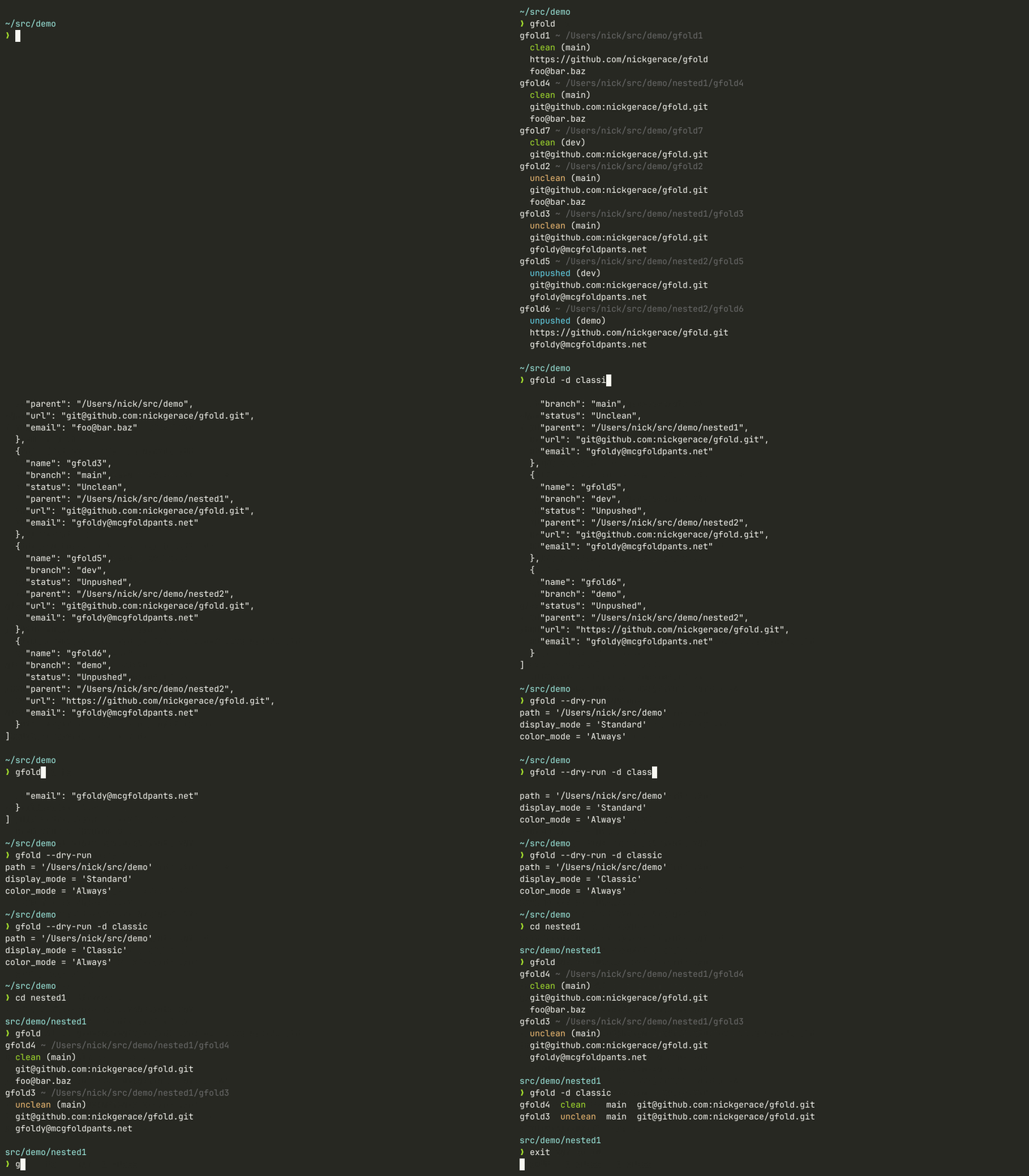
gfold is a command-line tool written in Rust. It walks a directory, finds every Git repository inside it, and reports each one's branch, whether there are uncommitted changes, whether there are untracked files, and where it came from. It only reads.
What it is good for. The situation where work is spread over many small projects and it is no longer obvious which ones are tidy. It is the cheapest possible check before a machine is wiped, handed over or left alone for a month.
- Read-only by design. It cannot change, delete or push anything, so there is nothing to be careful about.
- Fast, because it checks the repositories in parallel. Thirty projects take about a second.
- Apache-2.0, and actively maintained: version 2026.9.0 was published on 11 September 2026.
- 401 stars. That is the smallest project in this edition, and it means very few worked examples and almost nothing written about it elsewhere.
- It reports and stops. It will not commit, push or clean anything up, so acting on what it finds is still manual.
- Git only. A project kept in another version control system is simply not listed, with no warning that it was skipped.
- x-motemen/ghq
3,778 stars, organises where repositories are cloned to rather than reporting on their state; the two work well together.
Track this in Scout - jesseduffield/lazygit
82,669 stars, a full terminal interface for working inside one repository; it does everything gfold refuses to do, one project at a time.
Track this in Scout
# with cargo (Rust's package manager)
cargo install gfold
# or on macOS
brew install gfold
gfold ~/projects
gfold ~/projects --display classic