In simple English
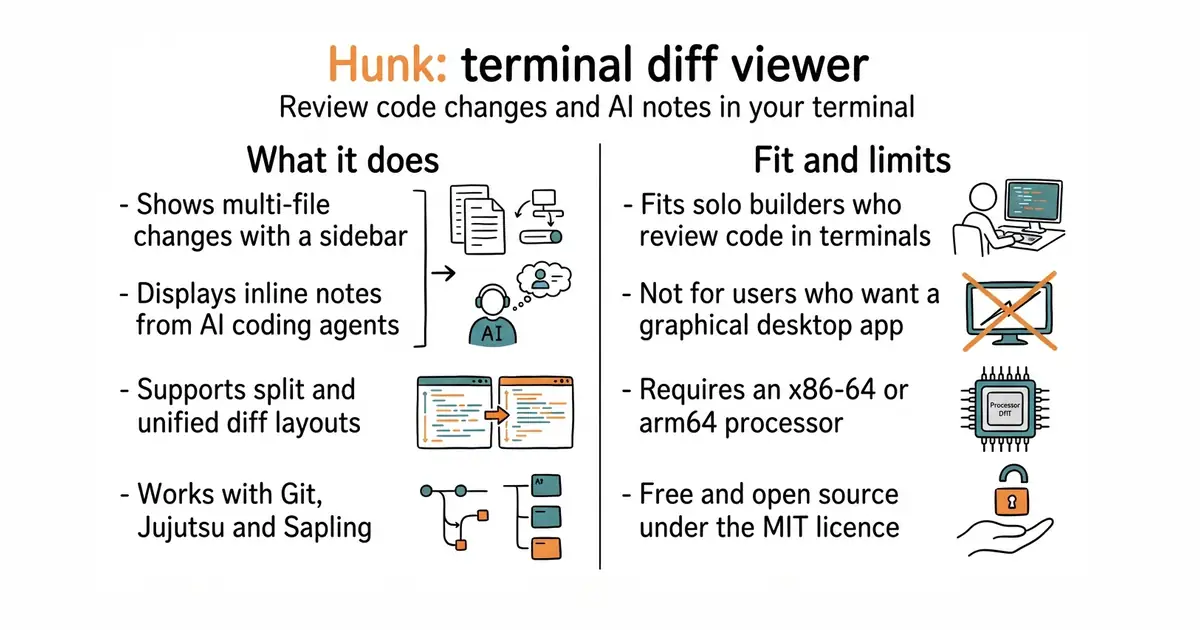
This tool shows you code changes in your terminal window. It replaces the plain text diff output with an interactive screen that supports your mouse and keyboard. You can read code side-by-side or in a single column, browse multiple changed files from a sidebar, and see notes from AI coding assistants right next to the code. It costs nothing to use, and you run it inside your existing terminal workspace.
What it is
Hunk is an interactive terminal diff viewer built for reviewing code changes made by humans or AI coding agents. It supports Git, Jujutsu, and Sapling version control systems.
What it is good for
Solo developers who want to inspect code changes quickly in the terminal without opening a heavy graphical editor or web browser.
- Shows changes from Git, Jujutsu, and Sapling in a clear terminal interface.
- Displays inline notes and comments from AI coding assistants alongside your code.
- Includes prebuilt binary installers that do not require Node.js on your system.
- Requires an x86-64 CPU with SSE4.2 instructions on Linux or Intel Macs, or an arm64 system.
- Does not publish prebuilt binaries for 64-bit ARM Windows or Alpine Linux.
- The extension API is experimental and may break between minor releases.
git diff and standard terminal patch output
git
- dandavison/delta33k stars
A syntax-highlighting pager for git and diff output, though it lacks an interactive review-first UI.
- Wilfred/difftastic26k stars
A structural diff tool that compares code based on syntax trees rather than lines, run from the command line.


- microsoft/playwright-mcp39k stars
A server that lets an AI assistant drive a real browser, using the page's own structure rather than screenshots.
- Kilo-Org/kilocode28k stars
An open-source coding assistant for VS Code, JetBrains editors and the terminal, which can edit several files at once.
- dyad-sh/dyad22k stars
A desktop program that builds a web application from a written description, running locally with keys the user supplies.
curl -fsSL https://hunk.dev/install.sh | sh