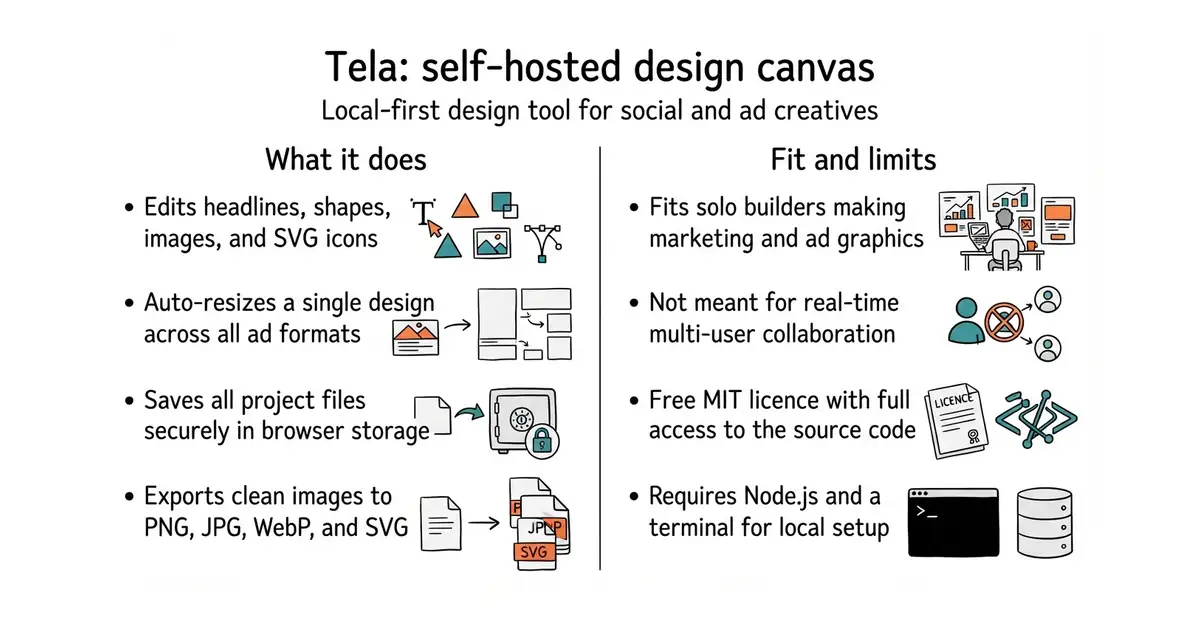
In simple English
Tela is a lightweight design tool for making social media posts, banner ads, and marketing images. It works right inside your web browser without asking you to sign up for an account. Your designs stay saved on your own computer instead of someone else's server. You can change the brand colours, add your own templates, or embed the editor inside your own website. It costs nothing to run, and you do not need any special servers to host it.
What it is
Tela is an open-source design editor built with React, TypeScript, and Zustand that serves as a self-hosted alternative to Figma or Canva. It features a multi-format canvas, a custom SVG rendering engine, and one-click auto-resize across different ad sizes.
What it is good for
Solo founders and marketers who need to quickly generate social media images and ad banners across multiple aspect ratios without paying for cloud design subscriptions.
- Runs completely offline in your web browser with no cloud account required.
- Easily rebrandable and self-hostable by editing local configuration files.
- Supports one-click auto-resize to instantly convert a design across multiple ad formats.
- Designed for single-user editing without real-time multiplayer collaboration.
- Requires basic developer knowledge to install dependencies and run the build tools.
- AI features require bringing your own external API endpoint and server configuration.
Figma or Canva for simple social media ad creation
Vercel for hosting static exports
- excalidraw/excalidraw134k stars
Excalidraw is a virtual whiteboard for sketching hand-drawn diagrams directly in the browser.

- SVG-Edit/svgedit7.8k stars
A vector drawing editor that runs in a browser and can be embedded in a web page.
- viliusle/miniPaint3.5k stars
A layered image editor that runs in a browser, with no upload and nothing installed.
- johanmattssonm/birdfont561 stars
A free desktop editor for drawing a typeface and exporting it as an installable font file.
git clone https://github.com/heyimjames/tela.git
cd tela
npm install
npm run dev